TapVid

Turn existing business content into clear video

Use product footage, narration, documents, and approved copy to make an accurate video that is ready to publish.

Log in
    TapVid
    HomeAPI & MCPPricingBlogAbout

    PDF to Video

    Turn a PDF into a real motion-graphics explainer, not a slideshow with music. TapVid reads the structure, writes narration, and animates it.

    16:9~30s
    90

    One PDF, one finished video

    This PDF was turned into the video shown here with TapVid.

    REAL INPUTPDF · 4 pages
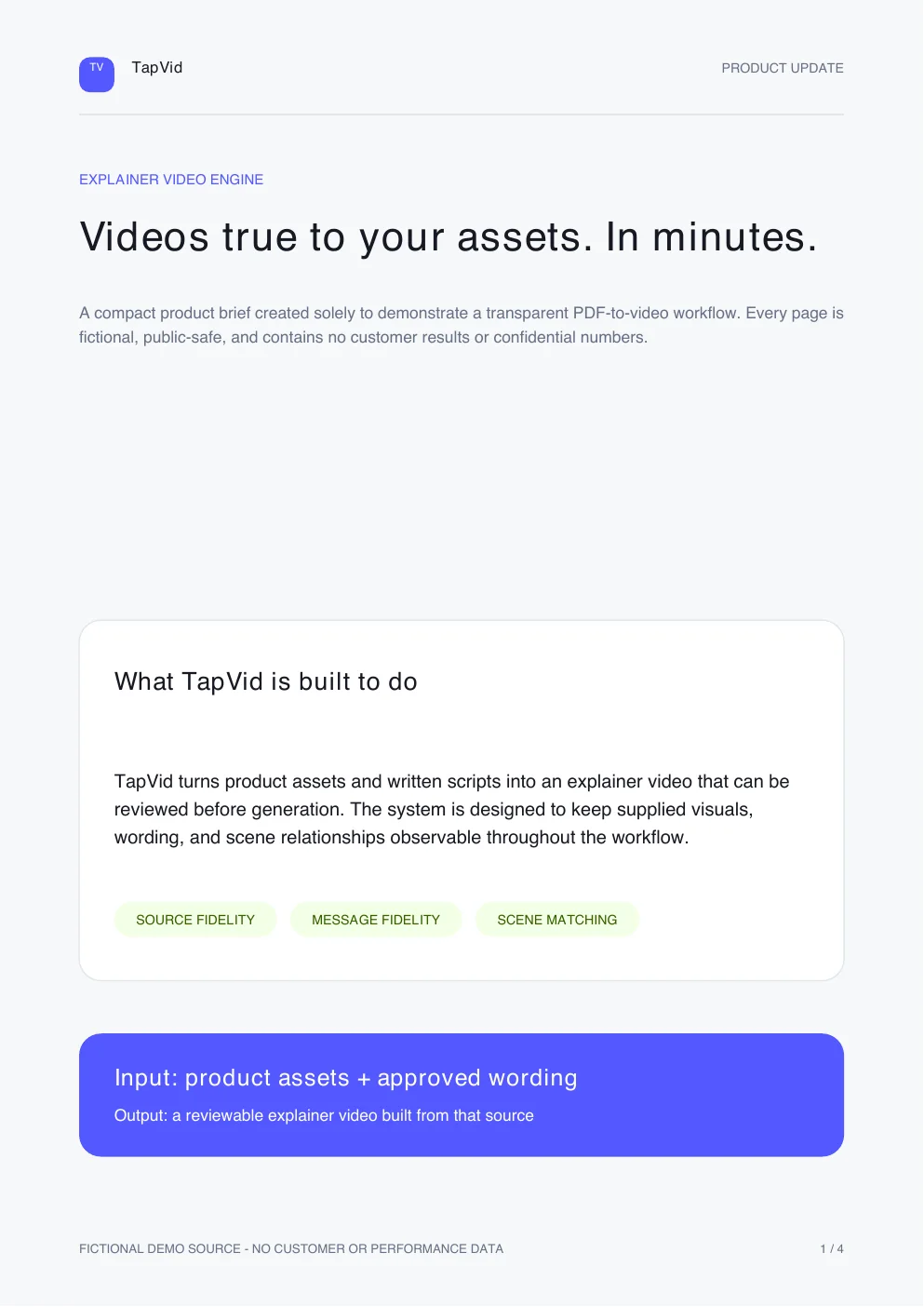
    The first page of the PDF used for this TapVid video

    tapvid-product-update.pdf

    TAPVID OUTPUT33 sec

    See the same run take shape

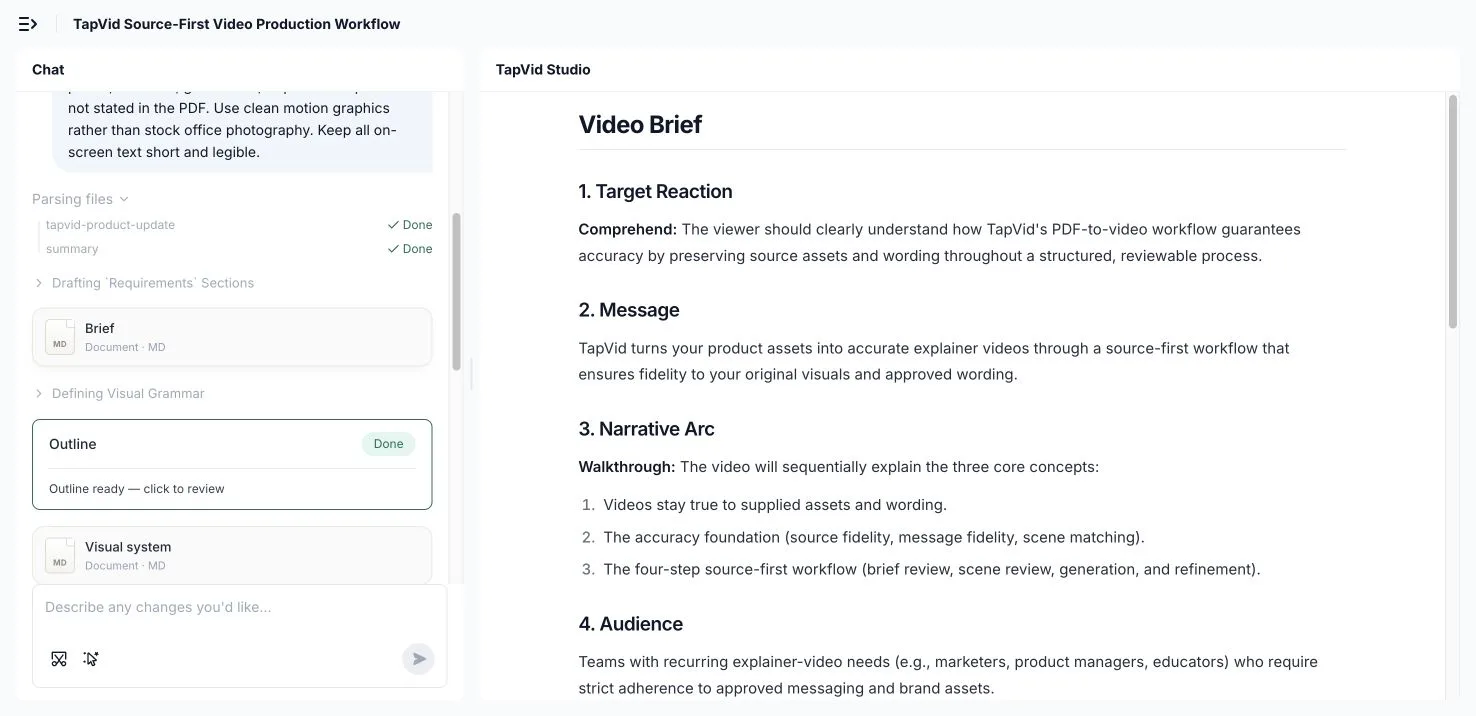
    TapVid brief parsed from the uploaded PDF
    01

    Drop in a PDF or a link

    Hand TapVid the document you already have. It reads the structure, pulls out the key points, and plans a scene-by-scene outline, so you do not start from a blank timeline.
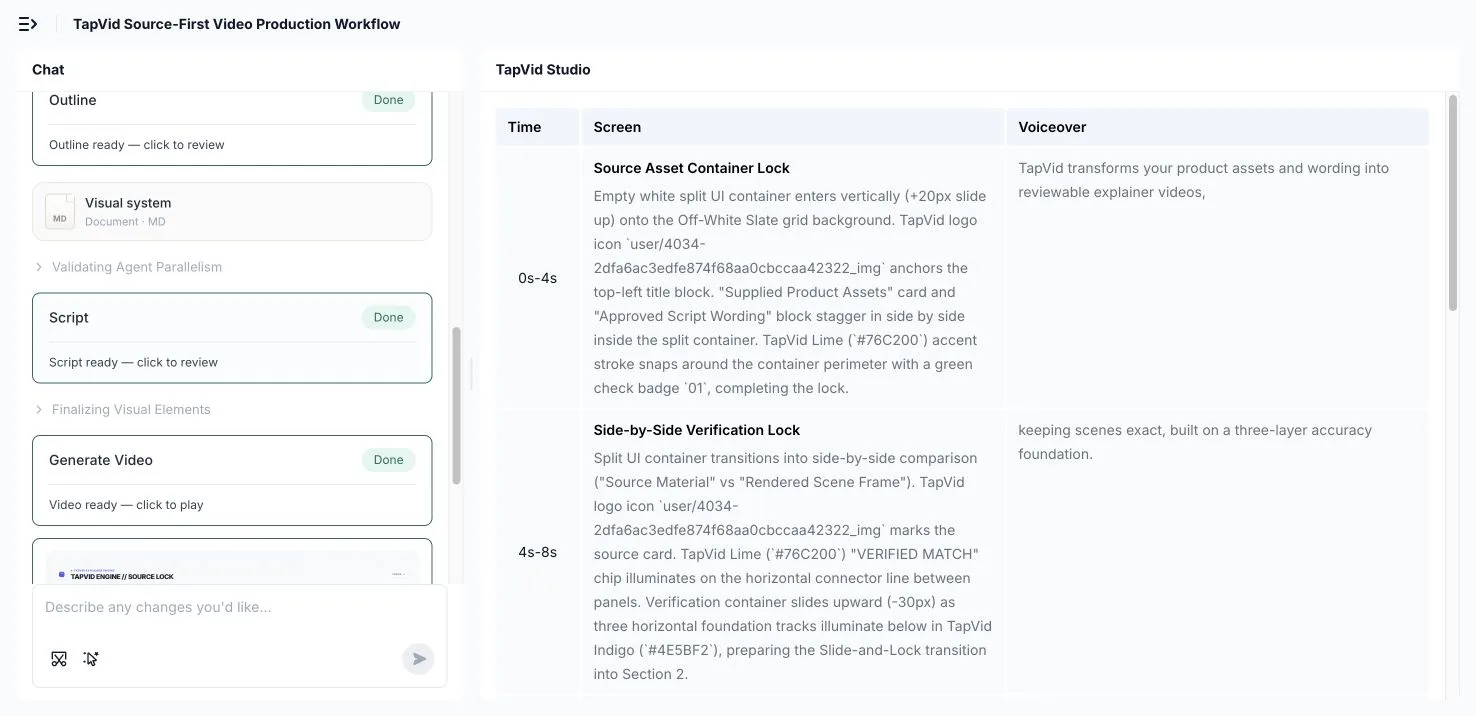
    TapVid script prepared from the same PDF run
    02

    AI restructures it into an animated explainer

    TapVid writes narration, rebuilds tables and figures as animated charts, and paces each section as a scene, so a dense document becomes a story instead of a wall of text.
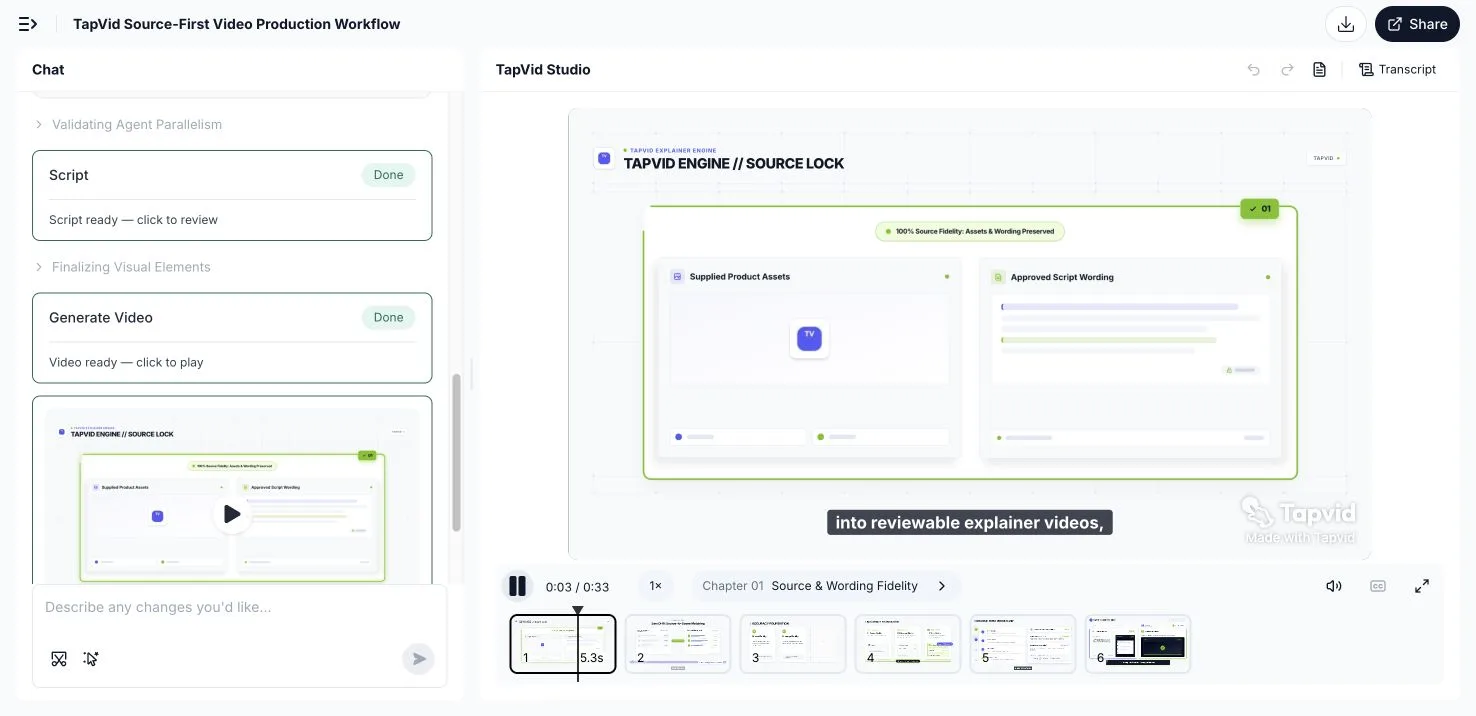
    TapVid result screen for the same PDF run
    03

    Refine by prompt, then export

    Change the depth, style, wording, or length by describing it, then export an MP4 or share a link when it reads right.

    How it works

    01

    Upload or paste

    Upload your PDF or paste a link to the document as your source.

    02

    AI rebuilds it as video

    TapVid restructures the sections, writes narration, and animates figures and data.

    03

    Refine and export

    Adjust depth, style, or length with a prompt, then export an MP4 or share a link.

    What is PDF to video?

    Exporting a PDF as slides makes a video almost nobody finishes. Slides are built to be read at your own pace, not watched on a timer, so autoplaying them just produces a slow, static clip that loses the viewer in the first ten seconds. The document already has the substance; what it lacks is pacing, narration, and motion.

    PDF to video turns a document into a finished explainer automatically. Instead of screenshotting pages, TapVid reads the structure of your PDF, breaks it into scenes, writes voiceover-ready narration, and rebuilds figures and data as animated charts and diagrams. The result is a motion-graphics explainer that carries the same information in a form people actually watch.

    Because the video is generated from your own document, it reflects your wording and your data rather than a generic template. You choose the depth, the style, and the length, and you can regenerate any scene by describing the change, so a report becomes a watchable explainer without a designer or an editor.

    Why turn PDFs into video with TapVid

    Restructured, not screenshotted

    TapVid rebuilds the document into scenes and narration instead of autoplaying static pages, so the result is watchable.

    Figures become animated charts

    Tables and data in the PDF are rebuilt as motion graphics, so a data-heavy report reads clearly on screen.

    Narration written for you

    Voiceover-ready narration is generated from the document, and you can rewrite it before it renders.

    Edit by prompt, not timeline

    Change depth, wording, style, or length by describing it. No keyframes, no scrubbing, no re-render queue.

    Publish-ready output

    Export an MP4 for a landing page, email, onboarding, or social, or share a link straight away.

    Minutes instead of a production

    Turn a document that would take a designer and an editor days into an explainer you finish the same day.

    What you can turn into a video

    One converter covers the documents teams most want people to watch instead of read, from a whitepaper to a compliance doc.

    Whitepapers

    Turn a long-form whitepaper into a paced explainer that gets the argument across without a 20-page read.

    Reports and research

    Rebuild the tables and findings from a report or research PDF as animated charts and a narrated summary.

    Product manuals to onboarding

    Convert a manual or setup guide into an onboarding video that walks users through it step by step.

    Courseware and lecture PDFs

    Turn course notes and slide PDFs into a narrated lesson students can watch and replay.

    Pitch decks exported as PDF

    Take a deck saved as a PDF and turn it into an animated pitch video for investors or customers.

    Compliance and policy docs

    Distill a dense compliance or policy document into a short summary video people will actually watch.

    Built for Research, Product, and Education

    Research & content

    Turn whitepapers, reports, and research PDFs into explainers that get read by being watched.

    Product & sales

    Convert manuals, one-pagers, and PDF decks into onboarding and pitch videos.

    Education & training

    Rebuild courseware and policy PDFs into narrated lessons and training clips.

    Frequently Asked Questions

    Give TapVid your PDF, and it reads the document structure, pulls out the key points, writes voiceover-ready narration, and animates each section as a scene. You get a motion-graphics explainer instead of a static slideshow, and you refine it by describing changes in plain language.
    You can start turning PDFs into video for free with 300 one-time credits (valid for 7 days) and no credit card. Free exports are 720p with a watermark and clips up to 1 minute; Pro and higher are watermark-free with 1080p exports and longer clips. See all plans on our pricing page.
    Yes. Rather than screenshotting a dense page, TapVid restructures it: it breaks a section into scenes and rebuilds tables and figures as animated charts and diagrams, so a data-heavy report becomes something a viewer can actually follow.
    TapVid generates narration for you, and you can rewrite the script before it renders. Bringing your own recorded voiceover is on the roadmap; check the current audio options in the app.
    Exporting a PDF as slides gives you the same static pages on autoplay, which is a video almost nobody finishes. TapVid restructures the document into a paced, narrated explainer with motion graphics, so the result is built to be watched, not read.
    Yes. Export a finished MP4 to publish anywhere, or share a link. The video is ready for a landing page, an email, onboarding, or social.
    Most document explainers land between 60 and 120 seconds, and you can ask for a shorter or longer cut. Everything stays editable: rewrite the script, restyle a scene, or regenerate a section by describing the change, no timeline required.
    Whitepapers, reports and research, product manuals, courseware, pitch decks exported as PDF, and long-form docs all work well. Anything structured into sections that you would rather have someone watch than read.

    Related guides

    • See all plans and pricing
    • Document to Video: The Complete Guide
    • How to Create an Explainer Video
    • AI Explainer Video Generator Tutorial
    • Infographic Video: The Complete Guide
    • AI Motion Graphics Generator: The Complete Guide
    • The Animation Video Maker Playbook

    Need help making a better video?

    Create with the TapVid community.

    Tutorials

    Step-by-step workflows

    Good cases

    See what works

    Support

    Get answers

    Join Discord→

    Simple, credit-based pricing

    3 credits = 1 second, so you only pay for what actually renders. Start free, upgrade anytime.

    Most Popular

    Pro

    $49/mo

    2,000 credits / mo

    Max

    $99/mo

    6,000 credits / mo

    Ultra

    $199/mo

    14,000 credits / mo

    See full plans & pricing

    Ready to create your first video?

    Join thousands of product teams using AI to create professional videos in minutes.

    Your first video in under 5 minutes →Book a demo →
    Tapvid

    TapVid turns the materials your business already has into an accurate video that explains the job clearly and is ready to publish.

    TikTokInstagramXDiscordYouTube

    TapVid

    Features

    AI Explainer Video GeneratorAI Motion Graphics GeneratorAI Product Demo Video GeneratorProduct Demo Video MakerExplainer Video TemplatesAI Product Video GeneratorAI B-Roll GeneratorTalking Head Video EnhancerAI Video ClonerText to Video AIText to Motion GraphicsAnimated Video MakerAnimated Explainer Video MakerKinetic Typography GeneratorAnimated Chart MakerAnimated Collage MakerFree AI Video Generator

    Convert to Video

    Image to VideoVideo to Video AIPDF to VideoPPT to VideoArticle to VideoBlog to VideoURL to VideoScript to VideoGoogle Slides to VideoWord to Video

    Use Cases

    SaaS Explainer VideoProduct Launch Video MakerAI Ad Video GeneratorDocumentary Video MakerAnimated Social Media Video MakerInfographic Video MakerPodcast to VideoWhiteboard Animation MakerEducational VideoTutorial VideoCustomer OnboardingHelp Center VideoAPI Docs Video

    Solutions

    Explainer VideoProduct Demo VideoMeeting Recap VideoWebinar ClipsMarketing VideoFeature AnnouncementCompetitive ComparisonNewsletter VideoLanding Page VideoInvestor Pitch Video

    Featured Guides

    Video Prompt LibraryBest Faceless YouTube NichesCollage Animation Guide

    Company

    All FeaturesAboutBlogPricingGet in Touch

    © 2026 TapVid. All rights reserved.

    Privacy
    Terms of Service