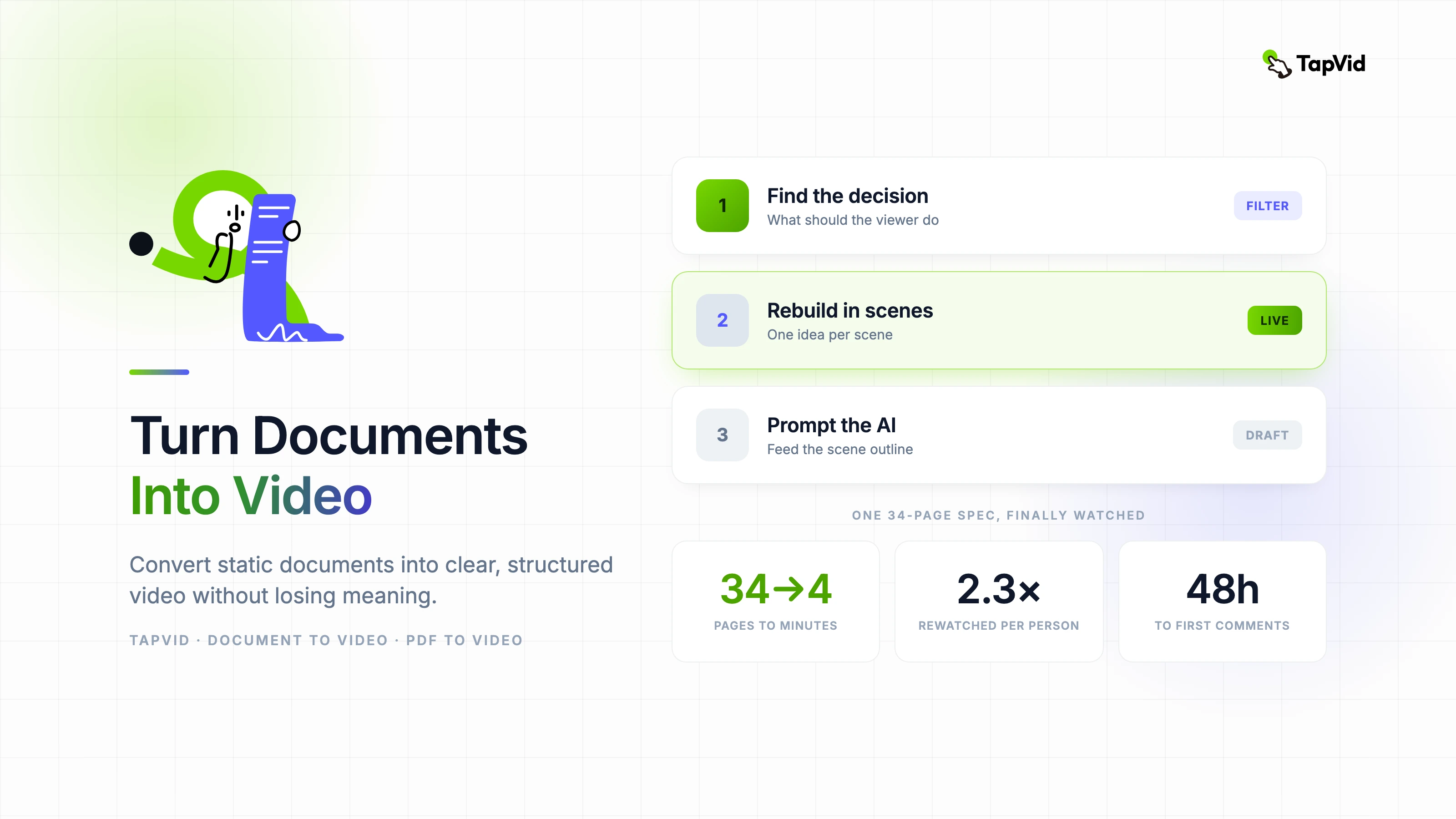

Last month I converted a 34-page product specification document into a four-minute explainer video. The document had been sitting unread in a shared drive for three months. Forty-eight hours after the video went up, the team had watched it an average of 2.3 times each and the spec itself finally had comments. That's the actual value of document-to-video — not novelty, but comprehension that was never happening before.
01
Why copy-pasting a document into a video tool never works
Documents and videos have opposite structures. A document is designed for scanning — you jump to the section that matters to you, skim headers, and go back when you need detail. A video is linear. You can't skim it. If the information isn't in the right order for a viewer who knows nothing yet, they're lost within the first minute.
The teams that struggle most with PDF to video conversion are the ones who try to preserve the document's structure. They end up with a video that's essentially a narrated PowerPoint: dense, overwhelming, and boring in exactly the way the original document was boring.
The reframe that fixes this: you're not converting a document, you're using a document as source material for a completely different thing. The document answers the question "what is true?" The video answers the question "what should the viewer understand and do?"
02
Start by finding the one decision the video should drive
Before extracting any content from a document, write one sentence that completes this phrase: "After watching this video, the viewer should ___." That sentence is your editorial filter for everything that follows.
Everything in the source document that supports that decision goes into the video. Everything that doesn't — even if it's technically accurate and important in the document context — gets cut. This is the hardest part for people who wrote the document themselves. They feel every section is essential. In a video, most of it isn't.
- Identify the top three claims the viewer must remember.
- Find one concrete example or data point that proves each claim.
- Remove any content that a viewer needs prior context to understand.
- Define a single action the video should prompt at the end.
03
Restructuring the content for how video actually works
Video works in scenes, and each scene should carry exactly one idea. Not one section of your document — one idea. A section that covers three related concepts needs to become three scenes, each with a clean transition between them.
The sequence that consistently works for document-based videos: establish the problem context in the first 20 percent, introduce the key concepts in the middle 60 percent with one idea per scene, and consolidate the takeaway with a clear next step in the final 20 percent.
Recaps work well in longer document-to-video conversions. A brief summary scene every four to six content scenes reduces cognitive load and improves retention, particularly for technical or compliance content where the viewer needs to actually absorb what they're watching rather than just consume it.
04
Getting usable output from an AI document to video generator
The prompt is where most people underinvest when using an AI document to video generator. Pasting the full document and hoping for good output is how you get a mediocre first draft that needs to be almost entirely redone.
Instead, paste your restructured scene outline — the version you've already filtered and reordered around your viewer's journey — and add explicit context: who is the viewer, what do they already know, what tone is right (instructional, conversational, formal), and what the video should accomplish. That context changes the output substantially.
Review AI-generated video output for structure before anything else. Does each scene make one point? Is the sequence logical for someone who hasn't read the source document? Fix structural problems at this stage. Fixing them after you've polished visuals is expensive.
05
The mistakes that waste the most time
- Treating all content equally — some information changes decisions, some just provides context. Prioritize ruthlessly.
- Keeping the document's section order — reorganize around what the viewer needs to know first, not what came first in the original.
- Skipping the one-sentence decision test — if you can't state the single action the video drives, the video has no editorial spine.
- Polishing before the structure is right — visual refinement on a structurally broken video is wasted effort.
- Publishing without a plain-text summary alongside the video — search engines need text; your video needs discoverability.
06
After it's live: the measurement that actually matters
Watch scene-by-scene retention if your platform supports it, not just overall completion. A video with 60 percent overall completion might be losing everyone in the same specific scene — and that scene is where your argument is breaking down. That's specific and fixable.
Document-to-video is one of the highest-ROI content investments available to teams right now precisely because the source material already exists. You're not generating information from scratch — you're making existing information finally accessible to the people who need it.