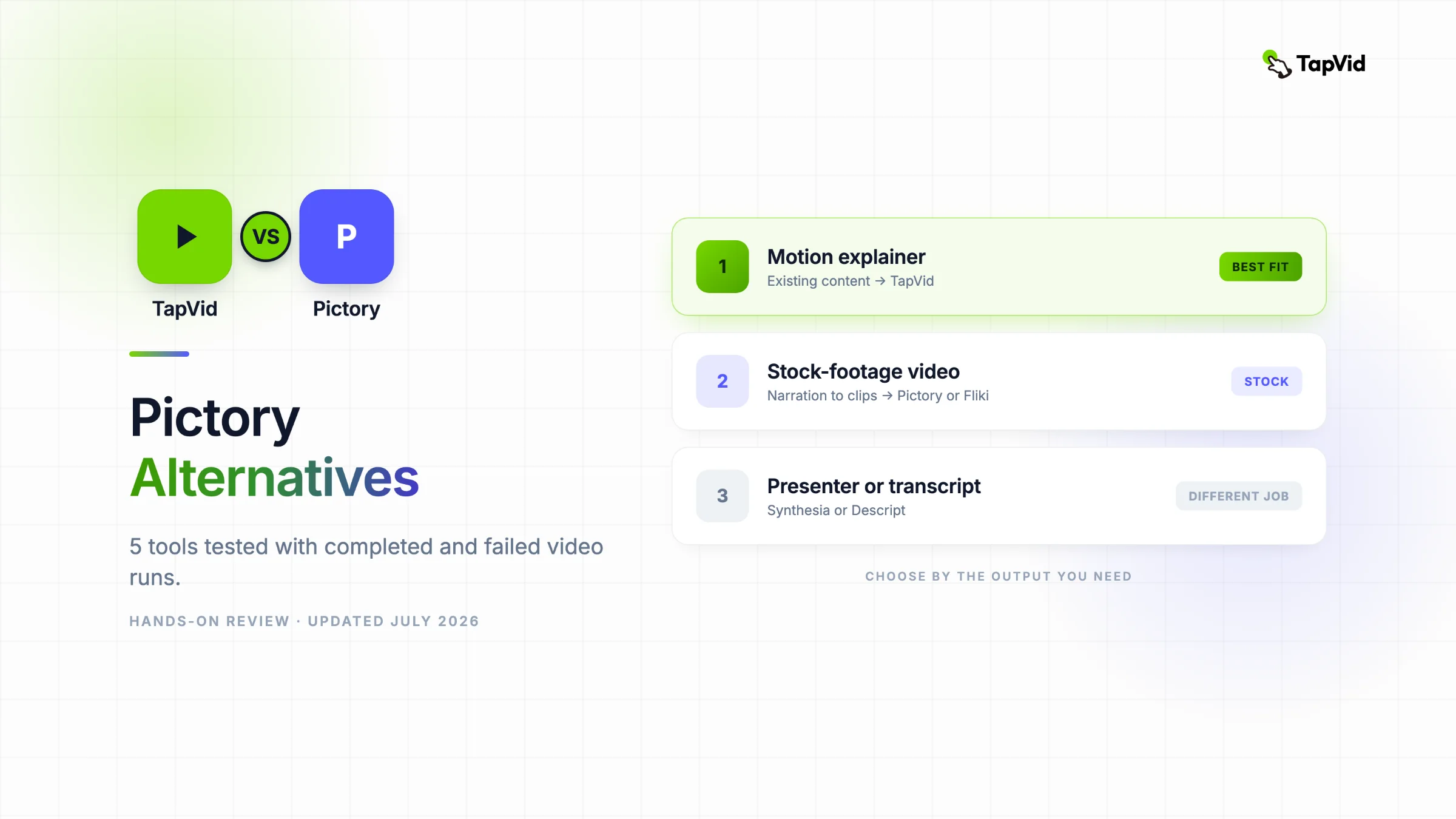

I completed a Pictory render and tested five alternatives with the same brief. This comparison shows the actual outputs, duration drift, export limits, ignored instructions, and failed runs that feature-list articles leave out.
01
The short answer after completing the test
Pictory works when you want a script turned into a narrated stock-footage montage with little setup. It is not the best fit for every “text to video” job. TapVid is better when an existing article, PDF, script, or product page must become a structured motion-graphics explainer. Fliki is the closest stock-media alternative I completed. Descript is better when the transcript is the editing surface. Synthesia is for presenter-led training. Canva AI is cheap and accessible, but its generated text failed badly in this test.
I reached a completed Pictory render rather than stopping at signup. I also generated and inspected outputs in Fliki, Descript, Synthesia, and Canva AI, then documented three products that failed before a reviewable result. Every tool received the same TapVid brief wherever the interface allowed it. The value of this comparison is the mismatch data: requested length versus final length, instructions preserved versus ignored, and which free exports were actually available.
02
The fixed brief and what counted as a real test
The prompt requested a 15-second, 16:9 product explainer for an audience that already had an article, PDF, script, or product page but was blocked by production. It specified a clean light background, lemon green #78D701, indigo #5359FF, bold kinetic type, no avatar, and the exact final line “Turn your content into an explainer video.” This deliberately combines content requirements, visual constraints, and a measurable duration.
A result counted as complete only if I could inspect a finished editor or rendered player and reach the export surface. A generated script alone was partial. A loading screen that never resolved was a failure. I recorded the actual player duration instead of trusting the prompt or script estimate. The same test exposed four different durations inside Pictory, which would be invisible in a homepage-only review.
| Tool | Result status | Requested vs actual | Observed free export | Main finding |
|---|---|---|---|---|
| Pictory | Completed render | 15s request, 39.94s final | Watermarked video | Fast stock montage, weak duration control |
| TapVid | Completed prior source test | 60s setting, four 15s beats | Not retested | Best source-grounded explainer structure |
| Fliki | Completed export | 15s request, 31s editor | 720p MP4, watermark limit | Closest stock-media alternative, prompt treated as script |
| Descript | Completed export | 15s request, 16.4s final | 720p, watermark | Closest duration and best transcript workflow |
| Synthesia | Completed render | 15s request, 40s final | Free-plan render | Presenter-led output ignored no-avatar |
| Canva AI | Generated artifact | 15s claimed, playback not measurable | Not tested | Text was unreadable |
03
Pictory baseline: full generation, export, and duration audit
Pictory duration audit
Input: 15 seconds requested
Setup
- 29 seconds in the script
- 33.8 seconds in the editor
Observed
- 00:39 on the shared player
- 39.936654 seconds in the HTML video
The final file was 39.94 seconds, a 166 percent overshoot from the requested duration.
I signed up with Google and received a 14-day trial with 50 AI credits. In onboarding I selected sales and marketing, a sales-and-marketing role, an 11 to 200-person company, and tapvid.ai as the website. The prompt field would not accept a 15-second target as a project setting. Pictory’s minimum duration was 30 seconds, so the system expanded the request before generation.
Pictory first produced a seven-sentence script titled “Transform Your Content with TapVid.” Its script estimate showed 29 seconds. The video-preferences step estimated a 24-credit generation cost. After generation, the editor contained nine scenes and reported 33.8 seconds. The visuals were a generic stock montage, including office conversations, phone footage, cloud graphics, and abstract clips. The exact green and indigo direction was not preserved consistently.
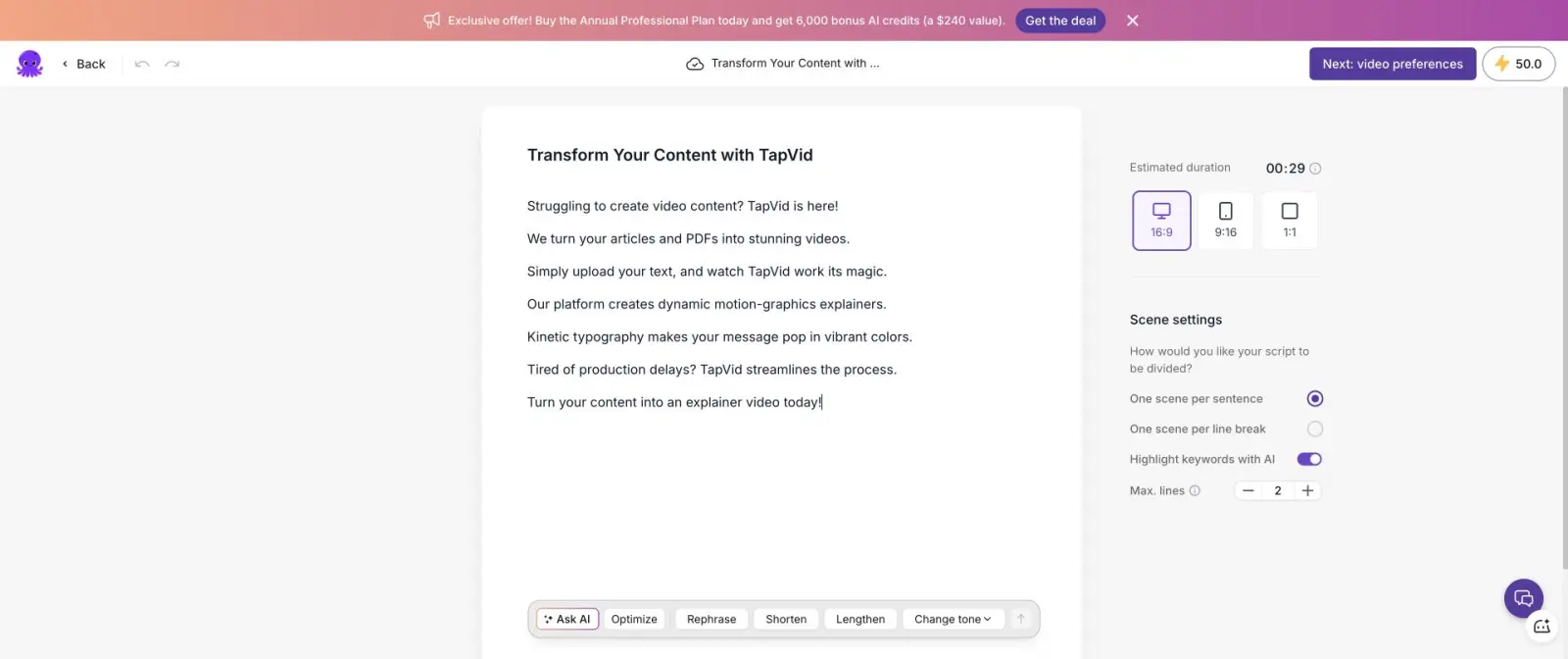
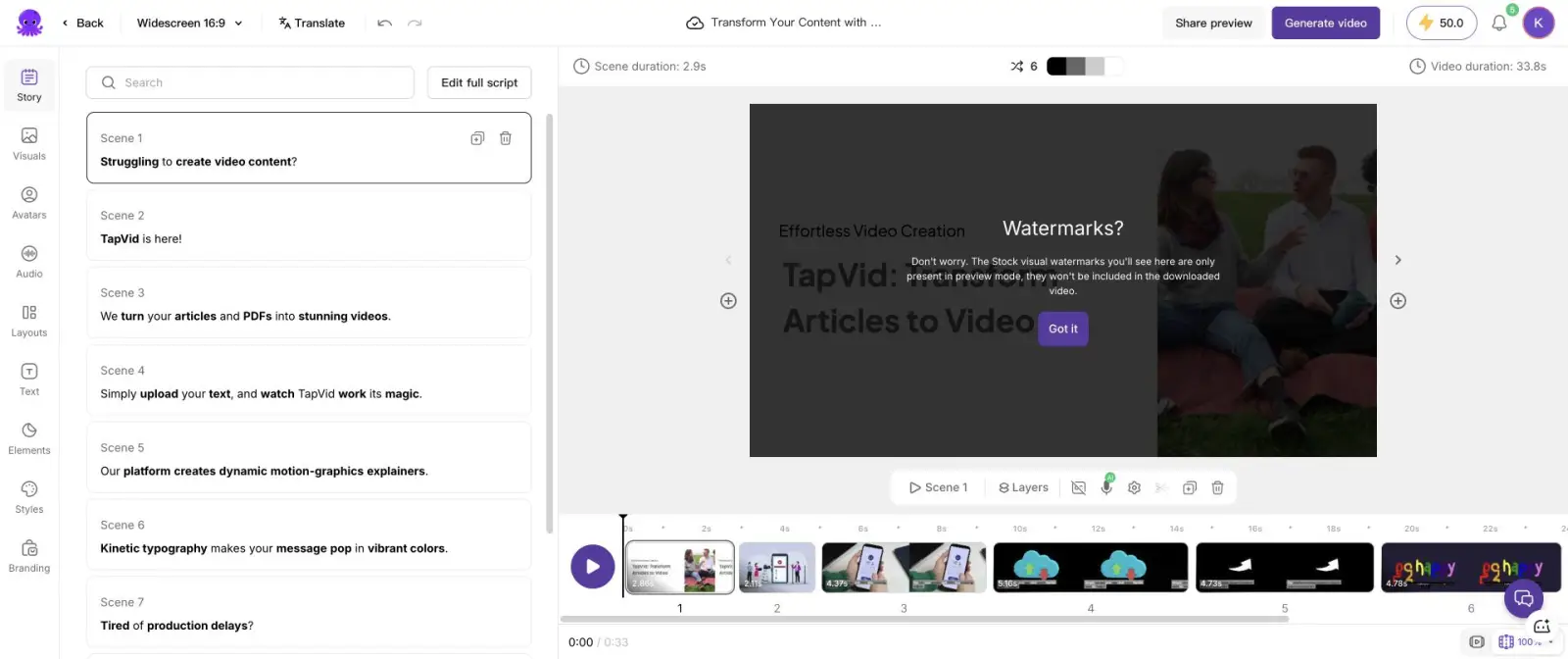
I selected the free “Generate with watermark” path and waited for the render to finish. On the final shared page, the player reported 00:39. Inspecting the HTML video gave a precise duration of 39.936654 seconds. The test therefore moved through four different time values: 15 seconds requested, 29 seconds in the script, 33.8 seconds in the editor, and 39.94 seconds in the final file. That is a 166 percent overshoot from the requested duration.
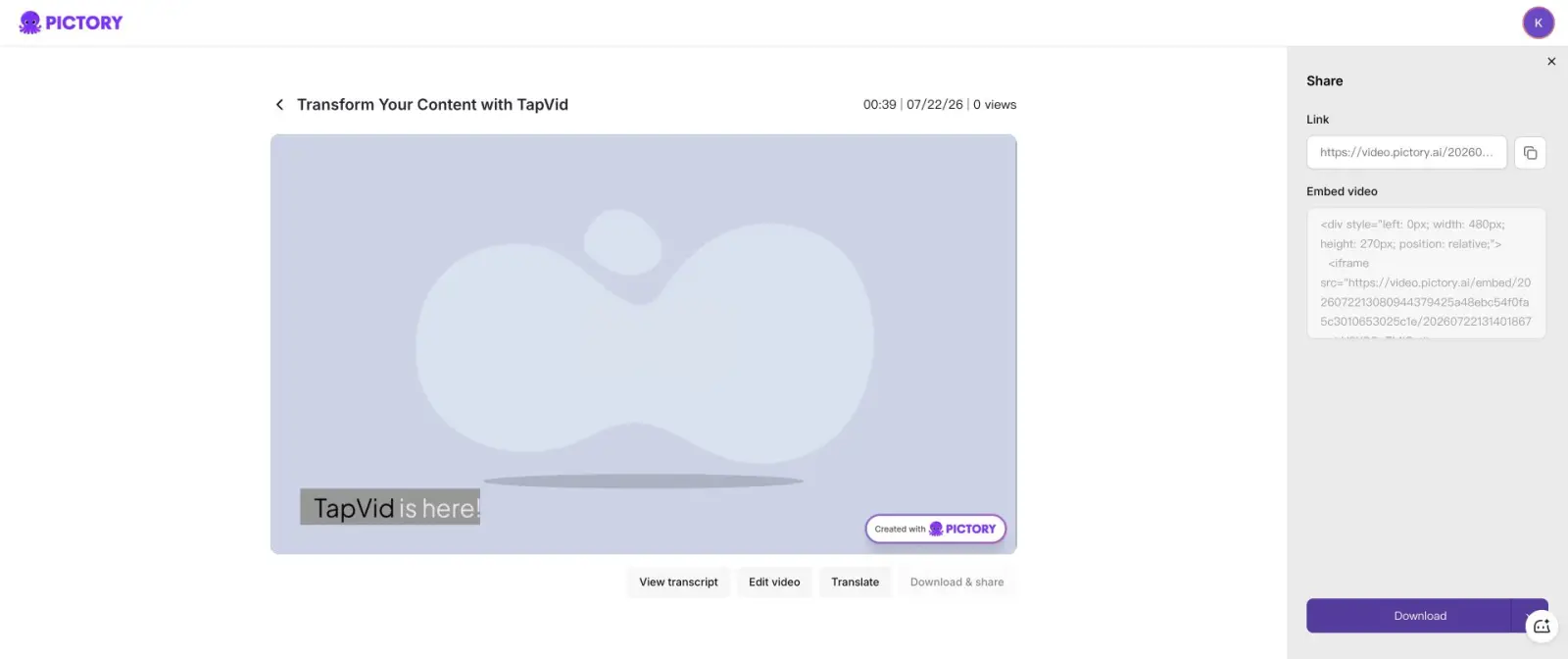
The free video also carried a Pictory watermark. Preview-only stock watermarks did not appear in the downloaded render, but the Pictory brand mark did. Pictory is still useful when speed and usable stock coverage matter more than exact timing or designed motion. It is a poor fit when a campaign needs a strict 15-second slot, precise brand colors, or a no-stock motion-graphics language.
04
1. TapVid: best for turning existing content into an explainer
Choose TapVid when the source must stay authoritative
TapVid is the fit when the video must explain the source rather than merely illustrate sentences.
Best for
- Product launches, article-to-video repurposing, knowledge explainers, and scripted creator content.
Avoid if
- Digital-human presenters or manual timeline compositing are the primary requirement.
TapVid and Pictory may both accept text, but they solve different production problems. Pictory maps script sentences to stock clips. TapVid is an Explainer Video Engine: it turns an existing article, PDF, script, PRD, product copy, or link into a brief, narrative outline, scene plan, script, and motion-graphics render. The source stays visible in the process instead of disappearing behind a stock search.
In my real TapVid run, I uploaded a 275KB article PDF and one short direction. The first checkpoint returned the target reaction, core message, narrative arc, audience, 60-second duration, 16:9 format, and voice. The next checkpoint organized the story into four 15-second beats. The shot-by-shot script then exposed timecodes and voiceover before generation. Upload to finished video took 6 minutes 21 seconds.
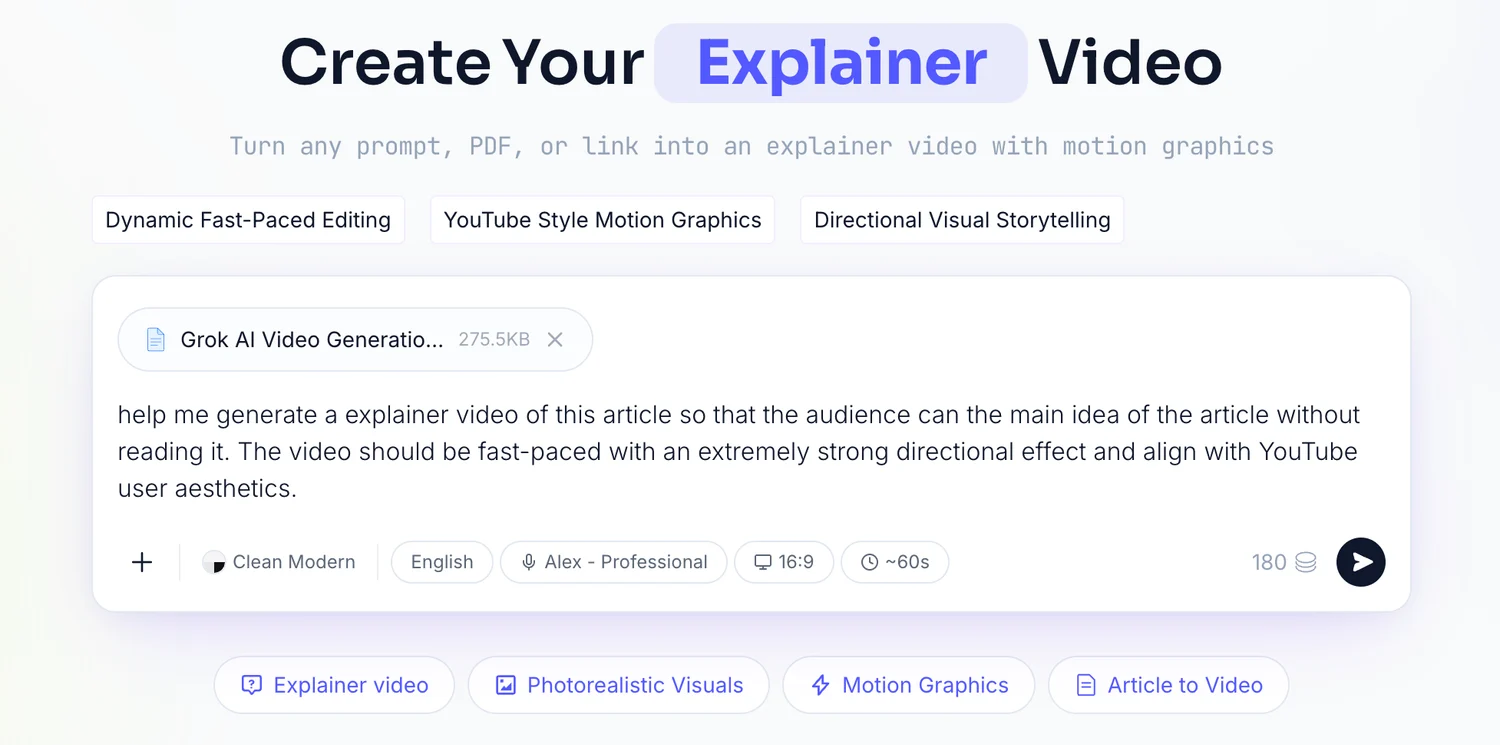
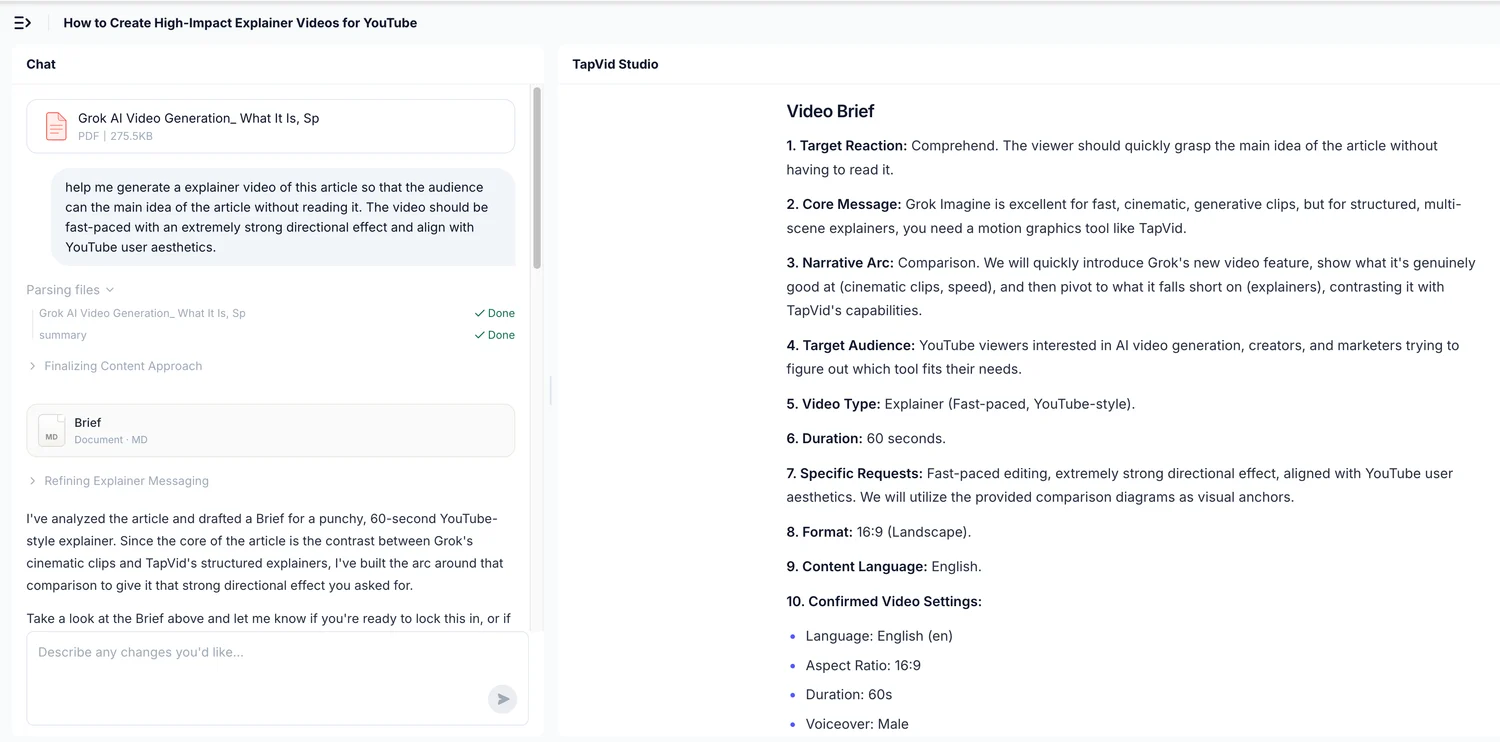
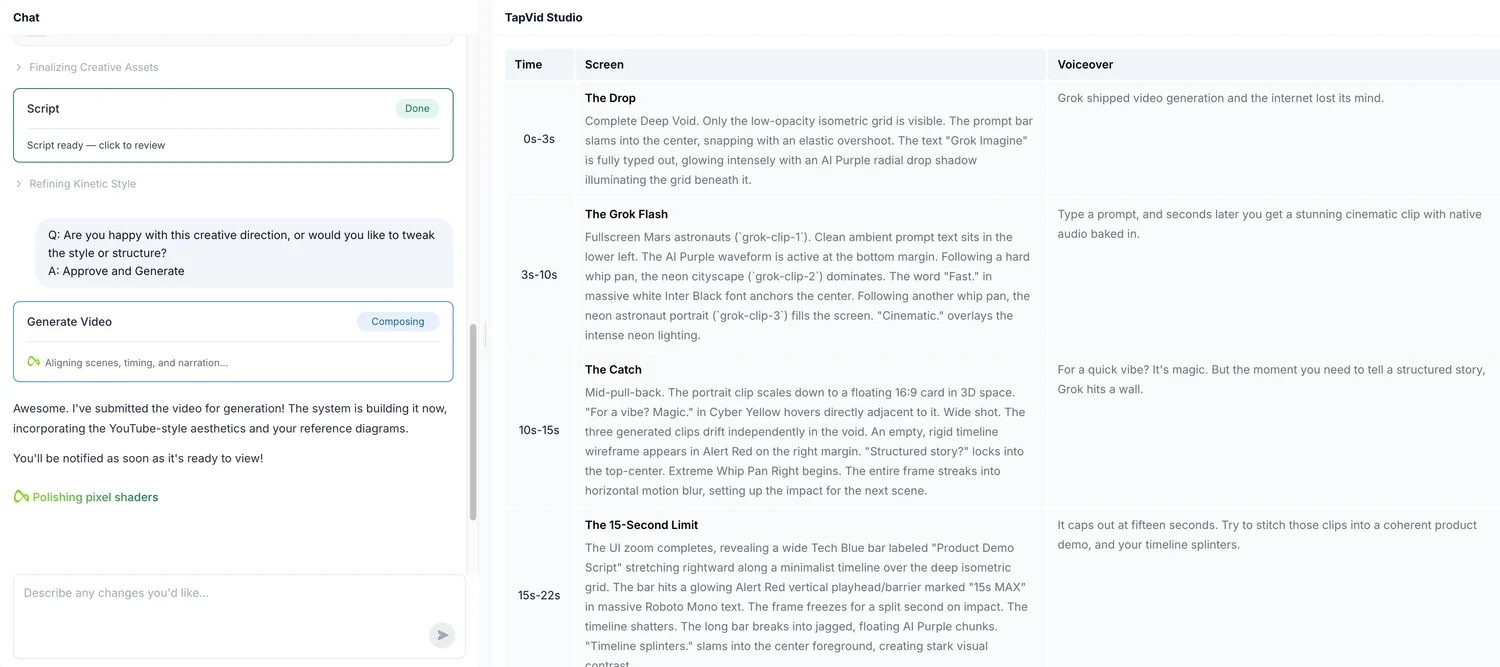
Choose TapVid when the video must explain the source rather than merely illustrate sentences. It is especially relevant for product launches, article-to-video repurposing, knowledge explainers, and scripted creator content. Do not choose it for digital-human presenters or manual timeline compositing. I used the previous full PDF run as evidence and did not spend another 90 credits on a duplicate test in the logged-in account.
05
2. Fliki: the closest stock-footage alternative
Fliki completed the Script to video flow with Google signup, a marketing role, and Product Demo Videos as the use case. It preserved the 16:9 format and produced four scenes lasting 3.75, 7.25, 5, and 14 seconds. The editor total was 31 seconds, more than double the requested 15. The assets were generic stock and abstract footage, similar in category to Pictory.
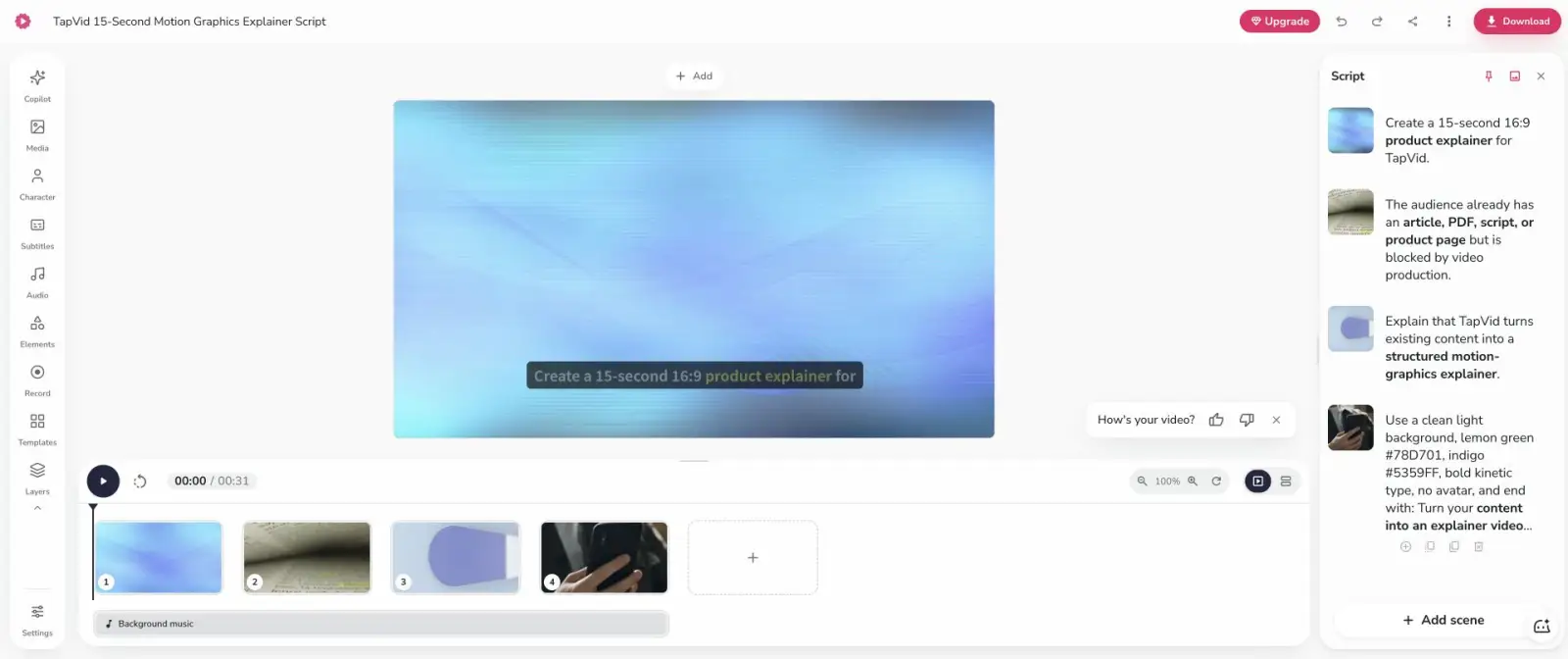
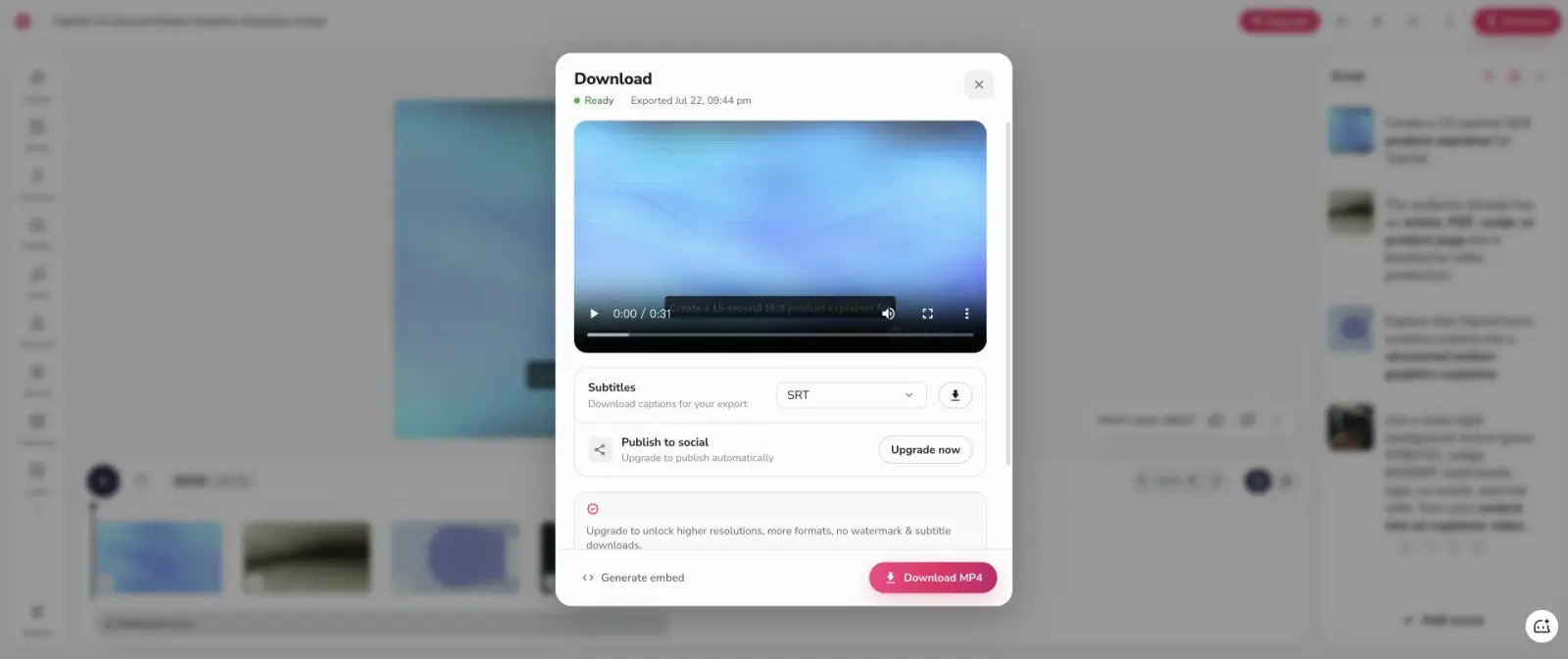
The important failure was prompt interpretation. In this workflow, Fliki treated much of the production instruction as narration. Lines such as “Create a 15-second 16:9 product explainer” appeared inside the scene script rather than controlling the project. The export reached Ready and offered a 720p MP4. Higher resolutions, more formats, and watermark removal were upgrade items. Fliki is a credible Pictory alternative if you are willing to write a clean narration script separately from the production brief.
06
3. Descript: best for script, voice, and precise text edits
Descript produced the closest duration in the completed no-code tests. Its Underlord first proposed a three-scene plan and asked me to approve the voice, structure, exact colors, no-avatar rule, and CTA. It then generated an editable transcript, voice track, typography, and timeline. The final duration was 16.4 seconds, only 1.4 seconds over the target.
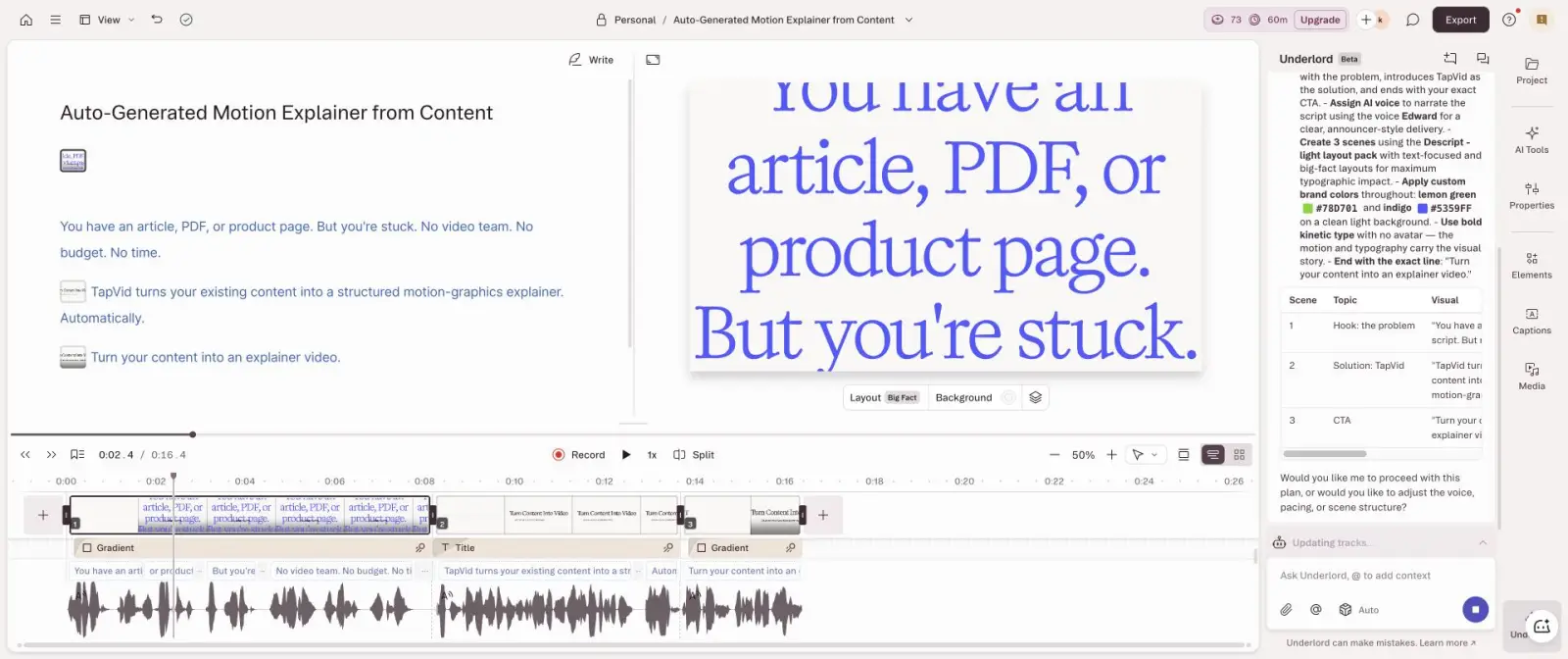
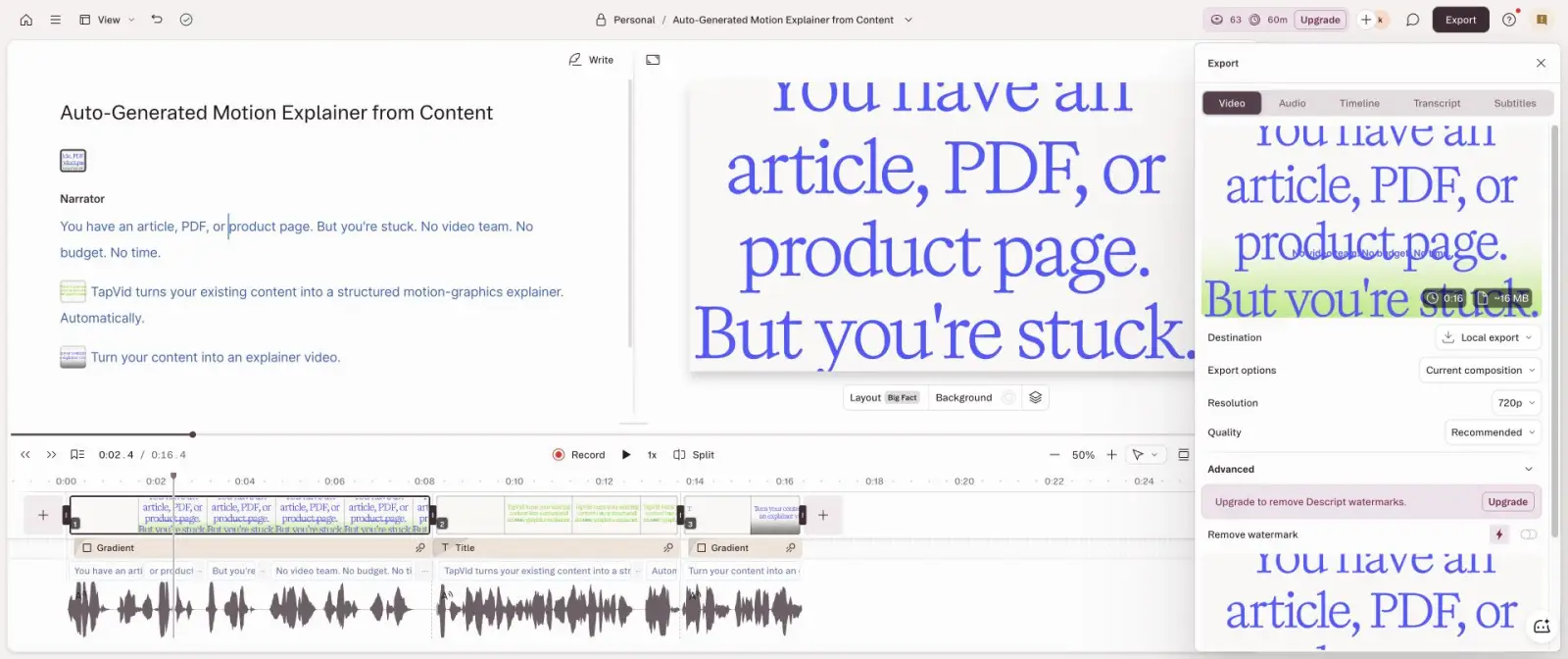
The account started with 100 signup AI credits and ended with 73, so planning and generation used 27. The final transcript stayed concise and preserved the core claim. Local export offered 720p with a watermark and estimated a roughly 16MB file. Compared with Pictory, Descript uses fewer stock-montage decisions and gives much better sentence-level control. It is the better choice for podcasts, talking-head edits, captions, and narrated explainers where text is the master timeline.
07
4. Synthesia: best only when you actually want a presenter
Synthesia is a category-fit decision
Pros
- Choose it when an avatar is the intended delivery mechanism.
Cons
- Do not choose it as a Pictory replacement for no-avatar motion graphics.
This is not a general quality failure. It is a category mismatch.
Synthesia’s free workspace included one editor, 1,200 monthly credits, and up to 10 minutes of video per month at the time of testing. Its AI Video Assistant would not accept a 15-second project duration; 30 seconds was the minimum selector. The generated outline had three scenes and inserted an Actor even though the brief explicitly said no avatar.
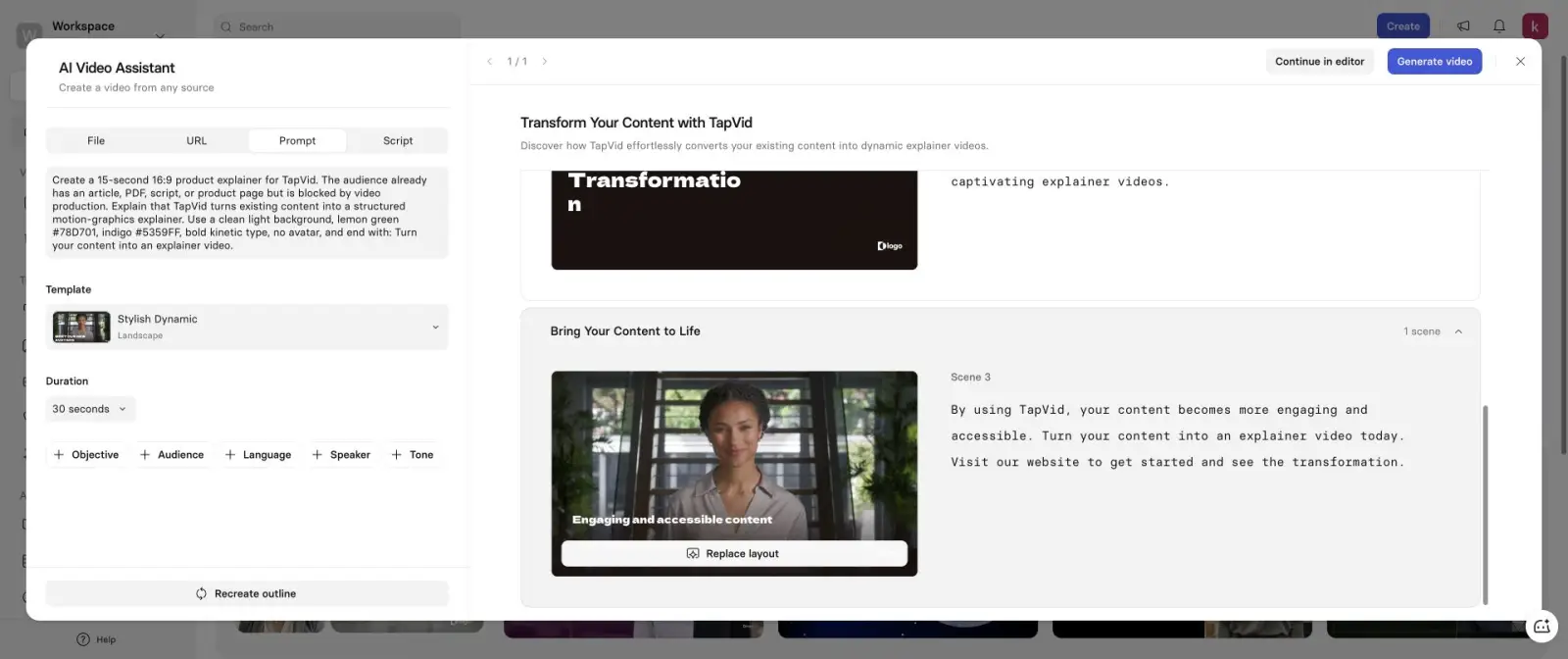
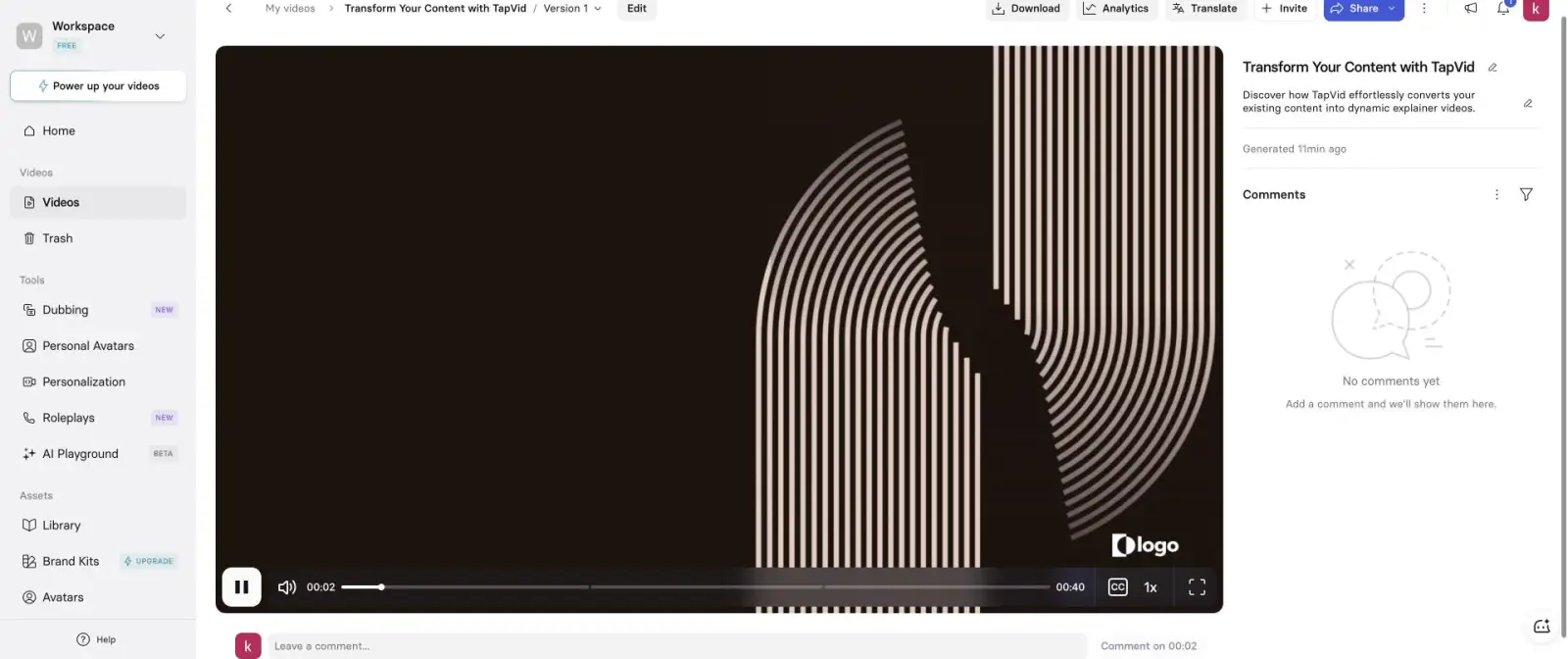
The final player measured 40 seconds. The visual language was a dark stock template rather than the requested light green-and-indigo motion system, and one block still displayed a placeholder “logo.” This is not a general quality failure. It is a category mismatch. Synthesia is designed around presenter-led training, onboarding, internal communications, and localization. Choose it when an avatar is the delivery mechanism. Do not choose it as a Pictory replacement for no-avatar motion graphics.
08
5. Canva AI: useful editor, failed generated-video text
Canva AI was already available in the signed-in account. I selected the video-clip mode, 16:9, high quality, and no audio, then pasted the fixed brief. Canva stated that it had created the requested 15-second explainer with the colors, no avatar, and CTA. The visual asset existed, but the main on-screen copy was unreadable gibberish. The opening resembled “Aauadice aacp:idrins” followed by broken color codes and invented fragments.
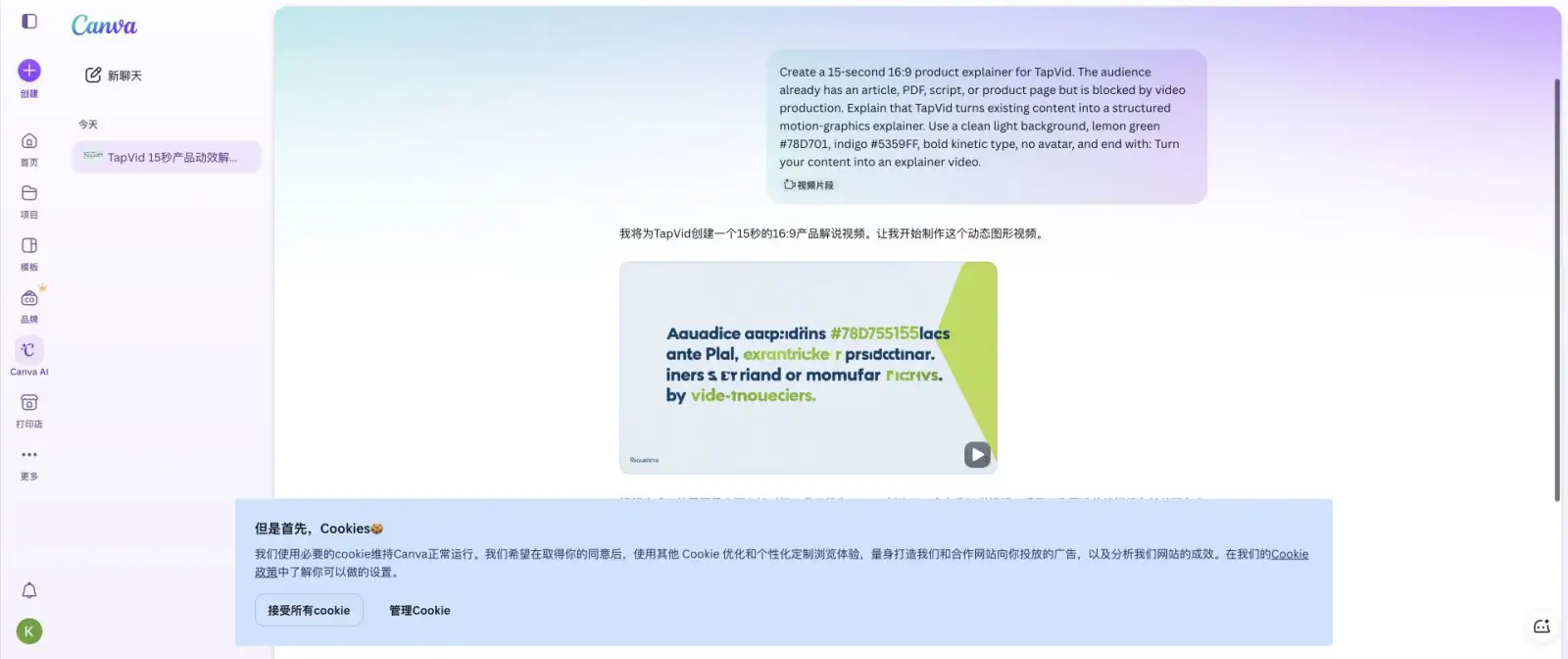
Playback did not advance from 0.0 seconds during inspection, so I could not verify the claimed duration or reach a trustworthy export result. Canva remains a strong manual template editor, but this specific AI video output was unusable for a text-critical product explainer. I include it as a negative control, not as a recommendation. A tool should not rank merely because it can return an asset.
09
Tools tested but excluded from the ranking
VEED created a real project and a five-scene script. It defaulted to portrait 9:16 despite the 16:9 request and showed a 29-second preview estimate. The screen then remained on “We are generating your video” for hours, so there was no finished artifact to score. InVideo completed Google OAuth but required a birth year on step 4 of 8 and warned that the value could not be changed later. I did not invent immutable personal data on the user’s account. Runway completed the Google popup but returned “OIDC interaction not found or expired” on the main page.

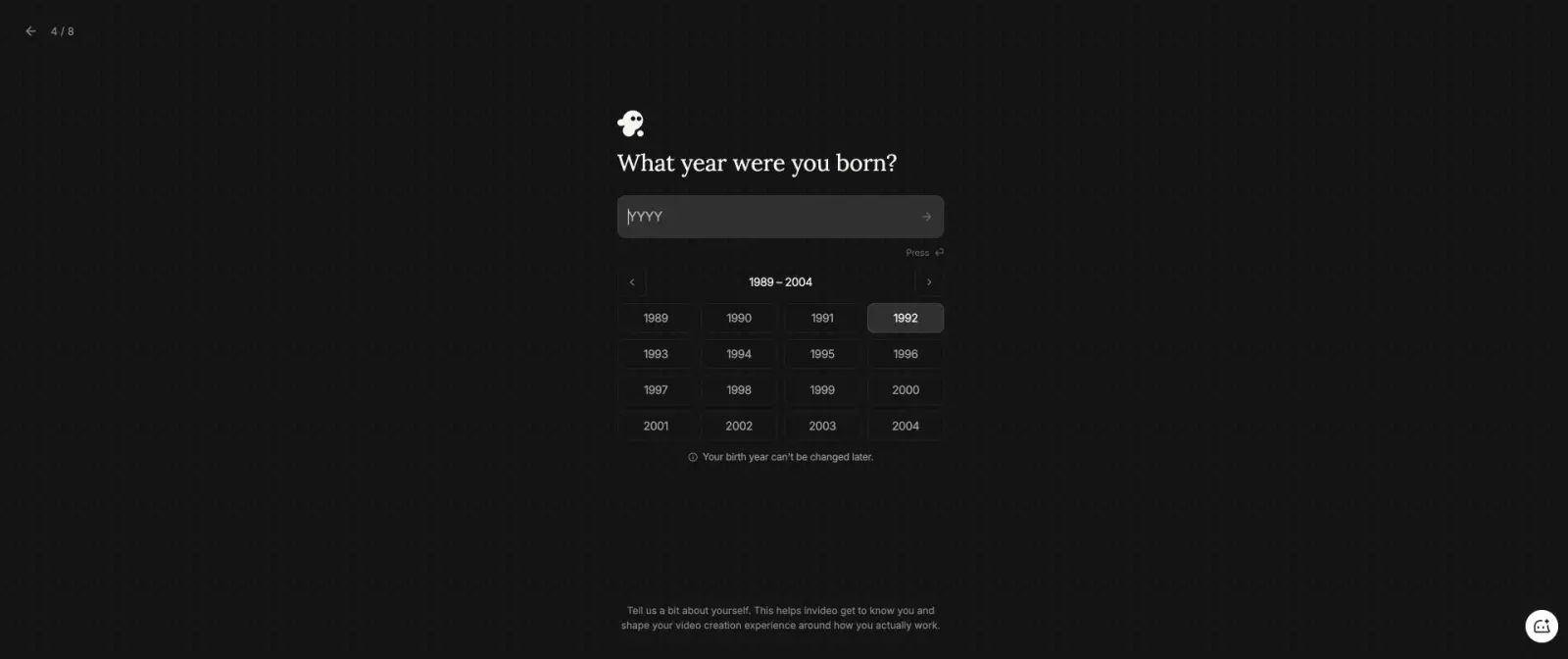
These are genuine test results, but they are not completed output tests. VEED is marked generation failure, InVideo is marked onboarding blocker, and Runway is marked authentication failure. None is ranked. This prevents a common comparison-page error: listing a famous product after seeing only its homepage or signup screen.
10
Which Pictory alternative should you choose?
Choose by the source and finished format
Article, PDF, script, or product page stays authoritative
Choose TapVid.
The closest stock-footage workflow matters most
Choose Fliki.
Transcript, voice, captions, and sentence-level revisions are central
Choose Descript.
A digital presenter is intentional
Choose Synthesia.
Manual templates and brand assets are the priority
Use Canva manually.
A quick stock montage is acceptable
Stay with Pictory.
- Choose TapVid when your article, PDF, script, or product page must remain the source of truth and the output should be a structured motion-graphics explainer.
- Choose Fliki when you want the closest stock-footage workflow and are comfortable separating narration from production instructions.
- Choose Descript when transcript, voice, captions, and sentence-level revisions are the center of the workflow.
- Choose Synthesia when a digital presenter is intentional, especially for training, onboarding, and localized business video.
- Use Canva manually for templates and brand assets, but do not trust generated in-video text without reading every frame.
- Stay with Pictory when a quick stock montage is acceptable and exact duration, motion design, and brand fidelity are secondary.
The decisive question is not “Which AI video tool is best?” Ask what the source is and what the finished video must look like. If the source is your own long-form content and the output must explain it visually, use an explainer workflow. If the source is a finished narration and stock footage is acceptable, Pictory or Fliki can be faster. If a person on screen is the point, use Synthesia. If words and audio are the edit interface, use Descript.
11
Test limitations
This is a first-output audit on free or trial accounts, not a long-term agency production study. Paid plans may remove watermarks, raise resolution, change credit costs, or unlock better stock. TapVid uses an earlier full PDF run rather than spending account credits on a duplicate. Canva did not provide measurable playback. VEED, InVideo, and Runway did not reach a finished result and were excluded instead of being scored from marketing claims.
12
Frequently asked questions
What is the best Pictory alternative?
TapVid is the best fit for turning existing articles, PDFs, scripts, or product pages into structured motion-graphics explainers. Fliki is the closest stock-footage alternative. Descript is best for transcript-first editing, and Synthesia is best when an avatar presenter is intentional.
How long did Pictory’s output take compared with the prompt?
The brief requested 15 seconds. Pictory required a 30-second minimum, estimated 29 seconds for the script, showed 33.8 seconds in the editor, and produced a final HTML video lasting 39.936654 seconds.
Does Pictory’s free export have a watermark?
Yes in this July 22, 2026 test. The free path was labeled “Generate with watermark,” and the final shared player displayed a Pictory mark. Preview stock watermarks were not present in the final render.
Which alternative stayed closest to 15 seconds?
Descript was closest among the completed no-code tests at 16.4 seconds. Hera produced 21.0 seconds, Fliki 31 seconds, Pictory 39.94 seconds, and Synthesia 40 seconds.
Is Canva a good Pictory alternative?
Canva is useful for manual template editing, but the AI-generated video in this test contained unreadable text and playback would not advance from 0.0 seconds. I would not use that output without rebuilding it manually.
13