
TL;DR
Choose TapVid for source-grounded explainers, Pictory or Fliki for stock-led text-to-video, VEED or Descript for existing footage, Synthesia for avatars, Runway for generated shots, and Canva for templates. Keep InVideo Agent One when multi-model orchestration inside one project is the main value.
The best InVideo alternatives are not smaller generalists. They are specialist tools with a clearer source, editing surface, review process, and cost driver. This July 2026 update adds InVideo Agent One to the existing URL, removes brittle price claims, and compares eight practical choices by the job each one actually owns.
01
The short answer on InVideo alternatives
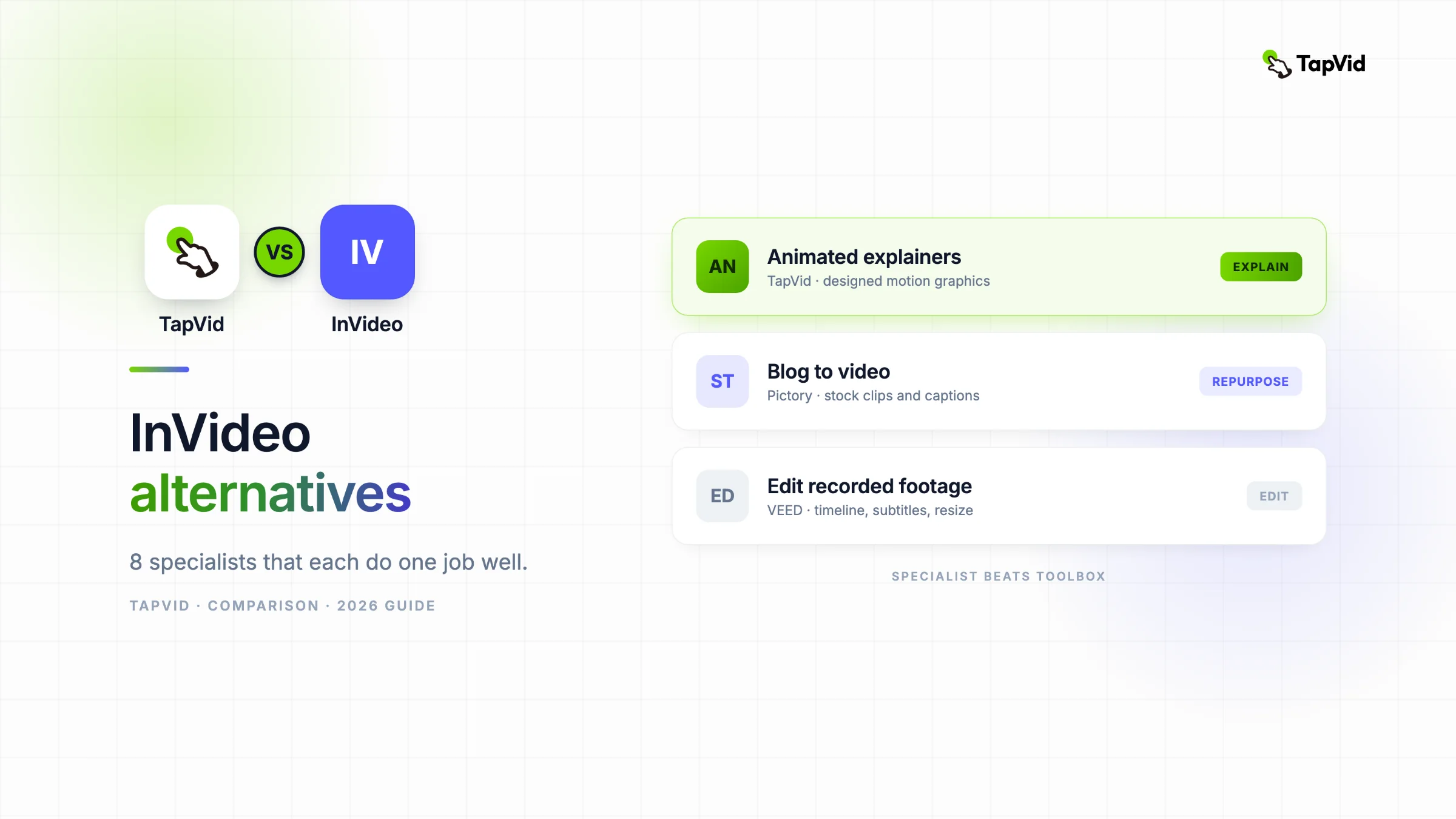
The best InVideo alternatives are specialists, not smaller copies of the same toolbox. Choose TapVid when you want an article, PDF, script, PRD, or product page turned into a structured motion-graphics explainer. Choose Pictory or Fliki for a fast text-to-stock-video workflow. Choose VEED for a conventional browser timeline and Descript for transcript-first editing. Choose Synthesia for an avatar presenter, Runway for individual generative shots, and Canva for familiar templates and team collaboration. Keep InVideo when one account truly needs to cover many unrelated video jobs and the team is comfortable learning its credit system.
This page was updated on July 27, 2026 because InVideo Agent One materially changes the product. The old comparison treated InVideo mainly as templates, stock footage, voiceover, avatars, and model access. Agent One adds a persistent, conversational project layer that can plan work, route shots to different models, remember context, and assemble the result in the editor. That is a more ambitious workflow. It still does not make every specialist obsolete, because the source, editing surface, review process, and cost driver remain different for each job.
02
What Agent One changes, and what it does not
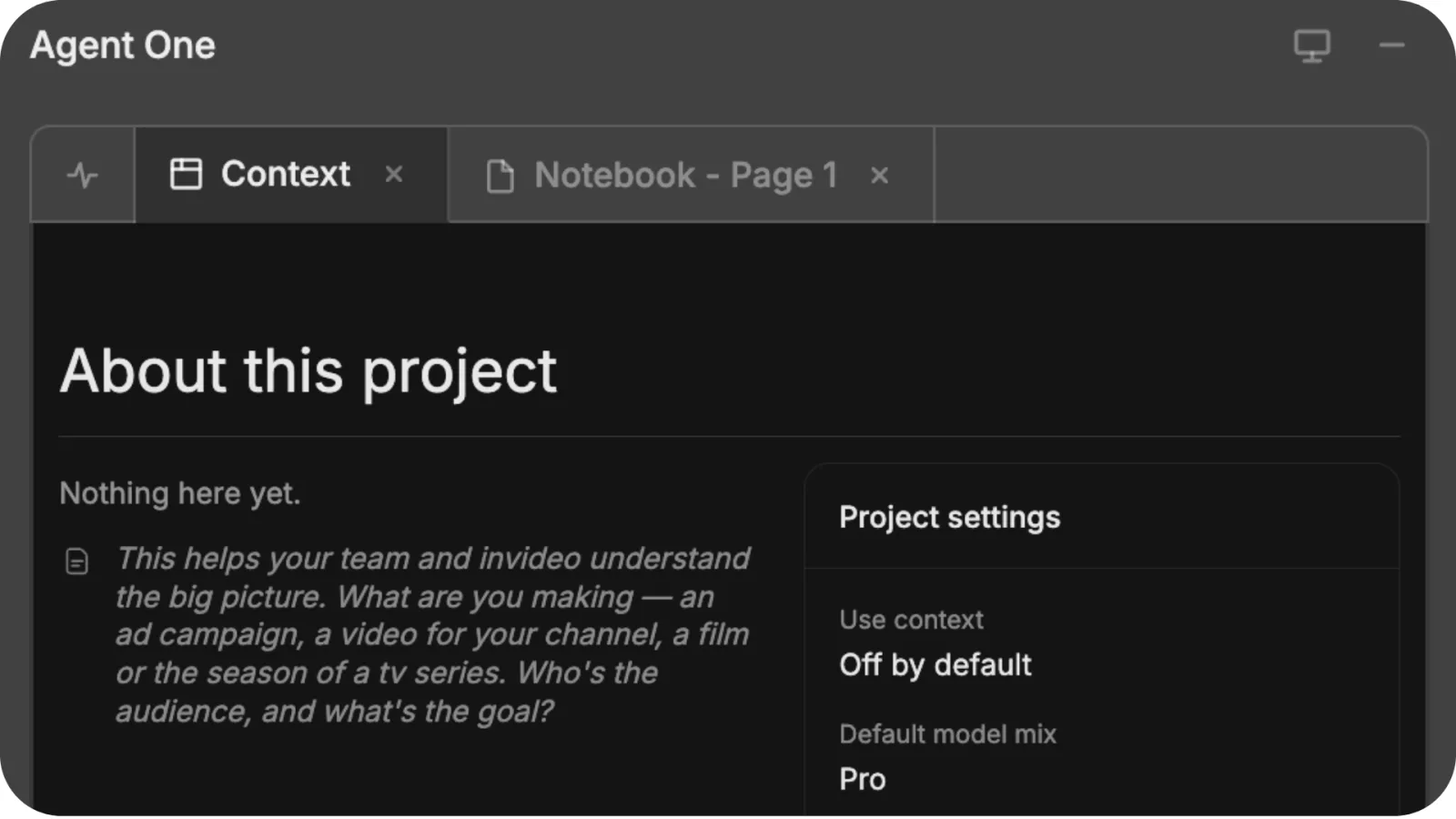
InVideo describes Agent One as a workspace for power users and professional filmmakers. Its official Agent One guide says a project keeps conversational context, can use different models for different shots, and completes assembly in the InVideo editor. The separate Context guide shows project-wide instructions, review agents, a knowledge bank, visual language, and brand guidelines. The official interface screenshot below is evidence of that project layer; it is not a TapVid-run output claim. Agent One is an orchestration layer over planning, generation, and editing, so a buyer should evaluate the whole project path rather than a single prompt result.
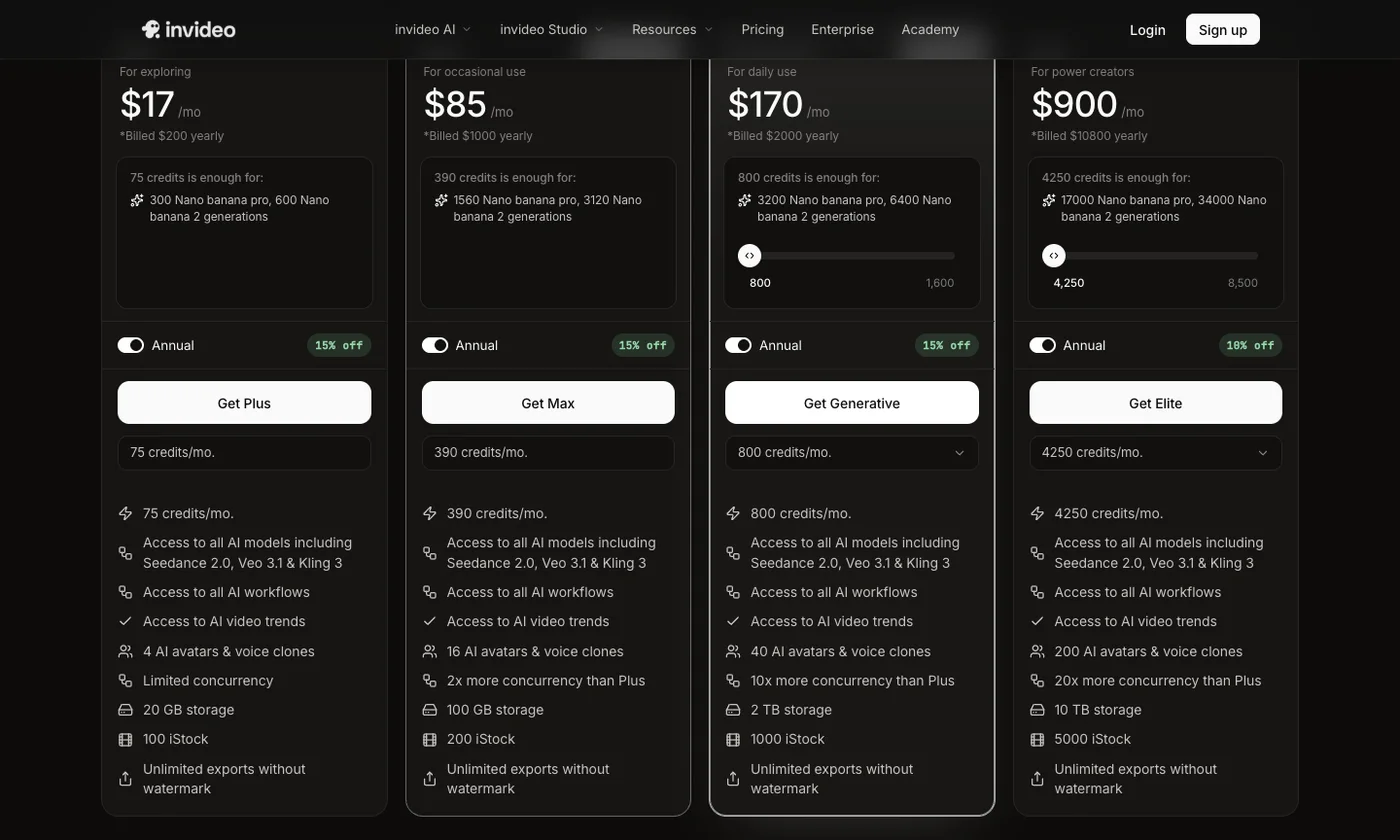
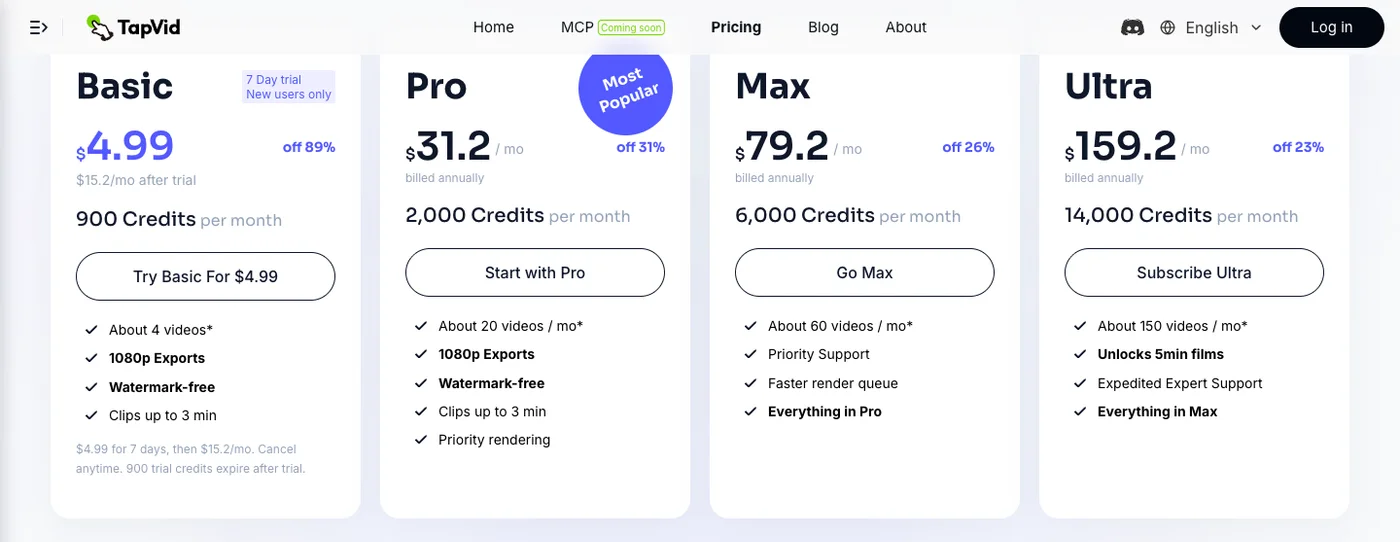
Credits in Agent One depend on the models chosen and the complexity of the requested work. InVideo’s credit guide provides options to ask before generation and to inspect project usage. On the official pricing page checked July 27, 2026, annual individual plans were displayed at $17, $85, $170, and $900 per month for Plus, Max, Generative, and Elite. The same page says unused credits do not roll over and model prices may change. The screenshot is retained as a dated price snapshot, but headline plan prices are still a poor forecast of project cost: record the exact models, retries, edits, and credits before purchasing.
Agent One also has a distribution signal worth separating from product adoption. A July launch and benchmark post from InVideo’s official X account rose from about 348,000 visible views to about 2.67 million within the next day in our public snapshot, while visible interactions rose from roughly 402 to 902. That is a public attention proxy, not verified website traffic, signups, retention, or paid conversion. It shows that Agent One is getting reach. It does not prove that it is the best workflow for a specific production job.
03
InVideo alternatives compared by the job that matters
The useful comparison starts with your recurring deliverable. A generalist can attempt every row, but the specialist usually exposes a cleaner input and correction surface for its primary job. The evidence column distinguishes our direct TapVid run from public product workflows. Where we did not execute a fresh paid generation, the article does not invent output quality, speed, or credit consumption.
| Tool | The job it owns | Primary input | Evidence in this guide |
|---|---|---|---|
| InVideo Agent One | Multi-model project orchestration | Conversation and creative brief | Official help material plus public attention snapshot |
| TapVid | Source-grounded motion explainer | Article, PDF, script, PRD, product copy | Direct 275KB PDF test |
| Pictory / Fliki | Text to stock-led video | Article or script | Public product workflow |
| VEED | Browser timeline editing | Existing footage | Public product workflow |
| Descript | Transcript-first repurposing | Recording and transcript | Direct adjacent workflow evidence |
| Synthesia | Avatar presenter video | Script | Public product workflow |
| Runway | Individual generative shots | Prompt, image, or reference | Public product workflow |
| Canva | Template-led team video | Templates and brand assets | Public product workflow |
No row wins every category. InVideo and Agent One are strongest when a team wants one environment for ideation, multiple generation models, assembly, and editing. A specialist wins when the same narrower job repeats and quality depends on purpose-built checkpoints. For a 20-person startup, that difference often decides whether a second teammate can review and reproduce the work without becoming an expert in every model.
04
1. TapVid: best for source-grounded explainer videos
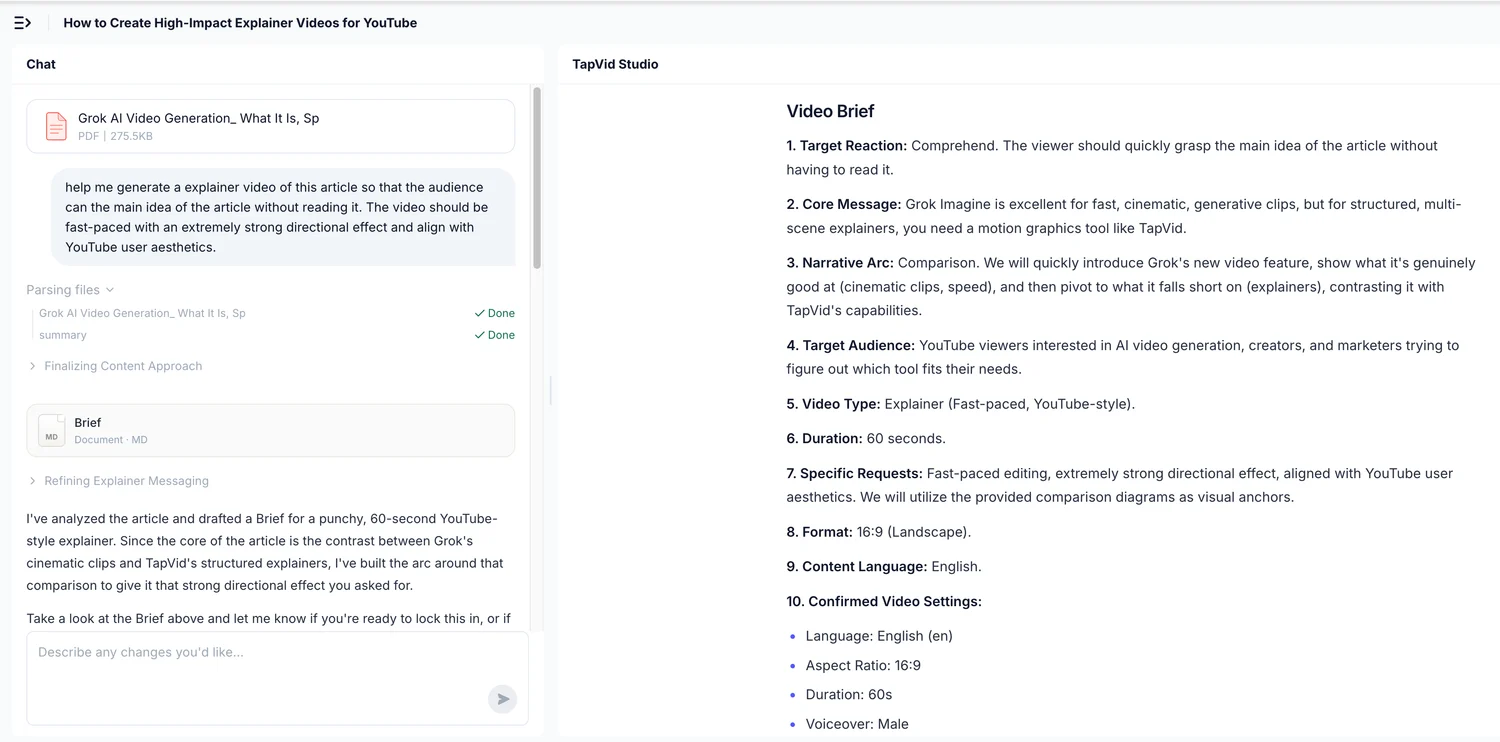
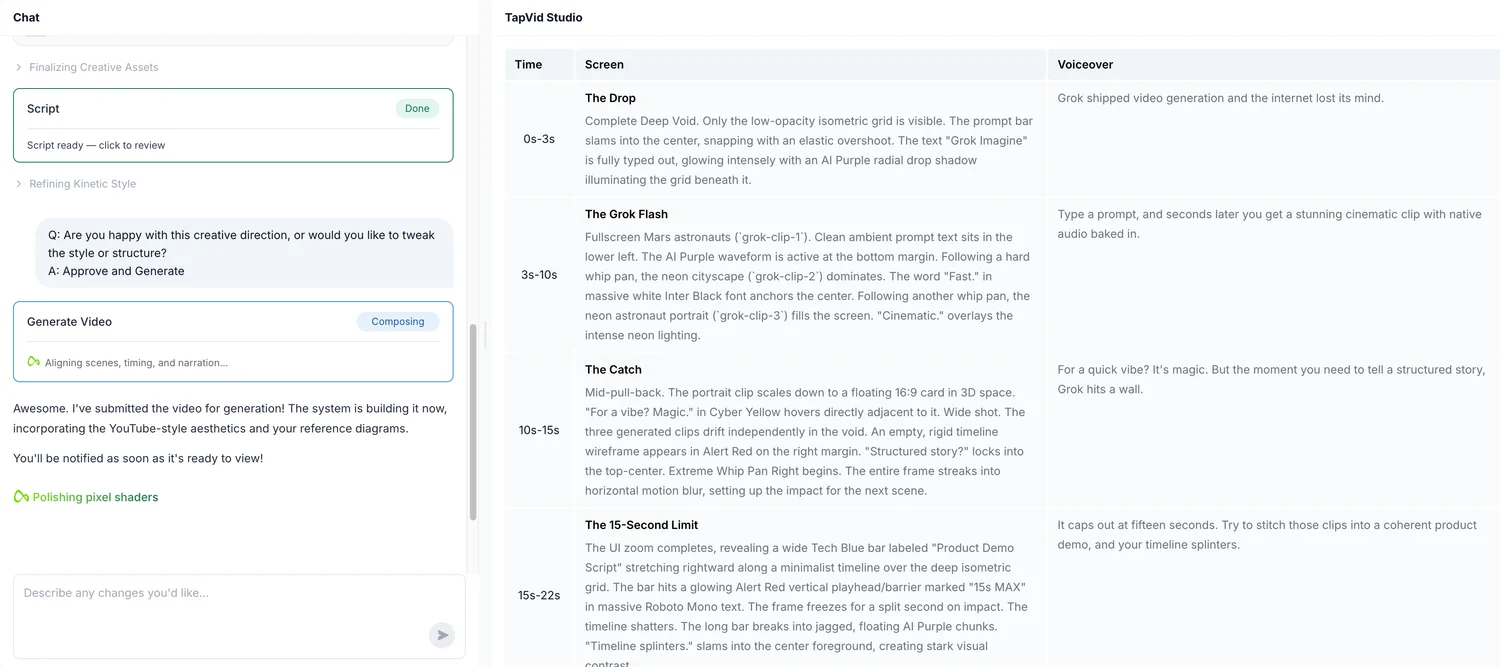
TapVid is the best InVideo alternative for explainer videos built from content you already own. It is an Explainer Video Engine, not a general model marketplace. You provide an article, PDF, script, PRD, product copy, or focused prompt. TapVid turns it into a brief, narrative outline, scene plan, and shot-by-shot script before it renders a motion-graphics explainer. These review points make the product useful for content teams: audience, promise, sequence, evidence, and missing context can be fixed before the visual generation locks them into a video.
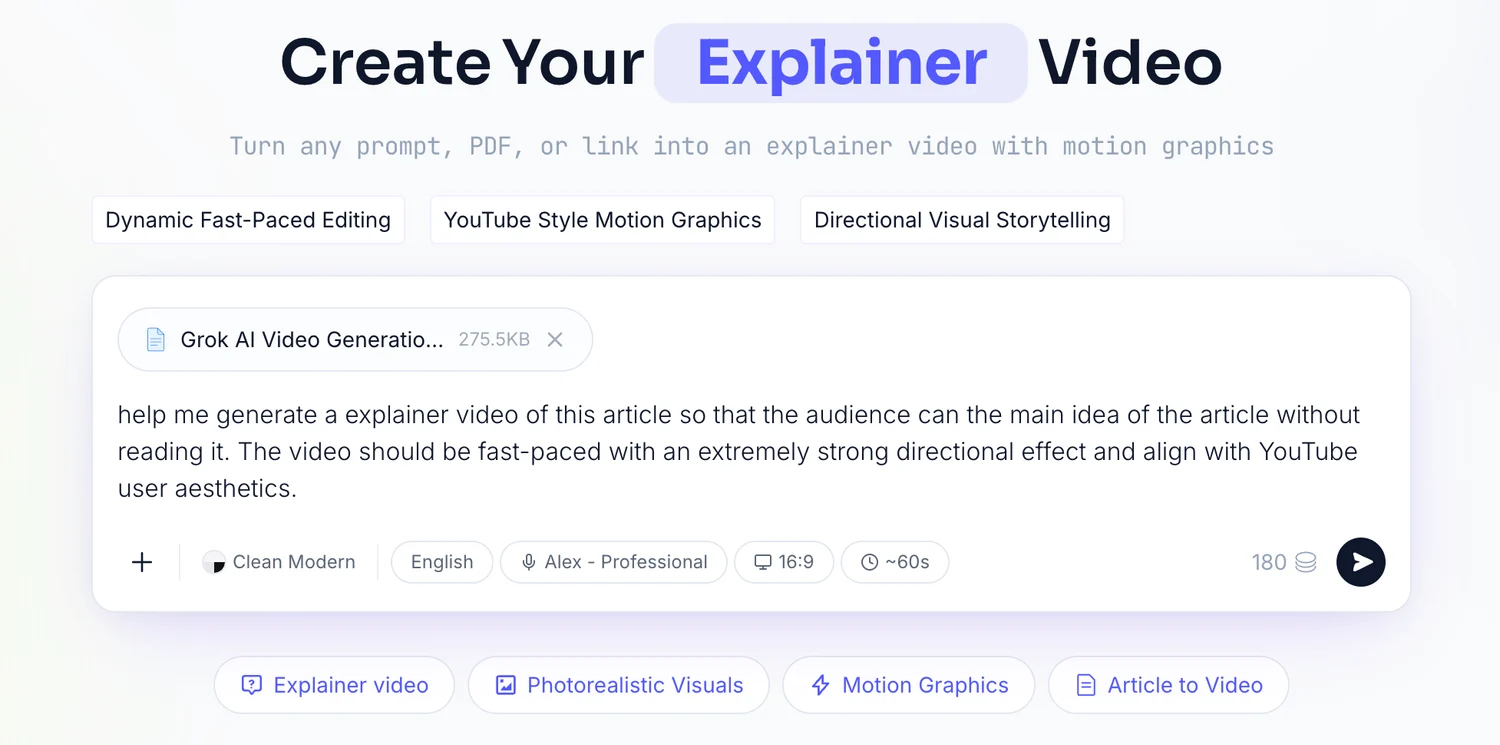
I tested the workflow with a real 275KB article PDF and one line of direction. TapVid returned a brief covering the target reaction, core message, narrative arc, 60-second duration, 16:9 format, and voice choice. After approval, it created four 15-second beats and a timed script. From upload to finished video took 6 minutes 21 seconds. Those numbers describe this single first-party run, not a universal speed claim. The important finding was the staged review workflow: the source remained visible in the decisions before rendering.
Choose TapVid for product explainers, educational breakdowns, article-to-video, PDF-to-video, and technical concepts. Do not choose it for a photorealistic avatar, a standalone cinematic shot, or frame-by-frame editing of filmed footage. InVideo Agent One is broader and can orchestrate more kinds of generated shots. TapVid is narrower and makes the path from owned content to a clear explanation easier to inspect. That specialization is the reason to switch, not a claim that it can do everything InVideo does.
05
2. Pictory and Fliki: best for text with stock footage
Pictory and Fliki cover the classic text-to-video job: turn an article or script into a captioned video built largely from stock footage and AI voiceover. Pictory is the clearer fit for teams repurposing blog posts and webinars into familiar stock-led videos. Fliki is attractive when fast voice selection and localization are central. Both workflows are simpler than planning a multi-model Agent One project because the visual grammar is intentionally constrained.
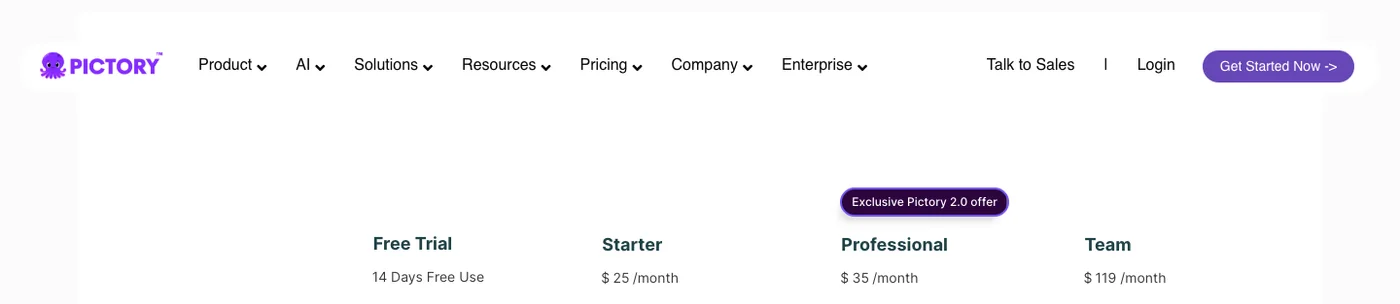
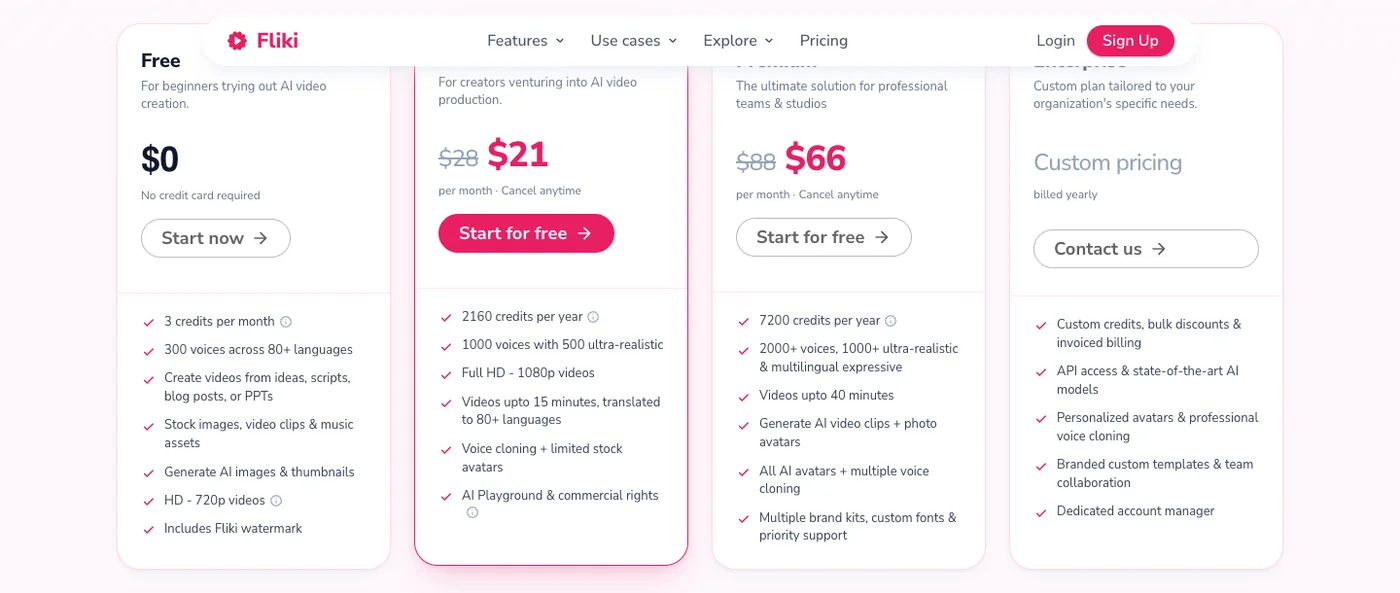
The limitation is also the same. Matching sentences to stock clips does not automatically explain a mechanism, animate a diagram, or build a data story on screen. On Pictory’s official pricing page checked July 27, 2026, annual Starter, Professional, and Team plans were $25, $35, and $119 per month. The retained Fliki screenshot is a point-in-time $21 Standard / $66 Premium annual-price snapshot; its live pricing page now renders plan values dynamically, so verify the exact checkout amount. Choose these tools when speed and coverage matter more than bespoke visual reasoning.
06
3. VEED and Descript: best for editing footage you already have
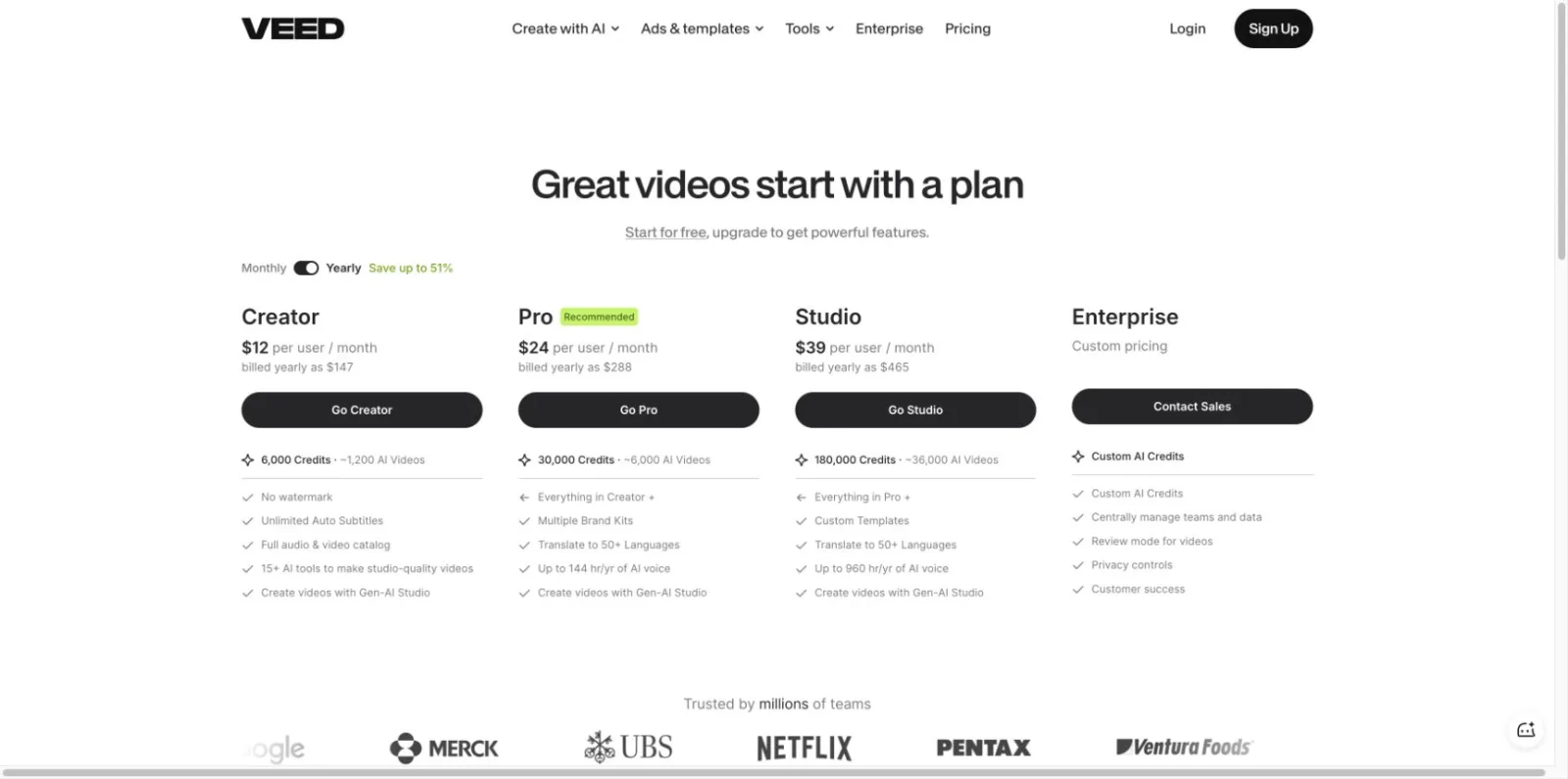
VEED is the better alternative when the core job is conventional browser editing: trim clips, arrange a timeline, add subtitles, record a screen, resize, and publish. A social team editing interviews, demos, or user-generated clips usually benefits more from a predictable timeline than from additional text-to-video models. The official VEED pricing page checked July 27, 2026 displayed annual Creator, Pro, and Studio plans at $12, $24, and $39 per user per month; the current screenshot below replaces the older $22 Pro capture.
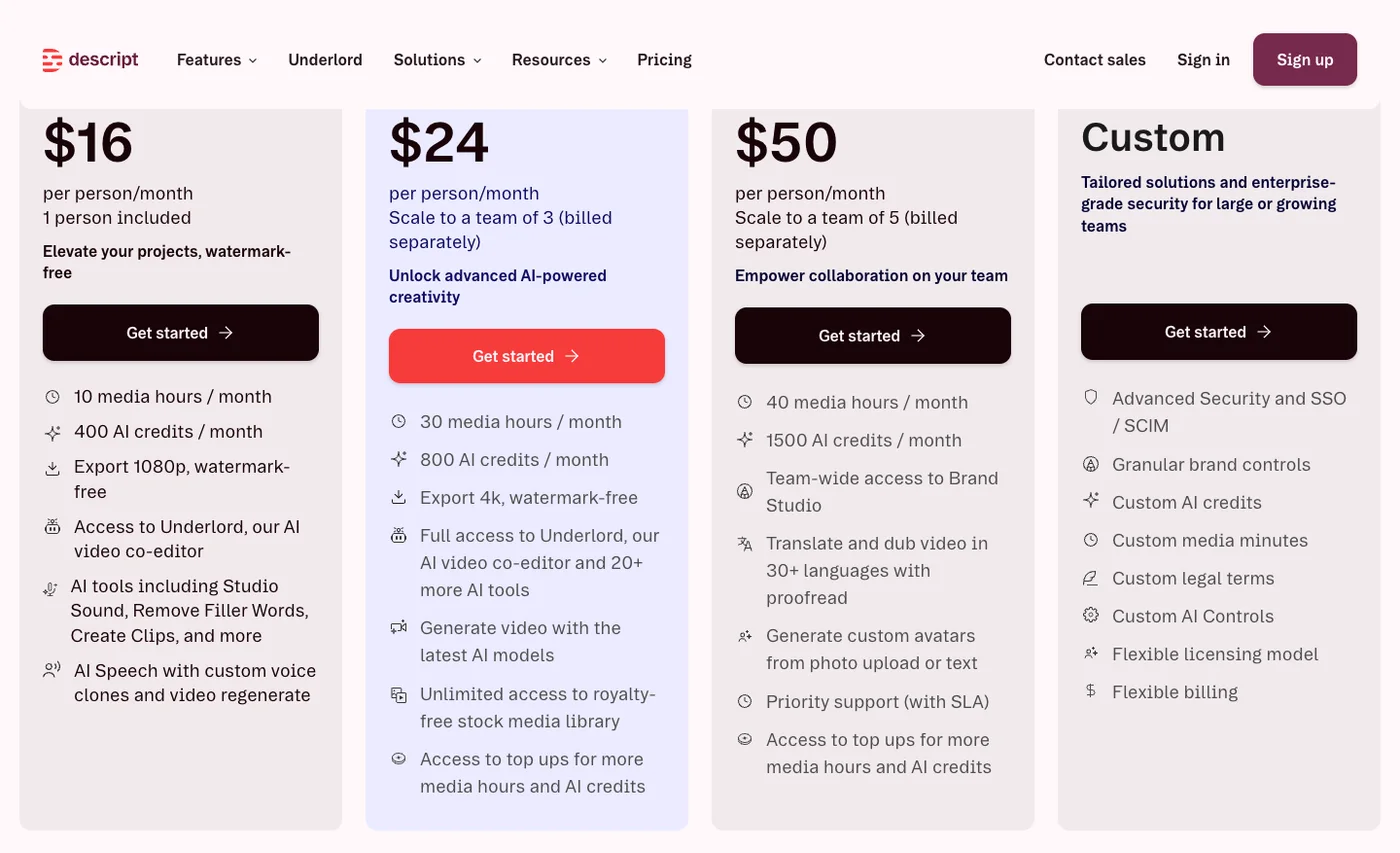
Descript is the specialist for recordings whose transcript is the main editing surface. Delete words to cut video, correct a spoken line, create captions, and turn long interviews, webinars, podcasts, or screen recordings into shorter clips. Its official pricing page displayed annual Hobbyist, Creator, and Business plans at $16, $24, and $50 per editor per month when checked. Neither VEED nor Descript replaces Agent One for generating a complex fictional sequence from scratch. They replace the part of InVideo that edits or repurposes footage you already have.
07
4. Synthesia, Runway, and Canva: three different specialist jobs
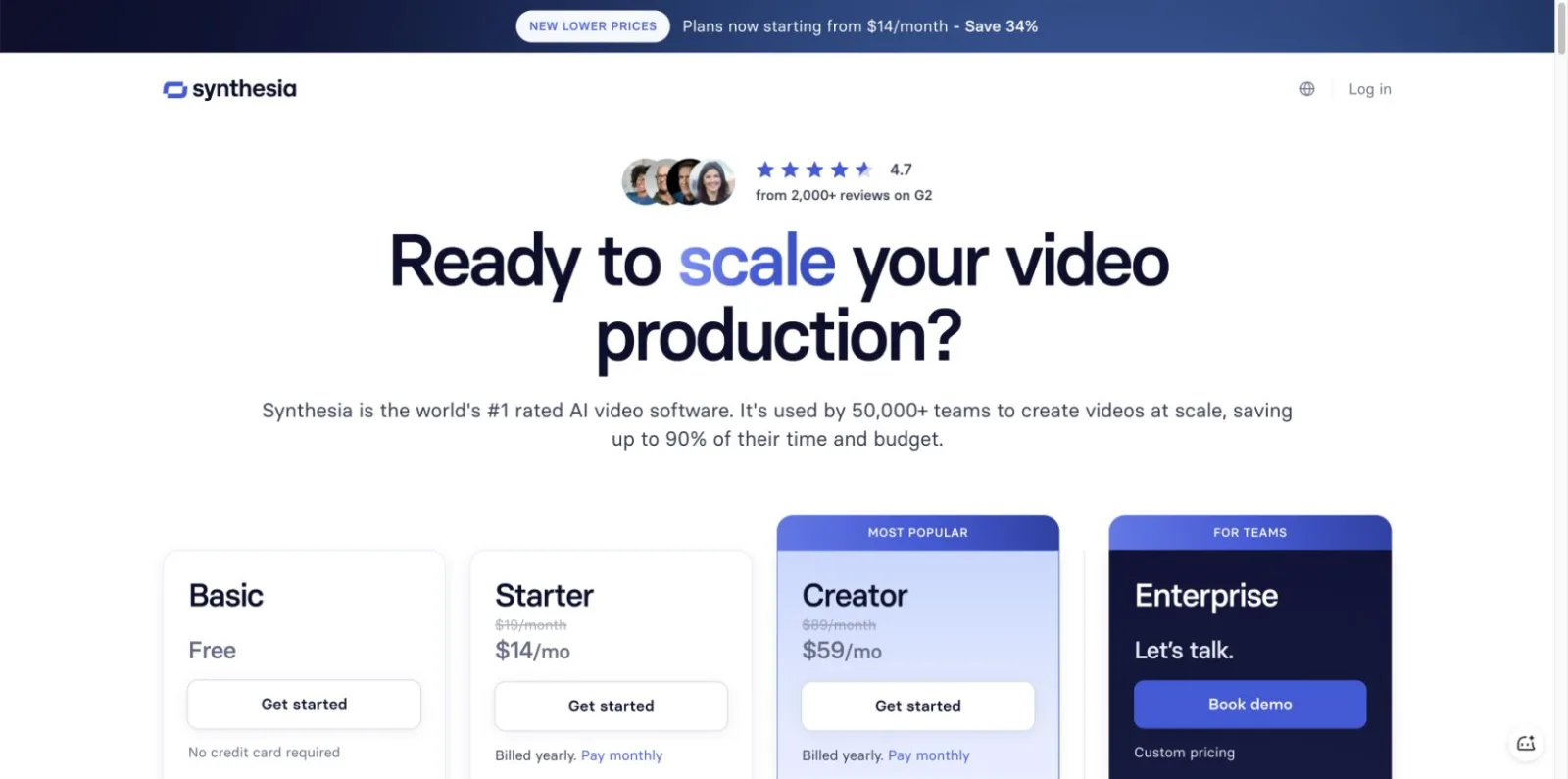
Synthesia is the specialist when the deliverable needs an avatar presenter for training, onboarding, internal communications, or localized instruction. Pick it when presenter consistency, language coverage, and an enterprise review process matter. The official pricing page checked July 27, 2026 showed Basic free, Starter at $14 per month, and Creator at $59 per month on annual billing. The current screenshot below replaces the stale $18 / $64 capture.
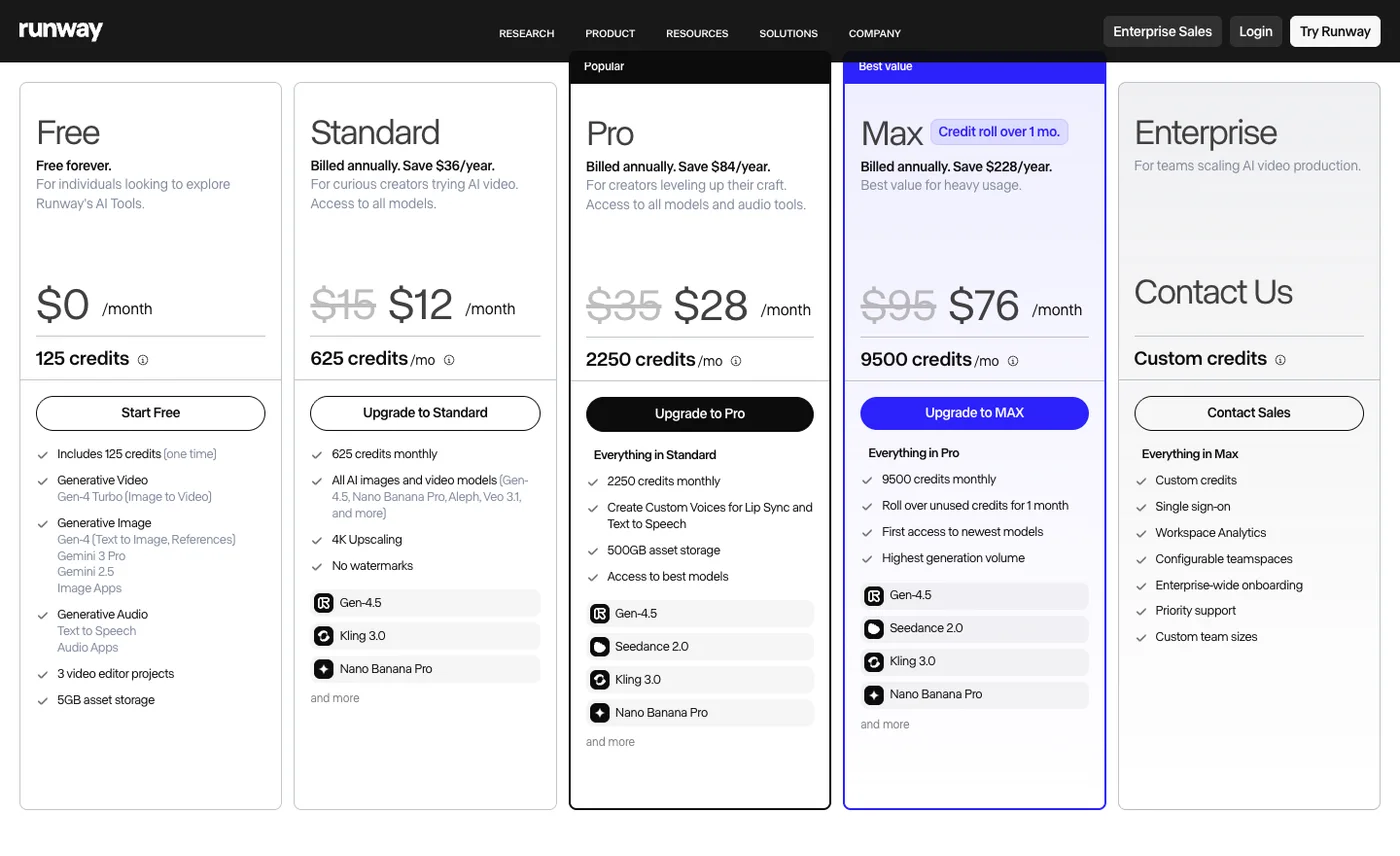
Runway is the specialist for invented visual shots. Use it when the hard part is generating a hero scene, product mood shot, transition, or cinematic insert. It is not a complete explainer workflow by itself: someone still owns the narrative, shot selection, voice, captions, assembly, revisions, and factual review. The official Runway pricing page displayed annual Standard, Pro, and Max plans at $12, $28, and $76 per month when checked. Agent One may reduce orchestration by routing shots among models, which is why project-level credit use still needs measurement.
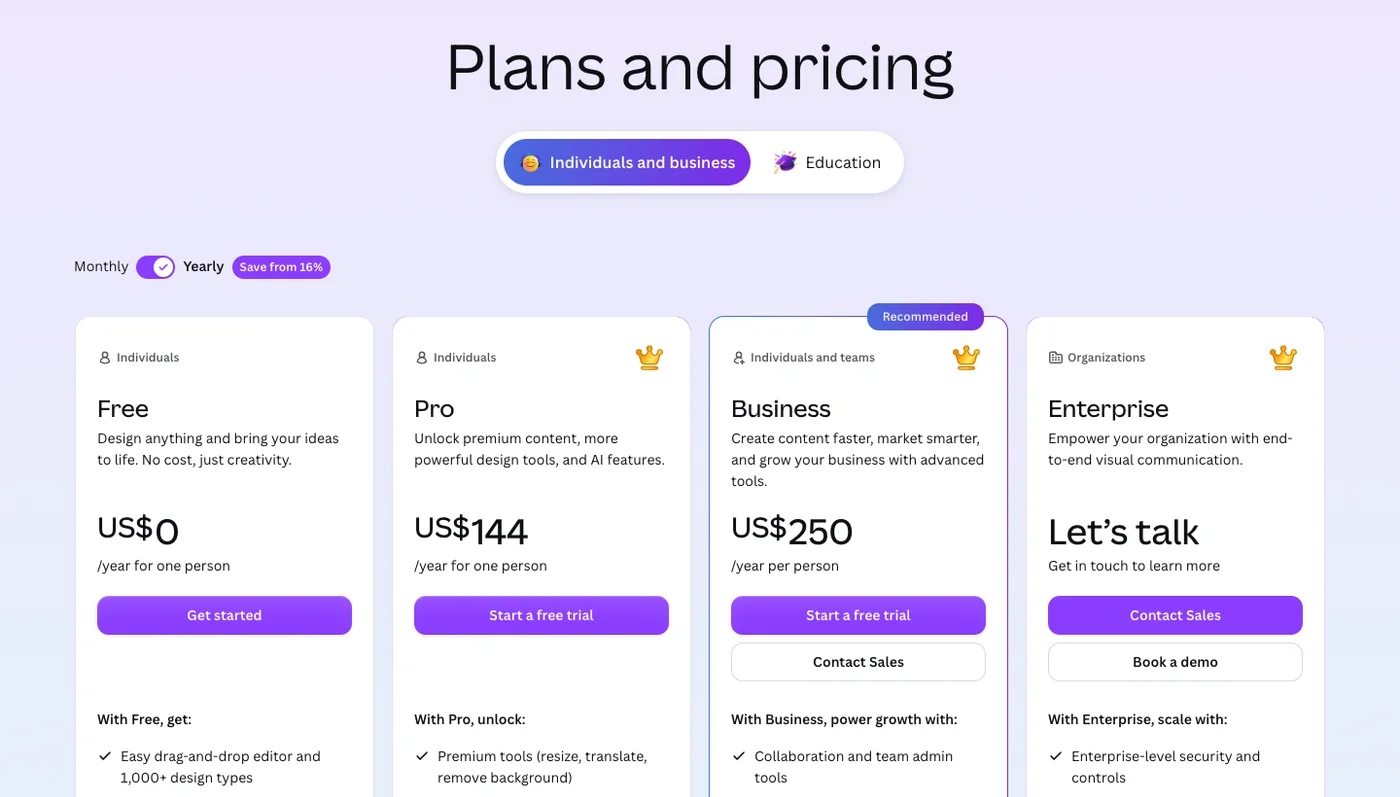
Canva is the specialist in organizational familiarity. Teams already use its templates, asset library, brand kits, comments, and permissions, so a simple announcement video can be handed off without training everyone on a new video system. The official pricing page displayed Canva Free at $0, Pro at $144 per year, and Business at $250 per person per year when checked. It will not match TapVid’s source-grounded explanation, Descript’s transcript editing, or Runway’s generative fidelity; it wins when video is a lightweight extension of an existing design workflow.
08
How to choose an InVideo alternative in one project
Choose one representative project and write down the non-negotiables before opening any tool. What is the source of truth? Does the output need a presenter, stock footage, motion graphics, filmed footage, or generated cinematic shots? Who makes the final correction? How many versions are required? What is the export resolution? Which parts require human approval? These questions prevent a broad feature list from hiding a poor workflow fit.
Then run the same project and measure time to first draft, revision time, factual corrections, model retries, project credits, export limits, watermark, and teammate handoff. If Agent One reduces coordination enough to justify variable credit usage, keep InVideo. If one narrow job repeats every week, select the specialist whose editor and checkpoints match that job. For TapVid’s target user, the decisive signal is simple: if every project starts with content you already wrote and ends with “explain this clearly,” a source-grounded explainer engine is a better default than a general generative stack.
09
Frequently asked questions
What is the best InVideo alternative?
TapVid is best for source-grounded explainers, Pictory or Fliki for stock-led text-to-video, VEED or Descript for editing existing footage, Synthesia for avatars, Runway for generated shots, and Canva for templates.
What are the best InVideo Agent One alternatives?
There is no exact one-to-one replacement. Choose by job: TapVid for explainers, Runway for generated shots, Descript for transcript editing, Synthesia for presenters, or a specialist stack when you prefer fixed workflows over multi-model orchestration.
Is there a free InVideo alternative?
Several products offer limited free access, but credits, watermarks, export resolution, and commercial terms change. Test the exact deliverable and verify the official plan before committing.
Is InVideo or TapVid better for explainer videos?
TapVid is the better fit when the video starts from an approved article, PDF, script, or product document. InVideo is broader when you need multiple generated shot types and general editing in one project.
Why do users look for InVideo alternatives?
Common reasons are a recurring specialist job, variable credit planning, a preference for a simpler editor, or a need for purpose-built review checkpoints. The right reason should be tied to a real project, not feature-count anxiety.