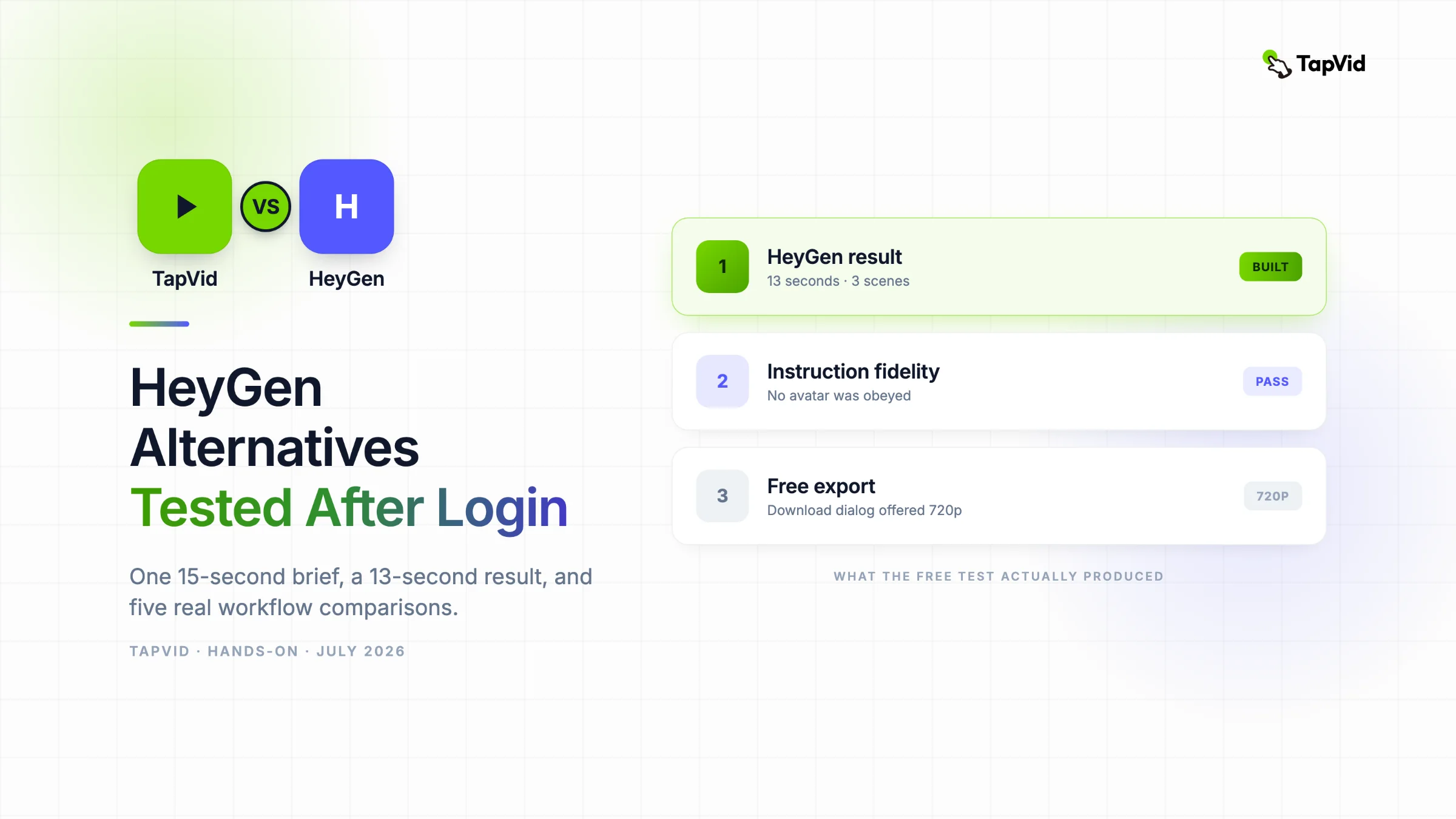

HeyGen produced a clean 13-second, three-scene asset and followed the no-avatar instruction. If you already own an article, PDF, script, PRD, or product copy, TapVid is an Explainer Video Engine that turns that existing content into a structured explainer in minutes. This test compares both jobs without treating every AI video product as interchangeable.
01
How I ran the same-brief test
A useful HeyGen alternative article has to answer a more specific question than “which tools also make AI video?” If the format boundary is unclear, first review what an explainer video is and when it fits. HeyGen now combines avatars, voice, generative assets, a video agent, translation, and a scene editor. A list that mixes those jobs without testing them leaves the reader with more names and no decision.
I used one repeatable brief across the tools in this article. The request was a 15-second, 16:9 product launch video for TapVid, an Explainer Video Engine. It had to show a PDF becoming a clear brief and then polished motion graphics. I specified a white background, lime green #78d701, indigo #5359ff, and no avatar. The point was to test four practical constraints: duration, aspect ratio, visual direction, and whether the product respected a negative instruction.
02
What the logged-in HeyGen test actually produced
Screenshot evidence: HeyGen free workspace after Google sign-in.
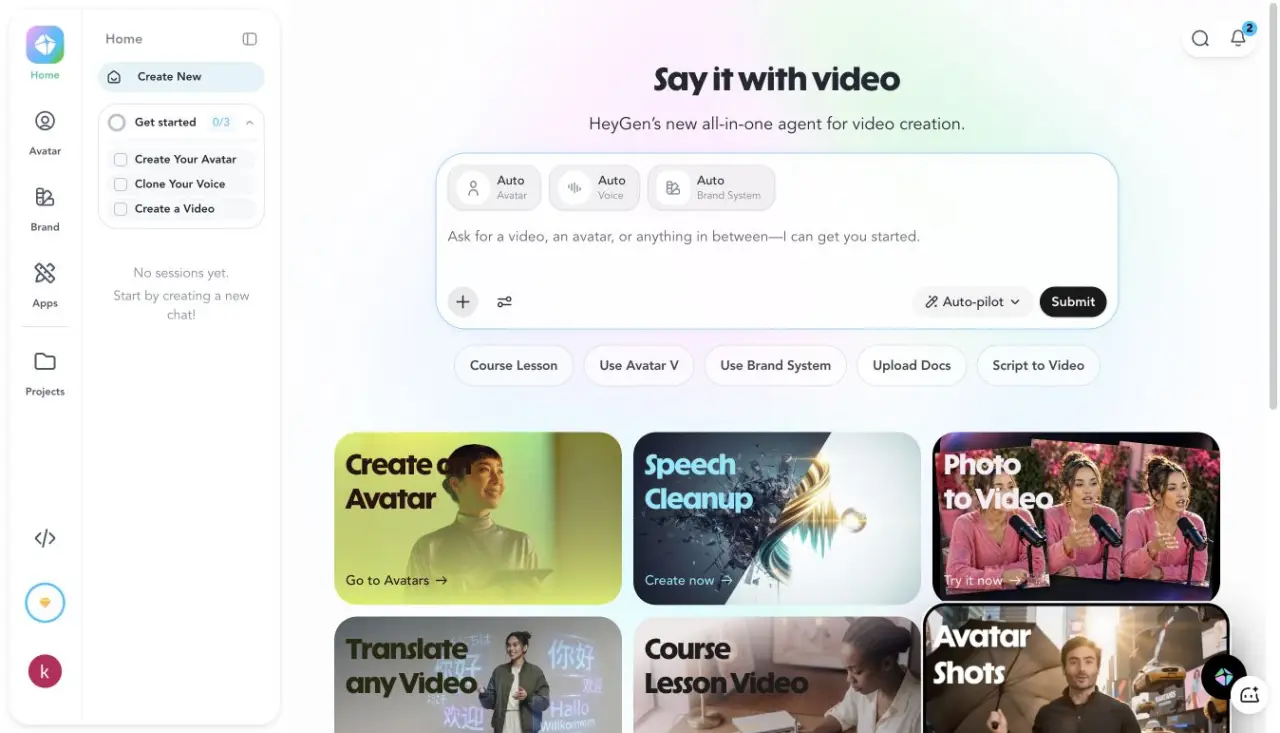
I signed in with Google, selected the free plan, chose B2B SaaS or Tech during onboarding, and marked the goal as promoting a product or service. The free-plan dialog shown during the test offered three videos per month, videos up to one minute, access to Avatar IV and Video Agent, standard processing, more than 500 stock digital twins, one custom digital twin, and over 30 languages. The current help page warns that the free allowance can vary by region, so the workspace is a better source for the account I actually used than an undated screenshot elsewhere.
Screenshot evidence: the complete 15-second no-avatar brief entered into HeyGen Video Agent.
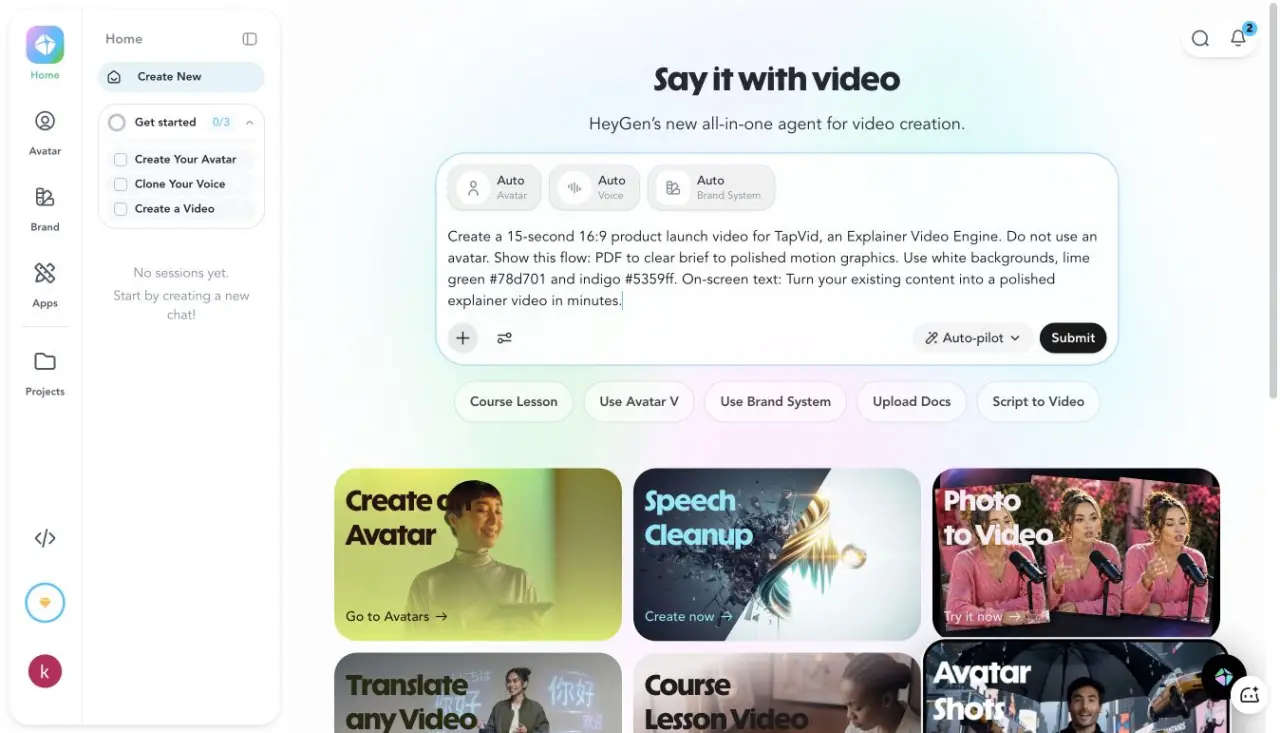
I pasted the brief into the Video Agent rather than selecting a demo template. The agent created a project titled “TapVid Launch Video,” drafted concepts, defined brand elements, generated a plan and voice, built a blueprint, created captions and music, generated three video assets, and assembled three B-roll scenes. The activity log reported completion in 296 seconds before the final video entered processing.
Screenshot evidence: HeyGen processing state after the agent completed the creative plan.
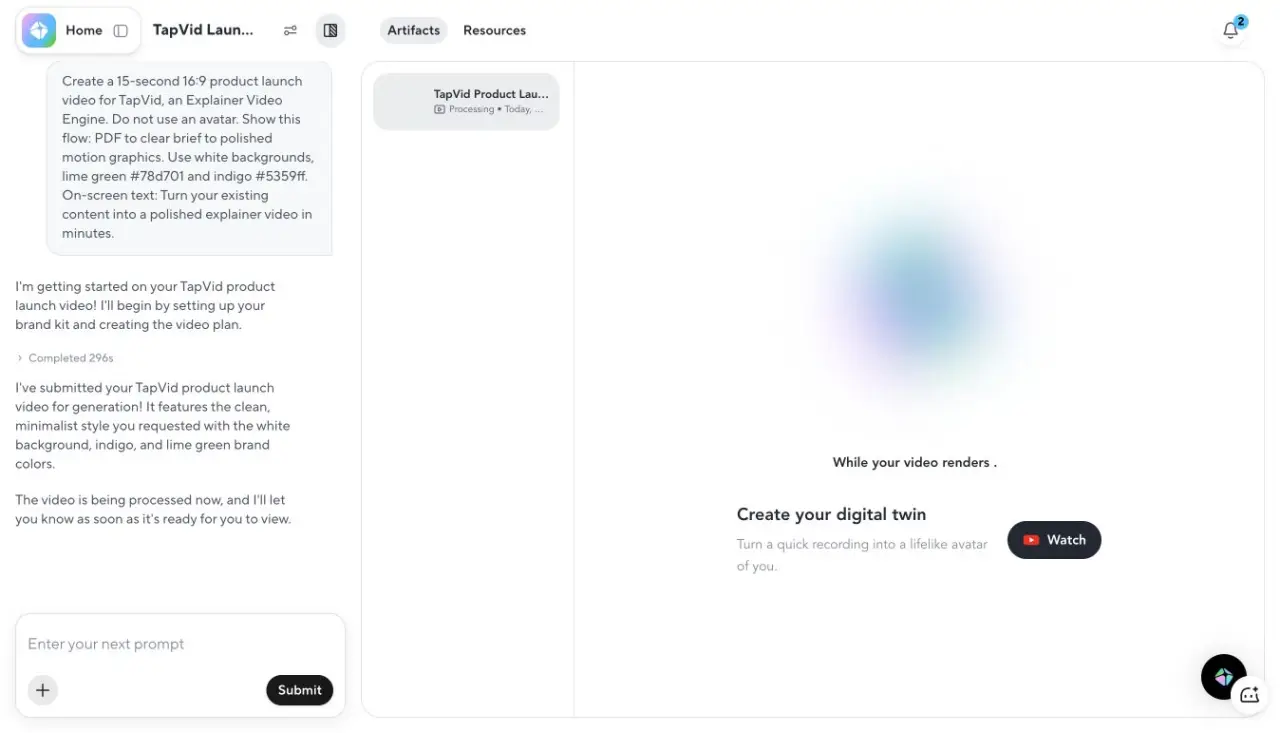
The processing stage completed 17 seconds later. The final player showed a duration of 0:13, so the result was two seconds shorter than requested. That is a much smaller drift than I measured in Pictory and Synthesia. HeyGen also respected the instruction not to use an avatar. The scenes used a white visual field, indigo line work, a lime accent, a PDF card, simple chart imagery, and the requested closing statement.
Screenshot evidence: final 13-second HeyGen video with three visible timeline scenes.
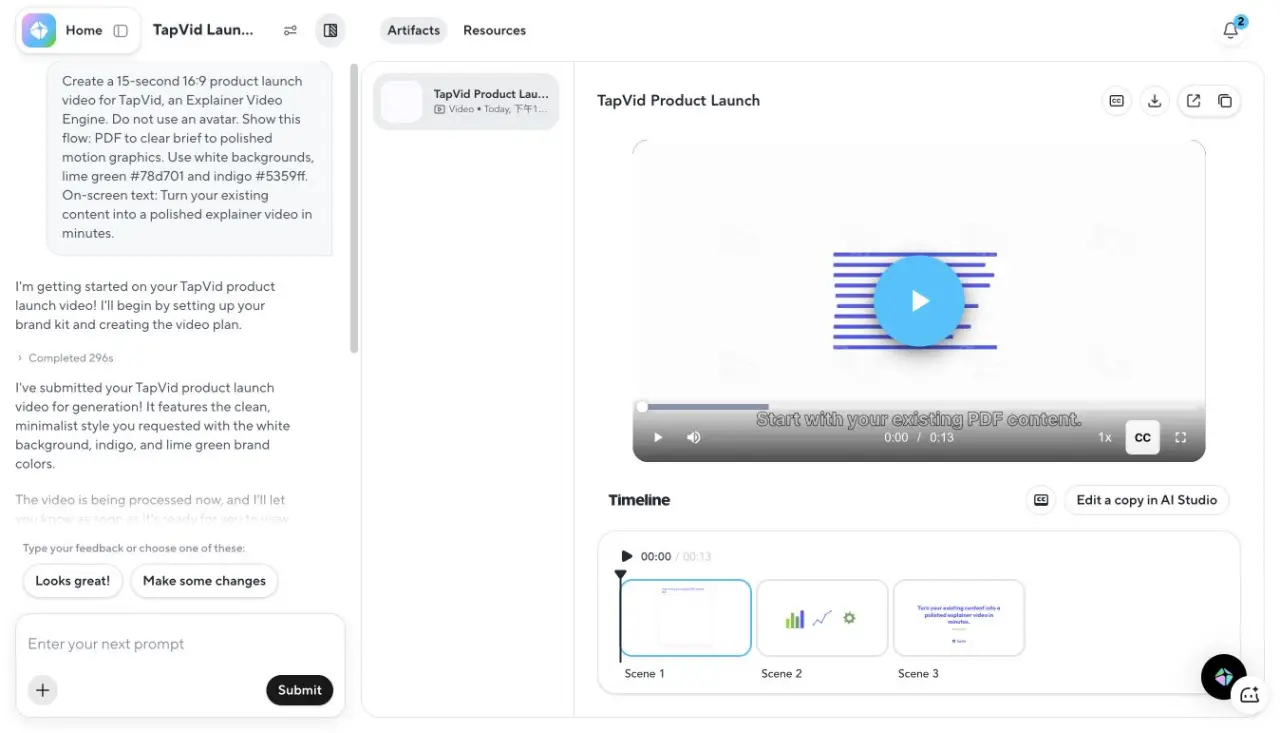
The strongest part was constraint following. The weakest part was explanatory depth. “PDF to brief to motion graphics” became three clean symbolic scenes, but the middle “brief” step was not developed into a concrete document or decision. For a social launch card, that is acceptable. For a product explainer that must teach the workflow, I would need another prompt round or a more source-grounded tool.
Screenshot evidence: HeyGen export dialog showing a 13-second video and 720p resolution.
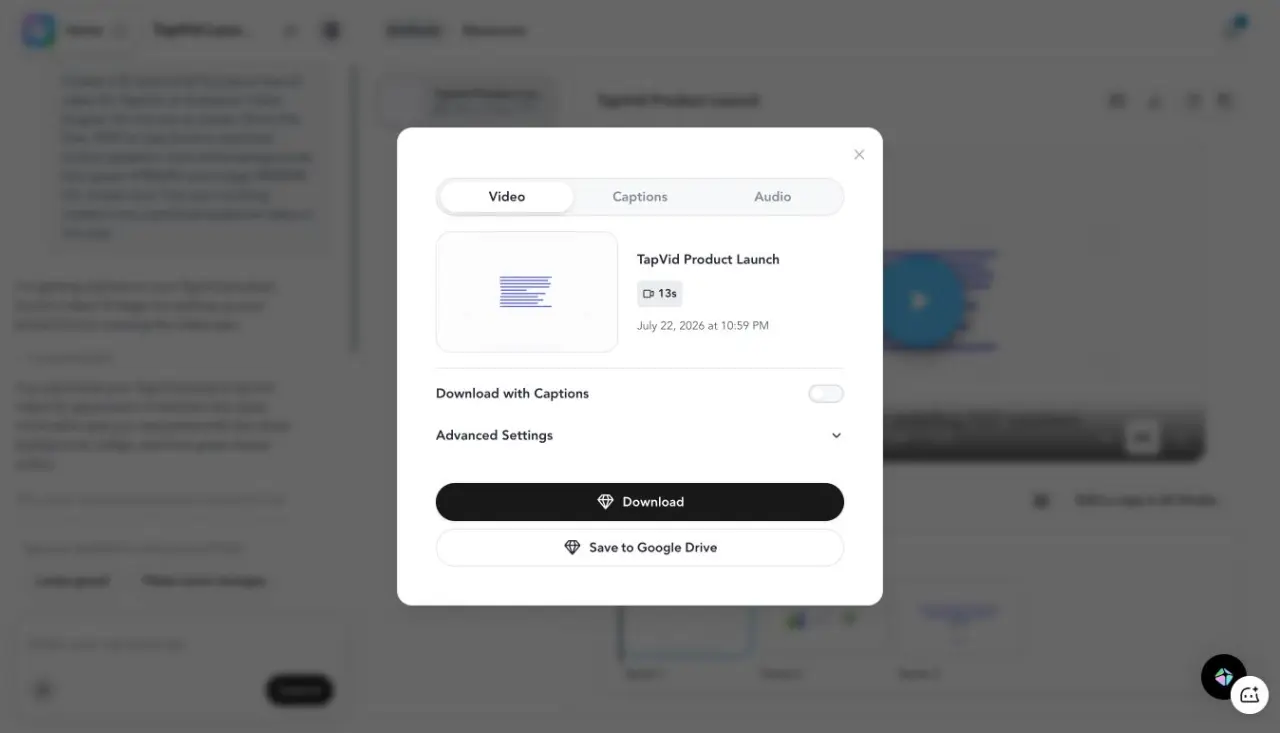
The download dialog offered video, captions, and audio tabs, a captions toggle, advanced settings, Google Drive delivery, and 720p resolution on this free account. I clicked Download and the dialog closed. I do not claim a higher resolution or watermark-free export because I did not select a paid plan.
03
Results at a glance
| Tool | What I completed | Requested vs output | Key observation | Best fit |
|---|---|---|---|---|
| HeyGen | Login, generation, playback, export dialog | 15s requested, 13s output | No-avatar instruction followed, 720p free export | Short marketing assets and avatar workflows |
| TapVid | 275KB PDF to finished 60s video | 60s requested, four 15s beats | Brief and shot script approved before render | Existing content to structured explainer |
| Synthesia | Login, outline, render, playback | 15s requested, 40s output | 30s minimum setting and avatar inserted | Presenter-led training and internal video |
| Descript | Brief, plan, editor, export dialog | 15s requested, 16.4s output | Closest duration fit, 720p watermark on free export | Recorded speech and screen editing |
| Pictory | Login, script, nine-scene editor, export | 15s requested, 39.94s export | Generic stock choices and Pictory watermark | Article-to-stock-video summaries |
| Fliki | Script, four-scene editor, export dialog | 15s requested, 31s output | Prompt instructions leaked into narration | Simple voice-led scene production |
04
1. TapVid: best for turning existing content into an explainer
TapVid is not a general HeyGen clone. It is an Explainer Video Engine for creators who already have an article, PDF, script, PRD, or product copy and need that material organized into a visual explanation. The workflow starts from the creator’s content, produces a brief and a shot-level script, then renders motion graphics, narration, and captions.
Screenshot evidence: TapVid brief generated from a 275KB article PDF.
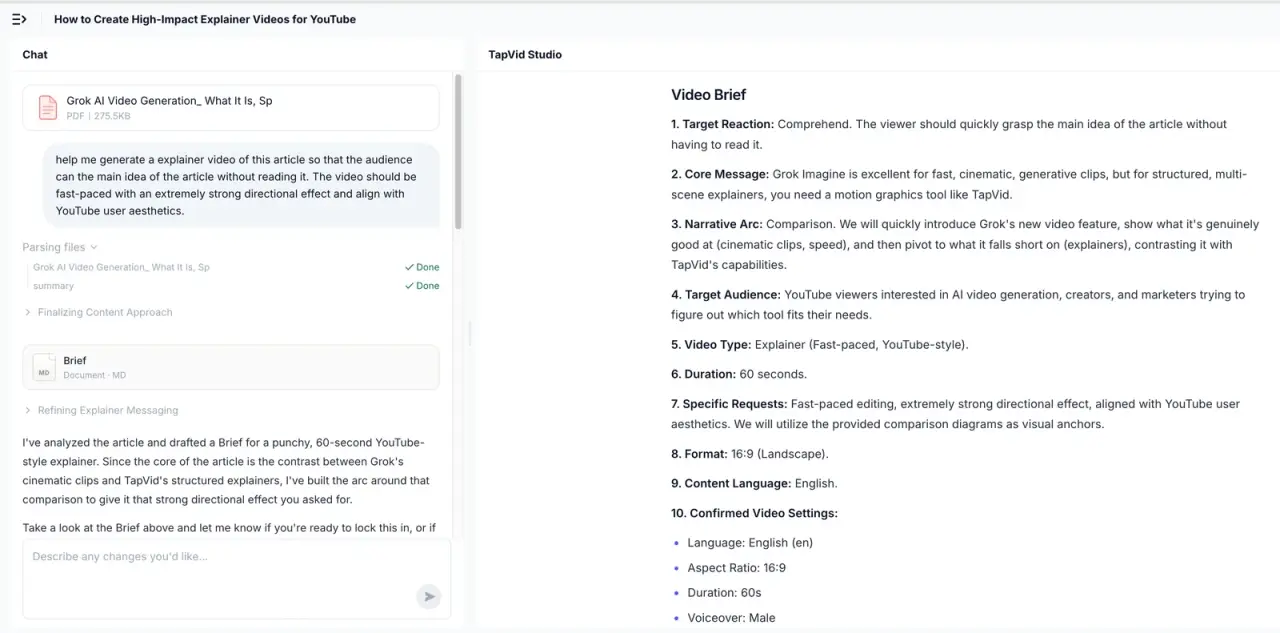
I uploaded a 275KB PDF and asked for a fast-paced YouTube-style explainer that let viewers understand the article without reading it. TapVid returned a brief with the audience, core message, narrative arc, target reaction, 60-second duration, 16:9 format, and voice. After approval, it split the story into four 15-second beats and exposed a shot-by-shot script before rendering. Upload to finished video took 6 minutes 21 seconds in that recorded run.
Compared with HeyGen, the tradeoff is clear. HeyGen reached a clean 13-second asset faster and handled the brand colors well. TapVid spent more time on information structure and accepted an actual source document. Choose TapVid when the explanation must remain faithful to existing material. Choose HeyGen when a concise campaign asset or human-like presenter is the center of the job.
05
2. Synthesia: best when the presenter is the format
Screenshot evidence: Synthesia final video player from the same no-avatar brief.
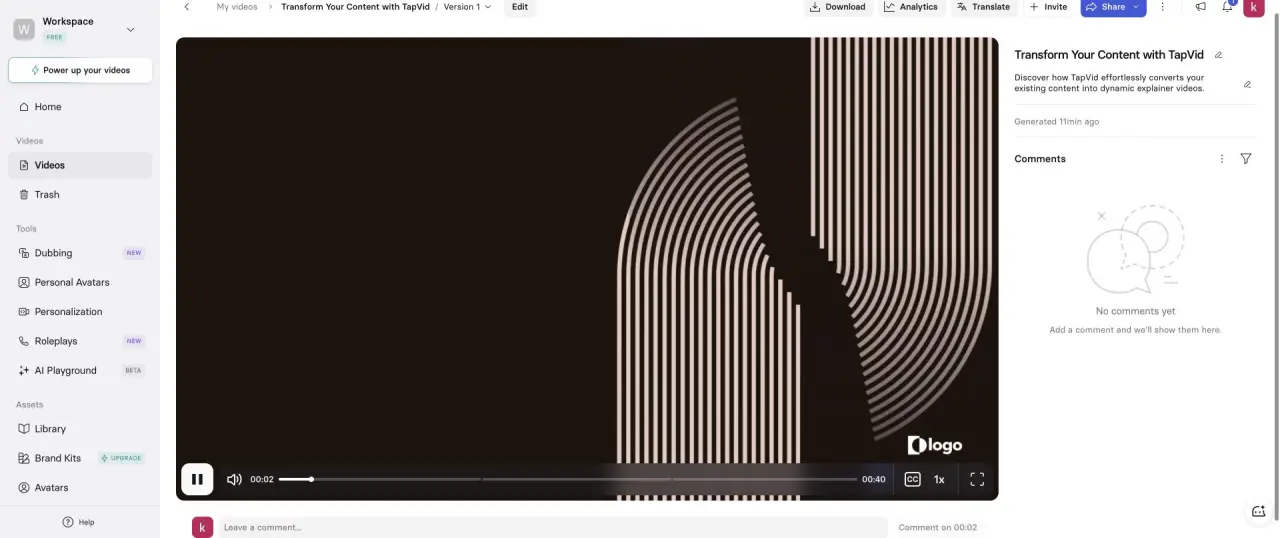
I completed the test inside Synthesia’s logged-in Basic workspace. The AI Video Assistant accepted the same 15-second request, but its shortest selectable duration was 30 seconds. It generated three scenes and a 40-second final video. More importantly, it inserted an avatar despite the explicit “no avatar” line. The closing frame also retained a placeholder logo instead of using TapVid’s real mark.
That failure is not evidence that Synthesia is a bad avatar product. It is evidence that the template’s assumptions were stronger than the prompt’s negative constraint. Synthesia is a better HeyGen alternative when training, multilingual presenter consistency, workspace review, or enterprise controls matter. It is a worse choice when the face should disappear and the visual system should carry the explanation.
06
3. Descript: best for recordings and transcript-first editing
Screenshot evidence: Descript generated editor with three scenes and a 16.4-second timeline.
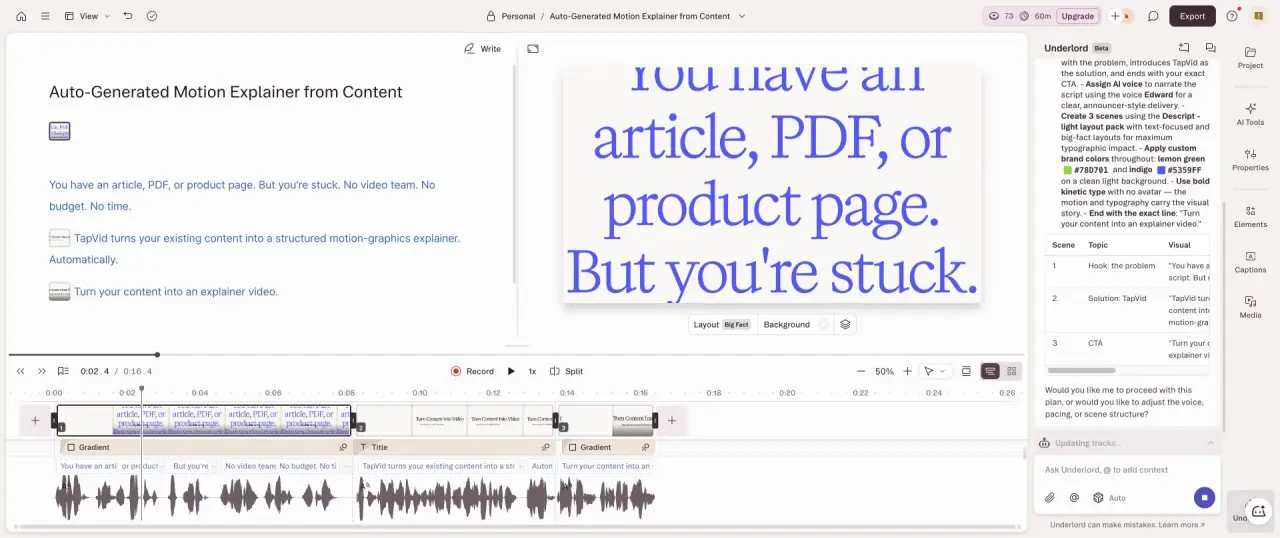
Descript created a plan, generated three scenes, and landed at 16.4 seconds, the closest result to the requested duration in this comparison. Its strength was not a synthetic spokesperson. The editor treated narration and scene text as the main control surface, which makes corrections feel closer to editing a document than managing a traditional timeline.
The free export dialog offered 720p with a Descript watermark. I would choose it over HeyGen for a webinar clip, screen demo, podcast excerpt, or tutorial whose raw material already exists. It will not replace HeyGen’s custom digital twin or lip-synced localization, but it often removes more work when the source is a real recording.
07
4. Pictory: best for quick article-to-stock-video repurposing
Screenshot evidence: Pictory’s nine-scene editor after generating the test brief.
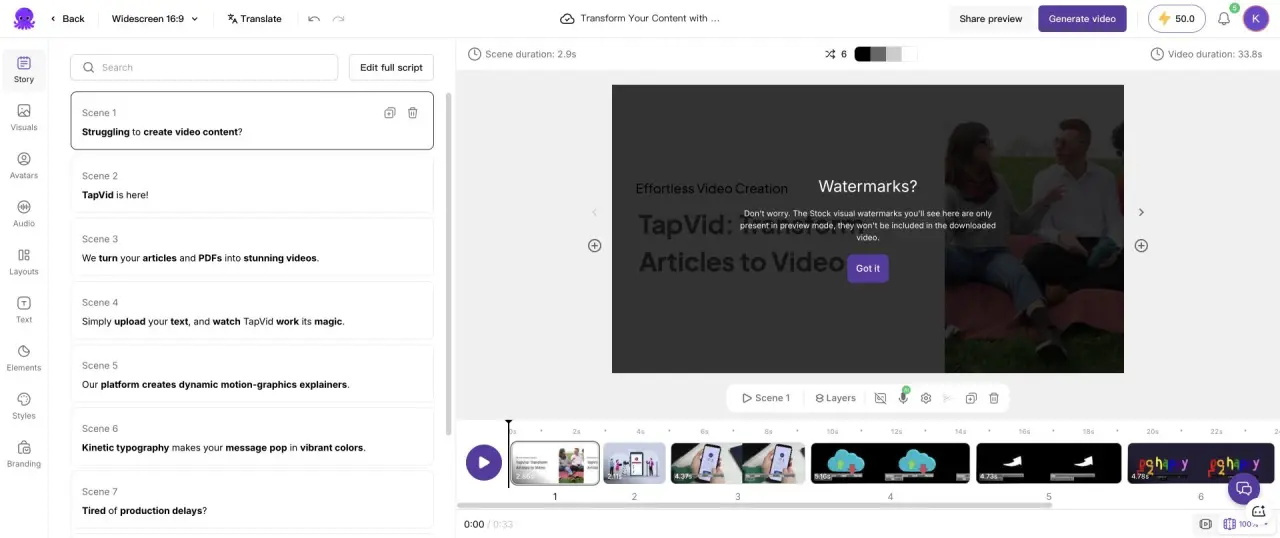
Pictory would not accept a 15-second setting. The generated script measured about 29 seconds, the editor timeline reached 33.8 seconds, and the exported public video measured 39.936654 seconds. The system produced nine scenes with stock footage, captions, and a Pictory watermark. Brand fidelity was weak because the imagery illustrated broad ideas instead of the product’s actual workflow.
Pictory is useful when “article to watchable stock montage” is good enough and the creator wants a narrow sequence of script, scene matching, voice, and export. It is less convincing than HeyGen for branded launch work and less source-structured than TapVid for a concept-heavy explainer.
08
5. Fliki: best for a simple narrated scene workflow
Screenshot evidence: Fliki editor with four generated scenes totaling 31 seconds.
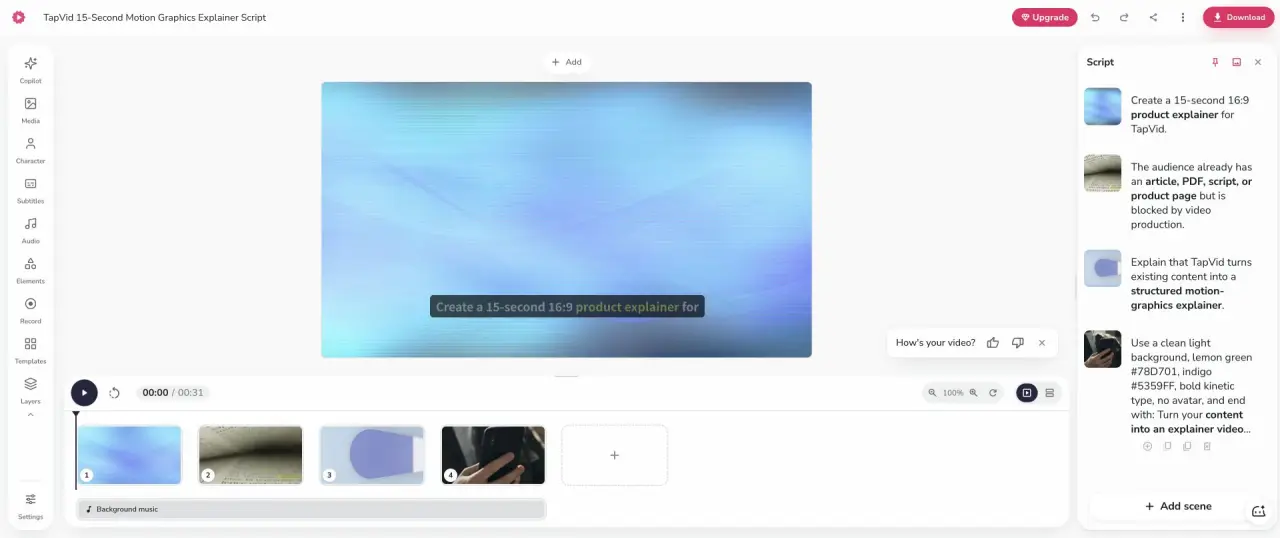
Fliki produced four scenes totaling 31 seconds and exposed a 720p free export with a watermark-removal upsell. The notable failure was prompt parsing. Some production instructions were treated as narration instead of constraints. That meant cleanup was required before the output could be published, even though the scene structure was easy to understand.
Choose Fliki when narration, stock media, and a straightforward scene list are enough. Choose HeyGen when an avatar, a video agent, or generative scene work matters. Choose neither if every sentence must map to a specific diagram or product state.
09
How to choose without buying six subscriptions
Start with the format, not the feature table. If removing the presenter would break the message, test HeyGen and Synthesia with the same speaker, language, and script. If removing the presenter changes nothing, test TapVid, Descript, or Pictory using the same source. If your source is already recorded, begin with Descript before paying for synthetic video.
Then score instruction fidelity. A tool that returns a beautiful 40-second video after you asked for 15 seconds creates trimming work. A tool that adds a person after you said no avatar creates format work. A tool that turns production instructions into narration creates script work. These are measurable labor costs, not aesthetic preferences.
Finally, open the export dialog before committing to a workflow. The free-plan outputs in this test differed in resolution and watermark rules. HeyGen offered 720p. Descript offered 720p with a watermark. Pictory and Fliki added visible branding. A usable editor demo is not the same as a usable final file.
10
Frequently asked questions
What is the best HeyGen alternative?
Synthesia is the closest direct alternative for presenter-led business video. TapVid is the better alternative when existing content must become a structured motion-graphics explainer. Descript is better when the source is recorded speech or a screen capture.
Is there a free HeyGen alternative?
Synthesia, Descript, Pictory, and Fliki all provided free entry during this test, but export resolution, watermarks, credits, and monthly limits differed. Test the final download, not only the editor.
Did HeyGen follow the no-avatar prompt?
Yes. The 13-second output used three motion-led scenes and no presenter. Synthesia did not follow the same negative instruction.
How long did HeyGen take?
The Video Agent activity log showed 296 seconds for its creative work, followed by a 17-second processing step before the final video appeared.
Does HeyGen export for free?
The logged-in free account showed a 720p video download option. Paid plans and regional free allowances can change, so confirm the live export dialog in your own account.
11