Choose TapVid
Choose TapVid when an approved document, product screen or script defines the story. Review the narrative and the source-to-scene match before rendering, then revise the specific shots that need a correction.
TapVid focuses on keeping product assets and approved information connected in an explainer. VEED combines AI video creation with browser editing, captions and translation. Both can generate video; the practical choice is the input you have and the corrections your team needs to make.
Videos true to your assets. In minutes.
I'd like to add motion graphics and short explanations next to my presenter video about how we spend our 80 years, to help viewers grasp the key numbers.
The useful difference is what your team needs to explain, review, and deliver.
| Your decision |  | VEED |
|---|---|---|
| Primary job | Explain your product using its real assets and approved words. | AI social-video creation, footage editing, captions and translation. |
| Starting material | Product screenshots, documents, images, and your written brief. | A prompt, script, images, recorded footage or an existing video. |
| What to review | The brief, outline, and scene script before rendering; then the video and any revised shots. | Review generated scenes, aspect ratio, captions, clip edits and export settings. |
| A good fit | Product explanations where the right words must stay connected to the right assets. | A team needs to create and finish social videos or repurpose recordings. |
Based on our published article and the sources linked below. Compare workflows, then validate them with your own brief.
A recording can be the starting point, not the finished lesson. Bring your source into TapVid and define what the viewer should understand before deciding how to present it.
Use motion graphics alongside a presenter to make key numbers and relationships visible. The homepage example shows how an existing talk can become a visual explanation.
After the story is assembled, change the relevant title or scene without rebuilding the whole sequence. The revision example shows the same video with an updated opening title.
Choose TapVid when an approved document, product screen or script defines the story. Review the narrative and the source-to-scene match before rendering, then revise the specific shots that need a correction.
Choose VEED when your team needs footage editing, caption work, translation or social-video creation in the browser. Its current product includes AI generation; needing a first draft does not by itself rule VEED out.
Research published by TapVid. Read the sample, method and limitations before applying a result to your own videos.
Published September 7, 2026: 25 scenes, 7 systems and 6,760 blind ratings. Information-dense results describe a task subset, not every video or an independent product certification.
Read methods and limitationsMay 6–August 31, 2026: 6,464 matched registered users in TapVid telemetry. Milestone counts do not measure creative quality or represent an industry average; eligibility rules changed during the window.
Read methods and limitationsNo. VEED currently offers AI video generation alongside editing, subtitles and translation. The older article is useful for its saved-project evidence, but its editor-only framing is too narrow for the current product.
Choose TapVid when an approved document, product screen or script defines the story. Review the narrative and the source-to-scene match before rendering, then revise the specific shots that need a correction.
Choose VEED when your team needs footage editing, caption work, translation or social-video creation in the browser. Its current product includes AI generation; needing a first draft does not by itself rule VEED out.
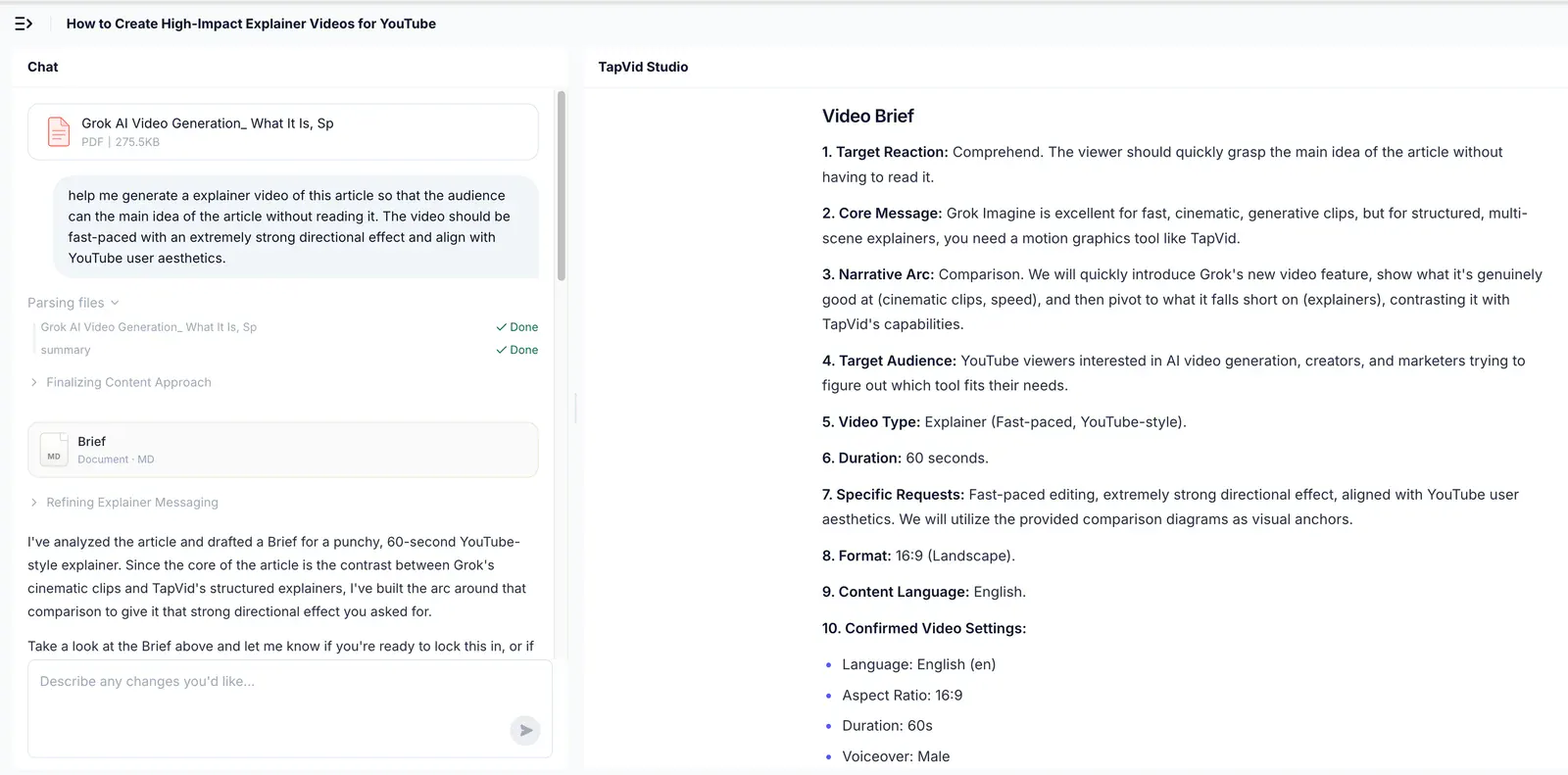
This is an observation from one historical VEED project. The TapVid PDF run used different source material and duration, so it cannot establish a same-input performance winner. VEED currently offers AI generation as well as editing.
No. Review the planned words and assets before rendering, and check the final video. TapVid is designed to preserve your supplied content and let you revise individual shots; that does not remove the need for approval.
Use the linked article below for the archived evidence and the official product websites for current pricing and plan limits. Historical trials and render times are not promises about a current subscription.
Compare TapVid with other video tools in our published guides.
Written by TapVid. Published evidence and product scope reviewed 2026-09-16. Screenshots are historical records, not a claim that today’s interface is unchanged. Official product pages were checked for current scope; no new paid head-to-head test was performed.
Product examples illustrate TapVid workflows; they are not matched-input competitor tests.
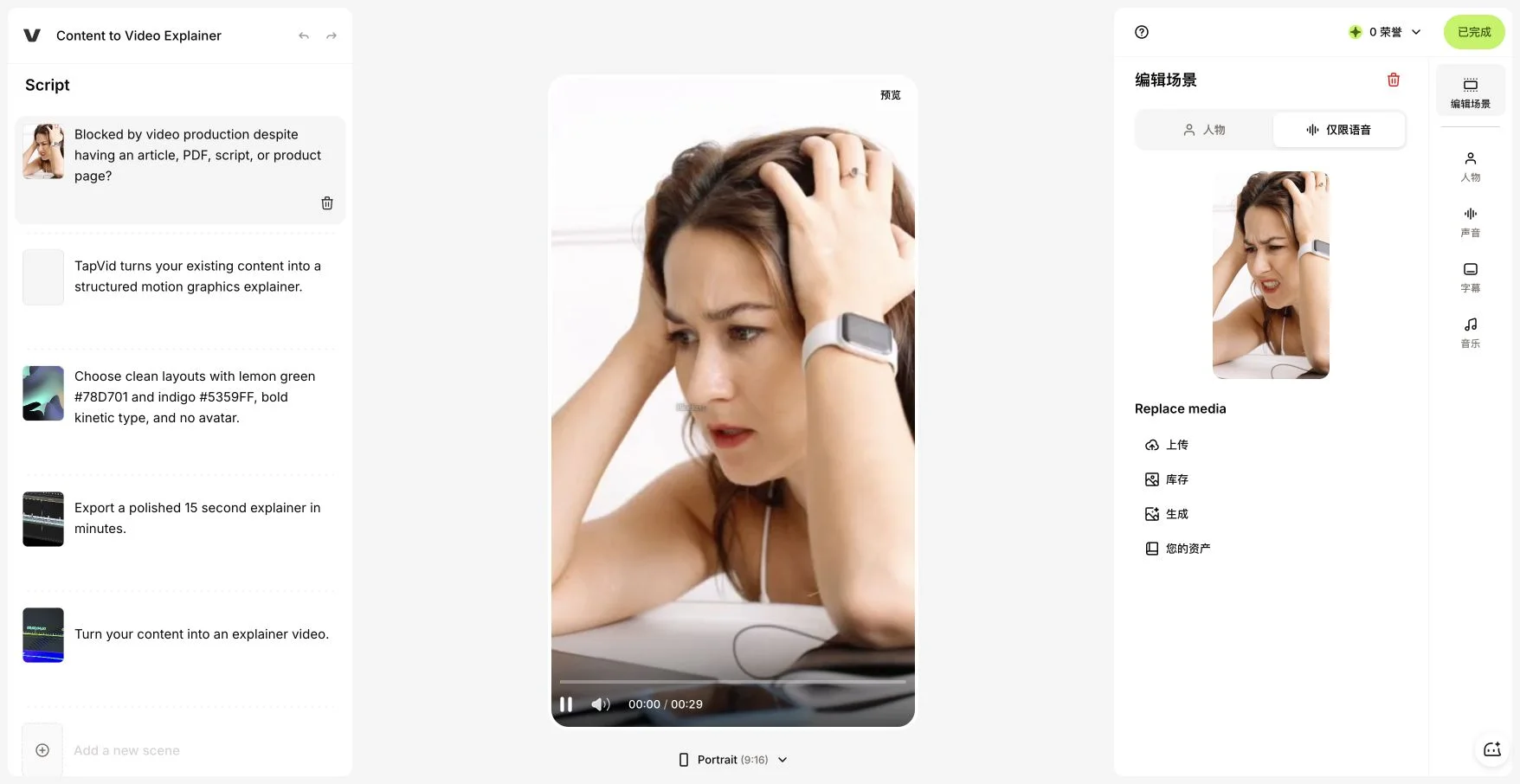
Our VEED alternatives article examines a saved July 22, 2026 AI Studio project. A 15-second, landscape, no-avatar motion brief produced five script scenes and a visible 29-second portrait result with generic footage of a person. Voice-only mode was retained, but duration, aspect ratio and visual treatment needed review.
This is an observation from one historical VEED project. The TapVid PDF run used different source material and duration, so it cannot establish a same-input performance winner. VEED currently offers AI generation as well as editing.
Archived VEED AI Studio result from our published article; one saved project, not a current product limit.What you see is your product: nothing redrawn, nothing rewritten.