Choose the reader job
Pick the structure that matches what the viewer must understand or do, not the visual style you happen to like.
Start with a reusable planning structure for a product demo, how-to, problem-solution story, feature launch, customer education video, or video sales letter. Add your approved script and original assets when you are ready to make it.

These existing TapVid outputs illustrate the video format; they do not verify every input workflow or imply a customer partnership.
Pick the structure that matches what the viewer must understand or do, not the visual style you happen to like.
Add approved facts, exact wording, original product assets, evidence, audience, outcome, and one next action.
Check asset fidelity, information fidelity, and script-to-scene correspondence before you approve the output.
These are reusable planning structures, not a claim that TapVid contains a built-in template library. Each structure defines the audience, outcome, evidence, sequence, source pack, and review checks needed for a common explainer job.
Use the structure to prepare approved wording and original product assets. TapVid can turn those inputs into a visible script and scene plan, keep supplied visuals and protected information tied to the right scene, and rerun a relevant scene when an input changes. Review the actual result before delivery.

The structure is a planning decision, not a visual preset. Choose the job first, then replace every stage with approved facts, original assets, and a review owner.
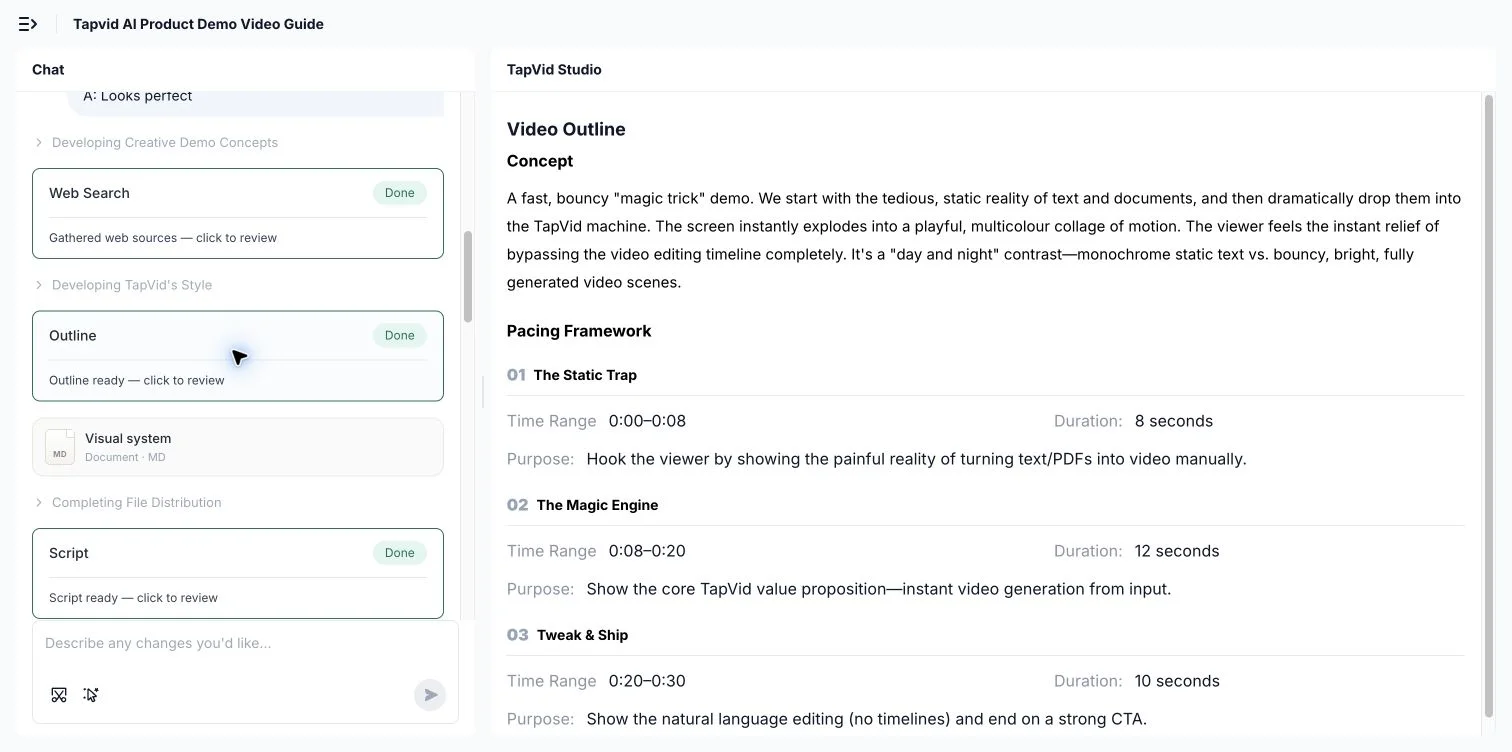
This real TapVid outline view keeps the planned script and scenes visible for review before output. It shows a workflow step, not proof that every structure is a built-in preset.
Use supplied product images, logos, UI captures, and footage as the source instead of inventing a substitute.
Mark names, prices, numbers, specifications, and approved claims that must not be rewritten.
Review the script and scene plan so the visual shown at each moment supports the words being said.
Copy the structure that matches the job, replace every bracketed decision with approved material, and remove any beat you cannot support.
Audience and job → starting state → input → three visible actions → proof state → limitation → next step.
Observable outcome → prerequisites → numbered actions → check after each action → finish state → recovery path.
Recognizable situation → cost of the current path → different mechanism → supported example → boundary → action.
What changed → who needs it → old friction → new workflow → exact product proof → rollout condition → action.
Customer question → applicable role and version → source-of-truth steps → proof state → related answer → review trigger.
Hook → problem → mechanism → claim-proof ledger → bounded offer → relevant objection → one call to action.
Standardize briefs across recurring client deliverables while keeping each client’s sources and approvals separate.
Prepare product explainers, launches, tutorials, and customer answers without starting from a blank page.
Make proof, conditions, and next actions explicit before the script reaches production.
3 credits = 1 second, so you only pay for what actually renders. Start free, upgrade anytime.
$49/mo
2,000 credits / mo
$99/mo
6,000 credits / mo
$199/mo
14,000 credits / mo
Join thousands of product teams using AI to create professional videos in minutes.