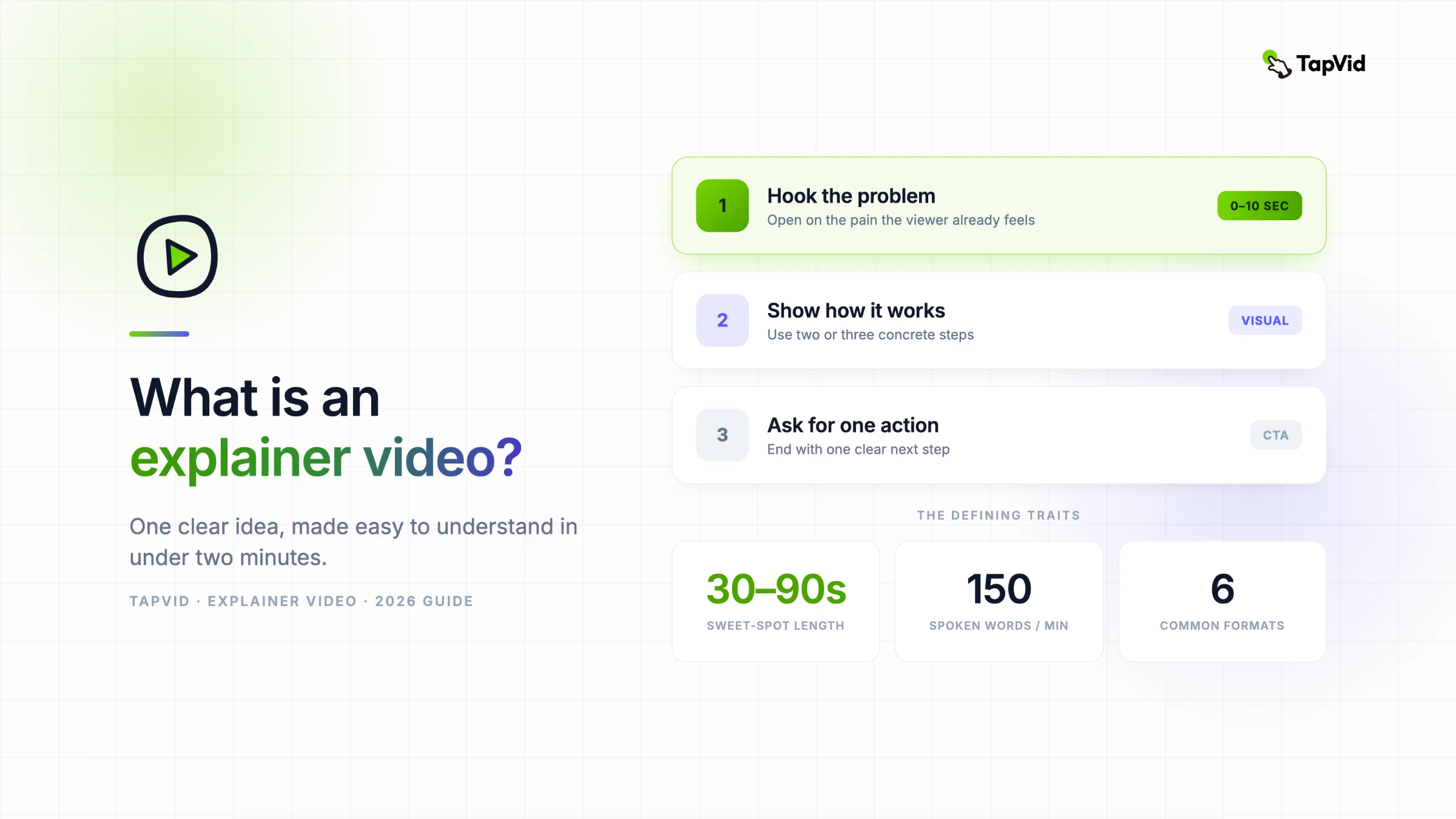

What is an explainer video? It is a short video, often 30 seconds to two minutes, that makes a product, service, or idea easier to understand. It pairs purposeful visuals with voiceover or captions, carries one clear message, and ends with one next step. This guide shows the main types, where each one fits, and a real source-to-video workflow.
Already have a script or PDF? Turn it into an explainer video
01
What an explainer video actually is
If you have ever landed on a homepage, watched a 60-second clip, and thought "oh, now I get it," you have already met an explainer video. This guide covers what they are, the main types, when each one fits, and how they get made now that you no longer need a studio and a six-week timeline to produce one.
At its core, an explainer video answers two questions in under two minutes: what problem does this solve, and why should I care? That constraint is the whole point. A good explainer strips away everything except the one idea a viewer needs to move forward.
For a marketing or product team, the practical version starts with content you already own: an article, PDF, approved script, PRD, product copy, screenshots, or web page. TapVid turns that source pack into an explainer video from brief and script through scenes, motion, captions, music, and export. Product names, numbers, approved wording, and supplied visuals stay tied to the source. It does not replace your judgment. In the hands-on run below, I still approved the brief and script, then reviewed the final cut.
Most explainer videos share a few traits:
- Short. Wyzowl's 2026 survey found that most respondents considered 30 seconds to two minutes the most effective range. If you need longer, make sure the subject truly needs tutorial-level depth.
- One message. A landing-page explainer sells the core value. It does not try to cover pricing tiers, edge cases, and the founder's origin story all at once.
- Visual first. The picture carries the load. Voiceover and captions support it, but a strong explainer should still make sense with the sound off.
- Built to convert. Every explainer points somewhere: sign up, book a demo, keep reading. If it does not, it is just a nice animation.
People reach for explainer videos because attention is scarce and reading is slow. Watching someone show you how a tool works takes a fraction of the effort of parsing three paragraphs of copy. That is why explainer videos keep showing up in the research phase of a purchase, when a buyer is still deciding whether your product is even worth a closer look.
02
Where explainer videos get used
The format is flexible, which is why you find explainer videos almost everywhere a company needs to make something click quickly:
- Homepages and landing pages, where a hero video does the heavy lifting the moment a visitor arrives.
- Paid ads on YouTube, Meta, and TikTok, where the first three seconds decide whether anyone keeps watching.
- Product onboarding, teaching a new user the one workflow that makes your tool stick.
- Sales and email, dropped into a follow-up so a prospect can grasp the pitch on their own time.
- Internal training and education, turning a dense process document into something people actually finish.
In Wyzowl's 2026 video marketing survey, 96% of respondents said they had watched an explainer to learn about a product or service, and 85% said a video had convinced them to buy. A Frontiers in Communication mini-review found positive knowledge effects in several studies, but it also notes that results vary and that video is not consistently better than text plus visualization. Your own result will depend on the message, audience, placement, and production quality.
03
The main types of explainer videos
Not every explainer looks the same. The style you pick shapes the cost, the production time, and the feeling a viewer walks away with. Here are the six formats that cover almost every real-world case.
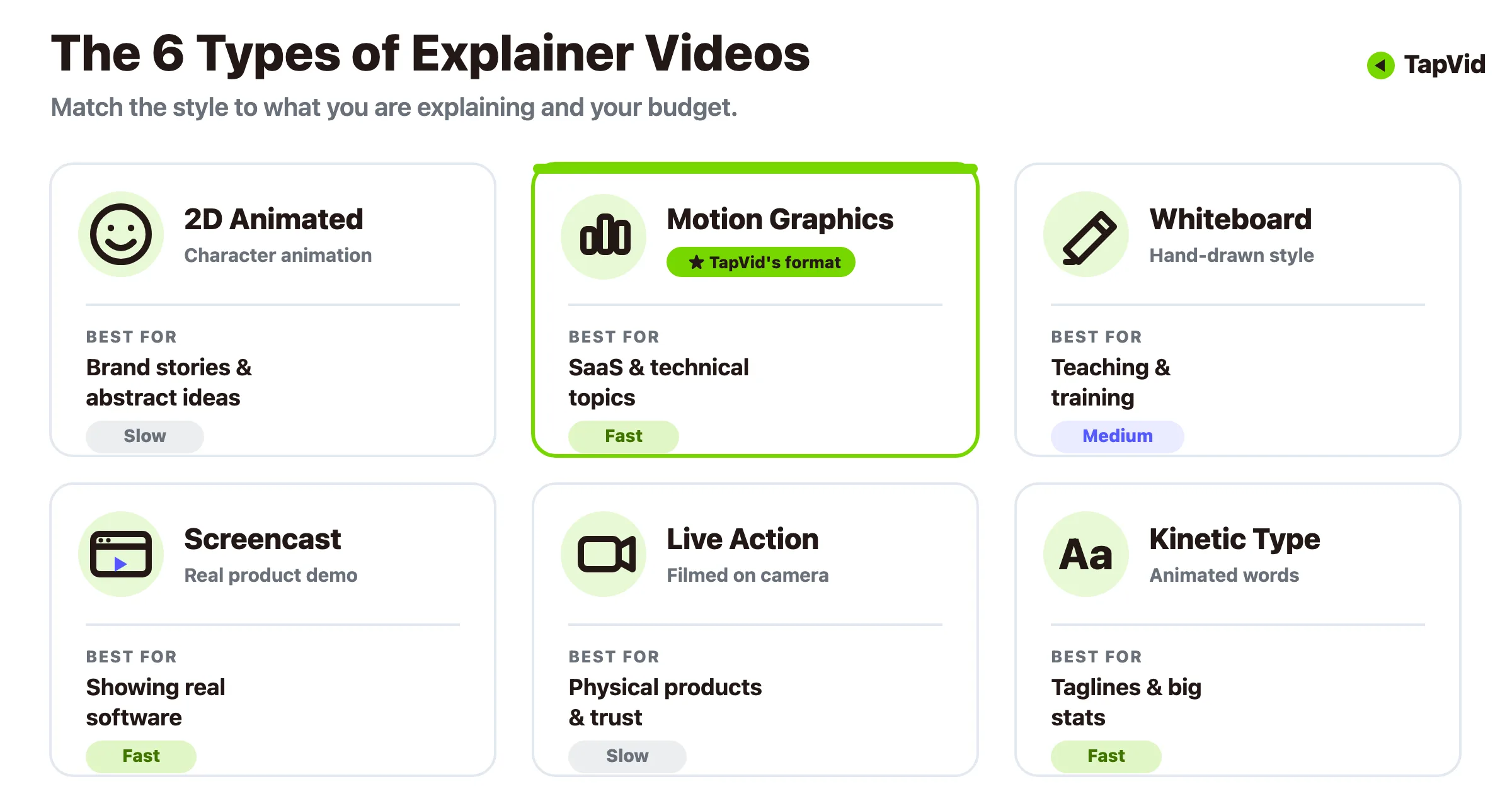
Animated (2D character). The most popular format, and for good reason. Characters and scenes let you dramatize an abstract idea, like a subscription service or a fintech concept, that would be awkward to film. It suits storytelling and brand personality, though full custom animation is the priciest and slowest to produce the traditional way.
Motion graphics. Icons, text, charts, and shapes moving in sync, with no characters or plot. Motion graphics shine when you need to explain something technical or data-heavy in a clean, professional way. This is the workhorse format for SaaS and B2B, and it is also the style that AI tools now generate best from a written script.
Whiteboard animation. Hand-drawn illustrations that appear as if someone is sketching them live. It reads as educational and trustworthy, so it fits policy explainers, training, and any topic where you want to feel like a patient teacher rather than a marketer.
Screencast and product demo. Actual recordings of your software in action, often with a voiceover or captions pointing out what matters. Nothing builds confidence in a digital product like watching the real UI do the thing. For a step-by-step walkthrough of this style, our guide to product demo videos breaks down the workflow.
Live action. Real people, real settings, filmed on camera. It builds human trust and works well for physical products, services, and founder-led brands. It is also the format most likely to need a shoot, a crew, and a bigger budget.
Kinetic typography. Text as the star, animated to a rhythm. Best for short, punchy moments where the words carry the entire message, like a tagline reveal or a bold statistic.
Most real projects blend two or three of these. A SaaS explainer might open with motion graphics to frame the problem, cut to a screencast to show the product, and close on kinetic typography for the call to action.
04
Which type should you make?
The right style comes down to what you are explaining and how much you can spend. Here is a quick way to decide without overthinking it.
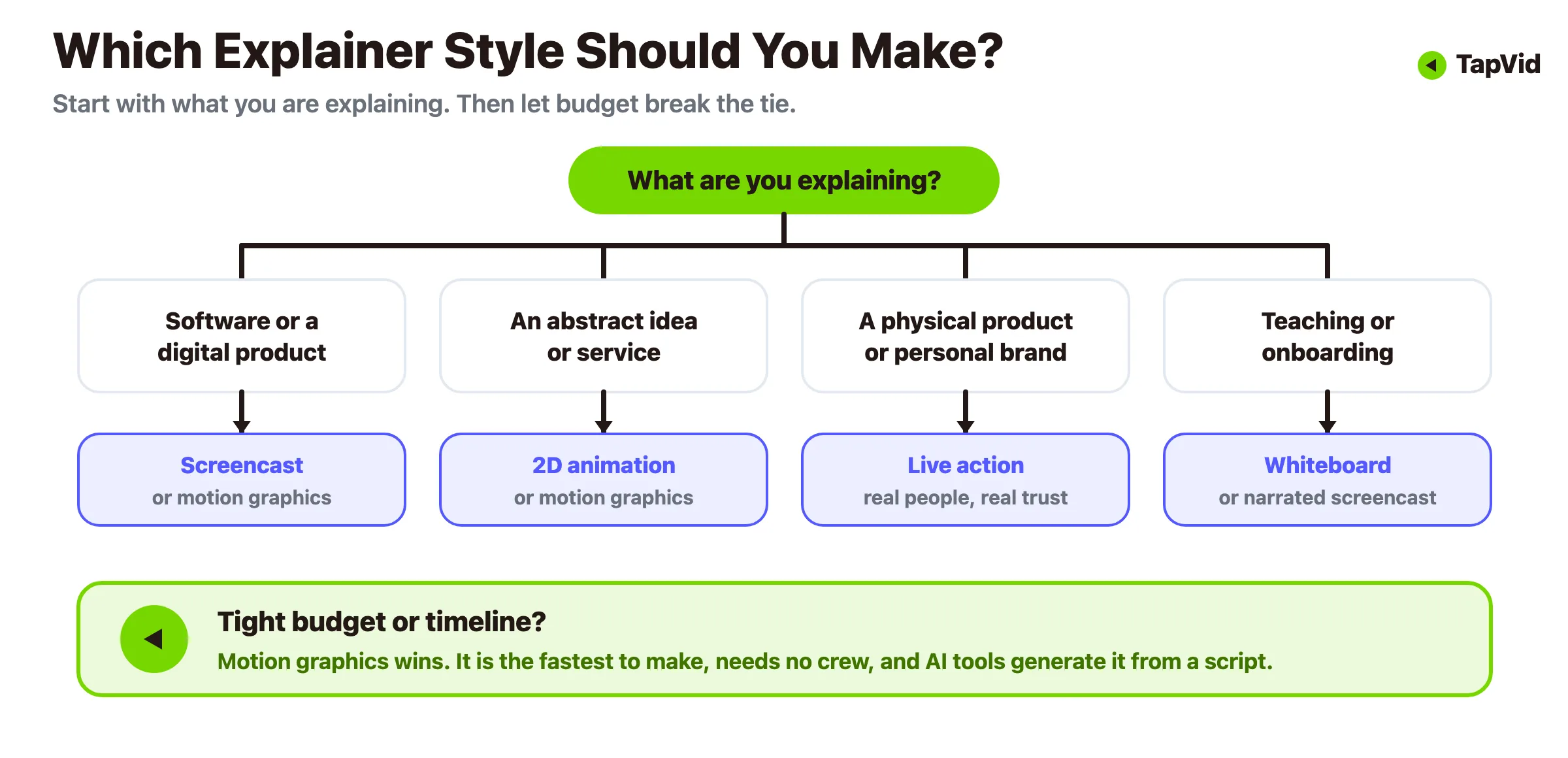
- Explaining software or a digital product? Start with a screencast if you want proof it works, or motion graphics if you want a polished overview that hides the messy parts of the UI.
- Explaining an abstract idea, service, or concept? Reach for 2D animation or motion graphics, which can visualize things a camera cannot.
- Selling a physical product or a personal brand? Live action earns trust that animation cannot fake.
- Teaching or onboarding? Whiteboard or a narrated screencast feels like a helpful walkthrough rather than a pitch.
- On a tight budget or timeline? Motion graphics and screencasts are the fastest and cheapest to produce, especially with AI tools, while custom 2D and live action cost the most.
When budget is the deciding factor, motion graphics tends to win. It looks professional, it does not require actors or a shoot, and it is the format that text-to-video tools handle cleanly. Our animated explainer video maker is built around exactly this path.
05
What makes a good explainer video
Style gets the attention, but structure is what makes an explainer work. Almost every effective one follows the same simple arc:
1. Hook the problem (0 to 10 seconds). Open on the pain your viewer already feels. Skip the logo animation and the slow build. If the first line does not land, the rest never gets watched. 2. Introduce the solution. Name what you do in one plain sentence. No jargon, no buzzwords. 3. Show how it works. Two or three concrete steps, not a full feature list. The goal is "I could see myself using this," not "here is our entire changelog." 4. Prove the payoff. What does life look like after they use it? Time saved, money made, headache gone. 5. Ask for one action. Sign up, book a demo, start a free trial. One clear next step, not a menu of five.
Keep the script tight. A useful rule of thumb: 150 spoken words runs about a minute, so a 90-second explainer script should land near 200 to 220 words. If you cannot say it in that space, the message is not sharp enough yet. For a deeper look at the scripts and pacing behind high-converting videos, see our breakdown of explainer videos that convert.
The Dollar Shave Club launch video is the classic example of this arc done well. It opens on a real frustration (razors cost too much), states the fix in one blunt line, shows how the subscription works in a few quick beats, and lands on a single call to action. It runs about 90 seconds. The lesson holds even without the comedy budget: pick one pain, one fix, one ask, and cut everything else.
Explainer video vs other video formats
People often mix up a few close cousins, so it helps to draw the lines:
| Format | Viewer job | Best evidence | Typical next step |
|---|---|---|---|
| Explainer video | Understand the problem, mechanism, and value | Purposeful visuals plus one clear narrative | Learn more or try the product |
| Product demo | Evaluate how the product works | Real UI, supplied screenshots, or a product walkthrough | Start a trial or book a demo |
| Tutorial | Complete one task correctly | Exact steps, states, and expected result | Repeat the workflow |
| Promo video | Notice an offer, launch, or campaign | Product shots, offer details, and a direct hook | Click, buy, or sign up |
The takeaway is to match the format to the moment in the buyer's journey. A cold visitor needs an explainer, a warm lead wants a demo, and a new customer needs a tutorial.
06
How explainer videos get made: two paths
For years, making an explainer video meant one thing: hire a studio. That path still exists, and it still produces beautiful work. It is just slow and expensive. The newer path uses AI to compress the whole process. Here is the honest comparison.
The traditional studio path. Professional production can take from two weeks to a few months. HubSpot's updated cost roundup cites a Wyzowl survey average of $10,983, while reported projects ranged from $600 to $250,000. The range is wide because scope, animation style, voiceover, sound design, and revision rounds differ. A custom studio still makes sense when you need a flagship film and precise art direction, but it is harder to justify when you need a repeatable stream of explainers.
The AI-assisted path. Text-to-video tools have collapsed that timeline. You write a script, pick a style, and the tool assembles the motion graphics, transitions, and pacing for you. No editing software, no crew, no eight-week wait. The tradeoff is control: AI output needs a human review pass, and for a flagship brand film you may still want a studio. But for the day-to-day explainers most teams actually need, feature walkthroughs, onboarding clips, ad variations, it is a different economic model entirely. We wrote a full cost comparison here if you want the numbers side by side.
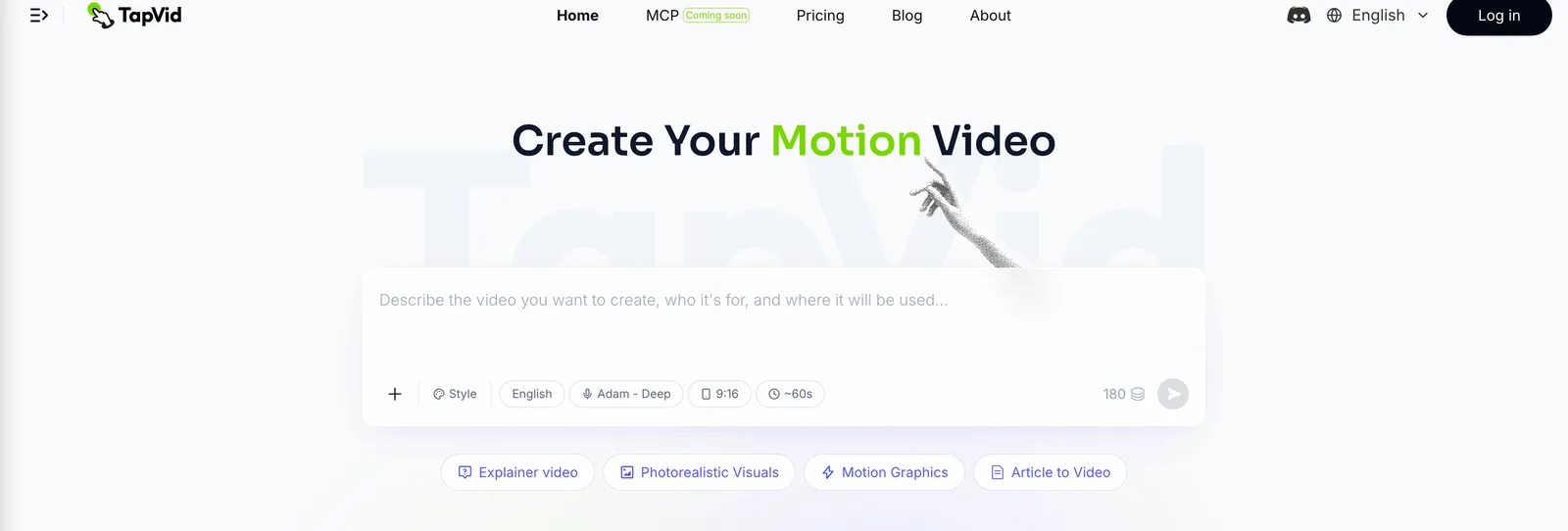
This is the gap TapVid was built for. You describe what you want in plain text, and our AI explainer video generator turns the script into a structured motion-graphics explainer, no timeline to scrub. It fits the SaaS use case especially well, which is why we keep a dedicated SaaS explainer video workflow.
07
How to make one with AI, step by step
The fastest way to understand the AI path is to watch it run once. I turned one of our own articles into an explainer and timed the whole thing, so here is the process with what each stage actually looks like.
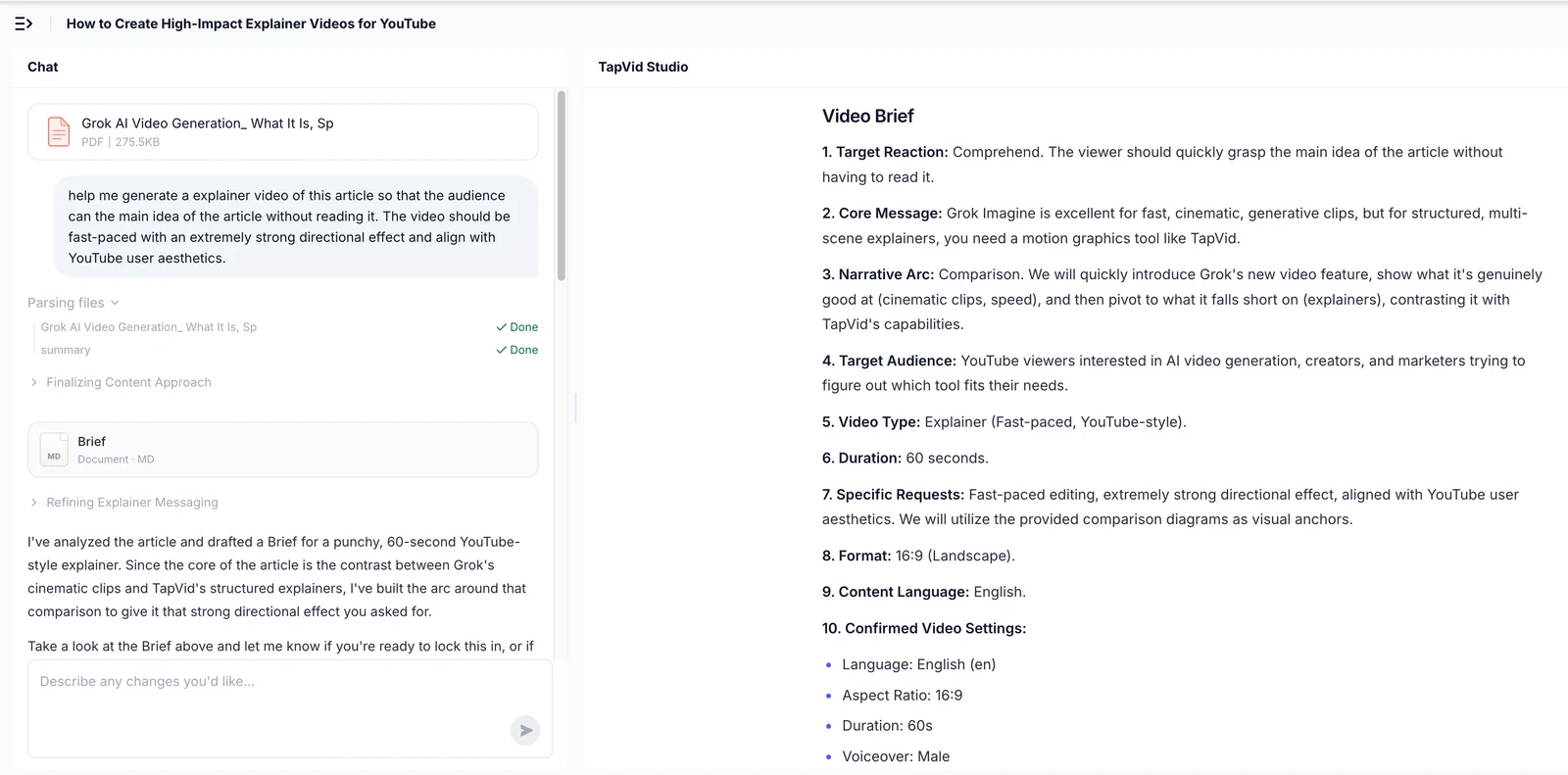
Step 1: Give it the source and one line of direction. I dropped in a 275KB PDF of a blog post and added a single instruction: make a fast-paced, YouTube-style explainer so people get the point without reading the piece. That was the entire input, a file and a sentence.
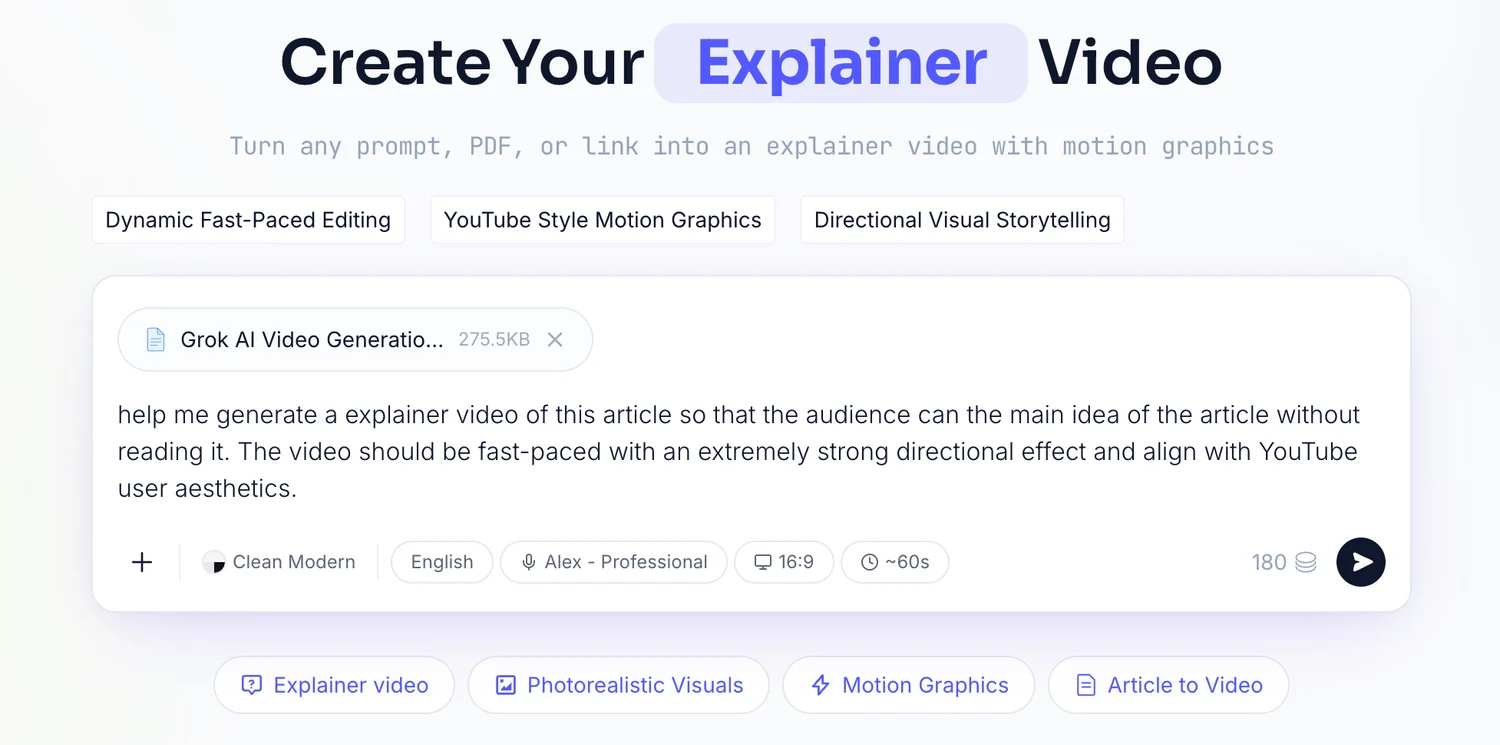
Step 2: Read the brief it writes back. TapVid parsed the file and returned a brief: target reaction, core message, narrative arc, audience, a 60-second length, a 16:9 ratio, and a male voiceover. I checked it against what I had in mind, and approved it as is.
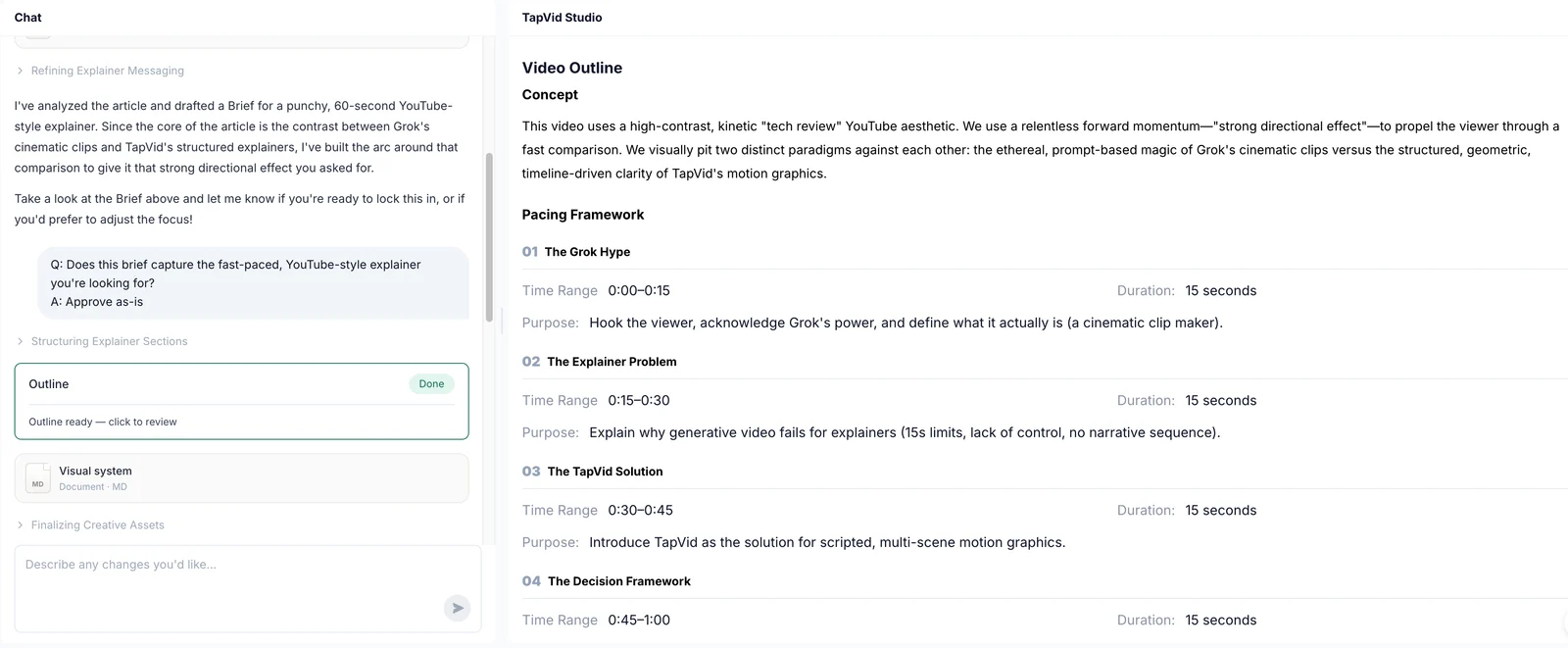
Step 3: Check the outline. Next came an outline of four 15-second beats, each with a stated purpose. This is the cheapest place to catch a wrong structure, before any rendering happens.
Step 4: Approve the shot-by-shot script. Then a shot-by-shot script with the on-screen action and the voiceover written per timecode. I read it once and approved it.
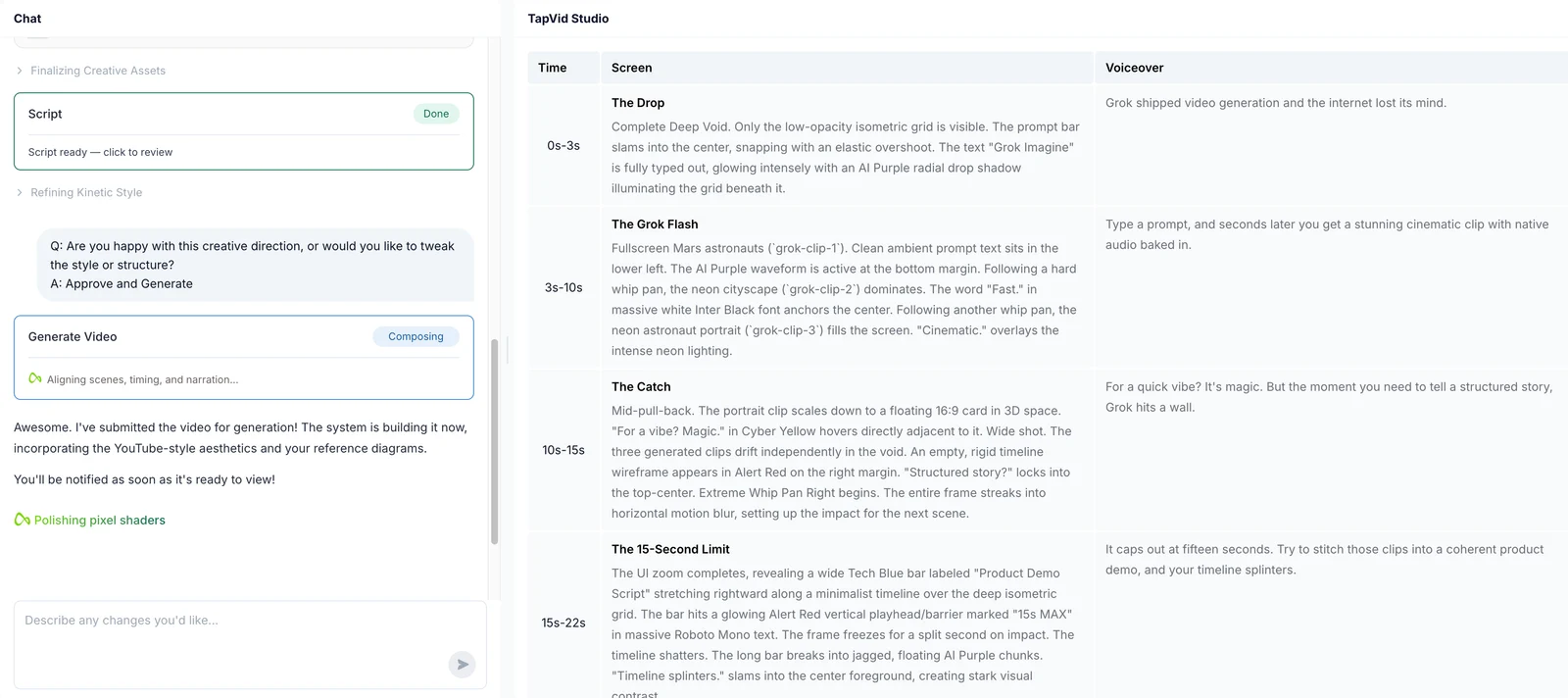
Step 5: Render and review. From upload to finished video was about six minutes, with three places where I actually made a decision: the prompt, the brief, and the script. Everything else ran on its own. The last pass is human: watch it once with fresh eyes and cut anything that drags before you publish.
The short version, portable to any tool: write a tight script using the hook-to-CTA arc above, pick motion graphics as your default style, generate the draft, add captions because a lot of video gets watched muted, then review and ship. For a longer walkthrough with examples, our step-by-step guide to making an AI explainer video covers each stage in detail, and the explainer video examples guide shows what good looks like across industries.
08
When you probably do not need one
An honest guide should say this out loud: not every page needs an explainer video. If your product is genuinely simple and a single screenshot makes it obvious, a video can slow people down rather than help. If you have no clear message yet, a video will just make the confusion move faster. And if you are about to spend $12,000 on a studio film for a landing page that gets 40 visitors a month, the money is better spent somewhere else first.
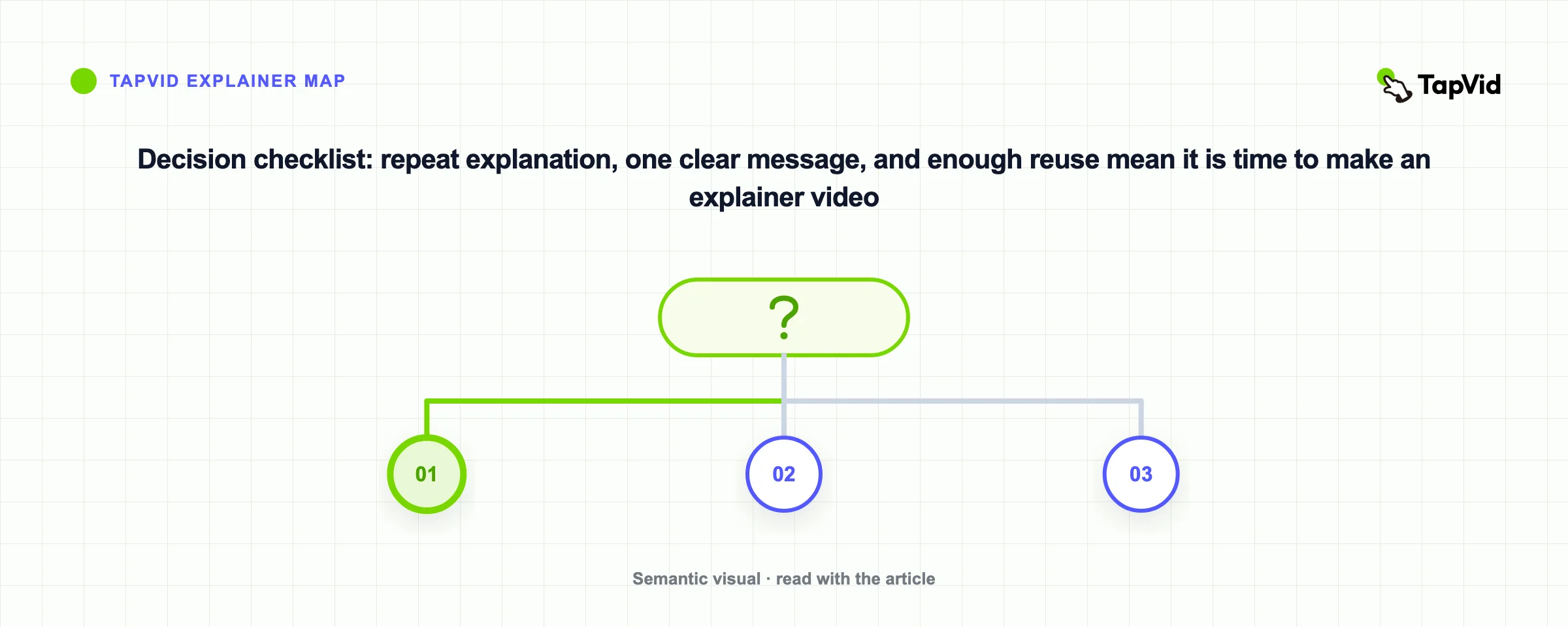
The best time to make an explainer is when you keep having to explain the same thing over and over, in demos, in emails, in support tickets. That repetition is the signal. Turn the explanation you are already giving into a video, and let it do the talking at scale.
09
Frequently asked questions
What is an explainer video, in one sentence?
A short video, usually 30 to 90 seconds, that explains what a product or idea does and why it matters, then points the viewer toward one clear next step.
How long should an explainer video be?
Aim for 30 seconds to two minutes for a marketing explainer. If the subject needs more time, split it into a focused explainer plus a separate tutorial or series.
How much does an explainer video cost?
Costs vary widely. HubSpot's updated roundup cites a $10,983 average from Wyzowl's survey, with reported projects ranging from $600 to $250,000. AI-assisted tools can reduce production labor for repeatable explainers. See our full cost breakdown for the details.
What is the most popular type of explainer video?
Animated explainers, especially 2D character animation and motion graphics, are the most common because they can visualize abstract ideas that would be hard or expensive to film.
What is the difference between an explainer video and a product demo?
An explainer video sells the idea at a high level and is built to convert a cold viewer. A product demo goes deeper into how the software actually works and usually targets someone already interested. Many teams make both.
Can I make an explainer video without any design or editing skills?
Yes. AI text-to-video tools like TapVid's explainer video generator turn a written script into a finished motion-graphics video, so you do not need animation software or a production crew.
10
Turn your next explanation into a video
If you find yourself explaining the same thing in every demo and email, that is your explainer video waiting to be made. You do not need a studio budget or an eight-week timeline to start. Write the script, pick motion graphics, and let TapVid handle the animation. See what it costs on our pricing page, or jump straight into the AI explainer video generator and turn your first script into a video today.