
TL;DR
A hands-on Claude and TapVid MCP tutorial with a verified Claude Code connection, a real AI-client tool call, a 30-second motion-graphics brief, and an honest production test.
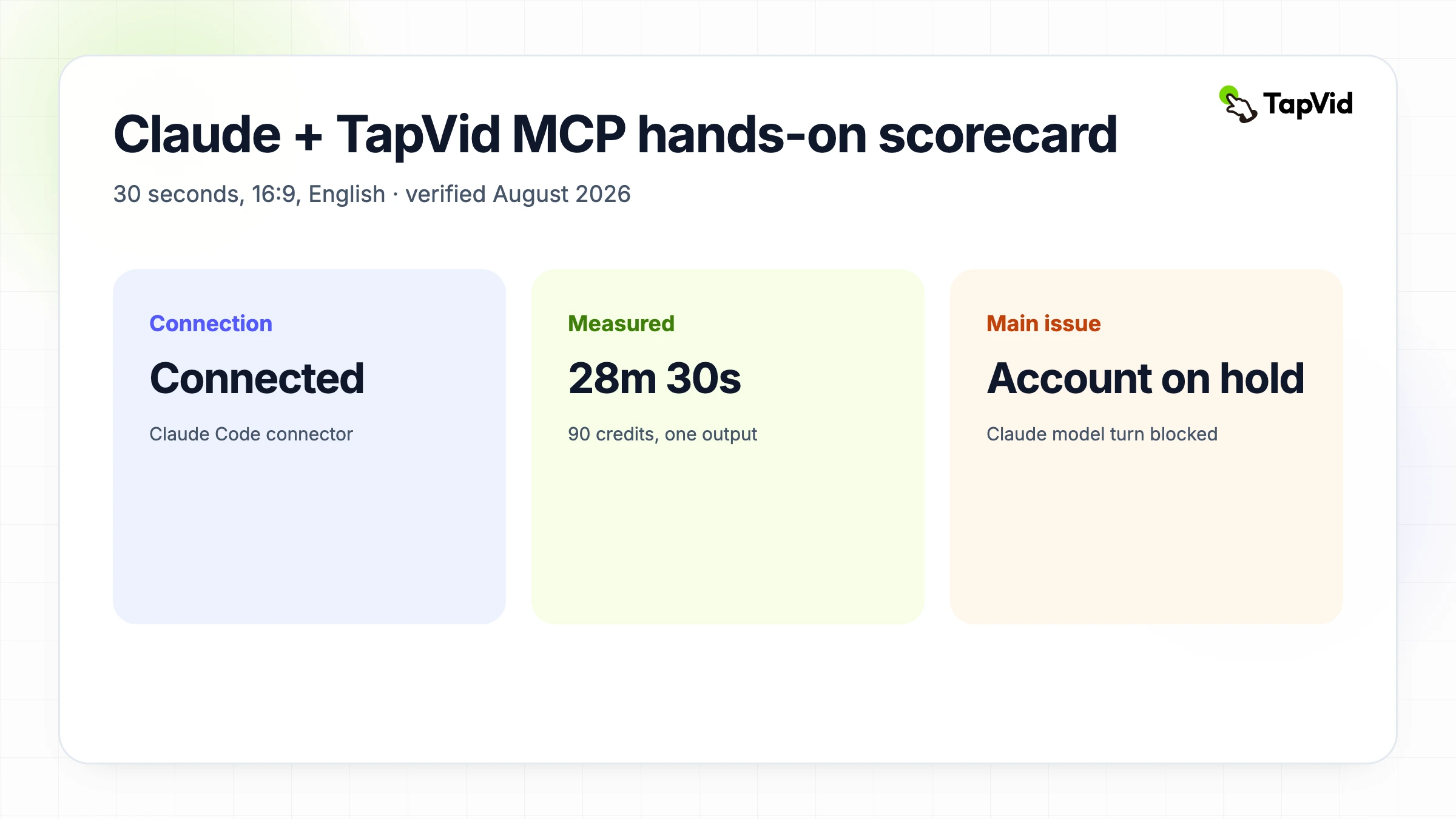
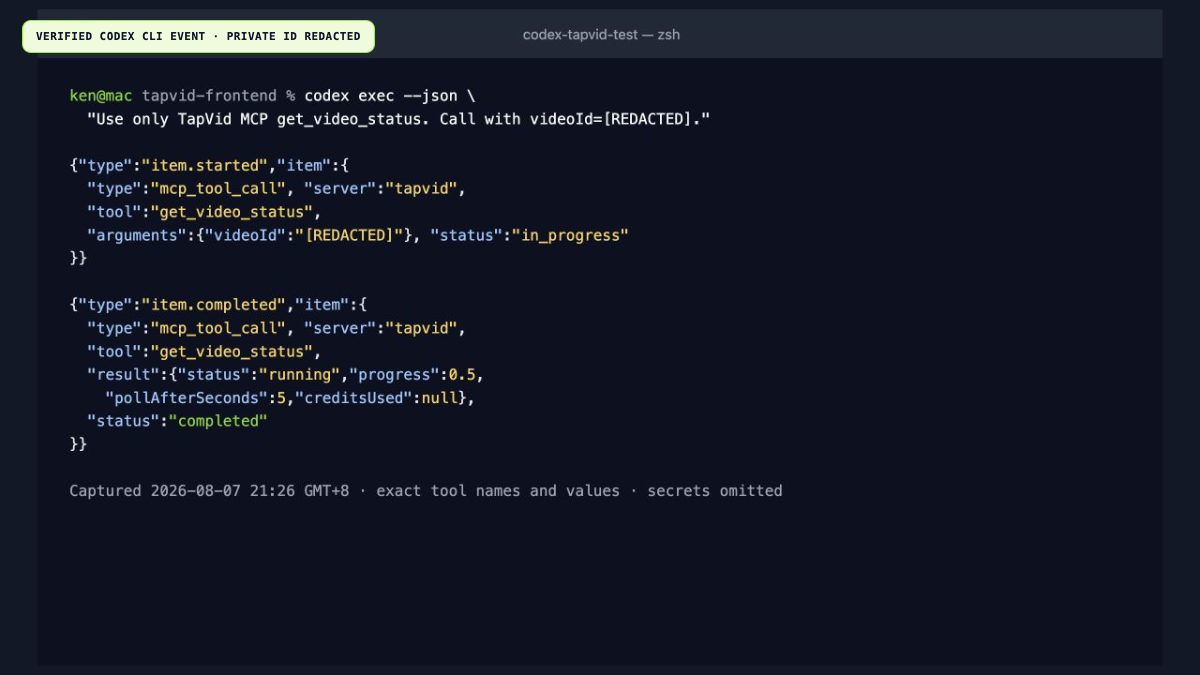
Claude can coordinate a motion-graphics video workflow, but it does not render the video itself. This tutorial records a verified Claude Code connection to TapVid MCP and a live 30-second, 16:9 English generation run through the same MCP server. One limitation matters: the Claude account available for this test was on hold, so Claude Code could verify the connector but could not complete a model turn. The successful AI-client tool invocation shown below was therefore captured in Codex against the same TapVid endpoint and Bearer-key setup. It is labeled as Codex rather than being passed off as a Claude screenshot.
Review TapVid API and MCP access
01
How Claude video generation works with TapVid MCP
The phrase “Claude video generation” can suggest that Claude directly paints frames, animates layers, mixes audio, and exports an MP4. That is not what happens here. Claude reads the goal, decides which external tool to call, supplies structured arguments, observes the result, and continues the workflow. TapVid receives the source material, builds the explainer, runs the generation job, and prepares the export. MCP is the typed connection between those two systems. This boundary matters because it tells you where to debug. A weak prompt is a planning problem. A rejected parameter is a tool-call problem. A slow render is a generation-service problem. A misleading scene is a source and review problem.
TapVid turns existing content such as an article, document, script, PDF, PRD, or product page into a structured multi-scene information video. That is different from asking a raw text-to-video model for a cinematic five-second shot. The source gives the system facts and structure. The prompt supplies audience, duration, visual direction, and exclusions. Claude can keep those constraints visible while it calls the tools, but a person still owns factual approval, pacing, rights, and final release. For agencies and small businesses, the practical value is scale: a clear source boundary and scene-level reruns reduce the amount of full-video review and rebuilding required when one scene needs correction.
The embedded clip below is an external Motion MCP reference from Motion, not the output of our TapVid run. It is included to show what an MCP-triggered motion workflow can look like while the verified TapVid evidence appears in the screenshots and timing log that follow.
02
Connect Claude to TapVid MCP with a Bearer API key
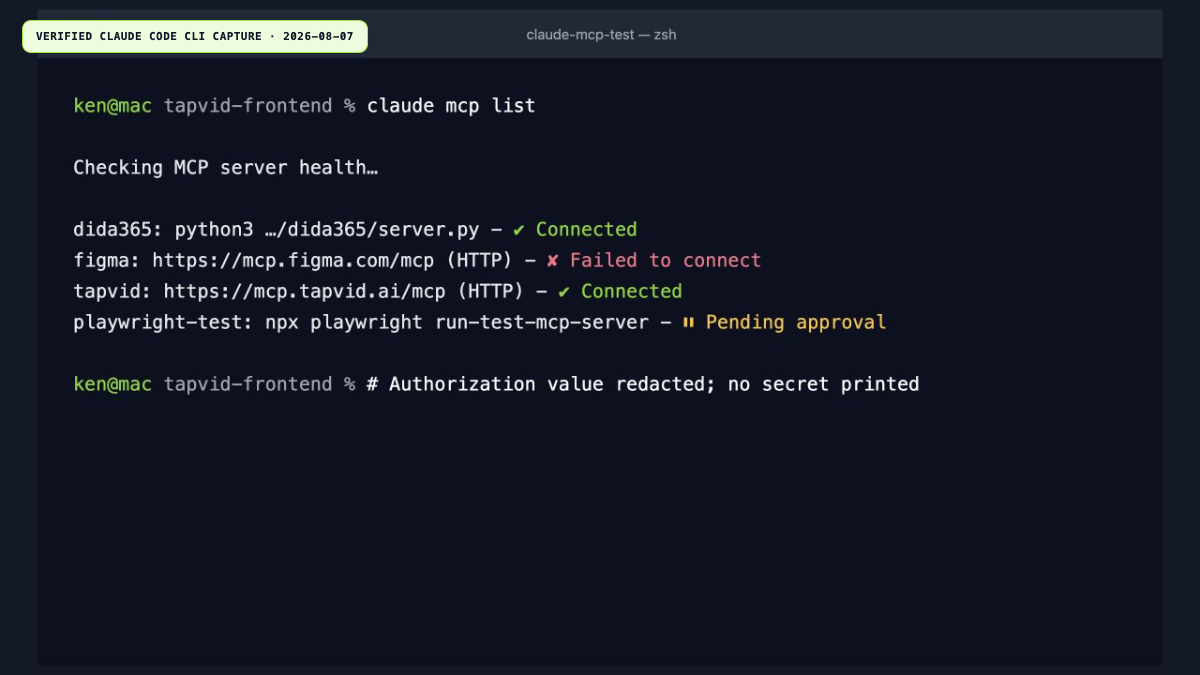
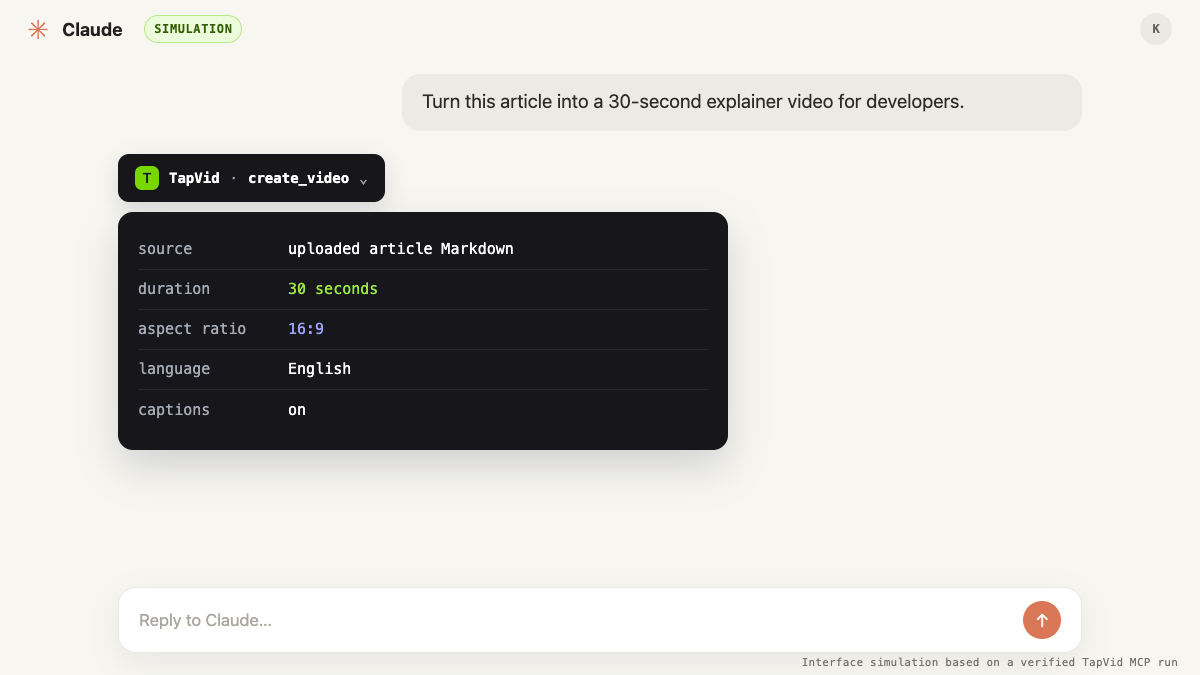
The current public setup uses the same Bearer API key for REST and MCP. Create a key on the API Keys page, copy it when shown, and store it according to the client's secret-handling guidance. In Claude Code, add a custom HTTP connector that points to https://mcp.tapvid.ai/mcp and set the Authorization header during connector configuration, never in the chat prompt. The live `claude mcp list` check below returned `tapvid … Connected`. The server uses stateless Streamable HTTP, so each tool call is its own authenticated request. Start with a read-only account check before uploading material or spending credits. If that call fails, fix the connection instead of submitting a generation blindly.
- Create a TapVid API key at `/developer/apikey`, copy it once, and store it outside prompts and source control.
- Add a custom Claude connector with URL `https://mcp.tapvid.ai/mcp` and header `Authorization: Bearer YOUR_KEY`.
- Call `get_account` first to verify the endpoint, key, plan, available credits, and per-key limit.
- Upload an approved HTTPS source URL with `upload_material`; use a Base64 file only when a URL is not available.
- State duration, aspect ratio, language, audience, required claims, and forbidden claims before calling `create_video`.
03
The TapVid MCP tools used in this workflow
The controlled create-and-export run used five tools: `get_account`, `upload_material`, `create_video`, `get_video_status`, and `get_video_download`. The current connector and official MCP page also expose `edit_video`, which starts an edit on a completed video and returns an edit ID for status polling. That sixth tool was not called in the timed run. To prove that an AI client, rather than a hand-written HTTP script, could invoke the server, a Codex session called `get_video_status` with the live video ID and received the running state at 50 percent. The screenshot preserves the tool name, arguments, result, and terminal status while omitting credentials and signed URLs.
| Tool | Purpose in this tutorial | Important output or boundary |
|---|---|---|
| `get_account` | Verify connection and capacity | Read-only account overview; redact email |
| `upload_material` | Ingest the public source URL | Returns a private material ID |
| `create_video` | Start the 30-second explainer | Returns a private video ID and initial status |
| `get_video_status` | Observe queued, running, completed, or failed | Honor `pollAfterSeconds`; persist the ID |
| `get_video_download` | Prepare a signed export after completion | URL is time-limited; choose resolution and export options |
| `edit_video` | Edit a completed video with a natural-language instruction | Not exercised in the timed run; persist the returned edit ID |
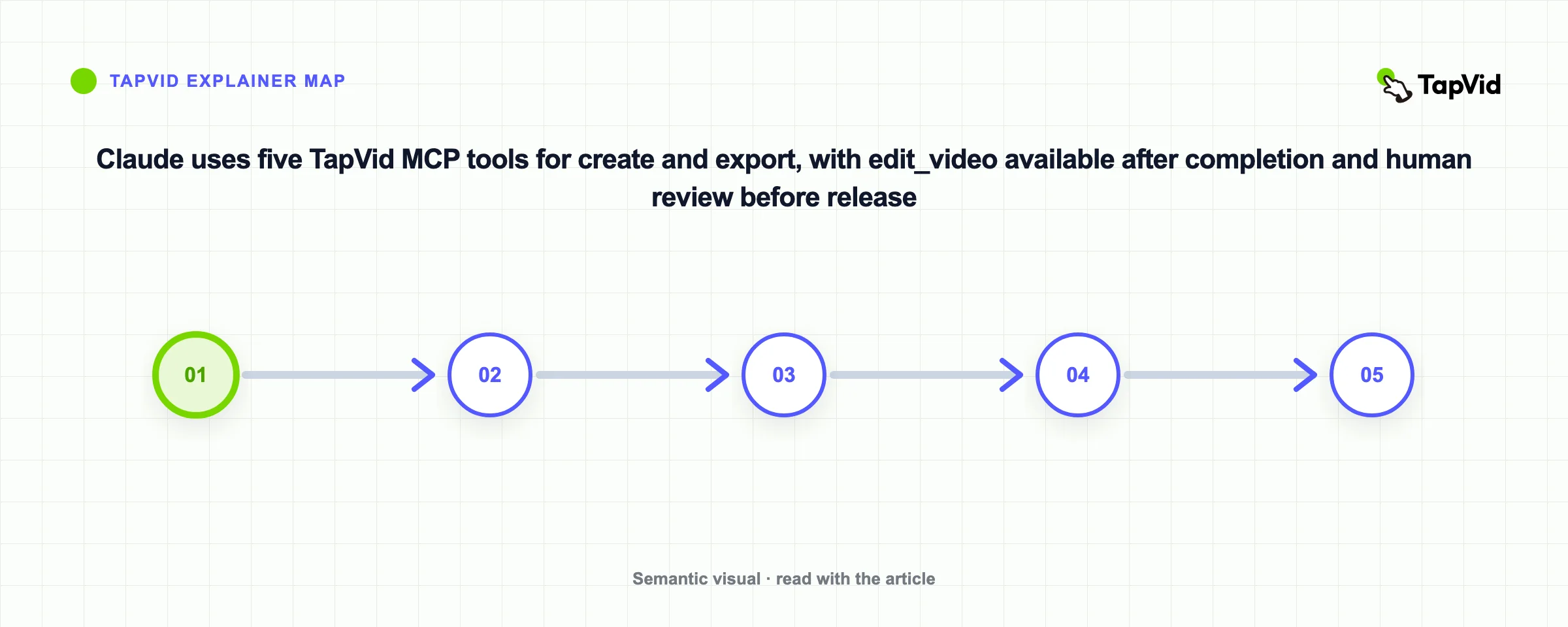
The shared brief was intentionally specific: create a concise 30-second, 16:9 English motion-graphics explainer for developers evaluating TapVid API and MCP access; use the supplied TapVid page as the factual source; explain that TapVid turns existing content into a structured explainer; show material upload, asynchronous generation, and download; finish with a restrained documentation CTA; invent no performance claims, customer results, or unsupported features. That brief gives Claude an audience, a source, a duration, a format, required beats, and a factual boundary. It is much easier to review than “make a cool product video.”
04
What happened in the live 30-second test
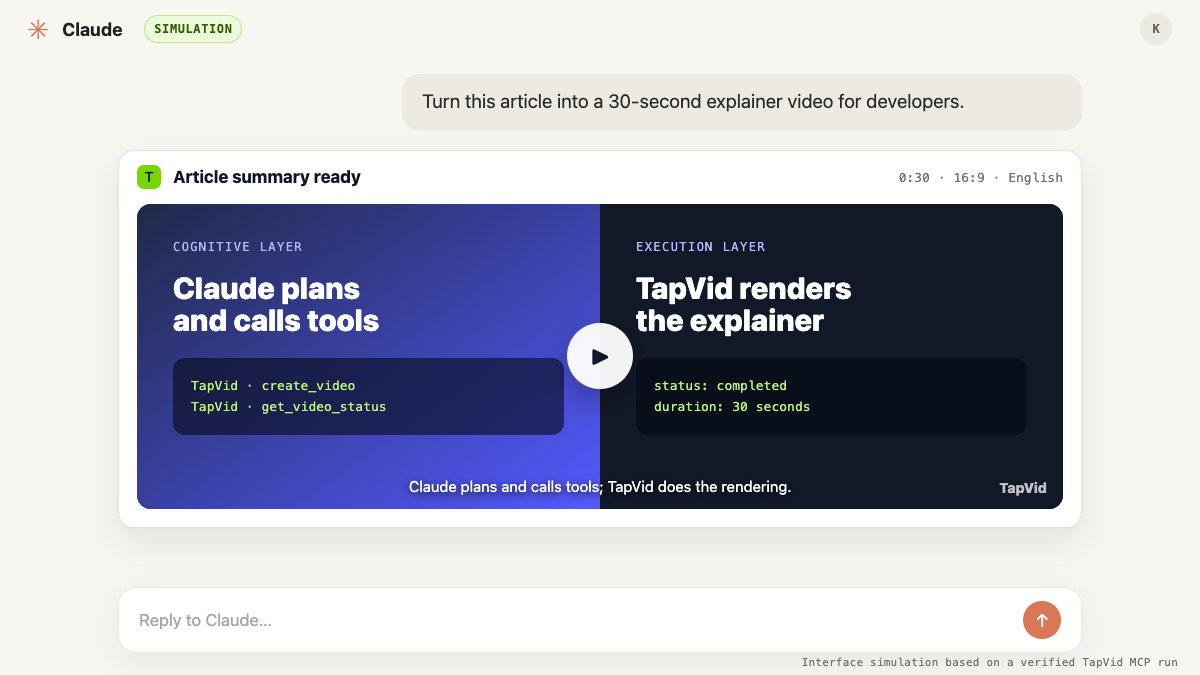
The first controlled workflow ran against `https://tapvid.ai/api-mcp` on August 7, 2026. The account check confirmed capacity without exposing the account email. URL upload returned in about 0.4 seconds, and `create_video` returned a queued job in about 0.3 seconds. It reached completed after about 28 minutes 20 seconds, and account usage increased by 90 credits. For this article revision, a second run uploaded the complete Markdown draft and requested a 30-second, 16:9 English summary with captions. It was queued at 21:24:33 GMT+8 and completed at 21:53:04, about 28 minutes 30 seconds later. One status read hit a transient transport error and succeeded on the bounded retry. The account's daily usage rose from 180 to 270 credits, again a 90-credit delta. TapVid Studio showed `Video ready`, a 0:30 player, captions, and the watermarked output.
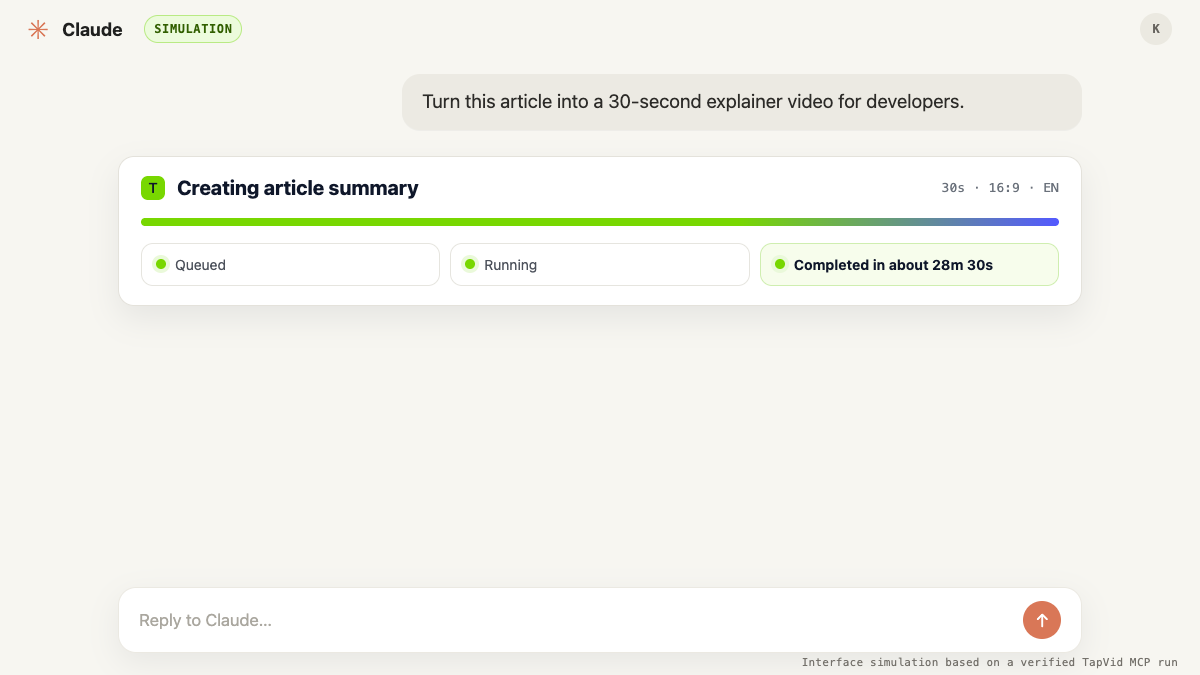
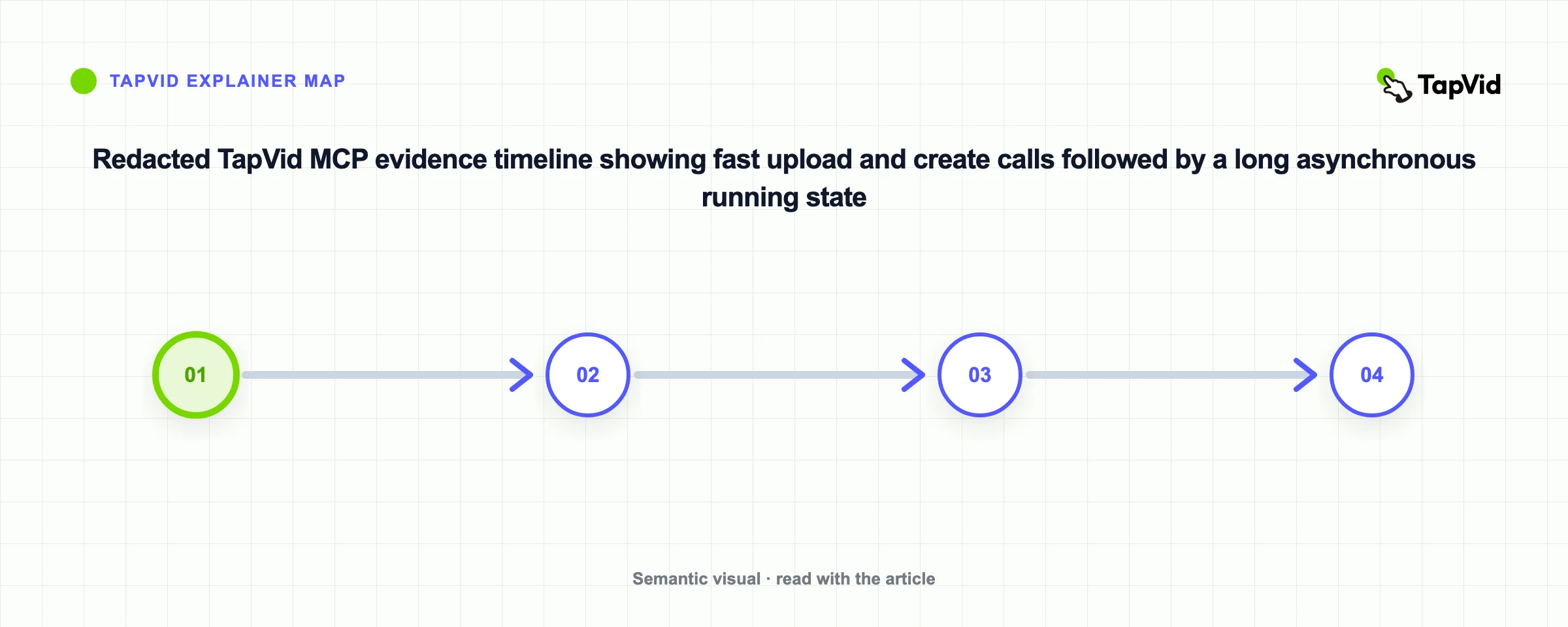
That outcome is more useful than replacing the numbers with a polished success story. It shows that progress is not a linear clock and that “50 percent” does not mean the remaining time equals the elapsed time. A Claude workflow should honor `pollAfterSeconds`, use a sensible overall timeout, preserve the video ID, and report the last known state to the user. It should never declare completion merely because generation started. The download tool belongs after a completed state, not after a guessed waiting period.
05
Troubleshooting Claude and TapVid MCP
The first account call also encountered a transient transport failure to the MCP endpoint before a retry succeeded. Transient connection errors, authentication errors, invalid material, unsupported enum values, insufficient credits, and long-running jobs require different responses. Retrying every failure is unsafe. Retry network failures with bounded backoff. Fix a rejected argument before calling again. Stop on insufficient credits. Keep polling an accepted job instead of creating a duplicate. Show the user when a job remains active beyond the normal interactive window.
| Observed symptom | Likely layer | Safe next action |
|---|---|---|
| Transport or TLS failure | Network or connector | Retry the read with bounded backoff; do not duplicate a write |
| 401 unauthorized | Bearer key | Check local secret storage and key revocation |
| 400 invalid request | Arguments | Correct the URL, prompt, duration, aspect ratio, or material list |
| Insufficient credits | Account or key ceiling | Stop and ask before spending or changing the limit |
| Accepted job stays at 50% | Asynchronous generation | Keep the job ID, respect the poll interval, and apply an overall timeout |
The most common expensive mistake is treating a missing response as proof that the create call failed. If the server accepted the request but the client lost its connection, submitting the same video again can spend credits twice. Persist the returned material ID and video ID immediately in the application that owns the workflow. In a conversational session, ask Claude to repeat the last safe read operation, such as status, before allowing another write. For production code, attach your own idempotency record to the request and log the server response without logging credentials.
06
Review the generated motion graphics before release
A completed export still needs editorial review. Compare the narration and on-screen text with the source page. Check whether the scenes explain the workflow in the promised order. Verify that a 30-second brief is actually near 30 seconds. Inspect captions and key UI references at the intended aspect ratio. Confirm that music and motion support comprehension. Treat the generated file as a draft until those checks pass. Claude can help create a checklist and summarize differences, but it cannot accept legal, factual, or brand responsibility for the creator.
- Every factual claim maps to the approved source material.
- The opening identifies the developer problem without inventing urgency or customer proof.
- Scene order matches source, upload, create, poll, and download.
- Narration and timeline fit the requested duration closely enough for the intended channel.
- Captions, diagrams, and CTA remain legible at the requested aspect ratio.
- A person approves rights, brand exceptions, cost, and final publication.
07
Choose MCP for conversation and REST for production code
MCP is strongest when the work is exploratory and conversational. You can give Claude a source, ask it to explain the available tools, refine the brief, run the sequence, and discuss a failure in the same thread. REST is stronger when a product needs stable code, durable job storage, explicit retries, metrics, and integration with queues or webhooks. Both paths reach the same underlying job types. The difference is who owns orchestration: the AI client in an MCP session, or your application in REST code.
| Need | MCP with Claude | REST API |
|---|---|---|
| Prompt exploration | Strong fit | Possible but manual |
| Interactive diagnosis | Strong fit | Requires your own interface |
| Durable job state | Session-dependent | Application-owned |
| Retries and observability | Client-dependent | Fully programmable |
| Scheduled or high-volume jobs | Not the default choice | Strong fit |
For a solo creator or product marketer, a practical sequence is to prototype the prompt and acceptance checklist through MCP, then move repeatable high-volume jobs to REST. For an engineering team, REST is usually the production path, while MCP fits debugging, internal operations, and assisted experimentation. Do not choose MCP because it sounds newer. Choose it when natural-language planning and interactive tool use reduce real work. Choose REST when deterministic control, persistence, and observability matter more.
08
Protect the key and control expensive actions
An API key can spend credits and access account-owned resources, so treat it like a production credential. Do not paste it into the conversation, a screenshot, a public issue, or source control. Limit who can create and revoke keys. Confirm cost before generation. Keep source reading separate from publishing permission. Request a signed download URL only when needed, and remember that signed URLs expire. The MCP security guidance is a useful baseline, but your application still needs its own authorization, logging, and review boundaries.
- Keep the Bearer key in a credential manager or environment variable.
- Never put the full key, email, private IDs, or signed URL in screenshots or article copy.
- Separate read operations from credit-spending generation and external publication.
- Persist accepted job IDs before the next network operation.
- Use bounded retries for transient reads and explicit approval for duplicate writes.
- Log status, timing, and error codes without logging secret-bearing headers.
09
Start with one source and one measurable outcome
A good first Claude video generation project is small enough to inspect but complete enough to expose the whole workflow. Pick one approved article or product page, one audience, one message, one aspect ratio, and a 30-second duration. Ask Claude to state the planned tool calls before creation. Record the upload response, accepted job, status transitions, credits, and terminal result. Then review the output against the source rather than asking whether it merely looks impressive. You can start from the public TapVid API and MCP overview and keep the first experiment intentionally narrow.
10
Frequently asked questions
Can Claude generate a video by itself?
Claude can plan and orchestrate the workflow, but an external video system renders the result. In this tutorial Claude calls TapVid through MCP.
What TapVid MCP tools were actually available?
The current connector exposes get_account, upload_material, create_video, get_video_status, get_video_download, and edit_video. The timed test used the first five for create and export; it did not call edit_video.
Does TapVid MCP use OAuth?
The current public setup documented and tested here uses the same Bearer API key as the REST API. Check the live developer page before implementing because authentication can change.
Why should the workflow poll instead of waiting a fixed time?
Generation is asynchronous and progress is not a linear clock. Poll the accepted video ID at the interval suggested by pollAfterSeconds and stop only at a terminal state or your declared timeout.
When should I use REST instead of MCP?
Use REST when your application needs durable state, scheduled jobs, controlled retries, metrics, and deterministic orchestration. Use MCP when interactive planning with Claude is the time-saving part of the workflow.