TapVid vs Motionvid AI: Explain your product, or direct a motion design?
TapVid starts with the assets and information your product video must preserve. Motionvid AI offers motion graphics, map storytelling, and video creation and editing. Both can make narrated motion content; choose the workflow that fits the work you need to direct.
I'd like to add motion graphics and short explanations next to my presenter video about how we spend our 80 years, to help viewers grasp the key numbers.
Compare workflowsStart with the job. Then choose the tool.
The useful difference is what your team needs to explain, review, and deliver.
Your decision
Motionvid AI
Primary job
Explain your product using its real assets and approved words.
Motion design, map animations, and broader video creation.
Starting material
Product screenshots, documents, images, and your written brief.
Animation prompts, style directions, and existing video.
What to review
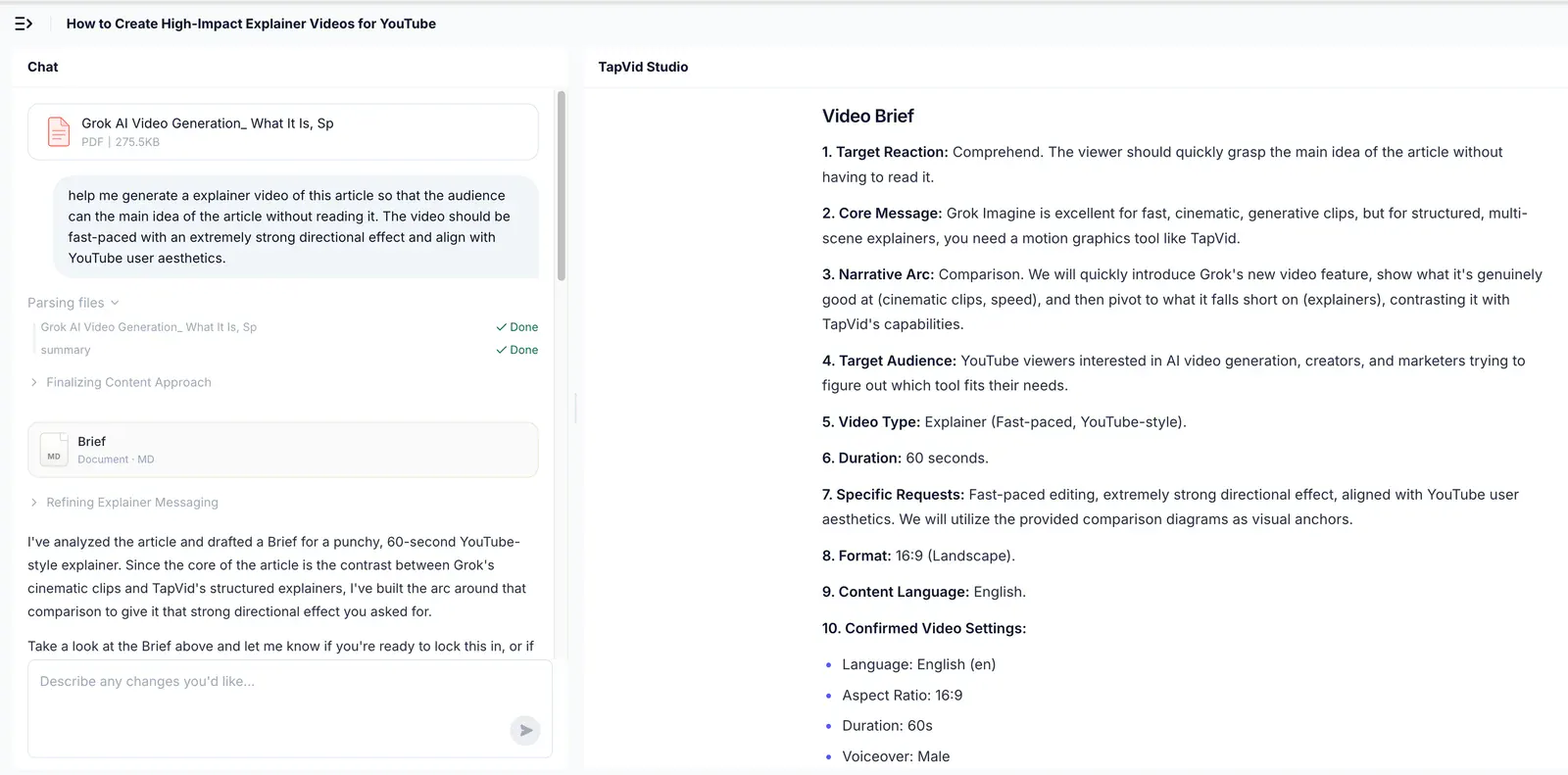
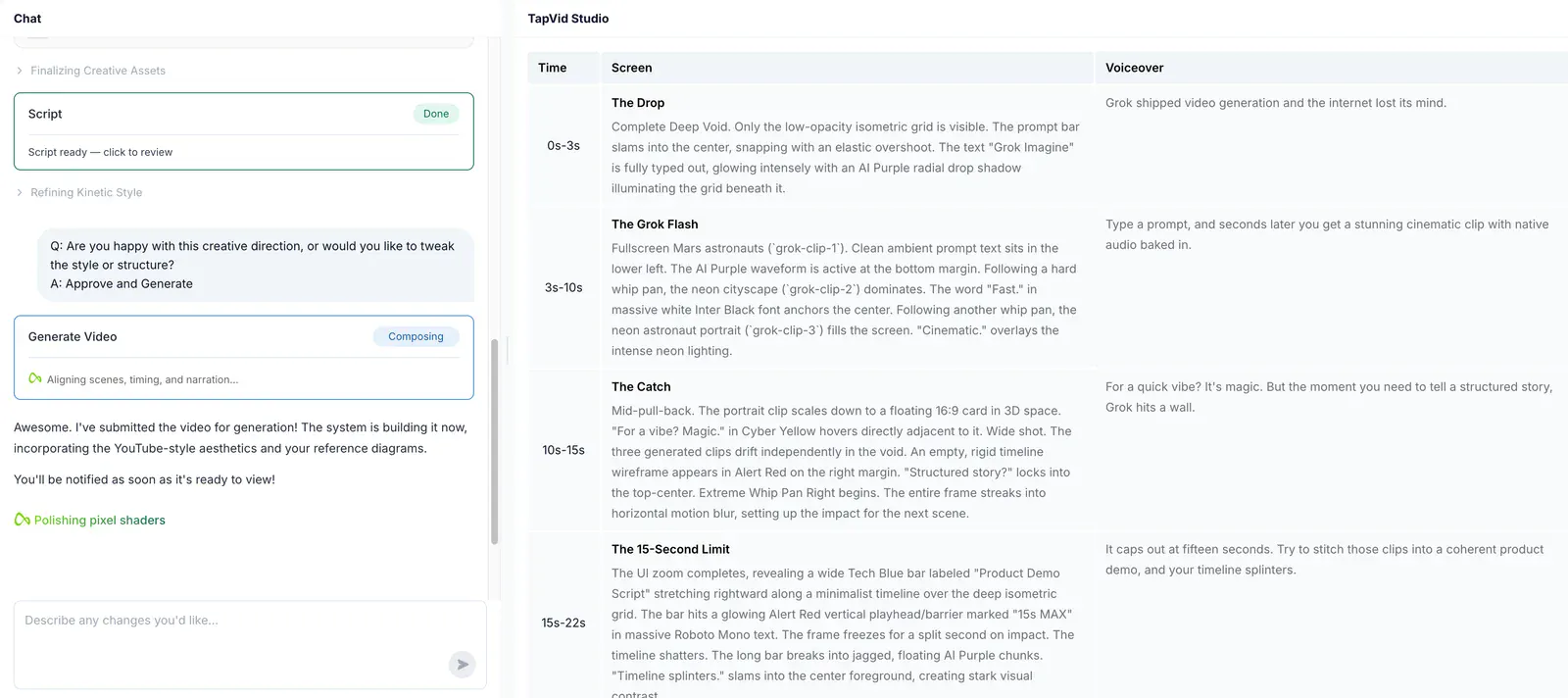
The brief, outline, and scene script before rendering; then the video and any revised shots.
Review visual style, animation behavior, narration, and the edit.
A good fit
Product explanations where the right words must stay connected to the right assets.
Geographic storytelling or a specific motion treatment is the main deliverable.
Based on our published article and the sources linked below. Compare workflows, then validate them with your own brief.
Why TapVidChoose the information the motion must carry.
If your brief is a product explanation, begin with the source document and the questions it must answer. TapVid organizes that material into a reviewable brief before production.
The workflowMake relationships visible, not just animated.
A route is one kind of visual story; quantities and processes need their own structure. Use explanatory graphics when the audience needs to understand how parts or numbers relate.
The workflowMatch the narration to the planned scene.
Inspect the voiceover and screen action side by side. Use that checkpoint to direct how the explanation unfolds, rather than treating motion, text and narration as separate decisions.
Find your fitChoose for the video you need to deliver.
Choose TapVid
Choose TapVid when the difficult part is turning a product document or approved script into a clear sequence. Review what each scene says, what asset appears, and whether those two things match. Keep the production centered on the explanation.
Choose Motionvid AI
Choose Motionvid AI when the assignment is a map animation, geographic route, kinetic title, or another motion treatment you want to direct. Its current site also offers narration, music, and video editing, so it should not be described as a tool for isolated silent graphics only.
Check the evidence behind the workflow
Research published by TapVid. Read the sample, method and limitations before applying a result to your own videos.
Accuracy and comprehension
Published September 7, 2026: 25 scenes, 7 systems and 6,760 blind ratings. Information-dense results describe a task subset, not every video or an independent product certification.
May 6–August 31, 2026: 6,464 matched registered users in TapVid telemetry. Milestone counts do not measure creative quality or represent an industry average; eligibility rules changed during the window.
Yes. Its current product website describes narrated videos with music, plus video editing. TapVid’s case here is its focused, reviewable product-explainer workflow, not a claim that competing motion tools cannot add audio.
When should I choose TapVid over Motionvid AI?
Choose TapVid when the difficult part is turning a product document or approved script into a clear sequence. Review what each scene says, what asset appears, and whether those two things match. Keep the production centered on the explanation.
When is Motionvid AI the better fit?
Choose Motionvid AI when the assignment is a map animation, geographic route, kinetic title, or another motion treatment you want to direct. Its current site also offers narration, music, and video editing, so it should not be described as a tool for isolated silent graphics only.
Were these tools tested with the same input?
The earlier article contains old model names and pricing assumptions. They are not carried into this page. Current feature scope was checked on September 15, 2026; the archived image is not a new same-input benchmark.
Does TapVid guarantee a perfect video?
No. Review the planned words and assets before rendering, and check the final video. TapVid is designed to preserve your supplied content and let you revise individual shots; that does not remove the need for approval.
Where can I check pricing and the full evidence?
Use the linked article below for the archived evidence and the official product websites for current pricing and plan limits. Historical trials and render times are not promises about a current subscription.
Explore moreExplore more comparisons
Compare TapVid with other video tools in our published guides.
Written by TapVid. Published evidence and product scope reviewed 2026-09-15. Screenshots are historical records, not a claim that today’s interface is unchanged. Official product pages were checked for current scope; no new paid head-to-head test was performed.
Product examples illustrate TapVid workflows; they are not matched-input competitor tests.
Read the full article
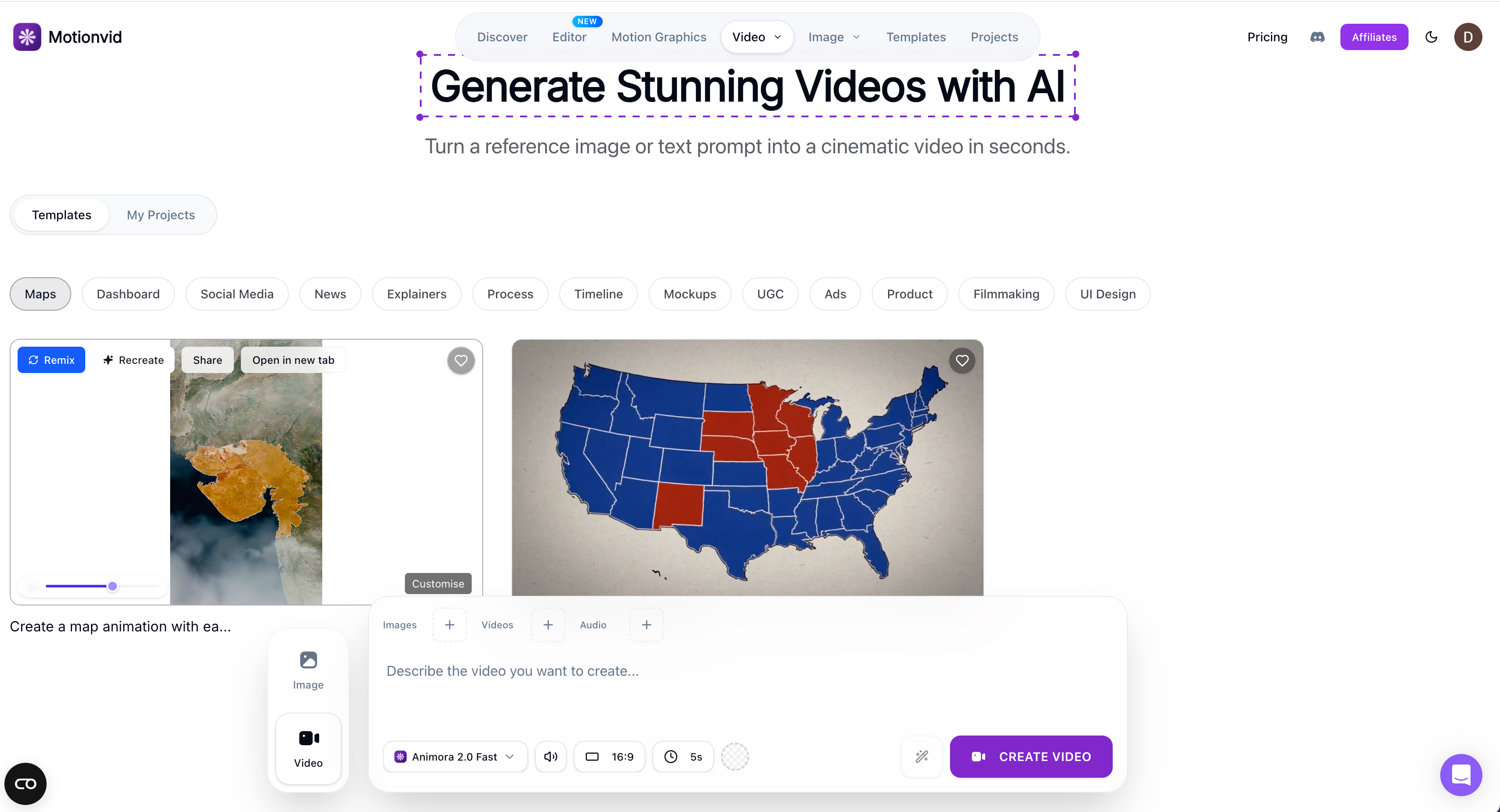
Our published comparison identifies animated maps and geographic storytelling as a useful reason to choose Motionvid. The archived example illustrates that specific visual task. For a product explainer, the same article points instead to TapVid’s path from supplied material to a structured draft.
The earlier article contains old model names and pricing assumptions. They are not carried into this page. Current feature scope was checked on September 15, 2026; the archived image is not a new same-input benchmark.