
Disclosure: This comparison is written by the TapVid team. We tested Motionvid.ai directly on its free tier and have tried to represent it accurately, including where it genuinely outperforms us.
01
TL;DR
- Motionvid.ai is a generative motion studio built for filmmakers and YouTubers who want multi-model flexibility, cinematic controls, and strong map or logo animations, and who don’t mind managing credits and selecting models manually.
- TapVid is built around a different idea entirely: give it any input, a brief, a PDF, a rough idea, even a screenshot of a text conversation, and it structures that input into a complete video with voiceover and music, no model selection or timeline editing required.
- These tools share a category name ("AI motion graphics") but are solving fundamentally different problems. Here’s the full breakdown.
02
What Is Motionvid.ai?
Motionvid.ai is an AI motion graphics platform built by Nick Nicolaou, a filmmaker from Cyprus who wanted a faster path from idea to finished motion graphics without spending days in After Effects. It launched on AppSumo in early 2026 and has built a strong following among YouTubers and independent creators.

The platform gives users a collection of AI models to work with: Miltos 5.0 for motion graphics, Animora 2.0 for cinematic video, Nano Banana 2 for high-resolution images. Users select the model that fits their task, generate output, then refine it in a built-in timeline editor with zoom controls.
Where it genuinely excels: animated maps and geographic storytelling, logo reveals, kinetic typography, and infographic animation. These are specific strengths that independent reviewers consistently single out.
Where users have flagged friction: credit consumption is high for longer videos (one user reported a 1-minute video consuming 185 of their 500 monthly credits), audio features are described as basic in multiple AppSumo reviews, and knowing which model to pick for each task requires some trial-and-error.
03
What Is TapVid?
TapVid is an AI video generator built around a different premise: the hardest part of making a video isn’t the production, it’s the structure. Most people don’t struggle because they can’t operate a timeline editor. They struggle because they don’t know how to turn a rough idea into a watchable sequence.
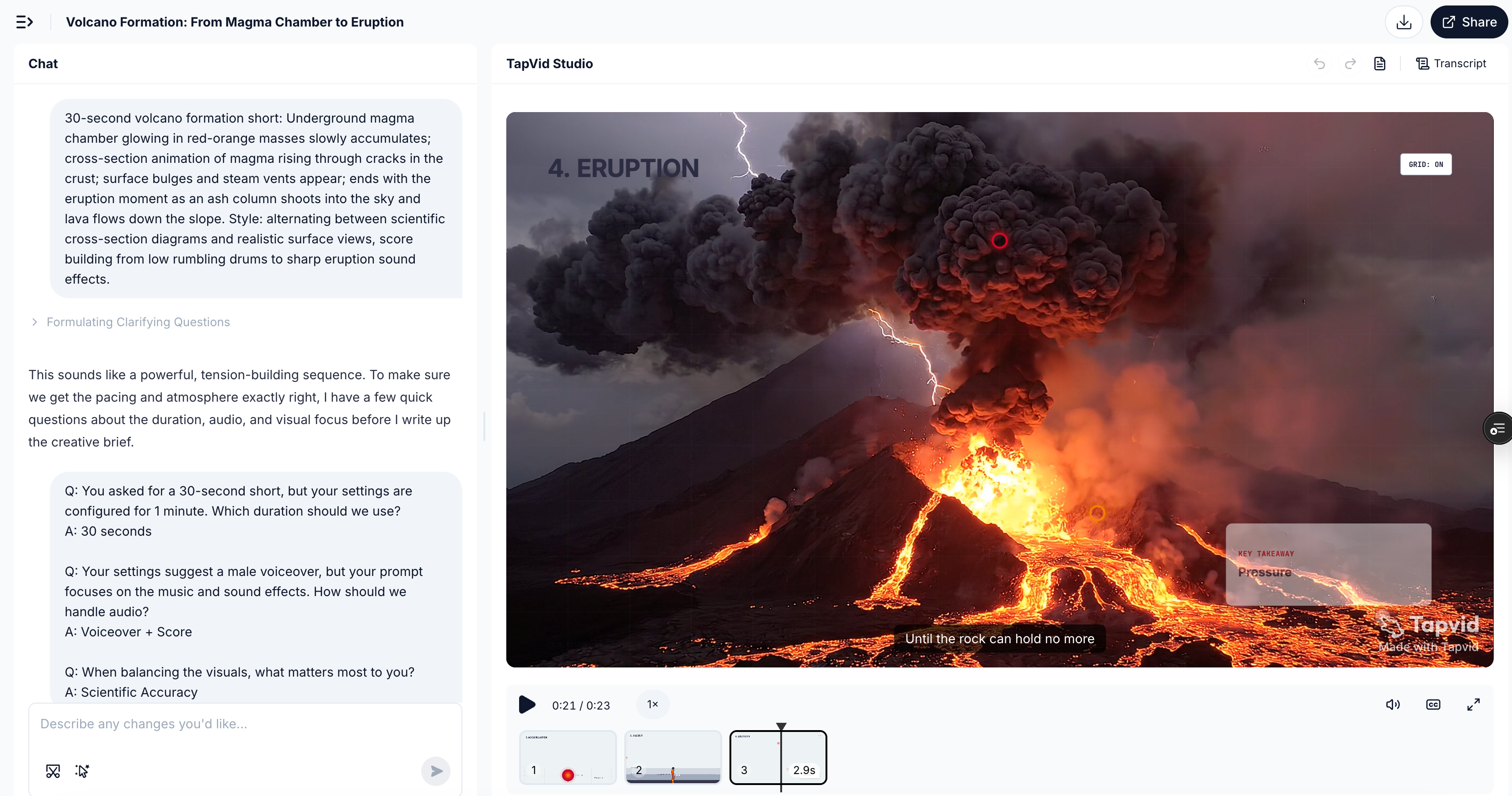
TapVid takes any input, a sentence, a PDF, a product page, a rough brief, or even a screenshot of a conversation, and generates a structured video complete with narration and background music. Editing happens in natural language: "make the intro faster," "change the tone to more casual," "add a stronger CTA at the end." No model selection. No timeline scrubbing. No separate audio tool.
The underlying design philosophy is different from most AI video tools: TapVid doesn’t hand you a studio. It hands you a structured draft that’s already close to publishable.
04
The Core Difference Nobody Talks About
Most comparisons of AI video tools focus on output quality. That’s the wrong lens for comparing these two.
Motionvid.ai is a generative studio. It gives you professional instruments, multiple models, a timeline editor, zoom controls, cinema-grade parameters, and trusts you to direct the output. The ceiling is high. So is the floor required to get there consistently.
TapVid is a structured workflow. It takes your input, however rough, and builds the video architecture for you: hook, structure, script, scenes, audio. You edit the result, not the production process.
The practical difference shows up immediately: on Motionvid, your first question is "which model should I use?" On TapVid, your first question is "what do I want this video to say?"
One tool is optimized for people who think in production terms. The other is optimized for people who think in communication terms.
05
Feature Comparison
| Feature | Motionvid.ai | TapVid |
|---|---|---|
| Generation method | Prompt + manual model selection | Natural language only |
| Motion graphics | ✅ Miltos 5.0, strong output | ✅ Core output |
| Voiceover | ⚠️ Basic (consistent user feedback) | ✅ Auto-generated & synced |
| Background music | ⚠️ Limited | ✅ Auto-generated & synced |
| In-video editing | ✅ Timeline editor + zoom controls | ✅ Natural language editing |
| Map / geo animations | ✅ Standout unique feature | ❌ Not a focus |
| Logo animations | ✅ Prompt-based | ✅ Supported |
| Unstructured input | ❌ Prompt-only | ✅ PDF, brief, conversation, any idea |
| Model selection required | ✅ Yes | ❌ No |
| Skill / template system | ✅ 13+ template categories | 🔜 Skill Community (coming) |
| Free tier | ✅ Free to start | ✅ Free trial |
| Paid plan starts at | $9/month | $39/month |
| Video output per month | Credit-based (see pricing section) | ~3–5 videos/day |
06
Scenario 1: Marketing Explainer Video
Brief: "A 30-second explainer for an AI writing tool, show the product workflow, animated text callouts, clean modern style, voiceover included."
Motionvid.ai: Motionvid.ai uses Miltos 5.0 as its core motion graphics model. Based on multiple AppSumo user reviews, visual output quality is consistently rated as solid, but audio handling is a recurring friction point, with reviewers describing the built-in audio as basic and requiring separate tools to complete. Users also note that getting output to feel brand-consistent rather than filmmaker-cinematic typically requires several iterations of style adjustments.
TapVid: Same brief entered as a single prompt. Output included motion graphics, voiceover, and background music, all synced, no additional steps. The visual style skewed brand-ready from the first generation.
Note: We were unable to obtain a paid-tier output from Motionvid.ai for direct visual comparison. The description above is based on AppSumo user reviews and published documentation.
Takeaway: For teams who need a complete, publishable output, video plus audio, without assembling components separately, TapVid removes two production steps that Motionvid requires you to handle yourself.
07
Scenario 2: Map / Geographic Animation
Brief: "Animate a travel route from New York to London, cinematic camera movement, geographic storytelling style."
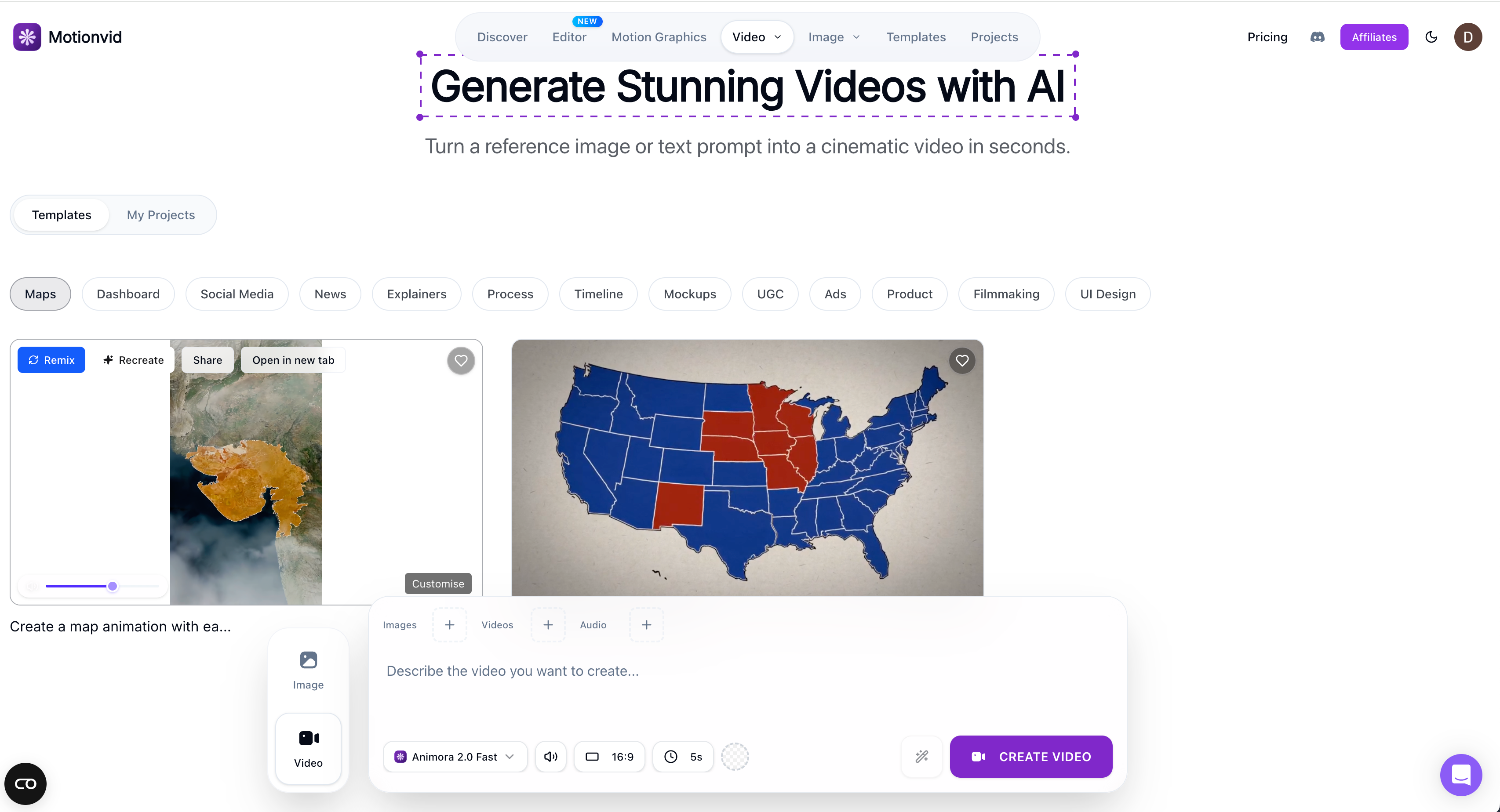
Motionvid.ai: This is where Motionvid genuinely has no close competitor. Map animation, 3D terrain, geographic route storytelling, multiple independent reviewers call this out as Motionvid’s standout capability. It handles this brief better than any comparable tool we’ve tested.
TapVid: Geographic map animation is not a current TapVid focus. If your content is travel, history, or data-geography driven, Motionvid.ai is the clearer choice.
Takeaway: We’re being honest here. If map animations are core to your content, use Motionvid.
08
Scenario 3: Any Real Input to Publishable Video
Brief: "Take this WhatsApp conversation between two friends arguing about who forgot to book the Airbnb, and turn it into a short video with dramatic music, animated chat bubbles, and a funny resolution."
Motionvid.ai: This input type, unstructured, conversational, with no clear visual brief, doesn’t map well to Motionvid’s model-based workflow. The tool needs a visual prompt it can execute; it’s not designed to interpret and structure a raw real-life scenario.
TapVid: This is exactly the kind of input TapVid is built for. The conversation becomes the script hook. The structure, scenes, voiceover, and music are generated around the actual content. The output is a specific, personal video, not a generic template applied to your input.
Takeaway: The input range is fundamentally different. Motionvid needs a visual brief. TapVid needs an idea, in any form.
09
Pricing Compared
| Plan | Motionvid.ai | TapVid |
|---|---|---|
| Free tier | ✅ Free to start, no CC required | ✅ Free trial |
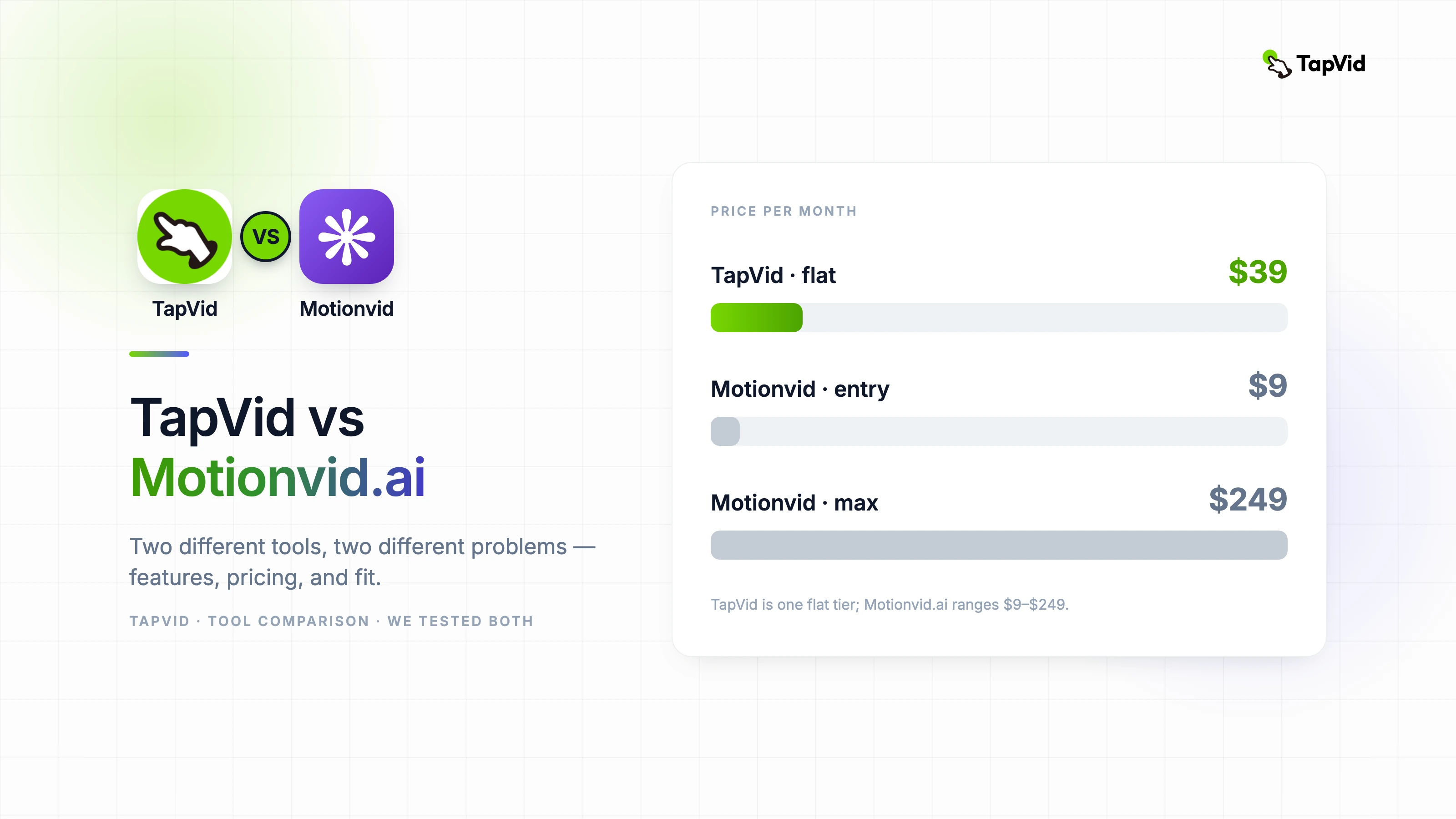
| Entry paid | $9/mo · 100 credits · 25 video exports · 1080p | — |
| Main plan | $29/mo · 500 credits · 50 video exports · 4K | — |
| Power tier | $49/mo · 1,000 credits · 150 exports · 4K | $39/mo · ~3–5 videos/day |
| Max tier | $249/mo · 5,000 credits · unlimited exports · 8K | — |
| Pricing model | Credit-based (monthly quota) | Flat subscription |
The credit math that matters: Based on real user reports from AppSumo, a 1-minute Motionvid video with music and voiceover consumed approximately 185 credits. On the $29/month plan (500 credits), that’s roughly 2 to 3 complete videos per month before credits run out. At $39/month flat, TapVid’s 3 to 5 videos per day means roughly 90 to 150 videos per month, a different order of magnitude for anyone with regular output needs.
The credit model isn’t a flaw in Motionvid. It reflects the cost of running multiple premium AI models on demand. But it’s a real consideration for anyone planning consistent volume.
10
Honest Pros & Cons: Motionvid.ai
Pros:
- Genuinely strong motion graphics output, especially map animations, logo reveals, and kinetic typography
- Multi-model flexibility gives experienced creators real range
- Timeline editor and zoom controls for precise refinement
- Active development team that ships fast and listens to user feedback
- AppSumo lifetime deal available for early adopters
11
Motionvid.ai: The Cons
- Credit consumption is high for longer or audio-heavy videos, real budget planning required
- Audio (voiceover, music) is a known weak point flagged consistently across independent reviews
- Model selection adds a decision layer most non-filmmakers don’t want
- Not designed for unstructured or conversational inputs
12
Honest Pros & Cons: TapVid
Pros:
- Handles any input type: structured brief, rough idea, PDF, product page, real conversation
- Voiceover and music are auto-generated and synced, no separate audio workflow needed
- Natural language editing instead of timeline manipulation
- Flat subscription pricing, predictable cost regardless of output volume
- Skill Community coming: not just templates, but full video production workflows
13
TapVid: The Cons
- Map and geographic animations not a current focus
- Higher entry price than Motionvid’s $9 basic tier
- Newer product, Skill Community and advanced features still rolling out
14
Who Should Use Which
Choose Motionvid.ai if you’re a YouTuber, filmmaker, or creative producer who wants a multi-model motion studio; map animations or cinematic camera controls are core to your work; you’re comfortable managing a credit system; or you grabbed the AppSumo lifetime deal.
Choose TapVid if you need video output from any type of input, structured or not; voiceover and music need to be part of the output, not a separate step; you want to edit with words instead of a timeline; you’re producing regular volume and need predictable pricing; or you’re a marketer, educator, content creator, or anyone who thinks in ideas first and production second.
15
Frequently asked questions
Is Motionvid.ai free to use?
Yes. Motionvid.ai offers a free tier with no credit card required. Paid plans start at $9/month for 100 credits and 25 video exports per month.
How many videos can you make per month on Motionvid.ai?
It depends on which models you use and video length. Based on user-reported data, a 1-minute video with audio consumes around 185 credits. The $29/month plan (500 credits) supports roughly 2 to 3 complete videos per month. Shorter clips stretch credits further.
What’s the best Motionvid.ai alternative for high-volume video output?
If you need regular video output, TapVid’s flat subscription at $39/month supports 3 to 5 videos per day without credit tracking or overage concerns.
Can TapVid handle non-standard inputs like real conversations or rough notes?
Yes. TapVid is designed to take any input, a rough idea, a PDF, a product page, a conversation screenshot, and structure it into a publishable video with voiceover and music. This is the primary use case Motionvid.ai isn’t built for.
What is Motionvid.ai best at?
Map animations, geographic storytelling, logo reveals, and kinetic typography. These are areas where it has a genuine capability advantage over most AI video tools.
Is TapVid only for marketing teams?
No. TapVid works for anyone who starts from an idea rather than a production brief, including educators, independent creators, course makers, marketers, and anyone who wants to turn any content into a watchable video without learning video production.
16
Our Take
Motionvid.ai is a well-built generative studio for creators who want filmmaker-grade controls. Its map animations are genuinely unique, output quality is high, and the team ships improvements fast. The main practical limits are credit consumption at mid-tier plans and audio production, which still needs supplementing with other tools.
TapVid is built around a different constraint: most people who need video don’t think in production terms. They think in ideas, briefs, conversations, and content they already have. TapVid takes that input, in any form, and returns something close to publishable, with voiceover and music included.
If you want a studio, Motionvid.ai is a serious option. If you want to go from idea to video without becoming a video producer, that’s what TapVid is for.
Motionvid.ai: 4/5 — Strong generative studio; credit efficiency and audio are the caveats to plan around.
Try TapVid free at tapvid.ai — bring any idea, get a structured video draft with voiceover and music.