
Disclosure: this comparison is written by the TapVid team. We tested TapNow ourselves and have tried to represent it fairly, including the places where it genuinely beats us.
01
TL;DR
- TapNow is an agentic creative canvas for filmmakers, agency creatives, and prompt-heavy makers who want to run several AI models in one workspace, compare outputs side by side, and build complex multi-scene productions from scratch.
- TapVid is for people who think in ideas rather than production steps. Give it any input, whether that's a rough idea, a PDF, a conversation, or a product brief, and it builds a complete video with voiceover and music. You don't pick a model, learn a canvas, or do credit math.
- The two tools sit in the same category but solve very different problems for very different people.
02
What Is TapNow?
TapNow is an AI-native creative canvas, not a single-purpose video generator. Picture a zoomable, infinite workspace where every piece of a production (the script, image references, audio clips, video clips) lives as a node, and the AI models act as transforms you run on those nodes.
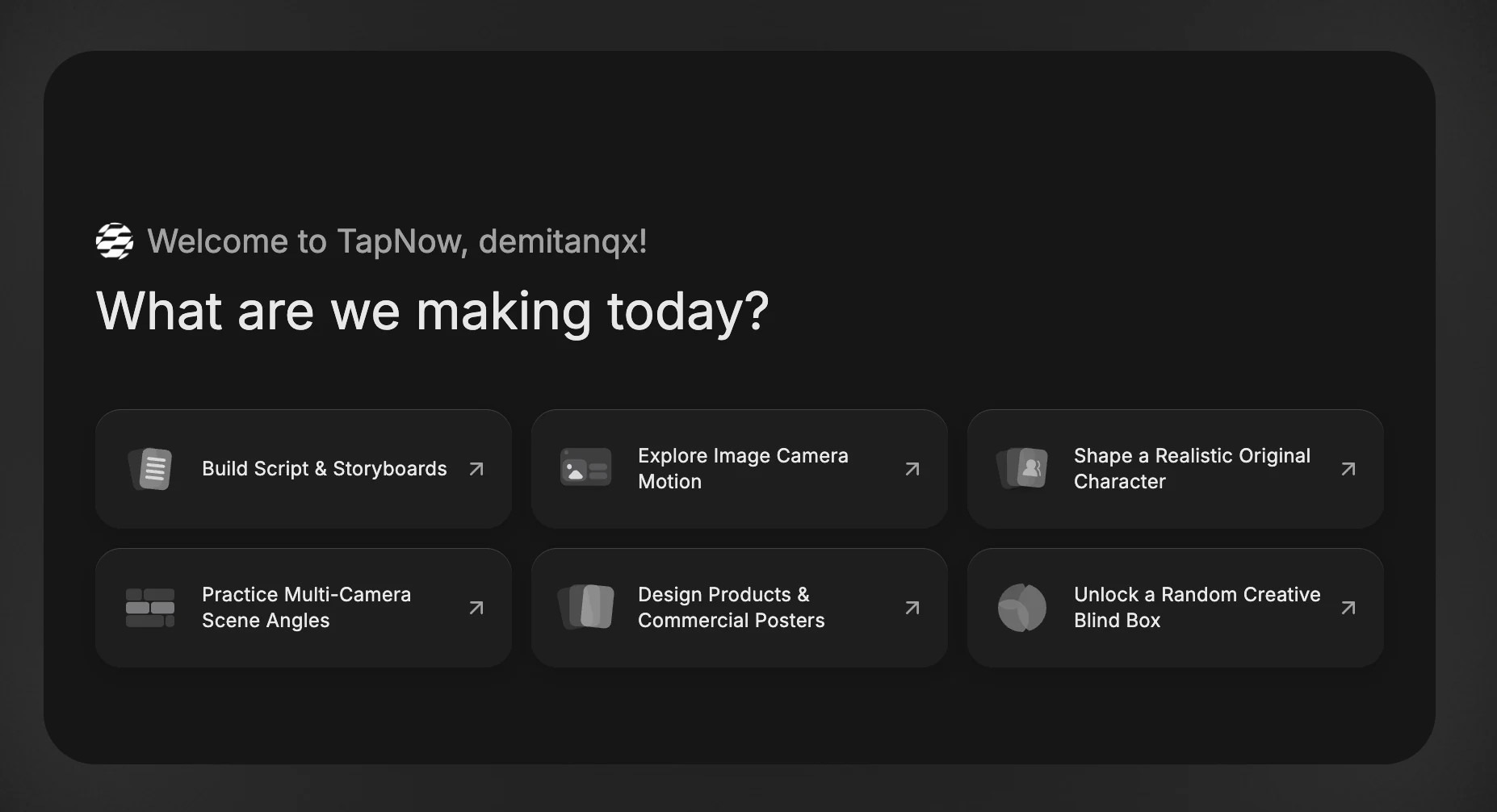
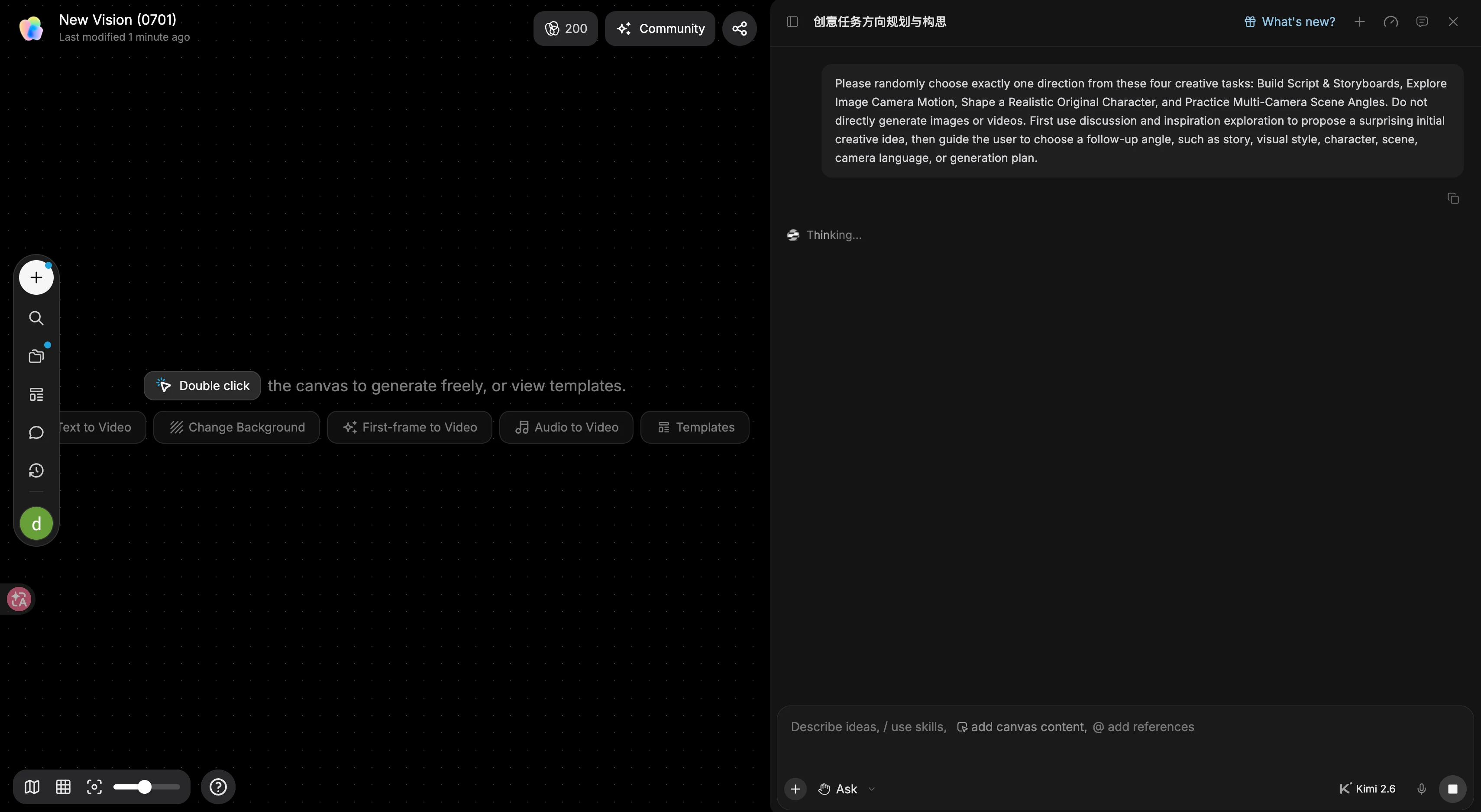
The idea behind it is appealing. Instead of bouncing between Sora for video, ElevenLabs for voiceover, Midjourney for style frames, and CapCut to stitch it together, TapNow pulls those models into one place. You build outward from a script or a moodboard, generate alternates at each node, compare them side by side, and fork a whole branch of the canvas to try a different direction without losing the original.
TapNow also runs TapTV, a public feed where creators publish their canvases and other people can fork them and see every prompt and model choice behind the final result. If you're trying to learn complex AI workflows, it's genuinely useful.
The friction points users bring up: the credit system is hard to read, since you often can't tell what a project will cost until it's done; the canvas takes real time to learn, especially if you've never touched a node-based tool; and the final output usually needs another pass in a proper video editor before it's ready to ship.
03
What Is TapVid?
TapVid starts from the opposite assumption. Most people who need a video don't think in production terms. They have an idea, a brief, a rough script, sometimes just a feeling. The hard part isn't the editing or the model choice. It's the structure, turning a scattered input into something watchable.
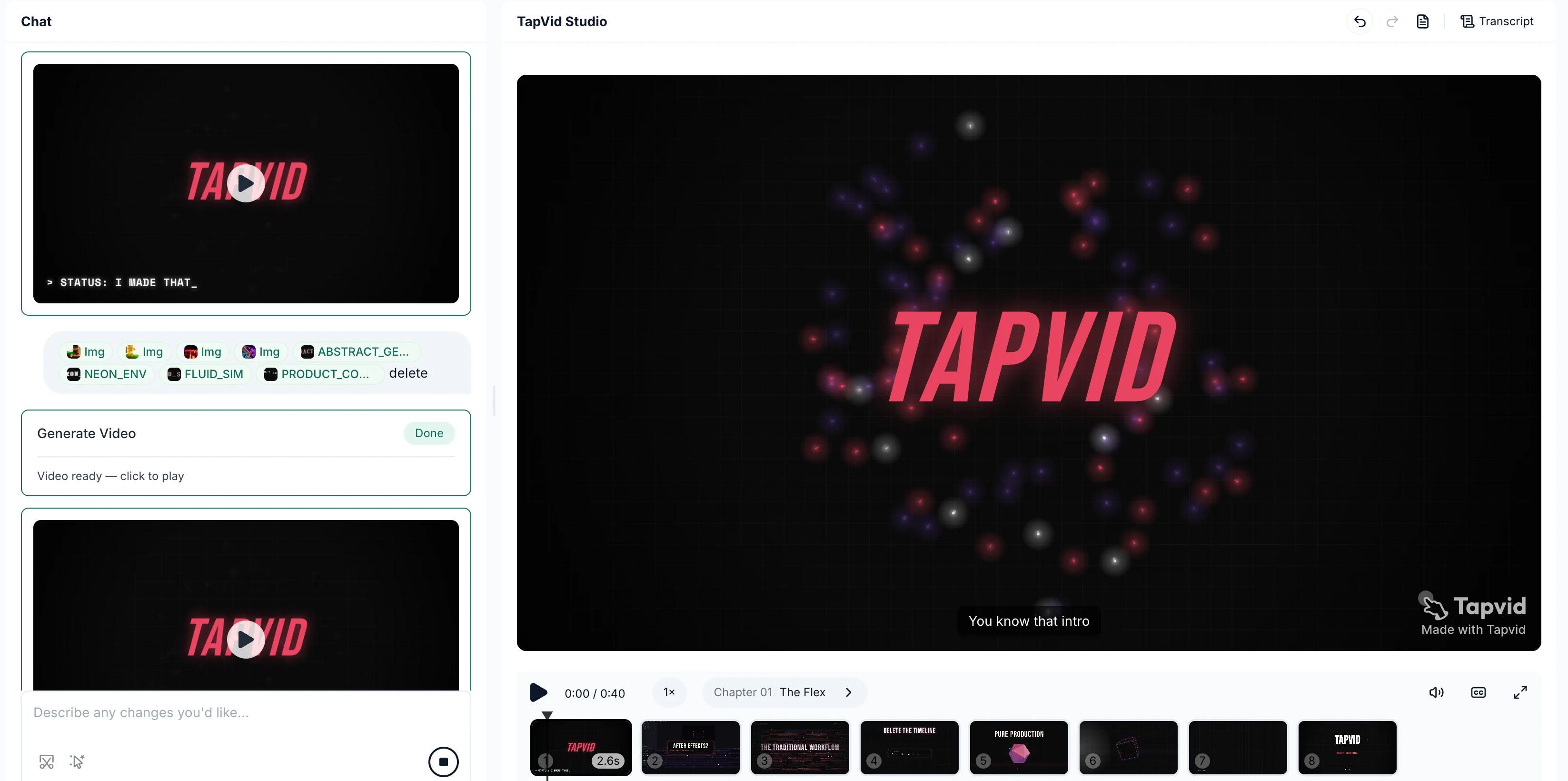
TapVid takes any input (a sentence, a PDF, a product page, a rough brief, even a screenshot of a conversation) and builds a structured video with narration and background music. You edit it in plain language rather than picking models, wiring nodes, or watching a credit balance.


The scope is narrow on purpose. TapVid doesn't hand you a studio to operate. It hands you a structured draft that's already close to publishable.
04
The Core Difference
TapNow assumes the creator knows what they want and needs room to experiment. The canvas gives you the controls, several models, branching nodes, side-by-side comparison, and a community of canvases to fork, and it trusts you to direct the result. The ceiling is high. So is the amount of skill you need to reach it consistently.
TapVid assumes the opposite: most people who need a video aren't video producers and shouldn't have to become one. The workflow itself is what you're paying for. You describe what the video should say, and TapVid handles the rest.
You can see the difference in the first question each tool asks. On TapNow it's "which model do you want for this node?" On TapVid it's "what do you want this video to say?"
One is built for people who think in production terms. The other is built for people who think in terms of what they're trying to communicate.
05
Feature Comparison
| Feature | TapNow | TapVid |
|---|---|---|
| Core paradigm | Multi-model creative canvas | Structured video workflow |
| Generation method | Node-based, manual model selection | Natural language prompt only |
| Multi-model switching | ✅ Core feature (Sora, Pika, Kling-style) | ❌ Not required |
| Voiceover | ⚠️ Manual audio node, third-party integration | ✅ Auto-generated and synced |
| Background music | ⚠️ Manual audio node | ✅ Auto-generated and synced |
| Canvas / branching workflow | ✅ Infinite canvas, fork any branch | ✅ Branching supported, not canvas-based |
| In-video editing | ⚠️ Node editing, final cut needs NLE | ✅ Natural language editing |
| Unstructured input | ⚠️ Needs a clear creative brief | ✅ Any input, any format |
| Community / remixing | ✅ TapTV fork-and-learn community | 🔜 Skill Community (coming) |
| Learning curve | High (helps to know node-based tools) | Low (describe and go) |
| Free tier | ✅ Yes | ✅ Yes |
| Pricing model | Credit-based, opaque per-model costs | Flat subscription |
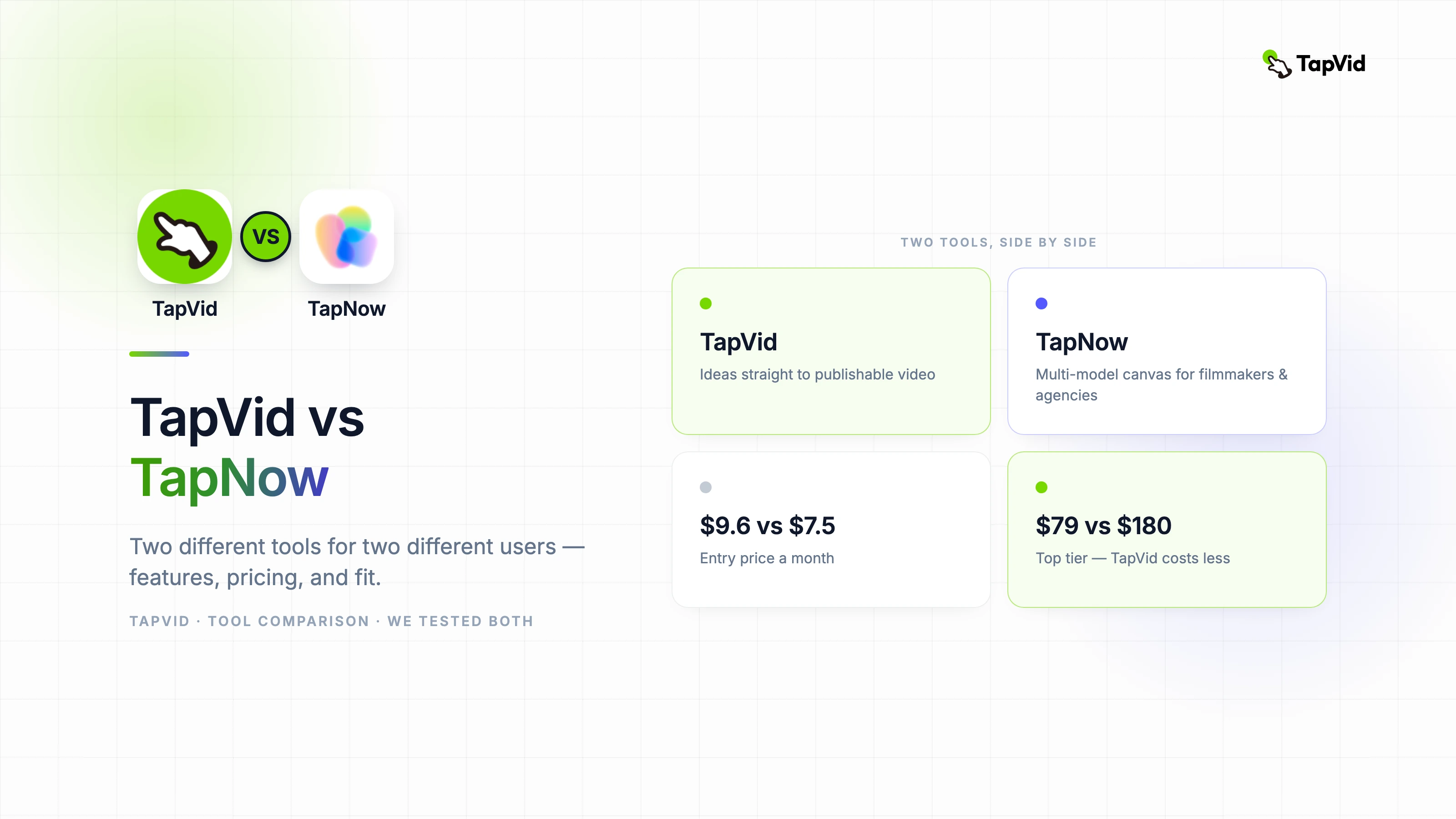
| Paid plans start at | $7.5/month (Basic) | $9.6/month (Basic) |
| Output ready to publish | ⚠️ Usually needs an NLE finishing pass | ✅ Close to publishable from generation |
06
Scenario 1: 30-Second Product Ad
Brief: "A 30-second ad for a productivity app. Bold kinetic typography, fast cuts, clean modern style, voiceover and music included."
TapNow: You'd build a script node, let TapNow break it into scenes, then generate image references and video clips for each beat. The multi-model comparison earns its keep here, because you can run the same scene through different model styles and keep the best take. Audio needs a separate node and a third-party integration. The full canvas for this brief is a real creative investment. That suits an agency workflow where iteration and client sign-off matter, and it suits a solo creator who needs to ship by end of day a lot less.
TapVid: The same brief goes in as a single prompt. Motion graphics, voiceover, and background music come back together and synced, in one pass. The output is close to brand-ready on the first generation, and if the tone or pacing is off you describe the change in plain language.
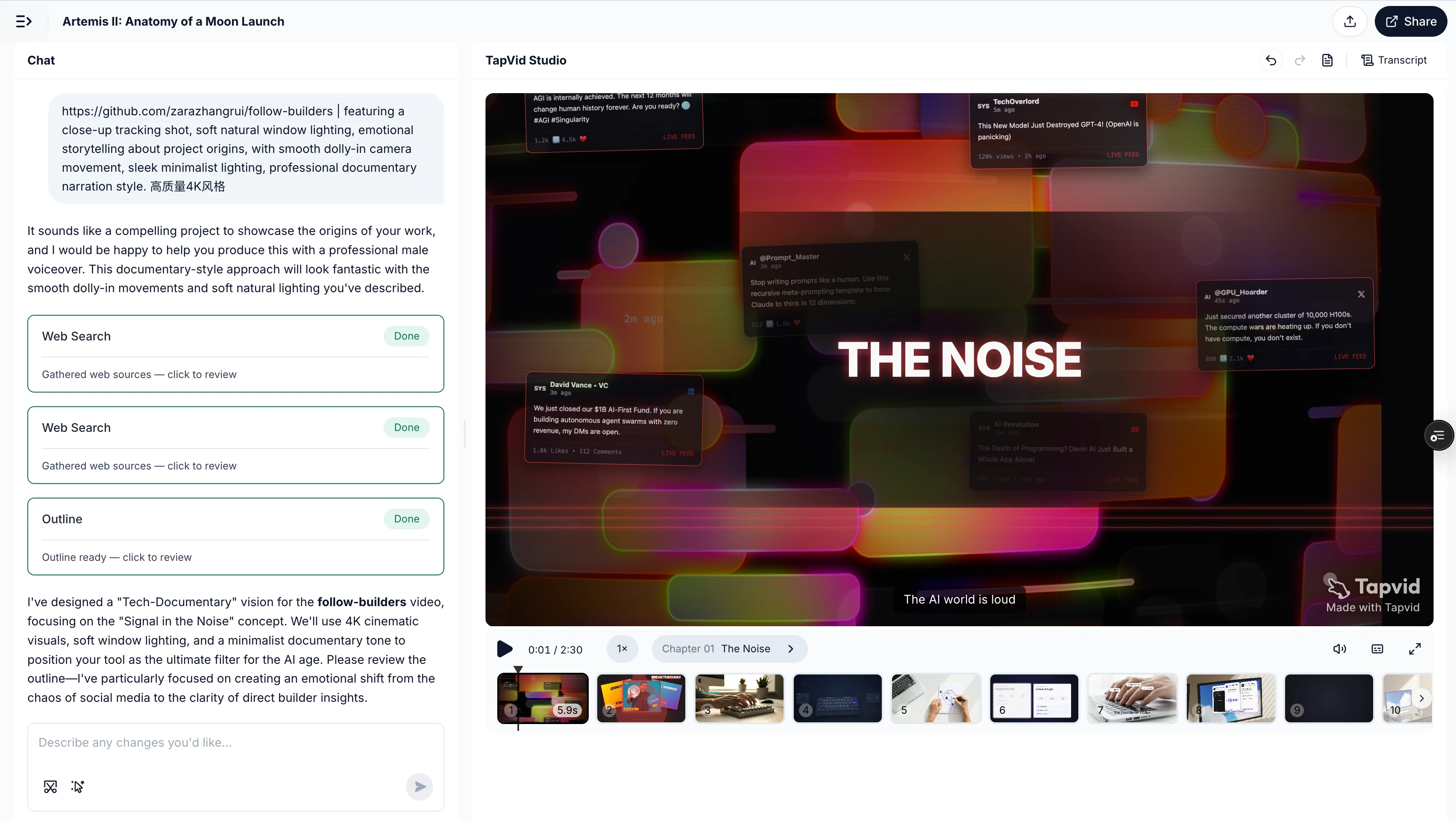
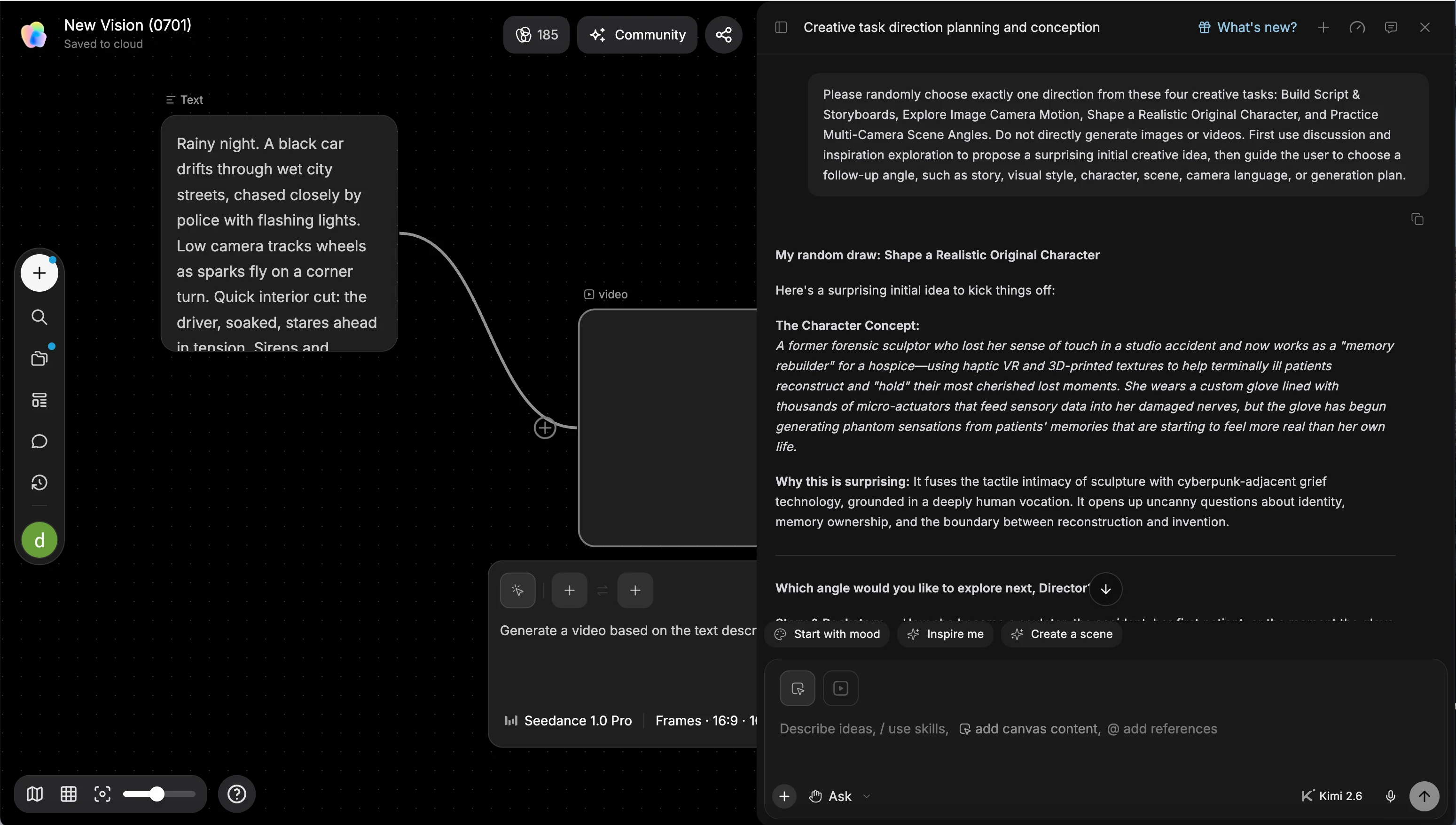
Takeaway: TapNow's multi-model iteration is an asset for creative direction work. If you just need the video, TapVid cuts out the production steps in between.
07
Scenario 2: Multi-Scene Cinematic Short
Brief: "A one-minute cinematic short: a solo traveler arriving in Tokyo at night, wandering through neon streets, finding a quiet ramen shop."
TapNow: This is where TapNow is in its element. A cinematic brief with several distinct scenes, a specific mood, camera direction, and style choices is exactly what the canvas was built for. You can try noir lighting against warm cinematic, compare Sora-style realism with stylized output, fork the canvas to explore a different look, and keep all the alternates side by side. For an indie filmmaker or a creative director, that's worth a lot.
TapVid: TapVid can generate a structured video from this brief, but deep cinematic control, multi-model comparison, and scene-level direction aren't what it's built for. If your main goal is cinematic experimentation and control over every beat, TapNow is the clearer pick.
Takeaway: For complex, multi-scene productions where you want to direct every element, TapNow's canvas is the right place to work. We're being straight with you here.
08
Scenario 3: Any Real Input to Publishable Video
Brief: "Take this Slack thread where our team is debating whether to change the product name, and turn it into a funny 30-second video recap with animated text, dramatic music, and a conclusion card."
TapNow: A messy, conversational input like this doesn't map cleanly onto a canvas workflow. TapNow wants a creative brief or a script to start from. Reading raw real-world content and building structure out of it isn't what the canvas was designed to do.
TapVid: This is the kind of input TapVid was built around. The Slack thread becomes the source material. TapVid pulls out the structure, builds the scene sequence, generates the animated text, adds music, and produces the recap. The result is tied to your actual content, not a generic template dropped on top of it.
Takeaway: The two tools accept very different inputs. TapNow needs a creative direction. TapVid needs an idea, in whatever form you have it.
09
Pricing Compared
| TapNow | TapVid | |
|---|---|---|
| Free tier | ✅ Yes, limited credits | ✅ Yes, free trial |
| Entry (Basic) | $7.5/month | $9.6/month |
| Pro | $30/month | $31.2/month |
| High tier | $180/month (Ultra) | $79.2/month (Max) |
| Top tier | $360/month (Max) | $159.2/month (Ultra) |
| Pricing model | Credit-based, per-model costs vary | Flat subscription |
| Budget predictability | ⚠️ Low (credit costs are opaque until a project is done) | ✅ High (fixed monthly rate) |
| Video output | Depends on credits and model choice | ~3 to 5 videos per day |
The credit math on TapNow is the complaint that comes up most in independent reviews. Different models burn credits at very different rates, and you often don't know what a project cost until it's finished. If you have to quote a budget upfront for client work, that's a real problem.
The two entry prices are close, $7.5 on TapNow against $9.6 on TapVid. Above that they diverge fast: TapVid's high tier is $79.2 where TapNow's is $180, and TapVid's top tier is $159.2 against TapNow's $360. TapVid's plans are flat, so at roughly 3 to 5 videos a day, about 90 to 150 a month, there's no per-project credit math to track. If you produce regularly, the cost per video is in a different league.
10
Honest Pros & Cons: TapNow
Pros:
- Comparing several models in one workspace is a real upgrade for creative direction work
- Canvas branching lets you chase a new direction without losing the original
- The TapTV community and its fork-and-learn model help you build AI video skills fast
- Turning a script into a storyboard automatically beats doing it by hand
- The free tier lets you finish a real project before you pay
11
TapNow: The Cons
- Credit pricing is opaque, so you usually can't tell what a project costs until it's done
- The canvas has a real learning curve, and node-based tools aren't intuitive for non-technical creators
- Final output usually needs a separate pass in a video editor before it's ready to publish
- Voiceover and music take manual setup through third-party integrations
- It's weak on unstructured input and needs a clear creative brief to work from
12
Honest Pros & Cons: TapVid
Pros:
- It takes any input: a sentence, a PDF, a Slack thread, a product brief, with no reformatting first
- Voiceover and background music are generated and synced automatically, in the same pass
- You edit by describing the change instead of touching a timeline
- Flat subscription pricing keeps the budget predictable for teams and freelancers
- The output is close to publishable from the first generation, with no separate finishing pass
13
TapVid: The Cons
- It's not the tool for cinematic productions that need scene-level creative control
- No multi-model comparison, so if you want to run the same scene through different models and pick, TapNow wins
- It's not a canvas-based tool, so you don't get TapNow's infinite canvas and side-by-side fork-and-explore workspace
- Community features are still coming, and TapNow's TapTV has a head start for social and learning use
14
Who Should Use Which
Pick TapNow if:
- You're a filmmaker, creative director, or agency producer who needs to explore several visual directions before committing
- You think in storyboards and want to control which AI model handles each element
- You want to learn and compare AI video models through a shared community of canvases
- Your work involves complex multi-scene productions where iteration is part of the brief
Pick TapVid if:
- You need a finished, publishable video out of whatever input you have, whether that's a brief, a PDF, or a rough idea
- You don't want to manage models, credits, or a canvas, and would rather just describe the video and get it
- You produce video regularly and need costs you can predict
- You're after communication rather than cinematic craft: explainers, product demos, social content, internal comms
The short version: TapNow is a creative studio for people who direct productions. TapVid is a structured workflow for people who have ideas to communicate. They aren't chasing the same user.
15
Frequently asked questions
Is TapNow better than TapVid?
For multi-model creative direction and cinematic productions, yes. For turning any real input into a publishable video quickly, TapVid is the faster path. They serve different use cases.
Can TapVid replace TapNow?
Not for filmmakers or agency workflows where multi-model iteration and canvas branching are central to the process. TapVid replaces TapNow for anyone whose goal is "I have content, I need a video" rather than "I want to direct a production."
Which is cheaper, TapNow or TapVid?
At the entry tier TapNow is a little cheaper, about $7.5 a month against TapVid's $9.6. Above that TapVid pulls ahead: its high tier runs $79.2 versus TapNow's $180, and its top tier is $159.2 versus $360. TapNow also bills by credits that vary with model and project, while TapVid's plans are flat. For regular volume, TapVid works out cheaper and easier to budget.
Does TapVid support PDF to video?
Yes. Upload a PDF and TapVid reads the structure, drafts a narration script, and builds animated scenes from it.
Which tool is better for social media videos?
TapVid for speed and volume: prompt in, video out, ready to post. TapNow for highly stylized, direction-heavy content where you want to experiment with the visual treatment before committing.
Does TapNow have a free trial?
Yes, TapNow has a free tier with limited credits. TapVid has a free tier too. Both let you finish a real project before you pay.
16
The Bottom Line
TapNow and TapVid are both serious tools. They're just serious about different things.
If you think in production terms (models, nodes, scene branches, creative direction), TapNow is built for you. The learning curve is real and the credit math is annoying, but the ceiling for what you can make is high.
If you think in terms of the thing you're trying to say, and you have an idea, a PDF, or a brief that needs to become a video, TapVid takes out the steps in between. You don't learn a canvas, pick a model, or manage a credit spreadsheet. You describe the video and get it.
Try TapVid on your next brief and see how far the first pass gets you.