
TL;DR
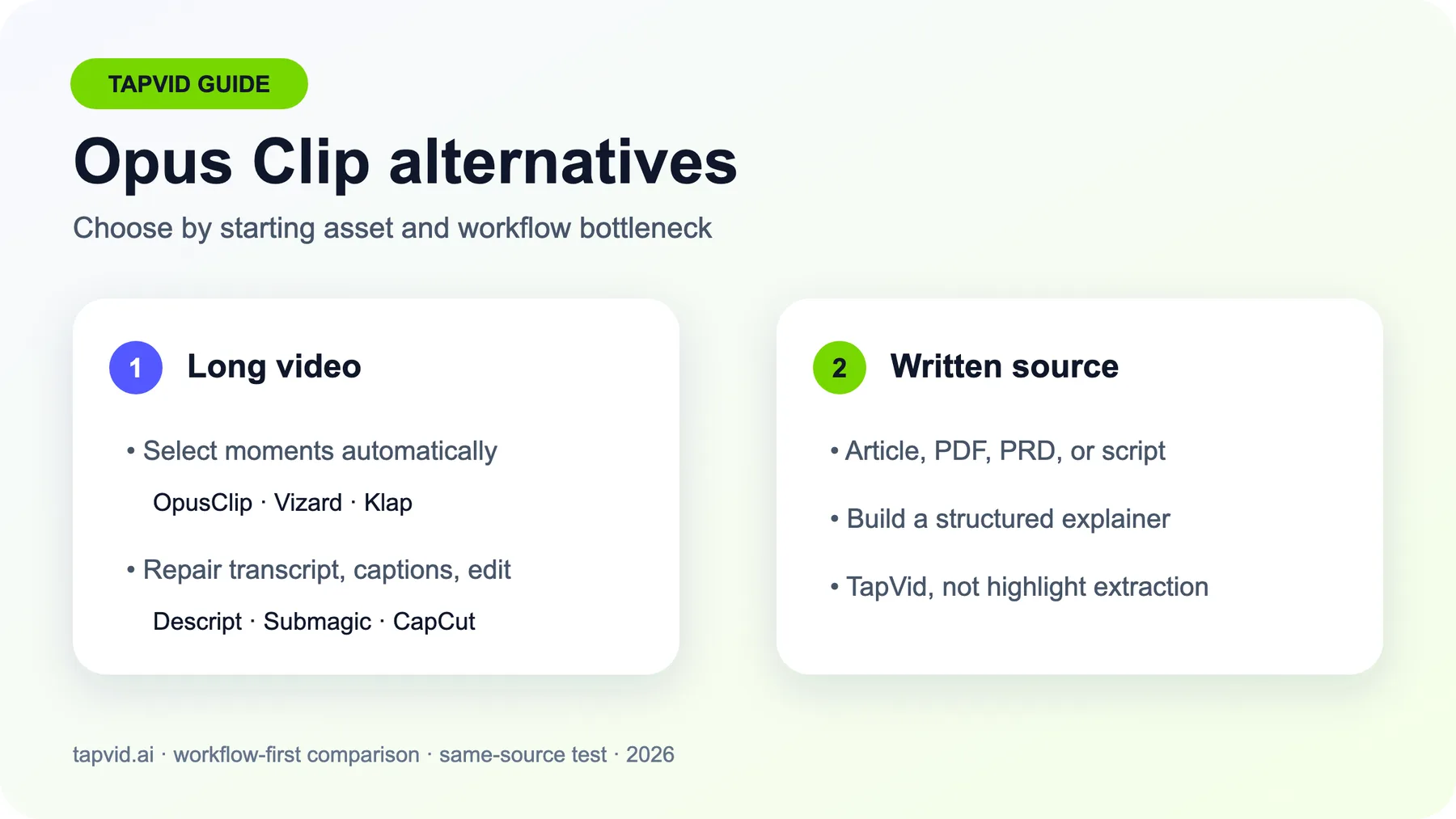
The best Opus Clip alternative depends on the job you need to complete. Vizard and Klap are the closest long-video-to-shorts candidates. Riverside makes sense when recording and repurposing should live together. Descript favors transcript-level control, Submagic focuses on caption-led finishing, and CapCut gives editors a broader manual workspace. TapVid belongs in a different branch: it turns an article, PDF, or script into a new explainer video instead of extracting highlights from recorded footage. In our same-source free-only test, OpusClip produced eight candidates and Vizard produced five. That result describes one source and one attempt, not a universal winner.
Searching for an Opus Clip alternative usually starts with a feature comparison. That is the wrong first question. The real decision is whether you need better moment selection, more precise transcript edits, cleaner captions, an integrated recording workflow, or a way to make a video when no long-form footage exists. This guide separates those workflows before comparing products. It combines current vendor documentation, public review patterns, and a bounded hands-on test using one original 6:13 source video. We froze the target, settings, and attempt budget before opening the tools.
Turn an article, PDF, or script into a structured explainer with TapVid
01
The short answer: which Opus Clip alternative fits each workflow?
Use this table as a shortlist, not a ranking. A direct clipper, a transcript editor, a caption finisher, and an explainer video engine are not interchangeable.
| Your starting point or bottleneck | Shortlist | Why it fits | Important boundary |
|---|---|---|---|
| You have an article, PDF, PRD, or script instead of footage | TapVid | It builds a structured explainer from creator-owned written material | It is not a podcast highlight extractor |
| You want automatic clips from a finished long video | Vizard or Klap | Both document long-video-to-short workflows with vertical outputs and captions | You still need to review context, cut points, framing, and captions |
| You record interviews or podcasts and then repurpose them | Riverside | Recording, editing, and Magic Clips can sit in one workspace | Bundling does not prove better clip selection |
| You want to revise video through the transcript | Descript | Generated clips remain editable compositions with transcript and timeline control | The AI clip route consumes AI Credits, while imports consume Media Minutes |
| The clip is selected, but captions and short-form polish are weak | Submagic | Caption styling and short-form finishing are the center of the workflow | Magic Clips is currently documented as a paid add-on |
| You prefer a general editor and can accept more manual work | CapCut | Long Video to Shorts can lead into a broader editing workspace | Availability, Pro gates, and legal prompts vary by account and region |
| OpusClip already finds usable moments with little repair | Keep OpusClip | Switching adds migration and relearning cost | Retest only when a specific bottleneck becomes expensive |
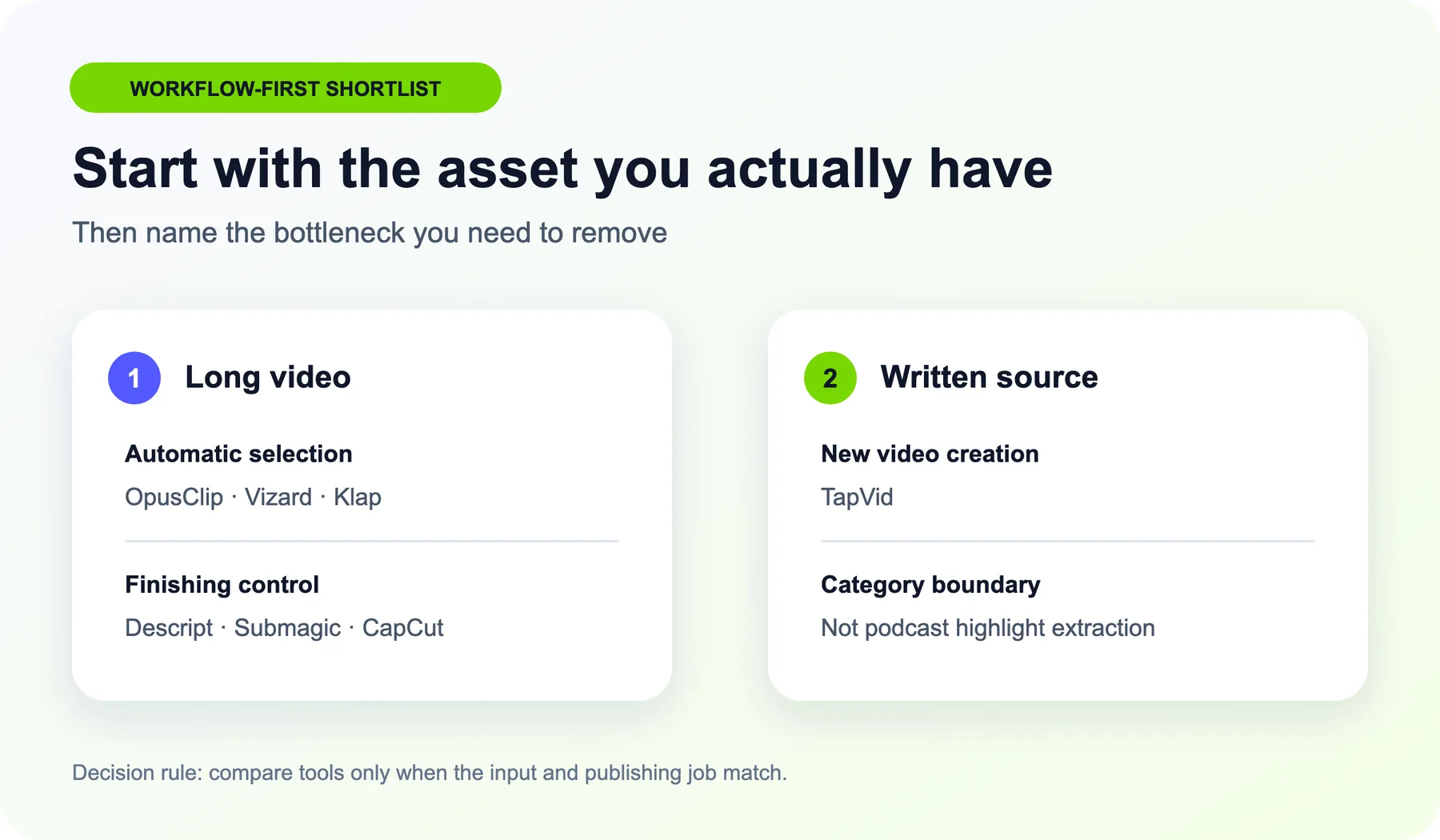
The most useful category correction is the last one. If your source is written content, comparing clip counts is meaningless. You need a creation workflow, not a clipping workflow.
02
Start with the bottleneck, not the longest feature list
Write down the sentence "I am considering switching because..." and complete it with one operational problem.
- The AI selects moments that lack setup or payoff.
- The selected moment is good, but exact revisions take too long.
- Captions, speaker framing, or safe-area placement need repeated repair.
- Recording, review, and publishing are spread across too many tools.
- Credits are consumed before you know whether the output is publishable.
- You do not have long-form footage, only written source material.
Each answer points to a different category. Better automatic selection suggests Vizard or Klap. Transcript-level correction suggests Descript. A recording-first team may remove more friction with Riverside than with another standalone clipper. Caption-led creators may keep their clipper and add Submagic. Editors who want a broader canvas may prefer CapCut. Written-source teams should evaluate TapVid as a separate creation path.
03
How to test Opus Clip alternatives on one real project
We tested with an original 6:13, 1920 by 1080 MP4 made for this comparison. The source deliberately included clean section boundaries, repeated concepts, on-screen labels, and statements that could be distorted by an overconfident auto-title. We used the same source file for every eligible tool.
Before the first upload, we froze the task: generate one complete 30-to-60-second vertical clip with captions from the full source. We used each platform's closest available automatic settings, allowed one attempt, and made no repair edits. We also froze a free-only rule. No card, paid trial, upgrade, subscription, add-on, or paid-credit purchase was allowed.
For every output, inspect six things:
- 1. Complete idea: Does the clip contain both the premise and the payoff?
- 2. Clean boundaries: Does it begin and end at natural sentence or thought boundaries?
- 3. Framing: Does the subject remain visible throughout the 9:16 crop?
- 4. Captions: Do names, numbers, timing, and meaning match the audio?
- 5. Export reality: What resolution, watermark, storage, or plan restriction is visible?
- 6. Repair log: What would a human have to fix before publication?
Record first-output problems before making repairs, so later tools do not benefit from tuning learned earlier.
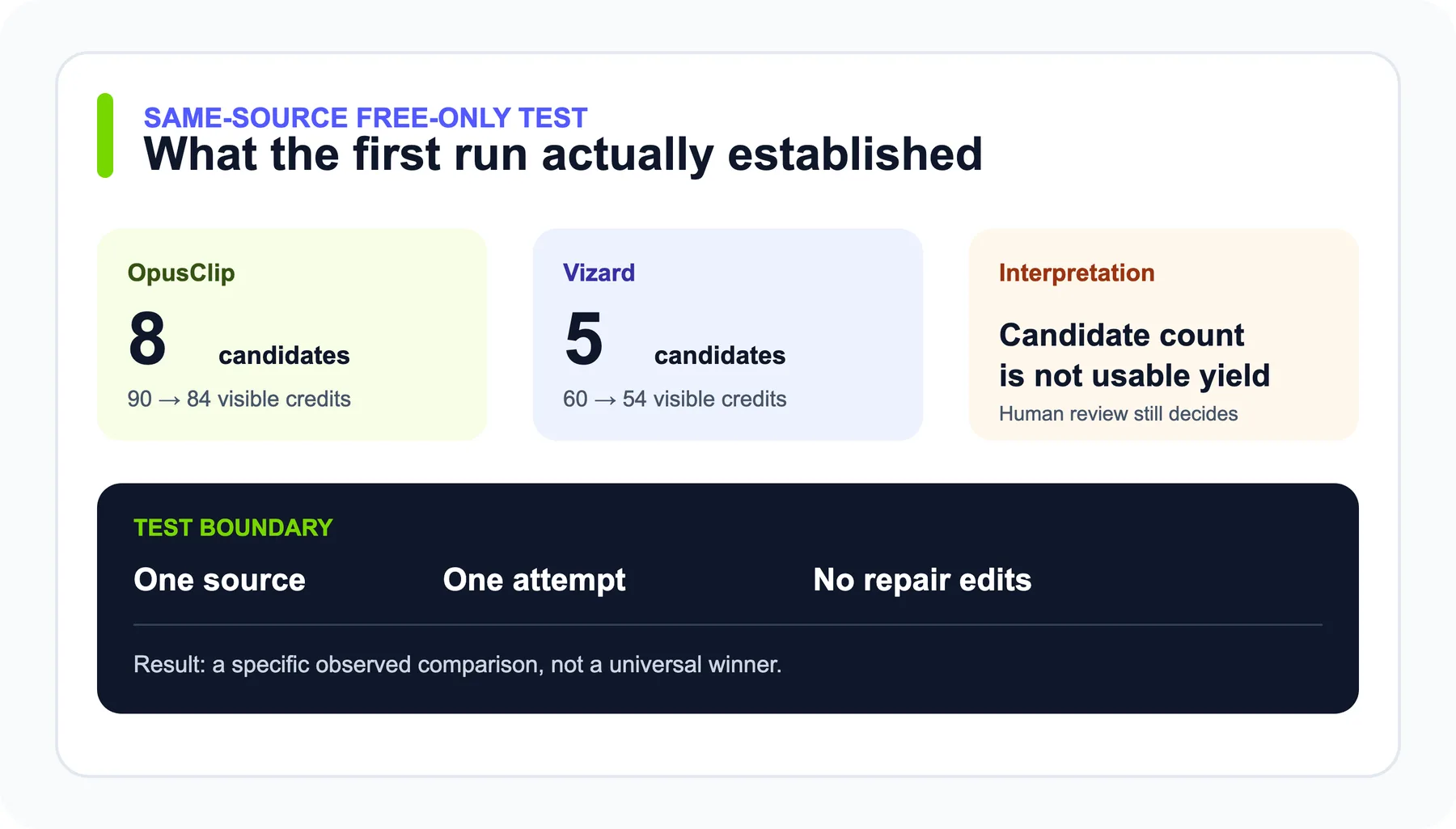
Our free-only test reached inspectable clip outputs in OpusClip, Vizard, and CapCut. OpusClip produced eight candidates, Vizard produced five, and CapCut's project card showed four shorts. Those counts describe one controlled source and one attempt, not universal yield. Klap showed a free entry allowance but did not expose enough debit detail inside the generation setup, so we stopped. Riverside's upload route did not confirm a bounded allowance for the source. Descript kept AI Credits and Media Minutes as separate meters, then consumed one AI Credit while creating the project before showing a predictable total generation cost. Submagic's long-form Magic Clips route is documented as a paid add-on.
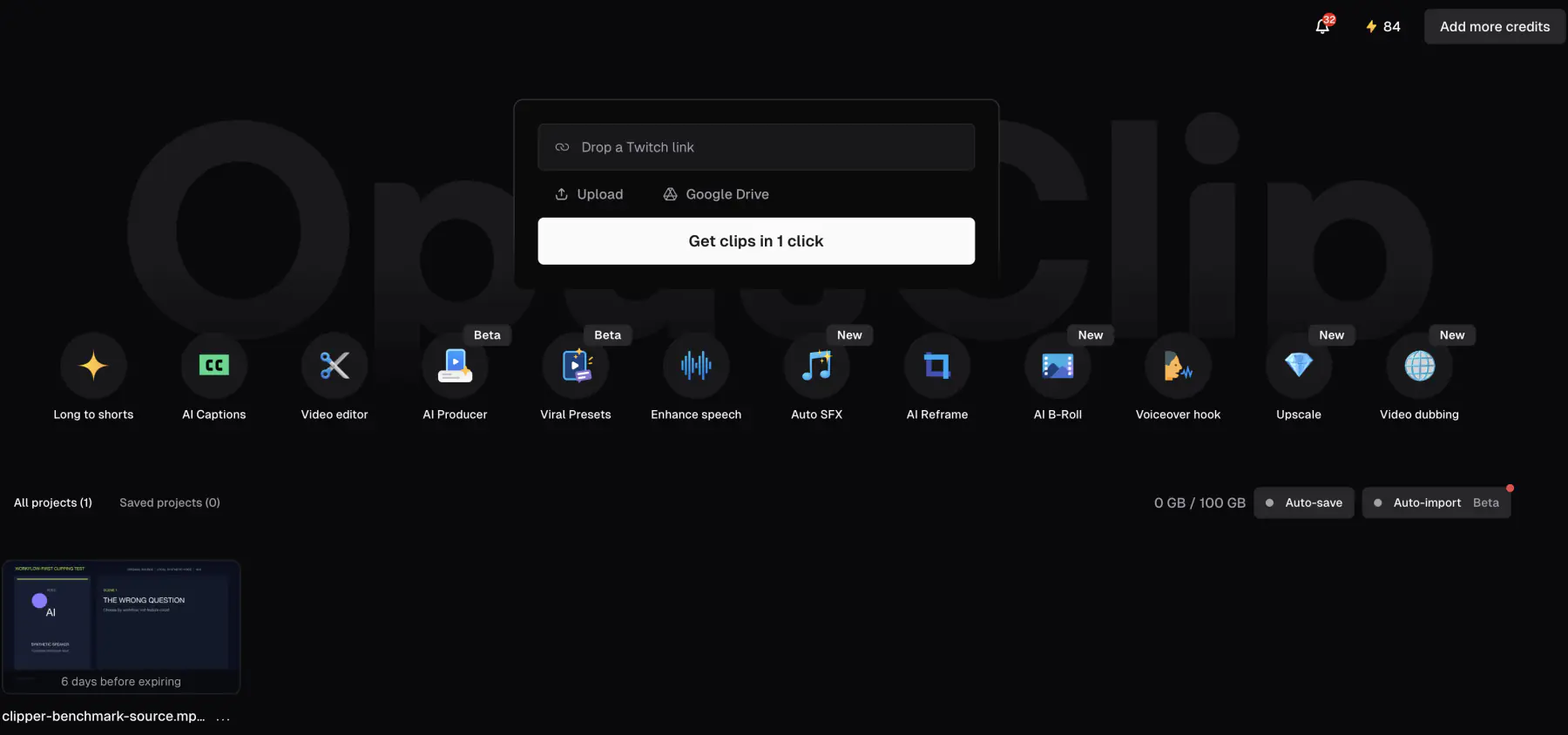
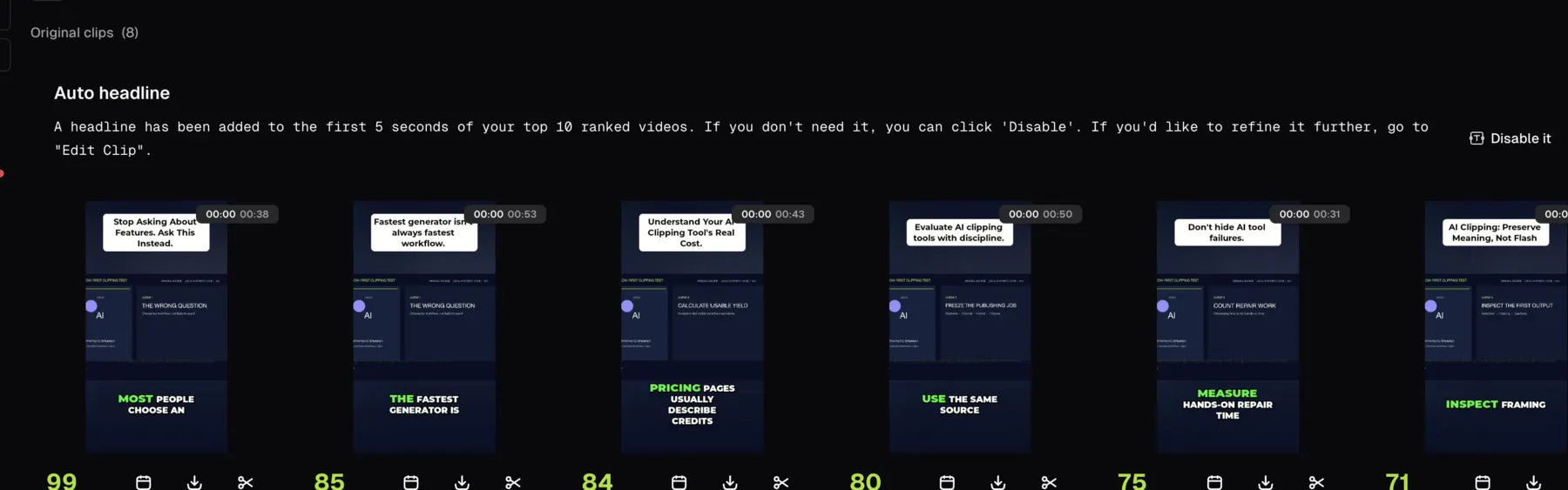
Those stops are part of the result. Predictable consumption is an operational feature.
04
TapVid when your source is an article, PDF, or script
TapVid is not a direct auto-clipper. It is an Explainer Video Engine for turning creator-owned written sources, such as an article, PDF, script, PRD, or product copy, into a new structured video. If you only need highlights from a podcast, choose a direct clipper. If you need to turn a written idea into a visual explanation, this is the relevant category shift.
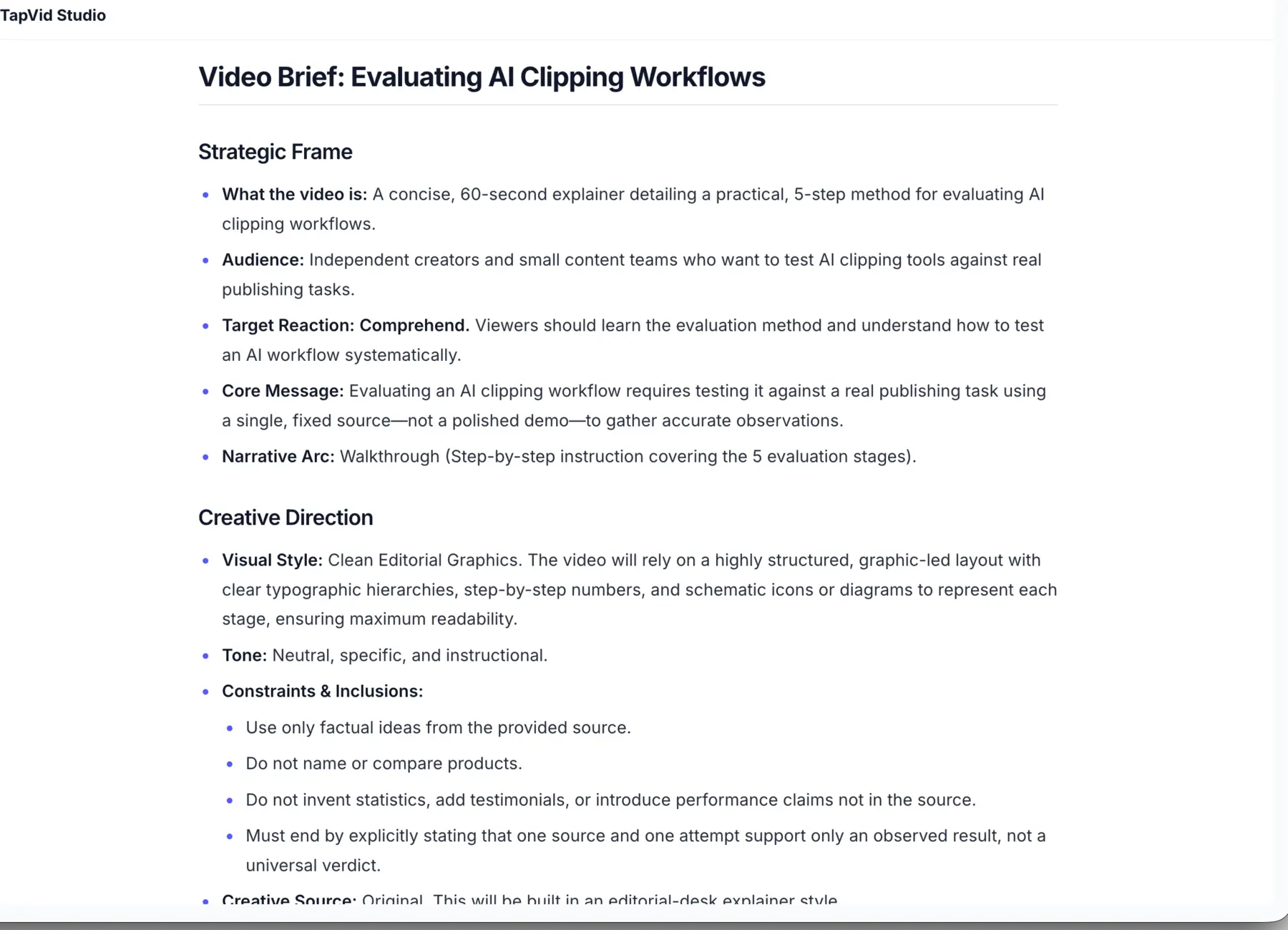
For our TapVid test, we uploaded an original 371-word Markdown source about evaluating AI clipping workflows. The setup used English, 16:9, approximately 60 seconds, voiceover, subtitles, background music, and a neutral instructional prompt. The interface showed a projected cost of 180 credits against an existing 700-credit account balance before the single attempt.
TapVid parsed the source, asked how to represent the five steps and what audience reaction to target, then produced a structured video brief. We chose Clean Editorial Graphics and Comprehend, approved the brief without edits, and let the same task continue. The brief preserved the constraints: no product comparisons, no invented statistics or testimonials, and an ending that distinguishes an observed result from a universal verdict.
The next approval state paired each timed segment with screen direction and voiceover before generation. The first three rows covered the opening setup, a chapter card, and source-clip evaluation from 0 to 12 seconds.
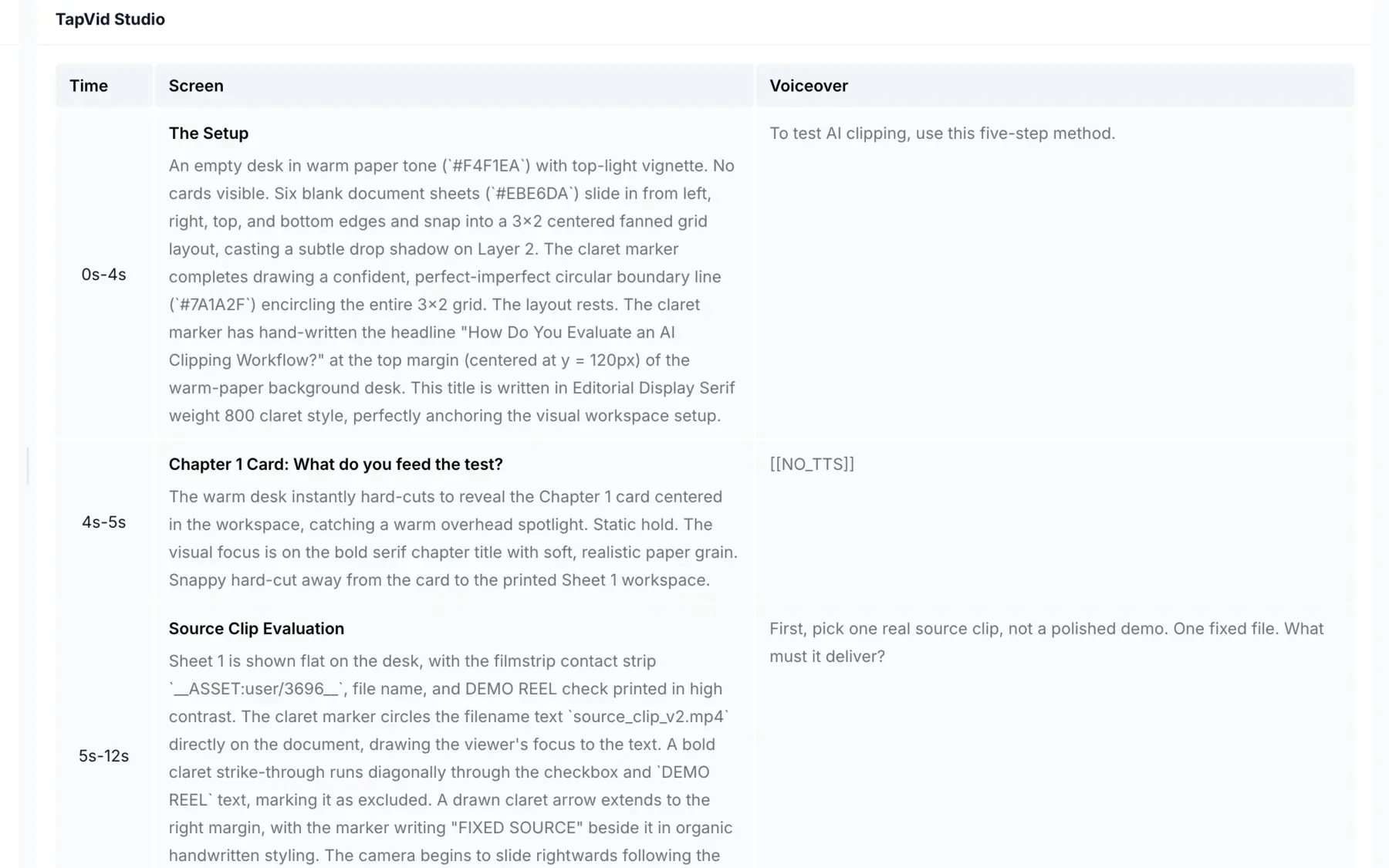
The final generation completed in the same workflow. The player showed a 2:11 output even though the setup targeted approximately 60 seconds. The first pass preserved the approved clean editorial direction, visible chapter cards, and on-screen captions. The duration mismatch is material repair work. As with every observed result in this article, one test supports a narrow workflow finding rather than a universal performance claim.
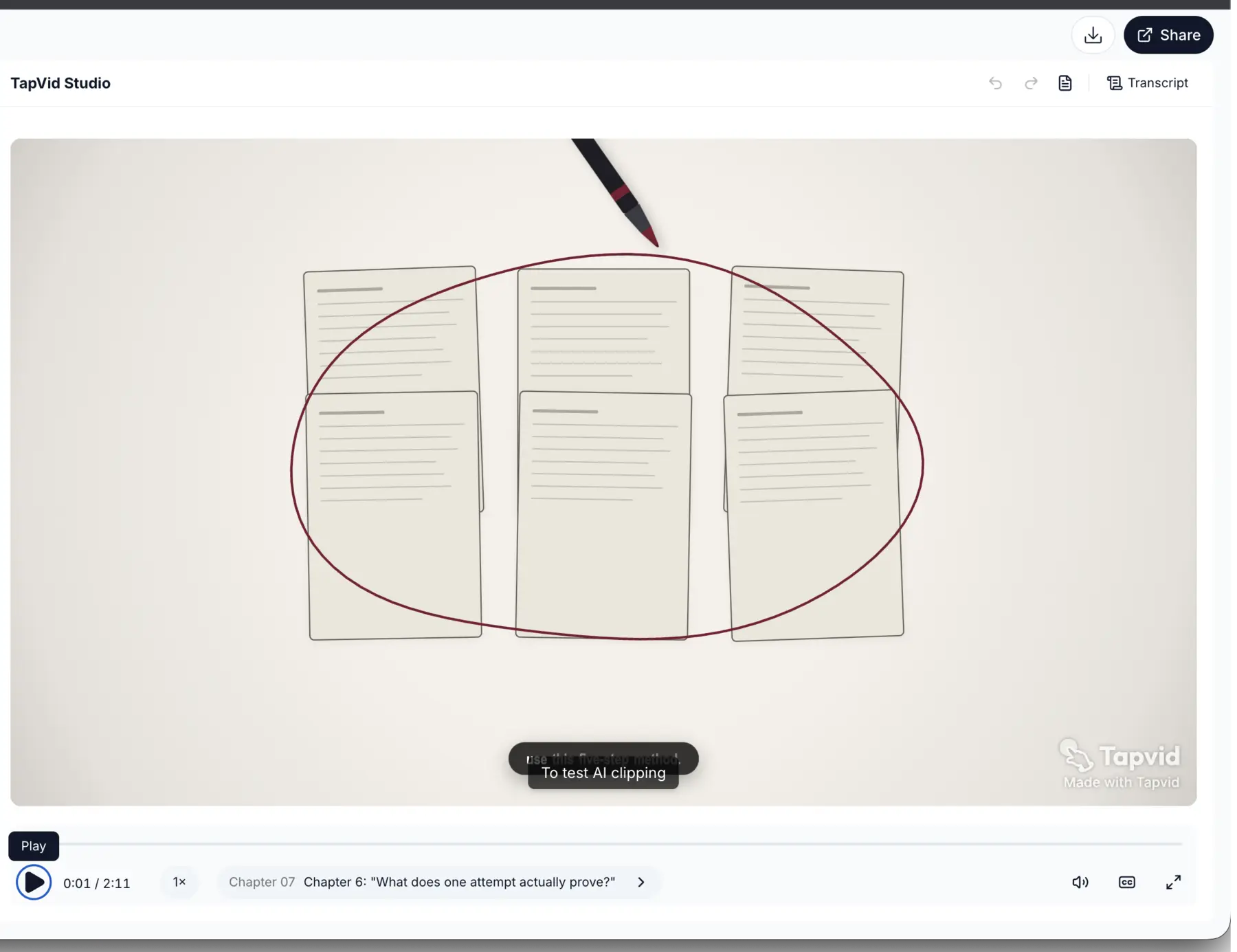
The workflow is the evidence: a written source became a strategic frame, creative direction, and production configuration. Clip-count comparisons would be invalid because the input and output differ.
Evidence note: We did not find a mature independent TapVid review corpus in this research pass. We therefore do not present a user consensus or reuse vendor testimonials. The single test above is a narrow product observation, not social proof.
If this is your actual job, explore the TapVid AI explainer video generator. If you need a broader production tutorial first, see how to make social media videos.
05
Vizard for high-volume automatic clipping
Vizard is one of the closest workflow matches to OpusClip. Its current pricing page documents AI-generated clips, a full editor, 720p export, three-day storage, 60 monthly credits, and a 60-minute or 1 GB source boundary on the Free plan. It also states that one uploaded source minute uses one credit. Check the current Vizard pricing page because quotas can change.
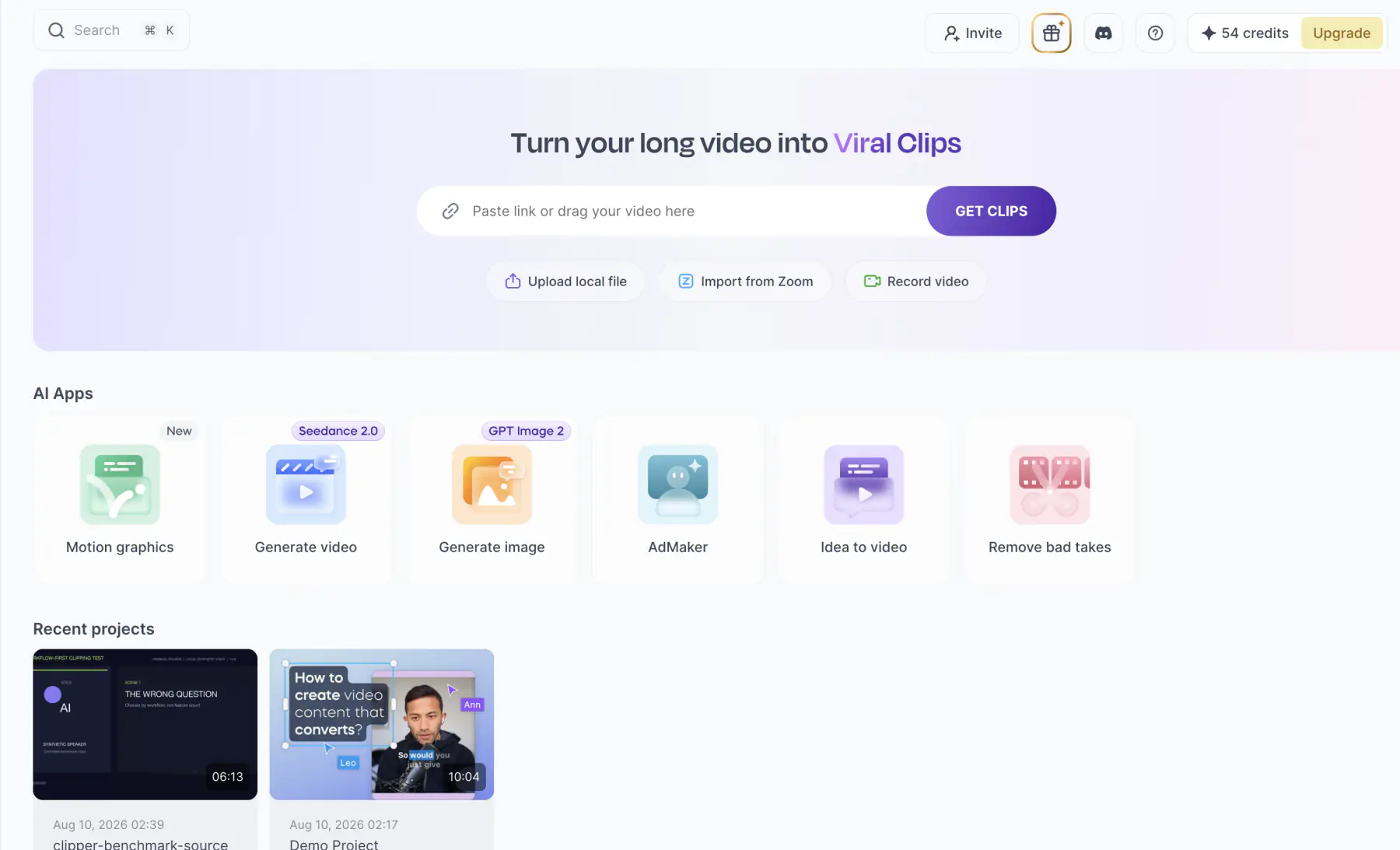
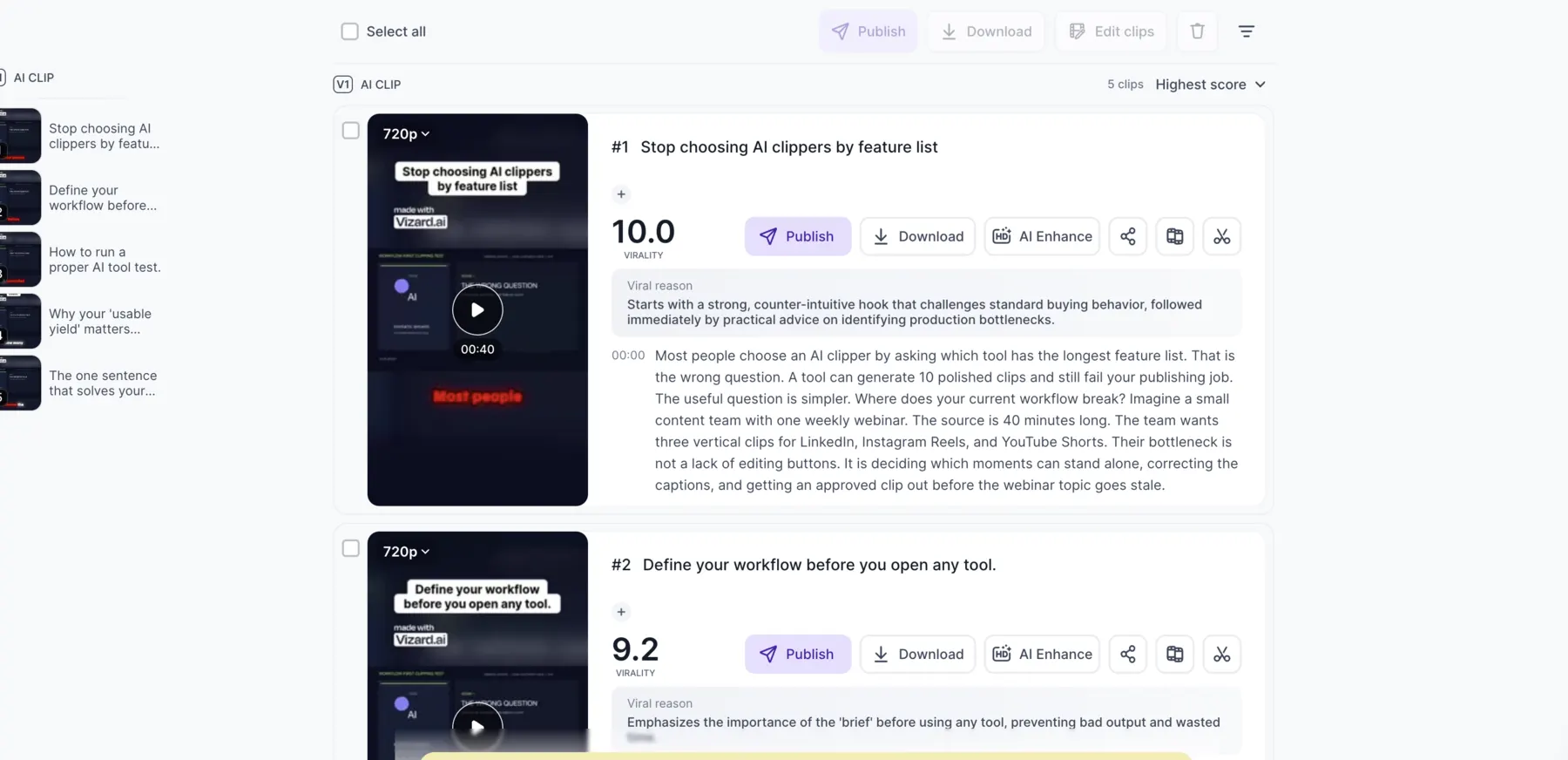
In our Vizard test, our 6:14 upload reduced the visible balance from 60 to 54 credits. With automatic language, 9:16 framing, and a 30-to-60-second target, the first attempt produced five 720p candidates. Their displayed durations were 40, 34, 36, 35, and 33 seconds. The titles stayed close to the source, including "Stop choosing AI clippers by feature list" and "Define your workflow before you open any tool." The output became visible after about 7 minutes 46 seconds, including processing and UI waiting.
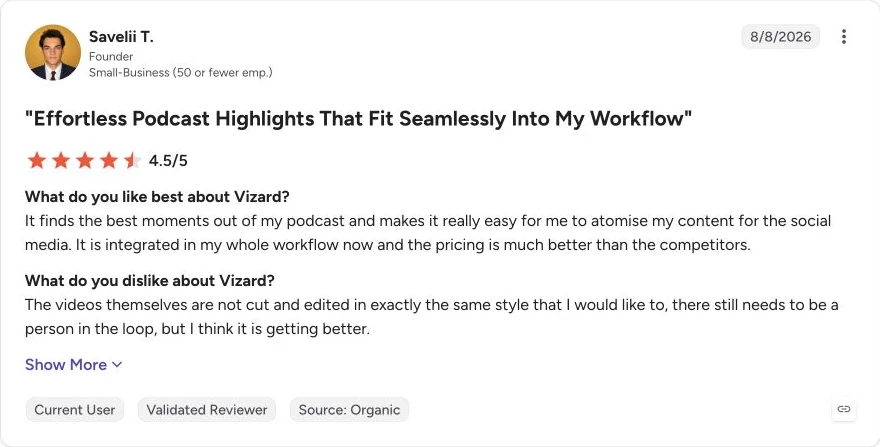
What users say: One current, validated G2 reviewer said Vizard found useful moments from a podcast and fit into an ongoing repurposing workflow, but the finished clips still needed a person in the loop to match the desired editing style. That supports treating Vizard as a first pass, not a publish-without-review system.
Shortlist Vizard when automatic selection volume and a clear minute-based allowance matter. Your publishing criteria remain the real score.
06
Klap for a simpler long-video-to-shorts workflow
Klap describes a focused route: upload a long video or provide a link, generate vertical clips, add captions, and edit through a transcript. Its official tool page explicitly distinguishes this from text-to-video generation. See Klap's AI Clip Maker and AI Clip Generator pages for the current workflow.
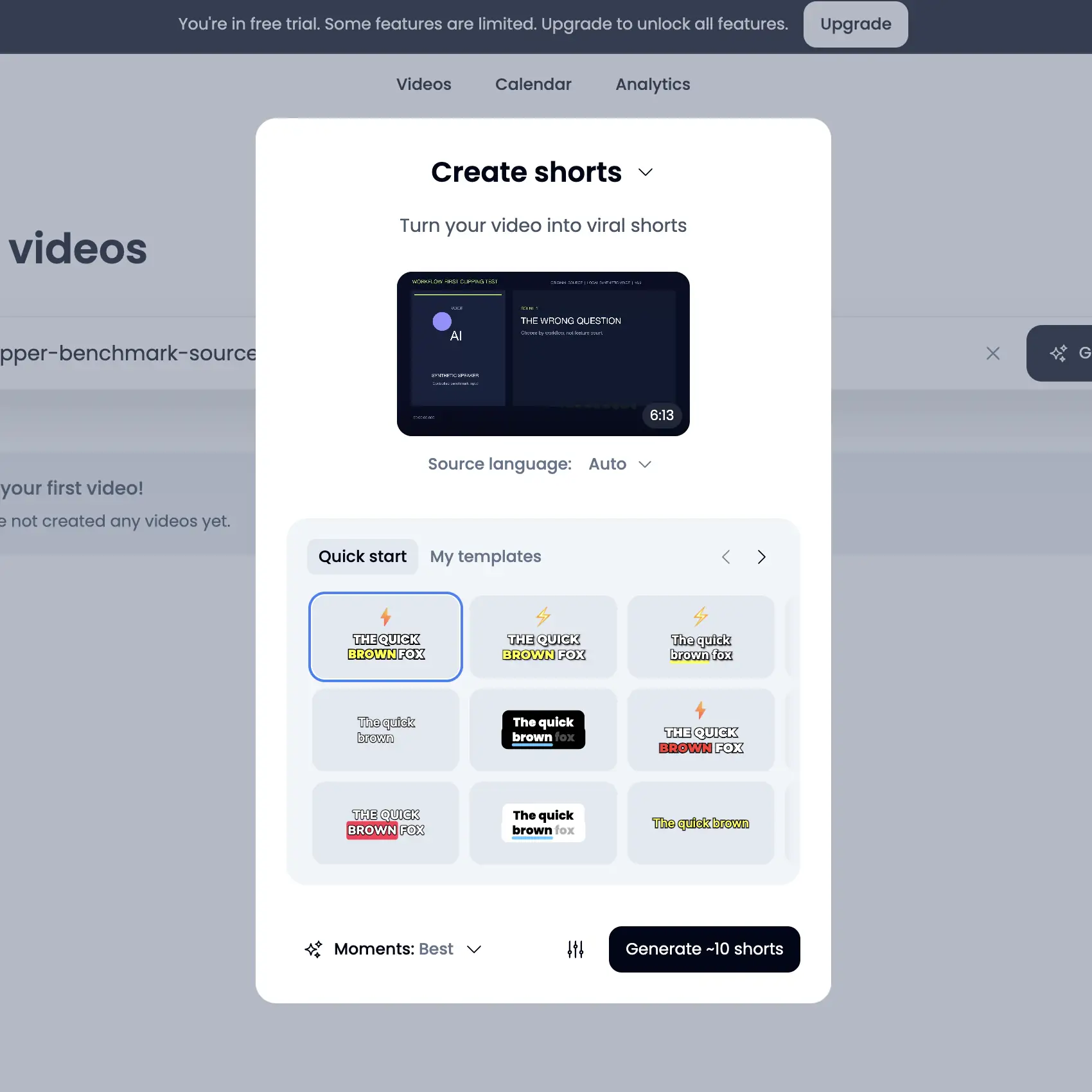
In our Klap test, the logged-in dashboard showed "free trial" and warned that some features were limited. It accepted the 6:13 source and offered automatic language, "Best moments," and approximately ten shorts. However, the setup screen did not expose a remaining balance, expiration, nonrenewal state, or predictable debit. A separate current tool page stated that one video could be created free without a credit card; that entry-page statement did not resolve the debit boundary inside the uploaded-source setup. Under our free-only rule, we stopped before Generate.
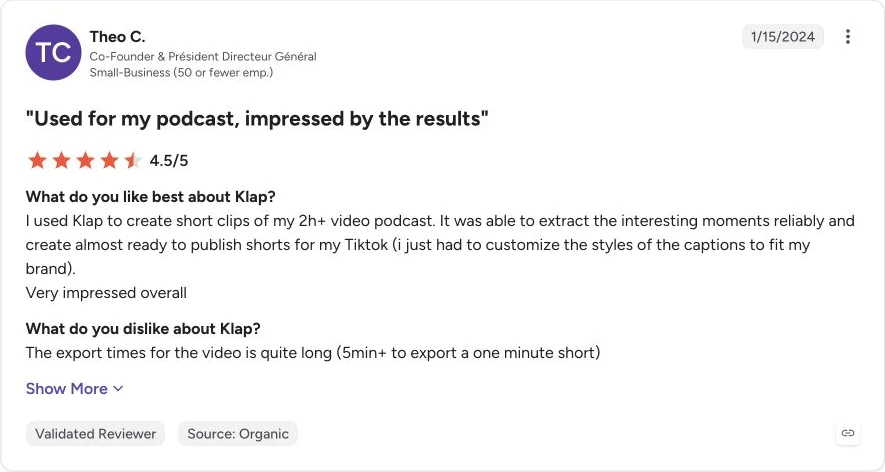
What users say: One G2 reviewer said Klap reliably found interesting moments in a podcast longer than two hours and produced shorts that were close to publishable after caption-style changes. The same reviewer reported export times above five minutes for a one-minute short. G2 showed only two Klap reviews when we checked, so treat this as one user case, not a stable consensus.
Shortlist Klap when you value a direct path and can verify the exact entitlement inside your account.
07
Riverside when recording and repurposing belong together
Riverside is most differentiated before clipping begins. Its Magic Clips workflow connects recording or upload, automatic clip generation, aspect ratio and length preferences, caption and brand edits, then download or sharing. The Riverside pricing page currently documents 720p output and a Riverside watermark on the Free plan.
In our Riverside test, we followed Create a clip, Social magic clips, and Co-Creator, then attached the test source. The account promoted a Pro trial, but the upload route did not show a clear free allowance, expected debit, or nonrenewal state for this source. We stopped before sending the final generation message.
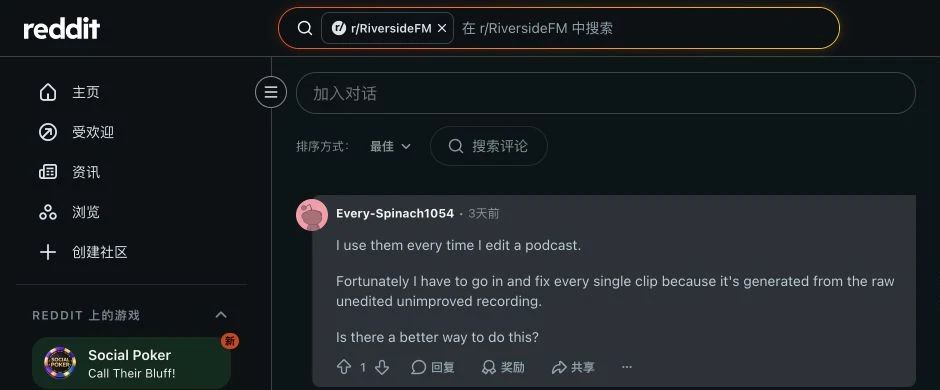
What users say: In one public Riverside Reddit comment, the commenter said they use Magic Clips for every podcast edit but still have to fix every clip because it is generated from the raw, unedited recording. Treat this as an anecdote about workflow repair, not a platform-wide quality estimate.
08
Descript when exact transcript control matters more than automatic selection
Descript's advantage is the relationship between transcript, composition, scenes, and timeline. Its Create clips documentation says the tool can analyze an existing composition and generate 1 to 20 clips from 10 seconds to 5 minutes, including 9:16 layouts and optional topic or goal instructions. The results remain editable compositions.
Descript fits when your pain begins after automatic selection. You can revise words, scenes, layout, captions, and timing in the same project.
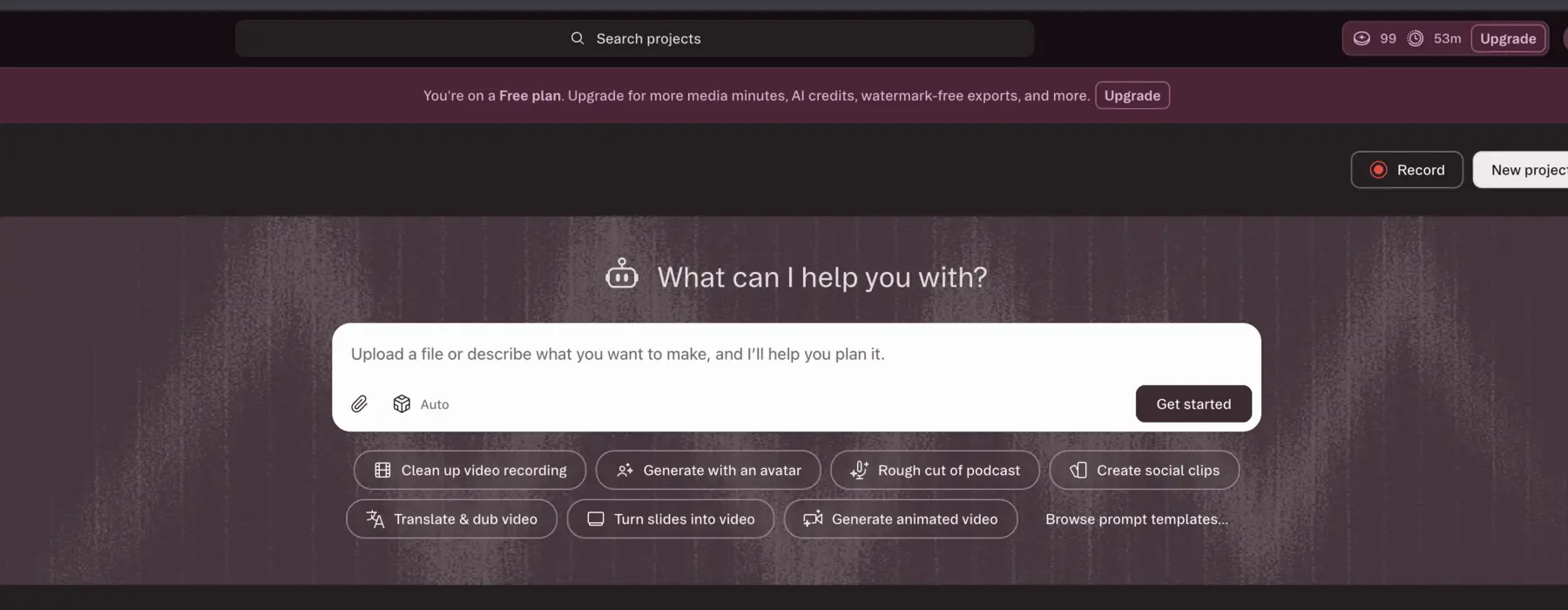
The cost model also needs attention. Descript's usage documentation lists Create clips at 30 AI Credits per use, while media imports consume Media Minutes. In our Descript test, the Free account initially showed 100 AI Credits and 60 Media Minutes. Selecting Create social clips created the project and moved the AI balance to 99 before the final clip submission screen exposed a predictable total debit. We stopped there. Because the interface exposed the two meters separately, we did not attribute every later Media Minutes change to this test.
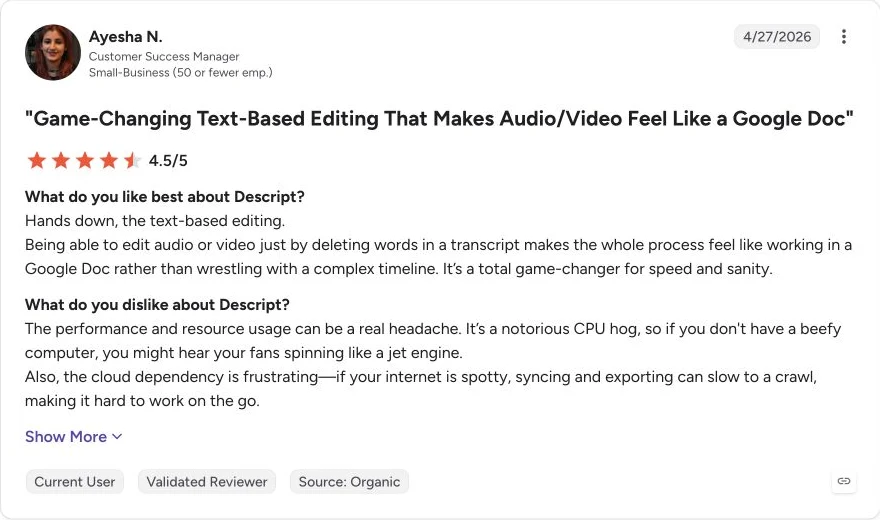
What users say: One current, validated G2 reviewer described transcript-based editing as fast and intuitive, while flagging heavy CPU usage and cloud dependency that can slow syncing and export. That tradeoff fits this section's decision rule: choose Descript when transcript control matters enough to justify a heavier editing environment.
09
Submagic when captions and short-form polish are the bottleneck
Submagic is a better answer to "How do I finish this short?" than to "Which moment should I clip?" Its core workflow emphasizes animated captions, short-form pacing, B-roll, effects, and finishing. The separate Magic Clips route can turn long-form video into clips with a transcript, virality score, trim controls, captions, effects, and export.
Submagic's Magic Clips help page and pricing page currently describe Magic Clips as an add-on subscription. The Free plan did not cover our 6:13 test, so we did not run Magic Clips.
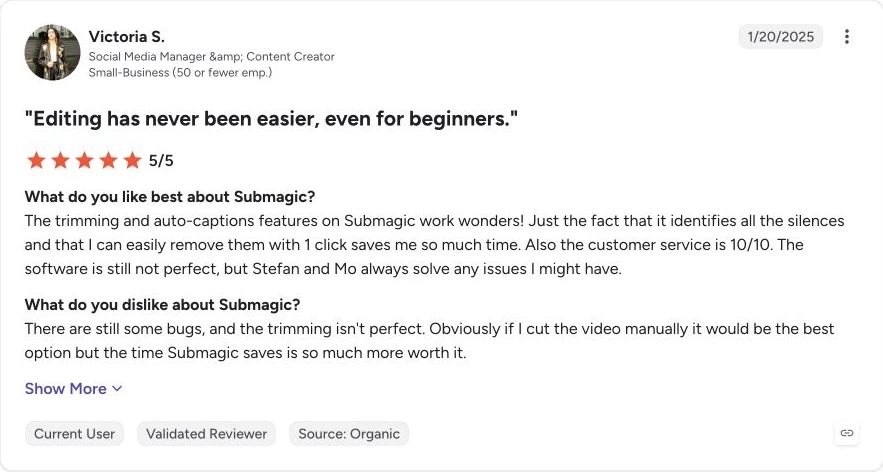
What users say: One current, validated G2 reviewer said silence removal and auto-captions saved substantial time, but also reported bugs and imperfect trimming compared with manual editing. That supports Submagic as a caption-and-finishing tool, not proof of reliable Magic Clips selection.
Choose Submagic when caption design and short-form polish are the bottleneck. If selection is already good enough, consider a two-tool stack.
10
CapCut when manual control matters more than automation
CapCut combines a broad editor with a dedicated Long Video to Shorts route. Its official Long Video to Shorts page documents local or cloud upload, automated highlight identification, vertical reframing, auto captions, preview, further editing, and export.
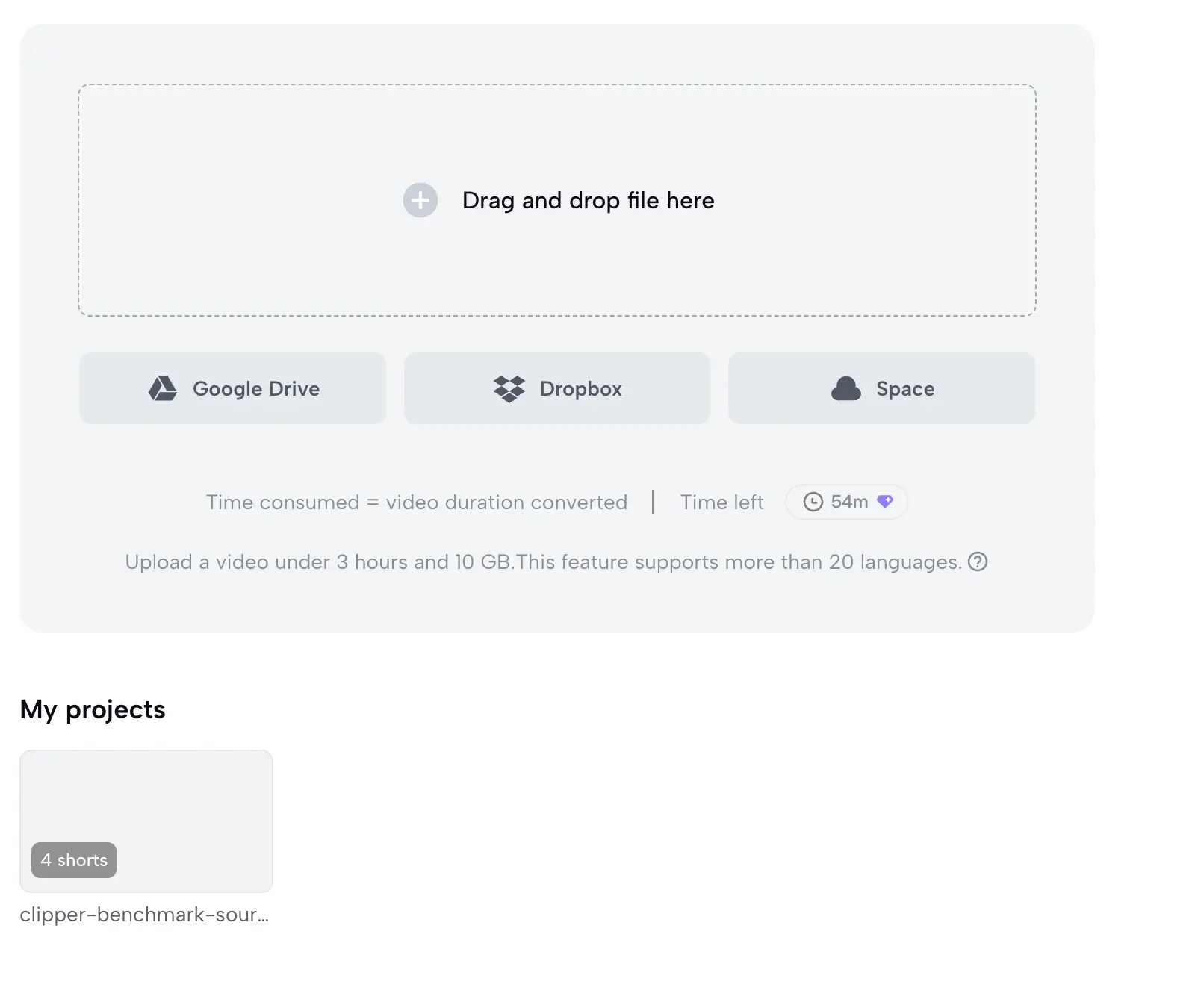
In our CapCut test, the logged-in workspace initially showed 60 free minutes for Long Video to Shorts, with the source under the visible duration and file limits. Uploading opened a disclaimer explaining that conversion would upload the video to CapCut servers, transcribe it, and process it with a third-party AI model. The account owner accepted that legal and data-processing boundary, after which the same project completed with four shorts and the remaining meter showed 54 minutes.
"Free minutes available" is not the only gate. Teams also need an approved policy for client footage, voices, faces, and confidential content.
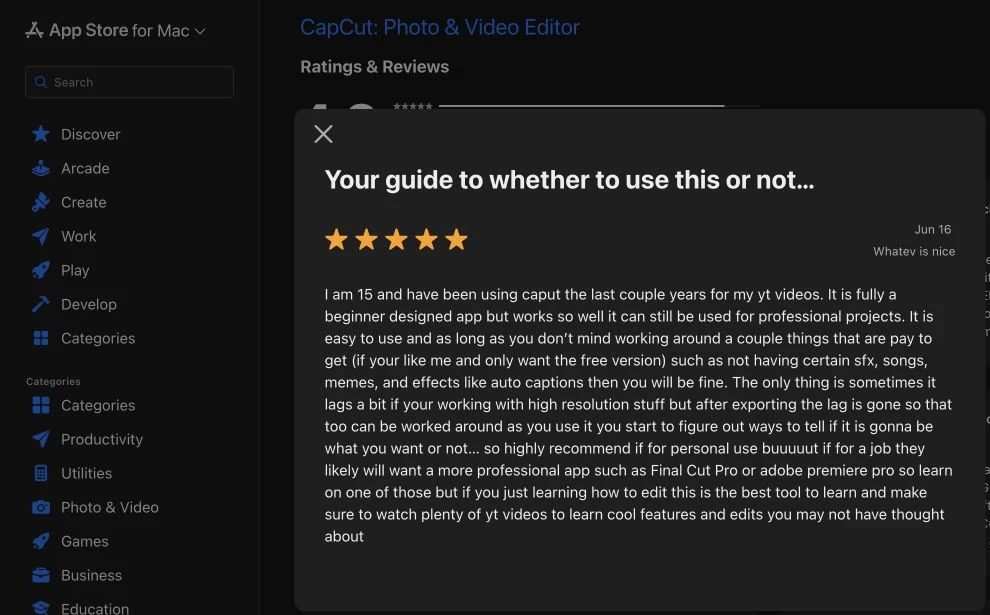
What users say: One Mac App Store reviewer described CapCut as beginner-friendly and capable of more serious projects, while noting that some sound effects, media, and auto captions require payment and that high-resolution editing can lag. That supports checking the exact Pro boundary and device performance instead of assuming every account has the same experience.
11
How to calculate the real cost of an Opus Clip alternative
Sticker price is only one input. A more useful metric is cost per usable published clip:
monthly tool cost / clips that pass your publishing checklist
Keep human correction time separate unless you have a real labor rate. Then calculate:
monthly tool cost + (repair hours x your labor rate)
Divide that total by the number of clips you actually publish. Do not divide by the number a platform generates. Ten candidates with one publishable result may cost more than five candidates with four publishable results.
Record these fields for one month:
| Field | What to enter |
|---|---|
| Plan cost | Current amount you actually pay |
| Source allowance | Minutes, projects, credits, or uploads included |
| Generated candidates | Count before review |
| Usable clips | Count that pass context, framing, caption, and rights checks |
| Repair time | Minutes spent on transcript, crop, captions, visuals, and export |
| Failed runs | Attempts that consumed quota without a usable output |
| Export restrictions | Resolution, watermark, storage, or download limits |
Our single free-only test illustrates why this matters. OpusClip used six visible credits and returned eight candidates. Vizard used six credits and returned five. Those counts are not cost-per-usable-clip results because we did not apply repairs, export every candidate, or publish them. The worksheet is designed for your production month, where "usable" has a real definition.
Prices and quotas change. Date every captured plan page and in-account balance.
12
When to keep OpusClip, replace it, or use a two-tool stack
Keep OpusClip when selection is acceptable, repair time is low, and the export and team workflow fit. Migration adds setup, learning, and operational risk.
Replace it when a controlled same-source test shows that another tool removes the bottleneck. A result for your weekly show can guide your team without becoming a universal claim.
Use a two-tool stack when selection and finishing are separate problems. One tool can find moments; another can handle transcripts, captions, branding, or timing. Use the stack only when handoff costs less than the repair work removed.
Change category when there is no long-form video to clip. Use TapVid for written-source-to-explainer work, not as a substitute for podcast highlight extraction. This is the most important distinction in the whole comparison.
13
Use this QA checklist before publishing any generated clip
Generating a file is not the same as producing a publishable short. Review every candidate from beginning to end.
- The clip contains one complete idea, including the setup needed to understand the payoff.
- It does not begin or end mid-sentence.
- Speaker framing remains correct through the full clip, including gestures and camera changes.
- Captions preserve meaning, names, numbers, and important terminology.
- Captions are synchronized and include relevant non-speech information when needed.
- Faces, labels, product details, and calls to action remain clear of the live platform interface.
- Auto-generated titles do not introduce claims that the source never made.
- Music, footage, voices, faces, and logos have the required rights and permissions.
- The final exported file is watched again before scheduling.
This checklist follows the principle in W3C WAI caption guidance that automatic captions require checking. It also follows official YouTube Shorts and TikTok Creative Center guidance to inspect essential content against interface overlays. There is no single universal safe-area rectangle for every device and platform. Use the live preview.
One concrete warning came from our OpusClip test. Most auto-generated titles stayed near the source, but one candidate was labeled "YouTube SEO Secrets: Unlocking Views & Subscribers Fast!" The source mentioned YouTube Shorts, but did not teach SEO, views, or subscriber growth. The candidate itself still requires transcript review, yet the title alone already needs correction. This is why metadata QA belongs beside clip QA.
14
Frequently asked questions about Opus Clip alternatives
The right Opus Clip alternative is the one that removes your actual workflow bottleneck under terms you can predict. Freeze one representative source, run one fair attempt, log the repair work, and compare usable published output rather than feature count. Keep OpusClip when it already works, replace it when a controlled test proves a better fit for your task, and change category when your source is written content rather than footage.
What is the closest alternative to Opus Clip?
Vizard and Klap are the closest category matches because they also turn existing long video into vertical short-form candidates with captions. Riverside is also close when recording and repurposing belong in the same system. The best match depends on your source, control requirements, and account limits.
Is there a free Opus Clip alternative?
Several products advertise or expose free allowances, but the boundaries differ. In our captured accounts, Vizard showed 60 monthly credits. CapCut began with 60 Long Video to Shorts minutes and showed 54 minutes after the controlled source produced four shorts. Klap's tool entry stated one free video without a credit card, but its uploaded-source setup did not expose a predictable debit; Riverside also did not expose enough entitlement detail for our strict free-only test. Submagic Magic Clips was a paid add-on. Verify the current in-account terms before generation.
Is Vizard better than OpusClip?
Not universally. On our one 6:13 source, OpusClip produced eight candidates and Vizard produced five. Vizard's titles stayed closer to the source, while one OpusClip auto-title expanded into an unsupported SEO claim. That is one observed test, not a general quality ranking. Test both on the source type you publish most often.
Can CapCut replace OpusClip?
CapCut can cover long-video-to-shorts plus broader manual editing, so it may replace OpusClip for teams willing to do more hands-on work. It is not automatically the same workflow. Check feature availability, Pro gates, export restrictions, and data-processing terms in your account.
Which Opus Clip alternative works if I do not have long-form footage?
TapVid fits when you have an article, PDF, script, PRD, or product copy and need a new explainer video. It does not extract highlights from a podcast, so treat it as a category change rather than a direct clipper replacement.
Should I use OpusClip with a separate editor?
Yes, if OpusClip finds acceptable moments but transcript, caption, brand, or timing repair is the bottleneck. Descript, Submagic, or CapCut can form the finishing layer. Measure the extra export and handoff time before committing to the stack.