“We have the product. And the words are approved.”
Build around the assets you already own. Check the product image, exact wording, and their scene-by-scene match before handing the video over.
Start with TapVidYour product images. Your approved copy. A video that keeps them together. TapVid is the Explainer Video Engine for teams with a product to explain and details to get right.
Videos true to your assets. In minutes.
I'd like to add motion graphics and short explanations next to my presenter video about how we spend our 80 years, to help viewers grasp the key numbers.
Both tools make motion possible. The useful difference is what you bring to the project and what you need to control.
| Your decision |  Assets to explanation Assets to explanation | HeraIdea to animation |
|---|---|---|
| Where you start | Your product assets, documents, and approved copy. | An animation idea, prompt, or existing template. |
| What you direct | The explanation: what is said, shown, and matched in each scene. | The animation: use prompts or manual controls to refine details. |
| What you review | The brief, outline, and scene script before rendering. | An editable animation, with scene-by-scene direction. |
| When the brief changes | Change a line or asset in the affected scene, then review the new version. | Prompt for changes or fine-tune the animation yourself. |
| A good reason to choose it | Your product information and source assets define the deliverable. | Your main task is creating and directing a motion design. |
Workflow comparison, not a scored benchmark. Hera: official website checked September 14, 2026. TapVid: current product messaging and archived workflow evidence. View sources.
Start with your product material and approved message. TapVid turns that source into a brief, so the animation has a defined audience and purpose before you choose its visual treatment.
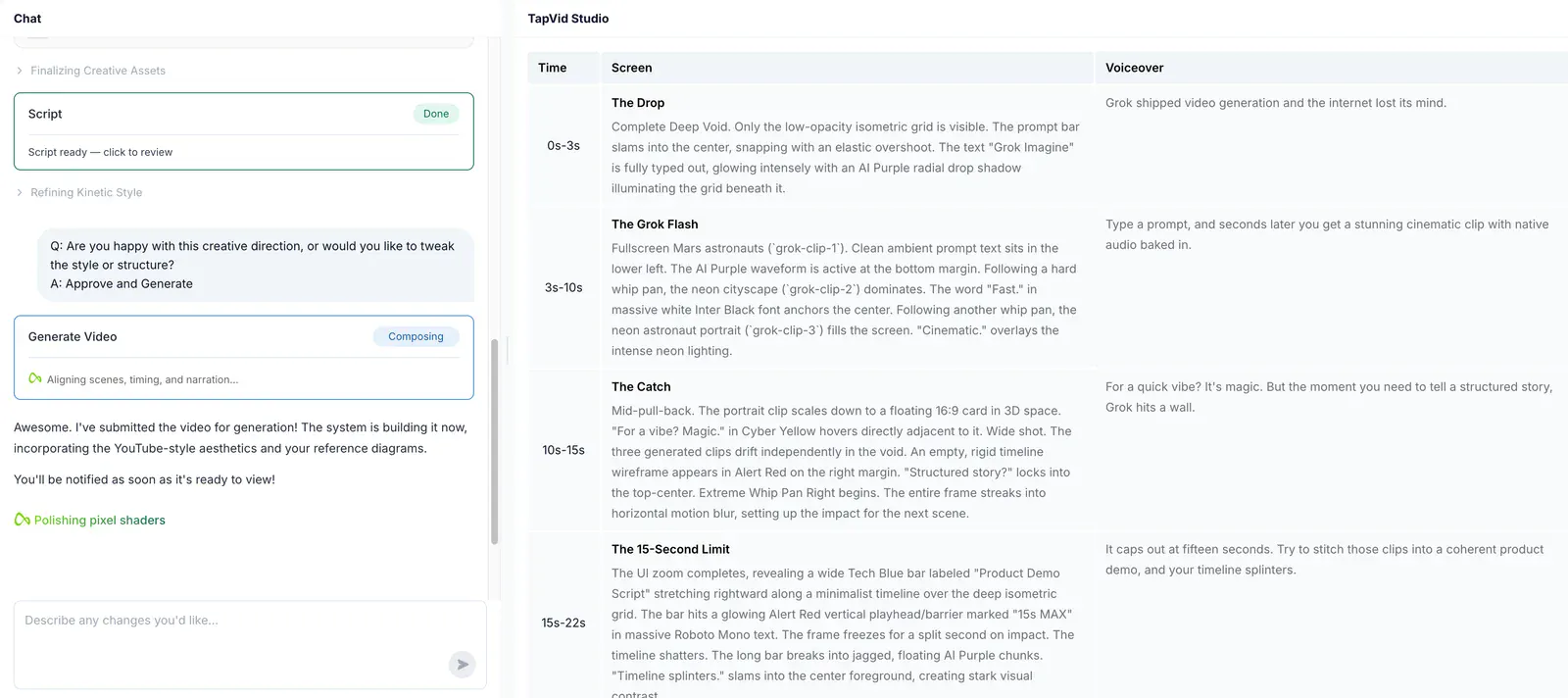
Read the planned screen action beside the voiceover. Check that the motion explains the statement, and that each scene leads into the next, before approving production.
When a headline needs changing, request a revision to that shot. Compare the new version with the original while retaining the rest of the sequence.
Build around the assets you already own. Check the product image, exact wording, and their scene-by-scene match before handing the video over.
Start with TapVidExplore an animation from a prompt or template. Refine the result through direction and manual adjustments.
Take a look at HeraChoose TapVid when your team already has the product assets and copy, and needs an explainer built around them. Review what each scene says and shows before you render.
Hera is worth considering when your starting point is an animation idea or template and you want to direct the motion with prompts or manual edits. Its current website emphasizes editable animation and scene-by-scene direction.
No. Review the output before delivery. TapVid’s approach keeps supplied assets and approved wording out of the rewriting step; that does not mean every generated scene is free of visual or timing issues.
No. The archived Hera run used a short product-video prompt. The TapVid workflow shown here used an article PDF. These examples show how the workflows operate; they are not a head-to-head speed or quality benchmark.
See TapVid pricing and Hera’s website for current plan details. Read the original Hera alternatives article for the archived test and its limitations.
Research published by TapVid. Read the sample, method and limitations before applying a result to your own videos.
Published September 7, 2026: 25 scenes, 7 systems and 6,760 blind ratings. Information-dense results describe a task subset, not every video or an independent product certification.
Read methods and limitationsMay 6–August 31, 2026: 6,464 matched registered users in TapVid telemetry. Milestone counts do not measure creative quality or represent an industry average; eligibility rules changed during the window.
Read methods and limitationsCompare TapVid with other video tools in our published guides.
This comparison is written by TapVid. Current Hera positioning was checked on September 14, 2026; screenshots come from our archived article. The two runs used different inputs, so they do not establish a speed, cost, or quality winner. Historical screens may differ from today’s interfaces.
Product examples illustrate TapVid workflows; they are not matched-input competitor tests.
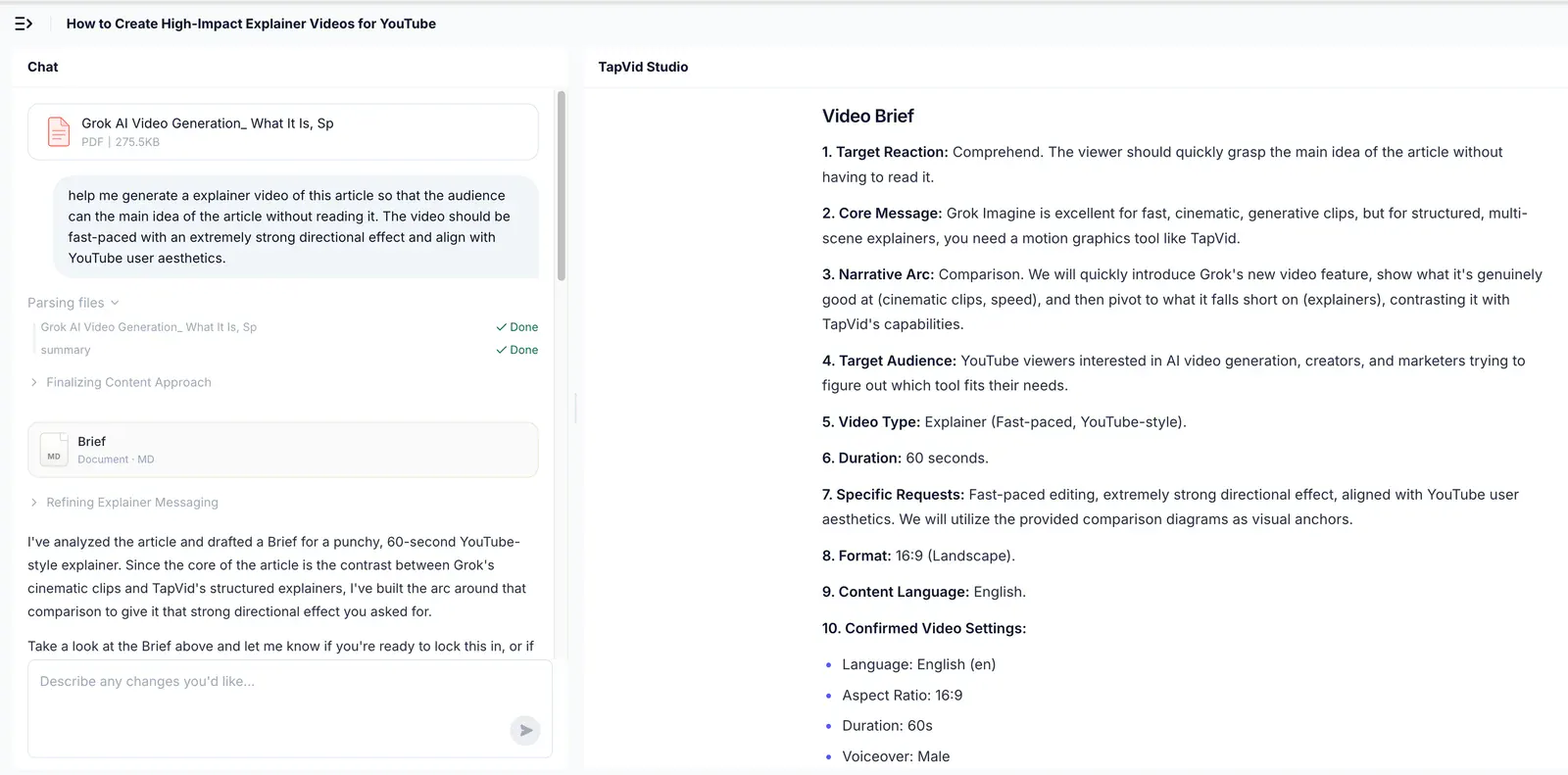
In the archived TapVid test, an uploaded PDF became a brief and an outline. The reviewer could inspect the planned sequence before approving generation.
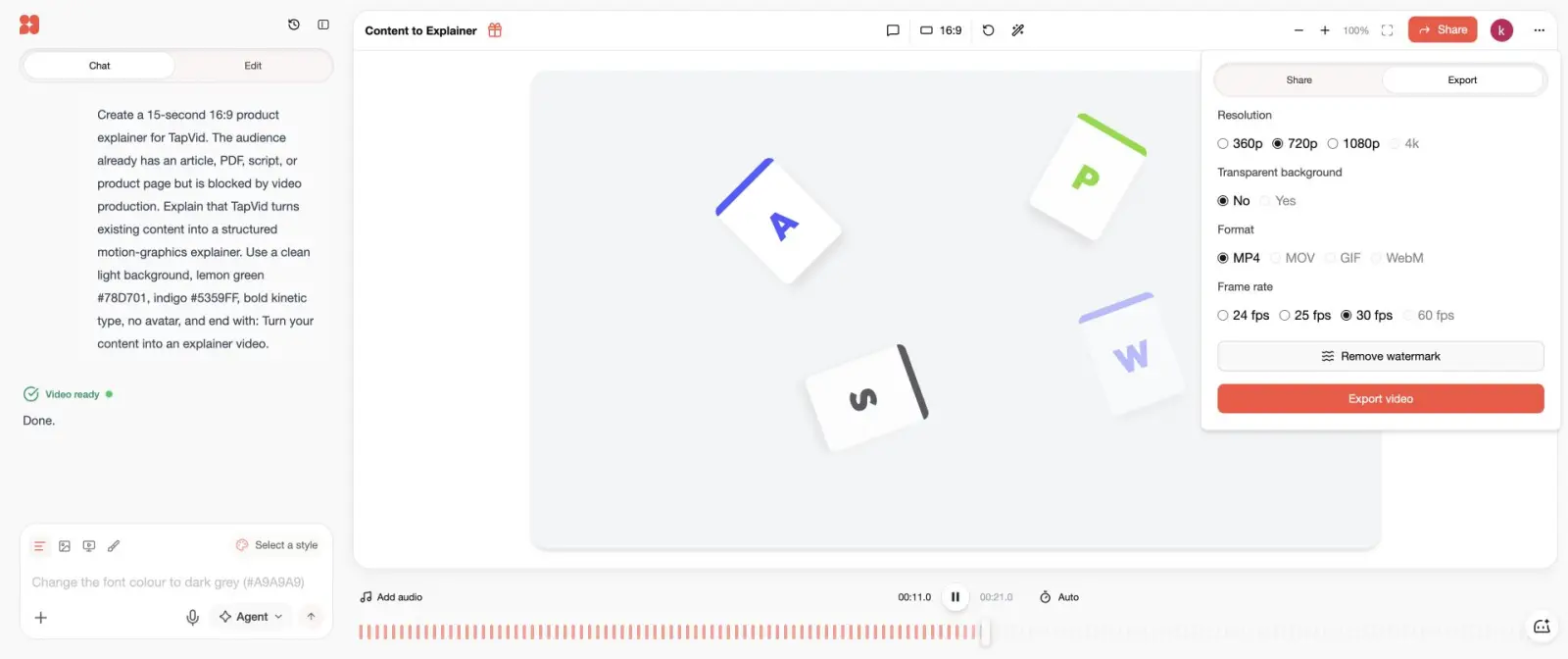
Our July 22 test reached an editable result and an export screen. That supports a completed workflow, not a claim about every project’s quality.
Hera · July 22, 2026 test. Export options shown are historical, not current plan promises.What you see is your product: nothing redrawn, nothing rewritten.