

TL;DR
Choose TapVid for source-grounded explainers, Motion.so for an open-ended motion agent, Jitter for editable layers, Canva for team templates, and Remotion for repeatable code-based video. Keep Hera when speed from a website or prompt to a polished launch draft matters most.
These Hera Video alternatives solve different parts of the launch-video and explainer workflow. I compared them by source material, editing control, direct test evidence, and who owns the final correction, then kept only five options with a clear reason to choose them.
Generate a source-grounded explainer with TapVid
01
The short answer on Hera Video alternatives
The best Hera Video alternative depends on what happens before and after the first draft. Choose TapVid when you are starting from an article, PDF, script, PRD, or product page and need a structured explainer that stays grounded in that material. Choose Motion.so when you want an open-ended agent to research and generate motion. Choose Jitter when a designer wants to refine real layers and timing. Choose Canva when a broad team needs templates and shared assets. Choose Remotion when developers need deterministic, repeatable video output. Hera itself remains a strong choice when the goal is a fast, polished-looking product launch draft from a website or prompt.
This guide uses two kinds of evidence and labels them separately. Hera workflow findings come from a direct test completed on July 22, 2026 with an original brief, generated result, measured duration, and export screen. Claims about current positioning come from Hera’s public site, which now emphasizes launch-ready product video and scene-by-scene direction. The alternatives are evaluated with hands-on tests where available. I do not turn a vendor’s model list or testimonial into a measured performance claim.
02
Hera Video alternatives compared by workflow
Hera is not simply another text-to-video model. It sits between prompt generation and motion design: the system creates the first product video, then the user directs or edits scenes. The right replacement must therefore match the source, correction surface, and production owner, not merely produce a video file.
| Tool | Best input | Best editing model | Verified evidence |
|---|---|---|---|
| Hera | Website or prompt | Direct scenes after generation | 21.0s completed video and export screen |
| TapVid | Article, PDF, script, PRD, product copy | Brief, outline, scenes, script | 275KB PDF to video in 6m 21s |
| Motion.so | Open creative brief | Agent research and generation | Research reached; render credit-gated |
| Jitter | Design brief | Layers and animation timeline | Six AI steps and 51 changes |
| Canva | Template and team assets | Shared template editor | Public product workflow |
| Remotion | Structured data and code | React and deterministic render | 15.061s local MP4 test |
Use the table as a routing tool. TapVid owns the source-grounded explainer path. Motion.so offers a wider autonomous motion-agent concept. Jitter hands more control to a motion designer. Canva optimizes for adoption across a mixed team. Remotion turns the format into software. Hera is strongest when a marketer wants the first launch-ready draft quickly and is willing to correct pacing and details afterward.
03
What happened when I generated and exported with Hera
I gave Hera a fixed 15-second, 16:9 brief for a TapVid product explainer. It specified a light background, lemon green #78D701, indigo #5359FF, bold kinetic type, no avatar, and the exact closing line “Turn your content into an explainer video.” Hera completed the project instead of stopping at a script or storyboard. The result used typographic motion, kept the no-avatar constraint, and reached a normal editor. That makes it a real workflow test rather than a judgment based on a landing-page demo.
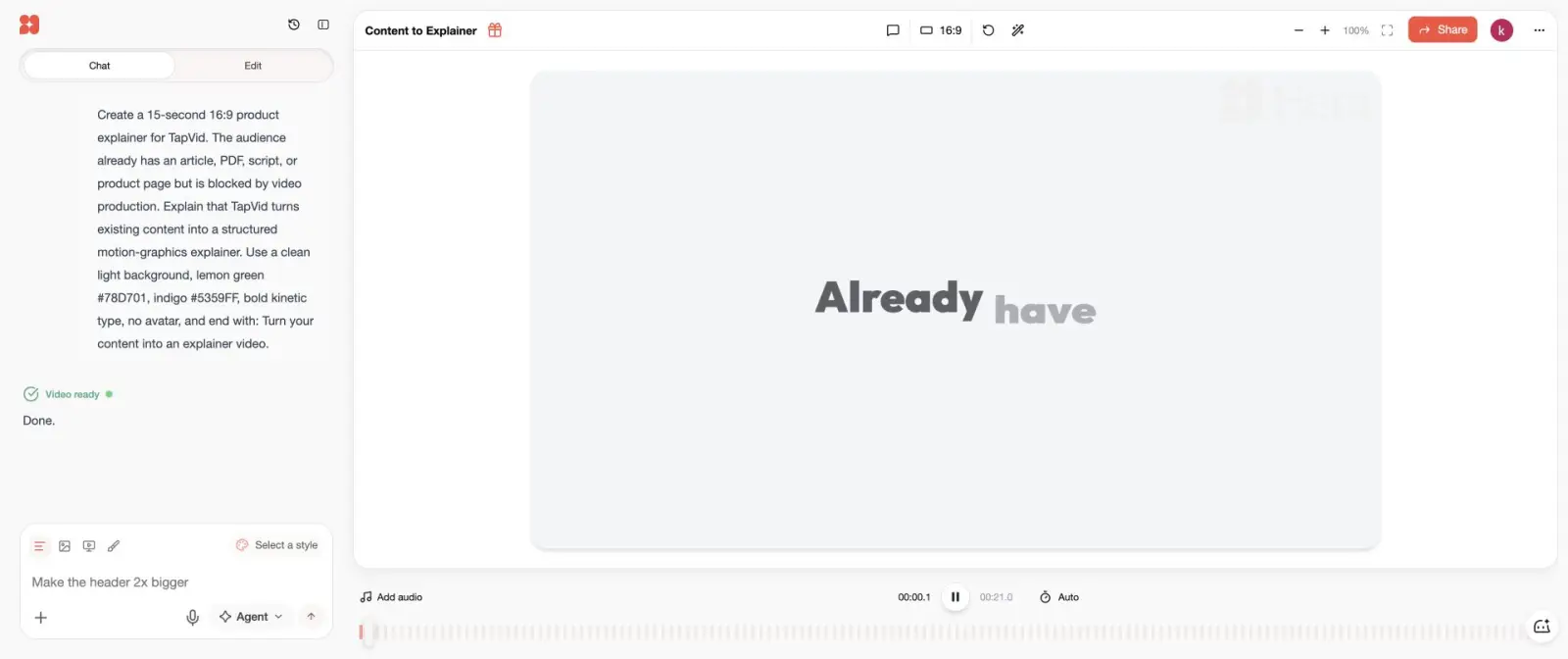
The finished video measured 21.0 seconds, six seconds longer than requested. It followed the broad palette and message but did not reproduce every brand detail precisely. That result captures Hera’s central tradeoff. It can compress the distance from a prompt to a plausible motion video, but the user still owns duration, pacing, emphasis, and brand correction. For a launch asset, those are manageable edits. For a regulated or highly technical explanation, the review burden can be more important than the generation speed.
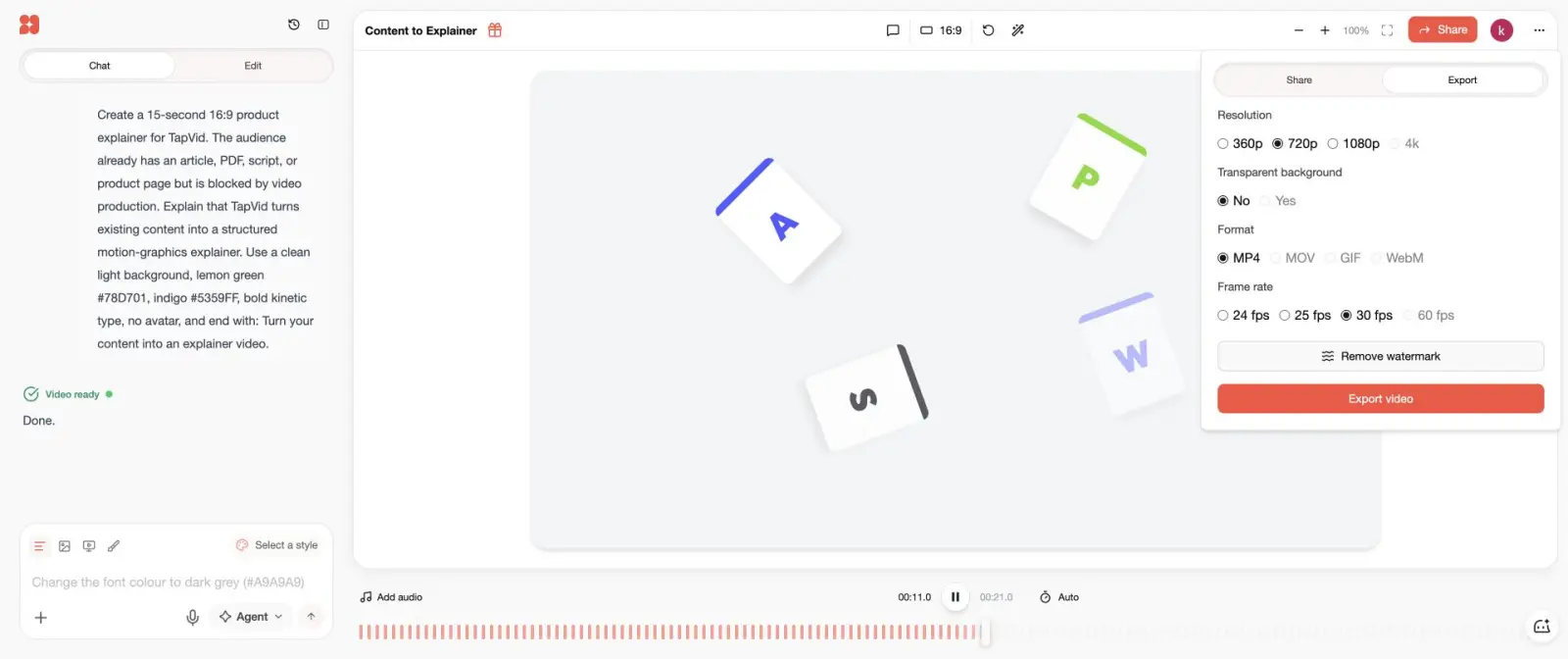
The export dialog in this test offered a 720p MP4 at 30 fps with a watermark on the free path. Higher resolution, 60 fps, and watermark removal were shown as upgrade features at the time of the test. I am not publishing an exact current subscription price because a reliably readable official pricing page was not available during this update. Check Hera directly before purchase. The verified facts here are the completed generation, 21.0-second duration, and export options visible in the account on July 22.
04
1. TapVid: best when the source content must stay intact
TapVid is the best Hera alternative when the creative brief already exists as content. It is an Explainer Video Engine that starts from a creator-owned article, PDF, script, PRD, product copy, or focused prompt. Before rendering, it produces a brief, narrative outline, scene plan, and shot-by-shot script. Those checkpoints let a content owner approve what the video will say before the visual system makes the final piece. Hera prioritizes the speed and polish of the initial launch-video draft. TapVid prioritizes a controlled transformation from source material to explanation.
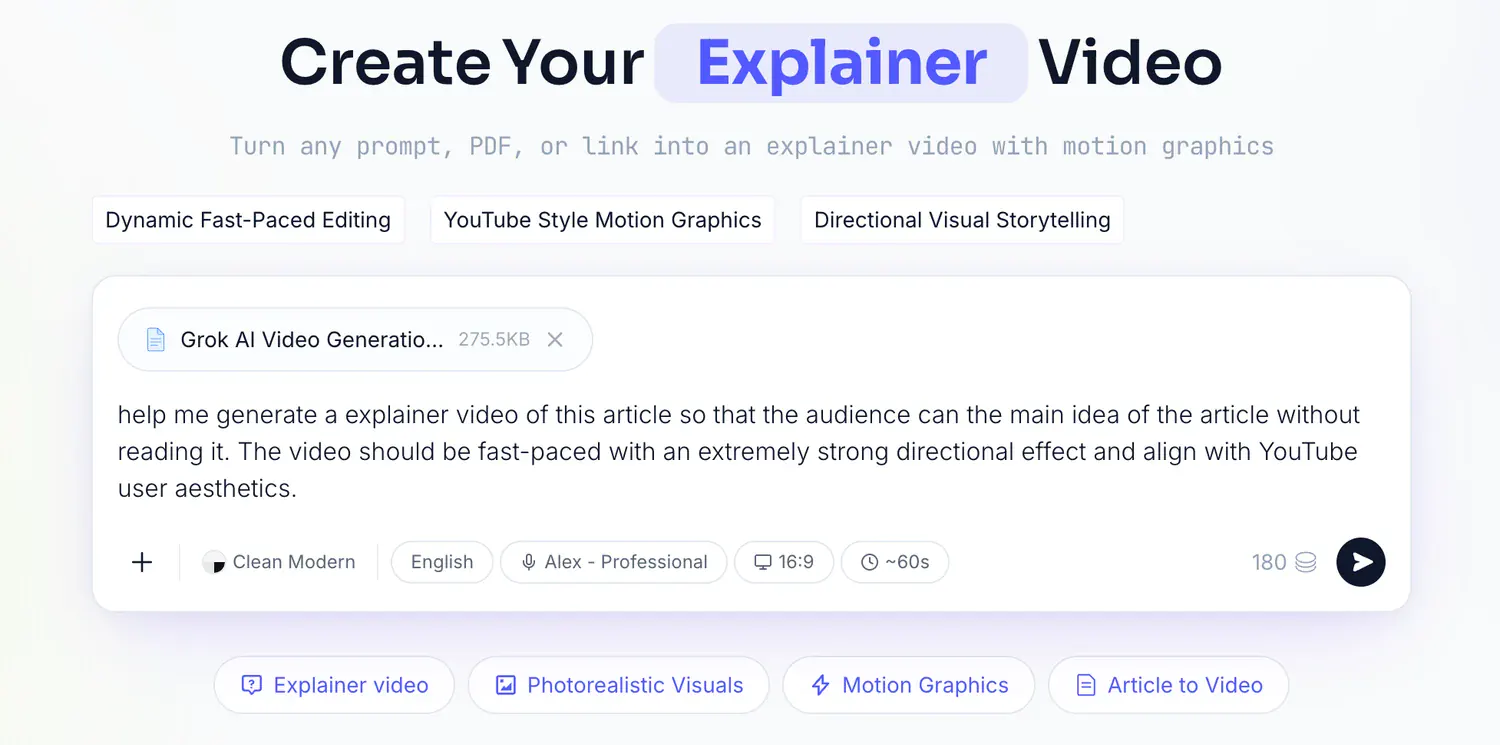
The direct TapVid test used a real 275KB article PDF and one line of direction. The system returned a brief with audience, target reaction, core message, narrative arc, duration, format, and voice, followed by four 15-second beats and a timed script. Upload to finished video took 6 minutes 21 seconds. Choose TapVid for article-to-video, PDF explainers, product education, and technical concepts where factual drift is costly. Choose Hera for a short product launch asset that begins from a website or prompt and benefits from visually surprising first-draft choices.
05
2. Motion.so: best for an open-ended motion agent
Motion.so is the closest option if what you like about Hera is delegating more creative work to an agent. In our test, the Motion agent accepted the brief, began web research, and searched for the TapVid logo. It then stopped before rendering because the new account had zero credits and the job estimated roughly 305 credits. That means we verified the research and planning surface but did not obtain a Motion output. It would be misleading to score the nonexistent render against Hera’s completed video.
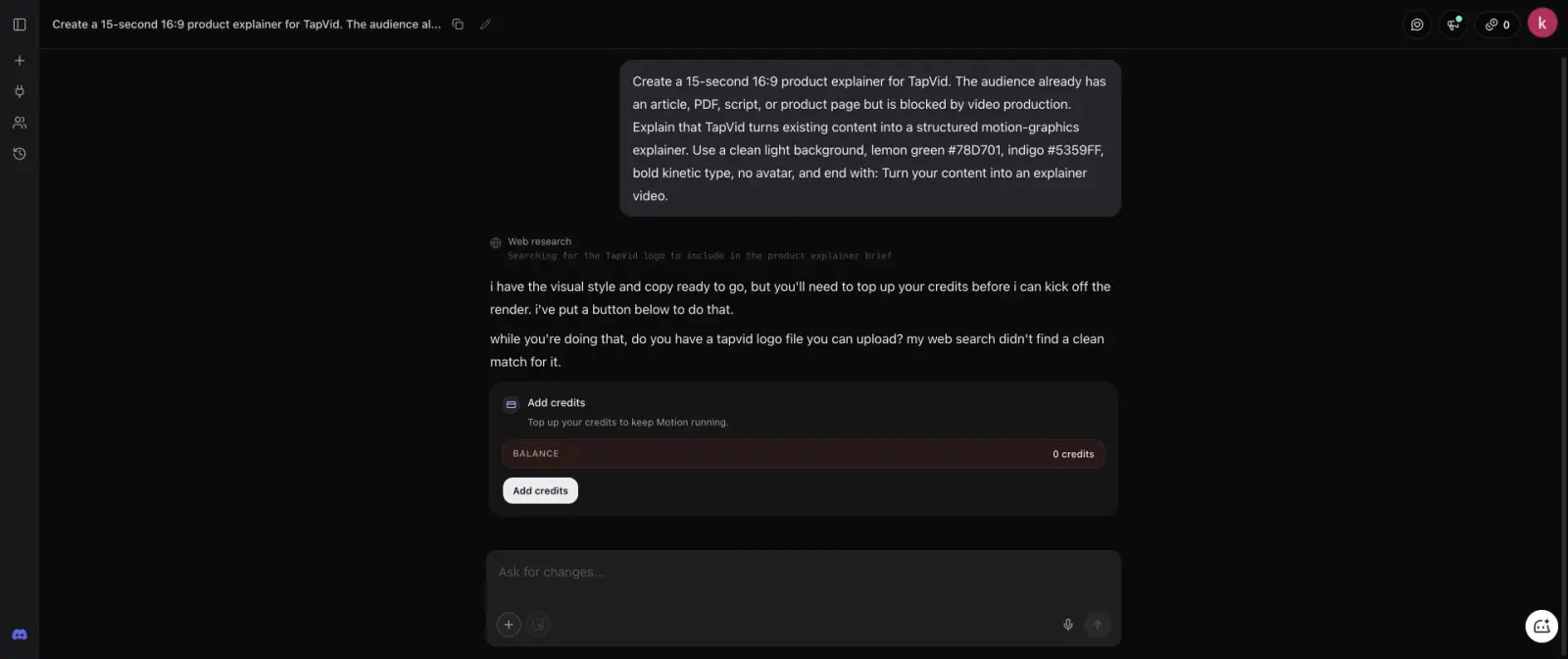
The distinction is still useful. Hera crossed from prompt to editable draft on the tested free path. Motion.so exposed a broader agent concept that could research before generation, but required a paid first run to judge output. Choose Motion.so when autonomous research and a flexible motion brief matter enough to fund a test. Choose Hera when you need to inspect an actual launch-video draft quickly. Choose TapVid when the approved source, rather than web research, should define the narrative.
06
3. Jitter: best for editable layers and timing
Jitter is the best alternative when the first draft is only the beginning and a motion designer wants direct control. Its AI Design workflow produced a layered artboard, reported six completed steps and 51 applied changes, and left individual text, shape, and story-beat layers visible. The animation timeline exposed transitions such as Slide in, Fade out, and Grow in. Playback showed a staged sequence even though the static canvas overlapped elements that appear at different times.
The export screen offered a 1280 by 720 MP4 at 30 fps, and the free result included a watermark. Jitter therefore asks for more hands-on design work than Hera but gives the user a better correction surface. Pick Hera when a marketer wants a near-finished draft and can issue scene-level directions. Pick Jitter when a designer wants to inspect and adjust the mechanics of motion. Neither is designed primarily to turn a long PDF into a fact-checked explainer.
07
4. Canva: best for a familiar collaborative workspace
Canva is the best operational alternative for a team that values familiarity over specialized generation. It combines templates, stock assets, simple animation, a brand kit, comments, and broad permissions in a workspace many marketers already know. That makes handoff easier: one person can build a product announcement and another can update text, format, or branding without learning a new motion product.
The ceiling is different. Canva does not provide Hera’s autonomous prompt-to-launch-video experience, TapVid’s source-grounded explainer checkpoints, Jitter’s focused motion timeline, or Remotion’s deterministic render code. Choose Canva for repeatable social announcements, sales slides turned into simple videos, and low-risk campaign variations. Choose Hera when the AI-generated motion draft itself is the main time saver.
08
5. Remotion: best for repeatable video from code
Remotion is the right Hera alternative when video output must be a maintainable system rather than a one-off creative project. A React composition can use structured data, enforce exact colors and durations, render variants, and be reviewed like software. In our local test, a 450-frame, 30 fps composition produced a 1920 by 1080 MP4 measuring 15.061 seconds. After initial setup, a warm render completed in 11.20 seconds.
The advantage is repeatability; the cost is engineering. A marketer should not choose Remotion merely to avoid a subscription. Someone has to design, code, test, and maintain the templates and render pipeline. It becomes a strong fit for personalized reports, catalog videos, recurring data recaps, and product updates with the same structure. Hera is much faster for a one-off launch draft. Remotion wins when the hundredth video should obey exactly the same rules as the first.
09
A practical decision guide for launch and explainer videos
For a launch video, decide how much of the story already exists. If the website and a short prompt are enough, Hera is a sensible starting point. If the approved article or product document must govern every claim, use TapVid. If you need an agent to research an open brief, test Motion.so with a defined credit budget. If a designer owns the finish, use Jitter. If many non-designers need to update the asset, use Canva. If the format repeats at scale and engineering owns it, use Remotion.
Run one representative test before migrating. Record time to first draft, time to correct the draft, duration accuracy, brand accuracy, export resolution, watermark, credit use, and whether another teammate can make the next revision. A tool that generates in two minutes but requires two hours of cleanup is not necessarily faster. A tool with a slower first render may be the better system if review checkpoints prevent factual or structural rework.
10
Frequently asked questions
What is the best Hera Video alternative?
TapVid is best for source-grounded explainers, Motion.so for an open motion agent, Jitter for editable layers, Canva for team templates, and Remotion for code-based recurring video.
Is there a free alternative to Hera?
Several tools offer limited free workflows, but generation credits, watermarks, export resolution, and commercial terms vary. Test the exact output you need.
Which Hera alternative is best for product explainers?
TapVid is the best fit when the explainer begins with approved product copy, a PDF, article, or script. Hera remains strong for a short launch draft from a website or prompt.
Is Hera better than Jitter?
Hera is faster to a generated draft. Jitter is better when a designer wants to manipulate the actual layers, transitions, and timing.