
Motion.so is the AI motion-design video agent from Mosaic, not the Motion calendar app. I tested it and five Motion.so video alternatives with real accounts, one fixed brief, completed renders, export checks, and original screenshots. The best replacement depends on whether you need source fidelity, editable layers, a transcript, or code-owned rendering.
01
The short answer after testing the products
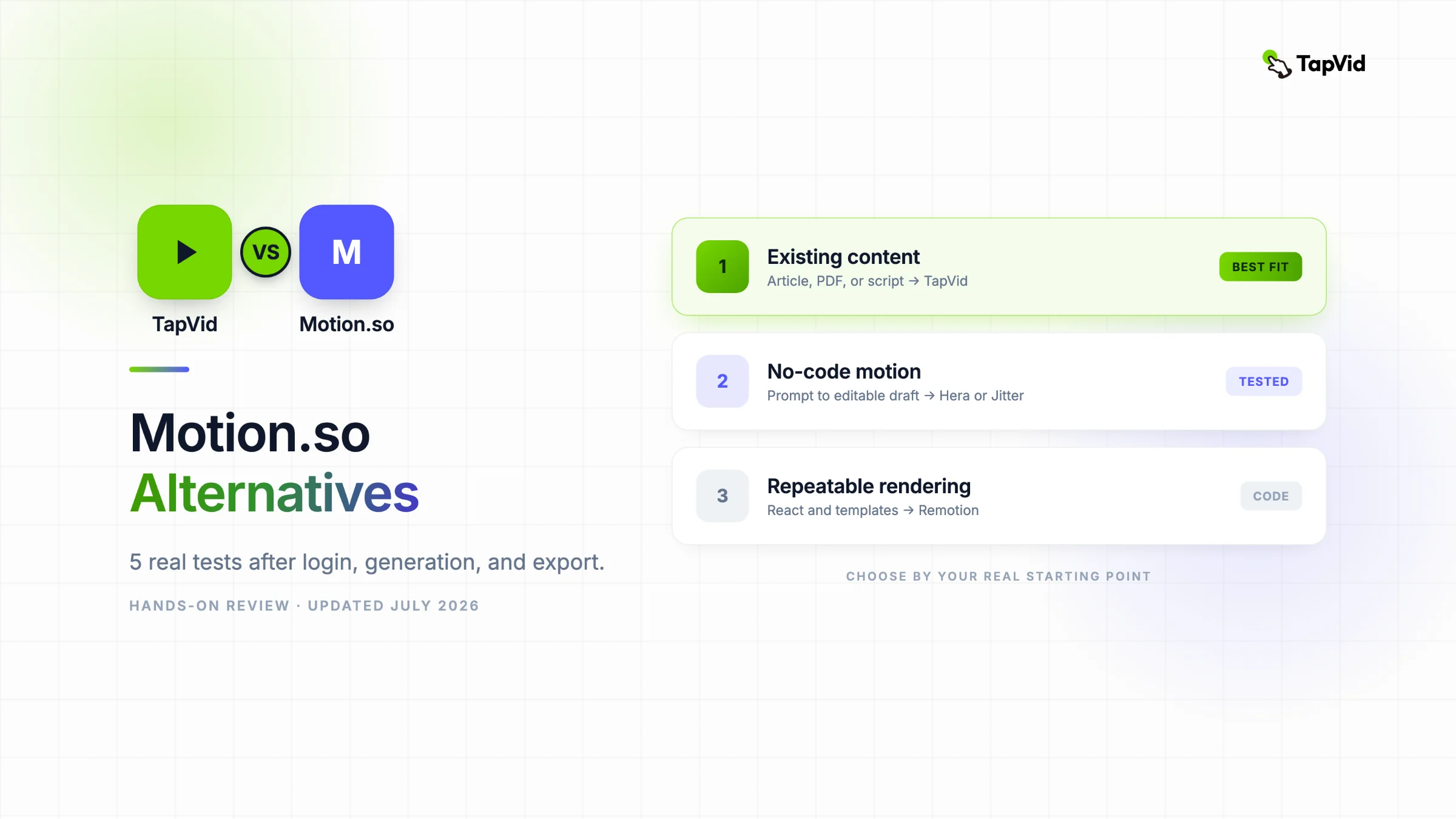
The best Motion.so alternative depends on what must survive the workflow. TapVid is the strongest fit when an article, PDF, script, PRD, or product page is the source of truth. Hera produced the fastest finished no-avatar motion draft in my test. Jitter gave me the best browser-based layer and timeline control. Descript was the most useful transcript-first option. Remotion gave me exact, repeatable output, but only after writing code.
This is not a list assembled from feature pages. On July 22, 2026, I signed in and submitted the same brief to Motion.so, Hera, Jitter, Descript, and several adjacent tools. I exported where the free account allowed it. I also built and rendered a real 15-second Remotion composition locally. Motion.so itself reached its web-research step, searched for the TapVid logo, and then stopped because the new account had zero credits. Since there was no Motion render, I do not give Motion an output-quality score.
02
The fixed brief and scoring method
Every viable tool received one 15-second, 16:9 brief. The audience already had an article, PDF, script, or product page but was blocked by production. The video had to explain that TapVid turns existing content into a structured motion-graphics explainer, use a light background, lemon green #78D701, indigo #5359FF, bold kinetic type, no avatar, and end with the exact line “Turn your content into an explainer video.”
I recorded five things: whether the tool reached a real editor, whether the output completed, actual duration, adherence to the no-avatar and brand constraints, and the export boundary. A homepage screenshot earned no credit. A script without a render is labeled partial. A completed draft with an export screen is labeled complete. That distinction matters because a surprising number of “alternative” articles compare products without ever crossing the sign-in wall.
| Tool | Test reached | Measured result | Free export observed | Best fit |
|---|---|---|---|---|
| Motion.so | Agent web research | Stopped at 0 credits before render | No | Open-ended motion agent, if you can fund a trial |
| TapVid | Completed prior source-grounded run | 275KB PDF to four beats in 6m 21s | Not retested | Existing content to structured explainer |
| Hera | Generated and export dialog | 21.0s from a 15s brief | 720p MP4, watermark | Fast prompt-to-motion draft |
| Jitter | AI design, timeline, export | 51 applied changes, about 16s timeline | 720p MP4, watermark | Editable browser motion design |
| Descript | AI plan, editor, local export | 3 scenes, 16.4s, 27 AI credits | 720p, watermark | Transcript-first explainer |
| Remotion | Local code and two renders | 15.061s, 1920x1080, 11.20s warm render | Local MP4 | Developer-owned repeatable video |
03
Motion.so baseline: I got past login, but not past credits
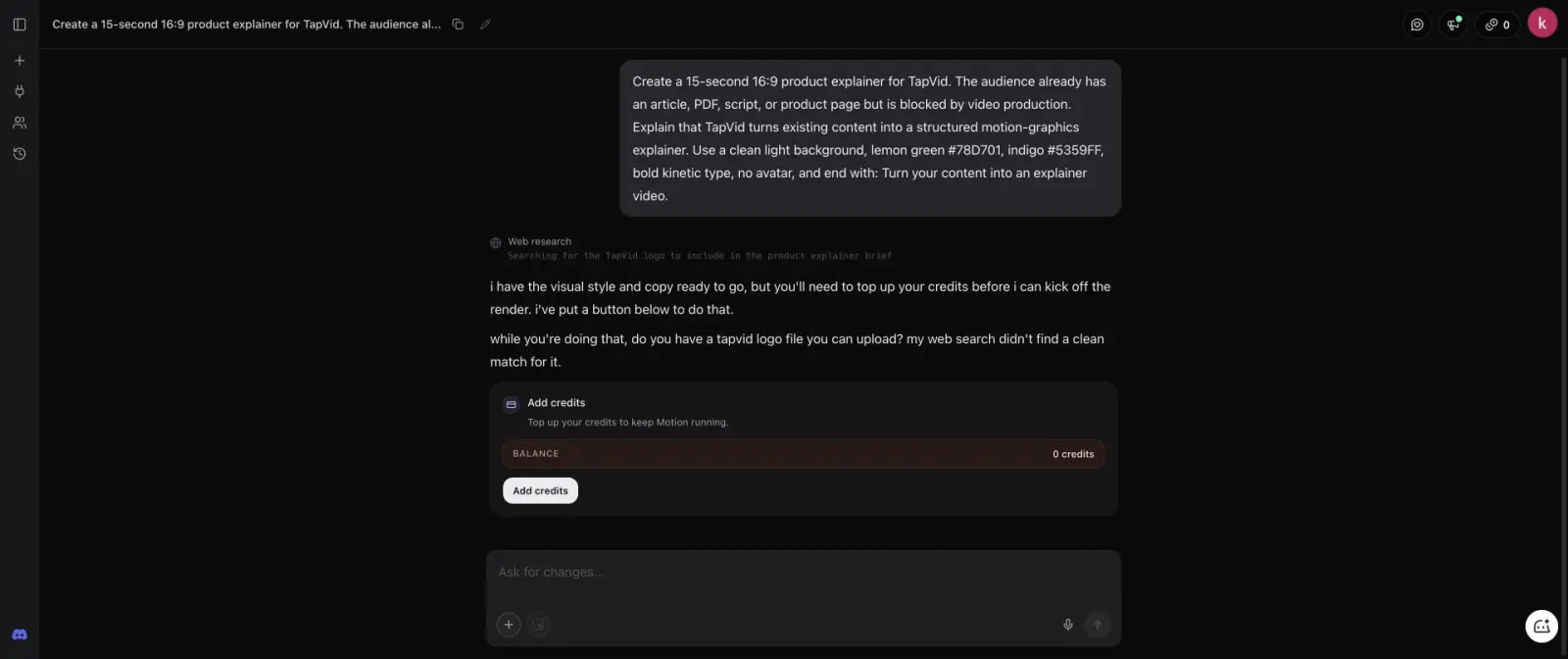
I created a Mosaic account with Google, entered the full brief, and started the Motion agent. The agent did real preparatory work: the activity feed showed web research and a search for the TapVid logo. It then said the visual style and copy were ready, but asked me to top up before it could start the render. The balance card showed 0 credits. The workspace had estimated roughly 305 credits for this request.
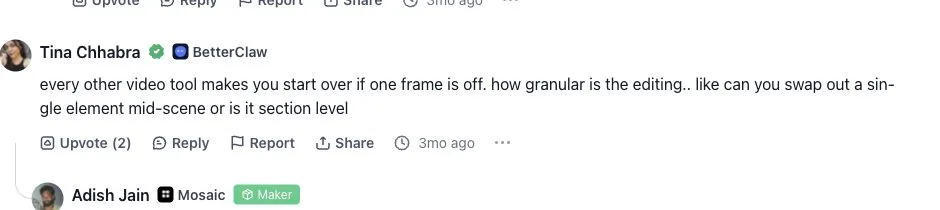
A Product Hunt commenter, Tina Chhabra, described the editing problem directly: “every other video tool makes you start over if one frame is off.” She then asked whether Motion could swap a single element mid-scene. The maker replied that its outputs are editable at the element level. That exchange is useful product evidence, but it is still a user question plus a vendor reply, not my own completed render. Read the original Product Hunt thread.
This is a much more useful finding than “Motion requires login.” The account path works and the agent begins reasoning, but a fresh free account does not provide enough credits to inspect generation quality. I did not buy credits because the test was authorized for signup, not for paid spend. I therefore verified Motion’s planning surface and credit boundary, not a completed output. Anyone evaluating Motion should budget for a paid first run and should not assume there is a meaningful free generation trial.
04
1. TapVid: best when existing content is the source of truth
TapVid is designed to turn content you already own into a clear, publishable information video. It reads a PDF, article, script, product page, PRD, or other source, then carries the work through brief, outline, scenes, motion, captions, music, and export. That makes it the closest alternative when factual drift is the main risk. Motion.so begins from an open creative brief, while TapVid keeps the supplied material as the source of truth.
In my source-grounded run, I uploaded a real 275KB article PDF with one line of direction. TapVid returned a brief containing the audience, target reaction, core message, narrative arc, duration, format, and voice. After approval, it created four 15-second beats and a shot-by-shot script with timecodes. Upload to finished video took 6 minutes 21 seconds. The strongest part was not a flashy first frame. It was the ability to catch structure problems before spending the render.
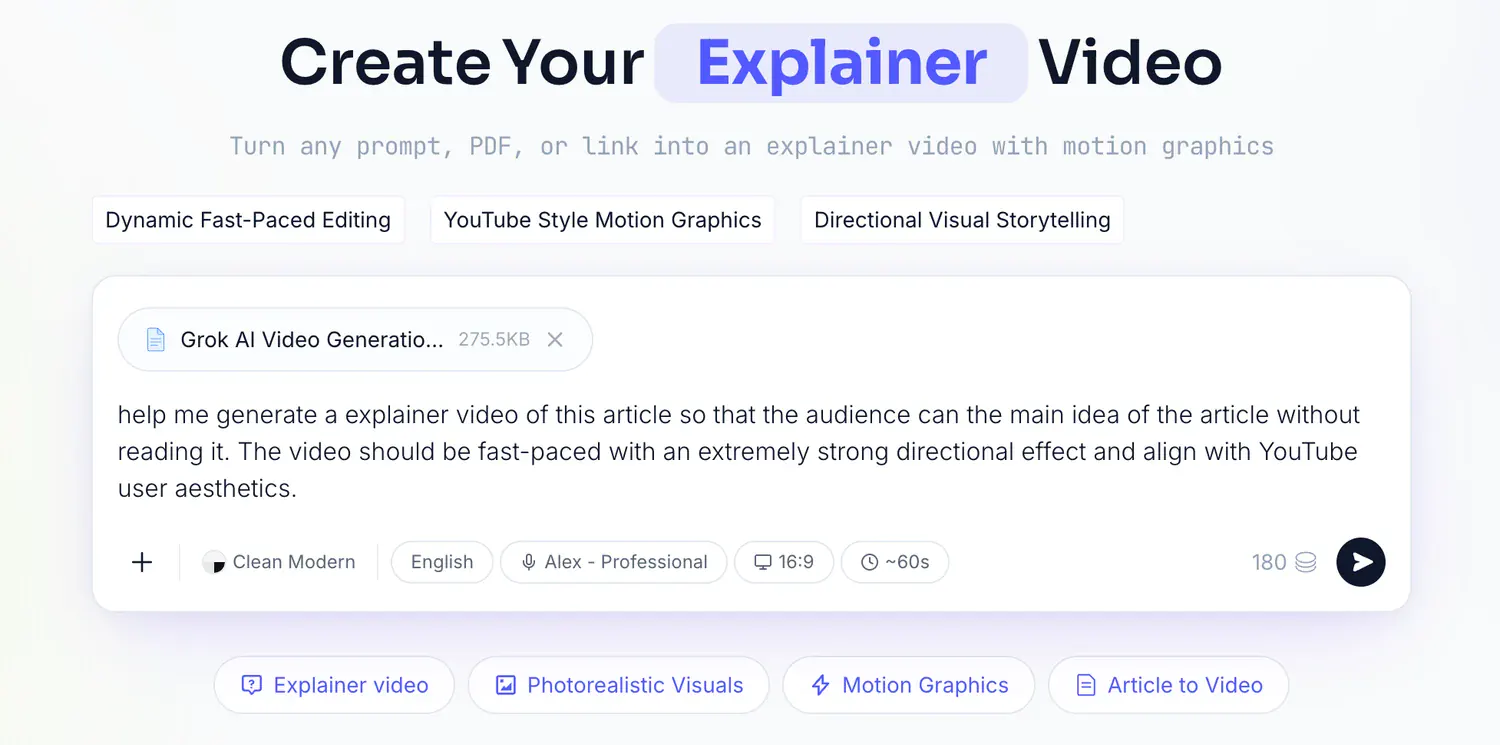
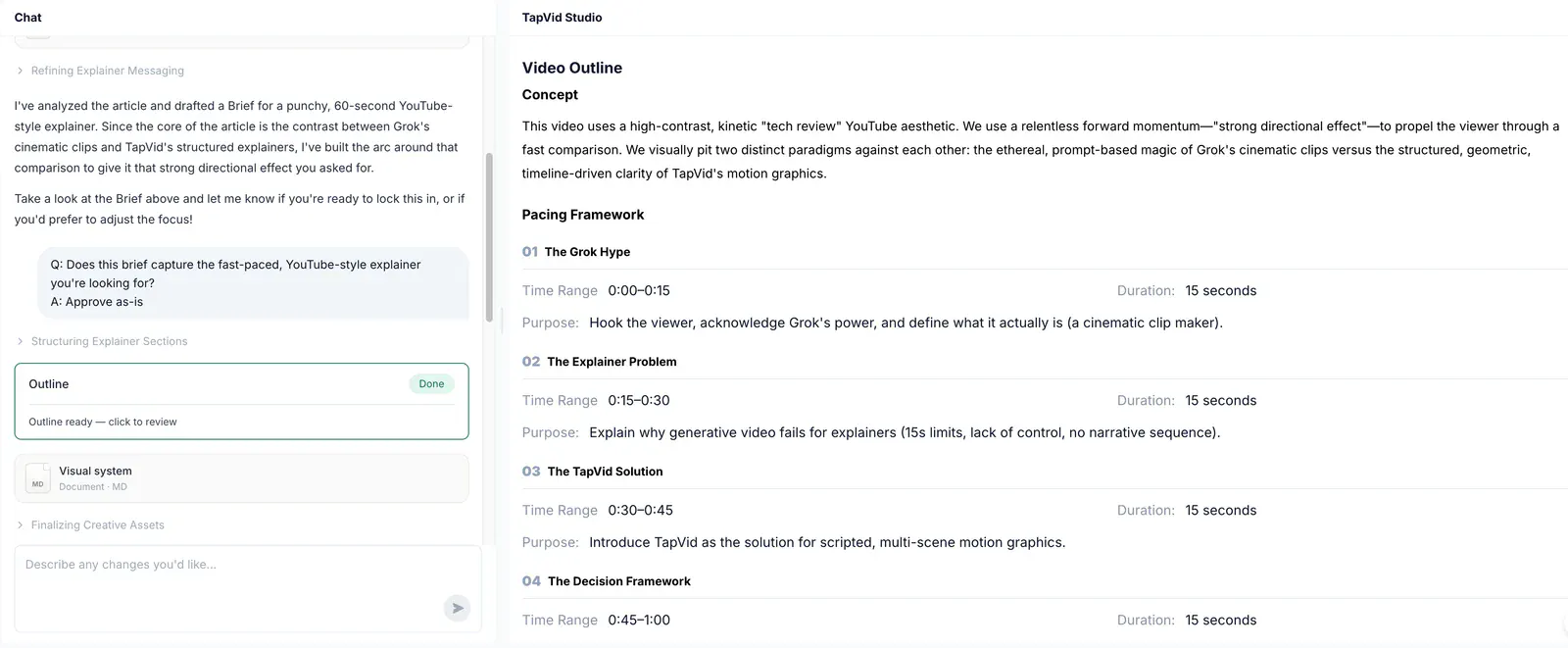
Choose TapVid when the content already exists and the deliverable is a publishable explainer. Do not choose it when you need frame-by-frame compositing, a talking avatar, or a general motion sandbox. I did not consume the logged-in account’s remaining credits for a duplicate run, because the shortest current option showed a 90-credit cost and the earlier full run already supplied the evidence needed here.
05
2. Hera: the closest no-code prompt-to-motion replacement
Hera completed the same brief end to end. It created a project called “Content to Explainer,” generated a light typographic animation with no avatar, and gave me a normal editor plus an export dialog. The player measured 21.0 seconds, six seconds longer than requested. The color direction was recognizable, although the green and indigo were approximate rather than exact.
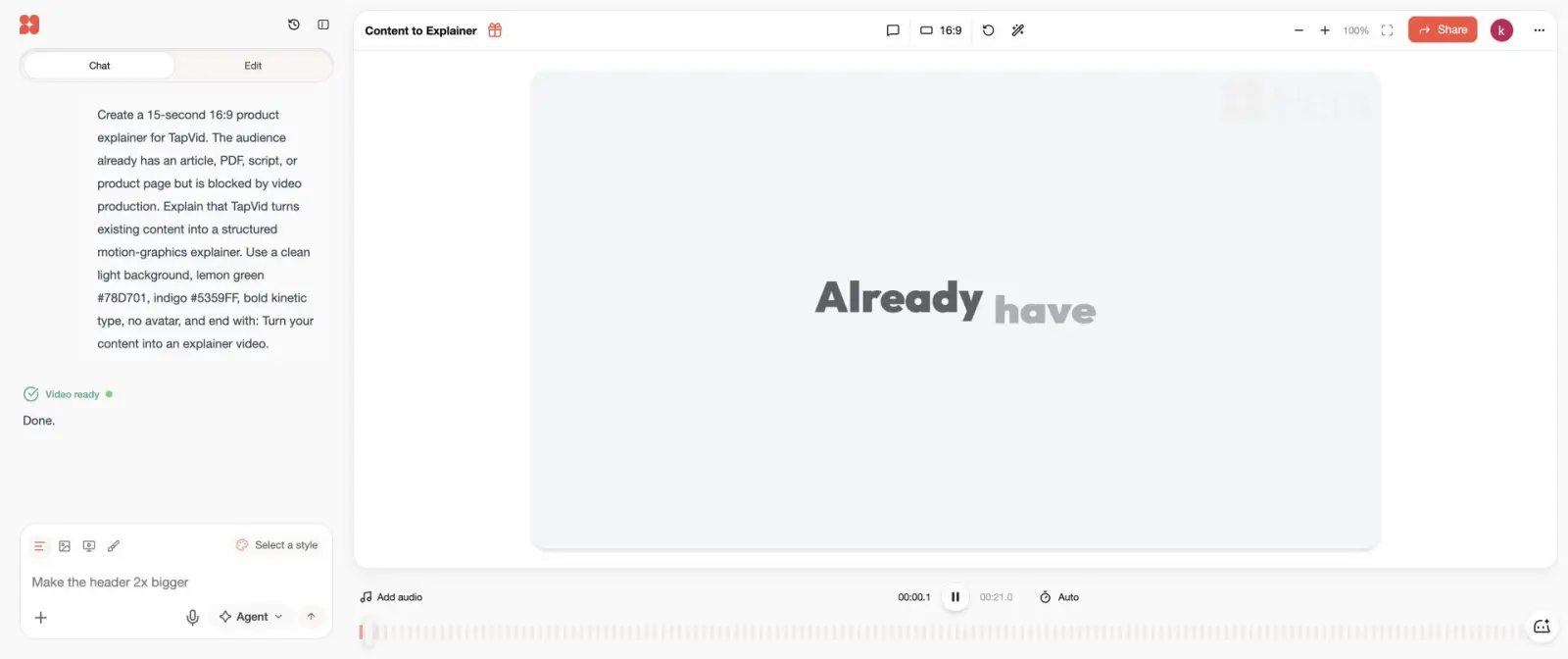
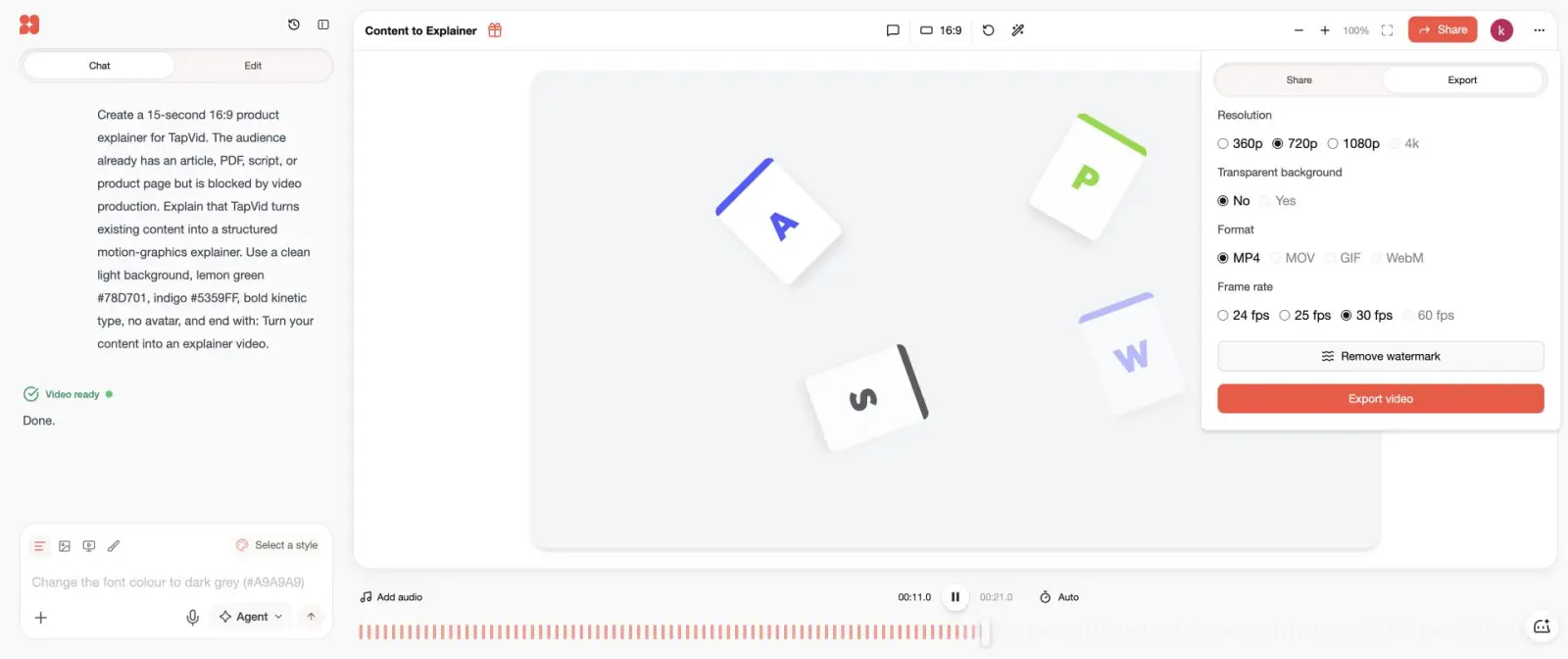
The free export path offered 720p MP4 at 30 fps with a watermark. 1080p, 60 fps, and watermark removal were upgrade options. Hera is the best Motion.so alternative in this test for a non-designer who wants an immediately usable motion draft from a prompt. The tradeoff is precision: duration and exact brand execution still need manual correction.
06
3. Jitter: best browser editor for layers and timing
Jitter’s AI Design workflow turned the brief into a layered artboard named “TapVid product explainer.” The agent reported six completed steps and 51 applied changes. One change briefly failed, then the run continued. The static canvas looked crowded because several time-separated elements overlap at frame zero, but playback revealed a correctly staged sequence. At 7.86 seconds the design showed “Meet TapVid” and “ARTICLE → VIDEO” with the requested green and indigo palette.
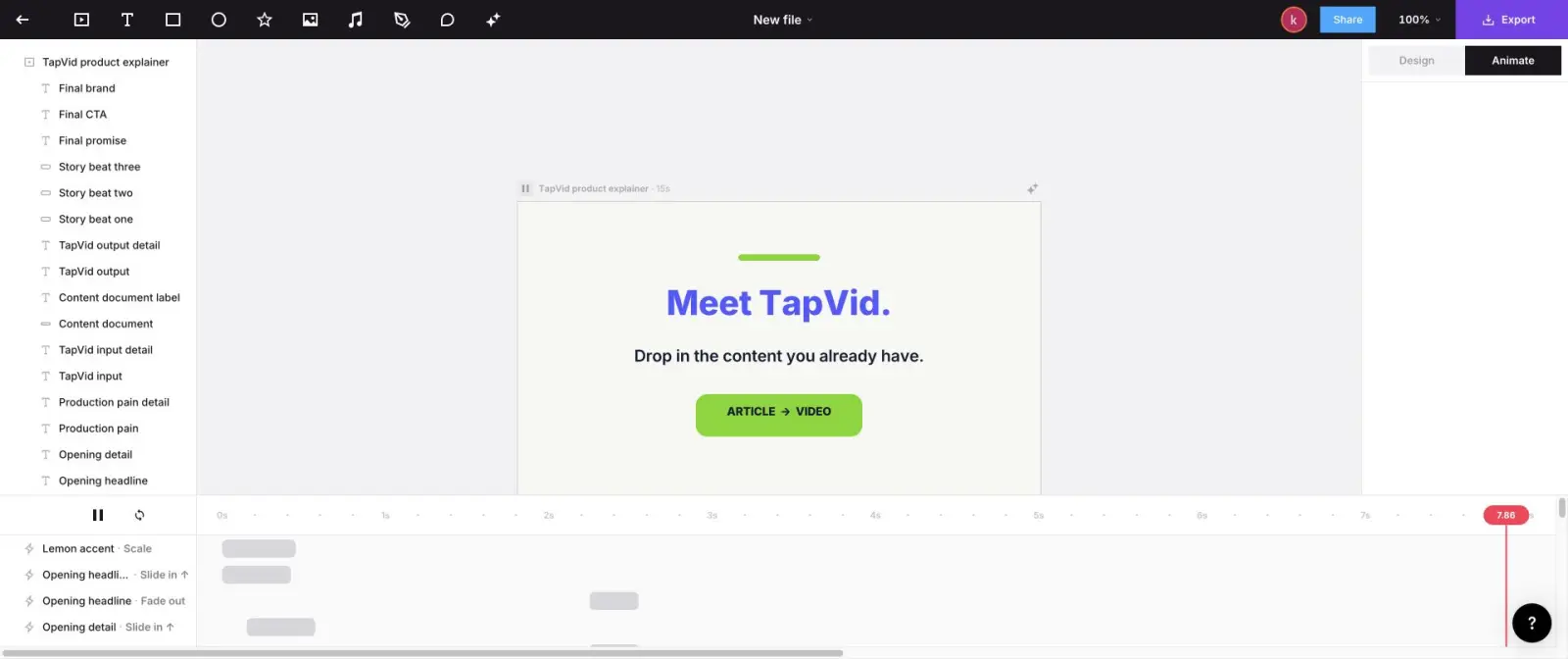
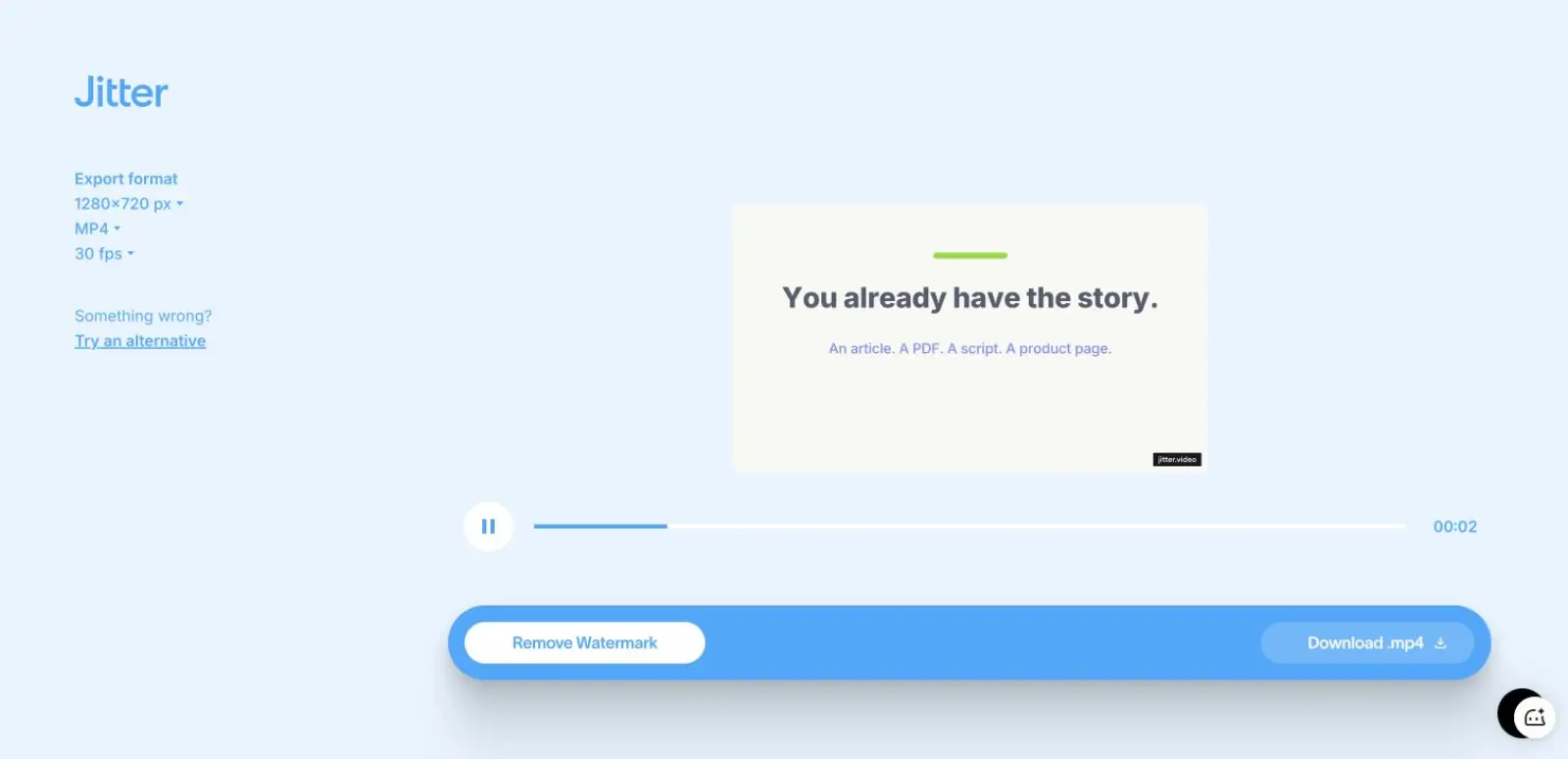
The editor exposed individual text, shape, and story-beat layers plus an animation timeline with Slide in, Fade out, and Grow in transitions. The export screen offered 1280x720 MP4 at 30 fps. The free file carried a watermark, and the watermark-removal upsell showed a Pro plan at $15 per seat per month when billed annually. Choose Jitter when you want AI to create a first structure but still want to touch the actual layers and timing in a browser.
07
4. Descript: best transcript-first explainer workflow
Descript’s Underlord did not jump straight to generation. It proposed a three-scene plan, selected an AI voice, restated the exact colors, preserved the no-avatar constraint, and asked for approval. The account started with 100 signup AI credits and ended at 73, so this run used 27 credits. After approval, the editor produced three scenes with a total duration of 16.4 seconds: 8.2, 5.5, and 2.7 seconds.
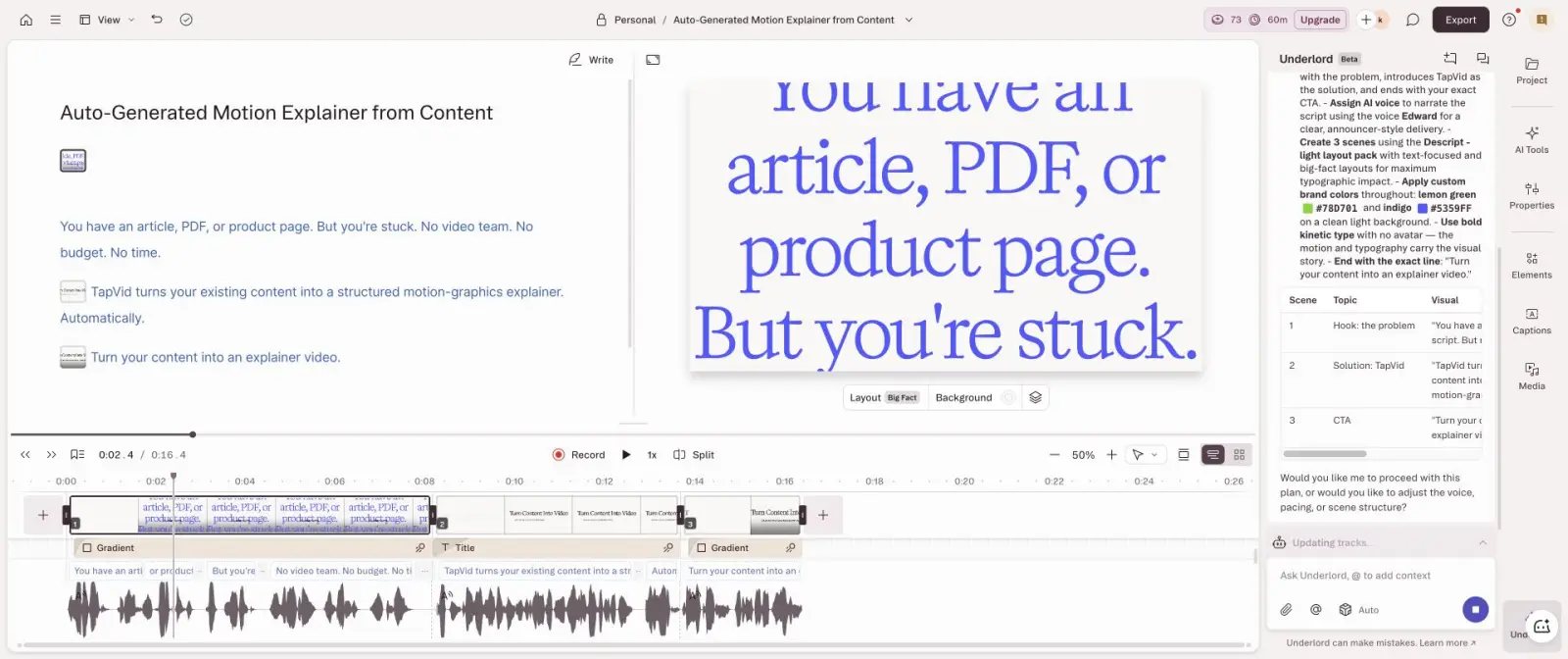
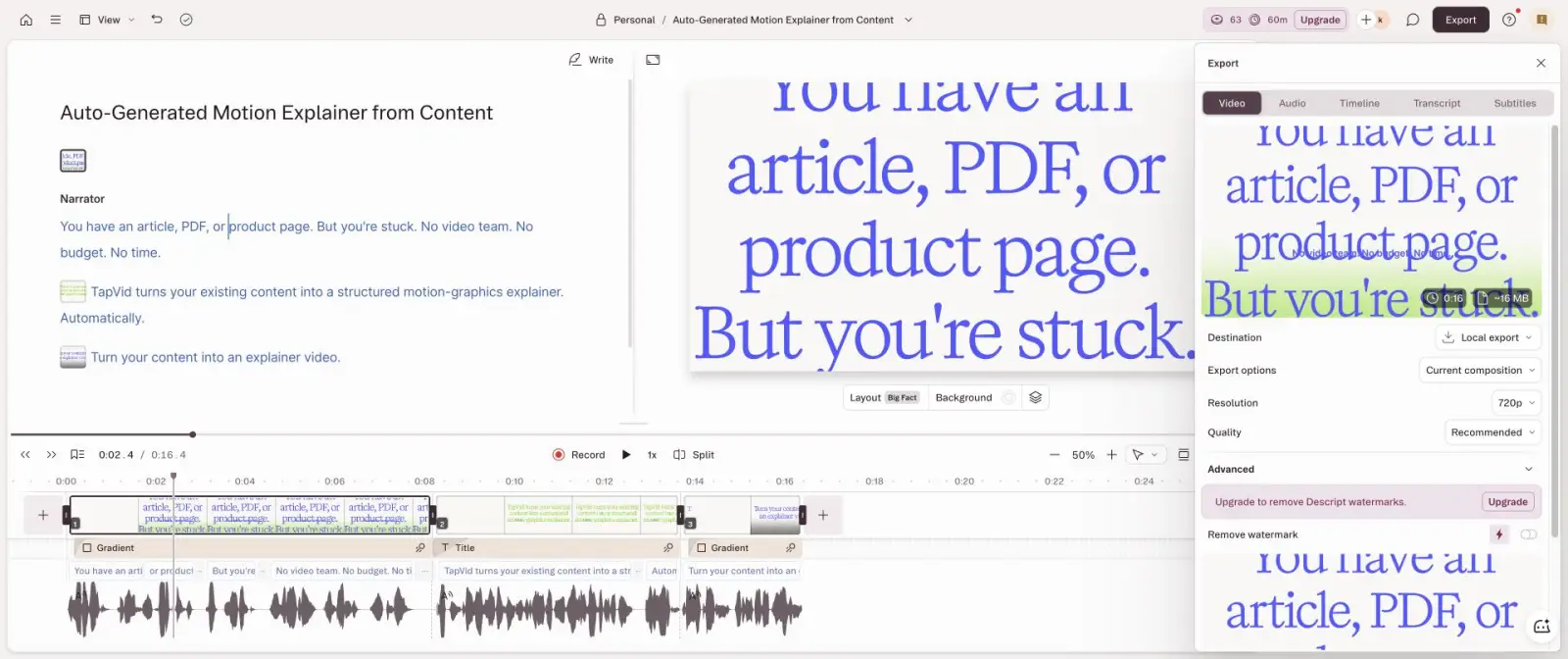
The spoken result stayed close to the brief: “You have an article, PDF, or product page. But you’re stuck. No video team. No budget. No time.” It then introduced TapVid and ended with the requested CTA. Local export offered 720p with a watermark and estimated about 16MB. Descript is a good Motion alternative when the script and voice track are the main editing surface. It is less suitable when complex, bespoke motion choreography is the main deliverable.
08
5. Remotion: best for exact, repeatable developer-owned output
I built a real Remotion project instead of judging its website. The composition used React, 450 frames at 30 fps, 1920x1080 output, the exact two brand colors, a light grid, staged source labels, and the fixed closing CTA. The first successful render also downloaded a 93.5MB Chrome Headless Shell and finished in 27.74 seconds. A second warm render finished in 11.20 seconds. The MP4 was 1.9MB and measured 15.061 seconds.
Remotion won on timing and brand fidelity because I wrote the rules. That is also its limitation. It did not invent the story, design the scenes, or remove engineering work. Choose it for templates, personalized variants, data-driven video, and version-controlled production. Do not choose it because you want a marketer to type one prompt and get a polished video without code. Company licensing also needs to be checked against the current official license before rollout.
09
What the completed tests changed in my recommendation
Before login, Motion looked like a single replacement for several tools. After testing, the category split became clearer. Hera is closer to “describe a motion video and get a draft.” Jitter is closer to “generate a design, then edit the layers.” Descript is closer to “write and edit the video through the transcript.” Remotion is closer to “encode a video system.” TapVid is closer to “preserve an existing source while turning it into an explainer.”
- Choose TapVid if factual structure from an article, PDF, script, or product page matters most.
- Choose Hera if you want the fastest no-code motion draft and can correct timing later.
- Choose Jitter if a designer needs editable browser layers and a visible animation timeline.
- Choose Descript if narration, transcript, captions, and local edits define the workflow.
- Choose Remotion if developers need deterministic templates and repeatable renders.
- Fund a Motion.so trial only if its research-led agent and broader automation surface are specifically valuable to you.
10
Test limitations and exclusions
This test compares first usable output, not months of mastery. Motion.so did not render because the fresh account had zero credits. TapVid uses an earlier full PDF run rather than a second paid-credit run. Hera, Jitter, and Descript were tested on free-account export boundaries, so paid tiers may change resolution, watermarking, or generation quality. Remotion was tested locally on one Mac, so its 11.20-second warm render is a machine-specific observation, not a universal benchmark.
I excluded After Effects and DaVinci Resolve from the ranked list because they were not installed and run in this audit. They are valid professional motion and compositing tools, but naming them is not the same as testing them. I also excluded tools that never produced a reviewable artifact. That keeps the recommendation tied to evidence rather than category familiarity.
11
Frequently asked questions
What is the best Motion.so alternative?
TapVid is the best fit when existing content must remain the source of truth. Hera is the closest prompt-to-motion option, Jitter offers the best browser layer control, Descript is strongest for transcript-first work, and Remotion is best for code-owned repeatable rendering.
Can I test Motion.so for free?
I could create an account and start the agent, but the fresh account had 0 credits. The agent researched the web and searched for a logo, then stopped before rendering and requested a top-up. A meaningful output test therefore required paid credits on July 22, 2026.
Which option is easiest for a non-designer?
Hera produced the fastest completed no-code motion draft in this test. It generated a 21-second video from the 15-second brief and exposed a free 720p watermarked export. TapVid is easier when the starting point is an existing article, PDF, script, or product page.
Is Remotion a direct Motion.so replacement?
No. Remotion gives developers exact timing, brand control, versioned code, and repeatable renders. Motion.so tries to research, plan, and create from a brief. Remotion replaces the rendering system, not the creative agent.
Which alternative is best for an article or PDF?
TapVid. Its workflow is organized around preserving source content through brief, outline, scene, script, and render checkpoints, rather than treating the source as inspiration for an open-ended visual draft.
12