
TL;DR
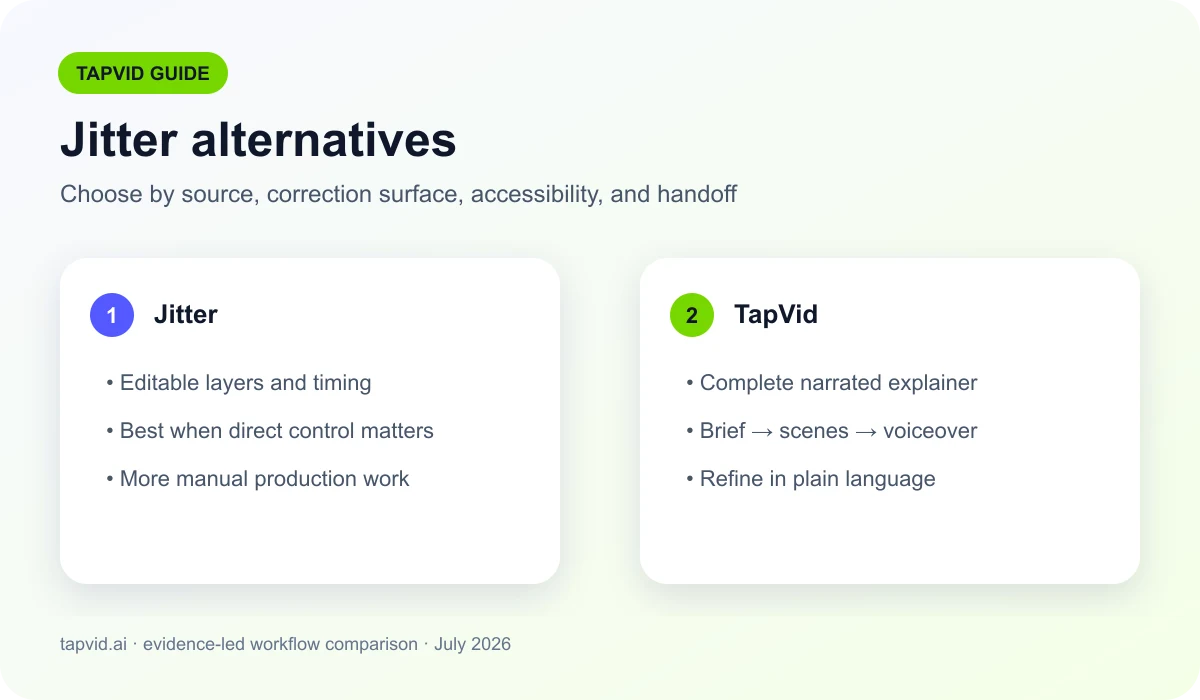
Choose a Jitter alternative by matching the source material, correction workflow, accessibility requirements, and handoff cost. TapVid is designed for turning approved content into a structured explainer.
Best Jitter Alternatives for Explainer Videos (2026). Jitter is a hands-on motion design editor: you build animations on a canvas and timeline, keyframe by keyframe. TapVid is an Explainer Video Engine: you paste your content, an article, PDF, script, or link, and it generates a structured explainer video with voiceover, no timeline to touch. When you want the video made for you instead of designing it yourself, TapVid is the closer fit. Start free.
01
Best Jitter Alternatives for Explainer Videos (2026): The short answer
Jitter is a capable motion design tool. It runs in the browser, gives you a canvas and a timeline, and lets you animate elements with keyframes and presets. If you are a designer who wants direct control over every move, it is a fast way to build polished motion by hand.
That hands-on control is also the catch. You still design the video yourself: you lay out each scene, set the timing, and drive the timeline. Jitter's current official export documentation says the free tier exports with a watermark and a paid plan is required to remove it. If your goal is a full explainer built from an article or a PDF, not a canvas you animate frame by frame, a motion editor leaves the writing, structuring, and narration to you.
TapVid takes a different path. It is an Explainer Video Engine: you paste your existing content, a prompt, an article, a PDF, or a link, and it structures it into scenes, animates each one as motion graphics, and adds voiceover and music. There is no timeline to learn. You get a structured explainer video in minutes and edit it by describing changes in plain language.
This guide separates product facts from independent evidence. Product capabilities are checked against current official documentation, while workflow recommendations also use research and accessibility standards. That matters because a vendor feature list can describe what buttons exist, but it cannot prove that a video will be understood, accessible, or economical for your team.
Video is already a mainstream business format, so the decision is no longer whether to use it. In Wyzowl’s late-2025 survey of 266 respondents, 91% of businesses said they use video as a marketing tool. The useful question is which production model removes the actual bottleneck: generating a structured first draft, editing existing footage, or controlling every movement manually.
02
How to choose the right replacement
Jitter is a hands-on motion design editor: you build animations on a canvas and timeline, keyframe by keyframe. TapVid is an Explainer Video Engine: you paste your content, an article, PDF, script, or link, and it generates a structured explainer video with voiceover, no timeline to touch. When you want the video made for you instead of designing it yourself, TapVid is the closer fit. Start free.
Start with the input you already own. If the truth source is an article, PDF, product page, or approved script, choose a system that can preserve that structure before it generates scenes. If the raw material is recorded footage, choose an editor. If the deliverable requires frame-level compositing, expressions, or hand-tuned motion, choose a professional motion tool.
Then identify the person who must make the final correction. A marketer can usually revise a prompt, outline, or scene description. An editor can trim clips and repair captions. A motion designer can work with keyframes and layers. Buying the most capable tool is wasteful when the production owner cannot comfortably use its correction surface.
Finally, compare total correction time rather than demo speed. Measure time to a usable first draft, time to fix factual errors, time to match the brand, caption review, export restrictions, and the time another teammate needs to take over. The fastest generation is not the fastest workflow when cleanup dominates the project.
03
A practical content-to-video workflow
Paste your content. Drop a prompt, article, PDF, or link. No canvas to set up and no timeline to keyframe.
TapVid builds the explainer. It structures your content into scenes and animates each one as motion graphics, with voiceover and music.
Refine and export. Adjust by describing changes in plain language, then export an MP4, watermark-free on paid plans.
04
My direct Jitter test
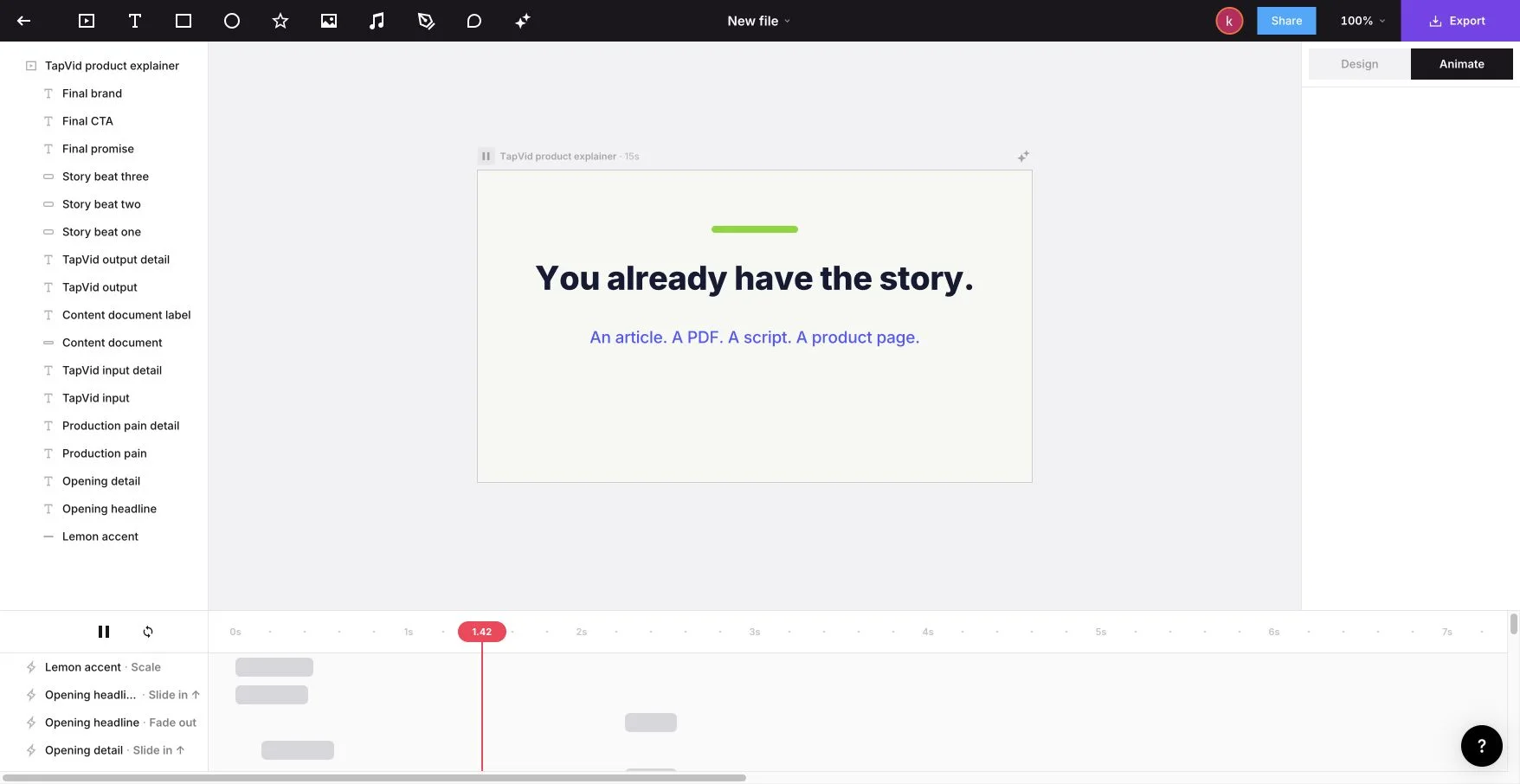
I tested Jitter on July 22, 2026 with a fixed 15-second, 16:9 TapVid explainer brief. It specified a light background, lemon green #78D701, indigo #5359FF, bold kinetic type, no avatar, and the exact closing line “Turn your content into an explainer video.” AI Design completed six steps and reported 51 applied changes. The result was not a flattened preview: individual text, shape, and story-beat layers remained visible in the artboard.
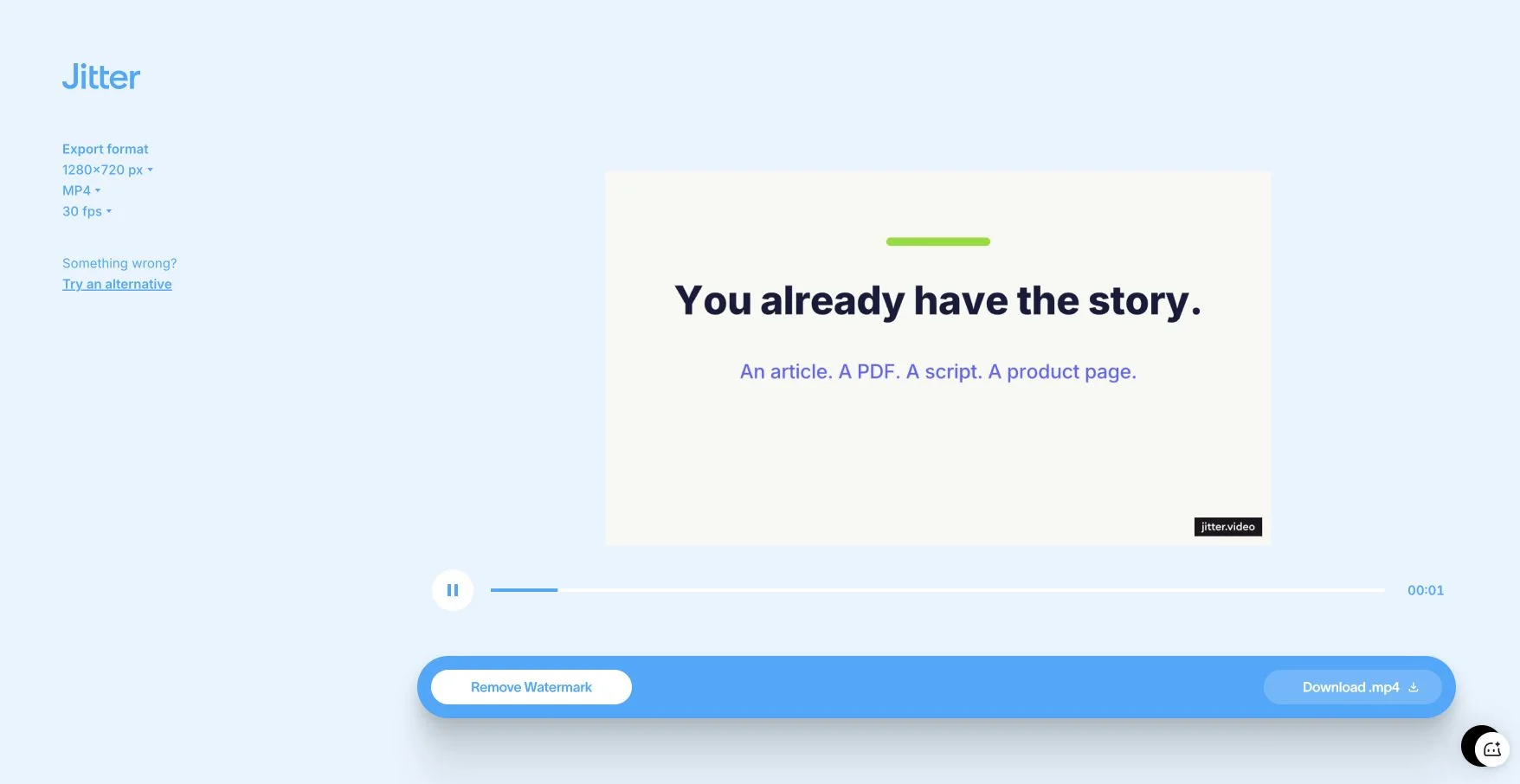
The static canvas showed overlapping elements because several story beats occupied the same coordinates at different times. Playback and the animation timeline resolved that apparent failure: transitions such as Slide in, Fade out, and Grow in staged the elements in sequence. The export screen offered a 1280 by 720 MP4 at 30 fps, and the tested free result included a watermark. That result matches Jitter’s current official export documentation, which says the free plan exports with a watermark and a paid plan is needed to remove it. My main correction was timing, not rebuilding the composition. Jitter fits a designer who wants direct control after AI assistance, while TapVid fits a content owner who wants the narrated explainer assembled from approved source material.
05
TapVid vs Jitter
Both make motion graphics. The difference is who does the work: you animate it on a timeline in Jitter, or TapVid generates a structured explainer from your content. Jitter figures are based on Jitter's public pricing (2026).
| TapVid | Jitter | |
|---|---|---|
| Core approach | Generates the explainer for you | Hands-on motion editor, you animate |
| How you start | An article, PDF, link, or prompt | A blank canvas and timeline |
| Timeline / keyframes | None, edit by describing changes | Yes, you drive it |
| Voiceover | Auto voiceover and music | Add it yourself |
| Free plan | Free to start, 720p, watermark, clips ≤ 1 min | Free tier, exports with watermark |
| Best for | Explainers, product demos, tutorials | Designers who want manual control |
Prices and plan limits change frequently. Treat the table as a workflow comparison, then verify the current commercial terms on each vendor’s official site before purchase.
06
Why teams pick TapVid over Jitter
Generated, not hand-built. TapVid writes and animates the explainer from your content, so you are not laying out and keyframing every scene yourself.
Start from your content, not a blank canvas. Paste an article, PDF, or link. TapVid structures it into scenes, instead of handing you an empty timeline.
No timeline to learn. There is nothing to keyframe. You get a finished explainer and refine it by describing changes in plain language.
Voiceover and music included. TapVid narrates and scores the video for you, so you do not record or sync audio on a separate track.
Faster to a full explainer. A motion editor is built for control over each move. TapVid is built to get you a complete, narrated explainer in minutes.
Ship-ready output. Export a clean MP4 with narration and captions. Watermark-free on paid plans, at 1080p, sized for any channel.
07
Built for Product, Marketing, and Creators
Product & SaaS. Turn release notes, a PRD, or a one-pager into an explainer or demo, without opening a motion editor.
Marketing. Make launch and landing-page explainers from your content, with a designed motion-graphics look and no manual animation.
Creators & educators. Turn an article or script into a structured knowledge explainer, without keyframing it yourself.
When Jitter is the better choice. If you are a motion designer who wants direct, frame-level control over every element, Jitter is a hands-on editor built for exactly that and does it well. TapVid is not a manual motion editor. It is the right pick when you want to paste your content and have a structured explainer video generated for you, rather than build one on a timeline.
08
What independent research and standards change about the decision
Accessibility is part of production quality, not a final checkbox. The W3C requirement for prerecorded captions says synchronized captions must cover prerecorded audio in synchronized media, except when the media is itself a clearly labeled alternative to text. Any replacement workflow should therefore make captions easy to generate, review, correct, and export.
Motion can also create access problems. W3C’s guidance on pause, stop, and hide covers moving or auto-updating content that begins automatically, lasts more than five seconds, and appears beside other material. Its guidance on animation from interactions also recommends a way to disable nonessential motion triggered by interaction. A polished animation is not finished if users cannot control distracting movement.
Public-sector publishing guidance makes the production implications concrete. The UK Home Office advises teams to provide captions, transcripts, audio description, and an accessible media player. GOV.UK’s video guidance similarly requires captions and a transcript in an accessible format. These requirements favor workflows in which narration, on-screen text, timing, and source material remain reviewable.
Performance matters on the page where the video is published. Chrome’s developer guidance explains that non-composited animations can appear janky and increase cumulative layout shift. Exported video and lightweight, deliberate web motion are often safer than layering expensive decorative animation into a landing page. Test the final page, not just the editing canvas.
These sources point to one operational rule: keep the message, narration, captions, motion, and delivery page independently reviewable. A workflow that hides all five inside one opaque generation step can look efficient during the demo but becomes expensive when legal, brand, product, or accessibility reviewers request changes. Prefer a system that makes the next correction obvious and lets the team preserve the approved parts.
09
Test before you migrate
Checklist
- Use one real article, PDF, footage set, or design brief rather than a vendor demo.
- Record time to first draft and time to an approved export separately.
- Check factual accuracy, caption accuracy, brand colors, duration, and aspect ratio.
- Confirm watermark, resolution, credit use, licensing, and commercial-use terms.
- Ask a second teammate to make one revision so handoff cost becomes visible.
10
Frequently asked questions
What is the best Jitter alternative?
It depends on how you want to work. Jitter is a hands-on motion editor where you animate on a canvas and timeline. If you would rather paste an article, PDF, or script and have a structured explainer video generated for you, TapVid is the closer fit: it is an Explainer Video Engine that structures and animates your content, with voiceover included and no timeline.
How is TapVid different from Jitter?
Both make motion graphics, but the workflow is opposite. In Jitter you design the video yourself on a timeline, keyframe by keyframe. TapVid generates a full, multi-scene explainer from your content with narration, and you edit it by describing changes instead of animating by hand.
Is TapVid free, and is there a watermark?
You can start for free with no credit card. Free exports are 720p with a watermark and clips up to 1 minute; paid plans are watermark-free with 1080p exports. See all plans on our pricing page.
Do I need to know motion design or use a timeline?
No. TapVid has no timeline and no keyframes. You paste your content, it generates the explainer, and you refine it in plain language. If you specifically want frame-level manual control, Jitter is the better tool for that.
Can I turn a PDF, article, or slides into a video?
Yes. Paste a prompt, drop a PDF, or paste an article or product URL, and TapVid reads it, structures the script, and animates each section as a scene. That is a different starting point from a blank motion canvas.
Why do teams switch from Jitter to TapVid?
The common reasons are speed and workflow. Teams that do not want to design each scene by hand, that would rather paste an article or PDF than build on a timeline, and that want narration included tend to prefer generating a complete explainer from start to finish.