
TL;DR
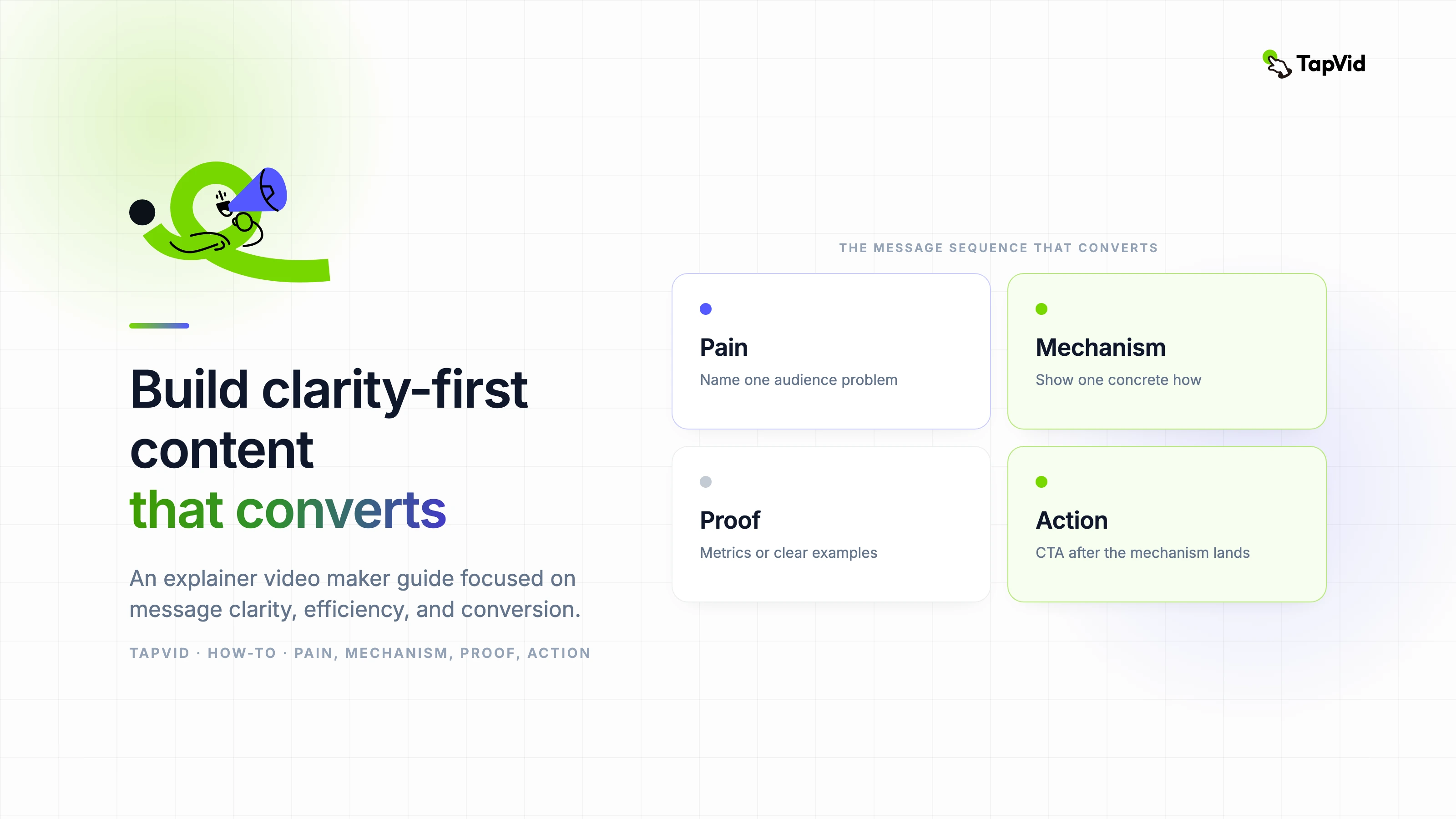
Define one viewer, trigger, workaround, mechanism, proof, and CTA. Draft the spoken story, give every line one visual job, record a timed read, cut repetition before proof, verify every claim, and hand production an approved two-column script with sources and pronunciation notes.
An explainer video script has two responsibilities: it must sound natural when spoken and give the visual track meaningful work. This guide provides 60 and 90-second templates, a full shared-inbox SaaS example, line-by-line visual jobs, three rewrites, and a comparison with the 66.837-second video produced in the August 6 TapVid test.
Turn your approved script into an explainer video with TapVid
01
1. Copy these 60 and 90-second script templates
Use a template as a sequence of communication jobs, not as finished copy. Replace every bracket with language your viewer uses and evidence your team can verify. The 60-second version is designed for one problem and one mechanism. The 90-second version earns its extra time by adding proof or a second use case, not by repeating the benefit in different words.
| Beat | 60-second template | 90-second extension |
|---|---|---|
| Hook | [Role], when [trigger moment] happens, [specific friction] follows. | Add one visible consequence that raises the cost of the friction. |
| Problem | The usual workaround is [old way], but it fails because [reason]. | Show how the workaround affects a second person, step, or system. |
| Mechanism | [Product or method] changes the process by [observable mechanism]. | Demonstrate the mechanism across two connected beats. |
| Proof | Now [same trigger] produces [resolved state the viewer can see]. | Add a verified example, comparison, or product state. |
| CTA | To [desired first result], [one concrete action]. | Keep one action; use extra seconds to make the destination clear. |
- Write the hook after the message brief so it names the right situation instead of chasing novelty.
- Use the same problem in the opening and proof; changing problems makes the result feel unrelated.
- Describe the mechanism with verbs such as routes, compares, assigns, highlights, or converts.
- Keep the CTA visible and speakable; a navigation menu is not a script ending.
02
2. Write a six-question message brief first
A script becomes easier when six decisions are already fixed: viewer, trigger moment, current workaround, mechanism, proof, and next action. These are more useful than a broad objective such as increase awareness because they determine what the viewer hears and sees. Write one or two sentences for each field and ask the product or subject owner to approve them before you polish the opening.
For the shared-inbox test, the viewer was a small SaaS support team. The trigger was a new request arriving while several teammates were active. The workaround was manual coordination across one inbox. The mechanism was routing rules that assign requests to the right channel and owner. The proof was a request arriving once and receiving one coordinated response. The next action was creating the first rule.
- Who is the viewer, and what role are they performing when the problem appears?
- What exact event triggers the need for the product, process, or idea being explained?
- What does the viewer do now, and where does that workaround become slow, risky, or confusing?
- What observable mechanism changes the old process instead of merely promising a better outcome?
- What approved screen, example, state change, or source demonstrates that the mechanism works?
- What single action should the viewer take immediately after understanding the explanation?
03
3. Plan runtime with a timed read, not a formula alone
Word count gives a starting range, but spoken pace changes with vocabulary and intent. Product names, acronyms, numbers, and unfamiliar terms need more time than short conversational phrases. A deliberate pause can carry meaning, especially before proof or the CTA. On-screen text also needs visual hold time even when the narrator has moved on. Record a rough read before a storyboard is approved.
| Target | Planning words | Available story | Editing priority |
|---|---|---|---|
| 30 seconds | 55 to 75 | Trigger, mechanism, result, CTA | Remove context the placement already supplies |
| 60 seconds | 120 to 150 | Hook, problem, mechanism, proof, CTA | Protect mechanism and one visible proof |
| 90 seconds | 175 to 220 | Full structure plus second beat or deeper proof | Cut repeated benefit statements |
| 120 seconds | 235 to 300 | Technical process or educational sequence | Split if the audience or CTA changes |
- Mark pronunciation and expansion for acronyms before judging whether a sentence fits.
- Allow visible numbers, interface labels, and comparisons enough time to be read and checked.
- Leave a small margin for music transitions, scene changes, and localized versions.
- Retest the full read after every structural change because later beats can lose their timing.
- Do not count the final frame as useful CTA time if it disappears before a viewer can respond.
04
4. Use a five-part structure with a job for every beat
The five-part structure is hook, problem, mechanism, proof, and CTA. Its value is not the labels. It creates a causal chain. The hook identifies a situation. The problem shows why the current state matters. The mechanism explains what changes. Proof shows the changed state under the same conditions. The CTA gives the understanding a destination. Removing any link makes the script feel like either an ad or a tutorial fragment.
| Beat | Job | Weak version | Stronger direction |
|---|---|---|---|
| Hook | Earn relevance quickly | Managing support is hard. | Two teammates answer the same request, and neither sees the other reply. |
| Problem | Make the cost concrete | Your inbox is inefficient. | The customer receives conflicting answers while another request has no owner. |
| Mechanism | Explain the change | Our platform streamlines support. | Routing rules send each request to the right channel and assign one owner. |
| Proof | Resolve the opening | Teams become more productive. | The next request appears once, reaches the correct owner, and receives one coordinated response. |
| CTA | Name the next step | Learn more today. | Create your first routing rule. |
- Give the hook five to eight seconds in a focused 60-second script.
- Use the problem to add consequence, not to restate the hook with stronger adjectives.
- Spend the largest share on the mechanism because that is where understanding is created.
- Make proof visually answer the same question raised by the opening situation.
- End with one action and one destination rather than a list of product navigation choices.
05
5. Use a two-column audio and visual script
A narration-only document is incomplete because the visual team must guess what each line needs to prove. A storyboard-only document is also incomplete because movement can hide a weak argument. Put spoken audio and visual job side by side. Add optional columns for timing, on-screen text, source, transition, and reviewer. The format turns the script into a production contract instead of an inspirational paragraph.
| Column | Required content | Review question |
|---|---|---|
| Time | Estimated start, end, and visual hold | Can the line be spoken and the evidence read naturally? |
| Audio | One speakable idea with pronunciation notes | Would a viewer understand it without seeing the document? |
| Visual job | Context, mechanism, comparison, proof, or CTA | Does the visual add evidence instead of decoration? |
| On-screen text | Only essential labels, numbers, or CTA | Can it be read at mobile width? |
| Source | Approved screen, document, URL, or owner | Can every factual implication be traced? |
| Transition | Reason the next scene follows | Does the story connection survive without a flashy effect? |
- Assign one visual job per line; split the line when it asks the frame to do unrelated work.
- Write UI labels exactly as they appear in the approved product version.
- Flag visuals that are conceptual so reviewers do not mistake them for literal product behavior.
- Keep a reviewer column for product, editorial, brand, legal, and final approval when relevant.
06
6. Complete shared-inbox SaaS script with visual jobs
The table below is the working script used for the hands-on shared-inbox explainer. It is intentionally narrow. It does not explain reporting, integrations, permissions, or the whole support category. Every line advances one story: duplicated replies become a routed workflow with one owner and one next action. The source column in a production file would link to approved screens and documentation.
| Time | Narration | Visual job | On-screen text | Review question |
|---|---|---|---|---|
| 0 to 6s | Two teammates answer the same support request, and neither sees the other reply. | Show one request splitting into two conflicting response paths. | Two replies. One customer. | Is the problem understandable before the product appears? |
| 6 to 13s | Another request waits with no clear owner. | Hold the busy shared inbox and isolate one unassigned item. | Unassigned | Does the second consequence deepen rather than repeat the hook? |
| 13 to 20s | Manual coordination turns every new message into a small routing decision. | Show teammates checking, messaging, and rechecking the inbox. | Who owns this? | Is the workaround concrete and believable? |
| 20 to 29s | Routing rules change the process before anyone has to ask. | Introduce one rule connecting request type, channel, and owner. | If billing, send to Billing | Can the viewer see the mechanism rather than only hear a benefit? |
| 29 to 38s | Each request moves to the right channel and receives one owner. | Animate three requests traveling to distinct labeled channels. | Billing, Technical, Account | Are channel labels readable and product behavior approved? |
| 38 to 47s | Teammates see the same status, context, and next step. | Show one coordinated view with owner, status, and conversation. | Owner: Maya | Does the frame prove coordination without exposing a dense UI? |
| 47 to 56s | Now the next customer gets one clear response instead of conflicting answers. | Return to the opening request and resolve it through one path. | One request. One owner. One reply. | Does proof resolve the exact opening problem? |
| 56 to 64s | Create your first routing rule and give every request a clear path. | Show the rule action, then hold the final CTA. | Create your first routing rule | Is there one visible action and enough time to read it? |
- The product is introduced only when the mechanism begins, so the opening remains viewer-centered.
- The proof returns to the same request pattern, which makes the before-and-after comparison easy to follow.
- The CTA continues the mechanism by asking for a first rule, rather than changing to an unrelated signup promise.
- The spoken plan is slightly longer than 60 seconds once visual holds are included, which the test confirmed.
If your product cannot support one of these states, change the script before production. Do not ask animation to imply an assignment, status, or automation that the product does not provide. A fictional example can still teach the writing structure, but a branded product video must distinguish illustrative flow from actual behavior. Verification is part of scriptwriting, not a final legal pass.
07
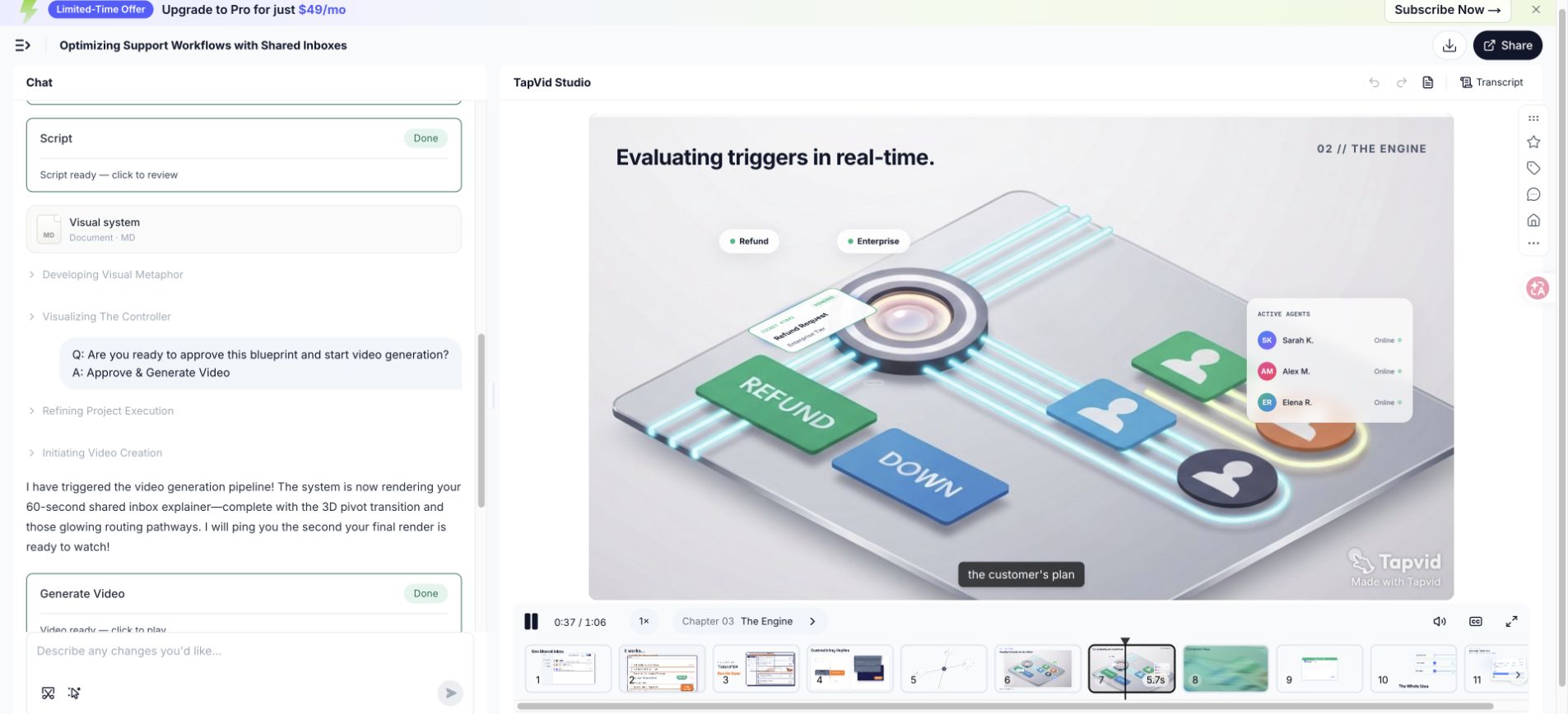
7. Compare the script with the 66.837-second render
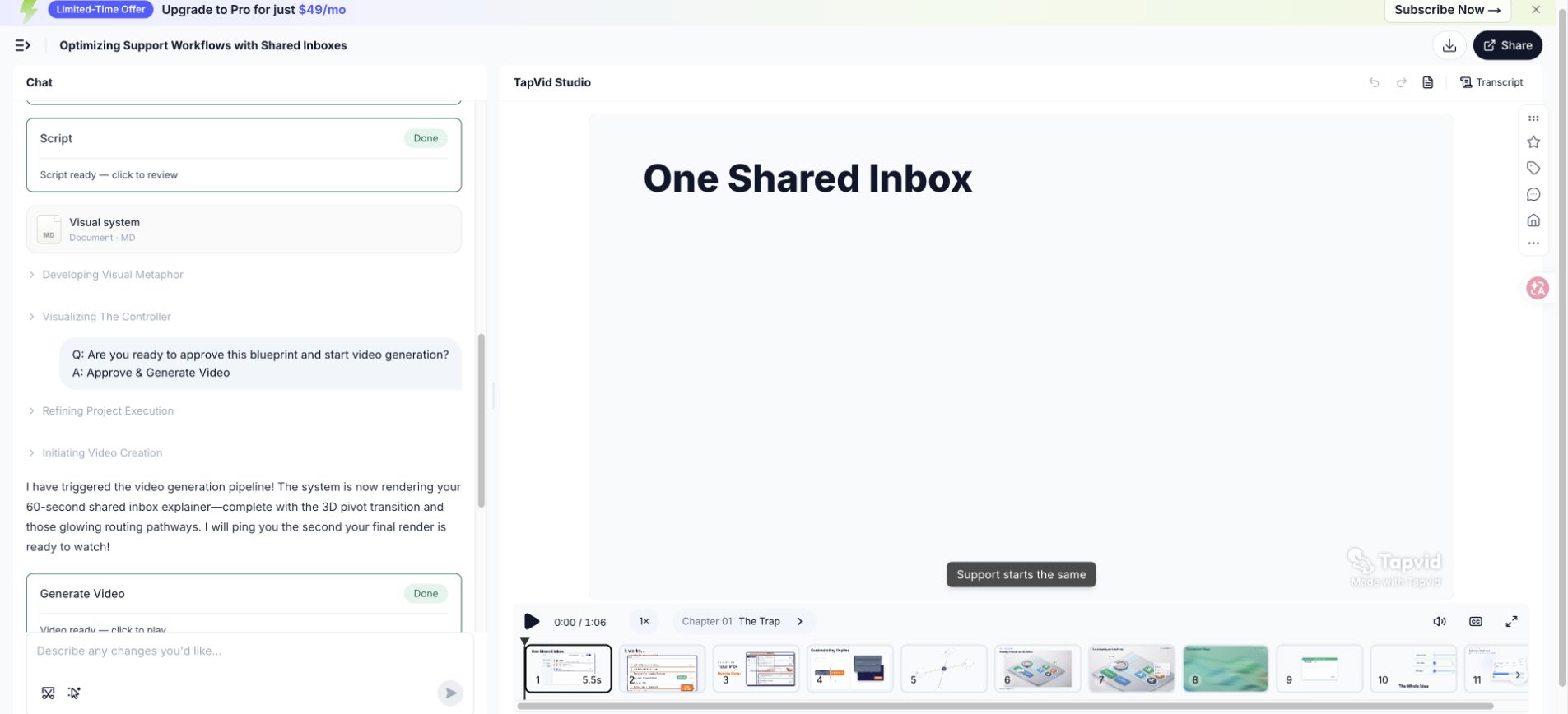
The exported test video measured 66.837 seconds, so the approximately 60-second brief produced a result about 6.8 seconds longer than the round target. That difference is useful editorial evidence. The script includes several labels, a mechanism sequence, and a CTA hold. Removing all pauses or accelerating the voice would protect the number but weaken comprehension. A second revision should cut language before compressing evidence.
| Script area | Why it needs time | Second-revision option |
|---|---|---|
| Opening consequences | Two failure states establish duplicate and unowned work | Combine them into one sentence while keeping two visual beats |
| Manual workaround | The viewer needs to recognize the old process | Remove the phrase small routing decision and let the visual show it |
| Rule mechanism | Labels and movement need reading time | Keep the hold and shorten the narration around it |
| Coordinated state | Owner, status, and context compete for attention | Show only the fields required to prove ownership |
| CTA | The action must remain readable | Protect the hold; shorten the lead-in instead |
- First cut: remove repeated setup that the visual already communicates.
- Second cut: replace long noun phrases with a clear subject and active verb.
- Third cut: remove secondary examples before touching mechanism or proof.
- Final timing: record the new read and replay it with the actual scene holds.
08
8. Rewrite weak openings, feature dumps, and CTAs
Good editing changes the job a sentence performs. It does not merely replace plain words with more energetic ones. The examples below identify the failure, preserve the necessary information, and reconnect the line to viewer, problem, mechanism, proof, or action. Use this process whenever a stakeholder asks to make the script more exciting without identifying what the viewer still fails to understand.
| Problem | Before | After | Why the edit works |
|---|---|---|---|
| Jargon-heavy opening | Modern support operations require omnichannel orchestration across distributed customer touchpoints. | Two teammates answer the same request, while another request waits with no owner. | The revision gives the viewer a role, scene, and consequence that can be visualized. |
| Feature dump | Our platform includes routing, tags, channels, status, analytics, integrations, and automation. | Routing rules send each request to the right channel and give it one owner. | The revision selects one mechanism and shows how it changes the process. |
| Vague CTA | Transform your customer experience and learn more today. | Create your first routing rule. | The revision asks for one action that continues the explanation. |
- Circle abstract nouns and ask what a person or system actually does.
- Replace category claims with a trigger moment the intended viewer recognizes.
- Keep features only when they participate in the mechanism shown by the story.
- Move proof next to the claim it supports instead of collecting vague benefits at the end.
- Rewrite the CTA as a visible verb plus object, such as create a rule or review the first draft.
09
9. Record a read-aloud pass and cut in the right order
Record the rough read on a phone or laptop in a quiet room. The goal is not voice quality. It is to hear breath, rhythm, ambiguity, and timing. Mark every place where you restart, add an unplanned word, or stress the wrong term. Natural corrections often reveal the simpler sentence your mouth expected. Share the recording with the script so reviewers evaluate spoken language rather than silent page prose.
Cut in a deliberate order. Remove repeated setup first, then adjectives that do not change meaning, secondary examples, feature side trips, and extra CTAs. Protect the mechanism, approved evidence, required safety or compliance context, and enough time for visual comprehension. If the story is still too long after those cuts, narrow the promise or increase the runtime instead of speaking unnaturally fast.
- Read once for meaning and record the natural duration without chasing the target.
- Read again at intended energy and mark breaths, emphasis, pronunciation, and awkward syntax.
- Place the recording against rough scenes and add visual hold time for labels and evidence.
- Cut repeated context, modifiers, side examples, and additional actions in that order.
- Record the revised script from the beginning because a local cut can change later rhythm.
- Ask one unfamiliar listener to state the problem, mechanism, proof, and CTA after hearing it once.
10
10. Adapt the framework to different explanation jobs
The five jobs remain useful across categories, but their emphasis changes. A SaaS product video usually needs visible workflow proof. A professional service may explain diagnosis, process, and trust rather than an interface. A technical concept needs accurate definitions and carefully chosen abstraction. Onboarding can assume intent and begin closer to the task. Education may require retrieval checks or summaries instead of a conversion CTA.
| Use case | Opening focus | Mechanism evidence | Typical CTA |
|---|---|---|---|
| SaaS product | Trigger moment inside a workflow | UI state change or simplified product flow | Start the first workflow or trial |
| Professional service | Cost or risk of the current approach | Diagnostic method, process, or deliverable | Book an assessment or review |
| Technical concept | Question or misconception | Diagram, comparison, or stepwise model | Explore the next concept or apply the model |
| Onboarding | Task the signed-in user wants to complete | Exact approved UI steps and result | Complete the task in the product |
| Training | Situation in which a decision must be made | Procedure, example, and knowledge check | Practice or confirm understanding |
| Internal enablement | Change in policy, process, or responsibility | Before-and-after workflow with owners | Use the new process or reference material |
- Keep one audience per short script; create variants when roles need different proof or language.
- Use a real interface only when exact behavior matters and the screen will remain current enough.
- State assumptions in technical explanations so simplification does not become inaccuracy.
- Replace sales proof with task confirmation when the viewer has already decided to use the product.
- Use a learning action rather than a marketing CTA when retention and application are the goal.
Do not copy a successful SaaS structure into a medical, financial, legal, or safety-sensitive explanation without subject review. The script may need required context, risk language, or a different action. The framework organizes communication, but it does not replace domain responsibility. Name the approving expert in the handoff and keep the source used for each sensitive statement.
11
11. Use AI assistance without inventing the product
AI can help organize source material, generate alternative phrasings, identify repetition, propose scene divisions, and test whether the structure is complete. It should not decide which product claims are true. Give it an approved evidence packet, explicit audience, mechanism, runtime, prohibited claims, terminology, and CTA. Ask it to mark missing evidence instead of completing gaps with likely-sounding details.
- Provide the approved message brief and source passages, not an unrestricted request to explain the company.
- Separate quoted product facts from writing instructions so the model can preserve claim boundaries.
- Ask for two or three alternatives for a specific beat instead of repeated full-script rewrites.
- Require every number, capability, and comparison to point to a supplied source or an owner review.
- Keep version names, UI labels, pronunciation, plan limits, and current pricing outside generic assumptions.
- Review generated language for empty intensifiers, repeated conclusions, and transitions that imply causation.
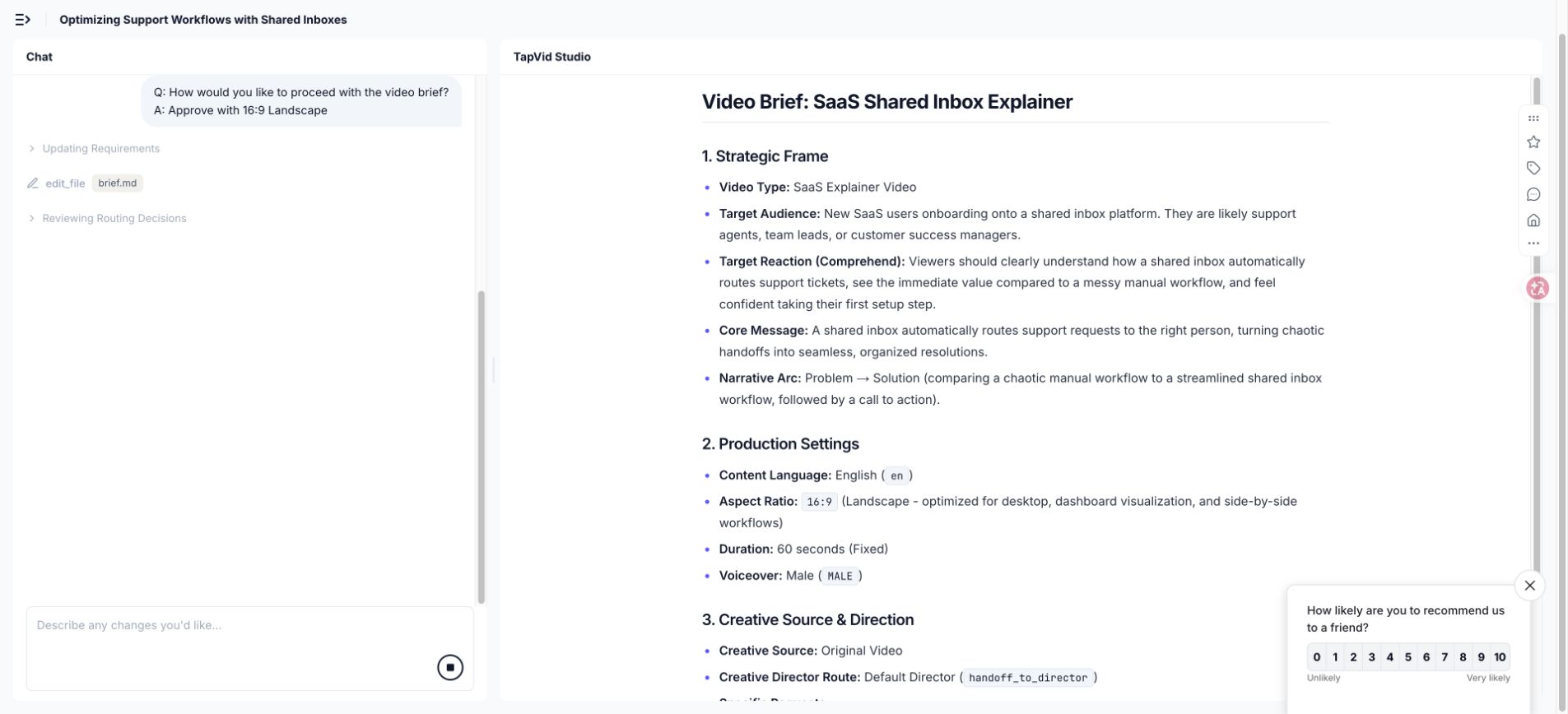
In the TapVid run, the generated brief recommended moving from 9:16 to 16:9 because the explanation relied on an interface-led story. That was a useful proposal, but it still required approval. Use the same standard for script suggestions. A model can surface a tradeoff; the creator decides whether it matches the viewer, placement, evidence, and brand.
12
12. Prepare a production handoff that prevents guessing
A production-ready script is more than approved narration. It includes timing, visual jobs, required screens, source links, on-screen text, pronunciation, music direction, ratio, captions, brand constraints, transitions, and the status of each approval. The goal is to remove silent assumptions. A designer should know which elements are evidence, which are illustrative, and which may be changed for visual clarity.
| Handoff item | What it prevents |
|---|---|
| Approved two-column script | Narration and visuals drifting into different explanations |
| Evidence packet and claim owner | Unverified capabilities, numbers, or comparisons entering the video |
| Pronunciation and terminology list | Incorrect product names, acronyms, names, and technical terms |
| Brand and visual constraints | Inconsistent type, palette, icon language, perspective, and motion |
| Caption and accessibility notes | Unreadable lines, missing context, and sound-dependent meaning |
| Aspect-ratio and placement plan | Important visuals being cropped or rebuilt late |
| Approval status and change log | Old feedback being reintroduced after a decision was closed |
- Mark each product screen with its capture date and the version or plan it represents.
- Explain whether conceptual diagrams are literal behavior, simplified behavior, or pure metaphor.
- Include safe crop zones and mobile text checks for every intended aspect ratio.
- Name who can approve factual, editorial, brand, legal, and export changes.
- Require script approval again when a visual revision changes the implied product behavior.
Hold a short handoff review using the actual document. Read the message brief, play the rough narration, inspect evidence, and walk through difficult scenes. Questions answered in this meeting should be written into the handoff. A verbal decision that never reaches the file becomes a future inconsistency when another teammate or tool resumes the project.
13
13. Plan localization and subtitles before production
Localization changes timing, line breaks, emphasis, and sometimes scene design. A direct translation can expand enough to collide with visual holds. Product UI may not use the same label length or even the same feature name. Humor and metaphors can lose their function. Plan editable text, flexible scene timing, safe caption areas, and localized interface evidence before locking every motion cue to the English waveform.
Translate the communication job of each beat, then rebuild natural spoken language. The localized hook must identify the same trigger moment, but it does not need the same word order. The mechanism and proof must preserve factual meaning. The CTA should use the term found in the destination interface. Record a native or fluent read and retime the visual sequence instead of forcing every language into the English duration.
- Maintain a terminology sheet for product names, UI labels, acronyms, and words that must remain untranslated.
- Keep narration, captions, and on-screen labels as separate editable fields whenever production permits.
- Check reading speed and line breaks at the final display size, especially for mobile placements.
- Review numbers, units, date formats, punctuation, and text direction in the rendered scene.
- Use a fluent reviewer who understands the product and the intended audience, not grammar alone.
- Export and watch every localized version because correct text can still be mistimed or cropped.
Keep structural parity in the content package so every language receives the same examples, proof, limitations, FAQ, and action. Parity does not mean literal wording. It means the localized viewer receives the same useful decisions and evidence. When a source or product screen is available only in English, explain that constraint instead of silently removing the supporting detail.
14
14. Explainer video script FAQ
Use these answers as guidance. Continue with the production workflow and 15-example analysis. Plan captions with the W3C guide.
How many words should a 60-second explainer video script contain?
A planning range of about 120 to 150 spoken words is common, but terminology, pauses, energy, and visual reading time can move the result. Record a natural read, place it against rough scenes, and protect time for important labels, proof, and the CTA. The documented test exported at 66.837 seconds despite an approximately 60-second brief.
What is the best structure for an explainer video script?
Hook, problem, mechanism, proof, and CTA is a reliable starting structure because it creates a causal explanation. Adapt the emphasis to the viewer. Onboarding can begin near the task, while a technical concept may need a definition. The final script should still make the change, evidence, and next action clear.
Should the script describe every product feature?
No. Include features only when they participate in the mechanism or proof for the selected viewer problem. Additional capabilities can become separate videos, help content, or supporting page copy. A short explainer that shows one coherent result usually teaches more than a list that names every part of the product.
Can I use humor in an explainer video script?
Use humor when it clarifies the problem, fits the audience, and leaves enough attention for the mechanism. Avoid jokes that require more context than the product, weaken a serious subject, or become the main memory while the explanation disappears. Test the line with people who match the intended audience.
Can AI write the whole script?
AI can organize and edit supplied material, but the publisher must verify product behavior, numbers, comparisons, sensitive claims, and implications. Give the system approved sources and require it to expose missing evidence. Human reviewers still own scope, emphasis, spoken rhythm, visuals, brand, and final approval.
What is the difference between narration and on-screen text?
Narration carries the spoken argument. On-screen text should preserve labels, numbers, distinctions, and actions that viewers need to inspect or remember. Repeating every spoken sentence on screen overloads the frame. Let the two channels divide the explanation while remaining synchronized.
When should I hire a professional scriptwriter or production team?
Bring in specialist help when the message affects a major launch, the product is technically complex, claims are sensitive, custom storytelling is important, multiple stakeholders need facilitation, or the team cannot review spoken narrative and visual logic. A strong internal brief and evidence packet still make external work faster and safer.
What should be approved before video generation begins?
Approve the audience, problem, mechanism, proof, CTA, source evidence, complete spoken script, scene jobs, required screens, terminology, runtime range, voice, aspect ratio, visual system, captions, prohibited claims, and named approvers. Generation should begin from a controlled production decision, not from an unresolved brainstorming prompt.