
TL;DR
The best training videos for employees start with a measurable workplace action, not a production request. Give each module an audience, objective, authoritative source, assessment, owner, and review trigger. Then choose a format that shows the required behavior, deliver it where the work happens, and measure whether employees can apply it. The CDC Quality Training Standards support this objective-led, assessed approach. Video is not always the answer: fix a broken process directly, keep exact policy language in its controlled source, and use live practice when judgment or physical performance must be observed.
A polished video can still be poor training. It may address the wrong problem, show a stale interface, or earn completions without changing work. Treat employee training videos as maintained parts of a program, not files finished at export.
01
Start with the performance gap, not the video
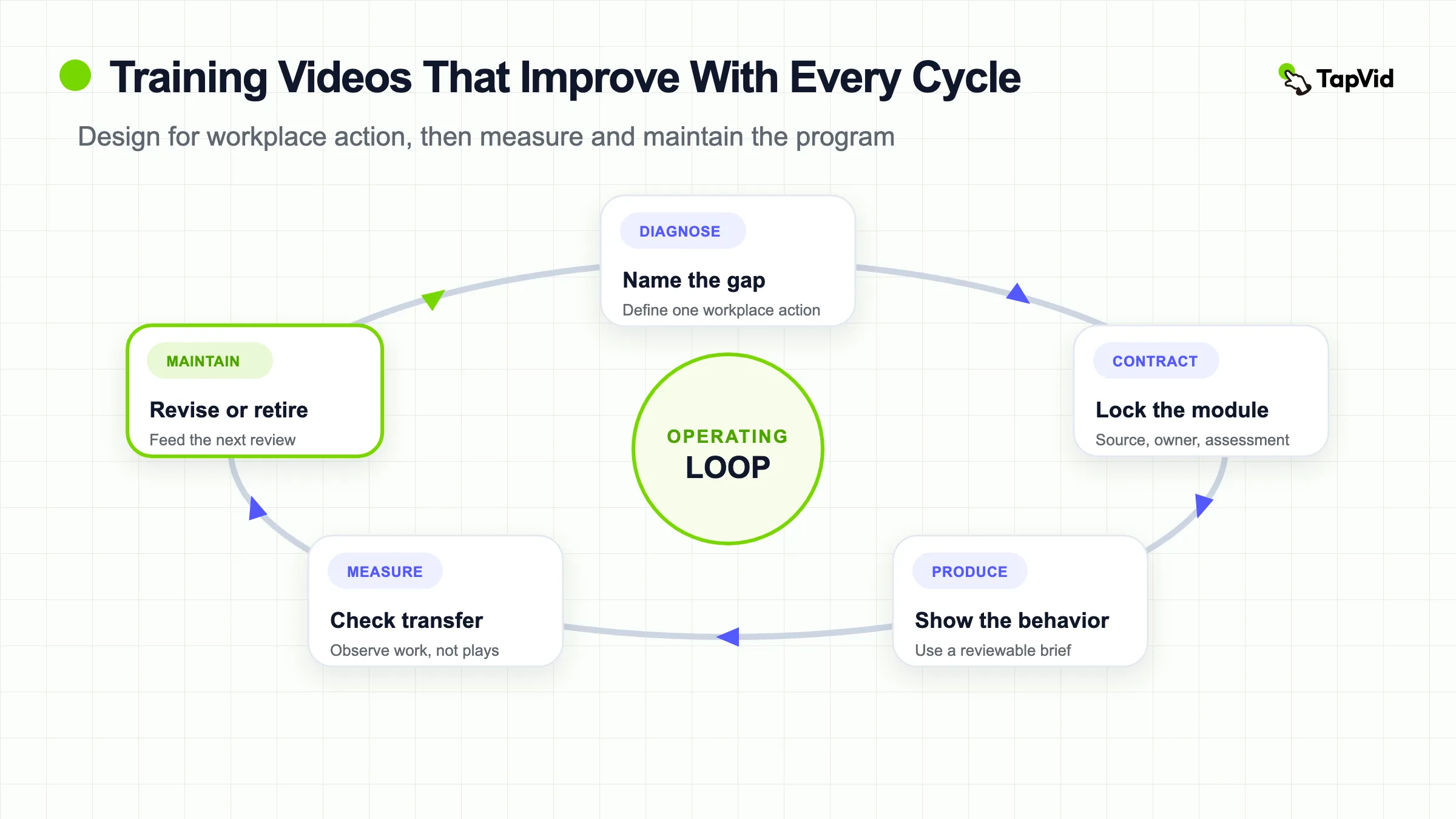
Before approving a corporate training video, name the gap. What should a specific employee do differently, and what prevents that result? The CDC standards begin with needs assessment and note that training is not always the solution. Fix a missing permission, contradictory policy, bad form, or unrealistic workload at the source.
Use video when sequence, motion, tone, or a worked example makes the action easier. Keep a searchable document for exact wording, changing values, or reusable links. Use coached practice when someone must observe physical technique or nuanced judgment.
A useful intake decision asks four questions:
- Is the gap caused by missing knowledge or skill?
- Does the learner benefit materially from seeing or hearing the task?
- Can the required action be demonstrated or assessed?
- Will the source remain accurate long enough to justify production?
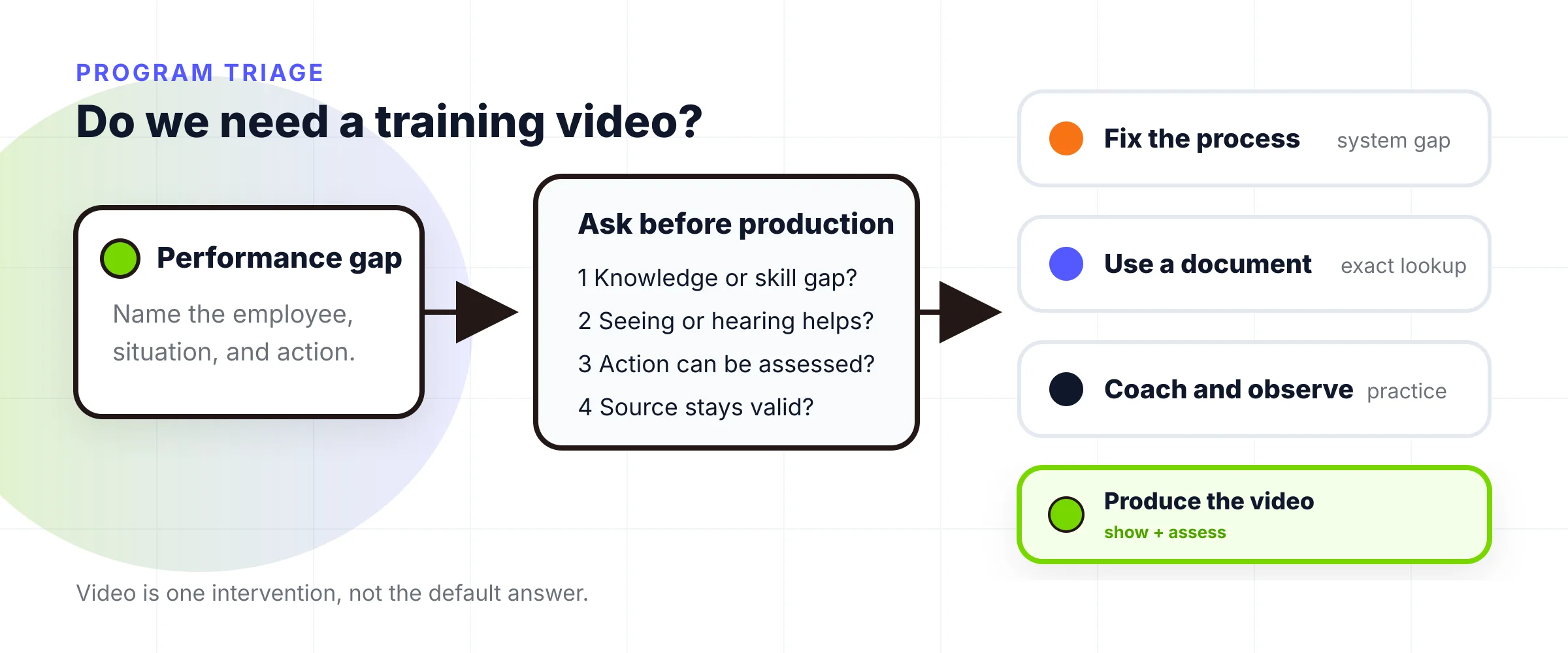
If the answer to the first or third question is no, stop. A video may communicate an announcement, but it should not be counted as training evidence.
02
Give every module a versioned training contract
Write the training contract before the script. The CDC guidance on learning objectives recommends specific, measurable, achievable, relevant, and time-bound objectives. Replace “understand the CRM” with “create an account, assign an owner, and log the first follow-up task without exposing customer data.” The second version tells the writer what to show and the reviewer what to check.
Each module needs eight fields:
| Field | Decision it locks |
|---|---|
| Audience | Which role and prerequisite knowledge the lesson assumes |
| Trigger | When the employee needs the lesson |
| Observable action | What the employee can do afterward |
| Authoritative source | Which policy, SOP, system, or expert controls accuracy |
| Assessment | What output, answer, or demonstration proves learning |
| Reviewer | Which subject-matter expert approves the content |
| Owner | Who monitors changes and responds to feedback |
| Review trigger | Which date or source change starts an update or retirement decision |
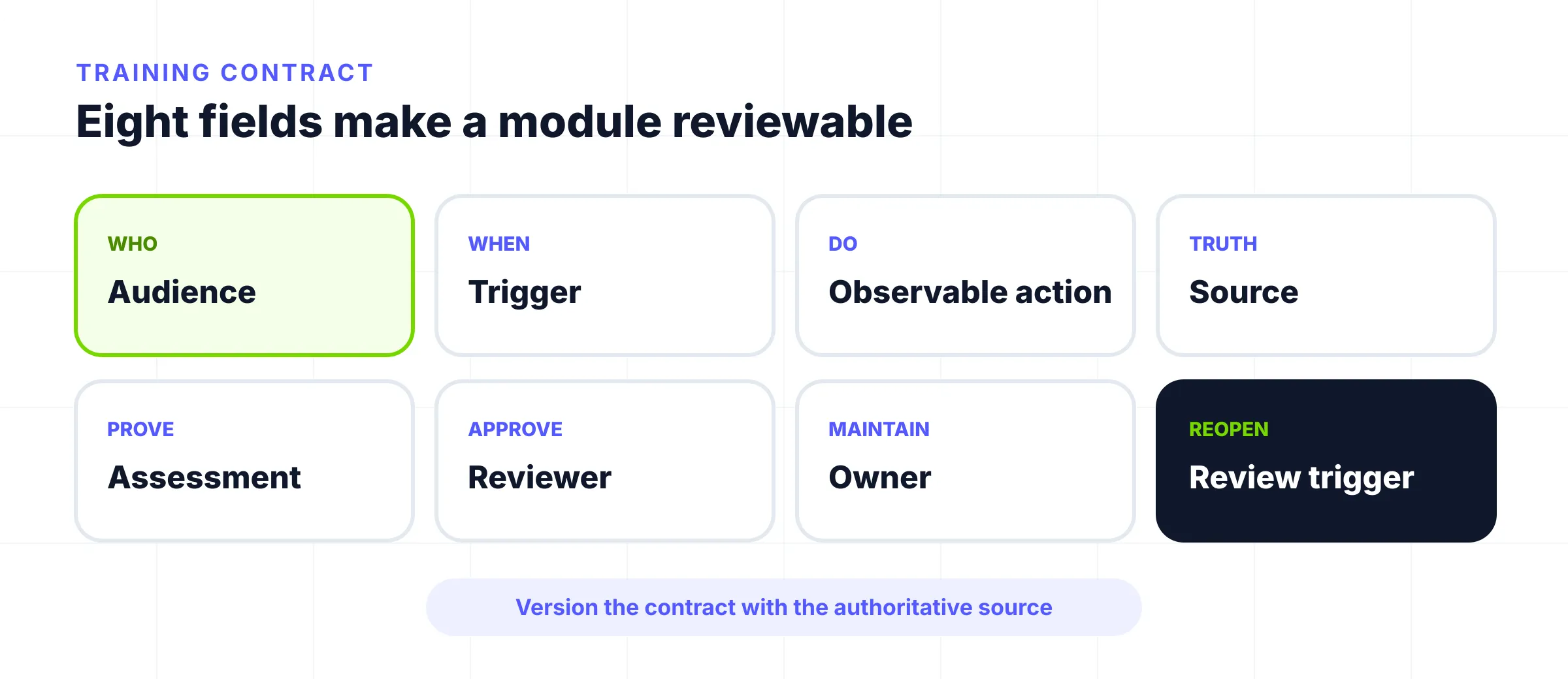
Version the contract with the source. CDC's standards call for subject-matter-expert review and an expiration date so training can be updated or removed. Specific events matter more than a generic annual reminder: a payroll policy change, interface release, or change to equipment, hazards, or applicable requirements.
03
Match the training video format to the learning job
Choose format by the action and the consequence of error, not by whichever template looks most engaging.
| Learning job | Strong starting format | What the learner must see | Main maintenance risk |
|---|---|---|---|
| Repeat exact software actions | Screen recording | Real interface, sequence, inputs, and success state | UI changes |
| Perform a physical task | Live demonstration or controlled 3D view | Technique, position, motion, and safety boundary | Equipment or procedure changes |
| Make a judgment in context | Scenario or role-play | Situation, options, consequence, and model response | Oversimplified edge cases |
| Understand a policy, system, or abstract process | Motion explainer | Relationships, sequence, exceptions, and next action | Paraphrasing the source incorrectly |
| Prove knowledge inside a course | Interactive lesson or LMS module | Prompt, response, feedback, and completion rule | Treating interaction as proof of workplace transfer |
Source volatility changes the choice. A volatile interface favors a short, replaceable screen module. A stable concept with interacting parts may justify an explainer. High-consequence work needs supervised practice, a simulation, or an observed task that matches the objective.
The short CISA phishing example shows one useful format pattern: focus on one recognizable situation and one next action. It is a public example of focused microlearning, not proof that a similar video will change behavior in another organization. For the new-hire sequence specifically, use TapVid's onboarding video blueprint. For product selection, keep the separate training video software comparison.
04
Produce from an approved source and a reviewable brief
Production should make the source easier to apply without becoming a new source of truth. Start with the approved policy, SOP, documentation, or expert demonstration. Mark exact statements, decisions needing explanation, and volatile details.
Build a reviewable brief with the audience, objective, scenario, final action, visual proof, assessment, and exclusions. Script backward from the action: show the finished state, demonstrate the normal path, explain easy-to-miss decisions, and end with a task or check. Get subject-matter review before expensive visual work.
When the approved source already exists as an SOP, PDF, article, or script and the learner needs a concept or process explained visually, TapVid's Explainer Video Engine can turn that material into a structured explainer draft. TapVid visualizes existing content; it is not the right proof for exact cursor actions, physical technique, or an unwritten policy. A human owner must still verify every instruction, caption, visual interpretation, and exception against the authoritative source.
Build accessibility into the brief. WCAG 2.2 Success Criterion 1.2.2 requires captions for prerecorded audio in synchronized media within its scope, subject to its media-alternative exception. Provide accurate captions, identify meaningful non-speech audio, and keep searchable written material. Test the final player, not only the editor.
For safety training, accuracy also includes comprehension. OSHA's training standards policy statement says required instruction must use language and vocabulary employees can understand, and notes that some standards require employers to verify acquired knowledge or skill. The applicable requirement depends on the hazard and standard. A general video cannot replace the employer's specific legal and operational review.
05
Distribute training where work happens
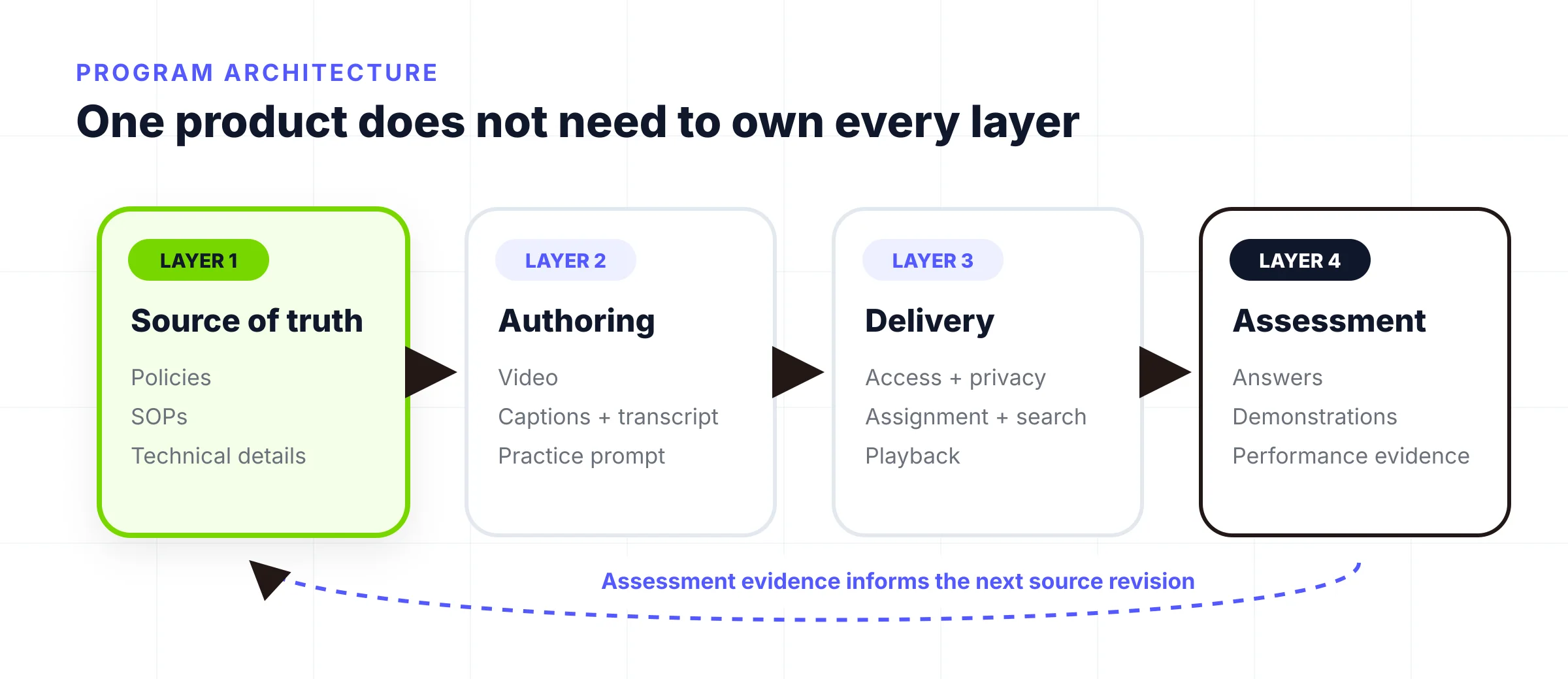
Separate four layers that vendors often bundle together in marketing:
- The source-of-truth layer controls approved policies, SOPs, and technical details.
- The authoring layer creates the video, captions, transcript, and practice prompt.
- The delivery layer manages access, search, privacy, assignments, and playback.
- The assessment layer records answers, demonstrations, approvals, or performance data.
One product does not need to own all four. A team might create from an approved SOP, host in a secure learning platform, and assess through a sandbox task. Put each module near its trigger: the LMS for assigned work, the workflow for just-in-time support, or a searchable role library for recurring tasks.
Do not use a public embed for confidential procedures. Define who may watch, whether person-level completion is required, how long records must be retained, and what employees should do when the video conflicts with the current source. The controlled source should win.
06
Measure learning transfer, not just plays
Views, play rate, and completion describe delivery. They do not prove that employees learned or applied anything. The CDC's training-effectiveness guidance recommends assessing both learning and learning transfer when possible.
Build a measurement ladder from the original objective:
| Level | Useful question | Example measure |
|---|---|---|
| Reach | Did the intended audience receive it? | Assigned versus started |
| Consumption | Where did viewing fail? | Completion and drop-off by section |
| Learning | Can the learner explain or demonstrate the target? | Knowledge check or practice output |
| Transfer | Can the learner apply it at work later? | Task accuracy, time, observed behavior, or support needed |
| Result | Did the operational outcome change? | Error rate, rework, cycle time, incidents, or escalation quality |
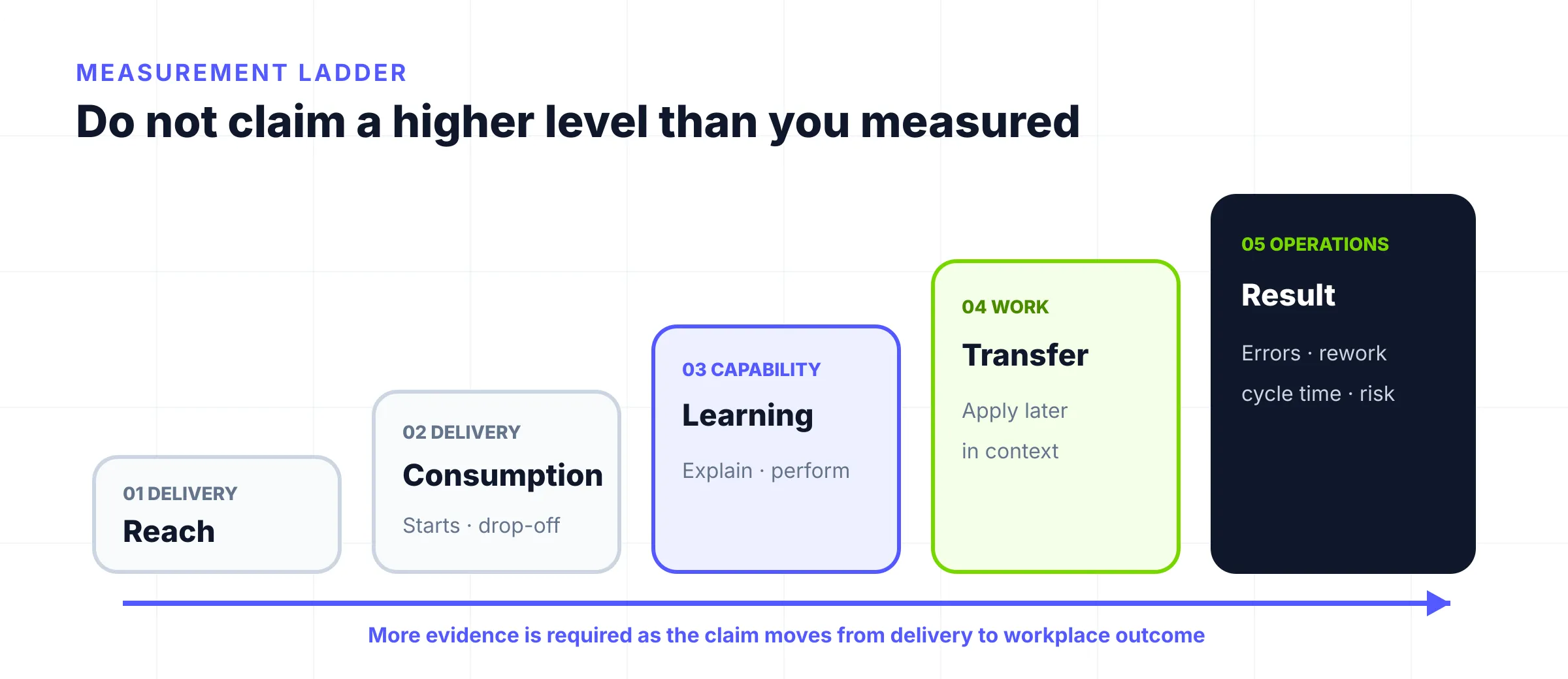
Pick the lowest level that answers the business question, but do not claim a higher level. A quiz does not establish transfer, and a lower error rate may have several causes. When feasible, compare performance before and after training, then check again after employees use the skill.
07
Maintain the employee training video library
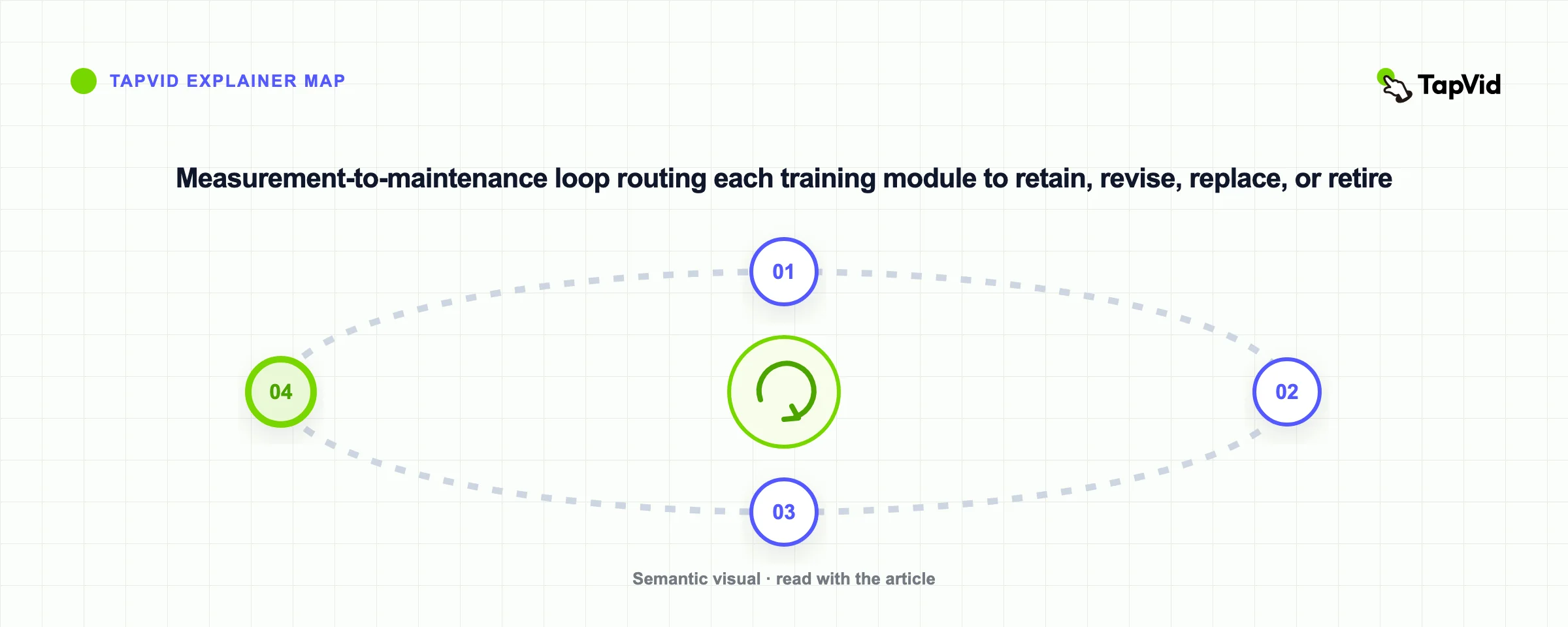
Every module should end in one of four states: retain, revise, replace, or retire. The owner reviews source changes, learner questions, assessment misses, support requests, and workplace outcomes. Rewatches may signal value, confusion, or missing support. Investigate before interpreting them.
Use event-driven maintenance first and calendar review as a backstop. Trigger review when a policy, interface, product, hazard, role, or owner changes. Compare the current source with the script, captions, transcript, assessment, and links. Record the version and decision so an outdated copy cannot linger elsewhere.
Maintenance is also a portfolio decision. Remove duplicate staff training videos, split modules that serve several unrelated objectives, and retire assets that no longer support a current behavior. A smaller library with clear ownership is easier to trust than a large archive of uncertain accuracy.
08
Frequently asked questions about training videos for employees
Training videos for employees work when they are designed backward from the job, assessed against that job, and maintained with the source. Start with one repeated performance gap. Define the action, owner, proof, and update trigger before choosing a camera, template, or video tool.
How long should an employee training video be?
Use the shortest length that completes one observable learning objective without rushing. Split unrelated objectives into separate modules. Test comprehension and task performance with the intended employees instead of adopting a universal minute limit.
Do employee training videos need an LMS?
Not always. Use an LMS when you need assignments, person-level completion records, assessments, formal learning paths, or integrations. A secure host and a separate practice task may be enough for informal or just-in-time training.
Which training video format is best?
Match the format to the action. Use screen recording for exact software steps, demonstration for physical performance, scenarios for judgment, explainers for concepts and processes, and interactive course modules when recorded assessment is part of the requirement.
How do you know whether a training video worked?
Measure the objective. Completion can diagnose delivery, but learning needs a knowledge or skill check, and transfer needs evidence that the employee applied the skill at work. Tie the measure to a defined action and acknowledge other factors that may affect the result.
How often should corporate training videos be updated?
Review them when their source, interface, process, risk, or owner changes. Add a calendar review as a backstop, with a cadence based on volatility and consequence of error. High-risk or fast-changing modules need closer control than stable background concepts.