
TL;DR
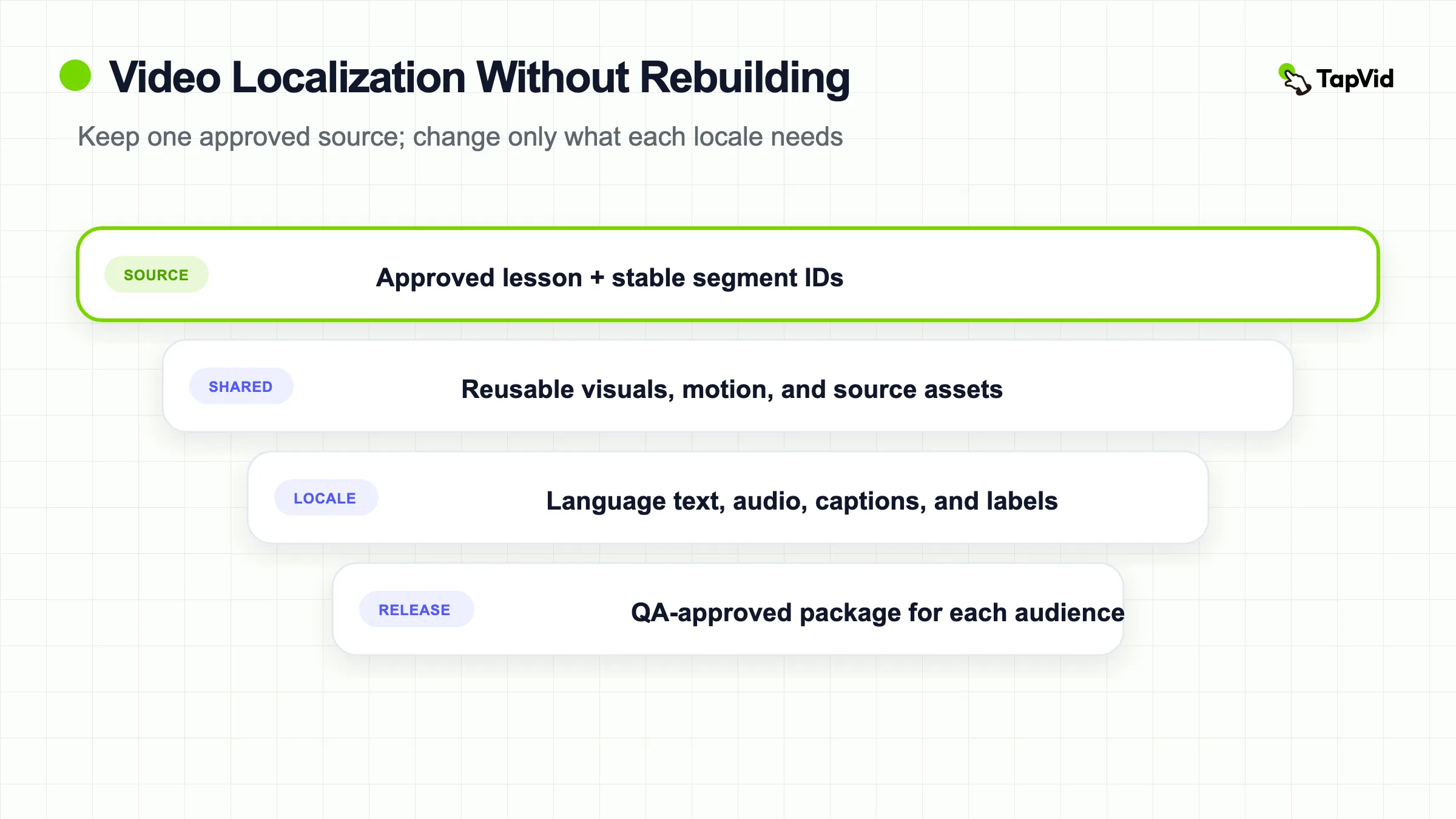
Video localization is the controlled adaptation of a source video for a specific language and market. For a training or course library, the scalable approach is to separate the approved source, shared assets, and locale-specific assets; choose subtitles, voice-over, dubbing, or a remake according to learning risk; assign four distinct QA passes; and rerun only the clips and languages affected by a source change. Start with one or two priority languages, measure whether the localized release solves a real audience need, then expand.
Video localization involves more than translating dialogue. A useful release may also need localized captions, narration, on-screen text, graphics, examples, metadata, accessibility assets, and cultural references. Microsoft's guidance for video and multimedia localization treats these as connected production decisions, while W3C guidance for accessible media distinguishes captions, transcripts, and audio description as different resources with different purposes.
That distinction becomes operationally important when the video is part of a course, certification path, customer academy, or employee training library. A single product label or policy sentence can appear in the script, narration, captions, a screen recording, a quiz prompt, and several language releases. If those files are managed as finished videos instead of dependencies, a small correction turns into a library-wide scavenger hunt.
The better model is reuse-first: preserve an approved source of truth, map what each locale depends on, and make changes at the smallest safe unit. This guide explains how to build that system without treating every video as a full remake or pretending that an automated language track removes the need for review.
01
Treat video localization as a dependency system, not a translation task
The object being localized is not one MP4. It is a package of meaning and delivery assets. The source script carries the instructional claim. Narration and captions express that claim in time. On-screen labels, demonstrations, and course controls provide visual context. Metadata helps the right audience find the release. A quiz or downloadable worksheet may determine whether the lesson is complete.
This is why translation and localization should not be used as synonyms. Translation changes language. Localization decides what must change so that the instruction still works for a defined audience. Sometimes that is only captions and translated metadata. Sometimes a currency example, product interface, legal disclaimer, or culturally specific scenario must also change. Microsoft notes that localized multimedia may require changes to dialogue, on-screen text, visuals, and cultural references, not just the spoken words.
For training operations, write the dependency chain down before production. A practical chain is: approved source lesson -> timed script segments -> language text -> audio and caption files -> on-screen assets -> course package -> locale release. Give each object an owner and version. The result is less glamorous than a one-click demo, but it answers the question that matters six months later: which releases are now out of date?
02
Decide how far each video needs to be localized
The right method depends on comprehension risk, visual dependence, update frequency, audience scale, and sensitivity. Do not choose dubbing because it appears more polished, or subtitles because they are cheapest. Choose the least complex method that preserves the learning outcome for the intended audience.
| Method | Good fit | Main limitation | Typical update burden |
|---|---|---|---|
| Subtitles | Optional learning, simple visuals, audiences comfortable reading while watching | Reading competes with demonstrations and dense interfaces | Low when the timed source script is stable |
| Voice-over | Training where natural timing matters more than matching each speaker's lips | Original speech may remain audible, and timing can drift | Medium because audio, captions, and mix need review |
| Dubbing | Dialogue-led content where an in-language viewing experience matters | Higher production and review complexity | Medium to high because performance and timing are coupled |
| Full adaptation or remake | High-risk instruction, culturally dependent scenarios, dense on-screen text, or a different local workflow | Most assets become locale-specific | High, but sometimes necessary to preserve meaning |
Subtitles are often enough when the speaker is not the visual focus, the lesson is short, and the viewer can pause. They are a poor default for a fast software walkthrough in which the learner must read translated captions while tracking a small cursor and unfamiliar interface labels. Captions also should not be confused with a transcript: W3C explains that captions are synchronized with the audio, while a transcript is a separate text version of the relevant audio and visual information.
Voice-over works when comprehension benefits from listening in the target language but perfect lip synchronization is unnecessary. Dubbing is more appropriate when dialogue and speaker presence carry the experience. A full remake is justified when the locale changes the task itself, such as a different checkout flow, regulatory process, workplace scenario, or interface. Microsoft describes subtitling as less costly than dubbing and re-creation as the slowest and most expensive route, but those are relative trade-offs, not universal price estimates.
- Decision record: For every video, record the audience, learning risk, visual dependence, planned update cadence, chosen method, and the reason a simpler method would fail. This prevents a later stakeholder from interpreting production polish as instructional necessity.
03
Prioritize the videos and languages worth localizing first
Localization demand is rarely uniform across a catalog. Start with the intersection of audience need and business importance, then remove videos that are likely to be retired or rewritten. A high-traffic lesson with stable content is usually a better pilot than an obscure module whose product interface changes every month.
Score candidate videos on five inputs: target-language demand, instructional importance, support or enablement impact, source stability, and localization effort. Demand can come from course enrollment, customer regions, search behavior, sales requests, support tickets, or learner feedback. Importance reflects the consequence of misunderstanding, not merely view count. Source stability tells you whether the current lesson is likely to survive the localization cycle.
Then choose one or two priority languages for the pilot. YouTube's multi-language guidance recommends focusing deeply on one or two languages before expanding, which is a useful operating principle even when the final videos live in an LMS or customer academy. A narrow pilot exposes terminology, timing, and ownership problems while the blast radius is still small.
- Catalog boundary: Do not localize the entire back catalog because a market appears on a roadmap. Define an entry condition, such as a minimum audience, a signed enablement need, or repeated support demand. Define an exit condition too: archive or stop updating a locale release when the source is retired or the audience no longer justifies maintenance.
04
Build a localization-ready source package
The cheapest localization problem is the one removed before translation begins. Assemble a source package that lets a linguist, narrator, editor, and reviewer understand the lesson without reconstructing intent from a finished video.
At minimum, include the approved master script with stable segment IDs; the source video; a time-coded transcript; an inventory of on-screen text; editable graphics; the pronunciation list; a terminology glossary; references for product names and interface labels; and an asset map that identifies what can be reused. Include the learning objective and intended audience so reviewers can judge meaning, not just grammar.
Stable segment IDs matter more than they sound. Instead of treating a three-minute narration as one document, label each instructional unit, for example `S01-intro`, `S02-step-one`, and `S03-warning`. Carry those IDs into translation rows, caption cues, voice files, and the change log. When the warning changes, the system can identify every dependent object without relying on filenames such as `final-v7-revised`.
- Ownership rule: One person should approve instructional meaning; another may own product accuracy; a locale reviewer owns linguistic acceptance. Without those roles, localization teams receive conflicting edits after audio has already been recorded. If the source is part of a broader corporate training video program, the package should inherit that program's audience, learning objective, and release policy rather than inventing them again.
05
Separate shared source assets from locale-specific assets
Every asset should be classified as shared, locale-specific, or conditionally shared. The classification tells the team what can be reused and what must be regenerated when a language or source version changes.
Shared assets may include brand motion, an unlabelled product animation, background music, or a demonstration that uses the same interface in every market. Locale-specific assets usually include script text, captions, narration, translated titles and descriptions, on-screen labels, and locale review records. A demonstration can be conditionally shared: it remains reusable only while the displayed interface and process match that locale.
Store this classification in an asset ledger. Each row should include a stable asset ID, source version, locale, dependency IDs, owner, approval state, and output path. The ledger can be a database, content management system, or disciplined spreadsheet. The format matters less than the ability to answer three questions: What approved source produced this asset? Which releases use it? What must be rerun if it changes?
- Fallback rule: If a product interface is available only in English, decide whether the localized lesson will show the English UI with translated narration, add callouts, or wait for the local interface. Do not let the editor make that policy ad hoc. A visible mismatch between narration and interface may be acceptable for one audience and confusing for another.
06
Translate for instruction, terminology, and cultural fit
A correct sentence can still be a poor instruction. Training translation must preserve what the learner should do, the order in which they should do it, and the consequence of getting it wrong. Give translators the video context, not a detached list of strings.
Begin with terminology. Lock product names, feature labels, role names, acronyms, and phrases that should not be translated. Mark terms that must match the local product interface. Add pronunciation guidance for names, abbreviations, and technical words before narration begins. A glossary is not static reference material; update it when reviewers resolve a dispute so the next module inherits the decision.
Review meaning at the segment level. Ask whether the learner receives the same instruction, warning, and success condition. Then review naturalness, reading speed, and cultural fit. Idioms, humor, gestures, currency, dates, examples, and workplace relationships may need adaptation. Cultural adaptation should be specific and documented, not based on stereotypes about a whole market.
- In-context acceptance: Back translation can help with high-risk segments, but it is not a substitute for watching the draft with the visual sequence. The locale reviewer should verify interface terms, mark issues against stable segment IDs, and capture accepted changes in the glossary or style guide so the same debate does not recur in every video.
07
Produce audio, captions, on-screen text, and course elements
Once the language is approved, produce a complete locale release pack. The exact contents depend on the chosen method, but the release should not hide missing dependencies inside the final video file.
For audio, set pronunciation, voice, pace, and timing expectations before recording or generation. For captions, start from the approved localized script but time and segment the cues for comfortable reading. Include relevant non-speech information where captions are intended to serve Deaf and hard-of-hearing viewers. W3C's media guidance also separates captions from audio description, which narrates important visual information that is not available in the main audio.
Replace or overlay on-screen text only after checking whether the visual still matches the localized instruction. Expand layouts for languages that need more space. Avoid baking essential words into graphics when an editable text layer will do. If a screen recording contains many labels, compare the effort of overlays with recording the local interface again.
- Release packaging: Include the lesson title, description, thumbnail, transcript, quiz, worksheet, chapter markers, and accessibility labels. On YouTube, creators with access to multi-language features can attach multiple audio tracks to one video, add translated metadata, and use localized thumbnails for long-form content. Translated titles and descriptions can also help viewers find a video in their language. These platform capabilities organize delivery; they do not perform instructional or linguistic QA for you.
08
Run four QA passes with named owners
One generic review checkbox creates false confidence. Split acceptance into linguistic QA, audio and timing QA, visual and interface QA, and accessibility and release QA. Give each pass an owner who can reject the asset.
Linguistic QA checks meaning, terminology, grammar, tone, and cultural appropriateness. Audio and timing QA checks pronunciation, intelligibility, pacing, synchronization, clipping, and the relationship between narration and captions. Visual and interface QA checks on-screen text, layout, demonstrations, callouts, cursor behavior, and visual references. Accessibility and release QA checks caption completeness, transcript availability, audio-description decisions, metadata, player behavior, and the correct locale package.
Reviewers should log defects by segment ID, asset ID, severity, and owner. A blocker changes the instruction, hides essential information, or breaks delivery. A major issue impairs comprehension. A minor issue can wait for the next planned update. This shared severity model prevents a punctuation preference from competing with a mistranslated safety warning.
- Accessibility rule: Plan accessibility before production when possible. W3C's planning guidance explains that early decisions can make accessible media easier and less costly to produce. For example, a presenter can verbally explain an essential chart during the main narration, reducing the need to bolt on a separate description later. Accessibility assets are dependencies of the release, not optional cleanup after localization.
09
Propagate source changes without rebuilding every locale
The maintenance model determines whether localization remains affordable after launch. When the approved source changes, classify the change, trace its dependencies, and rerun only the affected units. Never assume that every edit requires every language to be rendered again.
Start with the changed source segment. Decide whether it is editorial, instructional, visual, product-specific, accessibility-related, or release-only. An editorial correction may require only text and captions. A changed product step may affect the script, narration, captions, screen recording, callouts, quiz, and transcript. A new music bed may affect every locale render but no translation. Dependency records make those differences executable.
Use a change-impact table before production begins:
| Source change | Recheck | Usually reusable |
|---|---|---|
| Wording correction with unchanged meaning | Translated segment, captions, transcript | Visuals and approved audio if the spoken line is unchanged |
| New instruction or warning | Script, translation, audio, captions, visuals, quiz, accessibility assets | Unaffected segments and shared brand assets |
| Product UI update | On-screen demonstration, interface terms, callouts, related narration | Unrelated lessons and locale assets outside the changed flow |
| Metadata-only change | Localized title, description, thumbnail text, release record | Video, audio, captions, and course content |
Suppose `S07-warning` changes from an optional recommendation to a required action. The English script owner approves the new meaning. The localization lead flags `S07` in each active locale, while retired locales remain untouched. Translators update one row, narrators replace one clip, caption editors retime the affected cues, and course reviewers check the linked quiz. The release ledger then advances only those locale versions whose dependencies passed QA.
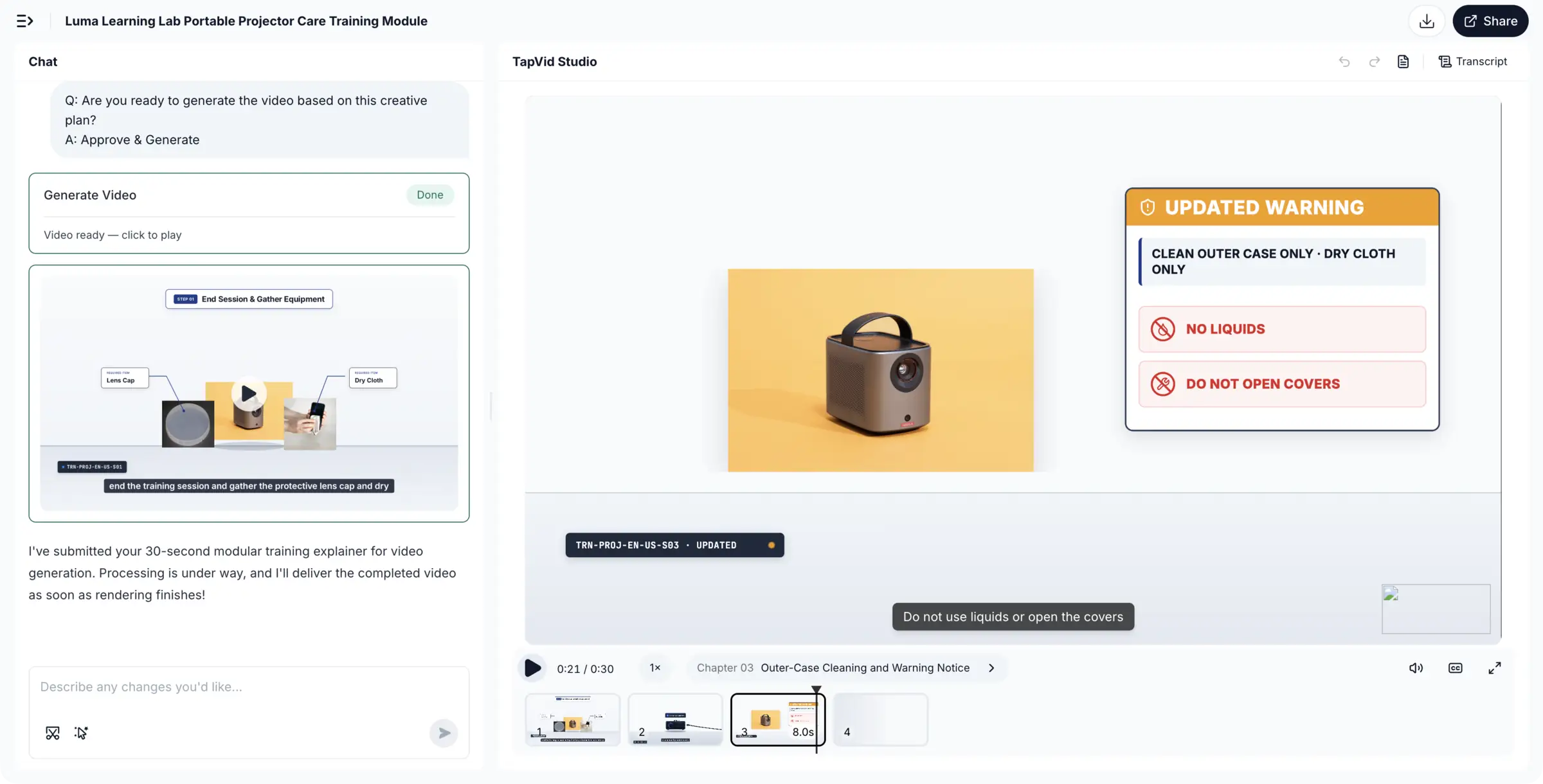
TapVid can fit one bounded part of this workflow when a team already has an approved document or script and wants to generate a maintainable explainer or training video. TapVid's published training workflow describes staged brief, outline, script, render, and export checkpoints, and its customer onboarding guidance describes updating a specific scene while surrounding scenes remain unchanged. That supports a modular rerender example. It does not establish TapVid as a translation, dubbing, lip-sync, linguistic QA, or localization service, so those responsibilities remain with the team's language and review workflow.
10
Publish each locale as a trackable release
A localized video is ready only when its exact inputs, approvals, and delivery state are recorded. Treat every locale as a release with a version, not as an attachment named after a language.
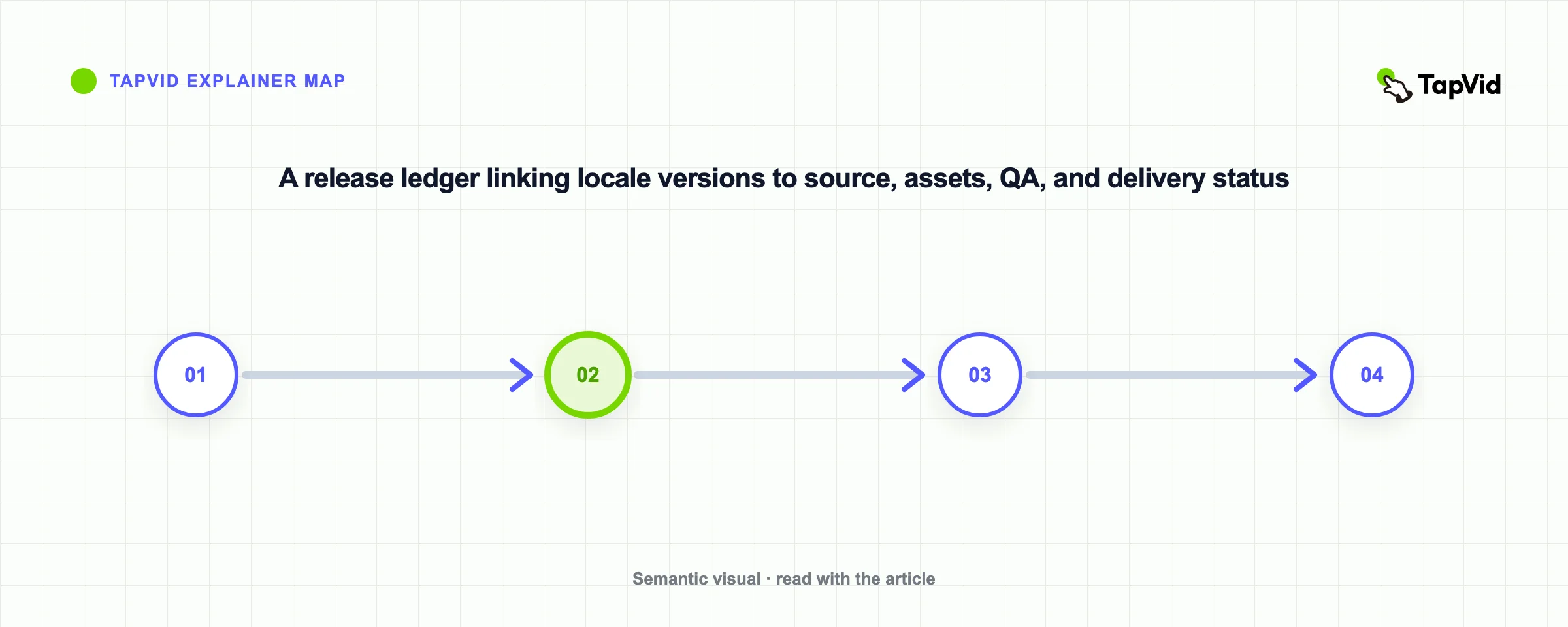
For each locale, record the source version, script version, glossary version, audio and caption asset IDs, visual package, QA approvals, publication destination, release date, and status. Useful states include draft, in review, approved, published, stale, and retired. Define what makes a release stale: any unresolved change to a required dependency should be enough.
Delivery architecture affects maintenance. A platform with multiple audio tracks can consolidate views, metadata, and management around one video, while separate locale videos may give teams more control over thumbnails, calls to action, access, or regional ownership. YouTube says creators can analyze views and watch time by audio language when multi-language audio is available. That metric helps identify demand, but it does not by itself prove learning effectiveness.
- Rollback rule: Preserve the last approved locale package until the replacement passes release QA. If a critical error appears, the team should be able to restore the prior version and identify exactly which learners or channels saw the affected release.
11
Pilot with one or two languages before scaling the library
A pilot should test the operating system, not merely produce two polished videos. Choose a representative lesson and a priority language, then observe where work queues, defects, and ownership become unclear.
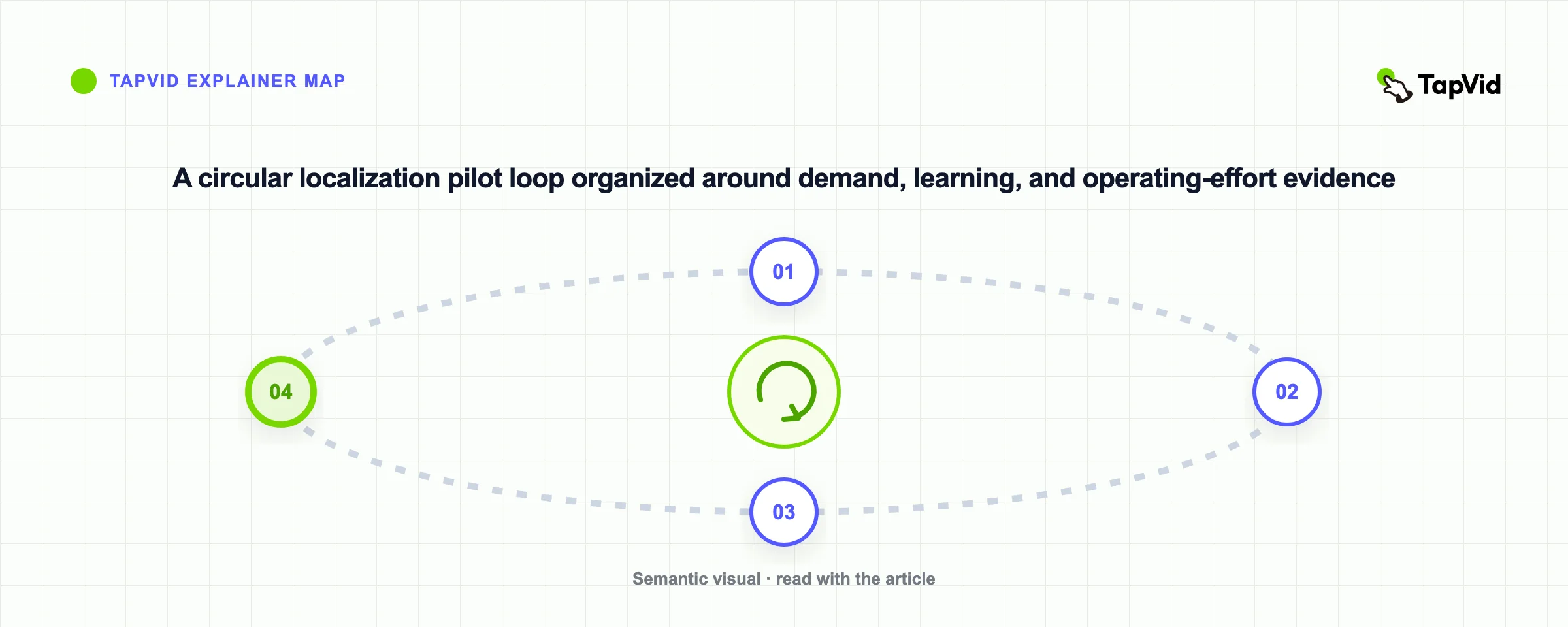
Measure demand and delivery separately from learning outcomes. Platform metrics can show whether people select a language track, watch, or complete a video. Course data can show completion and assessment performance. Support tickets, learner feedback, and enablement requests can reveal whether the localized lesson removes a specific obstacle. Do not claim that localization caused an improvement without a credible comparison and enough context.
The pilot should also measure operations: turnaround time by stage, defects by QA type, percentage of reused assets, number of late source changes, and effort required for a delta update. These measures expose whether the system will scale even when audience results look promising.
- Pilot decision: Expand the same workflow, revise the source and ownership model, or stop the locale because demand is insufficient. A stopped pilot is not automatically a failure; it can prevent a costly catalog-wide rollout based on enthusiasm rather than evidence.
12
Use this video localization checklist before release
Use this checklist as a release gate, then adapt it to the risk of the lesson:
- Confirm the target audience, learning objective, locale, and localization method.
- Freeze the approved source script and assign stable segment IDs.
- Package the transcript, glossary, pronunciation list, on-screen text, editable assets, and owner map.
- Classify every asset as shared, locale-specific, or conditionally shared.
- Approve translated meaning and terminology before producing audio or visuals.
- Produce and identify audio, captions, transcript, on-screen text, metadata, and course elements.
- Run separate linguistic, audio and timing, visual and interface, and accessibility and release QA passes.
- Record every defect by segment, asset, severity, and owner.
- Bind the approved locale package to its exact source and dependency versions.
- Publish with a rollback path and mark releases stale when a required dependency changes.
- Pilot one or two languages, measure demand and operations, then decide whether to scale.
Video localization scales when the source stays controlled and every locale remains traceable. Start with the lessons that matter, choose the least complex method that preserves comprehension, and make the next source update part of the design from day one.
13
Frequently asked questions
What is video localization?
Video localization is the adaptation of a source video and its supporting assets for a specific language and market. It can include translated dialogue, narration, captions, on-screen text, visuals, examples, metadata, transcripts, accessibility resources, and course elements. The required scope depends on what the audience must understand and do.
Is adding subtitles enough to localize a training video?
Sometimes. Subtitles can work for simple, low-risk lessons whose visuals remain valid and whose viewers can comfortably read while watching. They are less suitable when the learner must follow a dense interface, when important information is conveyed only through audio, or when the local workflow and examples differ from the source.
Should a training video use voice-over or dubbing?
Use voice-over when clear in-language narration matters but lip synchronization does not. Use dubbing when dialogue, speaker presence, and a native-language viewing experience justify the extra production and QA complexity. For either method, review pronunciation, timing, captions, and instructional meaning separately.
How should on-screen text be localized?
Inventory every visible string before translation, keep editable text layers where possible, and verify that the translated layout remains readable. If the video demonstrates software, decide whether the locale needs a local interface recording, translated overlays, or an explicit explanation that the interface remains in another language.
How do you update localized videos when the source changes?
Assign stable IDs to source segments and assets, record which locale files depend on them, classify the change, and rerun only the affected translation, audio, caption, visual, course, and QA tasks. Mark a locale release stale whenever a required dependency changes until the affected work passes review.
How do you measure whether video localization works?
Track audience demand, language selection, watch behavior, course completion, assessment performance, support impact, learner feedback, production turnaround, defects, and asset reuse. Interpret them separately. A language track receiving watch time demonstrates use, while a learning improvement requires stronger evidence than platform engagement alone.