
TL;DR
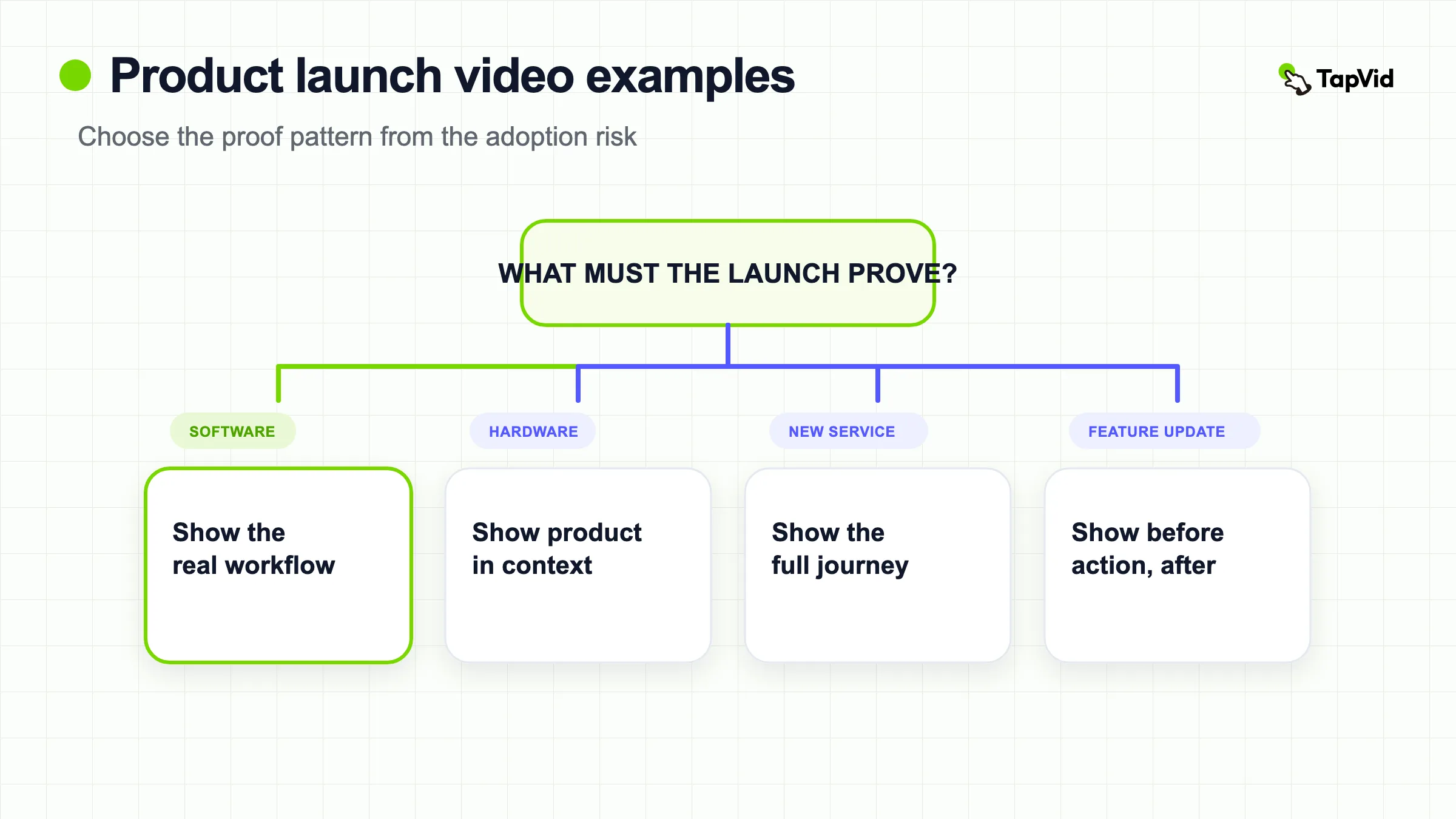
Choose a launch reference by adoption risk, not production style. Use Notion Calendar for a focused UI workflow, Figma for a multi-release keynote, Amazon Go for an unfamiliar customer journey, and Loom AI for before-and-after work. Lock the approved claim, current assets, factual copy, source links, and shot-to-asset map before production.
The best product launch video examples do not all look alike. A new software workflow needs readable interface proof. A physical device needs scale, materials, and use in context. A new service may need to explain a behavior that viewers have never seen before. The common thread is a clear launch claim supported by visible evidence. This guide breaks down eight examples and turns each one into a practical production decision.
Turn your launch brief into a reviewable video structure
01
What a product launch video must prove
A launch video has a narrower job than a general brand film. It should help the intended audience understand four things:
- What is new?
- Who is it for, and what changes for them?
- What visible proof supports the promise?
- What should the viewer do after watching?
The proof changes with the launch. For software, it may be a complete UI interaction. For hardware, it may be the product in a real environment plus close views of important physical details. For a new retail concept, it may be a person completing the unfamiliar experience from beginning to end.
That is why a launch video should not be planned as a generic “sizzle reel.” Begin with the decision the viewer needs to make, then collect the assets that can support it.
| Launch | Primary format | Proof device | Best lesson |
|---|---|---|---|
| Notion Calendar | Focused UI tour | Real scheduling workflow | Let one job organize the entire video |
| Linear product updates | Dense feature reel | Current dark-mode UI | Match information density to an expert audience |
| Figma Config keynote | Product-leader presentation | Live feature demonstrations | Use a keynote when several launches need one narrative |
| Apple Vision Pro | Cinematic hardware introduction | Device, interface, and real environments | Move from category promise to concrete use |
| Amazon Go | Scenario-led concept launch | Full customer journey | Demonstrate unfamiliar behavior end to end |
| Descript Underlord | Personality-led feature launch | Editing actions inside the product | Let tone differentiate a technical workflow |
| Loom AI | Workflow transformation | Before and after message tasks | Show what work disappears after the feature |
| Webflow AI | Outcome-first software launch | Prompt-to-site workflow | Connect speed claims to visible product steps |
02
8 product launch video examples worth studying
1. Notion Calendar: one workflow, one continuous promise
Notion Calendar is introduced through the scheduling work itself. The interface remains central, and the sequence follows how someone would move through the product rather than jumping between unrelated feature cards.
This structure works because a calendar is already a known category. The video does not need a long definition. It needs to show why this calendar deserves attention and how its interactions support the launch promise.
What to copy: identify the one workflow that makes the new product easiest to understand. Capture the starting state, the important action, and the resulting state. Keep each scene connected to that chain. If an integration or secondary feature does not help the viewer understand the core job, move it to a separate release clip.
2. Linear: use a dense product reel for an expert audience
Explore Linear's official product launch and changelog videos.
Linear's product communication often places current dark-mode interface footage close to concise feature language. The style assumes the audience already understands issue tracking and product development. It can therefore move quickly without first explaining the category.
This is a useful pattern for launches aimed at experienced users. Dense does not have to mean confusing when every shot uses familiar objects and the product states are readable. The risk is copying the pace for an audience that lacks the same context.
What to copy: decide what the audience already knows. Use that knowledge to remove category explanation, not product proof. Keep labels, states, and interactions exact. A rapid reel still needs enough screen time for a viewer to verify what changed.
3. Figma Config: let a product leader connect several launches
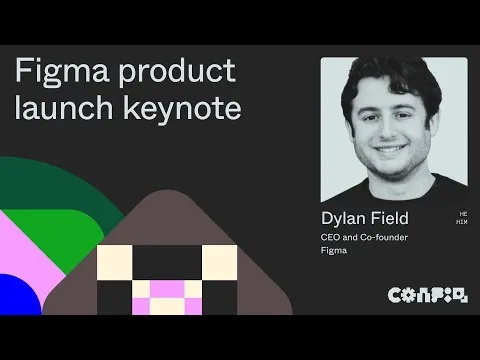
Watch Figma's Config 2024 product launch keynote.
Figma uses a keynote when the launch contains several related product changes. A product leader establishes the larger direction, then demonstrations show the features in context. This format creates a hierarchy: the audience first understands the company-level idea, then sees individual proof.
A keynote is not simply a longer launch video. It asks the presenter to carry transitions between products, audiences, and levels of detail. Short feature clips can then be cut from the larger event for viewers who need only one announcement.
What to copy: use a keynote only when multiple launches share a meaningful narrative. Write a one-sentence bridge between every segment. Plan self-contained demonstration sections so each one can become a shorter distribution asset without losing its claim or context.
4. Apple Vision Pro: introduce the category before listing specifications
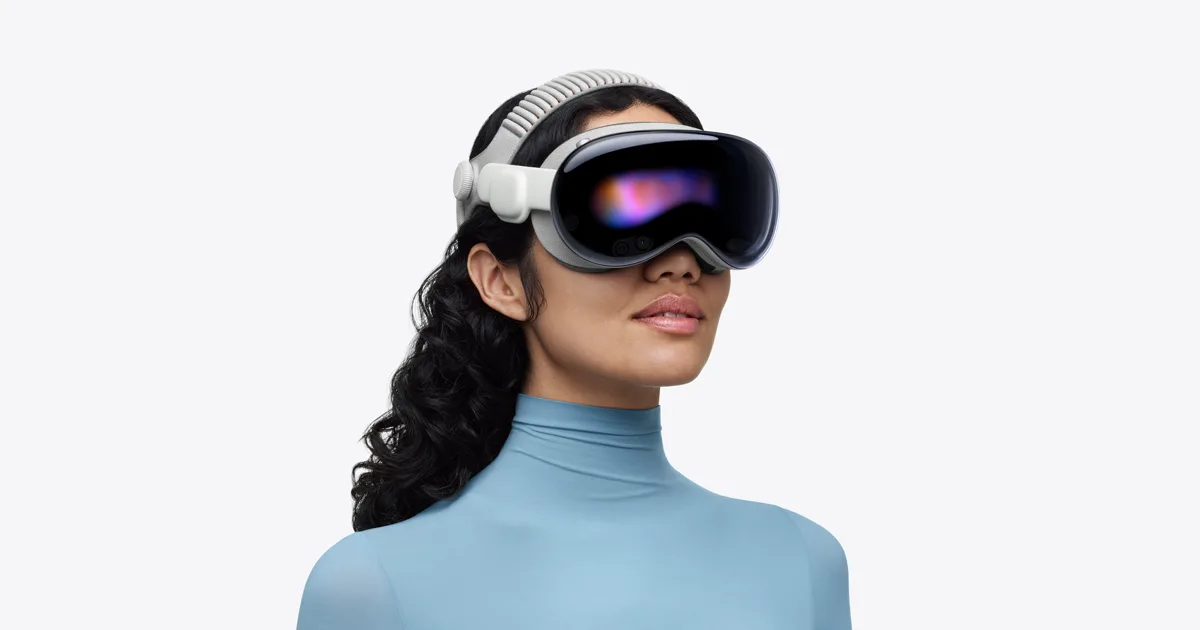
Watch Apple introduce Vision Pro.
Vision Pro needed to establish a category and an interaction model, not merely announce another device. The introduction connects the hardware to work, communication, entertainment, and spatial interfaces before technical sections add detail.
For a physical product, visual proof has several layers. Viewers need to see the object itself, how a person uses it, what the interface looks like, and where the product fits into real life. A specification card alone cannot complete that job.
What to copy: sequence the proof from broad to specific. Begin with the new behavior or category promise. Show the product in use. Then introduce the physical or technical details that make the behavior possible. Make sure every specification shown on screen matches approved product documentation exactly.
5. Amazon Go: demonstrate a new behavior from entrance to exit

Watch Amazon introduce Amazon Go.
Amazon Go introduced a retail experience that many viewers had not used before. The video follows a customer into the store, through shopping, and out again. That journey answers the natural question: what actually happens if there is no conventional checkout?
This is a strong pattern for a new service, marketplace, or hybrid physical-digital experience. The viewer needs to see the whole behavior, including the moment that would otherwise create doubt. Abstract technology graphics can support the explanation, but the customer journey is the primary evidence.
What to copy: list the questions a first-time user would ask at each stage. Build the scene order around those questions. Do not skip the moment where the experience differs most from the familiar alternative.
6. Descript Underlord: use personality without hiding the product
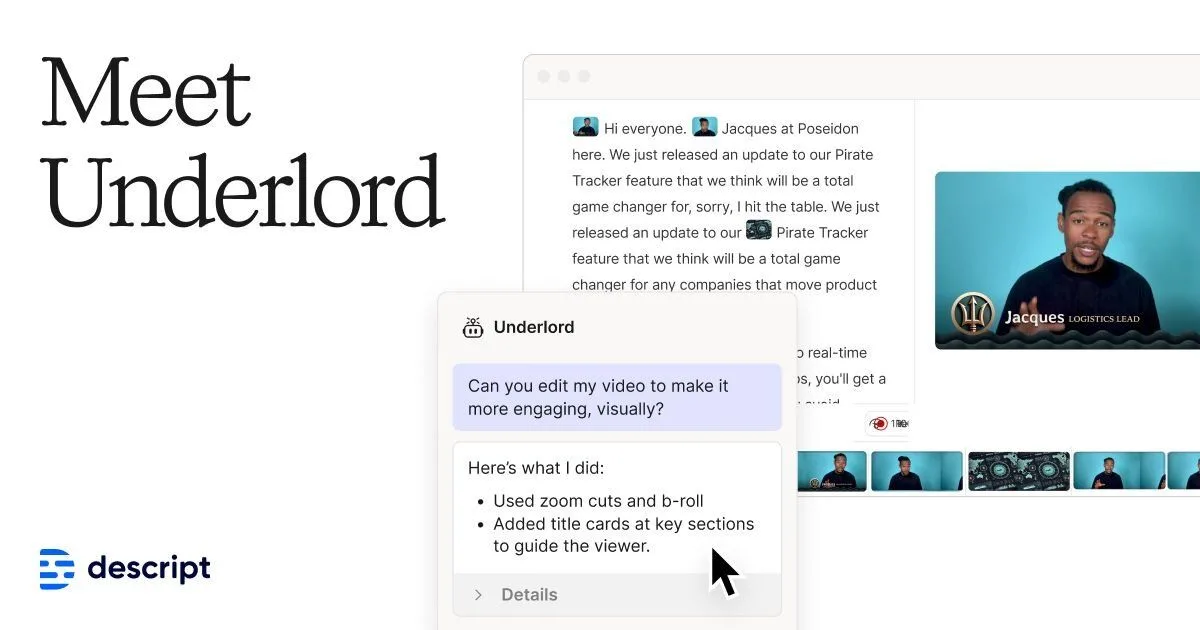
View Descript's official Underlord launch.
Underlord uses a distinctive product name and a playful tone to make an editing assistant memorable. The creative personality gives the launch a voice, while the product page and demonstrations still need to show what happens inside the editing workflow.
Personality can help a feature launch stand out in a crowded software category. It becomes a problem when jokes, characters, or visual effects replace the evidence. Viewers may remember the campaign but remain unable to describe what the feature does.
What to copy: separate the memory device from the proof device. The name, narrator, or visual motif can make the launch recognizable. The real editing actions, outputs, and limitations must still make the capability understandable.
7. Loom AI: show the work that disappears after the launch
View Loom's official AI product experience.
Loom's AI positioning is easiest to understand when it is connected to tasks around a recorded message, such as summarizing, naming, or extracting next steps. The most useful launch story is not “this product has AI.” It is “after you record, these follow-up tasks no longer require the same manual work.”
This before-and-after structure works for automation features. The viewer should see the original task, the new interaction, and the changed output. Otherwise, the launch risks becoming a list of AI labels with no operational meaning.
What to copy: write down the manual steps users perform today. Show which steps remain, which become shorter, and which disappear. Avoid claiming time savings unless you have a documented measurement. The visual workflow can establish value without an invented percentage.
8. Webflow AI: connect an outcome claim to visible steps
View Webflow's official AI launch experience.
Webflow can make a strong outcome promise because viewers understand the gap between an idea and a working site. The launch becomes credible when prompts, generated structure, and the editable result appear as connected product states.
Outcome-first videos are common, but they often jump directly from a text prompt to a polished result. That edit may look impressive while concealing the product decisions a professional buyer needs to evaluate. Showing the intermediate state makes the workflow more trustworthy and easier to imagine adopting.
What to copy: preserve the chain between input and output. Show what the user supplies, what the product creates, and what remains editable. If human review is required, include it instead of implying a one-click finished deliverable.
03
Pick a launch pattern from the product risk
The right reference depends on what could prevent the audience from believing or adopting the launch.
| Main audience doubt | Recommended pattern | Reference |
|---|---|---|
| “I do not understand the new workflow.” | Continuous UI tour | Notion Calendar |
| “This looks slower than my current tool.” | Dense expert feature reel | Linear |
| “How do these announcements fit together?” | Product-leader keynote plus demos | Figma Config |
| “What is this category, and how would I use it?” | Category story plus layered proof | Apple Vision Pro |
| “What happens at the unfamiliar moment?” | End-to-end customer journey | Amazon Go |
| “Why will I remember this feature?” | Personality plus product proof | Descript Underlord |
| “Which work does this remove?” | Before, interaction, after | Loom AI |
| “Can the product really create that outcome?” | Input, intermediate state, editable result | Webflow AI |
This selection method is more reliable than choosing by visual style. It starts from the adoption risk and uses the video to remove that risk with evidence.
04
Build the launch brief around approved evidence
Before scripting, assemble a launch evidence packet. It should contain:
- the approved one-sentence launch claim;
- the intended audience and the action they should take;
- the exact product name, feature names, numbers, dates, and availability language;
- current screenshots, screen recordings, product photos, or footage;
- a list of claims that require a source or should not appear;
- a shot-to-asset map that ties every line to the correct visual;
- destination formats, including the main cut and any shorter variants.
Then classify every planned scene by its proof role:
Context proof shows the situation in which the launch matters. Product proof shows the product, interface, or customer journey. Literal proof presents facts that must remain exact, such as model names, prices, compatibility, dates, and legal language. Outcome framing explains what changes for the user without inventing private performance data.
This classification reveals weak scripts early. If a scene makes a specific promise but has no product or literal proof, the team should source the evidence, narrow the wording, or remove the claim.
05
Keep product facts accurate through production
Launches are especially vulnerable to small errors because names, interfaces, availability, and specifications can change close to release. The review should therefore check three layers.
First, verify asset fidelity. Product photos, UI captures, logos, and diagrams must remain recognizable and current. Second, verify information fidelity. On-screen text and narration must match the approved launch copy. Third, verify correspondence. When the script describes one feature or model, the visual must show that exact feature or model.
TapVid's product launch video workflow is designed around supplied assets and copy. TapVid's formal product position is Explainer Video Engine: an accuracy-first system for turning product material and written messaging into a reviewable video. The practical value is not an absolute accuracy guarantee. It is the ability to keep literal content outside creative rewriting, inspect the script and scene mapping, and correct mismatches before delivery.
For a wider set of promotional formats, compare the promotional video examples guide. That article includes launch cases as one category. This page goes deeper on the dedicated launch task: selecting a proof structure for a new product, service, or feature.
06
Common launch video mistakes
Leading with a logo animation. A logo may establish ownership, but it rarely answers what is new. Move quickly to the launch claim or product proof.
Combining every release into one short reel. If the announcements do not share one audience and narrative, separate videos will be easier to understand and distribute.
Showing polished outcomes without inputs. Viewers cannot judge a transformation when the starting point and important steps are missing.
Using outdated interface captures. A launch video can become inaccurate before release if the UI changes during production. Set a final capture date and recheck every product scene.
Adding unsupported numbers. Do not invent time saved, conversion lift, capacity, or adoption metrics. Use documented public data, clearly labeled internal observations, or no number.
Treating every platform as a crop. A shorter vertical cut may need a different opening, larger text, and fewer proof points. Plan variants from the same approved evidence instead of squeezing the full launch into every format.
Hiding limitations. Availability, compatibility, rollout timing, and required plans can be part of the buying decision. If the approved source includes a limitation, the video should not imply broader access.
07
Frequently asked questions
What is a product launch video?
A product launch video is a video released with a new product, service, model, or feature. It explains what is new, connects the change to an audience need, shows supporting product evidence, and directs the viewer to a next step.
How is a launch video different from a promotional video?
A promotional video can market an existing product, campaign, event, or brand at any time. A launch video is tied to introducing something new. Its evidence must establish the change, not only remind viewers of a general benefit.
How long should a product launch video be?
Length should follow the explanation burden. A familiar software feature may need a short focused reel. A new category, physical device, or multi-product keynote may need more time. The video is complete when the audience can understand the launch claim, see enough proof, and know the next action.
Should a launch video show the real product?
Usually, yes. Real UI, product photography, recordings, or customer-journey footage provide the strongest proof. Concept animation can explain invisible systems or future direction, but it should not replace available product evidence or create details that are not approved.
What should be ready before production starts?
Prepare the approved launch claim, audience, call to action, current product assets, exact factual copy, source links, and a shot-to-asset map. Confirm availability and specification language again before final delivery.