
Video storytelling is the practice of arranging images, spoken words, text, sound, and motion so a viewer can follow a meaningful change. For a product launch, the job is not to make the product look vaguely cinematic. It is to show what changed, why that change matters, how the product creates it, and what the viewer should do next. This guide gives you a repeatable story spine, a claim-to-scene truth map, a real TapVid case, and a review method that keeps product assets and approved copy from drifting during production.
01
What video storytelling means for a product launch
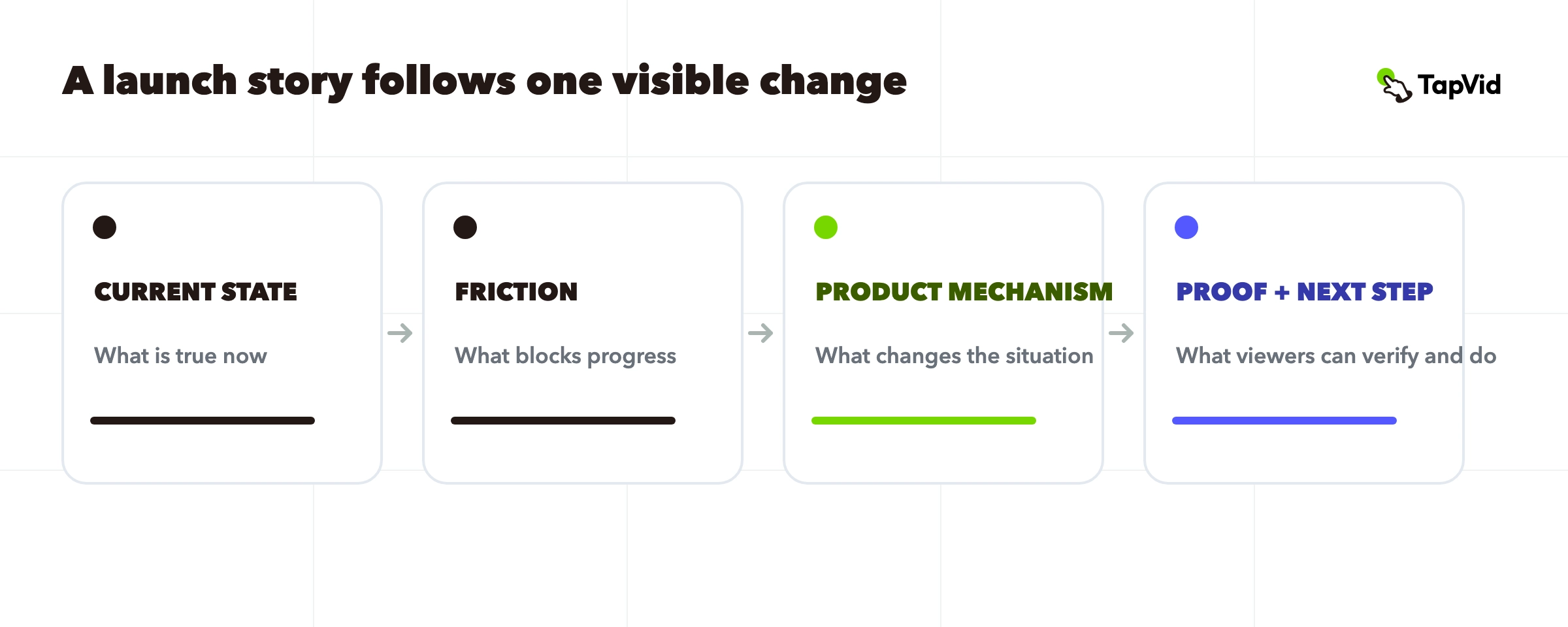
Video storytelling gives facts a sequence the viewer can understand and remember. The Adobe video storytelling guide treats planning, visuals, sound, and editing as parts of one narrative job, while Vimeo describes video storytelling as using the medium to carry a story rather than simply recording information. For a product launch, that sequence should answer four questions: what is happening now, what creates friction, what changed, and what can the viewer do after seeing the proof.
This page owns the production method for that story. It does not replace the brand storytelling video guide, which starts with how a company behaves, or the product storytelling guide, which maps a product claim to a wider narrative. Stay here when you already know the launch, audience, and product fact, but need to turn them into a short video that a reviewer can approve without guessing what each scene means.
02
Start with the change, not a cinematic mood
A mood can help with pacing, but it cannot carry the launch by itself. Begin with a change the viewer can state in one sentence. A useful form is: someone currently does or experiences X; the product changes one specific part of that situation; the viewer can see the result; the next action follows. If the sentence requires several audiences, several problems, and several products, split the job. A short launch video can carry one central change clearly. It usually cannot carry an entire positioning deck.
| Story beat | Question | Acceptable evidence |
|---|---|---|
| Current state | What is true before the product appears? | A real task, screen, object, or approved customer situation |
| Friction | What blocks the desired result? | A visible delay, repeated step, constraint, or exact approved statement |
| Mechanism | What does the product actually change? | Product UI, real product image, diagram, or approved feature copy |
| Proof and next step | What can the viewer verify and do? | Visible result, labelled output, demonstration, or direct call to action |
Write the current state and the changed state before choosing transitions, camera moves, or music. That ordering prevents a common failure: an attractive opening that makes no promise, followed by a dense feature list that never resolves the original tension. The story spine should survive as plain text. Visual treatment can then make each beat easier to feel without changing the product fact.
03
Build a claim-to-scene truth map before scripting
Every factual sentence in a launch story needs a permitted source. Put the approved copy, source asset, intended scene, and reviewer on one row before writing the full script. This is especially important for prices, model names, measurements, legal language, UI labels, and comparisons. Mark those words as protected copy. A writer may improve pacing around them, but should not silently paraphrase them. The same row should identify which image, screen, or diagram is allowed to appear while the claim is spoken.
The map creates three kinds of accuracy that can be reviewed separately. Asset accuracy asks whether the supplied product image, logo, or screen is preserved. Information accuracy asks whether the words, numbers, and labels stay literal. Correspondence asks whether the right visual appears under the right sentence. If any row has no source or reviewer, the script is not ready for production. Replace the claim, find the source, or explicitly label it as creative treatment before moving on.
04
Write six beats the viewer can follow
Turn the four-part spine into six production beats. Each beat should do one job and earn the next. Do not force every beat to last the same number of seconds. A familiar problem may need only one shot, while a product mechanism may need a slower screen capture or labelled close-up. Read the script without images first. Then read it again while pointing to the source asset for every factual sentence.
Six-beat product launch story
- 1
Hook the change
State or show the changed situation, not a generic question.
- 2
Establish the current state
Give the viewer just enough context to recognize the task.
- 3
Make the friction visible
Show the delay, confusion, repetition, or constraint the product addresses.
- 4
Reveal the mechanism
Pair one approved product claim with the exact supporting asset.
- 5
Show proof
Let the viewer inspect the result, interface state, product detail, or before-and-after relationship.
- 6
Offer the next step
Use one direct action that follows from the proof already shown.
This order is a tool, not a formula that must be visible to the audience. A fifteen-second video may compress the current state and friction into one beat. A technical launch may spend most of its time on mechanism and proof. The non-negotiable part is causality: the product should not arrive as a random hero object, and the call to action should not ask for more belief than the video has earned.
05
Turn the story into a scene plan
A scene plan is the bridge between prose and production. Give every scene a stable ID and record its spoken line, on-screen text, permitted asset, treatment, and approval owner. Stable IDs matter when a reviewer asks for a change. The request can target scene S04 instead of relying on timestamps that may move after an edit. Keep the story beat in a separate column so a visually interesting shot cannot survive after it stops serving the story.
| Field | What to record | Failure it prevents |
|---|---|---|
| Scene ID | A stable label such as S01 or S04 | Ambiguous revision notes |
| Narrative job | Hook, context, friction, mechanism, proof, or action | Shots that look good but add no meaning |
| Approved copy | Exact narration and on-screen wording | Fact drift during editing |
| Source asset | File name, screen, product image, logo, or diagram | Wrong product or stale UI |
| Treatment | Motion, crop, pacing, or transition | Confusing a creative choice with a product fact |
| Owner | Person who can approve the row | Late review by an unknown decision maker |
Review the plan in two passes. The first pass checks meaning: can a person understand the change from the script and thumbnails? The second checks evidence: can a reviewer trace every protected word and product visual to an approved source? Only then should the team spend time on finish, music, or higher-cost motion. This ordering keeps creative decisions flexible while factual decisions stay controlled.
06
Plan the edit radius before production
A launch video will change. The practical question is how far each change should travel. A typo in one price label should not reopen the story arc. A replacement screenshot should affect the scene that uses it and any dependent crop. A change in the audience, product promise, or desired action may invalidate the spine and require a new brief. Label those three levels before production: block edit, scene edit, and story edit.
Keep protected copy separate from treatment so a motion designer or video system can improve pacing without rewriting the product. Preserve approved versions of the script and source pack. When a scene changes, compare the new frame with the row in the truth map and verify that neighboring scenes still lead into and out of it. This is slower than accepting every visual instantly, but much faster than discovering at final review that the video tells the wrong story.
For recurring launches, save the story spine and scene schema as reusable structure, not as finished wording. The next SKU may reuse the six beats, but it still needs its own claim sources, product assets, and approvals. Reuse should reduce setup work without carrying an old product fact into a new video.
07
Use a real TapVid case: Follow Builders
The Good Case library entry Follow Builders: Where It All Began uses a clean contrast. The public page opens with a noisy feed and a transcript that names the problem: high-volume AI commentary can hide useful technical signal. The story then shifts attention toward people doing the work and presents Follow Builders as the mechanism for finding that signal. That sequence makes the product action understandable before the viewer is asked to follow it.
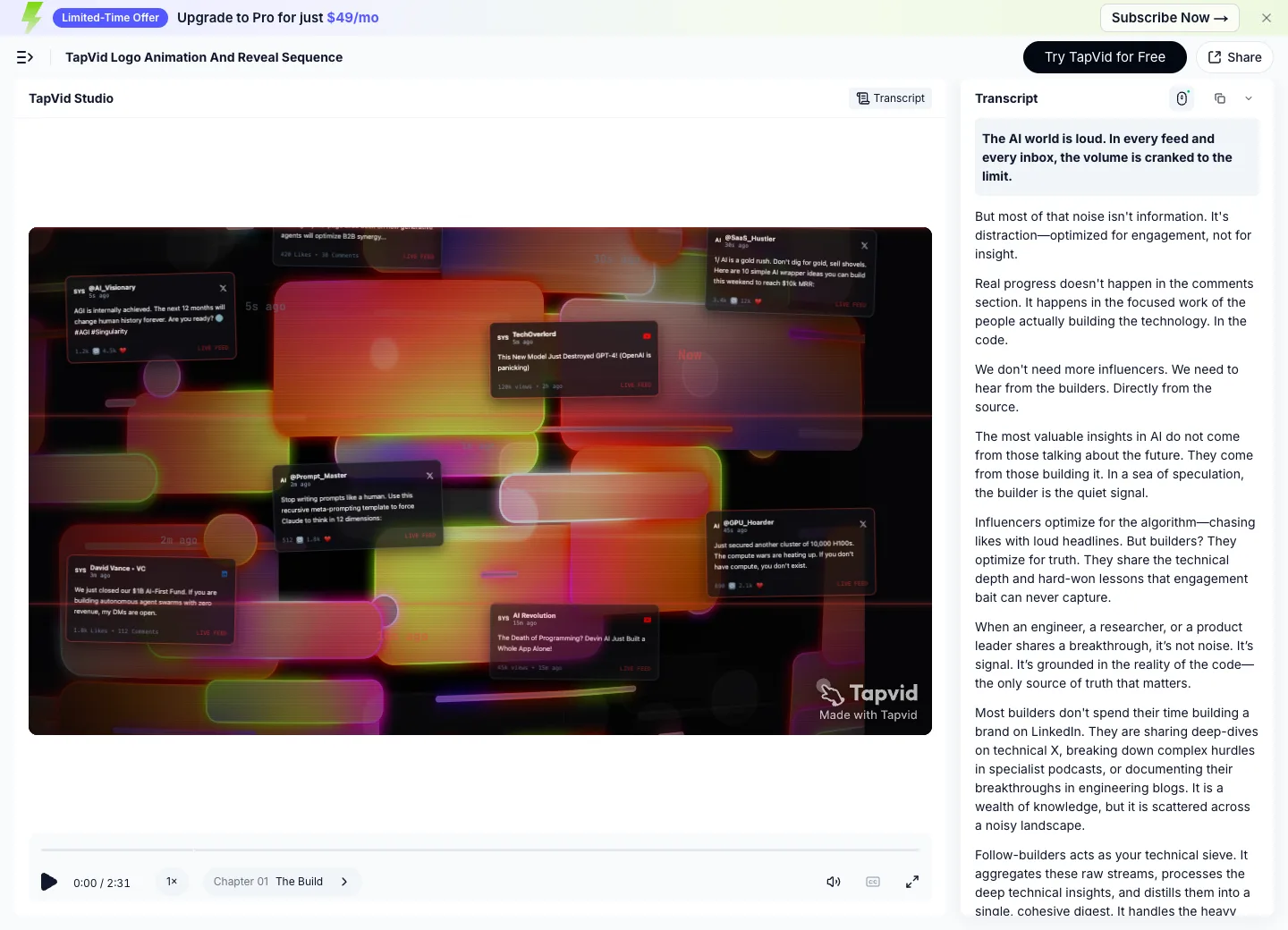
The screenshot is useful because it keeps the player, opening frame, chapter, duration, and transcript together. The exact library video is embedded below, rather than replaced with a poster or an unrelated demo. You can also open the generated-video route at https://tapvid.ai/video/8asR0I7f.
This case proves that the published output contains a contrast-led narrative and an inspectable transcript. It does not prove conversion lift, audience preference, or a universal best structure. Use it as a production reference: identify the current noise, define the valuable signal, show the mechanism that connects them, and keep the claim narrower than the evidence on screen.
08
Review three kinds of accuracy before publishing
The last review should begin with accuracy, then move to pace and polish. TapVid describes this as three checks: asset fidelity, information fidelity, and correspondence. The supplied product image, logo, UI screenshot, or footage should remain recognizable rather than being redrawn as a different object. Approved names, numbers, prices, and legal phrases should remain literal. The sentence about product A should not be paired with product B or an unrelated screen.
- Asset fidelity: compare every product visual with the approved source file.
- Information fidelity: compare narration and on-screen copy with the protected text.
- Correspondence: watch once with the scene map and confirm that each claim is paired with its intended visual.
- Story continuity: watch without notes and confirm that each beat causes or motivates the next.
- Boundary check: remove any statement the source pack cannot support.
A tool can help detect mismatches, but no production route should promise infallible results. Keep the script, scene map, and output visible before approval. If your source material and approved copy are already ready, the TapVid Explainer Video Engine is designed for that asset-and-copy handoff. The acceptance test remains the same: the output should stay true to the supplied materials and make the intended story easy to verify.
09
Choose the right adjacent guide
Use this page when the task is building a truthful launch story from a known product change. If the task begins with company behavior and credibility, use the brand storytelling video guide. If you need a broader claim-to-narrative method for one product, use product storytelling. If the brief is not formed yet, browse product launch video examples to identify structures before writing.
When the structure is approved and you need production instructions, move to the product launch video prompts. Prompts should come after the story spine and source map, not before them. Otherwise the prompt becomes a substitute for decisions the team has not made. A strong prompt can express an approved story; it cannot decide which product fact is true or which asset the team has permission to use.
10
Frequently asked questions
What is video storytelling?
Video storytelling arranges moving images, spoken words, text, sound, and editing so a viewer can follow a meaningful change. A product launch story should connect a current state, friction, product mechanism, proof, and next action.
How long should a product launch story be?
Use the shortest duration that lets the viewer understand the change and inspect the necessary proof. A simple launch may fit fifteen seconds; a technical mechanism may need more time. Do not choose length before the story and evidence are clear.
What makes a product story credible?
Credibility comes from traceable claims, approved product assets, literal protected copy, and correct claim-to-visual correspondence. Style can support those facts, but should not replace them.
Should I write the script or storyboard first?
Write the story spine and approved copy first, then build a scene plan that binds each line to an asset and treatment. A visual exploration can happen early, but it should not silently decide product facts.
Can AI create the whole story automatically?
AI can help draft, visualize, and produce, but the owner still needs to approve the product change, source assets, protected wording, and correspondence between claims and scenes.
How is video storytelling different from brand storytelling?
Video storytelling is a medium and production method. Brand storytelling is a narrower narrative job about how a company behaves, why it exists, or why it is credible. A product launch can use video storytelling without becoming a company-origin story.