
Product launch video prompts usually get the cinematic parts right. They describe a reveal, a sequence of scenes, music, motion, and a polished closing frame. The harder question is whether the launch asset remains reviewable when the product name, screenshot, claim, date, offer, or call to action changes before launch day.
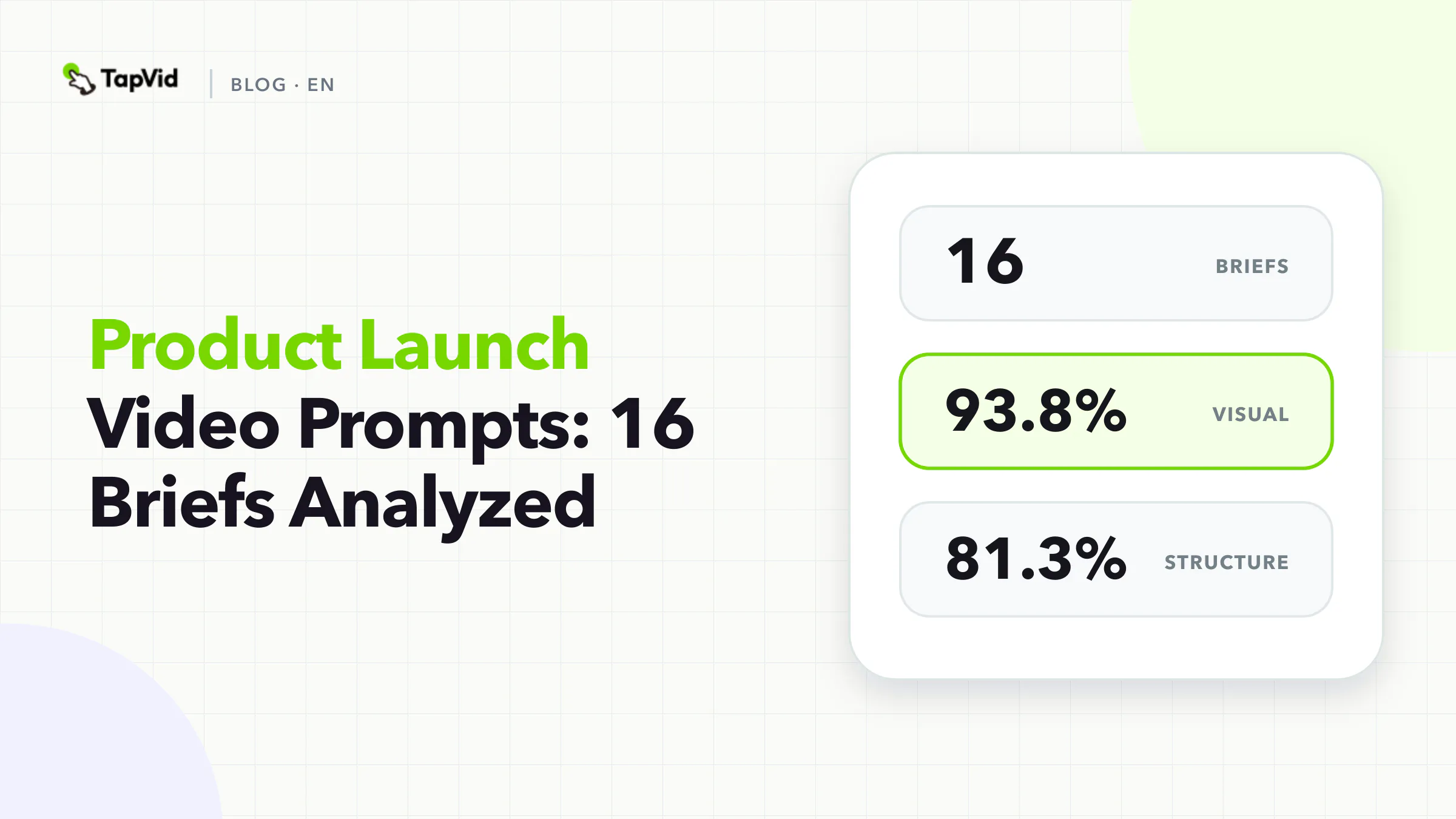
We analyzed 16 product launch briefs from TapVid's curated Good Case library. Visual direction appeared in 93.8% of the briefs, scene structure in 81.3%, audio in 81.3%, and source assets in 68.8%. Audience appeared in only 12.5%, fixed facts in 37.5%, and a CTA in 37.5%.
The gap matters. A launch prompt can be visually specific while still leaving the commercially sensitive parts implicit. The best fix is not more adjectives. It is an approval packet that separates the product source of truth from creative direction.
01
Product launch video prompt research method
We froze TapVid's internal Good Case library on September 1, 2026. A record entered the strict corpus only if it had a full prompt, a public share URL, a generation URL, and an MP4 attachment. That produced 64 eligible briefs. This article analyzes the 16 briefs tagged Product Launch. Tags overlap, so these records can also appear in other scene-based slices.
A deterministic keyword dictionary coded whether ten fields were explicitly present in prompt text: audience, duration, source assets, scene structure, fixed facts, visual system, audio, CTA, aspect ratio, and interaction between elements or scenes.
The method has three limits. It measures text, not controls selected elsewhere in a product. The sample is curated, so it cannot estimate the probability that a prompt will succeed. It also does not score aesthetic or commercial performance. The benchmark shows which decisions selected production briefs made explicit.
We publish only aggregate results and selected cases that already have public share pages. We do not expose private customer prompts.
02
What 16 product launch video prompts included
What 16 product launch video prompts included
93.8%
Visual system
Share of 16 briefs · Count: 15
Product launch video prompt research methodChecked 2026-09-01
81.3%
Scene structure
Share of 16 briefs · Count: 13
Product launch video prompt research methodChecked 2026-09-01
81.3%
Audio
Share of 16 briefs · Count: 13
Product launch video prompt research methodChecked 2026-09-01
75.0%
Duration
Share of 16 briefs · Count: 12
Product launch video prompt research methodChecked 2026-09-01
| Explicit field | Share of 16 briefs | Count |
|---|---|---|
| Visual system | 93.8% | 15 |
| Scene structure | 81.3% | 13 |
| Audio | 81.3% | 13 |
| Duration | 75.0% | 12 |
| Source assets | 68.8% | 11 |
| Aspect ratio | 62.5% | 10 |
| Interaction | 62.5% | 10 |
| Fixed facts | 37.5% | 6 |
| CTA | 37.5% | 6 |
| Audience | 12.5% | 2 |
The median prompt contained 2,282 characters. Again, that is not a recommended length. It reflects a mixed group of briefs with different numbers of scenes and different asset inputs.
The high rates for scenes and audio fit the launch job. Launch videos need a controlled buildup, reveal, proof sequence, and close. Yet only two briefs explicitly named the audience. That omission can make a launch film feel internally exciting while failing to answer the buyer's question.
For example, a technical buyer may need to see integration behavior. A daily user may need to see the new workflow. A founder watching a Product Hunt launch may need the change summarized in one sentence. The product is the same, but the evidence order is different.
The 37.5% rate for fixed facts and CTA creates a second risk. Launch details are unusually likely to change. Product names settle, interfaces update, offers expire, launch dates move, and legal wording receives late review. If those details live only inside an undifferentiated creative prompt, every edit invites collateral changes.
03
Public templates solve sequence, not approval
The current search results are dominated by usable templates. Hera provides a five-beat launch structure with assets, duration, format, and a copyable prompt. Nereo offers complete script examples for several launch contexts. Motionfly publishes multiple script templates. These resources help a team move from a blank page to a plausible sequence.
The missing layer is change control. A launch brief should tell the production system which inputs can be reinterpreted and which require literal preservation. Otherwise a late change to one pricing phrase can trigger a new generation that also changes the product image, narration timing, or approved proof.
The problem is operational, not stylistic. Teams need to answer five questions:
- What is launching?
- What changed compared with the previous state?
- What evidence is approved to demonstrate that change?
- Which wording is fixed?
- Who approves each item before distribution?
04
Build a launch approval packet
Use one source packet for every version of the launch video. It should be understandable without reading the creative prompt.
| Packet field | Required input | Owner | Review condition |
|---|---|---|---|
| Product identity | Exact name, version, model, logo, approved product image | Product marketing | Matches the current launch naming decision |
| Launch change | One sentence describing what is new | Product owner | Supported by the shipping product |
| Audience | One buyer or user in one launch context | GTM owner | Matches the page or channel where the video will run |
| Proof | Screenshot, recording, specification, comparison, or approved result | Product or evidence owner | Proves the stated change and nothing broader |
| Literal copy | Names, dates, numbers, price, terms, legal wording | Named approver | Reproduced exactly |
| CTA | One next action and destination | Channel owner | Link and eligibility are current |
| Exclusions | Unshipped features, expired terms, unsupported comparisons | Product and legal | Absent from every scene and caption |
This packet turns approval into a field-level check. It also makes revisions smaller. If the launch date changes, replace that literal field and rerun only the affected scene where the workflow supports selective revision.
TapVid describes this broader principle as keeping the source material accurate before optimizing speed or scale. Supplied assets remain the product evidence, literal information remains unchanged, and each script line is checked against the correct visual. It is still a human-review workflow, not a guarantee that errors are impossible.
05
A stronger product launch video prompt structure
A stronger product launch video prompt structure
- 1
Start with the launch change
Write one sentence using this pattern:
- 2
Bind every proof scene to an asset
A launch video should not display generic technology footage while making a product-specific claim. Attach a source ID to every proof beat.
- 3
Separate launch constants from creative variables
Create two lists.
- 4
Add a preflight, not a vague quality request
Replace `make it accurate and professional` with checks that a reviewer can answer:
Start with the launch change
Write one sentence using this pattern:
[Product] now lets [audience] [perform specific action] when [trigger], using [mechanism that can be shown].
If the sentence needs three `and` clauses, the video probably contains more than one launch story. Pick the change that the destination page can support.
Bind every proof scene to an asset
A launch video should not display generic technology footage while making a product-specific claim. Attach a source ID to every proof beat.
| Scene | Script job | Required visual | Locked element |
|---|---|---|---|
| 1 | Establish the previous friction | Approved old workflow or literal setup | No unsupported pain statistic |
| 2 | Name the launch change | Current product identity asset | Exact product and feature name |
| 3 | Demonstrate the mechanism | Correct UI recording or product footage | Correct state and sequence |
| 4 | Show supporting proof | Approved comparison or specification | Scope and units |
| 5 | Ask for one action | Current CTA card | Exact URL, date, or eligibility |
The binding is more important than the number of camera instructions. It prevents a polished scene from becoming evidence for the wrong statement.
Separate launch constants from creative variables
Create two lists.
Constants include product identity, approved assets, literal copy, factual claims, proof order, legal language, and CTA destination.
Variables can include the opening hook, transition style, generated background, music treatment, pacing within an approved range, and channel crop.
This separation supports controlled variants. A team can test three hooks while holding the same product visuals, proof, CTA, voice, and duration. If every element changes at once, the team cannot explain which choice affected the result.
Add a preflight, not a vague quality request
Replace `make it accurate and professional` with checks that a reviewer can answer:
- Does the first product visual match the named product?
- Does each claim have an approved source?
- Are dates, prices, versions, and model names literal?
- Does the proof show the state described by the narration?
- Is the CTA valid for the intended audience and launch channel?
- Can a late copy correction be isolated to one scene?
06
Copyable product launch video prompt
Create a [duration] product launch video for [one audience] on [one channel].

Launch change:
[Exact one-sentence description of what is new]

Product source of truth:
- Product name/version: [literal text]
- Approved product assets: [file names or URLs]
- Approved proof: [file or source] proves [narrow claim]
- Required wording: [date, number, price, specification, legal phrase]
- Exclusions: [unshipped feature, expired offer, unsupported claim]

Scene plan:
1. Previous state: show [approved source or neutral context]
2. Reveal: show [correct product asset] and say [exact product/feature name]
3. Mechanism: show [approved UI/product demonstration]
4. Proof: show [approved evidence] while saying [supported claim]
5. Action: show [literal CTA] and [current destination]

Creative direction:
- [visual system, motion, typography, audio]
- Generated visuals may be used only for [backgrounds/transitions/context]
- Do not redraw supplied product assets or invent UI, results, prices, or specifications

Approval checks:
- Product identity, facts, proof, and CTA match the source packet
- Each narration line is paired with the correct visual
- Any failed check is flagged for revision before delivery
The template can be short when the packet is complete. Do not paste the same facts into three places unless the production tool requires it. Multiple copies create version drift.
07
Case: a launch film built around an input-to-output story
The public TapVid Launch Film case turns source material into the subject of the launch. The useful production idea is not that every launch needs a dramatic reveal. It is that the launch change can be shown as a mechanism: approved source enters, a reviewable sequence is built, and the resulting video appears.
Open the public TapVid case or open the generated video.
The case demonstrates a narrative and production pattern. It should not be read as proof of a universal time saving or performance outcome.
08
What the benchmark changes
The 16-brief sample suggests that launch teams already understand scene direction and audiovisual polish. The weaker area is commercial explicitness: who the video is for, which facts are fixed, and what action should follow.
That leads to a practical decision rule. If a launch detail can change the buyer's understanding, eligibility, or action, place it in the approval packet and bind it to a source. If a detail changes only the presentation, keep it in creative direction.
For launch planning beyond the prompt, review product launch video examples. If your team needs a structured intake before production, start with the video creative brief template.
09
Frequently asked questions
What should a product launch video prompt include?
Include one audience, one launch change, approved assets, locked facts, a scene sequence, proof bindings, audio and visual direction, one CTA, exclusions, and review checks. Keep product truth separate from creative variables.
How many scenes should a launch video have?
The dataset does not establish an ideal number. Use enough scenes to show the previous state, name the change, demonstrate the mechanism, present proof, and ask for one action. Merge beats when the evidence remains clear.
Why were audience and CTA uncommon?
Only two of 16 briefs explicitly named an audience, and six named a CTA. Some creators may have supplied these choices through other fields or workflows. The benchmark measures prompt text only, so the result should be treated as an explicitness gap, not proof that the decisions were never made.
Is a longer launch prompt better?
No conclusion about quality follows from length. The median was 2,282 characters among selected briefs. A concise prompt with a complete approval packet can be safer than a long creative paragraph with no source bindings.
Can I cite this research?
Yes. Cite it as: TapVid Prompt Lab, analysis of 16 product launch briefs from a 64-record curated Good Case corpus, frozen September 1, 2026. State that the corpus contains selected outputs and the coding measures explicit prompt fields.