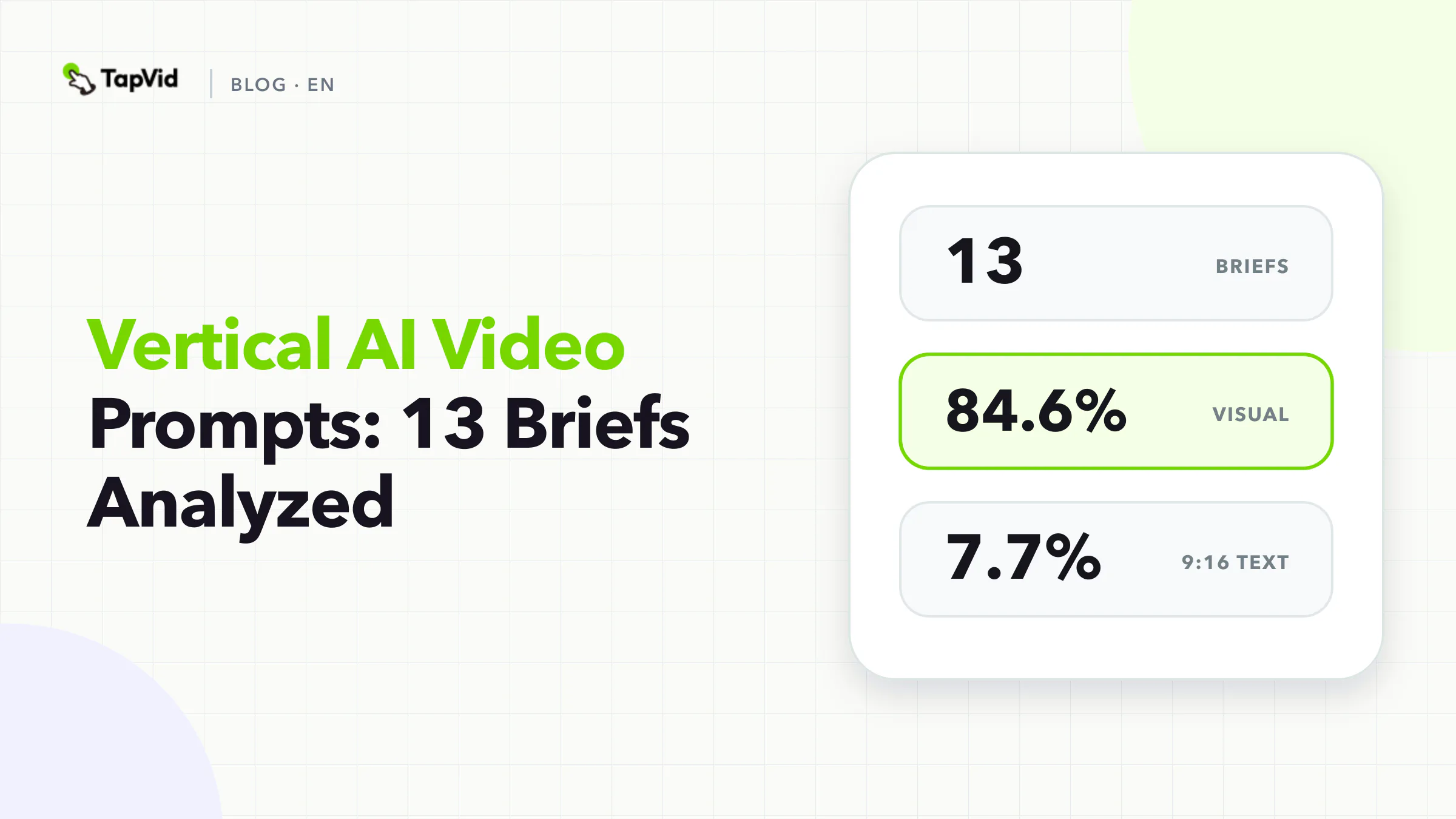

Vertical AI video prompts are often treated as horizontal prompts with `9:16` added at the end. Our data suggests a more useful distinction. In 13 curated vertical briefs, visual direction appeared in 84.6%, but only one brief explicitly wrote the aspect ratio into the prompt. Fixed facts appeared in none. Source assets appeared in two, and an explicit CTA appeared in two.
That does not mean the videos lacked a vertical setting or product inputs. Aspect ratio can be selected in a structured control, and assets can arrive through uploads. The finding is about prompt architecture: vertical briefs often use prompt text for the creative idea while relying on the surrounding workflow for format and source material.
The safest approach is to design a one-screen contract. Keep export settings in structured controls, then use the prompt to define the first visible frame, the message hierarchy, the protected product evidence, and the action that must fit on one phone screen.
01
Vertical AI video prompt research method
We froze TapVid's Good Case library on September 1, 2026. The strict corpus includes 64 records with a full prompt, public share URL, generation URL, and MP4 attachment. This article analyzes the 13 records whose output ratio was 9:16. The comparison group contains 51 horizontal records from the same strict corpus.
A deterministic keyword dictionary coded whether ten fields were explicit in prompt text: audience, duration, source assets, scene structure, fixed facts, visual system, audio, CTA, aspect ratio, and interaction.
The code does not inspect every product setting, uploaded file, or conversation outside the prompt. That distinction is especially important here. Only one vertical prompt wrote the ratio explicitly, but every record was classified as vertical through structured metadata. The result should not be paraphrased as `creators forgot 9:16`.
The sample contains curated cases, not random generations, so it cannot establish which prompt style causes better performance. We report aggregate fields and one already-public case. Private prompts are not reproduced.
02
What 13 vertical AI video prompts included
What 13 vertical AI video prompts included
84.6%
Visual system
Share of 13 briefs · Count: 11
Vertical AI video prompt research methodChecked 2026-09-01
46.2%
Audio
Share of 13 briefs · Count: 6
Vertical AI video prompt research methodChecked 2026-09-01
38.5%
Scene structure
Share of 13 briefs · Count: 5
Vertical AI video prompt research methodChecked 2026-09-01
23.1%
Duration
Share of 13 briefs · Count: 3
Vertical AI video prompt research methodChecked 2026-09-01
| Explicit field | Share of 13 briefs | Count |
|---|---|---|
| Visual system | 84.6% | 11 |
| Audio | 46.2% | 6 |
| Scene structure | 38.5% | 5 |
| Duration | 23.1% | 3 |
| Source assets | 15.4% | 2 |
| CTA | 15.4% | 2 |
| Audience | 7.7% | 1 |
| Aspect ratio in prompt text | 7.7% | 1 |
| Interaction | 7.7% | 1 |
| Fixed facts | 0.0% | 0 |
The median prompt contained 384 characters. Horizontal briefs in the same strict corpus had a median of 3,557 characters. The vertical group also used fewer explicit source assets, facts, scenes, and interaction instructions.
These differences may reflect the job. A vertical social video often concentrates on one visual idea, one speaking moment, or one transformation. A horizontal explainer is more likely to carry a longer sequence, several product assets, and a fact-heavy narrative. The data does not prove that format alone caused the difference because the content categories are not controlled experiments.
Still, the contrast gives production teams a useful warning. Compact prompts can work for a self-contained visual. They become risky when the vertical video carries a product name, price, specification, UI, or multi-SKU claim that must remain exact.
03
Keep format settings outside the creative brief
General prompt libraries regularly recommend writing platform, duration, and ratio inside the prompt. That is reasonable when the model has no separate settings. When the production system already exposes those fields, duplicate instructions can conflict.
Use the structured layer for:
- Aspect ratio and output dimensions
- Duration range
- Language and voice selection
- Captions on or off
- Export format
- Product or SKU identifier
Use the prompt layer for:
- The first frame and first spoken line
- The visible action or transformation
- Which source asset must remain intact
- Text hierarchy and safe placement
- Visual and audio direction
- The final action
- Negative constraints and review checks
The separation explains the one-in-13 aspect-ratio result without turning it into a best practice. The prompt should not repeat information that the system already controls reliably.
04
Build a one-screen contract
A phone screen forces several decisions into the same frame. The viewer may need to recognize a product, read a statement, follow motion, and understand the next action in a few seconds. A one-screen contract specifies what wins when those elements compete.
| Priority | Contract question | Example answer |
|---|---|---|
| 1. Product identity | What must remain recognizable? | Supplied product pack shot and exact logo |
| 2. Message | What is the one literal statement? | `Three sizes available` |
| 3. Evidence | What visual supports that statement? | The three approved product variants side by side |
| 4. Safe placement | Where can text appear without covering evidence? | Upper third, two lines maximum |
| 5. Motion | What changes during the shot? | Products enter one at a time, then hold |
| 6. Action | What should the viewer do next? | `Compare sizes` |
If a second claim needs a second proof, it probably needs a second scene. Shrinking the type does not create more attention.
05
How to write vertical AI video prompts
How to write vertical AI video prompts
- 1
Start with the first visible frame
The first frame should reveal either the problem, the product, or the surprising state that makes the next second worth watching. Avoid abstract setup when the video is a product explanation.
- 2
Use one visible action
Short vertical generation benefits from one main movement per scene. Name the start state, action, and end state.
- 3
Lock facts when the video carries commerce
None of the 13 vertical prompts explicitly matched our fixed-fact dictionary. That can be harmless for an atmospheric social clip. It is a serious gap for an ad, product explanation, or multi-SKU video.
- 4
Reserve safe zones before adding style
Safe zones vary by placement and interface, so verify the current platform template before export. Inside the production brief, reserve areas by function rather than hard-coding a universal pixel value:
- 5
Make the final frame inspectable
Two of 13 briefs explicitly named a CTA. A vertical video does not always need a commercial action, but the final frame should hold long enough for the viewer to understand the outcome. For a product video, specify the exact CTA, destination context, and product state that remains visible.
Start with the first visible frame
The first frame should reveal either the problem, the product, or the surprising state that makes the next second worth watching. Avoid abstract setup when the video is a product explanation.
First frame: the supplied red bottle occupies the lower center. Exact overlay in the upper third: `Refill, do not replace.` Keep the brand mark unobstructed.
This direction answers composition, product fidelity, and text hierarchy without asking for a generic `strong hook`.
Use one visible action
Short vertical generation benefits from one main movement per scene. Name the start state, action, and end state.
Start with all three approved package sizes aligned. Move the smallest size forward while the other two remain fixed. End on a clean comparison frame for one second.
The instruction is testable. `Create dynamic motion` is not.
Lock facts when the video carries commerce
None of the 13 vertical prompts explicitly matched our fixed-fact dictionary. That can be harmless for an atmospheric social clip. It is a serious gap for an ad, product explanation, or multi-SKU video.
Create a literal-text block for product names, prices, sizes, dates, promotion terms, specifications, and legal wording. Attach each line to the correct asset. Do not let a visual model infer which number belongs to which variant.
Reserve safe zones before adding style
Safe zones vary by placement and interface, so verify the current platform template before export. Inside the production brief, reserve areas by function rather than hard-coding a universal pixel value:
- Product evidence zone
- Primary overlay zone
- Caption zone
- Platform-interface clearance
- CTA hold frame
If the same asset will run across several placements, create placement-specific crops and review each one. One crop is not automatically safe everywhere.
Make the final frame inspectable
Two of 13 briefs explicitly named a CTA. A vertical video does not always need a commercial action, but the final frame should hold long enough for the viewer to understand the outcome. For a product video, specify the exact CTA, destination context, and product state that remains visible.
06
Copyable vertical AI video prompt
Create one vertical video scene using the configured 9:16 output setting.

Audience and job:
[one audience] should understand [one product fact or action].

Source of truth:
- Use [approved product image/video] without redrawing the product or logo
- Keep this text literal: [name, number, price, size, model, date, or approved phrase]
- This statement is supported by [approved source]

One-screen contract:
- First frame: [product/problem/proof and exact composition]
- Primary message: [one literal line, two lines maximum]
- Evidence: [visual that proves or demonstrates the message]
- Safe placement: [overlay zone, caption zone, interface clearance]
- Motion: start at [state], perform [one action], end at [state]
- Final action: [one CTA or completed state]

Creative direction:
- [visual style, lighting, camera, pacing, audio]
- Generated content may be used only for [background or transition]
- Do not invent product variants, screens, claims, prices, labels, or results

Review:
- Product identity is intact and unobstructed
- Literal text is exact and paired with the correct product
- The key message is readable on a phone-sized preview
- The final frame can be inspected before export
The first sentence refers to a configured setting on purpose. If your tool has no ratio control, add the output requirement to the prompt and verify the rendered dimensions.
07
Case: a vertical process told through one visual system
The public Pixel Art Guide: From Nectar to Honey case is a 9:16 output with a compact prompt and a consistent pixel-art system. It illustrates why a vertical brief can be concise when one transformation and one visual language carry the scene.
Open the public TapVid case or open the generated video.
The case is an example of compact visual storytelling. It does not validate product, scientific, or conversion claims.
08
What the vertical and horizontal comparison means
The biggest gap in the same corpus is not the ratio field. It is production scope. Vertical briefs had a 384-character median, compared with 3,557 for horizontal briefs. Explicit source assets appeared in 15.4% of vertical prompts and 60.8% of horizontal prompts. Fixed facts appeared in 0% and 45.1%, respectively. Scene structure appeared in 38.5% and 76.5%.
Do not turn these observations into a rule that vertical videos should be vague. Use them as a routing decision:
- For one visual idea with no product facts, keep the prompt compact.
- For a product explanation, attach real assets and literal facts even when the video is short.
- For several claims or SKUs, use several inspectable scenes rather than one crowded screen.
- Keep reliable export settings outside the creative prose.
For channel planning, use the social media video guide. If the vertical asset is a paid TikTok creative, the AI TikTok ads workflow explains how to hold product evidence constant across variants.
09
Frequently asked questions
Should I always write 9:16 in the prompt?
Write it when the tool has no separate aspect-ratio control or when the prompt is the only specification. If a structured setting controls the output, use that setting and verify the rendered dimensions. Only one of 13 vertical briefs in our corpus wrote the ratio in prompt text, while structured metadata identified all 13 as vertical.
How long should a vertical AI video prompt be?
There is no quality target in this dataset. The median was 384 characters among selected cases. Add the source, literal fact, layout, movement, and review details required by the commercial job, then stop.
Why use a one-screen contract?
It forces the team to prioritize product identity, message, evidence, text placement, movement, and action before decorative style. That reduces crowding and makes review possible on the device where the video will be watched.
Can I cite this benchmark?
Yes. Cite it as: TapVid Prompt Lab, analysis of 13 vertical briefs from a 64-record curated Good Case corpus, frozen September 1, 2026. State that the study measures explicit prompt text and uses structured output metadata to identify 9:16 records.