
Explainer video prompts are often presented as a single formula: name the topic, choose a style, add a duration, and ask for a polished result. That formula is useful for a clip. It is incomplete for a product explanation that must preserve real assets, literal facts, and the relationship between a script line and the correct visual.
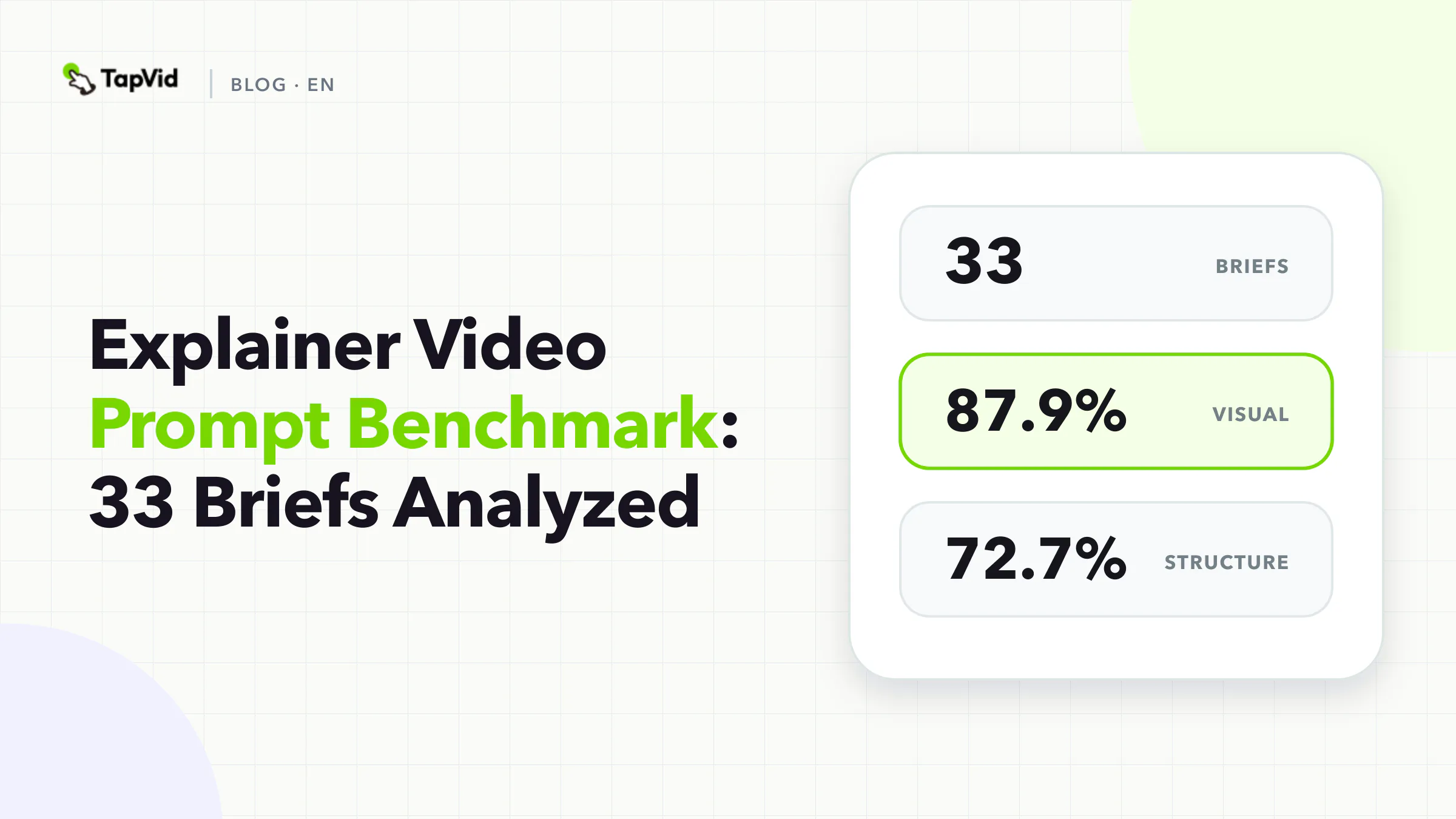
We analyzed 33 explainer briefs from TapVid's curated Good Case library. The strongest shared pattern was not prompt length. It was visible production control. Scene structure and duration appeared explicitly in 72.7% of the briefs, while the intended audience and call to action appeared in only 24.2%. Source assets were named in 57.6%, and fixed facts such as names, numbers, or exact wording appeared in 42.4%.
The practical lesson is simple: an explainer prompt should be treated as a reviewable production brief, not a request for the model to invent the product story.
01
What we analyzed
The source was a frozen September 1, 2026 export of TapVid's internally curated Good Case library. We included records only when they contained a full prompt, a public share URL, a generation URL, and an MP4 attachment. That produced a strict corpus of 64 briefs. Tags can overlap, so one record can belong to more than one analysis slice. This article uses the 33 records tagged as explainers.
We coded each prompt with a deterministic keyword dictionary for ten explicit fields:
| Field | What counted as explicit |
|---|---|
| Audience | A named viewer, customer, role, or audience segment |
| Duration | A requested runtime, timing range, or timed beat |
| Source assets | A supplied image, logo, screenshot, UI, video, document, or reference |
| Scene structure | Numbered scenes, shots, beats, chapters, or a storyboard |
| Fixed facts | Literal names, numbers, prices, specifications, quotes, or locked copy |
| Visual system | Style, composition, typography, color, lighting, motion, or camera direction |
| Audio | Voiceover, dialogue, music, sound effects, or silence |
| CTA | A requested final action or closing instruction |
| Aspect ratio | A written 16:9, 9:16, square, horizontal, or vertical instruction |
| Interaction | A described relationship between on-screen elements, script, timing, or transitions |
This method measures whether a field appears in the prompt text. It does not measure whether the creator selected the same field in a product setting or supplied it through an upload. It also does not rank output quality. The library contains selected examples, not a random sample of every generation, so the results describe planning patterns among curated outputs. They do not establish causality or a success rate.
No private customer prompt is reproduced here. The findings are aggregate, and the case shown later is linked to its existing public share page.
02
Explainer video prompt benchmark results
Explainer video prompt benchmark results
87.9%
Visual system
Share of 33 briefs · Count: 29
What we analyzedChecked 2026-09-01
72.7%
Duration
Share of 33 briefs · Count: 24
What we analyzedChecked 2026-09-01
72.7%
Scene structure
Share of 33 briefs · Count: 24
What we analyzedChecked 2026-09-01
57.6%
Source assets
Share of 33 briefs · Count: 19
What we analyzedChecked 2026-09-01
| Explicit field | Share of 33 briefs | Count |
|---|---|---|
| Visual system | 87.9% | 29 |
| Duration | 72.7% | 24 |
| Scene structure | 72.7% | 24 |
| Source assets | 57.6% | 19 |
| Audio | 57.6% | 19 |
| Aspect ratio | 51.5% | 17 |
| Interaction | 45.5% | 15 |
| Fixed facts | 42.4% | 14 |
| Audience | 24.2% | 8 |
| CTA | 24.2% | 8 |
The median prompt contained 3,621 characters. That number is descriptive, not a target. A short brief can work when assets, approved copy, and output settings arrive through separate structured fields. A long brief can still fail if it describes atmosphere in detail but never identifies which screenshot belongs with which claim.
Three findings matter for product teams.
First, visual direction is common because it is easy to express. Color, camera, typography, motion, and mood all fit naturally into a prompt. Second, the product truth layer is less consistent. Fewer than half of the briefs explicitly lock facts. Third, viewer context is often assumed. Only eight of the 33 briefs explicitly named an audience, even though the same feature may need a different explanation for a buyer, operator, or technical reviewer.
These are not reasons to add ten paragraphs to every prompt. They are reasons to separate the decisions that must be explicit from the settings and assets that can be supplied elsewhere.
03
The missing layer is a fact-to-visual contract
Most public explainer prompt guides focus on topic, style, timing, and scenes. Ngram's explainer gallery, for example, gives readers real normalized prompts and reports product-specific patterns such as common duration and source attachment behavior. Golpo pairs examples with prompts, scripts, and audio. Those pages are useful when the reader needs inspiration. They do not replace a contract that tells a production system what must remain literal and what visual proves each statement.
A fact-to-visual contract has five parts:
- Claim: the approved sentence, number, name, or specification.
- Source: the file, screen, document, or URL that supports it.
- Visual binding: the exact image, UI state, or demonstration that should appear while the claim is spoken.
- Allowed transformation: crop, resize, highlight, annotate, or animate without redrawing the source.
- Review test: what a human must verify before approval.
Here is a compact example for a fictional analytics product:
| Claim | Source | Visual binding | Allowed transformation | Review test |
|---|---|---|---|---|
| `Export the current view as CSV` | Approved UI recording | Export menu open on the CSV option | Crop and cursor highlight | Label and menu state match the recording |
| `Filters stay attached to the saved report` | Product documentation | Saved-report panel with filter chips | Zoom and annotation | Every visible filter matches the example |
| `Available on the Pro plan` | Current pricing page | Literal plan label as approved text | Typeset the exact phrase | Pricing owner confirms it is current |
The contract prevents a familiar failure: the narration discusses one capability while a visually similar but incorrect screen appears. That is why TapVid's accuracy model has three parts: preserve supplied assets, preserve literal information, and preserve correspondence between the script and the correct visual. It is a review discipline, not an absolute guarantee.
04
How to write explainer video prompts from the benchmark
How to write explainer video prompts from the benchmark
- 1
Name one audience and one decision
Avoid `Explain our platform to everyone`. Use a role, situation, and question:
- 2
Attach the source packet
List the approved assets and literal facts before requesting visual style. Mark each item as one of three types:
- 3
Build scenes around explanation units
Each scene should complete one unit: question, mechanism, proof, or action. A scene is not useful merely because it has a different camera angle.
- 4
Add style after the truth layer
Visual direction was the most common explicit field in the corpus. Keep it, but make it serve the explanation. Specify hierarchy, legibility, motion behavior, and the difference between product footage and generated context.
- 5
End with a verifiable CTA
Only eight of the 33 prompts explicitly included a CTA. An explainer does not always need a sales close, but it should end on the next decision the explanation supports. Examples include `Review the saved-report workflow`, `Compare the two input files`, or `Build one draft from your approved script`.
Use the following order. It keeps product truth ahead of decorative direction.
1. Name one audience and one decision
Avoid `Explain our platform to everyone`. Use a role, situation, and question:
Explain the saved-report workflow to operations managers evaluating whether teammates can reuse the same filtered view.
The audience field was uncommon in our corpus, but it changes terminology, proof, pacing, and CTA. A technical reviewer may need to inspect the actual UI state. A business buyer may need the before-and-after workflow. One video should not try to satisfy both with separate messages in every scene.
2. Attach the source packet
List the approved assets and literal facts before requesting visual style. Mark each item as one of three types:
- Must show: the exact screenshot, logo, product image, or demonstration.
- Must say: the exact name, number, specification, or legal phrase.
- May generate: decorative backgrounds, transitions, abstract metaphors, or non-product connective visuals.
The distinction lets the production system use generative visuals where interpretation is welcome while protecting product evidence from creative rewriting.
3. Build scenes around explanation units
Each scene should complete one unit: question, mechanism, proof, or action. A scene is not useful merely because it has a different camera angle.
For a 45-second software explainer, the outline might be:
- Show the current reporting problem.
- Display the approved dashboard screenshot and name the saved-report feature.
- Demonstrate how a filter becomes part of the saved view.
- Show a teammate opening the same report state.
- Close on the exact evaluation action.
Scene structure appeared in 24 of the 33 explainer briefs. The pattern makes sense because an explanation depends on order. If the proof appears before the audience understands the mechanism, it becomes decoration rather than evidence.
4. Add style after the truth layer
Visual direction was the most common explicit field in the corpus. Keep it, but make it serve the explanation. Specify hierarchy, legibility, motion behavior, and the difference between product footage and generated context.
Good direction:
Use a restrained technical visual system. Keep supplied UI screenshots intact. Use generated motion graphics only for transitions and abstract data flow. Do not invent screens, menu labels, metrics, or product states.
Weak direction:
Make it futuristic, premium, cinematic, and viral.
The weak version produces taste words without review criteria.
5. End with a verifiable CTA
Only eight of the 33 prompts explicitly included a CTA. An explainer does not always need a sales close, but it should end on the next decision the explanation supports. Examples include `Review the saved-report workflow`, `Compare the two input files`, or `Build one draft from your approved script`.
05
Copyable explainer video prompt template
Create a [duration] explainer video for [one audience] who needs to decide [one decision].

Use these supplied assets as the product source of truth:
- [asset name] proves [claim or workflow step]
- [asset name] proves [claim or workflow step]
- [logo or brand asset] may be cropped/resized but not redrawn

Keep this wording literal:
- [product name]
- [number, specification, price, model, or approved phrase]

Build the explanation in these scenes:
1. [audience situation and visible friction]
2. [product mechanism with the correct supplied visual]
3. [second mechanism or comparison]
4. [observable proof or changed state]
5. [one concrete next action]

Visual system:
- [composition, typography, motion, color, lighting]
- Generated visuals may support [allowed decorative role]
- Do not invent or redraw product screens, logos, labels, metrics, or facts

Audio:
- [voice, pacing, music, sound rules]

Review before delivery:
- Every claim matches its approved source
- Every narration line is paired with the correct product visual
- Literal text remains unchanged
- No unsupported result, price, or specification is added
The template is intentionally modular. If duration and aspect ratio are already controlled in the interface, keep them there and do not duplicate them merely to make the prompt longer.
06
Case: a technical explainer needs more than style
The public TapVid case Vera CPU Technical Explainer Motion Graphics Animation shows why a technical topic benefits from scene structure and a controlled visual system. Its brief is 8,486 characters, but length is not the lesson. The useful part is that the production direction coordinates a multi-scene technical explanation instead of asking for one cinematic clip.
Open the public TapVid case or open the generated video.
The case is an example of production structure, not independent validation of any technical claim shown inside it. Product facts still require their own approved sources.
07
What to keep short and what to make explicit
The benchmark does not support the rule that longer prompts are better. It supports a better allocation of detail.
Keep prose short when a structured field already controls aspect ratio, runtime, or voice. Make detail explicit when an error would change product identity, factual meaning, or visual correspondence. Put camera adjectives last. Put source assets, locked wording, scene purpose, and review tests first.
If you already have product screenshots and an approved script, TapVid can turn those materials into a reviewable explainer workflow. Start with the product demo video workflow, or use the explainer video script guide before building the production brief.
08
Frequently asked questions
How long should an explainer video prompt be?
There is no reliable target length in this dataset. The 33 curated explainer briefs had a median of 3,621 characters, but prompt length is confounded by scene count, source material, and product settings. Include every decision that protects the explanation, then remove duplicated or decorative wording.
Should I include the full script in the prompt?
Include approved narration when literal wording matters. For a product explanation, it is often safer to keep the script as a named source and bind each line to a scene than to ask a model to rewrite it inside a general creative request.
What is the most commonly explicit field?
Visual system direction appeared in 29 of 33 briefs, or 87.9%. Audience and CTA were least common at eight briefs each, or 24.2%. These figures describe explicit prompt text in a curated library, not every setting used in production.
Can an AI video prompt guarantee product accuracy?
No. A better prompt can reduce ambiguity, but review is still required. Protect supplied assets, lock literal facts, bind claims to the correct visual, and verify the result before delivery.
Can I cite this benchmark?
Yes. Cite it as: TapVid Prompt Lab, analysis of 33 explainer briefs from a 64-record curated Good Case corpus, frozen September 1, 2026. Include the methodology and limitation that the sample contains selected outputs rather than random generations.