
Tutorial video prompts have a different job from ordinary video prompts. A cinematic clip can succeed when it communicates one movement or mood. A tutorial succeeds only when the viewer can identify an action, see the resulting state, and recover when the expected state does not appear.
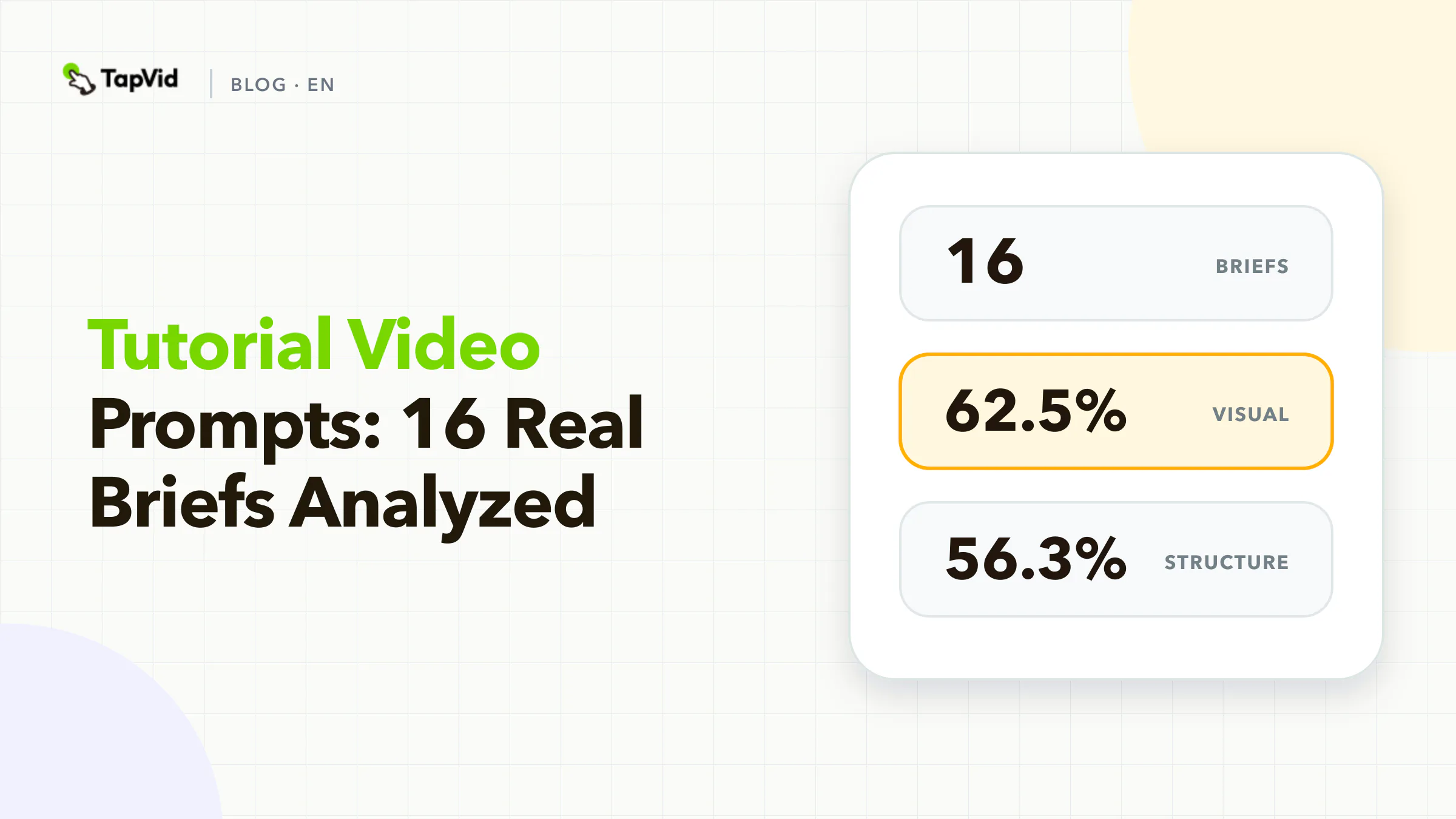
We analyzed 16 tutorial briefs from TapVid's curated Good Case library. The median prompt contained only 242 characters, far shorter than the explainer and long-form slices in the same corpus. Visual direction appeared in 62.5% of the briefs and scene structure in 56.3%. Source assets appeared in 25%, fixed facts in 25%, and explicit interaction instructions in 25%.
The finding does not mean short prompts are bad. It shows that many tutorial prompts behave like topic requests rather than instructional specifications. For customer education, onboarding, or feature training, the missing unit is usually not another style adjective. It is the action-observation-recovery loop.
01
How we analyzed tutorial video prompts
TapVid's Good Case library was frozen on September 1, 2026. We created a strict 64-record corpus by requiring a full prompt, a public share URL, a generation URL, and an MP4 attachment. This article covers the 16 records tagged Tutorial. Tags are multi-label, so the slice can overlap with explainers, social videos, and longer productions.
We used a deterministic keyword dictionary to code ten fields in prompt text: audience, duration, source assets, scene structure, fixed facts, visual system, audio, CTA, aspect ratio, and interaction between scenes or on-screen elements.
This is an explicitness analysis, not an output-quality score. A creator may select aspect ratio in the interface, upload a screenshot in a separate field, or discuss the audience outside the prompt. The curated sample also cannot tell us what percentage of all tutorial generations succeed. It shows how selected briefs express production decisions.
We report only aggregates. The case later in the article is already public, and no private user prompt is reproduced.
02
Tutorial video prompt benchmark results
Tutorial video prompt benchmark results
62.5%
Visual system
Share of 16 briefs · Count: 10
How we analyzed tutorial video promptsChecked 2026-09-01
56.3%
Scene structure
Share of 16 briefs · Count: 9
How we analyzed tutorial video promptsChecked 2026-09-01
43.8%
Duration
Share of 16 briefs · Count: 7
How we analyzed tutorial video promptsChecked 2026-09-01
43.8%
Audio
Share of 16 briefs · Count: 7
How we analyzed tutorial video promptsChecked 2026-09-01
| Explicit field | Share of 16 briefs | Count |
|---|---|---|
| Visual system | 62.5% | 10 |
| Scene structure | 56.3% | 9 |
| Duration | 43.8% | 7 |
| Audio | 43.8% | 7 |
| CTA | 31.3% | 5 |
| Source assets | 25.0% | 4 |
| Fixed facts | 25.0% | 4 |
| Interaction | 25.0% | 4 |
| Audience | 18.8% | 3 |
| Aspect ratio | 12.5% | 2 |
The median of 242 characters is a corpus description, not a recommendation. Several briefs can be short because the topic is familiar or because structured settings live elsewhere. The risk appears when a short prompt is expected to teach a real product workflow. A topic such as `make a tutorial about exporting reports` leaves unanswered questions:
- Which product version and screen state are current?
- Who is exporting and why?
- What exact action should the viewer take?
- What should appear after the click?
- What happens if the option is disabled or missing?
- Which labels, values, or warnings must remain literal?
Without those answers, a generated tutorial may look instructional while teaching a path that does not exist.
03
Tutorial prompts need an action-observation-recovery unit
Public prompt guides usually teach subject, action, setting, camera, lighting, and style. That structure is effective for a single generated shot. It is not enough for software onboarding or product education because the viewer needs state change.
Use this three-part unit for every instructional step:
- Action: what the user does, using the exact visible control.
- Observation: what changes on screen and how the user knows the step worked.
- Recovery: what to check when the expected state does not appear.
For a fictional reporting tool:
| Unit | Tutorial instruction |
|---|---|
| Action | Open the report, choose `Export`, then select `CSV`. |
| Observation | A download begins and the report name appears in the file name. |
| Recovery | If `Export` is unavailable, verify that the viewer has export permission and that the report has finished loading. |
This structure changes the video from a narrated click path into usable instruction. Recovery does not need a long troubleshooting section. One honest branch is often enough to prevent the viewer from assuming they made a mistake.
04
Separate demonstration evidence from generated decoration
Only four of the 16 tutorial briefs explicitly named source assets. That number deserves careful interpretation because an upload can arrive outside the prompt. Still, a tutorial production brief should clearly distinguish the evidence lane from the decorative lane.
Demonstration evidence includes current screen recordings, screenshots, physical product footage, diagrams, labels, buttons, settings, error states, and approved documentation. These assets teach the workflow and should not be redrawn as plausible substitutes.
Generated decoration can include a neutral opening, abstract transitions, connective motion graphics, background texture, or a non-product metaphor. These visuals can make the lesson easier to follow, but they should not pretend to be the interface or product state.
For an asset-led tutorial, assign each script step a demonstration source:
| Step | Script line | Evidence asset | Allowed edit | Pass condition |
|---|---|---|---|---|
| 1 | `Open Settings` | `settings-entry.mp4` | Crop and cursor highlight | Current label is readable |
| 2 | `Choose Team Access` | `team-access-panel.png` | Zoom and annotation | Correct panel and permissions appear |
| 3 | `Invite a teammate` | `invite-flow.mp4` | Trim dead time | Email field and confirmation state match |
| Recovery | `If Invite is disabled...` | `permission-warning.png` | Highlight warning | Exact warning and required role are visible |
The source table also makes updates cheaper. When the product UI changes, the team can identify the affected step instead of reviewing every abstract instruction.
05
How to write tutorial video prompts
How to write tutorial video prompts
- 1
Define the viewer's starting state
An audience label is not enough. `New users` could mean someone who has created an account, someone who has imported data, or someone who has never opened the product. State the prerequisite and desired end state.
- 2
Break the task into verifiable steps
A scene change should correspond to an instructional change. Use one primary action per step. If a step contains five clicks, split it unless all five happen in one stable screen state.
- 3
Protect labels and values from rewriting
Fixed facts appeared explicitly in four of the 16 tutorial briefs. For product education, interface labels and values are facts. Lock capitalization, punctuation, numbers, units, plan names, model names, and warning text when they affect the task.
- 4
Use audio to reduce, not duplicate, cognitive load
Audio appeared in seven briefs. Narration should explain purpose and consequence while the screen shows the action. Avoid reading every visible label aloud when the viewer can already see it.
- 5
End on the completed state
Five briefs included a CTA. For a tutorial, the best closing action usually continues the learned workflow: `Export your own report`, `Invite one teammate`, or `Try the recovery check with a test account`. A generic `learn more` close wastes the state the viewer just reached.
Define the viewer's starting state
An audience label is not enough. `New users` could mean someone who has created an account, someone who has imported data, or someone who has never opened the product. State the prerequisite and desired end state.
Viewer starts with an approved account, one existing report, and export permission. By the end, the viewer has downloaded the current filtered view as a CSV and can identify the file.
Only three prompts in the sample explicitly named an audience. Making the starting state explicit prevents skipped prerequisites and unexplained screens.
Break the task into verifiable steps
A scene change should correspond to an instructional change. Use one primary action per step. If a step contains five clicks, split it unless all five happen in one stable screen state.
Each scene record can contain:
- Step number and purpose
- Exact narration
- Required source asset
- On-screen action
- Expected observation
- One recovery path
- Text that must remain literal
- Approximate timing
The result resembles a lightweight test case. That is intentional. A tutorial is successful when the viewer can reproduce a state, not when every transition feels different.
Protect labels and values from rewriting
Fixed facts appeared explicitly in four of the 16 tutorial briefs. For product education, interface labels and values are facts. Lock capitalization, punctuation, numbers, units, plan names, model names, and warning text when they affect the task.
Do not ask a model to `clean up` approved UI copy. A more elegant label in the narration can point the viewer toward a control that does not exist.
Use audio to reduce, not duplicate, cognitive load
Audio appeared in seven briefs. Narration should explain purpose and consequence while the screen shows the action. Avoid reading every visible label aloud when the viewer can already see it.
A useful pattern is:
- Narration: why this step matters.
- On-screen action: what to click or do.
- Caption: the exact control or value.
- Pause: enough time to observe the changed state.
End on the completed state
Five briefs included a CTA. For a tutorial, the best closing action usually continues the learned workflow: `Export your own report`, `Invite one teammate`, or `Try the recovery check with a test account`. A generic `learn more` close wastes the state the viewer just reached.
06
Copyable tutorial video prompt template
Create a [duration] tutorial video for [viewer and starting state].

Learning outcome:
By the end, the viewer can [observable task] and verify [completed state].

Use these supplied sources as the product truth:
- [screen recording or image] for Step 1
- [screen recording or image] for Step 2
- [documentation or approved wording] for the recovery condition

Keep these labels and values literal:
- [button, menu, field, number, plan, model, warning]

Instructional scenes:
1. Action: [one user action]
   Observation: [visible successful state]
   Recovery: [one check if the state does not appear]
   Source: [asset name]
2. Action: [one user action]
   Observation: [visible successful state]
   Recovery: [one check]
   Source: [asset name]
3. Completed state: [what the viewer should now see or possess]

Visual and audio rules:
- Keep supplied product screens intact; crop, zoom, and annotate only
- Use generated visuals only for [opening, transition, or context]
- Narration explains purpose; captions preserve exact controls and values
- Do not invent screens, steps, labels, permissions, or results

Review before delivery:
- Every action exists in the supplied product evidence
- Every observation follows the shown action
- Recovery advice is supported by current documentation
- The viewer can identify the completed state
If the product controls runtime, aspect ratio, or voice separately, store those choices in their structured fields. The template focuses on the lesson's truth and sequence.
07
Case: a process tutorial organized as visible stages
The public TapVid case Pixel Art Guide: From Nectar to Honey uses a clear stage progression for a process explanation. It is useful here because the viewer can follow a transformation through visible steps rather than hearing a general description of the topic.
Open the public TapVid case or open the generated video.
The case illustrates stage structure. It is not evidence that the depicted process is a complete scientific or operational tutorial. Domain instruction still requires an authoritative source.
08
A tutorial quality check that takes five minutes
Before delivery, mute the video and ask whether the action and resulting state are still visible. Then hide the visuals and read only the narration. The narration should explain purpose without inventing steps. Finally, review the action-observation-recovery table against the latest product evidence.
Reject a scene when any of these conditions is true:
- The cursor clicks a control that is unreadable or absent.
- The narration names a state that the screen does not show.
- A generated mockup replaces a current product screen.
- A warning, number, permission, or label has been rewritten.
- The tutorial ends before the viewer can verify completion.
For a broader customer education plan, use the customer education video guide. For scripting fundamentals before scene production, see the explainer video script guide.
09
Frequently asked questions
How detailed should a tutorial video prompt be?
Detailed enough to identify the viewer's starting state, each action, the expected observation, one recovery path, the correct source asset, and literal labels. The benchmark's median was 242 characters, but the corpus cannot establish that short prompts are better.
Should a tutorial use generated UI?
Not when the video claims to teach a real product workflow. Use current screenshots or recordings for product evidence. Generated visuals can support context and transitions if they are not presented as the interface.
What is the difference between a tutorial and an explainer?
An explainer helps the viewer understand a concept, product, or mechanism. A tutorial helps the viewer perform and verify a task. The formats can overlap, but a tutorial needs actionable state changes and recovery guidance.
Can I cite this benchmark?
Yes. Cite it as: TapVid Prompt Lab, analysis of 16 tutorial briefs from a 64-record curated Good Case corpus, frozen September 1, 2026. State that it measures explicit prompt fields in selected outputs and does not estimate overall success.