
This Anijam AI review finds the product best suited to stylized character animation and recurring narrative scenes. Hands-on scenarios showed a stronger fit for anime-style and educational character briefs than for literal SaaS product visuals. The August 2026 pricing refresh also found conflicting public free-plan details, so verify the logged-in export path before buying.
01
Anijam AI review: verdict and current evidence
This Anijam AI review finds a clear fit: Anijam is strongest for character-led animation, recurring stylized casts, and lip-synced narrative scenes. It is a weaker fit when a product team needs approved screenshots, logos, numbers, and wording to remain literal from source to export.
The article combines the existing hands-on scenarios with a fresh check of Anijam’s official pricing and feature pages on August 17, 2026. Those pages currently agree on paid-plan credits and consistent-character slots, but they do not present one fully consistent free-plan and watermark story. Treat the free tier as an evaluation path and confirm the logged-in export screen before planning commercial delivery.
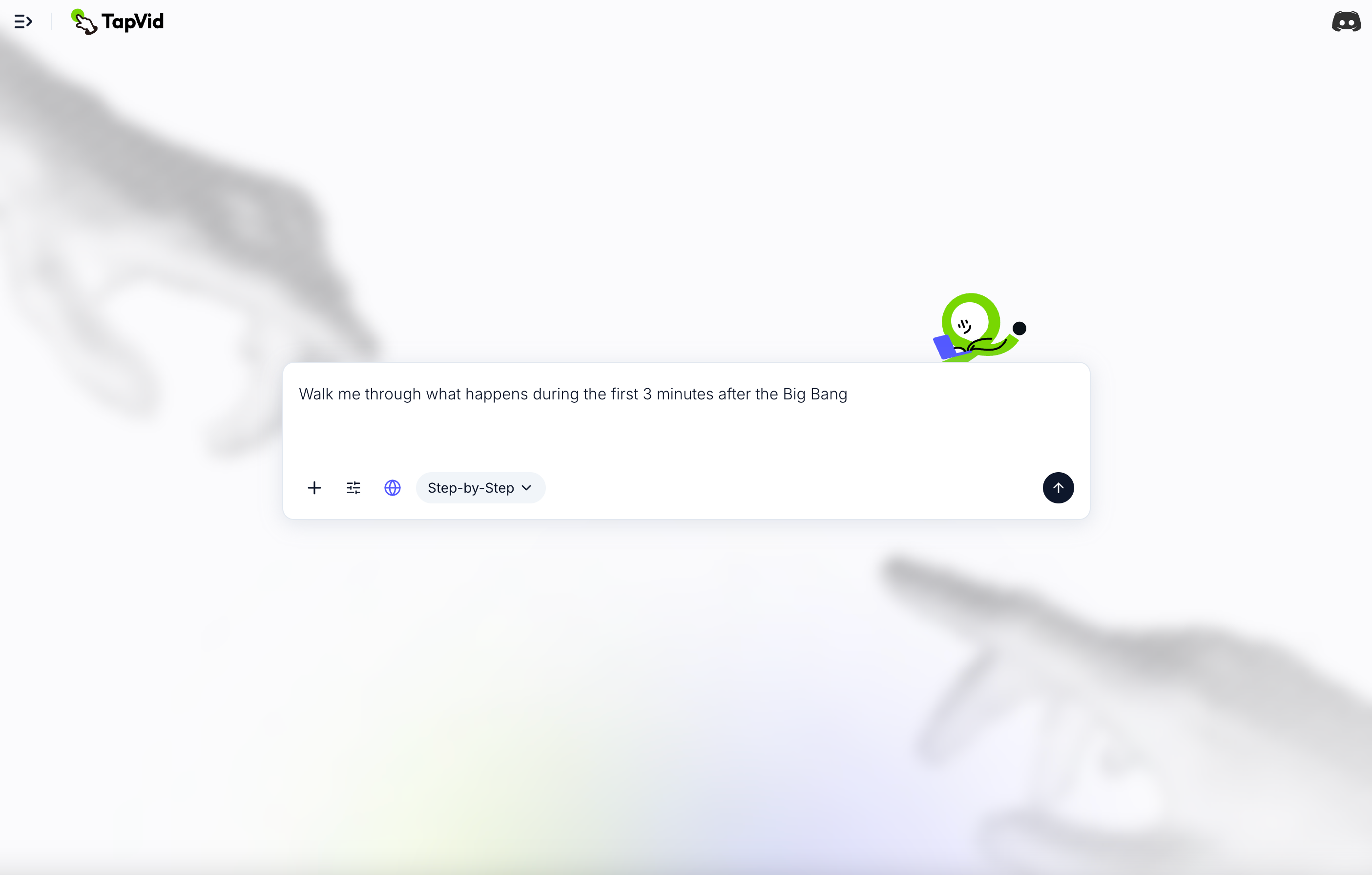
TapVid serves a different job. It is an Explainer Video Engine that turns supplied product assets and a supplied script into a reviewable video. Accuracy starts with asset fidelity, information fidelity, and correct correspondence between the script, scene, voiceover, and product. Choose Anijam when the character and story are the product; compare AI explainer video makers when the supplied facts and assets are the product.
02
What Is Anijam AI?
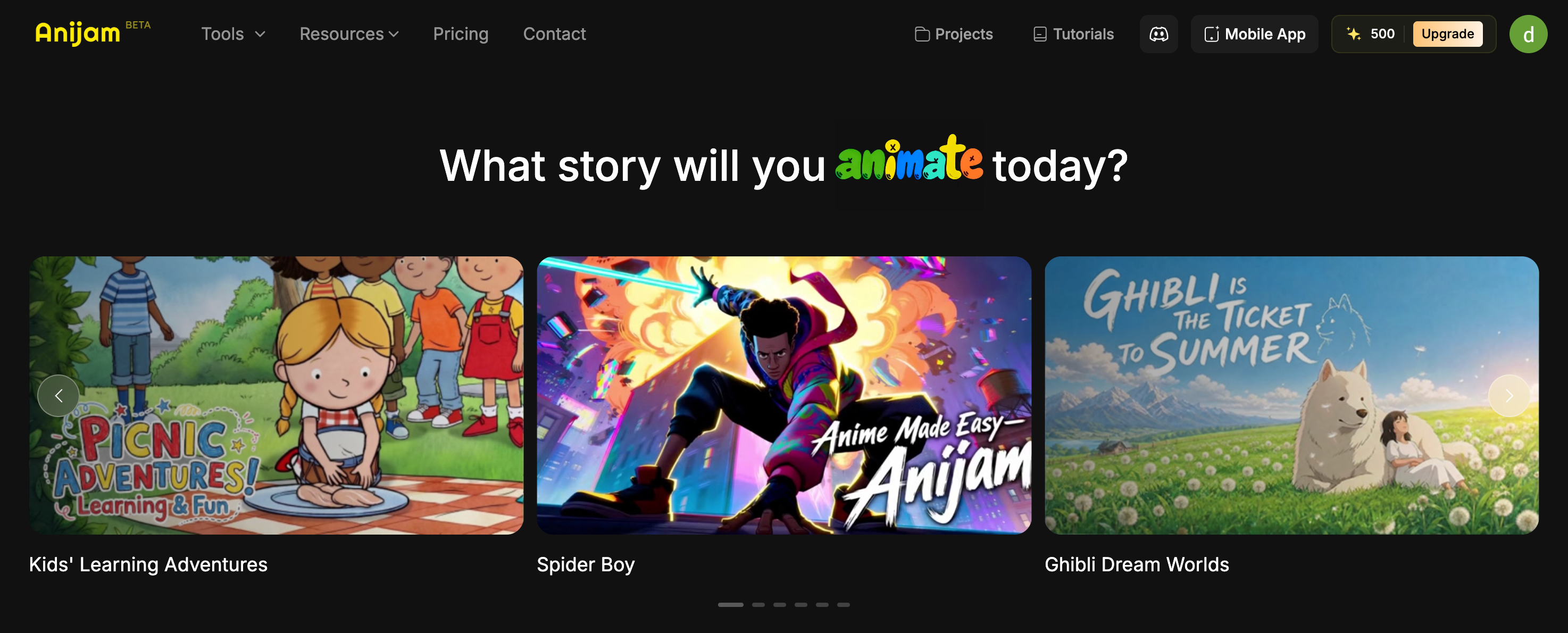
Anijam is an end-to-end AI animation agent built by Dzine, the parent company behind the former AniStudio platform, which rebranded to Anijam in early 2026. The tool automates the complete animation production pipeline inside a browser-based canvas: script generation, scene creation, character consistency, lip sync, and timeline editing, all without requiring any local software, GPU, or animation experience.
It is positioned as a general-purpose animation agent with a particular strength in anime and stylized character animation, which makes sense given its origin as AniStudio.
03
Key Features
1. integrated Canvas Workflow
The entire pipeline from concept to final render lives on one canvas. Scenes, assets, and sequences are managed in place without exporting between tools.
2. Chat-Based Creation
Generate a script, storyboard, and initial assets just by describing what you want. This lowers the barrier significantly for users with no animation background.
3. Lip Sync
Automated lip sync for character dialogue is one of Anijam's most polished features. Based on our testing, it handles dialogue-driven scenes end-to-end without needing a separate audio service, which is not something most AI video tools can claim.
4. Character Consistency Across Scenes
Design a character once and Anijam maintains its appearance across every scene, including proportions, colors, costume, and facial features. This is genuinely difficult for most AI video tools to do well, and Anijam handles it reliably in our testing. One important caveat: this feature is only available from the Creator plan ($26/month on annual billing) and above. The Free and Beginner plans do not include character consistency.
5. Style Library
Preset visual styles including Ghibli-inspired, 3D cinematic, cartoon, and Minecraft-style aesthetics, with the option to train custom styles on higher plans.
6. Timeline Editor
For users who want more granular control, a built-in timeline editor allows fine adjustments after the AI generates the initial cut.
7. Voice Generator
AI voiceover in 30+ languages via ElevenLabs Multilingual v2, included on all paid plans with unlimited usage according to Anijam's pricing page.
04
Anijam vs TapVid: A Direct Comparison
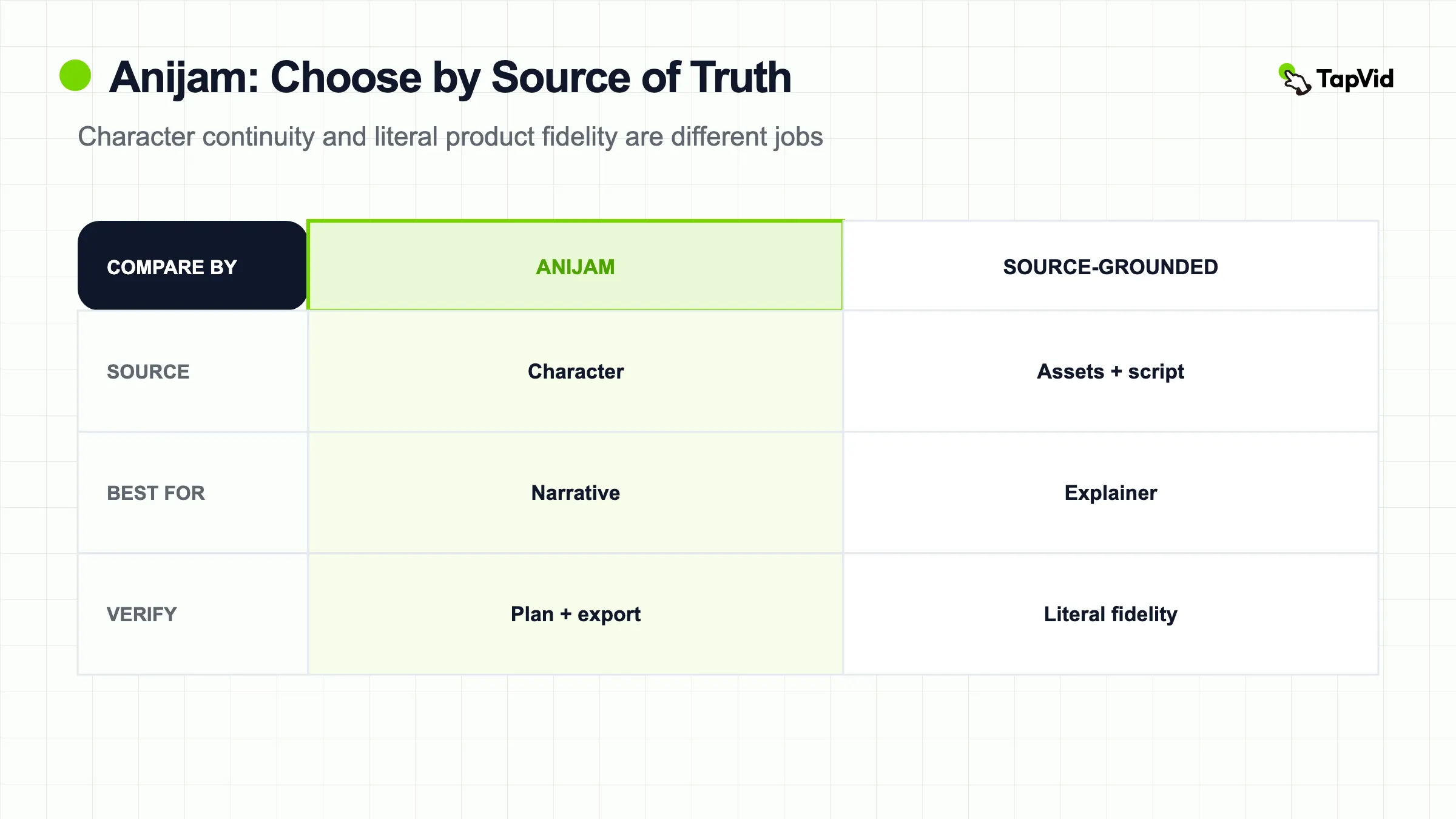
Anijam and TapVid can both lead to a finished video, but they start from different sources of truth. Anijam organizes character animation around stories, scenes, voices, and recurring visual identity. TapVid organizes an explainer around supplied assets and supplied wording that must remain connected through review and rendering.
Choose Anijam when a recurring cast, stylized scene continuity, and lip-synced narrative are the hard requirements. Choose TapVid when product screenshots, logos, model names, prices, parameters, or approved copy must stay literal. Neither route is universally better; the correct choice depends on what must not drift.
| Anijam | TapVid | |
|---|---|---|
| Source of truth | Story, character, or reference image | Supplied assets and supplied script |
| Primary output | Character-led animation | Source-grounded explainer video |
| Accuracy priority | Recurring character identity and scene style | Asset fidelity, information fidelity, and correct correspondence |
| Editing question | Can this character or scene be refined? | Can this line or asset be corrected without changing unrelated scenes? |
| Best fit | Anime, cartoons, narrative shorts, recurring casts | Product explanations, feature launches, multi-SKU and factual video |
| Poorer fit | Literal UI or specification-heavy delivery | Open-ended fictional character stories |
05
Scenario 1: Anime-Style Social Short
Based on Anijam's published output examples, character-driven anime briefs are where the tool is most clearly in its element. The style library examples shown on the platform homepage, including Ghibli-inspired landscapes and cinematic narrative scenes, demonstrate strong visual consistency and stylized animation quality that matches this type of brief well.
Anijam handled this well. Character consistency held across scene cuts without us needing to intervene between scenes. The style library made it straightforward to land on a cohesive anime-adjacent look within a couple of iterations, and the output required almost no fighting against the tool's defaults because this is exactly the kind of brief it is built for.

06
Scenario 2: SaaS Feature Launch Video
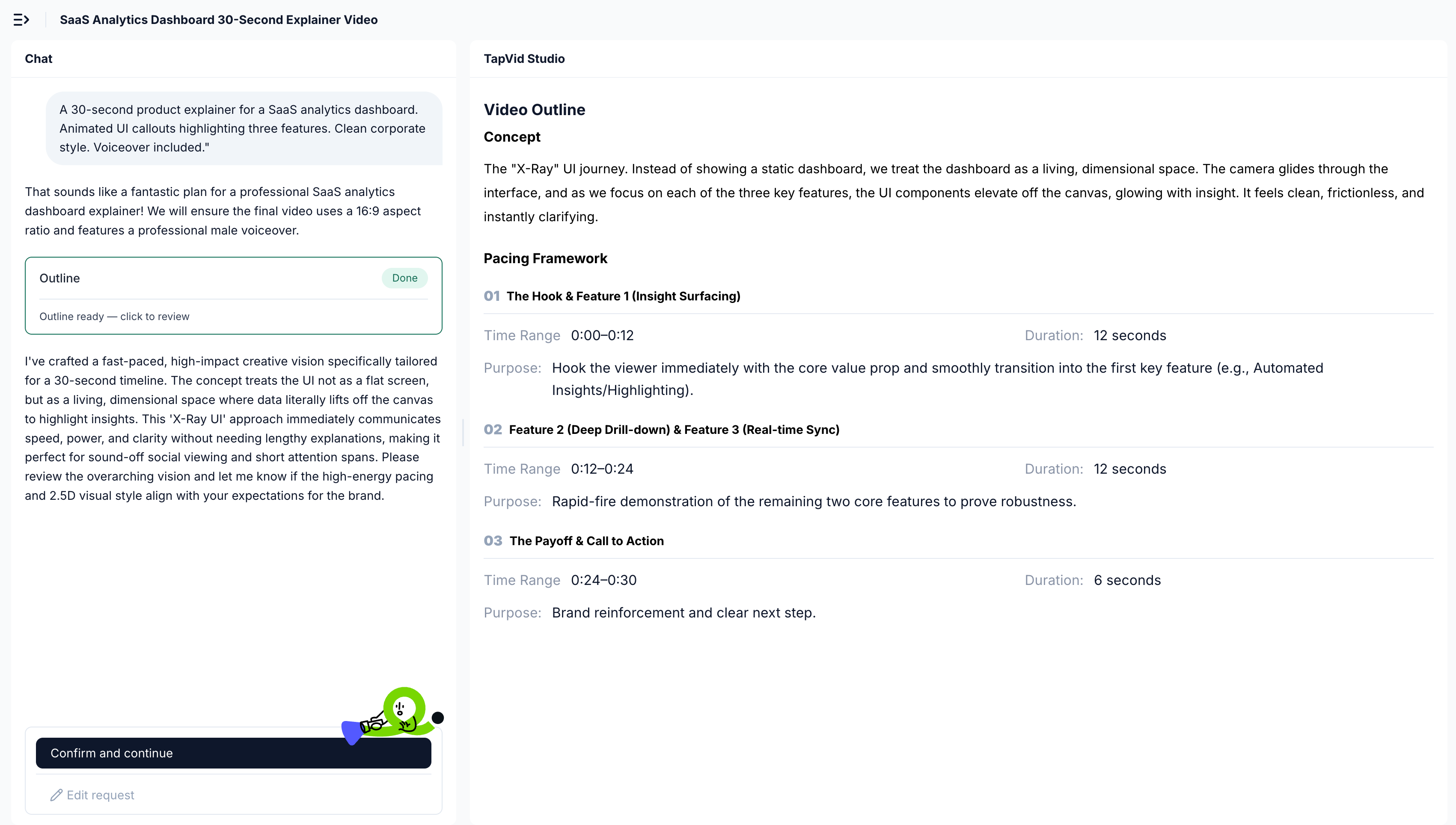
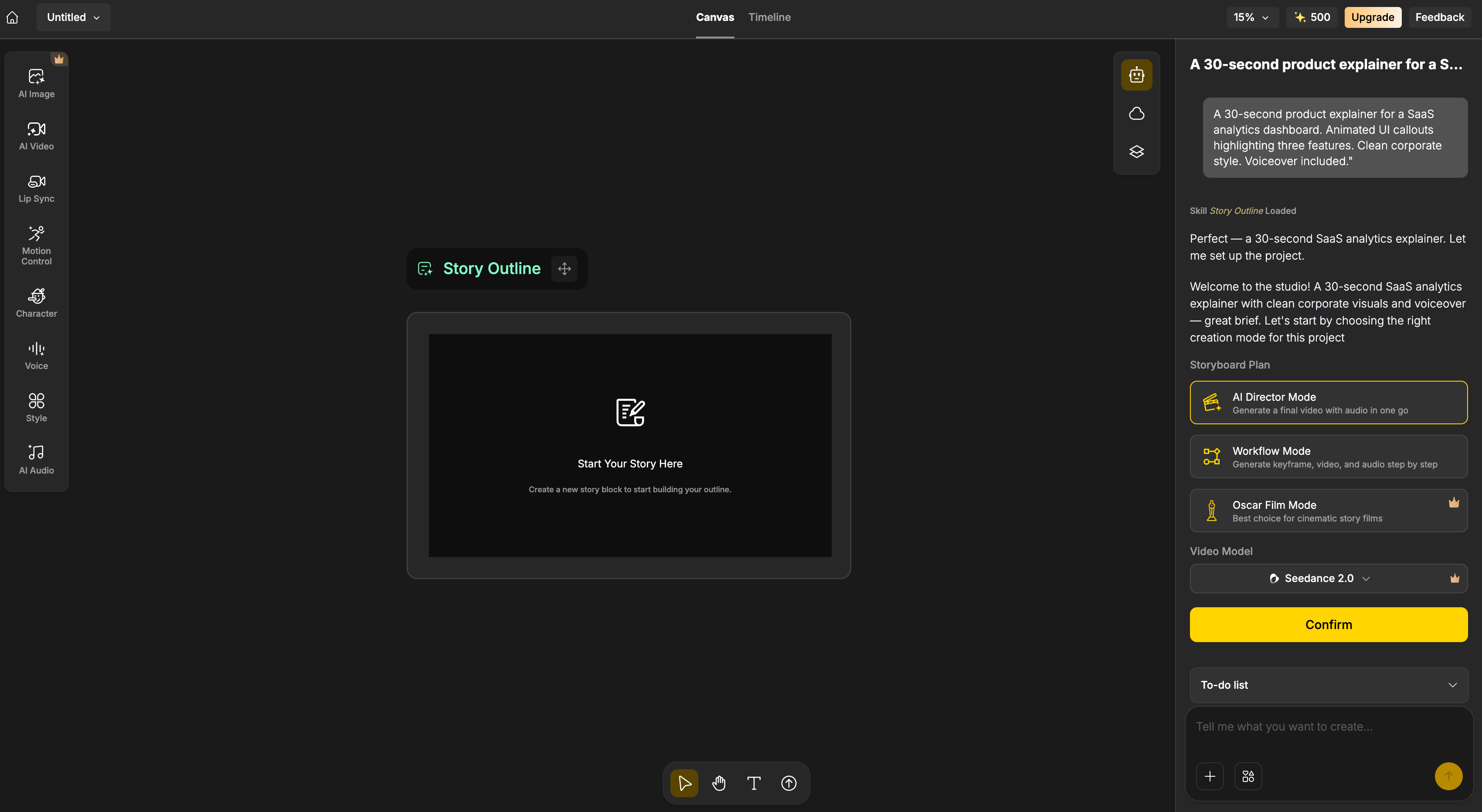
Brief: "A 30-second product demo showing a SaaS dashboard with a new AI Insights tab, animated UI callouts highlighting three features, clean corporate style."
This is where Anijam's visual identity becomes a genuine limitation. The style library pushed our output toward an illustrated and cartoon-adjacent look on every first pass. Getting closer to a corporate, screen-recording-plus-motion-graphics aesthetic required explicit style overrides on each iteration, and even then, the result felt more like a stylized explainer than a SaaS marketing asset.
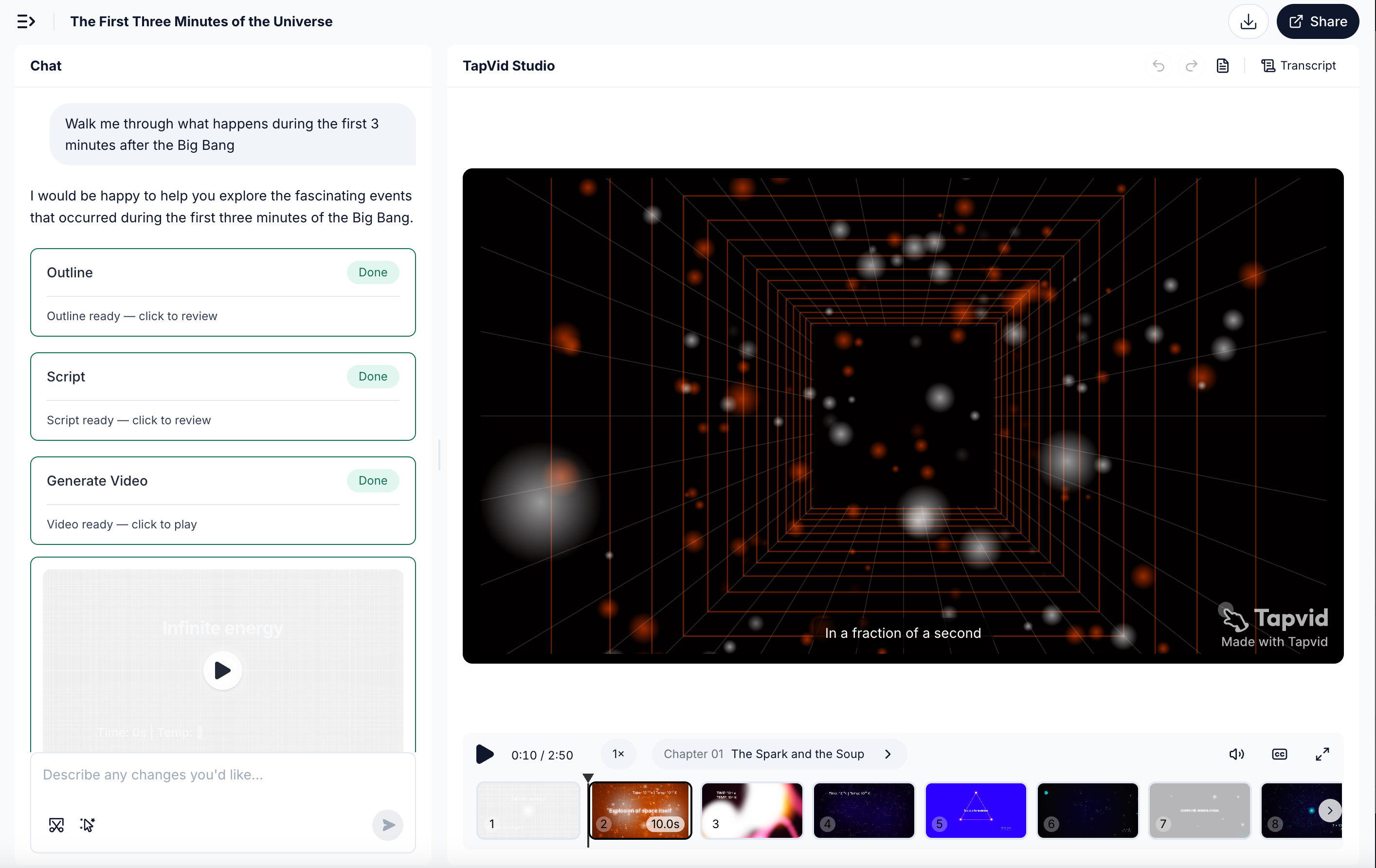
We then ran the same brief through TapVid. The motion graphics output matched the brand-ready look without any style wrangling, and voiceover came included.
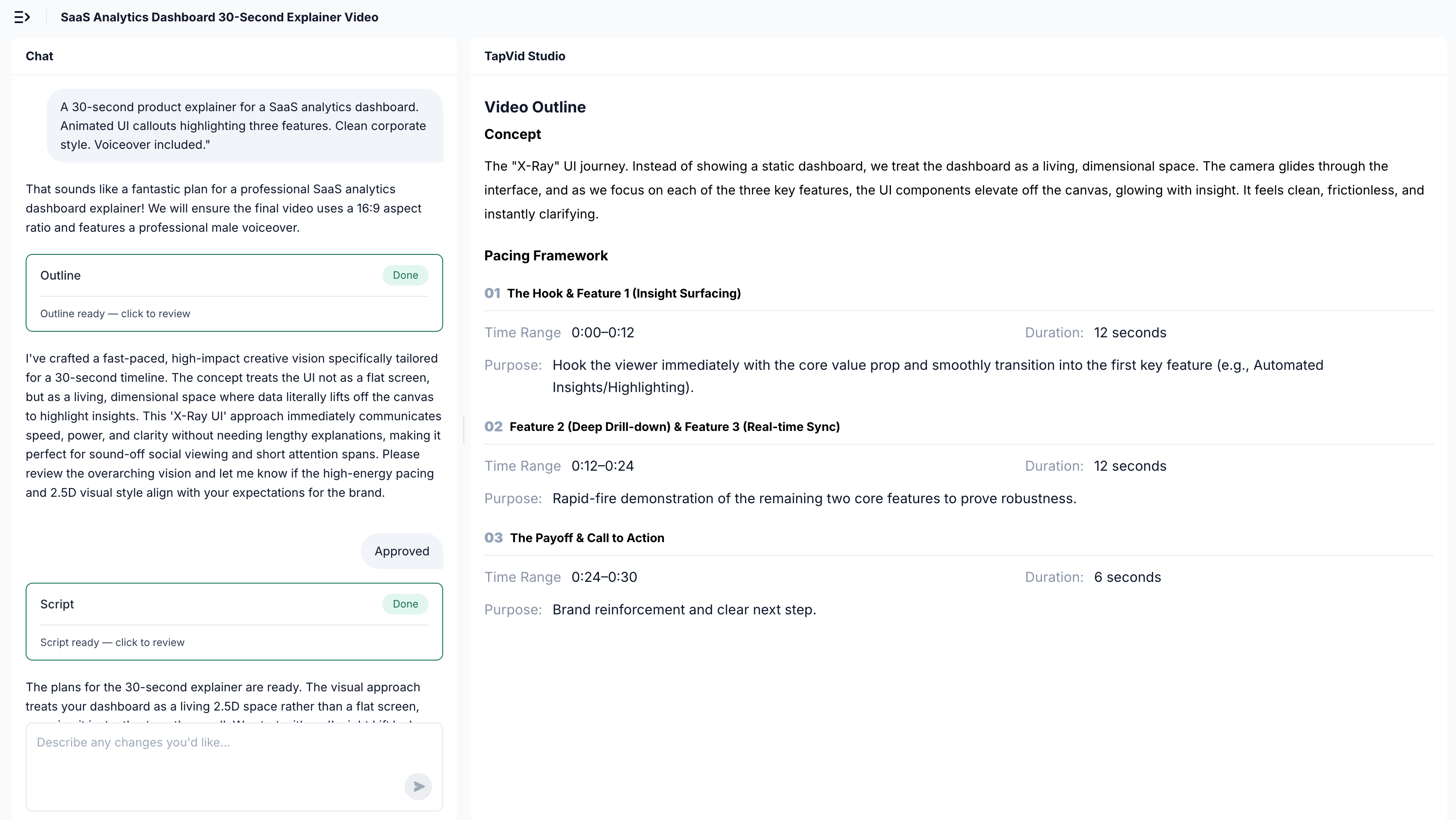
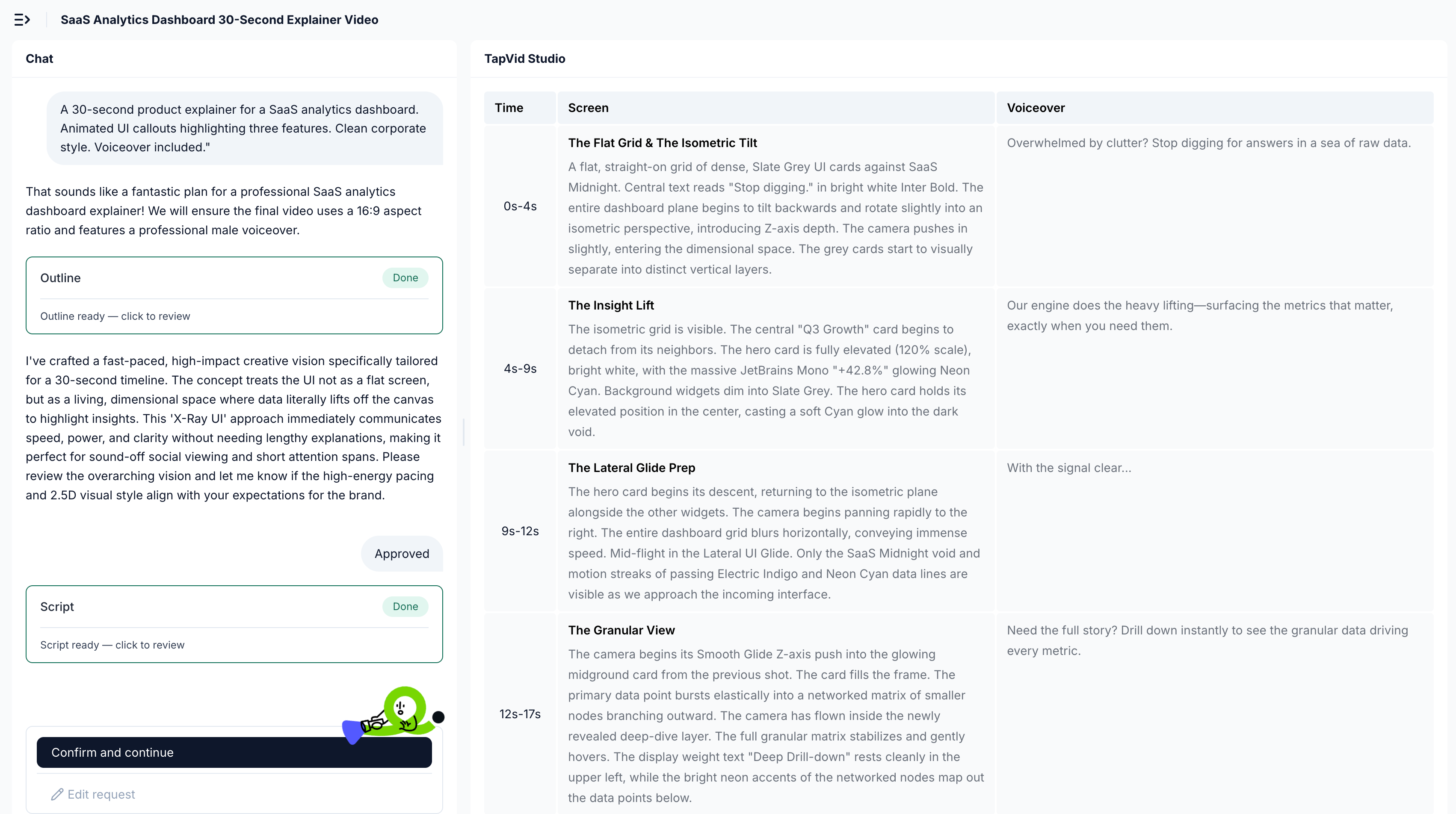
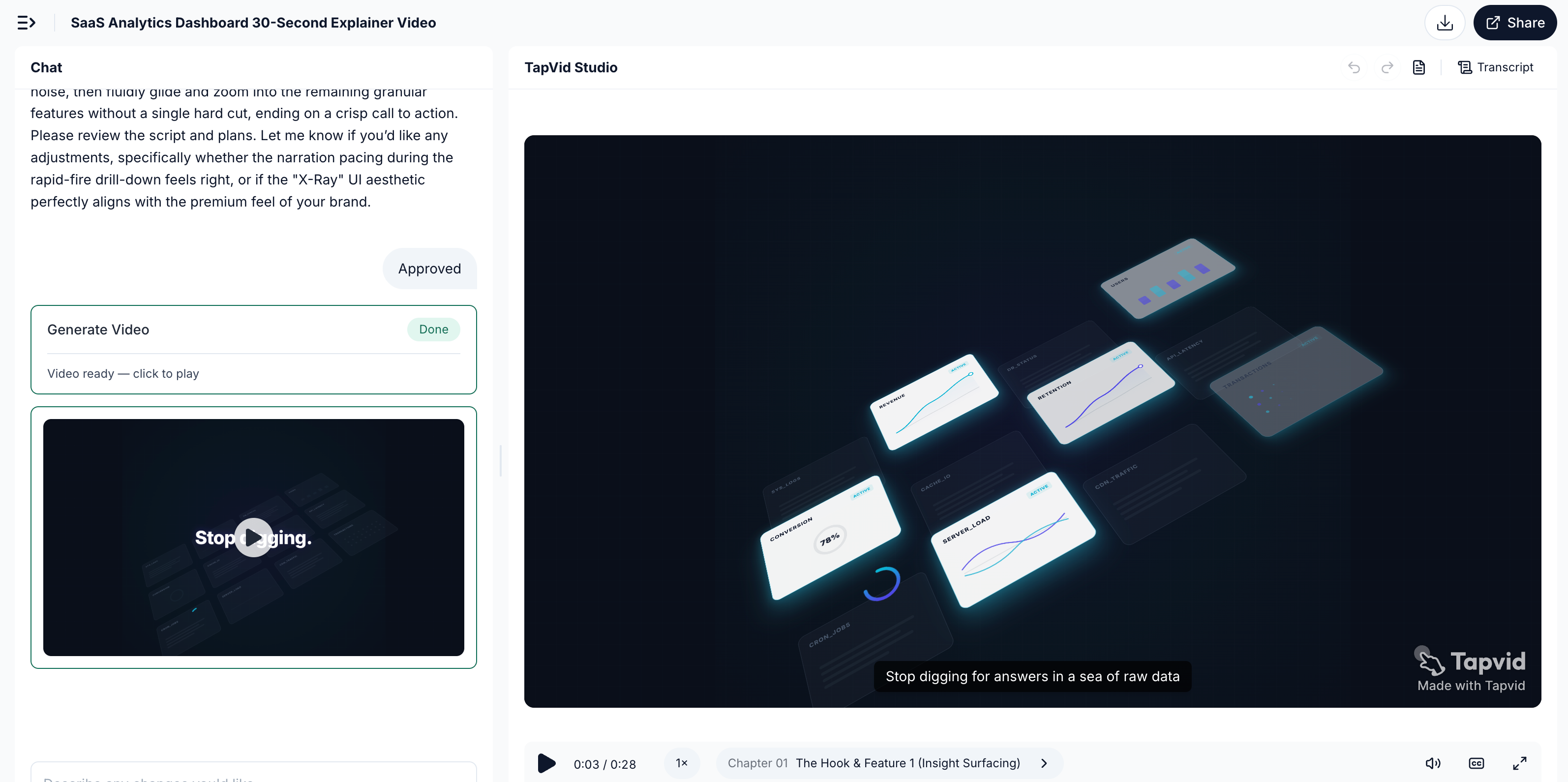
Takeaway: For narrative and character content, Anijam's defaults work in your favor. For corporate SaaS briefs, TapVid's output matched the required look from the first generation, while Anijam needed repeated style adjustments to move away from its animation defaults.
07
Scenario 3: Educational Explainer
Brief: "An animated explainer of the water cycle for a 5th-grade science class, with a narrator character pointing at a diagram."
Anijam performed well here. The character-driven, slightly playful style is a natural fit for younger audiences, and the multilingual voiceover made the narrator feel engaging rather than robotic. For corporate training or B2B education where a more neutral motion-graphics approach tends to land better, a tool built around that output style will typically get you there faster.
08
Pricing
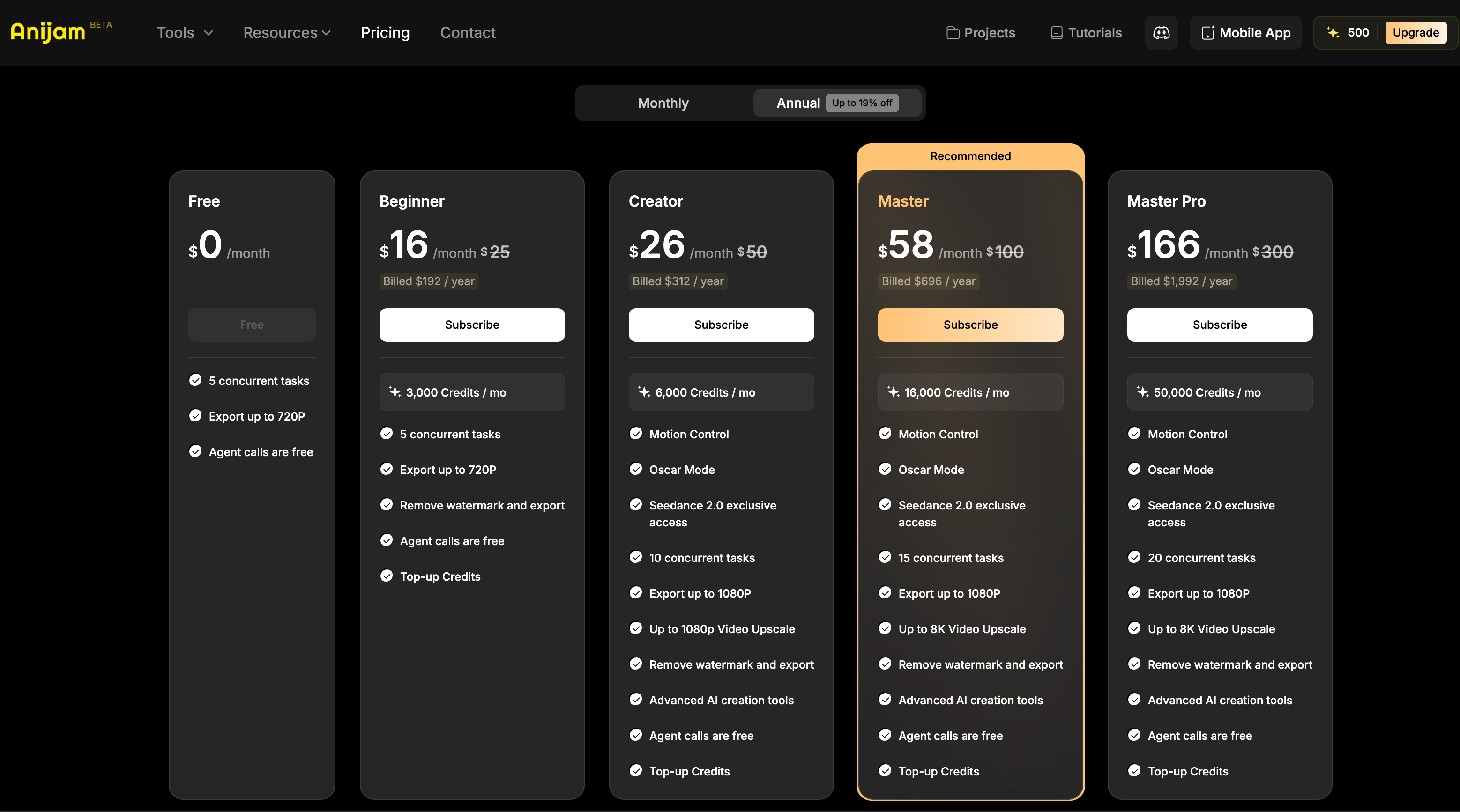
Pricing and plan features were rechecked on the official Anijam pricing page on August 17, 2026. Annual billing currently shows Beginner at $16 per month for 3,000 credits, Creator at $26 for 6,000, Master at $58 for 16,000, and Master Pro at $166 for 50,000. The same page lists 5, 10, 15, and 20 concurrent jobs respectively, with consistent-character slots beginning on Creator.
The official pages are not fully consistent about free access. The pricing page excerpt emphasizes the paid tiers, while Anijam’s consistent-character product page describes a free plan and makes a watermark claim that conflicts with older pricing copy and this article’s June snapshot. Do not rely on the old 796-credit, daily-check-in, watermark, or commercial-use statements without confirming the current logged-in account and export screens.
Top-up credits are shown as subscriber-only and valid for one year. Before paying, record the model and seconds required for a representative scene, the credit cost of retries, the export resolution, watermark state, rights language, and whether the plan includes the character slots and controls that motivated the purchase.
Run one complete scene before selecting a plan. Use the character count, target style, dialogue, duration, aspect ratio, and export quality that match the intended series. Record which model was selected, credits per second, first-pass result, retry count, lip-sync correction, character drift, queue time, and final export gate. This converts a monthly credit allowance into a cost per approved scene.
Check character consistency at the failure points that matter: profile and three-quarter views, hands near the face, costume details, two-character interactions, lighting changes, and cuts between wide and close shots. A stable hero frame is not enough evidence for a recurring series. Save the reference image and prompts so a later episode can be compared with the same identity anchor.
For product or branded content, add a separate literal-asset test. Upload an approved logo or UI screenshot and verify whether it is preserved, redrawn, or merely used as a visual reference. Check every number and line of on-screen copy. If exact information is the hard constraint, use a workflow designed around supplied assets and text instead of assuming character consistency also guarantees factual fidelity.
Finally, read the current checkout and terms for watermark, commercial use, refund treatment, top-up expiration, and export resolution. Anijam’s public pages changed between the June article snapshot and this August refresh. The safe conclusion is not that one old page is correct; it is that buyers should capture the current plan and export evidence for the account they will actually use.
| Plan (annual billing) | Monthly price | Credits / month | Export | Consistent characters | Concurrent jobs |
|---|---|---|---|---|---|
| Beginner | $16 | 3,000 | Up to 720p | 0 | 5 |
| Creator | $26 | 6,000 | Up to 1080p | 10 | 10 |
| Master | $58 | 16,000 | 1080p plus advertised upscale | 60 | 15 |
| Master Pro | $166 | 50,000 | 1080p plus advertised upscale | 120 | 20 |
09
Pros
- One browser workspace covers story planning, scene generation, character assets, voice, lip sync, and editing.
- The paid-plan table publishes model-level credit costs, making representative-scene budgeting more concrete than a single monthly credit total.
- Creator and higher plans publish reusable consistent-character slots for serialized animation work.
- The current pricing page lists Eleven Multilingual v2 audio as unlimited across the displayed paid tiers.
- The existing hands-on scenarios show a natural fit for stylized, character-led briefs.
10
Cons
- Official pages currently present conflicting free-plan and watermark details, so the logged-in export path needs verification.
- Consistent-character slots begin on Creator in the current paid comparison table, not Beginner.
- Credit use varies by model and seconds, so a monthly credit total does not predict approved-video cost by itself.
- Stylized character defaults can create extra iteration for literal product UI and specification-heavy explainers.
- Commercial rights, refund terms, and current free-output restrictions should be confirmed from the checkout and applicable terms before delivery.
11
Anijam Alternatives
| Tool | Primary job | Choose it when | Verify before buying |
|---|---|---|---|
| Anijam | Character-led animation | A recurring cast and stylized narrative are central | Character slots, model credit rate, export and rights |
| TapVid | Source-grounded explainer video | Approved assets and wording must remain connected | Current workflow fit and applicable terms |
| HeyGen | Avatar presentation | A presenter and language localization are central | Avatar, voice, translation and plan rights |
| Pictory | Long-form repurposing | The source is a webinar, podcast, or recording | Transcript, clip boundary, caption and export controls |
| Runway | Generative visual shots | Visual invention and shot iteration are central | Reference control, generation cost and finishing workflow |
Choose an alternative by output job rather than by a generic feature count. Anijam is the character-animation option in this comparison. TapVid is the source-grounded explainer option. HeyGen is relevant when a presenter or avatar is central. Pictory is relevant when the source is a recording that needs clips. Runway is relevant when the desired unit is a cinematic generated shot.
Pricing and plan boundaries change frequently, so this table intentionally avoids copied monthly prices. Open each official plan page and run the same representative brief before purchasing. Compare character or asset fidelity, correction scope, credits consumed, export rights, resolution, watermark, and reviewer time.
12
Frequently asked questions
Is Anijam free to use?
Anijam currently advertises a free entry path, but its public pages do not present one consistent quota and watermark description. Confirm the current credit and export screens in the account you will use.
Does Anijam keep characters consistent across scenes?
Character consistency is a core Anijam workflow. The current paid comparison table lists reusable consistent-character slots from Creator upward. Test difficult angles, interactions, and costume details with your own reference before relying on a series.
What export quality does Anijam support?
The current pricing table lists exports up to 720p on Beginner and up to 1080p on Creator and higher, with advertised upscale options on higher tiers. Confirm the checkout and exported file because plan pages can change.
Is Anijam good for marketing or advertising videos?
It fits character-led campaigns, mascot stories, and stylized narrative shorts. It is a weaker default for literal product UI, prices, specifications, or approved wording that must not be redrawn or rewritten.
What is the best Anijam alternative for product explainers?
Use a source-grounded explainer workflow when supplied screenshots, logos, copy, and product correspondence are the hard constraints. TapVid is designed for that job; Anijam remains the better fit when recurring characters are central.
Who is Anijam best suited for?
Creators, educators, and content producers building recurring stylized characters, animated stories, or lip-synced narrative scenes, provided the selected plan and export terms fit the intended use.
13
The Bottom Line
The Bottom Line
Anijam provides a coherent browser workflow for character-led animation, from story and scene planning through voice, lip sync, and editing. The existing scenarios support a positive recommendation for stylized narrative work, while the updated official-plan check makes the buying boundary more cautious.
Best for
- Use Anijam when recurring characters and story continuity are the hard problem. Use TapVid when supplied product assets and exact information must remain connected through a reviewable explainer workflow.
Avoid if
- Avoid treating the current public free-plan copy as a production promise. The official pages conflict on free access and watermark details, and literal product assets or specifications need a separate fidelity test.
Verdict: a strong candidate for character animation, but test the current plan, export path, and representative scene before committing a series.
Need a source-grounded product explanation instead? Compare the workflow in what is an explainer video.