
TL;DR
Define a version as a recoverable snapshot, a revision as a requested change to the same deliverable, and a variant as a deliberate branch for another audience, channel, format, language, or offer. Lock source IDs and protected claims, isolate changes by scene, preserve prior approved outputs, and release through explicit draft, review, approved, superseded, and archived states. This is workflow advice, not a claim that every video tool includes multi-user approval.
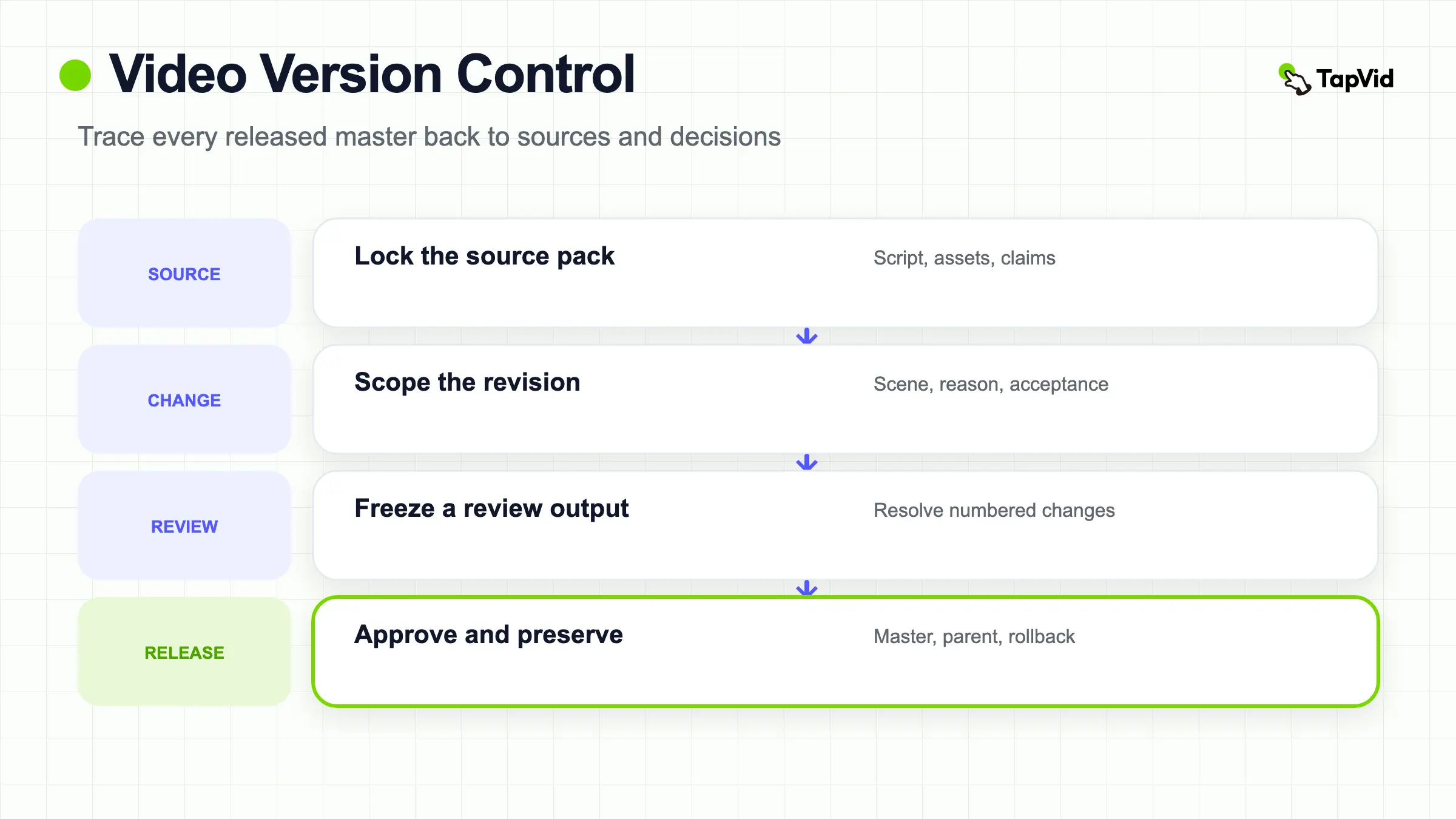
Video version control is the system that connects every delivered file to the exact sources, decisions, changes, and approval state that produced it. It replaces mystery filenames with a traceable answer to four questions: what changed, why, from which source, and which output is approved.
Build a reviewable product video from approved source assets
01
What video version control means
Video version control is not merely cloud storage or a cleaner file name. It is a production record that connects a visible output to the script, source assets, edit decisions, review state, and release destination that created it. A team should be able to open any delivered master and identify its parent version, the requested revision, the person or role that approved it, and the assets and claims that were allowed at that moment. Without that chain, an old logo or price can return even when everyone believes they used the latest folder.
Use three terms consistently. A version is a recoverable snapshot of the work at a point in time. A revision is a requested change to the same intended deliverable, such as replacing one screenshot or correcting a line. A variant is a purposeful branch for a different audience, language, aspect ratio, channel, offer, or CTA. Calling every export “a new version” hides whether the change should replace the master, stay as a parallel branch, or be rejected as an unapproved detour.
02
Why final-final filenames fail
Names such as launch-final-v7-new.mp4 encode anxiety, not state. They do not reveal whether v7 contains the legal correction from v6, whether “new” refers to a script or asset, or whether the square cut is a branch of the approved master. Folders also drift: a reviewer downloads a draft, marks it locally, and uploads another file without the original discussion. An editor copies an old project because it already has the right animation. The newest timestamp can therefore be the newest mistake rather than the approved result.
A useful identifier can stay simple: project, deliverable, branch, revision number, and state. For example, `atlas-launch_master_r04_approved` describes one master revision; `atlas-launch_linkedin-1x1_r02_review` describes a platform variant. Keep human-readable names, but store the richer record beside them: parent ID, change request, source pack ID, editor, reviewer, date, distribution target, and checksum or platform asset ID where available. Never infer approval from a file’s position or modification date.
03
Use explicit states and allowed transitions
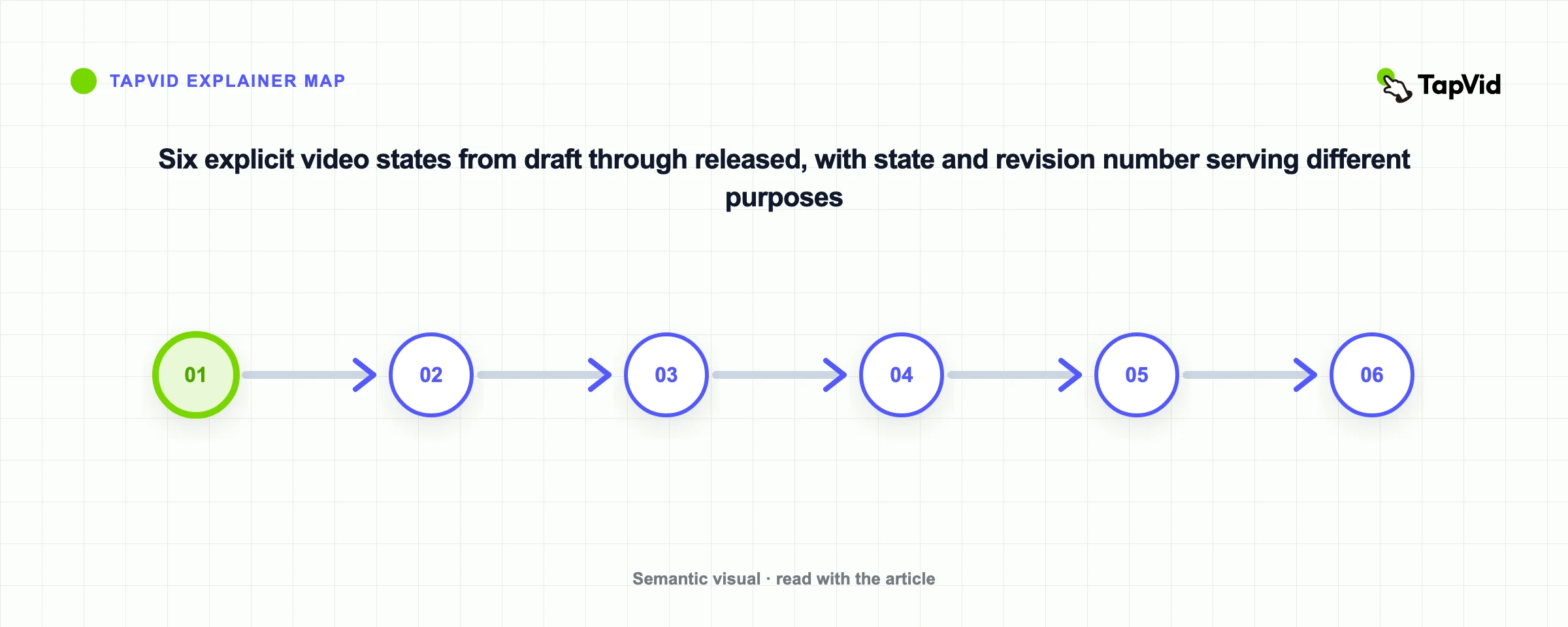
Define a small state model before the project becomes urgent. Draft means the editor can change it. Review means the output is frozen for a specific review round. Approved means the named owner accepts it for stated destinations. Released means it has actually been delivered or published. Superseded means a newer approved version replaces it for future use. Archived means it is retained for traceability but should not be distributed. A rejected draft can return to editing, but it should not silently become approved after another export.
State and revision number answer different questions. A review round can produce comments without creating an approved revision. An approved master may later be superseded without being deleted. Add the state to the record, not only the filename, and require one explicit transition owner. In a spreadsheet, database, DAM, review platform, or production app, the same logic applies. This article offers workflow advice and makes no claim about native approval routing, simultaneous editing, or permissions for every role in TapVid or another tool.
Give every recoverable snapshot a VERSION-ID that can be read without opening the file. One practical pattern is project-purpose-locale-aspect-major.minor-status-YYYYMMDD. Increment the major number when the audience, promise, workflow, offer, or narrative changes enough to require a full review. Increment the minor number for a bounded correction such as one approved screenshot, caption, or narration line when the surrounding contract remains valid. The status should follow an allowed path such as working, in review, approved, delivered, and retired. Put the same identifier in the project record, review link, exported filename, and delivery log. The convention is not a substitute for a database, but it prevents two outputs with identical names from becoming indistinguishable and gives a reviewer a stable reference when feedback moves between chat, a review tool, and the final destination.
04
Lock sources and claims before changing scenes
Each version should reference a source pack with stable IDs for the script, logo, product images, UI captures, footage, narration, captions, music rights, approved claims, and destination rules. Mark protected content that must remain exact: product names, prices, model numbers, legal wording, feature conditions, and customer quotations. When a source changes, record whether it invalidates one scene, several variants, or the full deliverable. A new screenshot with the same filename should never replace the old evidence invisibly.
Review accuracy in three layers. Asset fidelity compares the supplied asset with the frame that uses it. Information fidelity compares protected wording and data with the approved source. Correspondence checks that the narration and visual refer to the same product, feature, or claim at the same time. The purpose is not to promise perfect output. It is to make a version reproducible and the difference between two outputs explainable before either one reaches a customer.
05
Isolate revisions by shot or scene
A change request should identify the smallest owned unit: scene 04, narration line 04B, screenshot asset UI-12, caption cue 18, or CTA card C. Record the before state, requested after state, reason, requester, affected variants, and acceptance check. “Make it more current” is not actionable. “In scene 04, replace UI-11 with UI-12 because the Permissions dashboard label changed; keep narration and timing unchanged” gives the editor a boundary and the reviewer a test.
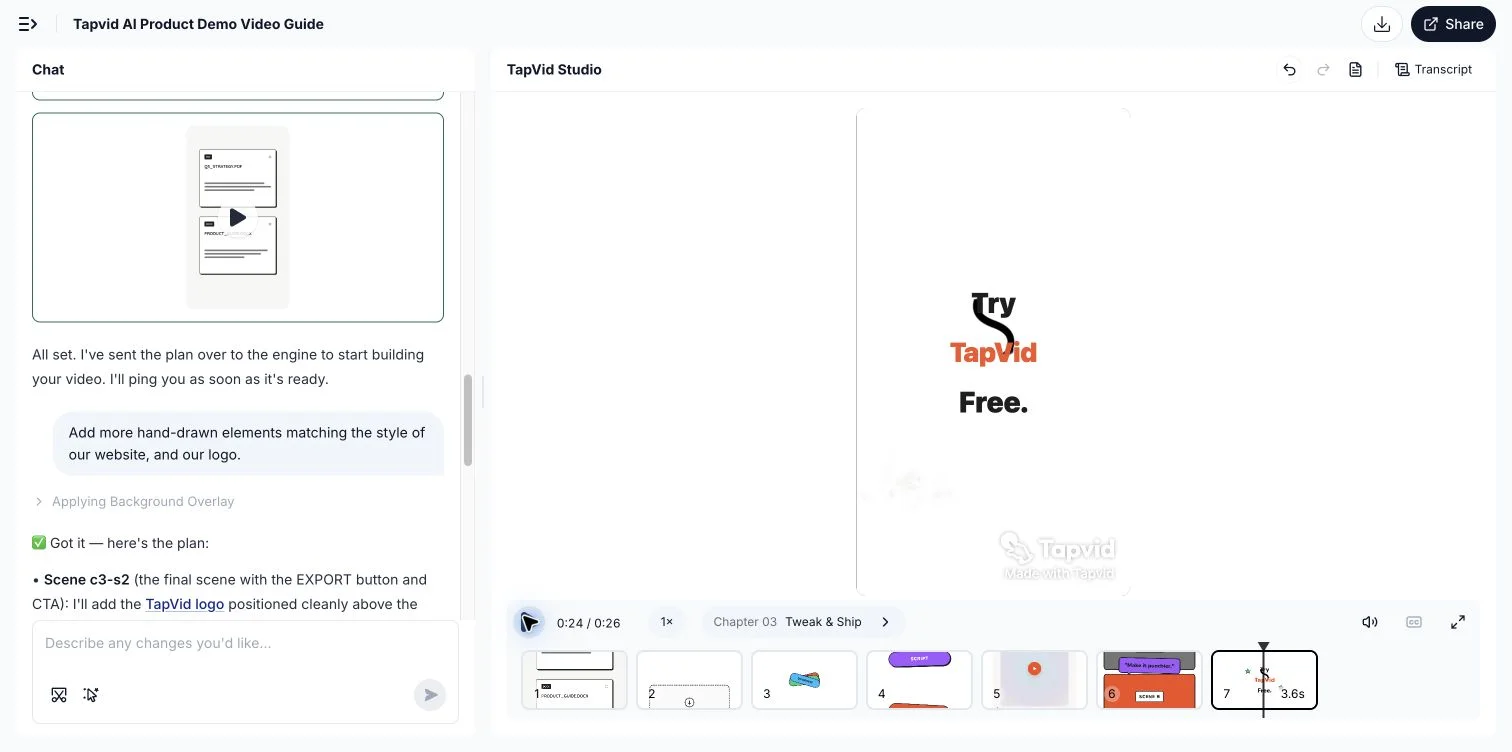
Scene isolation reduces accidental regression. If a price changes in one product card, unrelated scenes should remain identical unless the change request says otherwise. TapVid’s visible script and scene plan support this review pattern: approved words and assets can be checked before output, and a changed line or image can be rerun in the relevant scene while previous versions remain preserved. Still compare the resulting scene with its source and review neighboring transitions, captions, audio, and timing before release.
The screenshot below is a real TapVid workflow capture showing a scene-level change request beside an existing generated scene. It demonstrates how a reviewer can identify the scene to revise and state the requested change. It does not demonstrate Git-style branching, full revision history, or multi-user approval; verify those requirements separately before selecting a production system.
Use a Change request record instead of an unstructured message. Capture the requester, date, current VERSION-ID, affected scene, requested before and after state, reason, approved source, protected copy, downstream variants, reviewer, due date, acceptance check, and decision. Separate facts from preferences: a verified interface-label change is a source change, while “make the transition faster” is a creative request that needs a boundary. List effects on voiceover timing, captions, crops, and translations before editing. Close the record only after comparing the output with its sources and updating every affected destination. This distinguishes a patch from broad rework before production begins.
06
Branch variants without losing the master
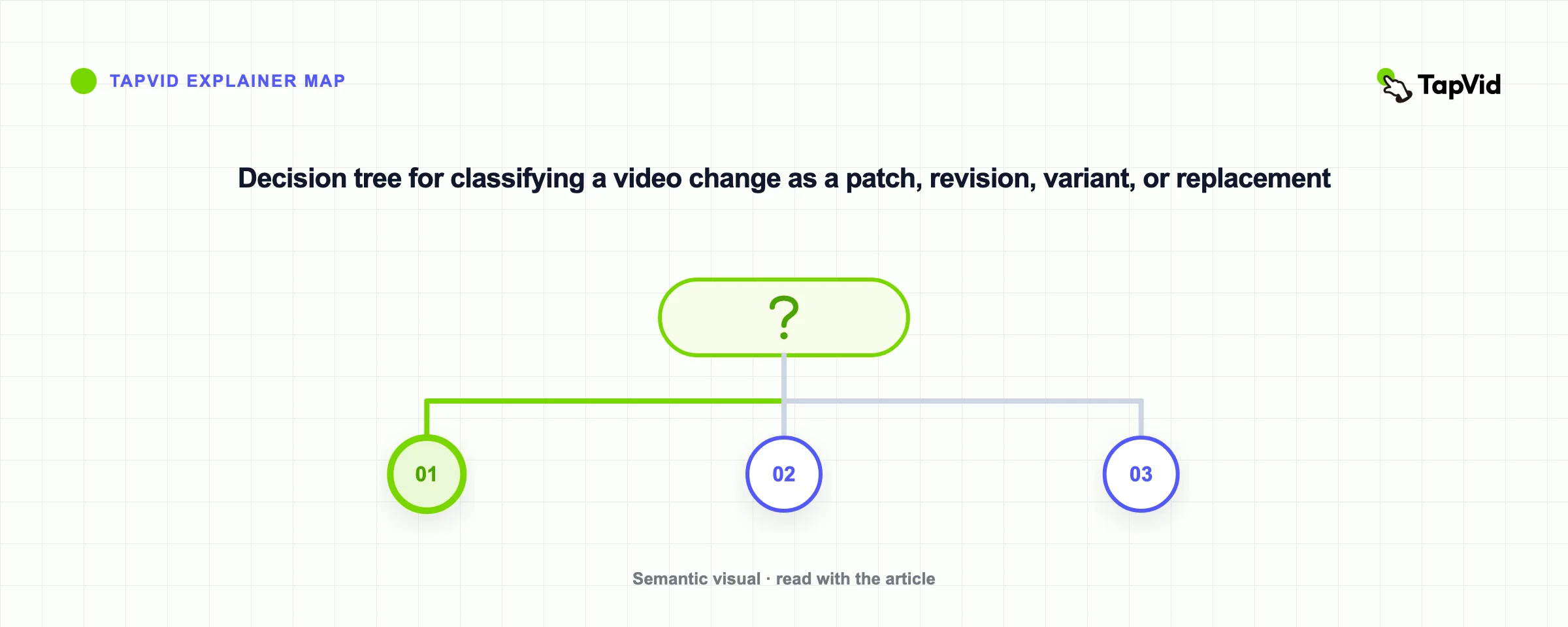
Create a variant when the intended audience or delivery contract changes. Common branches include 16:9 and 9:16, English and German, free-plan and enterprise messaging, paid-social and help-center cuts, or a master with a different CTA. A crop alone can alter visible proof, text safety, and timing, so each branch needs its own acceptance checks. Record the parent version and the divergence point. If the master changes later, decide deliberately which variants inherit the change instead of copying every edit automatically.
Protect shared elements by reference where possible. A single approved logo asset or legal line should have one source ID even if multiple outputs use it. At the same time, do not force unlike branches back together. A vertical social hook may not belong in a detailed tutorial, and a localized voice track may require different timing. Use a variant matrix listing audience, channel, format, language, offer, CTA, parent, current approved revision, and release destinations. Empty cells reveal missing decisions before export.
Treat the variant matrix as a dependency map, not just an inventory. Add the master VERSION-ID, locale, aspect ratio, channel, offer or CTA, source asset set, approval state, delivery URL, and the last inherited change. When the master changes, mark each branch as inherit, review, or intentionally diverge. A corrected product name may need to reach every branch, while a new paid-social hook should not silently alter the help-center master. Localized variants need their own protected wording, voice timing, captions, and reviewer even when they share visuals. Before release, filter the matrix for blank approval states, missing destinations, or children that still point to a superseded parent. This prevents a correct master from coexisting with an outdated crop or translation that customers continue to see.
07
Run review handoffs as a documented workflow
Every review round needs a scope. Tell reviewers whether they are checking factual accuracy, brand, legal language, accessibility, motion, audio, or final delivery. Gather comments against a stable review output, resolve duplicates, and turn accepted comments into numbered change requests. A comment is not approval, and silence is not approval. When two reviewers conflict, route the decision to the named owner rather than letting the editor guess which message is newer.
After changes, publish a revision note that lists what changed, what did not change, open limitations, and the exact acceptance checks. Preserve the review output and decision record. This can be done with a review platform, project system, database, or disciplined document process. The important property is traceability. Do not describe this workflow as a built-in product capability unless the selected tool has been verified to provide it for the relevant plan and account.
08
Release, restore, and audit with a checklist
Before release, compare the candidate with the approved source pack, change requests, parent output, variant matrix, captions, audio, links, aspect ratio, file properties, and destination requirements. Confirm that no unrelated scene changed. Record the released URL or platform ID, release time, owner, checksum if used, and rollback target. Mark the former master superseded rather than deleting it. If a platform re-encodes the file, verify the public result instead of assuming the upload equals the playback.
A restore is a new recorded action, not a time machine. Identify the preserved version, explain why it is being restored, check whether policies or source facts have changed since it was approved, and release it under a new state transition. For an audit, choose any public output and walk backward to its source pack and decisions. If the chain breaks, fix the record before the next campaign. Good video version control makes change boring, bounded, and reversible without pretending creative work behaves exactly like source code.
Prepare a rollback packet for every high-value release. Include the last approved file, source manifest, script-to-scene map, approval record, captions, reuse licenses, known limitations, destination list, and replacement reason. Ask someone outside the edit to locate the prior output and evidence without relying on the editor’s desktop. Before rollback, verify that the older facts, policies, links, and offers remain valid; restoring an obsolete claim is not recovery. Publish the restored output as a new recorded transition, update destination links, and preserve the failed release for diagnosis under retention rules. The packet proves the team can reconstruct why a customer-facing file was approved.
What is the difference between a version and a revision?
A version is a recoverable snapshot. A revision is a requested change to the same intended deliverable. Several review drafts can exist before a revision becomes approved.
Is a different aspect ratio a new version or a variant?
Treat it as a variant when the delivery contract changes. Link it to the parent master and give it its own crop, text-safety, timing, and destination checks.
Should old approved videos be deleted?
Usually preserve them as superseded or archived records with restricted distribution. Retention and deletion must follow your legal, security, and contract requirements.
Does TapVid include multi-user approval workflows?
This guide does not make that claim. It describes a production workflow. Verify current product and plan behavior before relying on a specific collaboration or approval feature.