
TL;DR
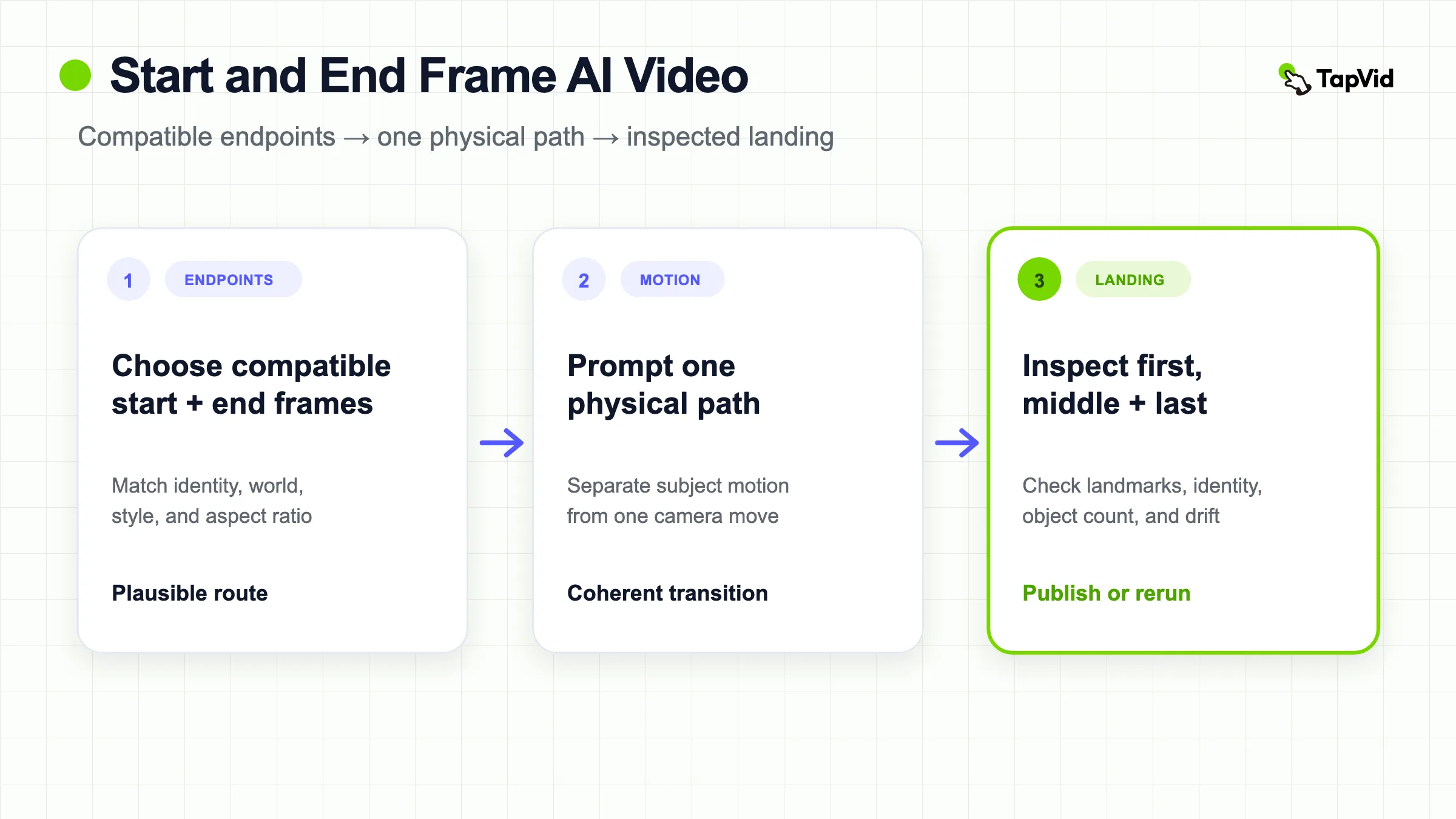
choose two compatible frames, describe one physical path between them, use one camera system, name three visible landmarks for the landing, and leave settling time near the end. Start with a short, low-resolution diagnostic. Compare the generated first, middle, and last frames with both inputs before you invest in a longer or higher-resolution render.
A start and end frame AI video uses two images as endpoint constraints: the first image defines how the clip begins, the second defines where it should arrive, and a text prompt describes the motion between them. This gives more control than animating one still, but it does not guarantee an exact final frame. Our first-hand Seedance 2.0 Mini test reached the broad target composition while changing several branches, lights, and the subject position.
01
A 10-minute endpoint planning workflow
A 10-minute endpoint planning workflow · Steps
- 1
Place the two endpoint images side by side and score their compatibility.
- 2
Write one sentence for subject movement and a separate sentence for camera movement.
- 3
Name three visible landmarks that define a successful landing.
- 4
Reserve the final part of the clip for deceleration and a stable hold.
- 5
Run a short diagnostic and inspect fixed timestamps, not only the poster frame.
The result of this workflow is a path plan and an acceptance sheet. If the endpoint compatibility check fails, repair the images before spending on generation. More prompt detail cannot reconcile a wrong product version, incompatible perspective, or impossible unseen geometry.
02
How start and end frame AI video works
The two images define endpoints, not every frame in between. The model must infer an action, path, camera movement, occlusion sequence, and temporal rhythm that can connect them. Academic work on point-to-point video generation describes the challenge plainly: the system must produce a smooth transition while planning ahead so the final frame conforms to the target.
Commercial tools expose the task through different labels. Reallusion's AI Studio calls it Start Frame and End Frame video generation and lists models including Seedance 2.0, Kling, Veo, and LTX. Other tools call it start-end, keyframe-to-video, first-and-last-frame, or transition generation. Support, aspect ratio, duration, resolution, and prompt behavior vary, so confirm the current model and mode in the interface you use.
The useful boundary is stable across tools. A start frame usually acts as the literal opening composition. An end frame is a target composition. The prompt should explain the route and continuity between them rather than restating two static descriptions.
03
Start and end frames versus other video modes
| Mode | What the input controls | Best for | Main risk |
|---|---|---|---|
| Text to video | Concept, action, environment, camera, and look | Exploration without approved visuals | Subject and composition drift |
| Image to video | Literal first frame plus prompt-guided motion | Animating one existing composition | No defined landing |
| Reference to video | Identity, product, scene, style, or motion features | New scenes with consistent subjects | References are recreated, not copied exactly |
| Start and end frame | Literal opening plus target ending | Transitions, controlled camera paths, before-and-after motion | Middle path and final alignment may drift |
Use start-and-end mode when the destination matters. Use reference-to-video when recognizable identity matters but the composition can be new. If both identity and endpoints matter, choose a tool that accepts extra references or ensure both keyframes already contain a consistent subject.
04
Choose compatible endpoint frames
The model has an easier job when the frames imply one plausible motion. Match aspect ratio, visual style, lighting direction, subject identity, product version, and environment. The subject may change position or scale, but it should not silently change material, wardrobe, geometry, or color unless transformation is the point of the scene.
Large viewpoint changes create more hidden geometry for the model to invent. A move from a front packshot to a rear view may require surfaces that neither image shows. A transition from daylight to night, one room to another, or one art style to another also adds a second problem on top of motion. Test those transformations separately before combining them.
Score each row 0 for incompatible, 1 for repairable, or 2 for compatible. This is an editorial preflight heuristic, not a model benchmark. Any 0 should stop the run until the frame pair or shot plan changes.
| Compatibility row | 2 means | 0 means | Repair |
|---|---|---|---|
| Subject identity | Same person, product version, clothing, color, and major shape | Different identity or version | Replace one endpoint or make transformation explicit |
| Aspect and crop | Same ratio with enough room for the planned path | Critical subject is cropped or ratio changes | Reframe both images before generation |
| Perspective | One plausible camera path connects both views | The move exposes unsupported geometry | Add a reference or reduce viewpoint change |
| Lighting and style | Light direction, palette, and rendering language can transition naturally | Unexplained day-night or style jump | Match the endpoints or make the change the single action |
| Environment | Horizon, surfaces, and background occupy one coherent world | Unrelated locations imply a hidden cut | Split the scene or add an intermediate shot |
| Physical path | One continuous sentence explains the movement | The description requires “then suddenly” | Simplify or split the transition |
If you cannot describe the path without “then suddenly,” split the transition into multiple clips or add an intermediate keyframe in a tool that supports it.
05
A prompt formula for start and end frame AI video
Use this order: endpoint roles, subject path, camera path, continuity constraints, landing landmarks, settling behavior.
Use the first image as the exact opening composition and the second image as the target composition. [Subject] moves from [start position] to [end position] along [physical path] while [one camera move]. Preserve [identity, material, color, environment, and style]. During the final [time], slow the motion and align [landmark 1], [landmark 2], and [landmark 3] with the target. No cuts, no additional subjects, no object duplication, no generated text, and no style change.The landmark clause improves inspectability. For a product, landmarks might be the cap at the upper-right third, the label facing camera, and the base aligned with a reflection. For a UI concept, they might be the cursor over a specific control, a panel occupying the right third, and a chart centered. For a character, they might be head position, hand placement, and body orientation.
Do not ask the prompt to protect details that the input does not show. If the product rotates to an unseen side, supply another reference where supported or accept that the model will invent it. If literal text is essential, add the approved asset after generation.
Copy-ready transition path planner
| Field | Fill this before writing prose |
|---|---|
| Start state | [subject, position, orientation, scale, moving or still] |
| Subject path | [physical route, speed change, rotation only if necessary] |
| Camera path | [one locked, track, push, pull, crane, or arc move] |
| Middle risk | [occlusion, unsupported angle, crossing object, style transition] |
| End landmarks | [landmark 1], [landmark 2], [landmark 3] |
| Settling behavior | [when motion slows, when the camera stops, how long the hold lasts] |
| Literal layer | [logo, label, UI, number, or copy added from the approved asset] |
06
Our four-second start-and-end test
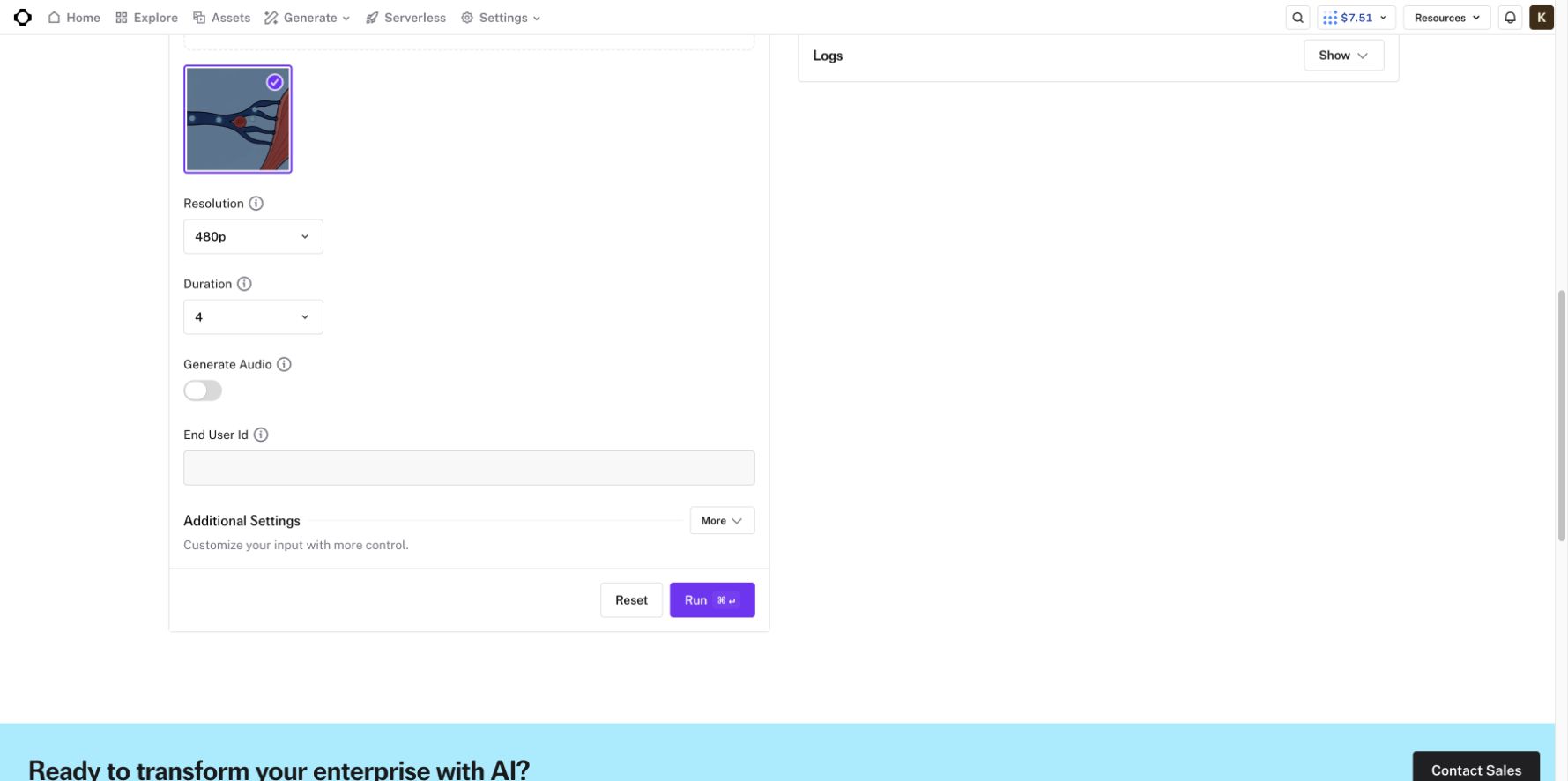
On August 14, 2026, we ran one paid test in fal's official ByteDance Seedance 2.0 Mini image-to-video playground. The start frame showed a stylized red blood cell entering a dark-blue curved vessel. The end frame showed the same cell near a large muscle form, several fine vessel branches, and four glowing oxygen nodes. Settings were 480p, four seconds, native audio off, and seed 1033538083.
The exact prompt was:
A single continuous macro shot inside a blood vessel. The stylized red blood cell from the first frame drifts forward along the curved vessel, rotates gently once, and reaches the position and scale shown in the end frame. The camera performs one slow forward tracking move with no cuts. Keep the same red-and-blue palette, cell shape, vessel walls, and lighting. Smooth biological flow, no new objects, no text, no logo, no scene change.The output was 4.04 seconds, 864 by 496 pixels, H.264 at 24 frames per second, and 1,251,036 bytes. The interface showed about $0.0721 per generated second at 480p. The account balance changed from $7.51 to $7.22, an observed spend of about $0.29.
The broad transition worked. The clip began close to the supplied first frame, followed the curved vessel, kept one red cell and the red-blue palette, moved continuously, and avoided a hard cut. The camera advanced toward the large form at the right edge, so the requested direction was understandable.
The landing was only partial. The generated last frame omitted the glowing nodes, changed the fine branches, placed the cell differently, and approximated the muscle form. The cell's face also changed. The middle introduced branch geometry that was not clearly present at the start. “Reaches the position and scale” did not provide landmarks, and “no new objects” did not protect the topology of the vessel.
This is a useful negative result. Start and end images constrain the destination, but the model still synthesizes its own route and may approximate the final composition. Teams should not approve the job from a thumbnail or assume the last input will be copied exactly.
07
How we would revise the failed landing
The next prompt should remove the gentle rotation, because it adds subject motion without helping the endpoint. It should specify the three important final landmarks: the cell stops before the large red muscle edge, four blue oxygen lights remain visible along the upper vessel, and the main vessel divides into the same four narrow branches. It should also reserve the final second for deceleration and alignment.
Use the first frame as the opening and the second frame as the target. The red blood cell follows the centerline of the dark-blue vessel while the camera tracks forward smoothly. Do not rotate or change the cell's face. During the final second, slow to a stop with the cell immediately left of the large red muscle edge, four glowing blue nodes visible behind it, and the four narrow vessel branches aligned with the end image. Preserve the flat 2D outlines, colors, lighting, and object count. No cuts, no new branches, no text, and no style change.This revision still cannot guarantee a match, but it replaces an abstract target with a frame-review checklist. If the second run preserved nodes but missed branches, only the geometry clause should change. If the camera overshot, only the settling interval should change.
08
Five workflows that benefit from endpoint control
Product move: begin with an approved packshot and end at another composition, such as a three-quarter hero angle. Keep the motion modest and verify label orientation and geometry throughout.
Before and after: connect two states with one causal transformation. Avoid unrelated scene changes that make the “after” feel like a cut rather than a result.
Camera transition: specify a push, pull, crane, orbit, or lateral move with a clear landing. The subject may stay still while the viewpoint changes.
Loop: use the same or visually compatible endpoint so the clip can return to its opening. Review velocity as well as frame similarity, because a visual match can still produce a timing jerk.
Shot extension: use the last frame of one clip as the first frame of the next, then define a new end frame. This can build a sequence, but identity, lighting, camera speed, and compression can accumulate drift across segments.
Two copy-ready endpoint recipes
Loop recipe:
Use the supplied image as both the opening and target composition. [Subject] completes one [cyclical action] while the camera remains [locked or names one returning move]. Match the opening subject position, orientation, scale, light, and background during the final [time]. Keep entry and exit velocity similar. No cuts, duplicate subjects, new objects, text, or lighting change.Extension recipe:
Use the last approved frame of clip 1 as the exact opening composition and [new endpoint] as the target. Continue the same [subject speed, camera direction, lighting, lens feel, and environment]. [Subject] follows [new path]. During the final [time], slow and align [three landmarks]. No reset in camera height, subject scale, identity, object count, or style.For a loop, review velocity across the seam as well as image similarity. For an extension, compare the first frames of clip 2 against the actual exported last frame of clip 1, not only the original keyframe.
09
Common failure modes and fixes
| Symptom | Likely cause | Change exactly this |
|---|---|---|
| Broad scene arrives but landmarks differ | End state is abstract or arrives too late | Add three visible anchors and a longer settling interval |
| Face, product, or accessory mutates | Rotation, occlusion, or unsupported view | Reduce rotation and occlusion; add a relevant reference where supported |
| Subject teleports or changes material | Impossible path between endpoints | Add an intermediate shot or simplify the transformation |
| Motion fights the camera | Subject and viewpoint paths conflict | Write them as separate sentences and lock one system |
| New branches, particles, or props appear | Bridge geometry is unconstrained | Name the allowed object count and protected topology |
| Logo, label, UI, or number morphs | Literal content is being redrawn | Reserve a clean surface and composite the approved asset |
| Loop frame matches but the seam jerks | Velocity does not match | Match subject and camera speed in the final interval |
10
A practical test protocol
A practical test protocol · Steps
- 1
Save the exact start and end files, prompt, model, mode, duration, resolution, audio setting, and seed.
- 2
Run the shortest and least expensive version that still exposes the motion.
- 3
Extract the opening, midpoint, and last frame at fixed timestamps.
- 4
Score identity, path, camera, final landmarks, object count, and literal-content safety.
- 5
Change one failed control at a time and preserve the rest of the setup.
- 6
Promote to final resolution only after the short test passes the production checklist.
A completed render is not a passed test. Record both successes and limitations. If the output is intended for a product page, ad, training video, or investor presentation, review every supplied fact and asset before publication.
| Review point | Inspect | Decision |
|---|---|---|
| Opening 0.1 seconds | Literal start composition, subject identity, crop, unexpected motion | Reject if the source frame is already altered in a critical way |
| 25 percent | Path direction, first deformation, camera system | Identify whether failure begins before the midpoint |
| 50 percent | Unsupported geometry, occlusion, object count, style continuity | Repair the path or references, not only the final-state clause |
| 75 percent | Approach direction, deceleration, visibility of target landmarks | Extend settling time if the landing begins too late |
| Final 0.2 seconds | Three landmarks, stable hold, literal-content safety | Publish only if business-critical checks pass |
The timestamps are review anchors for a short diagnostic, not universal frame-accuracy claims. Adjust them to the actual clip duration while preserving the same opening, path, approach, and landing checks.
11
Start and end frame publish or rerun checklist
- Do both frames use the same subject, product version, aspect ratio, and visual style?
- Can one plausible path connect them?
- Does the prompt separate subject movement from camera movement?
- Are three end-frame landmarks named?
- Is there time to slow and settle?
- Are logos, labels, prices, UI, and exact copy kept outside generative redraw?
- Will the team compare actual frames instead of approving a thumbnail?
12
Final verdict
Start-and-end-frame generation provides meaningful control over where a clip begins and where it should go. It does not convert a generative model into a deterministic tweening engine. The prompt must explain the physical route, camera path, protected details, final landmarks, and settling behavior, and the output still needs frame-by-frame verification.
Our Seedance 2.0 test kept the broad motion and palette but only approximated the target. Use that boundary to design a better workflow: test cheaply, preserve inputs, revise one layer, and composite literal product assets or copy when exactness matters. For examples of structured reference plans and guardrails, see TapVid's Seedance 2.5 prompt library.
13
Frequently asked questions
Does the AI copy the end frame exactly?
Not necessarily. It treats the image as a target but may approximate geometry, subject position, lighting, and small details. Review the actual last frame and critical motion before use.
What makes two endpoint frames compatible?
They should share subject identity, product version, style, aspect ratio, and a plausible world. You should be able to describe one continuous action and camera path between them.
How long should the first test be?
Use the shortest duration that exposes the required transition. Our diagnostic was four seconds at 480p. Longer scenes can wait until identity, path, and landing behavior are understood.
Can start-and-end mode preserve text and logos?
It may preserve broad placement, but letters and geometry can drift across generated frames. Add approved logos, labels, UI, prices, and legal copy from the original assets in post-production.