
TL;DR
Start with one outcome, assign every reference a role, use three or four causal beats, choose one camera system, and define a stable final state. • TapVid currently exposes two different prompt datasets: 36 editorial templates and 120 attributed community prompts. Both are useful for structure, but neither is a controlled quality benchmark. • In the 120-prompt community corpus, 97 prompts mention camera or shot language, 55 mention audio, 35 include explicit negative constraints, 27 use timestamps, and 19 explicitly mention references or keyframes. • Keep exact UI, logos, numbers, prices, model names, and approved copy outside generative redraw. Add those literal assets in the edit.Browse the Seedance 2.5 prompt library, inspect the public 120-prompt community feed, or fork the GitHub prompt repository. The editorial library and community corpus have different evidence boundaries, so this guide analyzes them separately.
A strong Seedance 2.5 prompt separates four jobs: what the references control, what happens over time, how the camera observes it, and what must not be fabricated. The upgrade is not a reason to write one huge paragraph. Longer generation and larger reference sets make prompt structure more important because an unclear instruction has more time to drift. This guide shows a practical scene grammar, mines repeatable patterns from 36 TapVid prompts, and grounds the advice in a paid four-second Seedance 2.5 run.
01
A 10-minute Seedance 2.5 scene brief
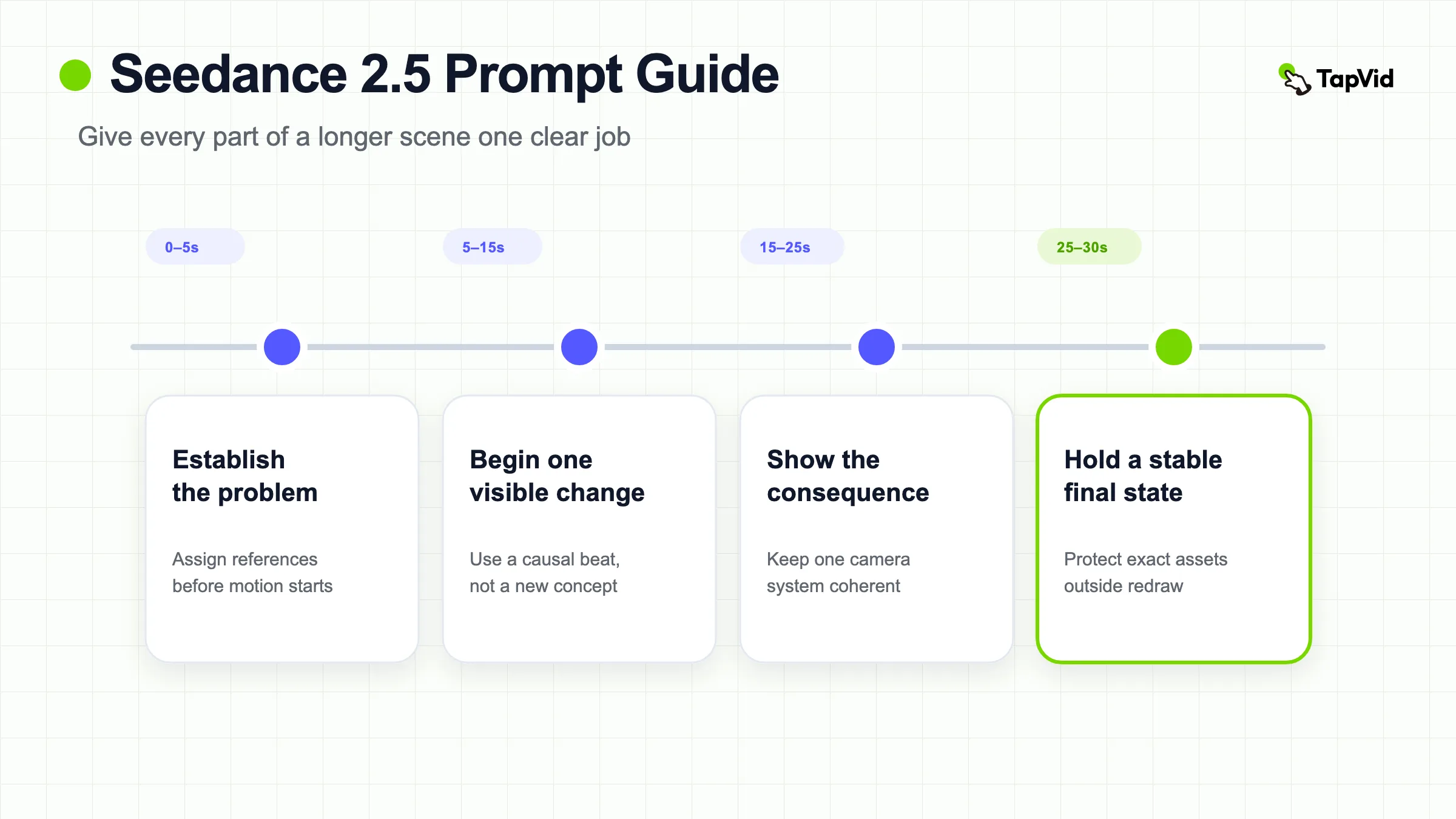
Before writing prose, fill this beat sheet. The time ranges are an editorial starting point for one coherent 30-second scene, not a universal optimum. Shorter outputs should compress the number of beats, not the clarity of each field.
| Field | Question to answer | Example entry |
|---|---|---|
| Outcome | What should the viewer understand at the end? | A messy workflow resolves into one reviewable dashboard |
| 0 to 5 seconds | What establishes the problem? | Three disconnected data cards float over a dark workspace |
| 5 to 15 seconds | What single change begins? | Cards align into one dashboard grid |
| 15 to 25 seconds | What visible consequence proves the change? | One chart resolves and a workflow card links to it |
| 25 to 30 seconds | What stable composition should remain? | Locked hero view with clean copy space on the left |
| Literal layer | What must be added from approved assets later? | Actual metric, UI labels, logo, and CTA |
After filling the table, write one sentence per row. Add references and guardrails last. The deliverable is a scene plan in which every time range has one visible job and every literal fact has a named non-generative source.
02
The Seedance 2.5 prompt grammar
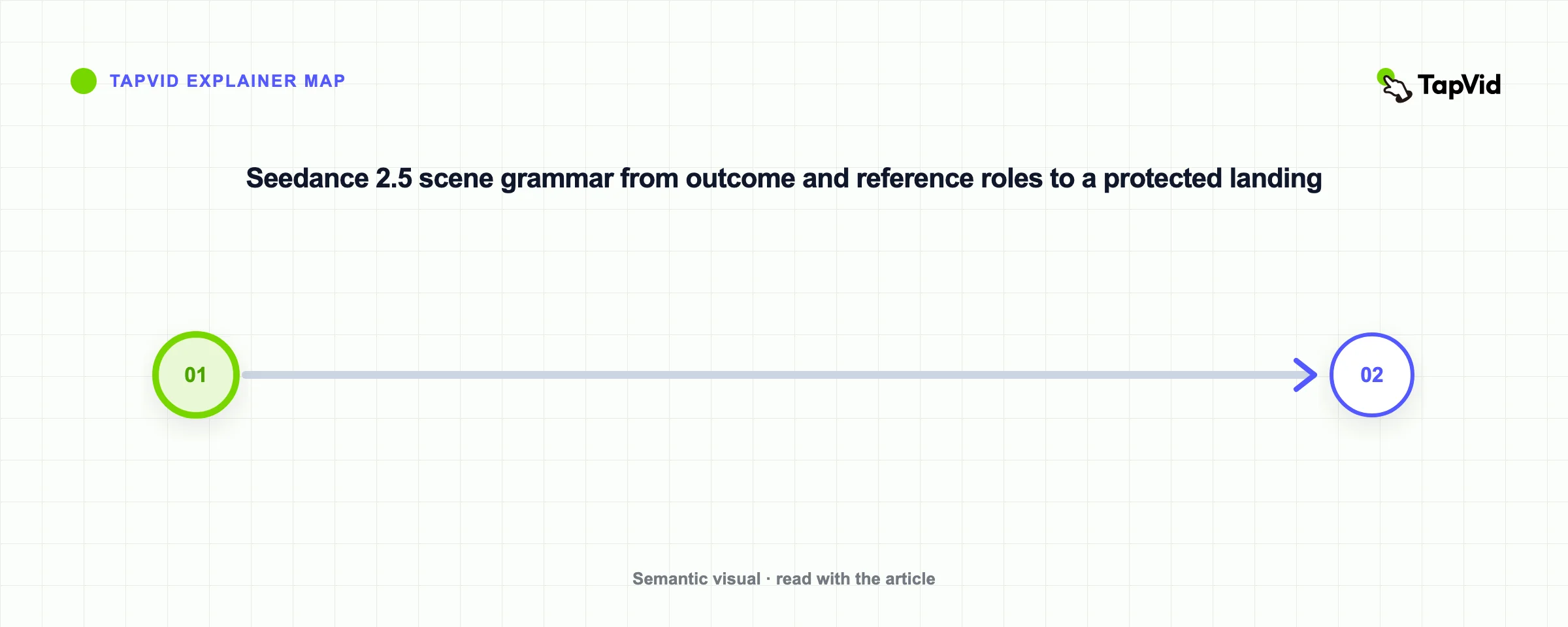
Use this order: outcome, reference roles, timed action, camera, look, final state, guardrails. Outcome says what the clip should communicate. Reference roles tell the model which source controls identity, environment, motion, sound, or style. Timed action breaks a longer request into an ordered sequence. Camera defines the viewer's path. Look covers lighting and texture. Final state gives the scene a destination. Guardrails protect fragile assets and forbid unsupported content.
The grammar is intentionally modular. If a subject mutates, you can repair the reference and identity clauses without changing pacing. If the middle becomes chaotic, you can simplify the beat map. If the last frame is cluttered, you can rewrite the final state while preserving the opening. A single prose block makes those controls harder to isolate.
ByteDance describes Seedance 2.5 as an audio-video generation model for longer storytelling, reference control, and editing. Runway's current guide lists Reference, Keyframe, Edit, and Extend modes, 480p and 720p output, and durations from four to 30 seconds. Interface limits can change, so verify the model, mode, duration, resolution, reference count, and audio setting where you actually generate.
03
Assign every reference one job
A reference is not self-explanatory. If you upload a founder portrait, a desk image, a camera-motion clip, and an audio cue, state which properties to take from each one and which properties to ignore. Otherwise the model has to decide whether a frame controls identity, composition, lighting, action, or all of them.
@Image 1 defines the founder's face, hair, and clothing. Ignore the original room. @Image 2 defines the desk, laptop, and warm morning light. @Video 1 defines the slow lateral camera movement only. Ignore its actor and setting.This role syntax does two things. It turns “use these references” into a set of inspectable responsibilities, and it reduces cross-contamination. A motion reference should not quietly replace the actor. A product image should not force the original background when the scene needs a new environment. A style board should not determine object geometry.
For product work, build the reference stack around what is hardest to regenerate: silhouette, material, package geometry, approved colors, and the exact product state. Do not rely on generated frames for readable packaging copy, UI labels, prices, model numbers, or legal text. Use the supplied asset directly when literal accuracy matters. TapVid's explainer video engine follows that asset-faithful route for product images and approved copy; Seedance is better treated as a source of generated shots, transitions, and motion concepts.
| Reference | Primary role | Preserve | Ignore | Conflict check |
|---|---|---|---|---|
| @Image 1 | Subject identity | Face, hair, clothing | Original room | Does wardrobe match every other image? |
| @Image 2 | Environment | Desk geometry, laptop, warm light | Person in frame | Does light direction fit the subject? |
| @Video 1 | Camera motion | Slow lateral speed and framing | Actor, objects, background | Can the target scene support this path? |
| @Audio 1 | Pacing or sound cue | Beat timing only | Lyrics or unsupported claims | Do beat changes align with the scene beats? |
Copy this ledger and replace every example. If two rows preserve different versions of the same feature, choose a winner before generation. A prompt cannot reliably repair an unresolved source-of-truth conflict.
04
Turn a 30-second idea into timed beats
Longer scenes need chronology. A useful beat map gives each interval one visible job and makes the relationship between intervals causal. Do not divide time merely to create headings. The second beat should follow from the first, and the final beat should resolve the visual question established at the opening.
A simple 30-second map is 0 to 5 seconds for orientation, 5 to 15 seconds for the first change, 15 to 25 seconds for the consequence or proof, and 25 to 30 seconds for a stable end state. For an eight-second product clip, the 36-prompt TapVid library often uses 0 to 2 seconds to establish one focal point, 2 to 6 seconds for two controlled beats, and 6 to 8 seconds to resolve on a clean, brand-ready frame.
Those timings are editorial patterns, not measured universal optima. Their value is diagnostic. If a product reveal fails at 2.5 seconds, you know the error belongs to the transformation beat rather than the opening. If the camera never settles, the final-state interval may need a “lock off” instruction and less preceding motion.
Turn a 30-second idea into timed beats · Steps
- 1
Write the one outcome the viewer should understand.
- 2
List references and assign each a single primary role.
- 3
Divide duration into three or four causal beats.
- 4
Choose one camera system that can cover the whole sequence.
- 5
Describe the final composition and the moment motion should settle.
- 6
Add constraints for identity, geometry, object count, text, and scene continuity.
05
What 36 templates and 120 community prompts reveal
We audited two distinct datasets, both updated August 13, 2026. The first contains 36 TapVid-owned editorial templates organized for SaaS launches, ecommerce, explainers, data stories, and other production tasks. Each template exposes variables, a reference plan, timing, guardrails, use case, aspect ratio, duration, and a source detail page. These are labeled editorial-unbenchmarked. The second is a public feed of 120 community-mined prompts with creator attribution, original X links, video metadata, and dated engagement snapshots. Those records are labeled community-sourced-unbenchmarked. Neither set proves repeatability or model quality.
Four patterns repeat across the collection. First, variable values such as a key message or metric are treated as narrative context, not words to render in the generated frame. Second, each prompt reserves negative space for titles, captions, calls to action, and user-supplied branding. Third, camera direction is restrained: one slow dolly, one arc, a stable top-down view, or a locked hero shot. Fourth, prompts explicitly forbid generated readable text, invented logos, unsupported claims, duplicated objects, and random scene changes.
Consider “SaaS Dashboard Reveal.” It asks the model to assemble abstract dashboard panels, resolve one chart, and place one workflow card while avoiding fabricated microcopy. The supplied key metric informs the visual hierarchy but is added literally later. “Premium Packshot Reveal” protects proportions and surface finish, uses a macro detail followed by a stable hero view, and reserves copy space above the product. “Data-to-Decision Story” keeps source inputs visible behind a decision state so the conclusion feels traceable, while refusing fabricated labels, axes, numbers, or results.
The information gain is not a magic phrase. It is a production boundary: separate generated visual meaning from literal evidence. That reduces the chance of publishing a beautiful but false interface, metric, testimonial, label, or product claim.
What the 120 community prompts show
The live community feed contains 99 English prompts, 15 Chinese prompts, five Japanese prompts, and one Korean prompt. Its median prompt length is 1,941 characters; the middle half ranges from 880 to 2,821 characters. Length is not a quality score. It shows that many community creators write production briefs rather than one-line prompts.
| Structure signal | Prompts out of 120 | What to learn |
|---|---|---|
| Camera or shot language | 97 | Separate subject motion from viewpoint motion, but do not mistake frequent camera vocabulary for proven control. |
| Audio, voice, music, or sound | 55 | Attach sound to a visible beat and verify the selected mode actually supports the requested audio behavior. |
| Explicit negative constraints | 35 | Use a short failure-driven list instead of a generic wall of prohibitions. |
| Timestamps or timed ranges | 27 | Timecode the few beats whose order matters; most prompts still work without second-by-second scripting. |
| Explicit references or keyframes | 19 | Reference use is important but not universal. Name the role of every supplied asset. |
The corpus is also skewed. Tags overlap, but 43 records are cinematic scenes, 34 are short films, 25 are vlog or social concepts, and 16 are brand or product prompts. A person or character appears in 104 records, while only 12 are tagged Product / Object and eight Abstract / Data. That makes the corpus strong for performance, atmosphere, and camera ideas, but weak as evidence for literal product accuracy, UI reproduction, or explainer comprehension.
The practical conclusion is to mine the corpus for reusable control patterns, not to average it into one “best prompt.” Borrow a camera instruction, a beat structure, or a constraint that solves your scene. Then run a controlled test with your own references and acceptance criteria.
| Reusable macro | Copy-ready instruction | Why it exists |
|---|---|---|
| Context, not rendered text | “Use [metric/message] to guide visual emphasis. Do not render readable text or numbers.” | Keeps a real claim out of generative reconstruction |
| Safe zone | “Keep the [left/top/lower] third visually quiet for approved copy added later.” | Reserves usable layout instead of asking for false lettering |
| One camera system | “Use one continuous [dolly/arc/locked] shot with no cuts or viewpoint reset.” | Reduces motion conflict across timed beats |
| Final-state lock | “During the final [time], stop subject motion and hold [three landmarks].” | Creates an inspectable landing and edit point |
These four macros were extracted from patterns in the editorial collection. They are not guarantees of model compliance. Add only the macros that solve a real production risk in your scene.
A popular X example of timestamped prompting
Cheer shared a 30.2-second Seedance 2.5 demo and a structural breakdown built around timestamped prompt units. At our August 14, 2026 readback, the original X post showed 718,666 views, 1,522 likes, 163 reposts, 44 replies, and 1,776 bookmarks. The post explicitly identifies the clip as a Seedance 2.5 demo.
Watch the original Seedance 2.5 demo and prompt breakdown on X.
The useful pattern is not the subject matter or a phrase to copy. It is the hierarchy: establish global constraints and a subject lock, then give each timestamped unit a camera intention, visible action, sound cue, continuity requirement, and end state. Treat the engagement numbers as a dated public-attention snapshot, not evidence that the workflow will reproduce the same quality or performance in another account.
06
Our paid Seedance 2.5 prompt test
On August 8, 2026, we ran a creator-owned founder-at-a-desk frame through fal's official ByteDance Seedance 2.5 image-to-video endpoint. The account used a $0 monthly pay-as-you-go tier after a one-time $10 credit purchase. The run was 480p, four seconds, with native audio enabled. The page estimated roughly $0.88. Three matching four-second tests in the article cluster reduced the balance by $2.49, or $0.83 per run on average.
The prompt asked the founder to scan six editing windows, pause, close the laptop halfway, move a printed brief to the center, end with both hands out of frame, and maintain one slow lateral camera move with stable anatomy. The downloaded MP4 was 854 by 480 pixels, 24 frames per second, and 4.064 seconds long. It contained H.264 video and a non-silent AAC audio track.
The opening stayed close to the source. The face, dark-brown shirt, laptop, paper brief, cup, lighting, and office layout remained consistent. The exact interface text did not survive, which is why the prompt told the model to ignore unreadable UI details. The end-state instructions were less reliable: the laptop closed fully instead of halfway, the paper remained low rather than perfectly centered, and both hands were still visible.
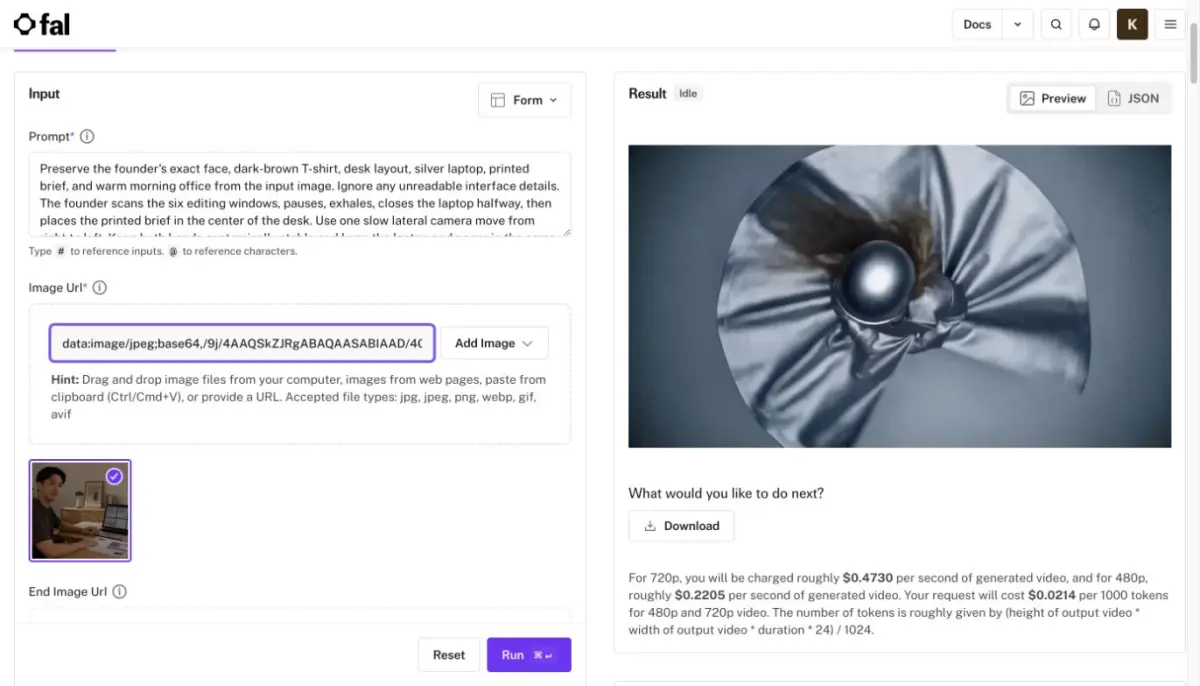
The result supports a useful rule: reference-guided identity and broad object continuity can hold better than a crowded sequence of small end-state commands. The next revision should split the action into two shots or allow more time. Adding more clauses to the same four seconds would probably make attribution harder, not control stronger.
Turn the observed failure into the next prompt
Original action load: scan six editing windows, pause, close the laptop halfway, move the brief to center, remove both hands, and maintain one lateral camera move in four seconds.
Observed result: identity and the broad desk scene held, but the laptop closed fully, the paper stayed low, and both hands remained visible. Three independent final-state actions competed for too little screen time.
Proposed shot 1:
Use the supplied founder frame as the exact opening. Preserve the founder's face, dark-brown shirt, desk, laptop, printed brief, cup, lighting, and room layout. In one continuous lateral camera move, the founder scans the editing windows, pauses, and closes the laptop halfway. End with the laptop lid at roughly a 45-degree angle. No text reconstruction, no new objects, no cut, and no anatomy change.Proposed shot 2:
Begin from the approved last frame of shot 1. Keep the camera locked. The founder slides the printed brief to the center of the desk, then moves both hands completely below the frame. Hold the centered paper and half-closed laptop for the final second. Preserve the same face, clothing, desk objects, light, and room. No readable text generation, new props, or scene change.These two prompts are proposed revisions, not claimed test results. Their advantage is diagnostic: each shot has one main action group, one camera system, and one final-state check.
07
A reusable Seedance 2.5 prompt template
Outcome: [one thing the viewer should understand]. References: @Image 1 defines [identity or product geometry]; ignore [unwanted background]. @Image 2 defines [environment or art direction]; ignore [unwanted subject]. Timeline: 0-[A] seconds, [opening action]. [A]-[B] seconds, [main change]. [B]-[end] seconds, [proof or resolution]. Camera: [one movement system and framing]. Look: [lighting, palette, material, lens feel]. Final state: settle on [composition] with [protected landmarks] visible. Preserve [identity, silhouette, material, layout]. No generated readable text, invented logos, unsupported numbers, duplicated subjects, random cuts, or style changes. Reserve [location] for post-production copy.Fill the template with production facts, not adjectives. “Brushed aluminum body with a black cap” can be compared with the reference. “Premium futuristic excellence” cannot. “Slow 12-degree dolly-in” is clearer than “dynamic camera.” “Hold the last composition for two seconds” is clearer than “strong finish.”
08
How to revise a failed Seedance 2.5 prompt
Audit five layers separately: reference fidelity, action order, camera continuity, final-state compliance, and literal-content risk. Mark each as pass, partial, or fail. A partial result is not the same as a full failure. In the founder test, appearance continuity passed broadly while the final-state checklist failed. That points to a timing and action-density revision, not a new identity reference.
| Failure | Change this block | Specific next edit | Do not change yet |
|---|---|---|---|
| Identity drifts | Reference ledger | Remove conflicts; name three preserved traits and ignore rules | Timeline and camera |
| Actions occur out of order | Timeline | Reduce the number of beats; make each interval causal | Look and identity |
| Camera invents cuts | Camera | Name one continuous path and forbid viewpoint resets | Action wording |
| Final state misses | Final state | Reserve settling time and name three visible landmarks | Opening beat |
| Text or UI is plausible but false | Literal layer | Remove it from generation; reserve space for the approved asset | Generated environment |
| Product mutates during an orbit | Action and camera | Reduce viewpoint change or transformation before adding detail | Palette and lighting |
09
When not to use one long prompt
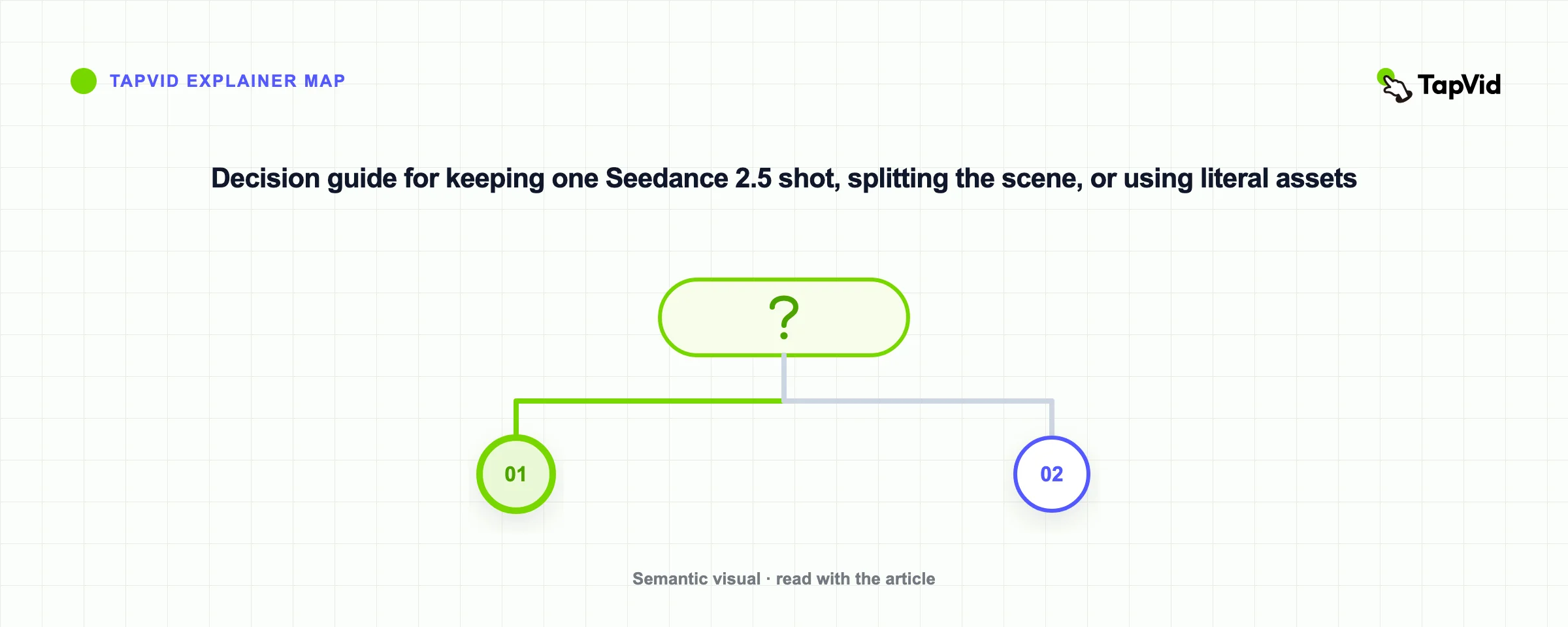
Do not force a multi-scene explainer, several locations, multiple speakers, exact screenshots, numeric claims, and a legal call to action into one generation. A 30-second capability is a duration ceiling, not a requirement to make every scene 30 seconds. Use separate shots when the viewer needs a new location, a different evidence layer, a literal interface, or a precise information sequence.
For a complete product explainer, the safer architecture is hybrid. Use generated video for atmospheric motion, transitions, metaphors, or character moments. Use original screenshots, product images, logo files, diagrams, approved copy, narration, and captions for literal information. Connect them through an editable scene plan so a changed sentence or image can be replaced without regenerating unrelated footage.
| Question | If yes |
|---|---|
| Does the location change? | Split the scene. |
| Does a new speaker or primary subject take over? | Split the scene. |
| Does the viewer need to read an exact screenshot, price, metric, or legal line? | Use an approved literal layer or separate explainer shot. |
| Are there more than three independent physical actions before the landing? | Reduce or split before adding prompt detail. |
| Can one camera path no longer observe every beat clearly? | Start a new shot with a new camera intention. |
The “more than three actions” line is an editorial warning threshold, not a model limit. Its purpose is to trigger a scene-design review before a long prompt hides several competing jobs.
10
Seedance 2.5 publish or rerun checklist
Mark each row pass, partial, or fail. This is an editorial acceptance sheet, not a Seedance benchmark.
| Layer | Pass condition | Rerun or rebuild trigger |
|---|---|---|
| Reference fidelity | Each reference contributes only its assigned role | Role leakage or identity conflict |
| Beat order | Every visible event follows the planned causal sequence | Skipped, reversed, or simultaneous critical actions |
| Camera continuity | One coherent camera system observes the full shot | Unplanned cut, reset, or unreadable framing |
| Final state | Protected landmarks are visible during the hold | Any business-critical landmark is missing |
| Literal-content safety | Approved logos, UI, metrics, and copy come from original assets | Generated readable content is treated as fact |
| Evidence record | Prompt, references, settings, output, and limitations are saved | The team cannot reproduce or explain the result |
11
Final verdict
The best Seedance 2.5 prompts read like production briefs with a timeline. They tell each reference what to control, give each time range one job, keep the camera disciplined, and draw a hard line between visual interpretation and literal information. The 36-prompt TapVid library offers reusable structures, while the paid test shows why those structures still need verification.
Start with a short diagnostic before spending on a full 30-second scene. Preserve the input and settings, inspect the first, middle, and last frames, and revise one failed layer at a time. When a supplied asset or approved sentence must remain exact, use the original material rather than asking the model to redraw it.
12
Frequently asked questions
How is a Seedance 2.5 prompt different from a Seedance 2.0 prompt?
The core subject, action, camera, look, and constraint formula still applies. The practical difference is that longer scenes and larger reference plans benefit from explicit roles and timed beats. Verify the exact limits in your chosen interface.
Can I use the 36 TapVid prompts as tested benchmarks?
No. The collection labels them editorial-unbenchmarked. Use them as structured starting points, keep the source links, and run your own controlled test before making a production claim.
Should I ask Seedance 2.5 to render a metric or UI label?
Use the metric as narrative context, but add the verified number or interface later from the approved asset. Generated readable text can change, and a realistic-looking interface can still be false.
Is a 30-second prompt always better?
No. Longer duration increases room for storytelling and for drift. Use 30 seconds when one coherent scene needs it. Split the work when locations, evidence types, speakers, or exact information change.