
TL;DR
Use this order: subject, one action, environment, one camera move, look, then continuity constraints. • Our paid four-second Seedance 2.0 Mini test kept broad motion and palette but missed exact end-frame geometry, so inspect the first, middle, and final frames before publishing. • TapVid's 120 community-mined prompts are Seedance 2.5 examples. Use their camera, timing, audio, and constraint patterns as hypotheses, not proof that the same capabilities work in Seedance 2.0. • Keep literal product images, UI, logos, numbers, prices, and approved copy outside generative redraw.For copy-ready ideas, browse TapVid's Seedance 2.5 editorial library, inspect the public 120-prompt community feed, or fork the GitHub prompt repository. These resources are for Seedance 2.5, so this guide separates transferable structure from unverified 2.0 capability claims.
A useful Seedance 2.0 prompt is a shot instruction, not a pile of cinematic adjectives. Put the subject and its main action first, assign one camera move, describe what must stay visually stable, then add only the constraints you can inspect in the output. This guide turns that principle into a repeatable workflow and tests it on a four-second start-and-end-frame generation. The test did not land perfectly, which makes it more useful: it shows where a prompt can guide motion and where the reference frames still do the harder work.
01
A 10-minute Seedance 2.0 prompt workflow
Do not begin by writing the prompt. Begin by filling one short-shot brief. If a field needs two sentences, the shot probably contains too many ideas. This is an editorial workflow heuristic, not a measured model limit.
| Brief field | Write this | Blood-cell example |
|---|---|---|
| Viewer should see | One observable result | One red cell travels to the muscle edge |
| Primary subject | One subject plus three identity details | Stylized smiling red cell, flat outline, single subject |
| One action | One present-tense verb and path | Drifts along the vessel centerline |
| Camera | One move or locked frame | Slow forward track at constant height |
| Protected details | Three things you will inspect | Face, red-blue palette, four end branches |
| Forbidden changes | Cuts, duplicates, text, or geometry to avoid | No cuts, new cells, new branches, text, or style change |
A 10-minute Seedance 2.0 prompt workflow · Steps
- 1
Spend two minutes completing the brief.
- 2
Turn each row into one prompt sentence using the builder below.
- 3
Run the shortest diagnostic that still exposes the motion.
- 4
Inspect the opening, midpoint, and last frame against the same six fields.
- 5
Change only the failed block before the next run.
The deliverable after ten minutes is not a polished film. It is a controlled baseline with a saved prompt, input files, settings, and a named failure. That baseline is what makes the next generation informative rather than another lottery ticket.
02
The Seedance 2.0 prompt formula
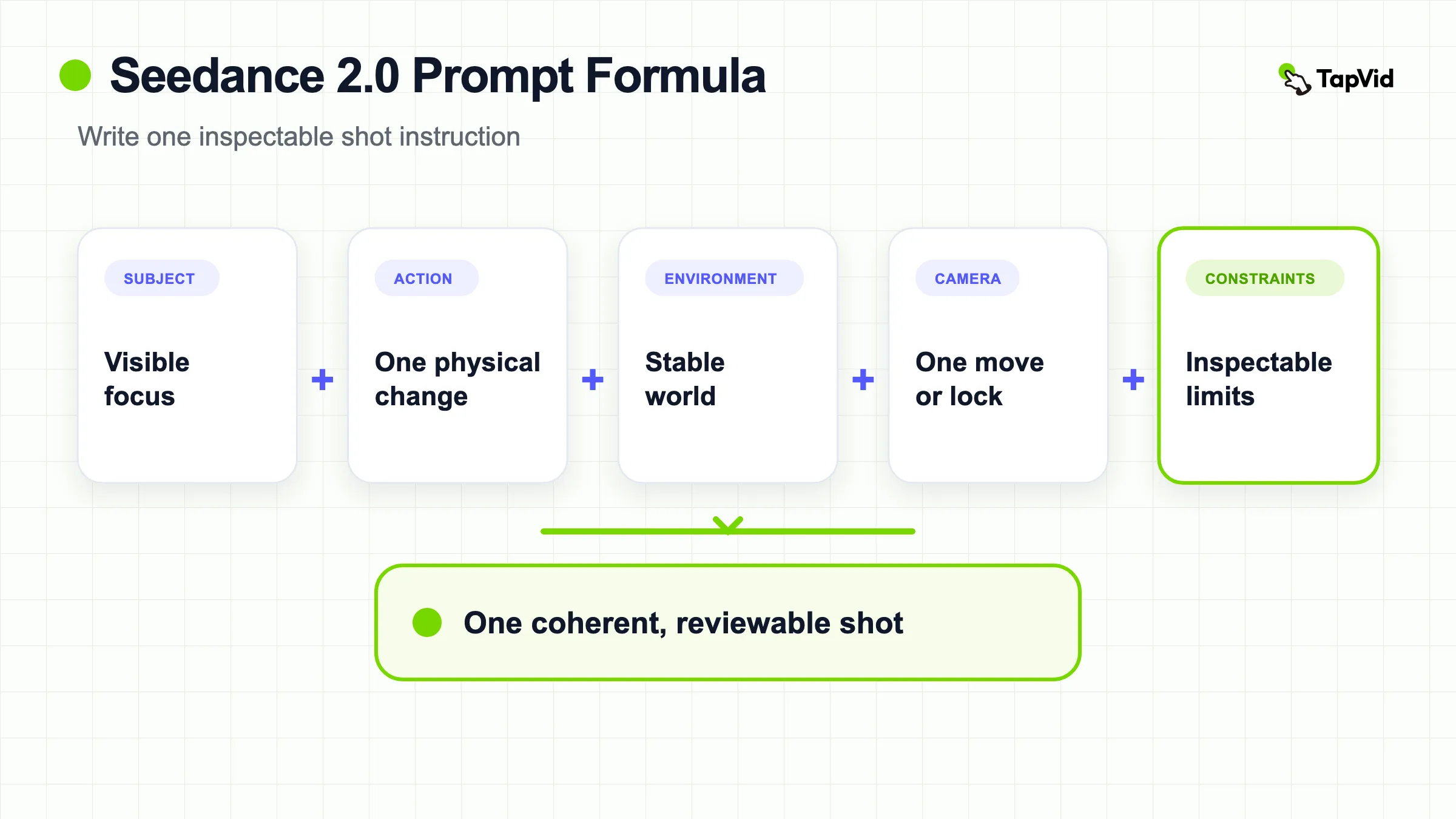
The most reliable formula is subject + one action + environment + camera + look + constraints. It resembles the formulas found in the current US search results, but the important part is not the labels. Each block has a separate job. Subject establishes what the viewer should track. Action defines visible change over time. Environment gives scale and physical context. Camera separates subject motion from viewpoint motion. Look controls lighting and texture. Constraints protect fragile details and eliminate unwanted cuts or objects.
Write the opening as a plain production instruction. “A red blood cell drifts through a curved vessel” gives the model an actor, a motion, and a place before style appears. “Cinematic microscopic world, beautiful blue and red, highly detailed” gives it an aesthetic but no event. When a generation drifts, the first version is easier to diagnose because each phrase answers a specific question.
- Subject: name one primary object or character with only the details needed for recognition.
- Action: use a visible present-tense verb and keep the clip to one main motion beat.
- Environment: state the physical setting and any surface, depth, or scale cue that affects motion.
- Camera: choose one move, such as a slow push-in, lateral track, orbit, or locked shot.
- Look: specify lighting, palette, lens feel, and rendering style after the motion is clear.
- Constraints: protect identity, product geometry, text, logos, shot continuity, and object count.
Luma's Seedance prompting article also separates structure, references, motion, camera, audio, and text. Fal's guide similarly emphasizes an explicit formula. These are useful benchmarks, not model guarantees. The practical test is whether a phrase changes an observable property in your own output.
03
Use reference roles instead of repeating appearance
When you provide an image, the image already carries composition, color, shape, and texture. Repeating every visual detail in the prompt can create a conflict between the pixels and the prose. Use the prompt to state the reference's role: which subject it defines, what must remain recognizable, and what the model is allowed to change.
A compact role statement might read: “Use the first image as the opening composition and the second image as the target composition. Preserve the same cell design and vessel palette.” The next sentence should describe the journey: “The cell follows the curved vessel while the camera tracks forward.” This separates three control layers: fixed visual anchors, temporal motion, and continuity rules.
For product footage, replace vague requests such as “keep it consistent” with inspectable details. Name the silhouette, cap, label position, logo orientation, button layout, or screen region that must not change. Do not assume a reference-guided model will reproduce small text or an interface exactly. If literal product images, UI screenshots, numbers, prices, or legal copy must appear unchanged, a workflow that composites the original assets is safer than asking a generative model to redraw them. TapVid's explainer video engine is designed around that asset-faithful use case, while Seedance remains useful for generated motion and atmospheric shots.
Public X comparison: one prompt in Seedance 2.0 and 2.5
Patrick published a deliberately narrow comparison prompt: one person faces a static camera, counts from one to ten, and raises the matching number of fingers. The attached 24.024-second video is labeled “Seedance 2.0 vs. Seedance 2.5” by the author. At our August 14, 2026 readback, the original post showed 76,986 views, 382 likes, 23 reposts, 60 replies, and 188 bookmarks.
Watch the original Seedance 2.0 versus 2.5 comparison on X.
This is a third-party demonstration, not a TapVid benchmark. The source does not expose enough provider settings, seeds, or repeat-run history to prove that one model is universally better. Its useful lesson for a Seedance 2.0 prompt is test design: use one observable task, keep the camera fixed, and compare count order, hand anatomy, speech-action correspondence, and continuity before adding cinematic complexity.
04
Our four-second Seedance 2.0 prompt test
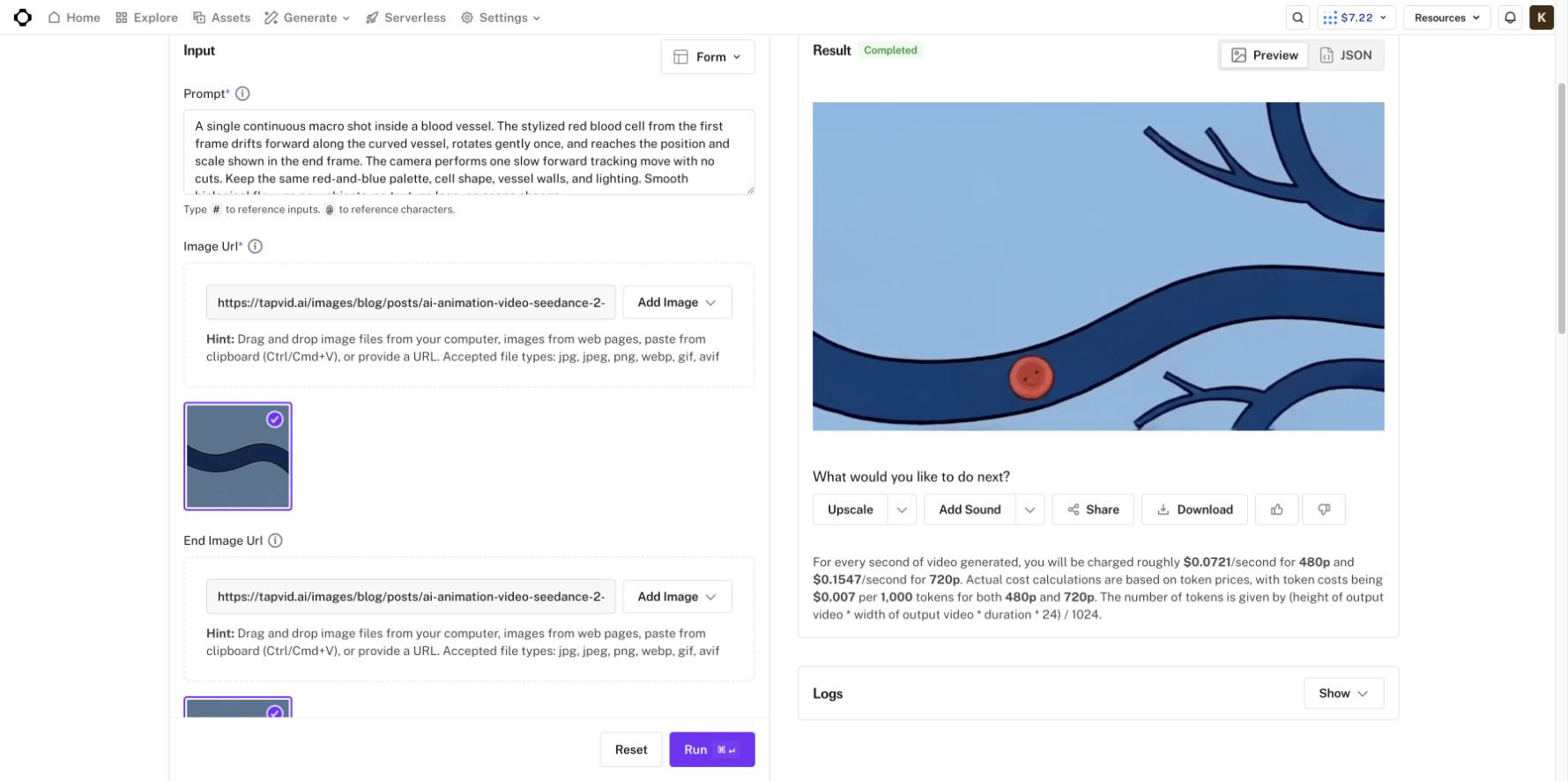
We ran one first-hand test on August 14, 2026, in fal's official ByteDance Seedance 2.0 Mini image-to-video playground. The input used a start frame and an end frame from an existing TapVid blood-cell animation. Settings were 480p, four seconds, native audio off, and seed 1033538083. The published rate shown in the interface was about $0.0721 per generated second at 480p. The account balance changed from $7.51 to $7.22, so the observed spend was about $0.29.
The exact prompt was:
A single continuous macro shot inside a blood vessel. The stylized red blood cell from the first frame drifts forward along the curved vessel, rotates gently once, and reaches the position and scale shown in the end frame. The camera performs one slow forward tracking move with no cuts. Keep the same red-and-blue palette, cell shape, vessel walls, and lighting. Smooth biological flow, no new objects, no text, no logo, no scene change.The generated MP4 was 4.04 seconds, 864 by 496 pixels, H.264 at 24 frames per second, and 1,251,036 bytes. The output kept the broad red-and-blue palette, a single smiling cell, and continuous forward motion. There was no hard cut. Those observations support the value of explicit subject, route, camera, and continuity instructions.
The limitations matter more. The output did not reproduce the target frame precisely. The glowing nodes were missing, vessel branches changed, the cell's face and position drifted, and the large tissue form at the right edge was only an approximation. The middle frame introduced branching geometry that the prompt did not describe. “No new objects” was too broad to protect the exact vascular structure, and “reaches the position and scale” did not force a pixel-close landing.
05
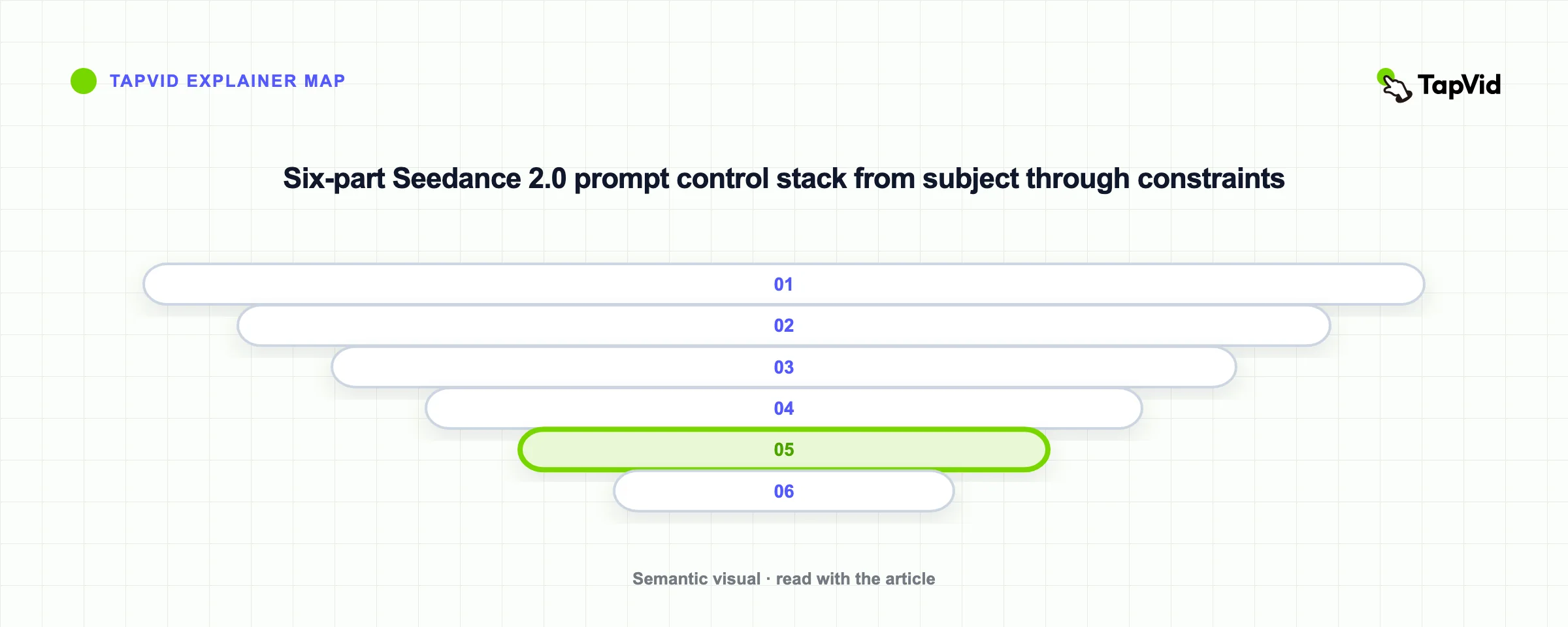
How to fix a Seedance 2.0 prompt without starting over
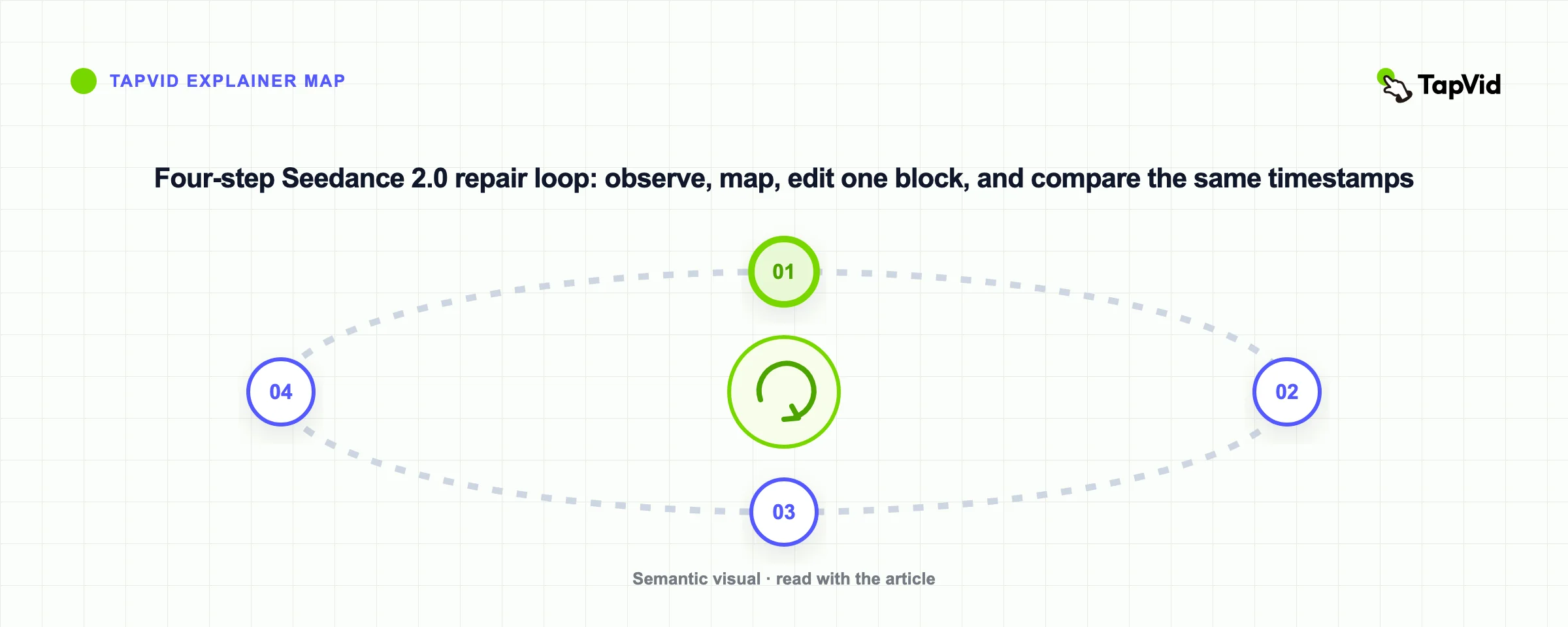
First, name the failure in visual terms. “It looks wrong” cannot guide the next pass. “The last frame lost four glowing nodes,” “the product rotated away from the label,” or “the camera added a cut” can. Write down the earliest frame where the problem appears, because an end-frame mismatch may start with an incorrect path in the middle.
Second, revise one control block. If the camera drifts, keep the subject and style text unchanged and replace only the camera sentence. If the subject shape mutates, reduce action complexity and make the protected features explicit. If the final composition misses, describe the approach direction, the final orientation, and what becomes stationary near the end. One-variable revisions reveal which instruction helped. Full rewrites destroy that information.
Third, shorten the requested beat before adding more language. A four-second clip with one subject action and one camera move is easier to evaluate than a long prompt containing a reveal, orbit, transformation, dialogue, and logo lockup. Add the next beat only after the baseline holds.
How to fix a Seedance 2.0 prompt without starting over · Steps
- 1
Freeze the subject, references, duration, resolution, and seed if the interface exposes it.
- 2
Record the first visible failure and map it to subject, action, camera, look, or constraint.
- 3
Edit only that block and keep the rest of the prompt unchanged.
- 4
Compare the same first, middle, and last timestamps.
- 5
Keep the revision only if the target problem improves without creating a worse one.
| What you see | Likely control failure | Change exactly this | Leave unchanged |
|---|---|---|---|
| Subject changes shape before the midpoint | Action or identity load is too high | Remove rotation or occlusion; name three protected features | Environment, camera, look |
| A hard cut appears | Camera instruction permits a new shot | Replace camera block with “one continuous locked shot” or one named move | Subject and action |
| Broad destination is right, landmarks are wrong | Final state is abstract | Name three visible landmarks and a settling interval | Opening and route |
| Extra props or subjects appear | Object count is unconstrained | State the allowed count and forbid named additions | Lighting and palette |
| Logo, label, UI, or number mutates | Literal content was delegated to generation | Reserve clean space and add the approved asset later | Generated background motion |
| Motion is correct but the frame feels chaotic | Subject and camera both move aggressively | Lock one of them; keep only one dominant movement | Identity constraints |
06
Copy-ready Seedance 2.0 prompt builders
Text-to-video builder:
One continuous [shot type] of [subject with three identity details] in [environment]. [Subject] [one action] along [physical path]. The camera [one move or remains locked]. Use [lighting, palette, texture]. Preserve [three inspectable details]. Keep [object count]. No cuts, duplicates, readable text, invented logos, or scene change.Image-to-video builder:
Use the supplied image as the exact opening composition. [Subject] [one visible action] while the camera [one move]. Preserve [silhouette, material, color, face, or layout]. Keep the original [background or lighting relationship]. No new objects, no cuts, no text changes, and no unsupported view of the subject.Start-to-end builder:
Use the first image as the opening keyframe and the second as the target keyframe. [Subject] moves from [start position] to [end position] along [path] while the camera [single move]. During the final [time], slow and align [landmark 1], [landmark 2], and [landmark 3]. Preserve [identity details]. No cuts, additional subjects, object duplication, readable text, or style change.Copy a builder, replace every bracket, then delete any sentence that you cannot verify in the output. Do not leave abstract placeholders such as “cinematic,” “premium,” or “dynamic.” Translate each into lighting, framing, movement, material, or pacing that a reviewer can point to.
07
Worked example: from vague brief to a testable prompt
Vague version: “A cinematic journey through a beautiful blood vessel. The cute cell moves dynamically to the destination with perfect consistency.” It has no route, no camera decision, no protected landmarks, and no definition of “perfect.”
Tested version: our actual four-second prompt added one cell, one route, one forward camera move, palette continuity, and no cuts. It preserved broad motion and color but lost the four glowing nodes, changed the branches, and moved the face and final position.
Next controlled revision:
Use the first frame as the opening and the second frame as the target. The single smiling red blood cell follows the centerline of the dark-blue vessel while the camera tracks forward at constant height. Do not rotate the cell or change its face. During the final second, slow to a stop immediately left of the large red muscle edge, with four blue nodes visible behind the cell and the same four narrow branches aligned with the target. Preserve the flat 2D outlines, red-blue palette, lighting, and object count. No cuts, new cells, new branches, readable text, or style change.This next version is proposed, not a claimed second test. Its value is that every new clause maps to an observed failure. If it still misses the branches, the next edit targets branch geometry only.
08
What 120 Seedance 2.5 prompts can teach 2.0
TapVid's public community feed contains 120 attributed Seedance 2.5 prompts, alongside 36 TapVid-owned editorial templates. The community corpus contains 99 English, 15 Chinese, five Japanese, and one Korean prompt. Its median length is 1,941 characters, with the middle half ranging from 880 to 2,821. It is a community-sourced-unbenchmarked pattern library, not a controlled Seedance 2.0 versus 2.5 benchmark.
| Pattern in the 120-prompt corpus | Count | Safe Seedance 2.0 adaptation |
|---|---|---|
| Camera or shot language | 97 | Keep one explicit camera move and separate it from subject motion. |
| Audio, voice, music, or sound | 55 | Use only when the selected 2.0 mode supports it. Our paid 2.0 test ran with native audio off. |
| Explicit negative constraints | 35 | Keep only constraints tied to observed failures in your own run. |
| Timestamps or timed ranges | 27 | Compress the idea to one short motion beat before attempting a longer sequence. |
| Explicit references or keyframes | 19 | Name each asset's role, then verify current provider limits and mode behavior. |
The corpus is weighted toward cinematic scenes, short films, and people: 43 records carry the Cinematic Scene tag, 34 Short Film, and 104 Person / Character. Only 12 are tagged Product / Object and eight Abstract / Data. It is useful for camera, performance, atmosphere, and continuity ideas. It is not enough evidence for exact product, UI, data, or text fidelity.
For Seedance 2.0, borrow the structure but remove unsupported assumptions. A 30-second beat sheet, large reference stack, or audio behavior demonstrated in 2.5 should not be presented as a verified 2.0 capability.
A good adaptation keeps the subject, action, camera, and continuity clauses, then reduces the request to one short motion beat. It also replaces generic “cinematic” language with the particular lens, movement, lighting, or pacing decision that creates the look. The result is shorter, easier to test, and easier to repair.
09
Seedance 2.0 publish or rerun scorecard
Score each row 0 for fail, 1 for partial, or 2 for pass at the opening, midpoint, and ending. This is an editorial triage tool, not model benchmark data.
| Dimension | Pass means | Automatic rerun trigger |
|---|---|---|
| Subject identity | Shape, face, material, and count stay recognizable | Any identity score of 0 |
| Action path | The subject follows the named physical route | Teleport, reversed order, or unexplained transformation |
| Camera continuity | One stated camera system, no unintended cut | Hard cut or conflicting viewpoint move |
| Protected details | Every named feature remains inspectable | A purchase, safety, or brand-critical detail changes |
| Final state | Named landmarks and settling behavior are visible | The broad scene arrives but required landmark is absent |
| Literal-content safety | No invented readable text, logo, price, or UI claim | Any literal-content score of 0 |
Do not publish if identity or literal-content safety scores 0, regardless of total. For exploratory footage, a partial final-state score may be acceptable. For a product page, training clip, or ad, the project owner should define stricter asset and claim checks before generation.
10
Final verdict
The formula is simple, but control comes from disciplined testing. Lead with the subject and one visible action, assign one camera move, tell each reference what job it performs, and protect only the details you can verify. Our Seedance 2.0 Mini run followed the broad motion and palette but missed exact end-frame geometry. That is the honest boundary: prompts can improve direction, while references and post-production still determine whether a product asset, interface, logo, or line of text is truly faithful.
Use the TapVid prompt hub and GitHub collection to study prompt structure, then validate every borrowed pattern in the exact model and mode you plan to use. For explainer videos where supplied product assets and approved copy must remain literal, keep those assets out of the redraw path and use generative video for the parts that benefit from visual invention.
11
Frequently asked questions
What is the best Seedance 2.0 prompt structure?
Use subject, one action, environment, one camera move, look, and continuity constraints. Put subject and action first. Treat references as visual anchors and use the prompt mainly for motion, camera, and protected details.
Are Seedance 2.0 prompts and Seedance 2.0 prompt the same search intent?
For this article, yes. A live US results check found the same dominant task and at least five overlapping result domains: users want a formula, examples, and troubleshooting. One canonical guide should serve both variants.
Can a prompt force an exact end frame?
It can describe the route and target landmarks, but an exact landing is not guaranteed. In our test, the final composition was broadly similar yet several branches, glowing nodes, and the subject position differed. Inspect the actual last frame before relying on it.
Should I copy a Seedance 2.5 prompt into Seedance 2.0?
Copy the structural ideas, not the capability claims. Keep clear subject, motion, camera, timing, reference roles, and constraints, then shorten the scene and remove any 2.5-specific assumption you have not verified in 2.0.