

TL;DR
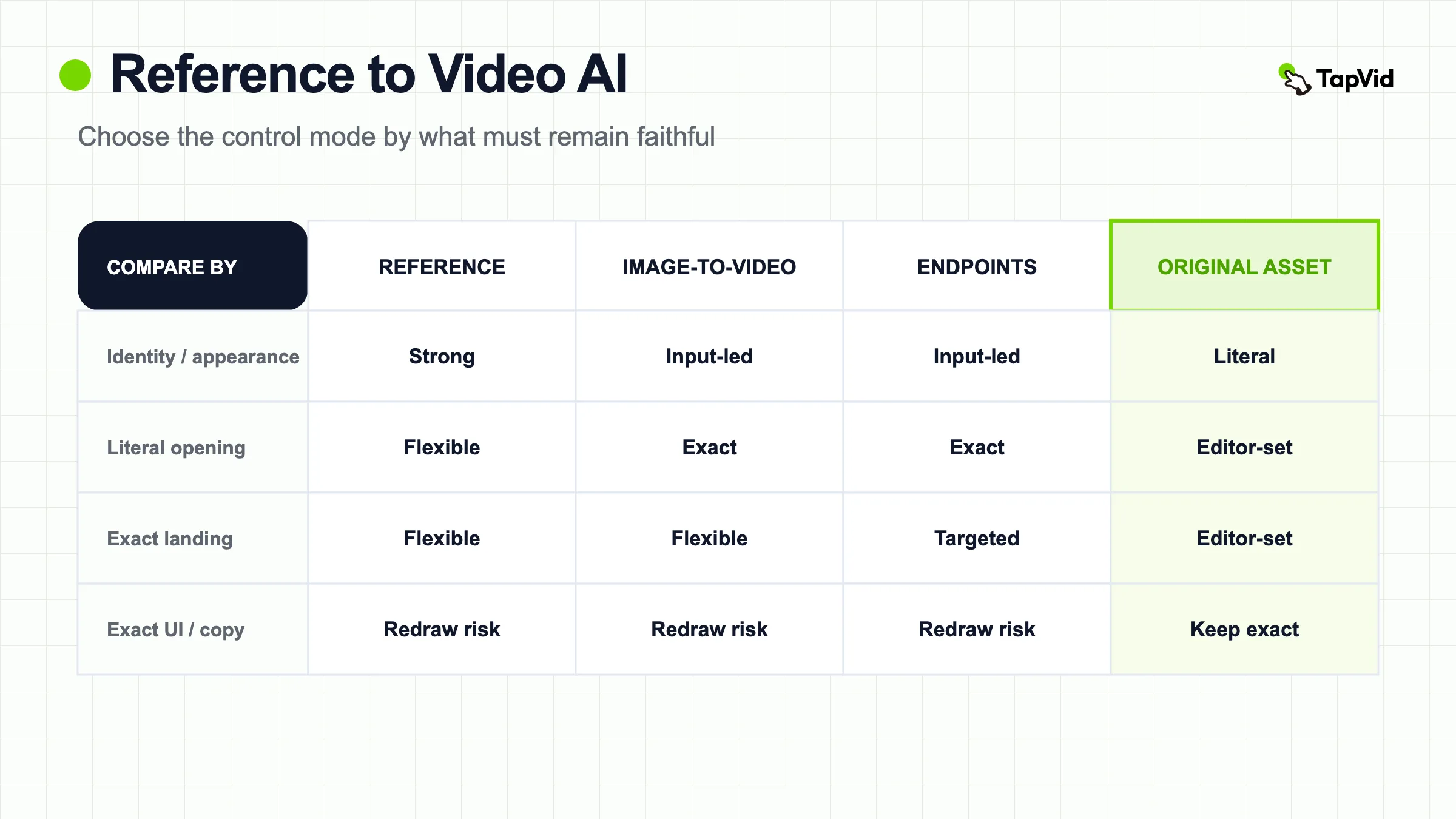
use reference-to-video when you want the same character, object, product, or art direction in a new action or environment. Use image-to-video when a supplied image should be the literal opening composition. Use start-and-end mode when both endpoint compositions matter. For logos, UI screenshots, labels, prices, and approved copy that must remain exact, keep the original asset in the edit rather than relying on a generated reconstruction.
Reference to video AI generates a new video from a text prompt while using one or more images or clips as visual anchors. The references usually guide subject identity, product appearance, wardrobe, scene language, motion, or style. They are not necessarily literal first frames. That distinction separates reference-to-video from image-to-video and from start-and-end-frame generation, and it determines what the prompt should say.
01
Choose the right mode in 60 seconds
| What must be controlled? | Use first | Why |
|---|---|---|
| The uploaded image must be the literal opening | Image to video | The input establishes the first composition |
| The same subject or product must appear in a new scene | Reference to video | The reference guides identity or appearance without fixing the opening |
| Both the opening and landing composition matter | Start and end frames | Two endpoint images constrain the route |
| A logo, UI screen, price, dosage, model number, or legal line must remain exact | Original asset plus editing or compositing | Literal information should not depend on generated reconstruction |
| You need identity plus exact endpoints | A provider that supports both, or separate shots | One input mode may not protect both jobs |
If two rows are equally important, do not choose by feature name. Decide which control can fail safely. A concept shot can tolerate a loose background. A product page cannot tolerate the wrong label, model number, or product-image correspondence.
02
What reference to video AI means
Reference-to-video is a consistency-first generation task. The model receives a prompt plus reference media and produces frames that should follow the requested action while retaining selected visual features from those references. A 2026 CVPR paper, “Scaling Zero-Shot Reference-to-Video Generation,” defines the research task as synthesizing prompt-aligned video while preserving subject identity from reference images. The paper's Saber system is one implementation, not a definition of every commercial tool, but it provides an authoritative boundary for the term.
Commercial implementations broaden the idea. ImagineArt's official documentation allows up to four reference images for characters, props, or scenes and describes a new scenario that does not need to match the source composition. Venice documents character elements, scene references, and multi-shot control. Vidu markets multi-reference workflows for characters, objects, scenes, style, composition, camera movement, and effects. Limits and supported roles differ by provider, so “reference-to-video” describes the input relationship, not one universal feature set.
The key mental model is extract and recreate. A reference provides features for the model to recognize and re-express in newly generated frames. It does not guarantee that every pixel, letter, or geometric edge will be copied. That is why the mode is useful for character identity and art direction but risky for literal product information.
03
Reference to video AI versus image to video
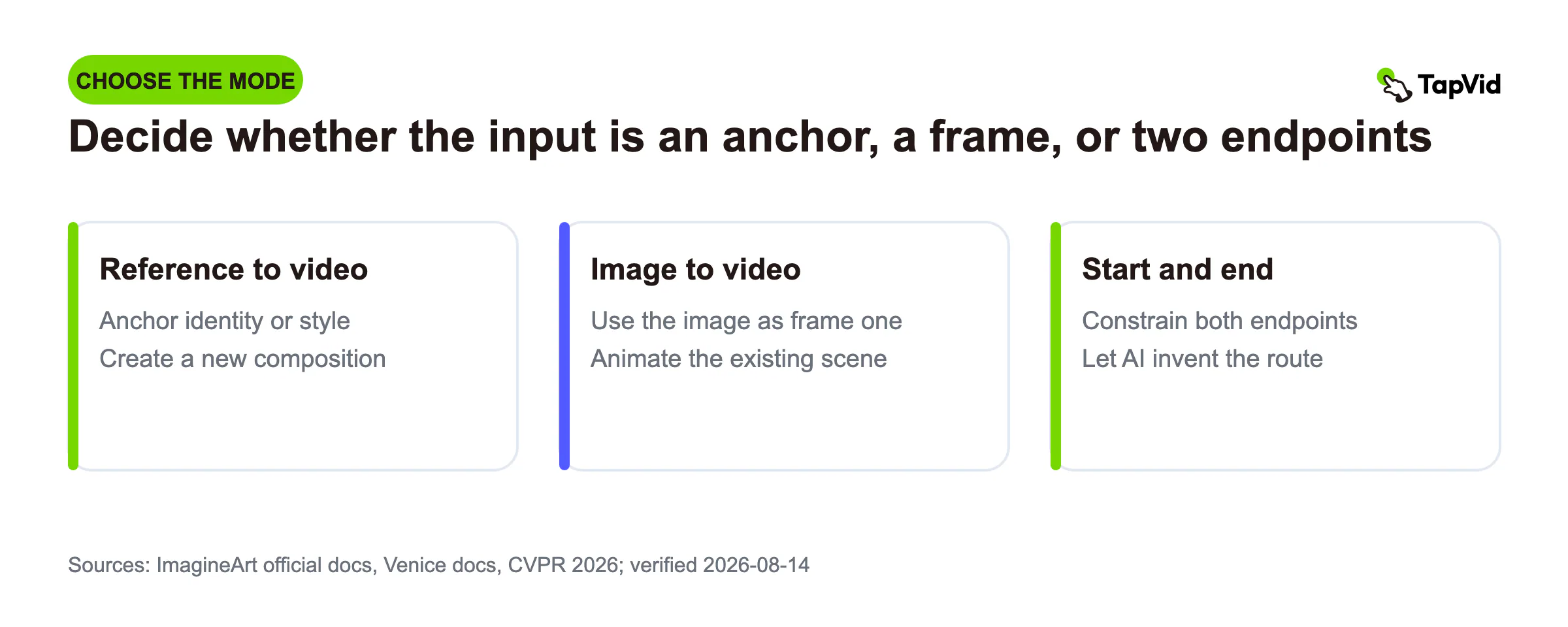
Image-to-video normally treats one image as the literal opening frame. The prompt explains what moves after that frame. Reference-to-video uses one or more images or clips as a feature source and may build a completely new composition. The same product can move from a white-background packshot into a new studio scene; the output does not need to begin with the uploaded packshot.
| Question | Reference to video | Image to video |
|---|---|---|
| What does the input control? | Identity, appearance, object, scene, motion, or style features | The literal opening composition, plus visual features |
| What must the prompt describe? | The new scenario, action, environment, camera, and reference roles | Mainly motion, camera, continuity, and protected details |
| Best use | New scenes with a consistent character, product, or art direction | Animating an existing still without rebuilding the opening |
| Main risk | References conflict or important details are recreated loosely | The starting image deforms as motion increases |
ImagineArt's documentation makes this boundary explicit: image-to-video defines the literal first and optionally last frame, while reference-to-video extracts visual features and recreates them in a new scenario. That is more precise than tool pages that use “reference video” as a catch-all for any image-guided generation.
What a paid image-guided test actually preserved
To make the boundary visible, we reused a paid Seedance 2.5 image-guided run completed on August 8, 2026. This was an image-to-video test, not a direct reference-to-video benchmark. The distinction matters: the uploaded founder image defined the opening composition, while the prompt requested a short sequence in the same office. The test used one input image, a 16:9 frame, 720p output, 10 seconds, native audio off, and seed 18473.

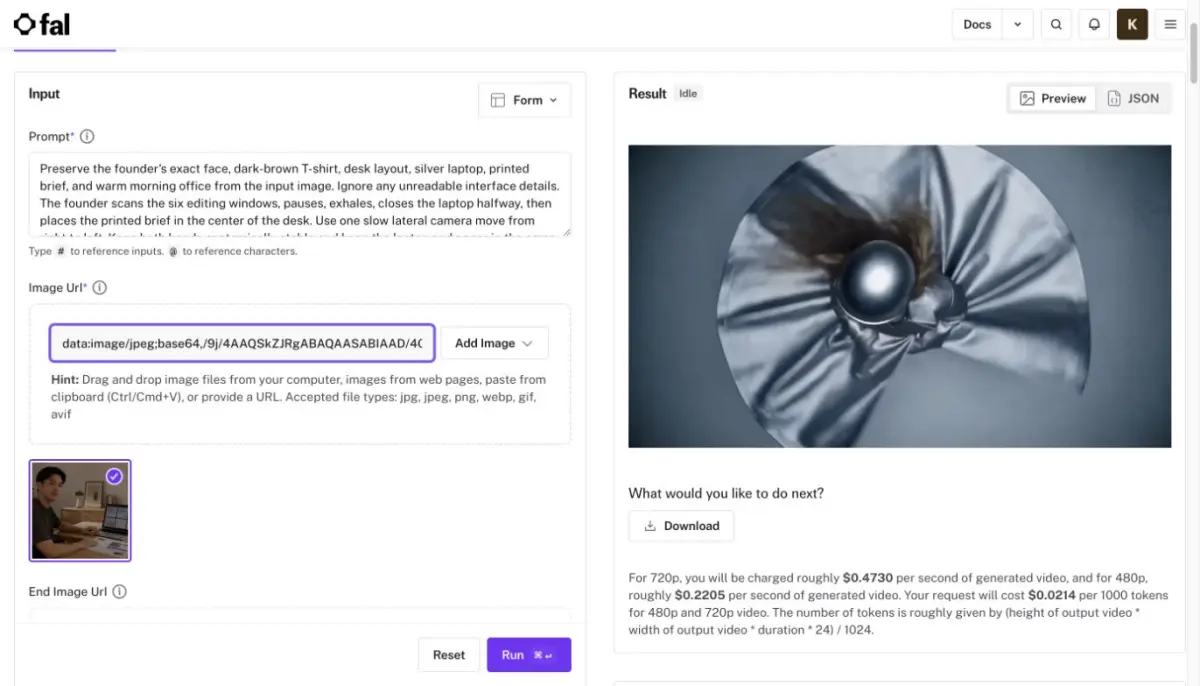
The first generated frame stayed close to the source composition and kept the founder, dark shirt, desk, silver laptop, printed brief, mug, plant, and warm office palette recognizable. It did not preserve literal screen content. The colored editing windows were approximate from the opening and changed again as the shot continued.

By the midpoint, broad identity and the office remained stable, but the founder's expression, laptop angle, screen layout, paper position, and background details had drifted. In the final frame, the laptop was closed and the printed brief was still only an approximation. Those changes were acceptable for a narrative motion beat, but they would fail an acceptance test for exact UI, document content, product labels, or approved copy.


Practical verdict: image guidance preserved the scene and person better than it preserved literal information. Reference-to-video can give the model more flexible identity or style guidance, but it does not remove this redraw risk. If a screen, label, price, model number, or legal line must remain exact, place the approved asset in the edit rather than asking the model to recreate it.
04
Reference to video AI versus start-and-end frames
Start-and-end generation is endpoint-first. Two images specify where the clip begins and where it should arrive, while the model invents the transition. Reference-to-video is identity-first or style-first. References establish what the subject, product, or world should look like while the prompt can request a new composition throughout.
Choose start-and-end frames for a before-and-after transformation, a logo-free product move between two approved compositions, a camera path with a known landing, or a loop whose endpoints matter. Choose reference-to-video for a character appearing in several settings, a product placed in new environments, or a visual campaign that needs one art direction across multiple shots.
The modes can overlap. A provider may allow a start frame plus separate identity references, or a start and end frame inside a broader reference stack. Treat the interface labels and current documentation as the source of truth. The practical question is not which marketing term sounds more advanced. It is which inputs the model treats as literal frames and which it treats as feature guidance.
05
What reference media can control
Character identity: face structure, hair, clothing, proportions, and recurring accessories. Multiple views can reduce ambiguity, but conflicting age, lighting, hairstyle, or wardrobe signals can create drift.
Product appearance: silhouette, materials, color, package shape, cap or handle geometry, and broad label placement. Small typography, reflective details, exact connectors, and regulatory marks remain fragile.
Scene language: architecture, furniture, palette, lighting, weather, and spatial mood. A scene reference can define the world while a separate subject reference defines who appears in it.
Motion and camera: some tools accept reference clips that guide body motion, camera path, pacing, or effects. Do not assume every provider interprets a video reference the same way. State that the clip controls motion only and name any actor or setting it should ignore.
Art direction: illustration line quality, texture, lens feel, contrast, palette, or animation style. A mood board is strongest when it does not conflict with the subject reference's geometry and lighting.
06
A reference-role prompt formula
Write the prompt in two layers. The first layer says what stays stable. The second says what changes. A practical formula is:
@Reference 1 defines [subject or product identity]. Preserve [three inspectable features] and ignore [unwanted original environment]. @Reference 2 defines [scene or art direction]. Preserve [lighting, palette, material, or layout] and ignore [unwanted subject]. Create a new scene where [one action] happens in [environment]. The camera performs [one move]. Keep [continuity constraints]. End on [final composition]. No generated readable text, invented logos, duplicated subjects, random cuts, or unsupported claims.“Keep it consistent” is too vague. “Preserve the cylindrical bottle, matte-black cap, amber glass, and front label position” gives a reviewer a checklist. “Dynamic camera” is vague. “Slow clockwise 20-degree arc at a constant medium distance” defines motion. “Premium” is vague. “Soft top light, black acrylic surface, narrow amber rim light” defines a look.
Reference roles also reveal conflicts before generation. If one image defines a white cap and another defines a black cap, the prompt cannot resolve the asset disagreement reliably. Choose an approved source or state which reference wins. If a motion clip includes a different actor, explicitly ignore the actor and use only the movement.
07
Build a minimum viable reference packet
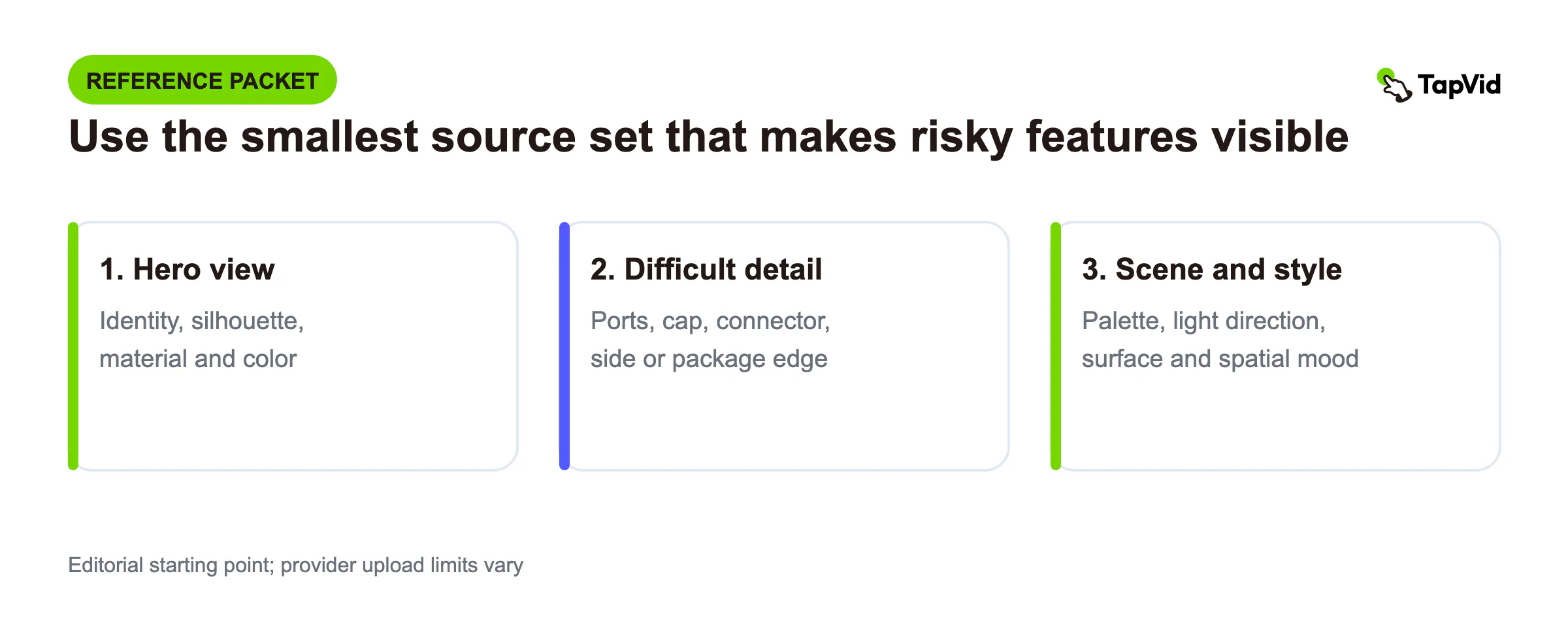
Start with the smallest packet that makes the risky features visible. The following three-item packet is an editorial starting point, not a universal provider requirement. Provider upload limits vary.
| File | Primary job | Must preserve | May change | Ignore |
|---|---|---|---|---|
| Hero front or three-quarter image | Product identity | Silhouette, color, material, cap or handle geometry | Background and shadow treatment | Readable label text unless composited later |
| Side or difficult-detail image | Hidden geometry | Ports, controls, package edge, connector, or profile | Framing and crop | Unrelated props |
| Scene or style image | Environment and art direction | Palette, light direction, surface, spatial mood | Subject placement | Any product or person in the mood image |
Before upload, add one source-of-truth line: “The current approved product version is [version/date/file owner]. If references disagree, [file] wins.” This prevents an asset-management problem from being misdiagnosed as a prompt problem.
Then record the output check that belongs to each file. The hero reference is reviewed at opening, midpoint, and ending. The side reference is reviewed whenever the camera exposes that angle. The scene reference is reviewed for light, palette, contact shadows, and scale rather than product geometry.
08
Worked example: a product in a new studio scene
Suppose a team has an approved amber bottle front image, a side image showing the matte-black cap and shoulder profile, and a studio board with black acrylic, soft top light, and an amber rim. The goal is a slow product reveal with clear space for approved copy.
Weak prompt: “Use these images to create a premium cinematic product video. Keep everything consistent and show the logo.” It does not assign reference roles, define the move, or separate generated appearance from literal brand information.
Production prompt:
@Image 1 defines the bottle's amber glass, cylindrical silhouette, shoulder profile, matte-black cap, and front-label position. Ignore its white background and do not reconstruct readable label text. @Image 2 defines the cap and side geometry only. @Image 3 defines the black acrylic surface, soft top light, narrow amber rim light, and dark studio palette. Ignore any object in the style image. Create one continuous studio shot in which the bottle remains upright while the camera makes a slow 20-degree clockwise arc at constant distance. Keep one bottle in frame. Preserve silhouette, cap size, amber material, and front-label position. Keep the left third quiet for the approved logo and copy added later. No cuts, extra props, duplicate bottles, readable text, invented logos, or packaging claims.Acceptance plan: compare silhouette and cap at three timestamps, inspect side geometry during the arc, confirm that the left safe zone stays usable, and replace any reconstructed label with the approved artwork. If the bottle mutates during the arc, reduce the viewpoint change before adding more descriptive language.
09
Why products, logos, UI, and text still drift
Generative video reconstructs frames over time. Even when the model recognizes the product, each frame can vary in edge shape, label spacing, letter form, port location, button count, or reflection. Motion, occlusion, perspective change, and compression make small details harder to preserve. A reference increases visual constraint; it does not turn generated frames into a deterministic composite.
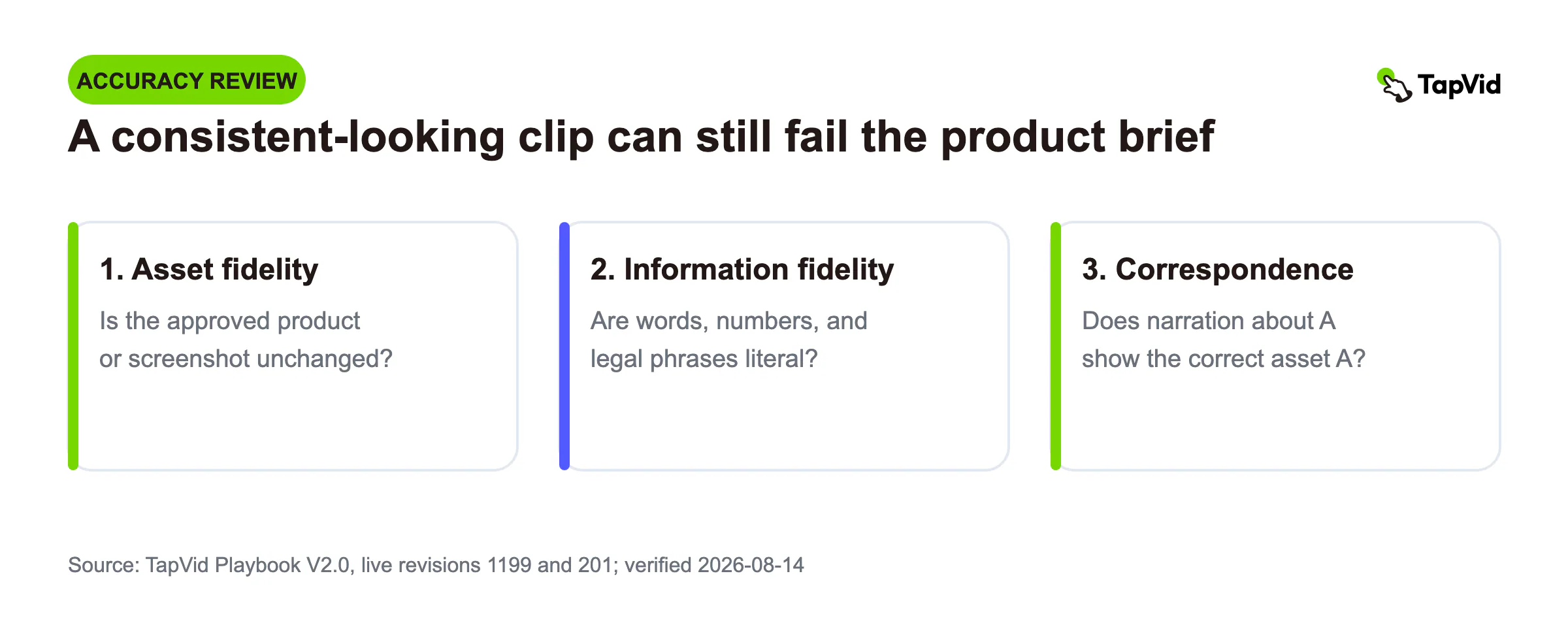
For marketing, divide accuracy into three layers. Asset fidelity asks whether the supplied product, logo, screenshot, or footage remains the approved asset. Information fidelity asks whether words, numbers, model names, prices, and legal phrasing stay literal. Correspondence asks whether the narration about product A is paired with product A rather than product B. A generated clip may look consistent while failing one or more of these layers.
TapVid addresses that boundary by placing supplied assets and approved copy directly into an editable explainer workflow. The system is positioned as an explainer video engine, not as a promise that pixel generation will reproduce every product fact. Generative shots can still add atmosphere or motion, while the literal product image, screenshot, logo, and text remain outside the redraw path.
10
How to choose and prepare references
How to choose and prepare references · Steps
- 1
Start with an approved source.
Use current product images, final character sheets, and the correct brand board. A model cannot reconcile outdated truth.
- 2
Give each file one main job.
Identity, product geometry, environment, style, motion, or sound should be explicit.
- 3
Remove avoidable conflicts.
Align wardrobe, product version, color, lighting direction, and aspect ratio where possible.
- 4
Show difficult features clearly.
Include the cap, handle, profile, packaging edge, or character accessory that must survive.
- 5
Keep the action modest for the first test.
A slow push-in or one physical action reveals baseline fidelity before complex motion adds noise.
- 6
Document what to ignore.
Backgrounds, actors, text, camera moves, or props from a reference may not belong in the target scene.
Do not increase reference count by default. More files can add coverage, but they can also add contradictions. Choose the smallest set that clearly establishes the subject, setting, and motion language required for the shot.
11
A product-fidelity acceptance sheet
| Layer | Inspect | Pass condition | Publish blocker |
|---|---|---|---|
| Asset fidelity | Silhouette, material, cap, ports, buttons, packaging edges | Protected features remain stable at opening, midpoint, ending, and occlusions | A product-defining feature changes |
| Information fidelity | Logo, label, number, UI, price, approved copy | Literal content comes from the approved source asset | Generated readable content is presented as real |
| Correspondence | Product shown versus narration or caption | Every claim is paired with the correct product and state | Product A appears under product B's claim |
| Object integrity | Count, accessories, hands, reflections | No duplication, removal, merging, or unsupported prop | A purchase-relevant object changes |
| View support | Angles exposed by the camera | Every critical view is supported by a reference or approved for invention | The model invents an unverified product side |
Review the moving file, not only a poster frame. A product can look correct at the beginning and mutate during rotation. Pause at occlusions and fast movement, where geometry and text errors often appear. For claims that affect purchasing, legal review, or product use, verify the literal copy separately from the visual.
12
Common reference-to-video failure modes
| Symptom | Likely cause | Change before rerunning |
|---|---|---|
| Identity or product version changes | Reference conflict | Remove outdated files; declare the winning approved source |
| Motion clip's actor or room appears | Role leakage | Add an ignore rule and use a cleaner motion reference |
| Subject mutates during a complex shot | Overloaded action and camera | Reduce to one action beat and one camera system |
| Plausible but wrong logo, UI, or number appears | Literal content was delegated to generation | Reserve a safe zone and composite the approved material |
| Subject looks pasted into the scene | Lighting, perspective, or contact mismatch | Align light direction and camera height; specify contact shadow and scale |
| Correct front view, invented side view | Missing geometry reference | Add the required approved angle or reduce the camera arc |
13
When reference to video AI is the right choice
Use it when the new scene matters more than preserving an exact source composition and when recognizable identity or art direction matters more than pure exploration. Good examples include a recurring illustrated character, a product concept in several environments, a campaign mood across multiple shots, storyboards, previz, and generated transitions around approved assets.
Do not use it as the only fidelity mechanism when the output must reproduce a real interface, price, dosage, label, legal statement, measurement, or exact product detail. In those cases, combine generated motion with original assets, or use an explainer workflow that keeps literal material editable and inspectable.
14
Final verdict
Reference-to-video is best understood as a visual-anchor workflow. It can make a character, product, scene, or style more consistent across generated motion, but it does not guarantee literal pixels or factual text. The most important decision is whether your input should define identity and style, the actual first frame, or both endpoints.
Assign one role to each reference, separate stable traits from motion, start with one modest action, and review the full clip at critical timestamps. For product marketing, keep supplied assets and approved information out of the redraw path whenever accuracy matters more than visual variation.
15
Frequently asked questions
Is reference to video the same as image to video?
No. Image-to-video usually begins from the uploaded image as a literal frame. Reference-to-video extracts appearance or style features and can create a new composition and scenario.
Can reference to video keep a logo or label exact?
It may keep broad placement and appearance, but exact letters and geometry can drift. Composite the approved logo, label, or packaging artwork when literal fidelity is required.
How many references should I use?
Use the smallest set that establishes the required identity, product, environment, and motion. Provider limits vary. More references help only when they add coverage without contradiction.
What is the best prompt order?
State reference roles and protected traits first, then the new action and environment, one camera move, final composition, and constraints. Tell the model what to ignore from each reference when needed.