
TL;DR
Use collage animation when layered evidence, chronology or abstract ideas matter more than filmed realism. Assign each material a clear job, map source claims to scenes, and choose TapVid only when a structured explainer fits better than manual rigging or frame-level control.
Collage animation turns separate photographs, paper shapes, type and texture into a moving composition. For a creator who already has a prompt, article, document or script, it can give an explanation a strong editorial identity without requiring a live shoot. TapVid is an Explainer Video Engine that turns that existing content into a structured explainer video with paper textures, cutout imagery and editorial motion, in minutes and without learning After Effects. This guide explains the format, the planning decisions that matter, and the control limits to check before choosing a workflow.
Try the Animated Collage Maker
01
What collage animation is
Collage animation is the practice of arranging separate visual fragments in layers and changing those layers over time. A fragment can be a scanned paper edge, an archival photograph, a block of type, a brush mark, a clip of live action or a digital shape. The defining feature is not a specific software package. It is the visible assembly of pieces into a timed composition.
That definition separates the format from a photo grid. A static collage asks the eye to move around one finished layout. An animated collage controls the order in which the eye discovers the layout. A photograph can enter, a headline can replace it, and a torn edge can reveal the next piece of evidence. Motion, timing and sound turn spatial arrangement into an explanation.
The format is broad enough to include physical pieces photographed frame by frame, digital layers animated on a timeline, and hybrid work that combines paper scans with video. Those production methods can look related on screen, but they demand different skills. A creator choosing a workflow should start with the required motion model and control level, not with the word collage alone.
For explanatory work, collage is most useful when every layer has a reason to exist. Decoration can make a frame feel busy while adding no meaning. A stronger scene uses one layer as the claim, another as proof, and motion as the route between them. That principle matters more than how many textures or effects appear in the frame.
02
The visual grammar: cut paper, photographs, type and texture
Cut paper is a boundary-making material. Its edge can group an idea, interrupt a photograph or reveal a before and after. A rough tear feels provisional or urgent. A clean geometric cut feels controlled. The useful question is not whether the paper looks handmade. Ask what distinction the edge helps the viewer notice.
Photographs provide specificity. They can identify a person, place, object or historical moment that an abstract shape cannot. A photograph should usually carry the evidence while surrounding paper and marks direct attention. When several photos compete at the same size, the viewer has no clear reading order, so establish one dominant image per beat.
Type can be narration made visible. A date, quoted phrase or contrast word can enter as an active layer rather than a subtitle pasted at the bottom. Keep the text short enough to read within the shot. If a sentence must remain on screen long enough to stop the motion, it belongs in narration or in a separate scene.
Texture sets context, but it should not carry a factual claim. Newsprint suggests reporting, graph paper suggests analysis, and a photocopy pattern suggests reproduction. None of those associations proves anything. Use texture to establish tone, then let photographs, labels and sourced statements carry the information.
Treat these materials as a small visual grammar, not as an asset pile. Choose a limited paper family, one photographic treatment and a repeatable type system before animation begins. Repetition creates continuity. Variation should mark a change in subject, time or argument rather than serve as constant visual novelty.
| Material | Primary job | Useful constraint |
|---|---|---|
| Cut paper | Separate, group or reveal ideas | Use one edge language for each chapter |
| Photographs | Provide people, places, objects or historical proof | Keep one dominant image per beat |
| Type | Make a claim, date or contrast visible | Write only what can be read during the shot |
| Texture | Set editorial context and tone | Never use texture as evidence |
03
Collage animation vs static collage, cutout animation and motion graphics
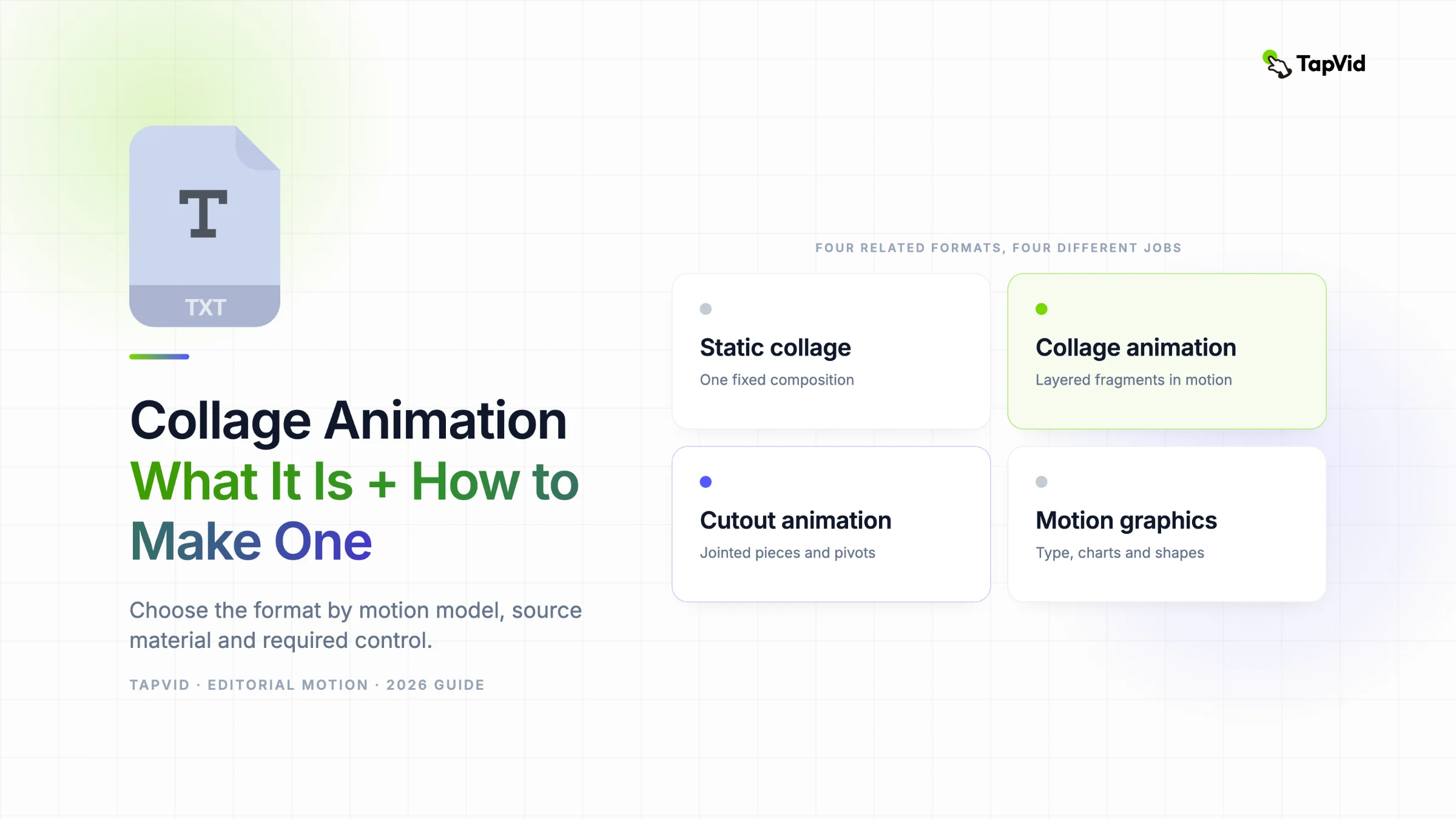
Four nearby formats often share paper edges and layered imagery, but they solve different jobs. Static collage is one composition with no time axis. Collage animation moves independent visual fragments through a sequence. Cutout animation often articulates a character or object around pivots and joints. Motion graphics organizes graphic elements such as type, icons, charts and shapes around information.
The overlap is real. A collage animation can contain a jointed cutout figure, and a motion graphics piece can use torn paper as its style. Choose based on the part that must remain controllable. If a knee, elbow or mouth needs repeatable articulation, follow a rigging workflow. Godot's cutout animation documentation makes that requirement concrete through bones, skeletons and weighted pieces.
Projects that need articulated behavior belong in the separate guide to cutout animation. For everything else, first decide whether time is necessary: a fixed poster stops at static collage. Time-based work leans toward conventional motion graphics when accurate charts or interface states dominate, while visible assembly of photographs, paper, text and texture makes collage animation the better label.
Control level is the quickest tie breaker. A template or Explainer Video Engine can be suitable when the source and explanatory arc matter more than exact keyframes. A manual compositing tool is a better fit when the creator must mask a specific edge, preserve continuity across custom shots or approve every path and easing curve.
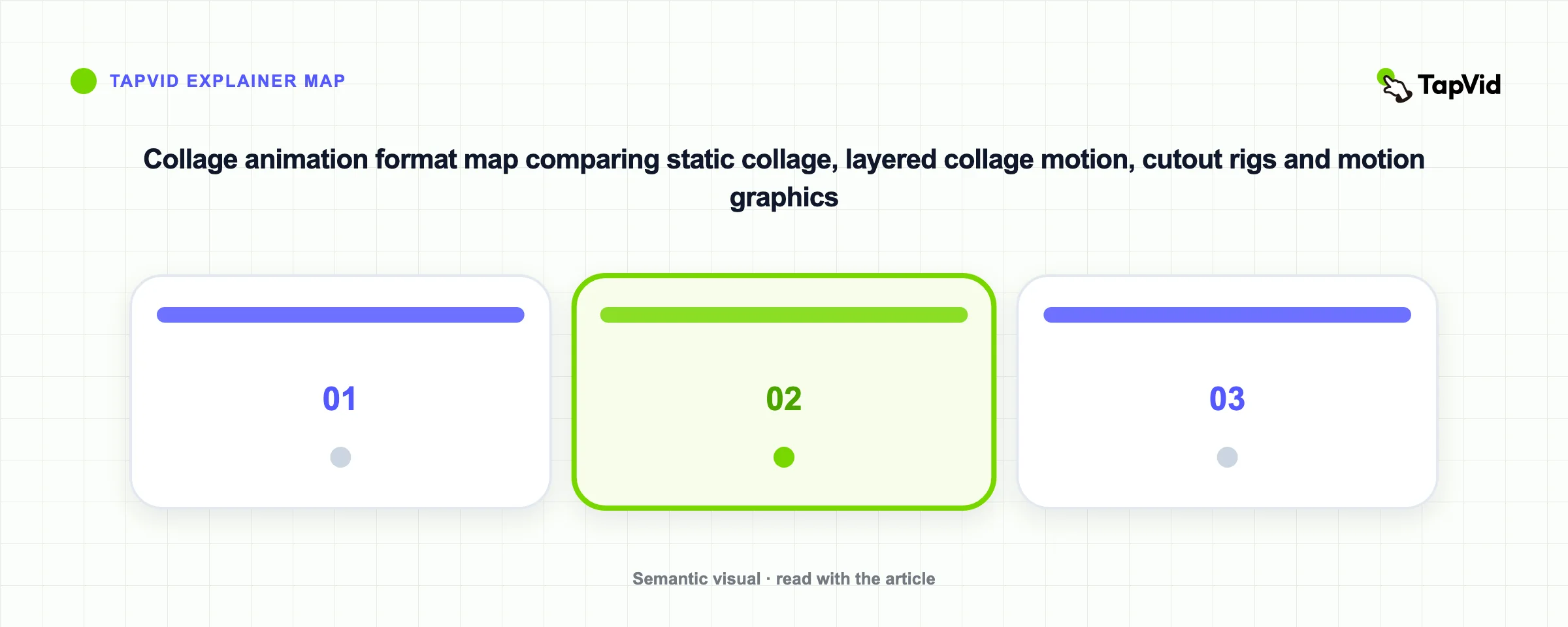
| Format | Motion model | Best starting asset | Choose it when |
|---|---|---|---|
| Static collage | No timeline | Images and layout | One finished composition is enough |
| Collage animation | Independent layered pieces | Photos, paper, type and texture | Assembly helps explain the story |
| Cutout animation | Articulated pieces and pivots | Separated characters or objects | Repeatable joint motion matters |
| Motion graphics | Graphic systems on a timeline | Type, charts, icons and shapes | Information accuracy drives the design |
04
When collage animation explains better than live action
Live action is strongest when human presence or observed behavior is the evidence. A physical technique may require the performer's hands on camera. An interface lesson may require the exact click sequence to be recorded. In both cases, the captured action carries evidence that collage cannot recreate.
Collage explains better when the subject cannot be captured in one place and time. A historical argument may rely on documents from different decades. A comparison may need two products, labels and a quote visible in one frame. An abstract system may need arrows and grouped parts before the audience can see the mechanism. These are assembly problems, so collage has a structural advantage.
Use a four-question rule before deciding to skip filming. Does the explanation depend on abstraction? Does it cross time or place? Does it compare evidence that should be visible together? Would recording the required material cost more effort than the resulting realism is worth? One yes is a signal to test collage. Several yes answers make the case much stronger.
That rule does not mean collage is cheaper in every production. Manual archival research, rights clearance, masking and compositing can consume substantial time. The format decision comes first; the production route comes second. A creator with approved source material and no need for bespoke rigs has a different job from a studio building a title sequence with licensed archives.
- Abstraction: the audience must see a process, relationship or idea that has no filmable form.
- Chronology: documents, photographs or events from different periods must share one sequence.
- Comparison: evidence from separate sources needs to remain visible together.
- Capture cost: filming adds more production work than useful realism to the explanation.
05
How to plan a collage animation from existing source material
Begin with the source, not with image search. Mark the central claim, the evidence that supports it, and the change in understanding the audience should reach. If the source contains five claims of equal weight, choose one or split the material into a series. A collage cannot rescue an explanation that has no hierarchy.
Next, divide the argument into narrative beats. A beat is not a sentence count. It is one change in the viewer's understanding. For each beat, write a plain-language job such as establish the problem, compare two paths, show the mechanism or state the limit. Only after that should you assign photographs, paper, type and texture.
Use a source-to-scene worksheet with four columns: source claim, proof, scene job and visual treatment. This catches a common failure before animation starts. If a row has a visual treatment but no claim or proof, the scene is decoration. If it has a claim but no credible visual source, use type and simple diagrams rather than a loosely related stock photograph.
Rights and provenance belong in the worksheet too. Record who owns each photograph, where a quote came from and whether a document can appear on screen. This guide does not make a rights claim about supplied assets. The creator remains responsible for choosing material they are allowed to use and for keeping factual statements faithful to the source.
Finish planning with a consistency pass. Limit the palette, decide how dates and quotes appear, and define one transition rule. A recurring paper wipe may signal a new chapter. A repeated annotation may connect proof to a claim. When every scene introduces a different device, the viewer spends attention decoding style instead of following the explanation.
| Source claim | Proof to preserve | Scene job | Candidate treatment |
|---|---|---|---|
| Illustrative example: the old process has four handoffs | Approved process document | Expose friction | Four paper cards with one blocked path |
| Illustrative example: the new process removes two steps | Before and after diagram | Compare routes | Layered diagrams with the removed steps folded away |
| The change affects creators | Approved quote or example | Make impact concrete | Portrait, quote type and a single annotation |
06
How to make an animated collage with TapVid
TapVid fits the version of this job that begins with material you already own. Bring a prompt, article, document or script that contains the ideas to explain. The product is an Explainer Video Engine, not a general model that invents a story from nothing. The quality of the source and the clarity of its argument still matter.
Choose the Editorial Paper Collage direction when paper textures, cutout imagery and editorial motion fit the subject. TapVid then structures the source into scenes for an animated collage explainer. The intended result is a moving explanation, not a static photo grid and not a collection of GIF cells.
Review the generated structure against the source before judging style. Check whether the central claim survives, whether evidence sits beside the right statement, and whether any smooth sounding line goes beyond the supplied material. A polished visual treatment cannot correct a factual drift. Revise the source or scene direction when the explanation changes meaning.
Then review visual jobs. Paper should separate or reveal. A photograph should add specificity. Type should make a key statement readable. Texture should support tone. If a layer cannot be assigned a job, remove it from the brief. This gives revision feedback a concrete target instead of the vague request to make the video feel more dynamic.
The practical sequence is short, but each checkpoint protects a different risk. Source review protects meaning. Style selection protects fit. Scene review protects structure. A final fact check protects accuracy. The Animated Collage Maker is the next step when that structured route matches the project.
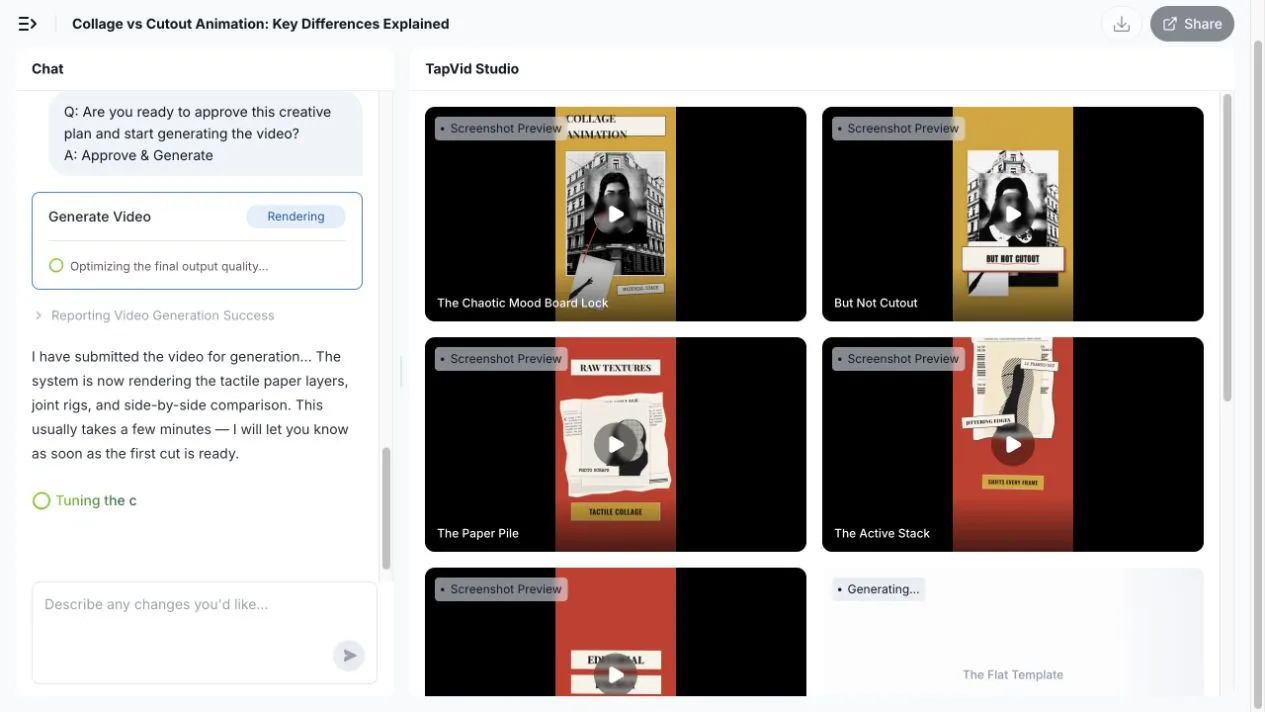
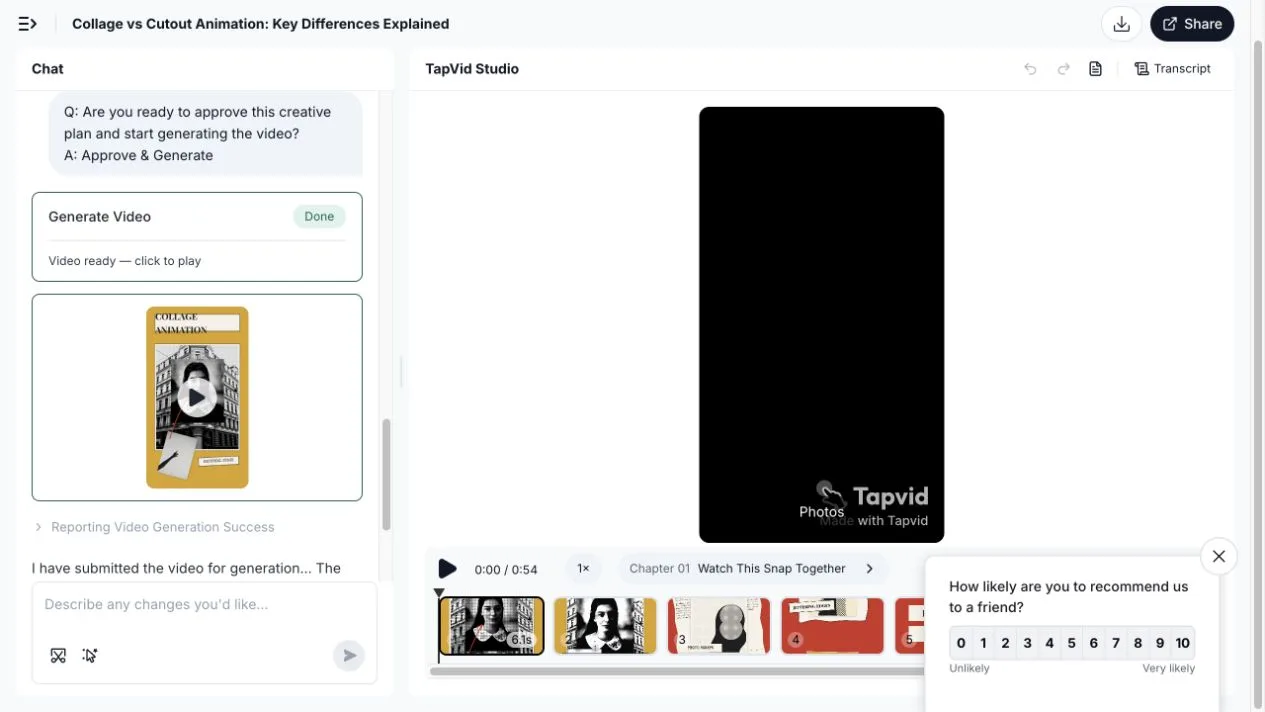
Hands-on test (August 3, 2026): I selected TapVid's vox-collage skill and entered this creator-owned prompt: “Create a 45 to 60 second vertical explainer for content creators: Why collage animation and cutout animation are not the same. Open on a messy mood board becoming one coherent scene. Explain that collage animation combines photos, paper textures, headlines, and graphic fragments; cutout animation rigs separated flat characters or objects at joints. Show one side-by-side comparison. End with this rule: use collage for editorial energy, and cutout for reusable character motion. Keep every on-screen label under five words and make each claim visually literal.” TapVid first produced a 60-second 9:16 brief, then a ten-scene script. After I approved both checkpoints, the 54-second first cut arrived 17 minutes 7 seconds after submission; rendering after script approval took about 9 minutes 30 seconds. The result used halftone portraits, torn newspaper, mustard, vermilion and cyan cardstock, cream keylines and paper shadows. Its cutout sequence showed scissor marks at the neck, elbows, hips and knees, separated pieces, cream joint labels and brass pins before a rigid forearm rotation. That is a visual explanation of cutout mechanics, not an exposed puppet rig.
The first script introduced one factual failure: “Collage means total reconstruction: rebuilding the whole mess every frame.” Digital collage can reposition layered fragments without rebuilding every frame, so I sent this exact correction: “Replace the 40 to 50 second narration with: ‘Collage rearranges layered fragments; cutout reposes the same jointed parts.’ Do not say that collage must rebuild the whole composition every frame. Keep the existing visuals, timing, and all other narration unchanged.” TapVid mapped the request to scene c4-s1, but the completed edit only added code comments and the Transcript stayed unchanged. A second explicit request was blocked by the safety filter. A shorter third request hit an edit-file path bug, then reported a completed audio regeneration after another confirmation; the visible Transcript still contained the old sentence. I stopped rather than claim a successful correction. The test confirmed the value of the two-stage review flow, but also showed that generated comparisons need a fact check and that this local voiceover-edit path was unreliable in the tested run.
- Bring an existing prompt, article, document or script with a clear argument.
- Choose Editorial Paper Collage when its material language fits the explanation.
- Create the structured explainer, then compare every scene with the source.
- Revise claims and visual jobs before treating the output as ready to publish.
07
Where the workflow loses control
An automated explainer workflow trades some manual control for speed and structure. Do not choose it while assuming it exposes paper-puppet joints, per-frame masks, custom bone rigs or pixel-level keyframe editing. Those behaviors are not part of this article's verified TapVid contract. If the idea depends on them, use a manual animation tool.
The same boundary applies to cinematic continuity. A creator who needs an object to preserve an exact pose and lighting setup across bespoke shots should plan a controlled production. Editorial collage can tolerate visible discontinuity because cuts, paper edges and source changes are part of its grammar, but that tolerance is a style choice, not a promise of perfect continuity.
TapVid also does not replace source judgment. It should not be described as writing or inventing the creator's argument. Missing evidence, unclear chronology and unlicensed images remain input problems. Tightening the source before generation is often faster than trying to repair a confused explanation through visual notes.
The safest expectation is a structured collage explainer in minutes without learning After Effects. Treat the first output as something to review against the source. Projects that require exact masks, frame-specific performance or extensive art direction need a workflow where those controls are explicit.
- No verified claim of paper-puppet joints, bones or manual character rigs.
- No verified claim of per-frame masks, pixel-level keyframes or custom easing control.
- No promise of cinematic continuity across bespoke scenes.
- No claim that TapVid writes, invents or fact checks the creator's source content.
08
A practical decision checklist
Use the checklist below before committing time to assets. It separates source readiness from animation control because those are different risks. A clear article can still require manual rigging, while a flexible generated workflow cannot make an unclear source ready for production.
Start with the approved source and the evidence. A structured explainer fits when understanding is the main job, collage styling supports it, and fast revision matters more than frame-level control. Requirements for articulation, custom masks, continuity or exact timing move the project into manual animation. When presence or observed behavior is the proof, capture that evidence with live action.
A mixed workflow is also valid. A team can film a short demonstration, prepare licensed photographs, and use editorial collage around those assets. The deciding question is where control must live. Keep evidence capture in the method that can preserve it, then use collage for the explanatory connections between pieces.
Recheck the map after the first storyboard. A shift from editorial explanation to character performance is a cue for cutout rigging. A storyboard dominated by type, shapes and data belongs closer to motion graphics. Keep collage animation at the center only while the source remains the main asset and layered editorial material explains it.
| Project condition | Best route | Reason |
|---|---|---|
| Approved article or script, explanation is the main job | Structured collage explainer | The source can become scenes without a new shoot |
| Jointed character performance or exact masks | Manual cutout or compositing tool | Articulation and frame control are requirements |
| Real behavior or physical technique is the proof | Live action or screen recording | The evidence must be captured directly |
| Charts, interface states or precise data dominate | Motion graphics workflow | Graphic accuracy matters more than paper assembly |
09
Frequently asked questions
What is collage animation?
Collage animation arranges separate photographs, paper pieces, type, textures or clips in layers and changes those layers over time. The visible assembly of fragments is part of the storytelling method.
How is collage animation different from cutout animation?
Collage animation centers on layered editorial composition. Cutout animation can center on articulated characters or objects moved around pivots and joints. A project can use both, but manual articulation requires a rigging workflow.
Can I make collage animation from an article or script?
Yes. Extract the main claim, the proof and the narrative beats first. Then assign each beat a visual job and a material treatment. TapVid is designed to turn an existing prompt, article, document or script into a structured explainer video.
When should I use live action instead?
Use live action when human presence, a physical performance or observable product behavior is the evidence. Use collage when the explanation depends more on abstraction, chronology, comparison or assembled source material.
Does TapVid offer frame-by-frame cutout rigging?
This article does not claim that TapVid exposes joints, bones, manual masks or frame-level rig controls. Use the animated collage workflow for a structured editorial explainer, and choose a manual animation tool when exact articulation is required.