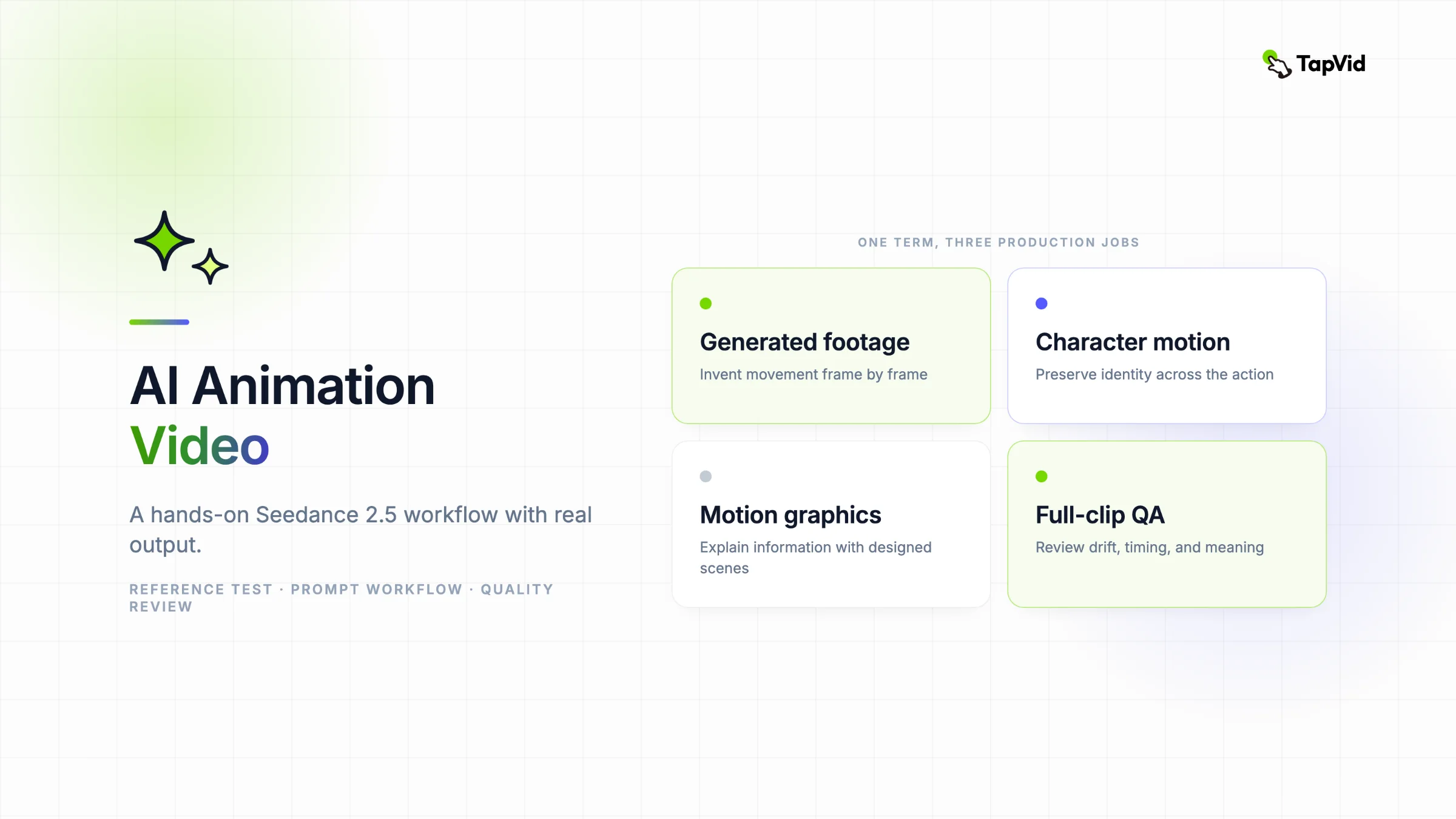

An AI animation video can mean two very different things. It may be one generated scene, such as a hand-drawn character running through a painted city. It may also be a complete explainer made from a script, with several scenes, readable text, narration, and a clear conclusion. Seedance 2.5 raises the ceiling for the first kind. ByteDance says the model can create up to 30 seconds in one generation, interpret reference video, generate audio and video together, edit existing footage, and extend a shot. Runway's Seedance 2.5 guide adds direct controls for references, keyframes, editing, and extension. The catch is simple: visual continuity is not the same as explanatory continuity. A character can stay recognizable for 30 seconds while the video still fails to teach, sell, or explain anything. This guide shows how to direct an animated Seedance 2.5 clip, then explains when to switch to an Explainer Video Engine for the full story.
Create an explainer video with TapVid
01
What counts as an AI animation video?
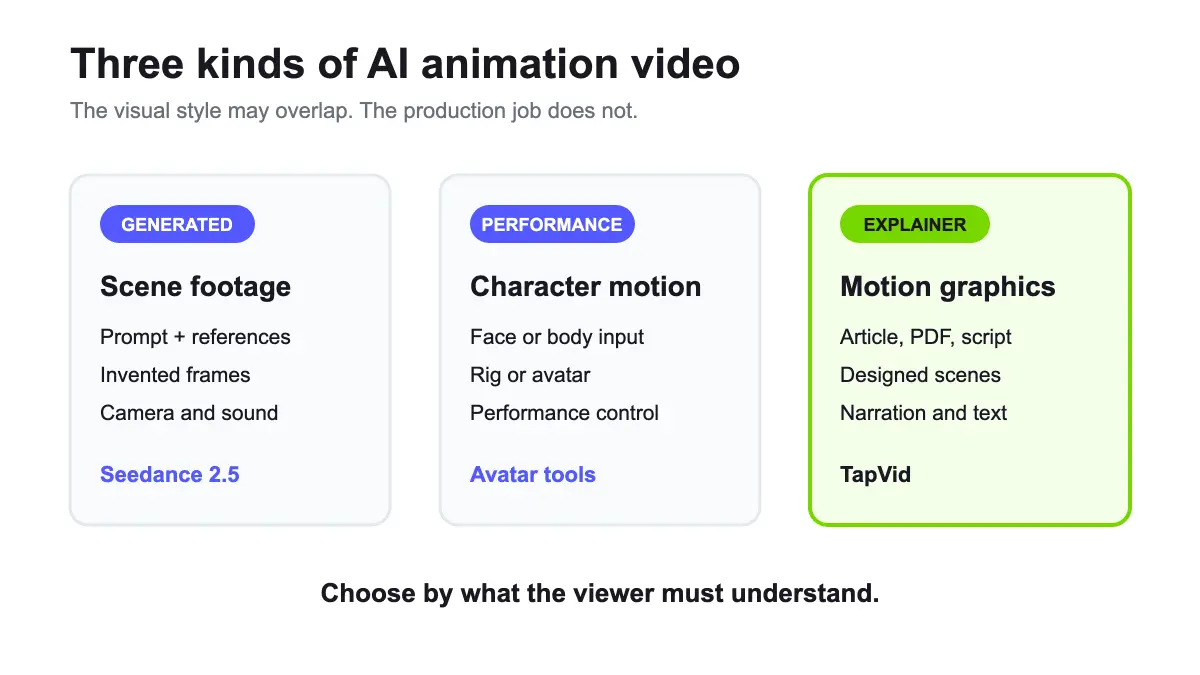
The phrase covers three production methods.
02
Generated animation-style footage
A video model creates every frame from a text prompt, image, video, or mixed references. You can request stop motion, cel animation, ink wash, paper cutout, clay, illustrated 2D, or stylized 3D. Seedance 2.5 belongs here. The model generates a moving audiovisual scene rather than animating a traditional rig.
03
Character animation
A system drives a face, body, or rig from audio, video, or motion input. The goal is performance consistency. Avatar tools and motion-capture systems sit in this group.
04
Motion-graphics explainers
The video starts from a script, article, lesson, or product message. Text, icons, diagrams, shapes, screenshots, and transitions move in sync with narration. The goal is comprehension. TapVid belongs here because it turns existing creator-owned content into an explainer video.
These methods can share a visual style, but their controls are different. Prompting a single animated shot is not the same task as organizing a two-minute explanation.
05
What Seedance 2.5 changes for animation
ByteDance positions Seedance 2.5 around longer narrative generation, reference control, editing, camera movement, and performance blocking. On Runway, a Seedance generation can use as many as 30 images, 10 videos, and 10 audio clips, with up to 50 references total.
Start at TapVid's video prompt directory, then open the Seedance 2.5 prompt library for community examples with source links and TapVid editorial templates.
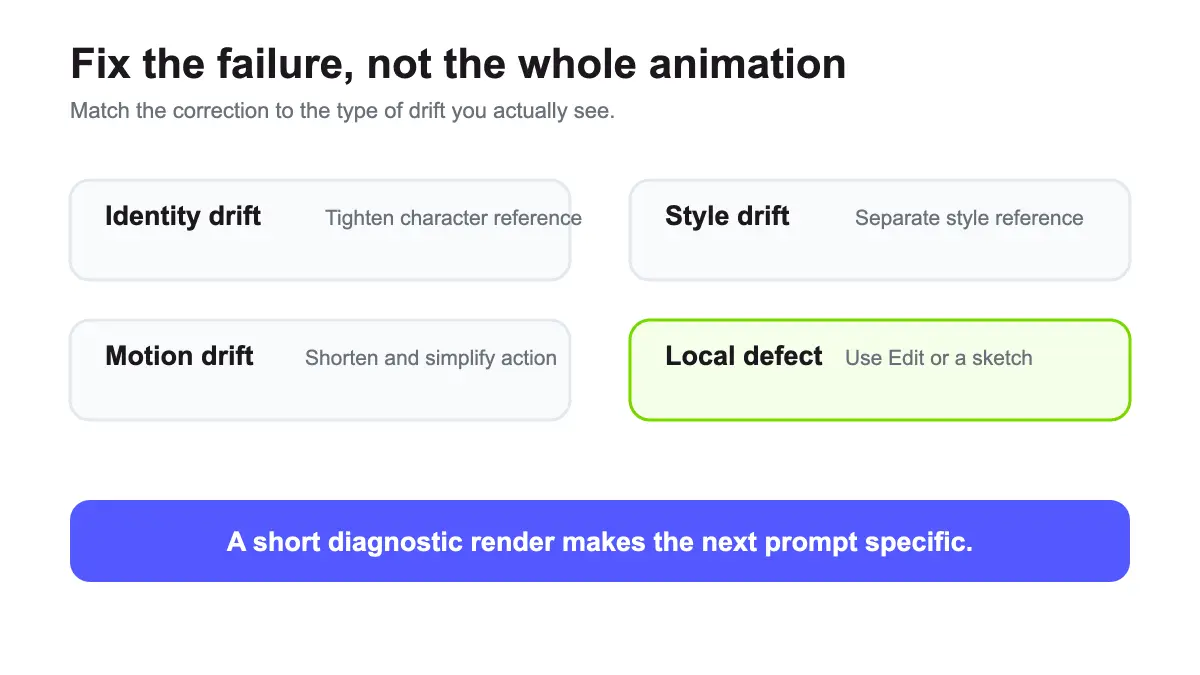
That reference budget is useful for animation because style drift often begins before motion does. A character may retain the same face while line weight, color palette, or background design changes. Assigning separate references to identity, style, setting, motion, and sound gives the model a clearer job.
Runway provides four modes:
- Reference combines images, video, and audio in one generation.
- Keyframe sets a first and last video frame, then generates the motion between them.
- Edit changes an existing video from a prompt or sketch.
- Extend continues a source video forward or backward.
For animation, Reference is the broadest starting point. Keyframe is better when the opening composition and final pose both matter. Edit is useful when most of the shot works but one region or object needs correction. Extend helps when a good shot ends before the action resolves.
06
Before prompting, write an animation brief
Do not begin with a list of style words. Start with the action the viewer must understand.
Use this seven-line brief:
- Subject: one specific character or object.
- Starting state: what is visible at frame one.
- Action: the single most important change.
- End state: where the action resolves.
- Camera: one primary shot and movement.
- Style: material, line, palette, and frame feel.
- Audio: dialogue, ambience, effects, or silence.
Here is an example for a science creator:
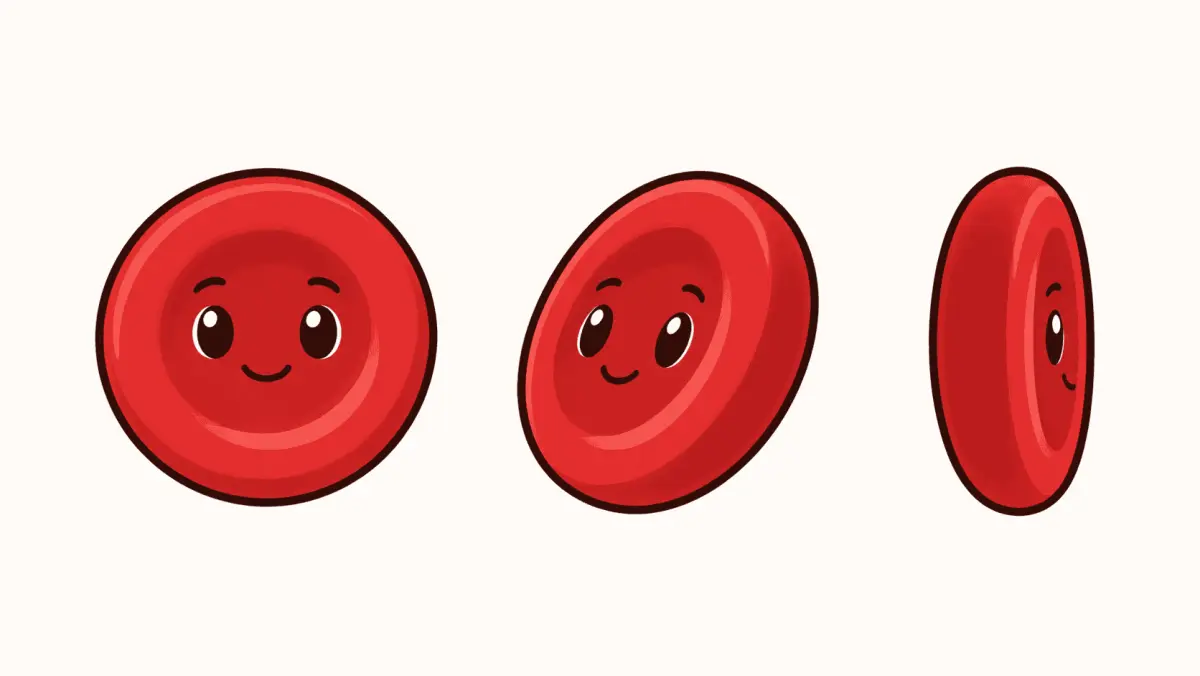
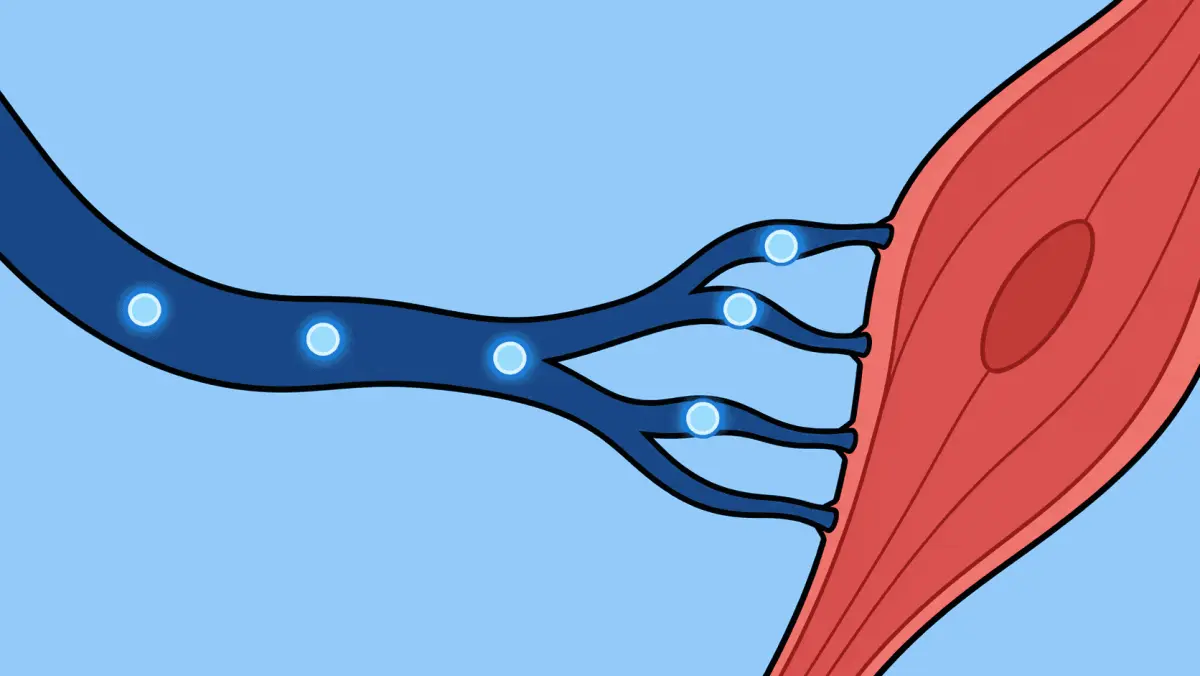
Subject: a friendly illustrated red blood cell. Starting state: floating alone in a dark blue vein. Action: it moves through branching vessels while oxygen icons attach and detach. End state: it reaches a bright muscle cell and releases the final oxygen icon. Camera: smooth side-on tracking shot, medium distance. Style: clean 2D educational illustration, thick warm-black outlines, flat red and blue palette, no texture. Audio: soft fluid ambience, two clear pop sounds, no dialogue, no music.
The prompt has one visible learning point. It does not ask the shot to explain the entire circulatory system.
07
How to make an AI animation video with Seedance 2.5
08
Step 1: prepare one clean character reference
Choose an image where the character silhouette, face, costume, and palette are easy to read. Remove irrelevant background detail if possible. A crowded reference asks the model to decide which visual information matters.
If you need a recurring character, create a compact sheet with front, three-quarter, and side views. Keep expression and costume labels outside the image unless on-screen text is acceptable in the output.
09
Step 2: add a separate style reference
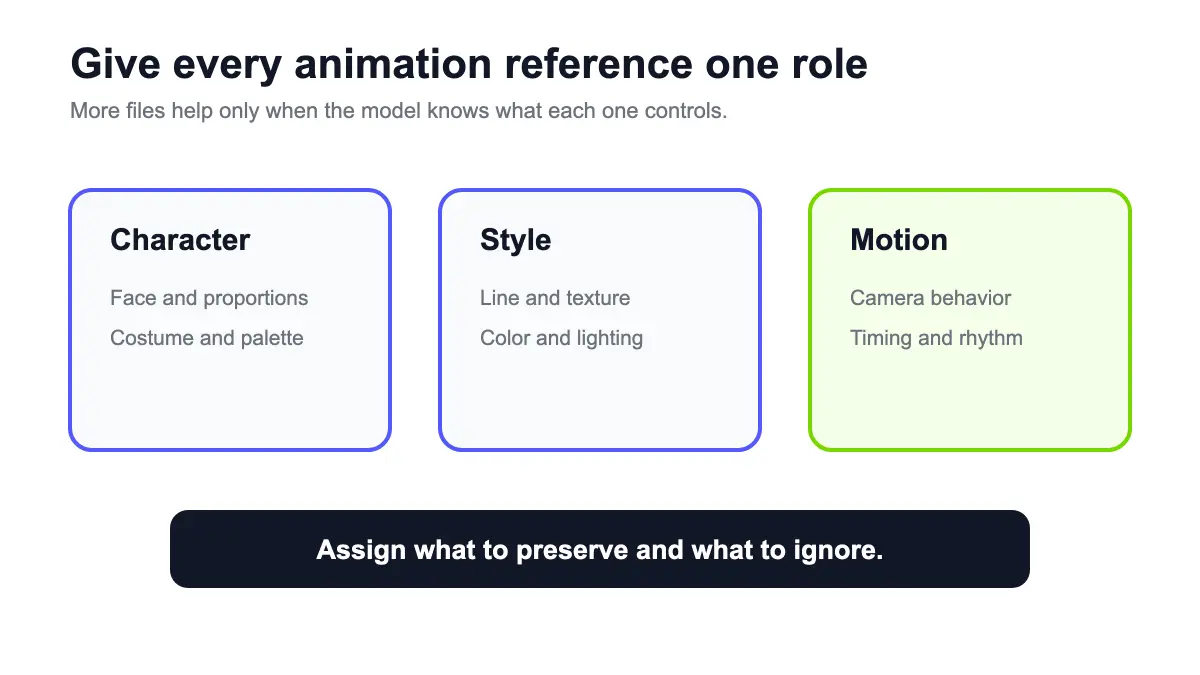
Do not force one image to control both identity and art direction. Use one reference for the character and another for line quality, color, lighting, or texture. In the prompt, tell Seedance what to preserve from each and what to ignore.
For example:
@Image 1 defines the character's exact face, proportions, clothing, and red color. Ignore its white background. @Image 2 defines the flat illustration style, thick outlines, blue environment palette, and simple shading. Ignore the people shown in Image 2.
This positive assignment is clearer than a long list of things the model must not do.
10
Step 3: choose Reference or Keyframe mode
Use Reference when the style and character matter more than the exact end frame. Use Keyframe when the animation must land on a specific visual result, such as a logo resolving, a diagram completing, or a character reaching a final pose.
For a loop, the first and last frame should be compositionally compatible. A perfect loop still may require manual trimming because the model can change speed near the seam.
11
Step 4: write action in chronological order
Put the main action before decorative details. Use short clauses that can be seen on screen. Describe what changes, then the camera, then the style and sound.
For workflows that start from text, keyframes, or several reference assets, the MiniMax H3 prompt library provides 100 structured editorial templates in seven languages and a mode-by-mode prompt builder.
An adapted prompt for the blood-cell scene:
A single red blood cell from @Image 1 floats through a branching blue vein. It passes three oxygen icons that attach one at a time, then glides toward a bright muscle cell and releases the icons. Smooth side-on tracking shot at a constant medium distance. Use the flat 2D illustration style and thick outlines from @Image 2. Keep the character shape and red palette unchanged. Soft fluid ambience, two light pop effects, no dialogue, no music, no text.
Avoid mixing several camera directions. An orbit, zoom, pan, handheld shake, and rapid cut sequence in one prompt give the model too many motion systems to reconcile.
12
Step 5: select practical settings
Runway offers 480p and 720p output, aspect ratios from 21:9 through 9:16, and durations from 4 to 30 seconds. Pick the delivery frame before generating.
Use 16:9 for course players and YouTube. Use 9:16 for Shorts, Reels, and TikTok. Use 1:1 only when the destination truly needs a square asset, because it gives educational diagrams less horizontal room.
Start with 6 to 10 seconds for a motion test. A 30-second render costs more and gives errors more time to compound. Once the character, style, and core movement hold together, increase the duration or use Extend.
13
Step 6: review the entire clip
Animation failures often appear after the attractive opening frame. Watch for:
- Shape drift in hands, faces, logos, or product edges.
- Style drift in outlines, shading, and color.
- Extra objects appearing during motion.
- Physics that break the intended action.
- Audio cues arriving before or after the visible event.
- Text that changes between frames.
If only one region fails, use Edit or a sketch instead of regenerating the whole clip. If the whole motion fails, simplify the action and shorten the test.
14
What happened in my paid two-reference animation test
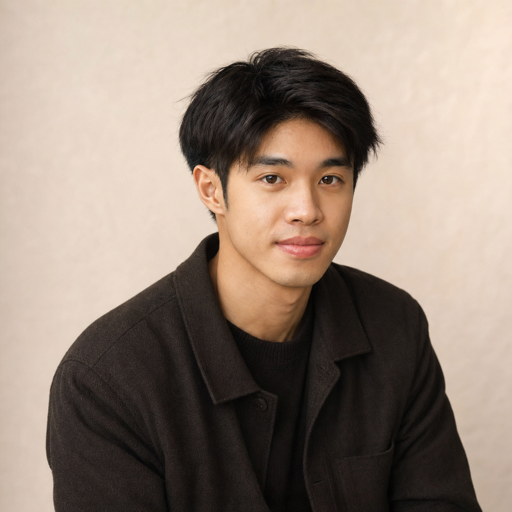
I prepared a creator-owned red blood cell reference for this test, with a simple face, thick outline, and a limited red palette. That is the input I would use to judge character and style drift.
I also prepared a separate style and destination reference. It defined the flat blue vessel, branching layout, oxygen icons, and warm-red muscle cell without asking the character sheet to carry every visual decision.
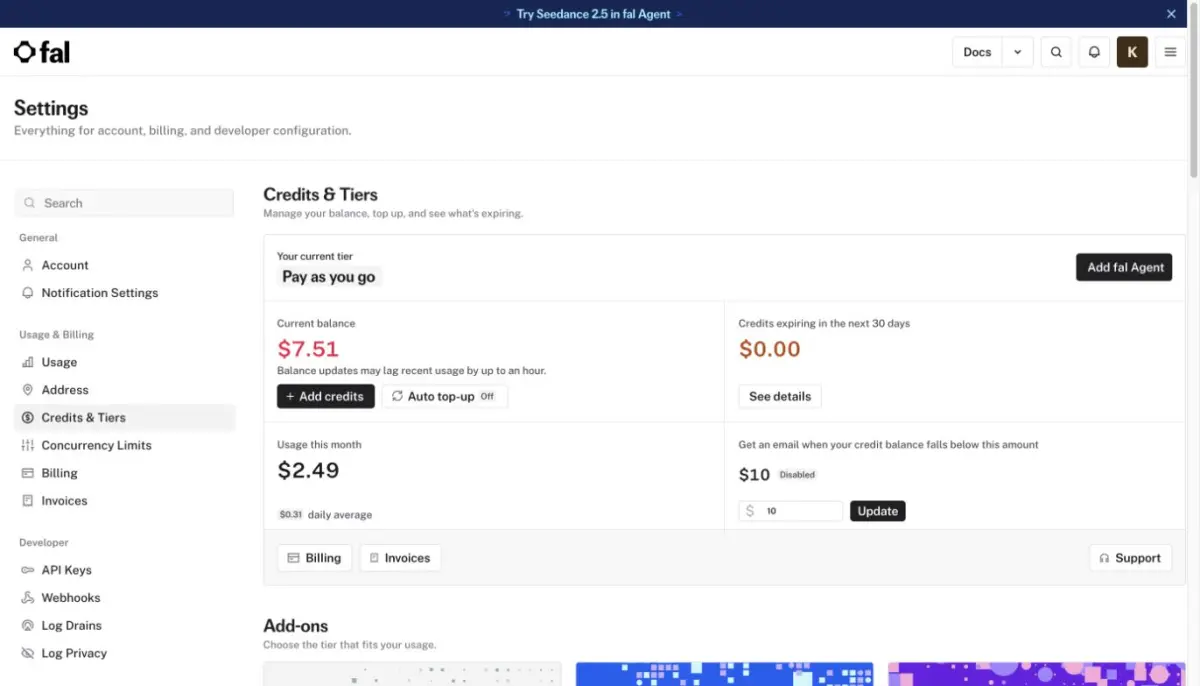
On August 8, 2026, I submitted both images to fal's official ByteDance Seedance 2.5 reference-to-video endpoint. I used a $0 monthly pay-as-you-go account with a one-time $10 credit purchase. The run was 480p, four seconds, with native audio enabled. The page estimated roughly $0.88 at its displayed rate. Across this test and the two matching four-second tests in the article cluster, fal charged $2.49 in total, or $0.83 per run on average. Image references were not billed separately.
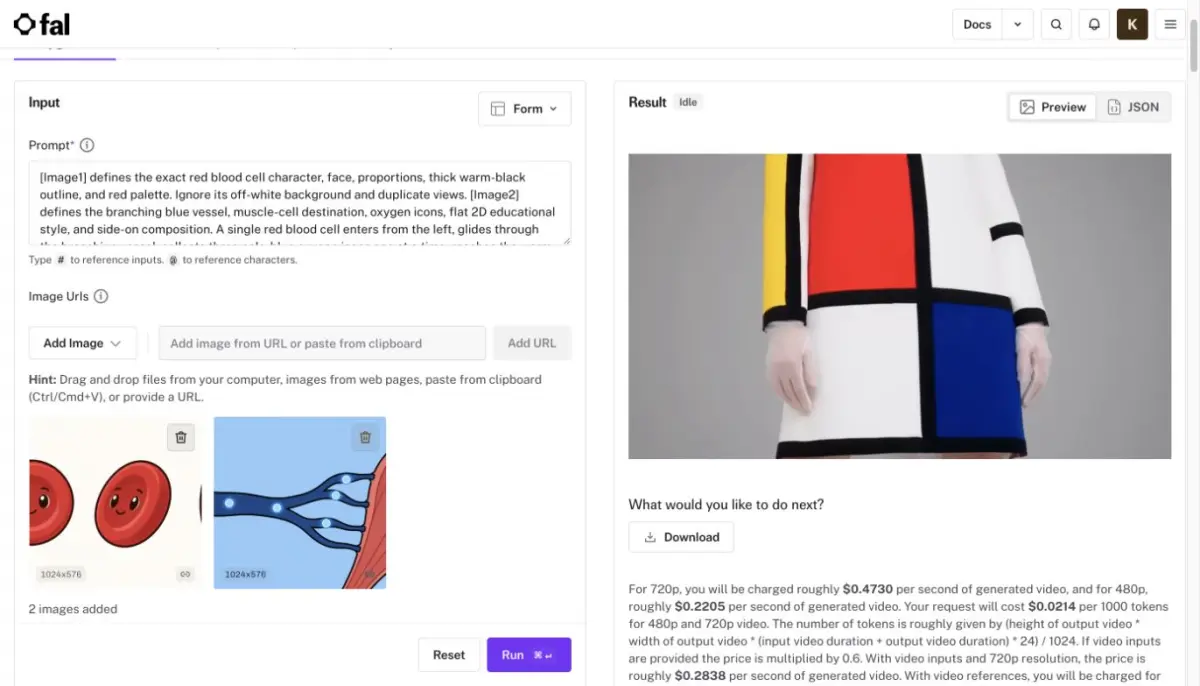
The downloaded MP4 was 854 by 480 pixels, 24 fps, and 4.064 seconds long. It included H.264 video and a non-silent AAC audio track. The visual result was strong on style consistency and only partial on action counting.
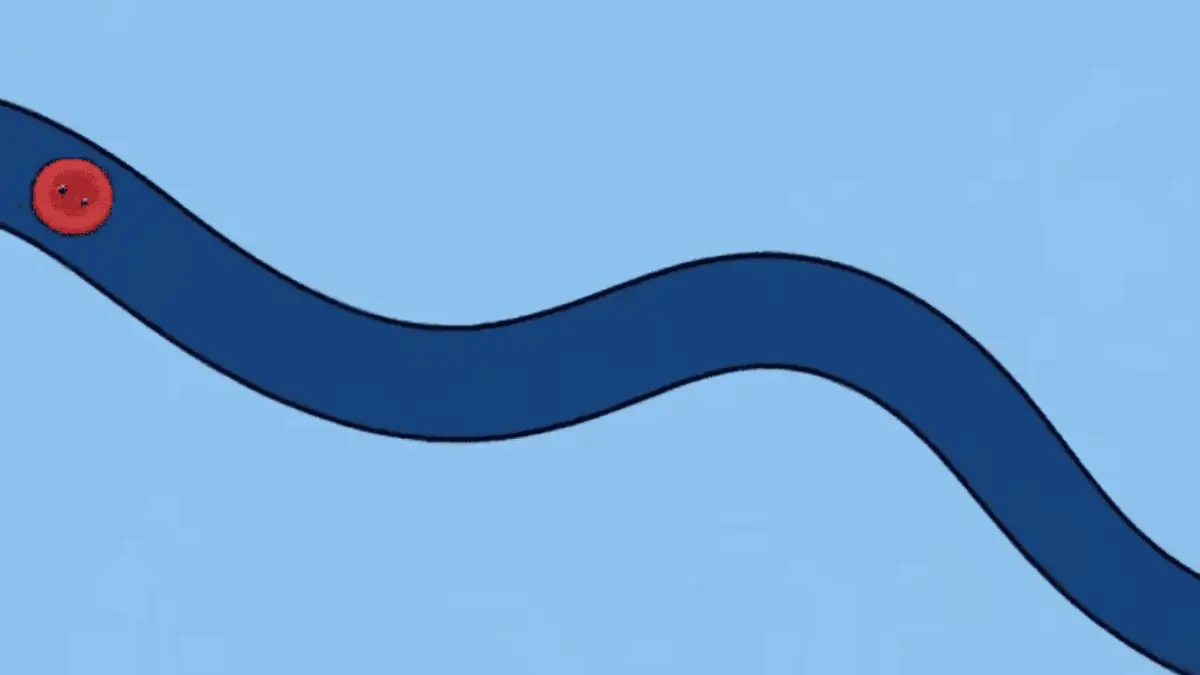
The first frame preserved the red character, face, black outline, blue vessel, and flat educational style. The character was smaller than in the source sheet but remained immediately recognizable.
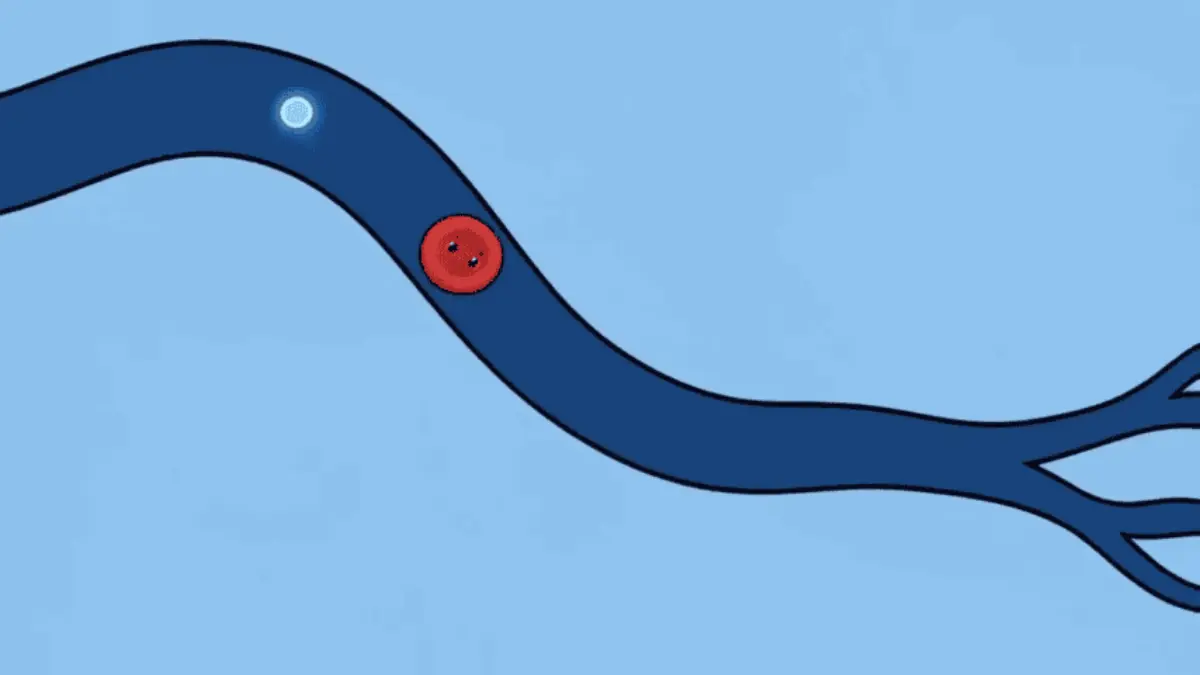
The camera tracked the character smoothly through the vessel, and the line weight and palette stayed coherent. This is the part Seedance handled best: it combined the subject from one image with the environment from the other without switching visual language.
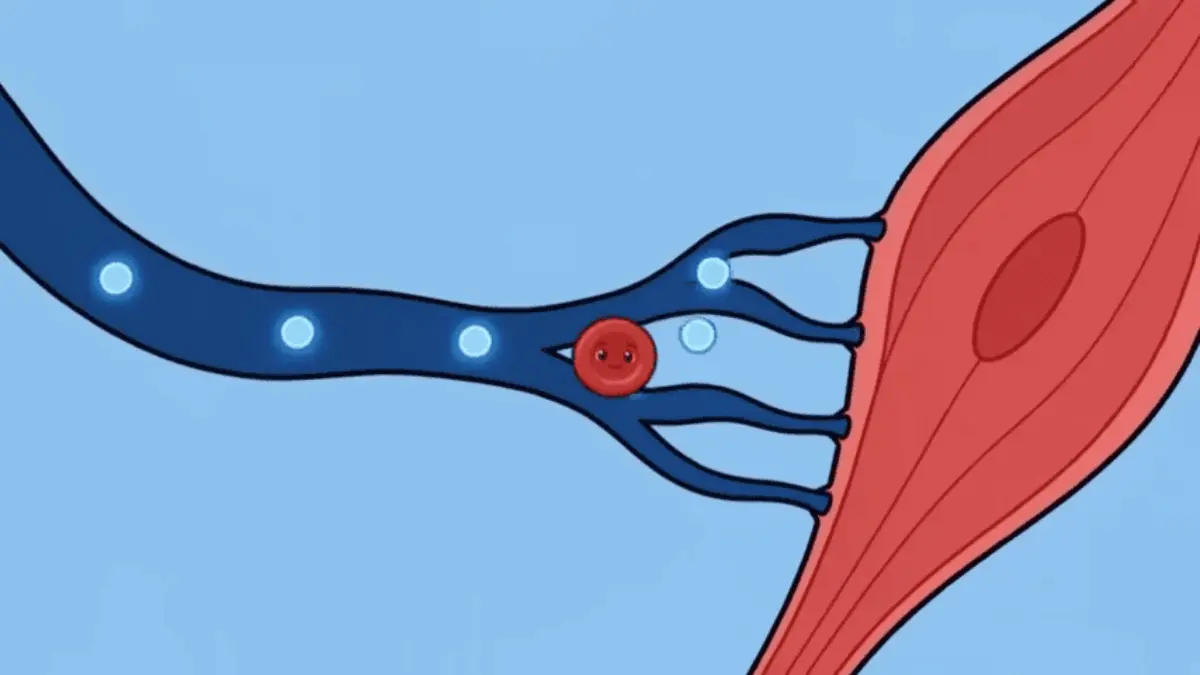
The action count was less reliable. I asked for three oxygen icons collected one at a time and then released at the muscle cell. The final frame showed four visible lights, and the collect-then-release sequence was not unambiguous. I would not publish this as a scientifically precise explainer without editing. The practical lesson is to use a generative shot for the visual metaphor, then use a structured explainer workflow when object counts, labels, and teaching order must be exact.
The earlier free-access check still matters. Runway and Dreamina both displayed free credits but opened subscription screens when I submitted Seedance 2.5. fal was the cheapest working path I verified for a short two-reference test, but it was not free.
15
A prompt formula that stays readable
Use this order:
[Subject and reference role]. [Starting state]. [Action in chronological order]. [End state]. [Camera]. [Style reference role]. [Audio]. [A short set of preservation constraints].
The order mirrors how a director thinks about the shot. It also makes debugging easier. When the output fails, you can identify whether the problem came from identity, action, camera, style, sound, or constraint.
16
When Seedance is the wrong tool for the whole video
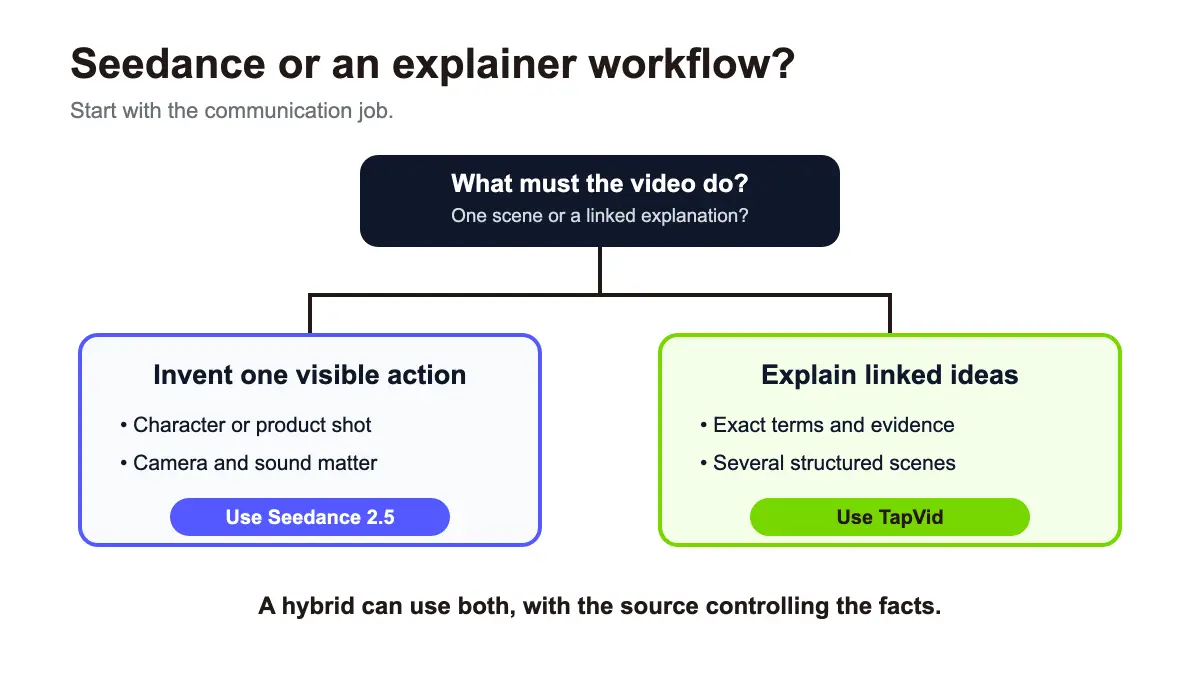
A generated animation clip is a good fit when the scene itself carries the meaning. It is weaker when the viewer needs to follow several facts, compare options, read exact labels, or remember a sequence of ideas.
Suppose you have a 1,200-word article about how oxygen moves through the body. You could break it into a dozen Seedance prompts, generate multiple variants, choose consistent shots, write narration, add captions, and edit everything together. That can work, but you are now managing a production pipeline.
If the article already contains the explanation, use the content as the source. TapVid is an Explainer Video Engine that turns existing text, articles, PDFs, scripts, and product copy into structured explainer videos. The content remains yours. TapVid organizes it into scenes and motion so the viewer can follow the logic.
Try the AI explainer video generator when your main problem is making a concept clear. If the project has a fixed budget, compare the current TapVid pricing with the number of Seedance iterations you expect to run. Use Seedance for the few moments that benefit from invented footage.
17
A hybrid workflow for creators
The most practical workflow often uses both formats.
- Start with the approved article, script, or lesson.
- Mark the ideas that need diagrams, text, or step-by-step explanation.
- Mark one or two moments that would benefit from an animated metaphor or scene.
- Build the explainer structure in TapVid.
- Generate the metaphor shots in Seedance 2.5.
- Insert those shots only where they improve understanding or emotional pace.
- Verify every spoken and on-screen claim against the source.
This keeps generative footage in a role it handles well. It also prevents a pretty opening from swallowing the explanation.
18
Common AI animation video mistakes
19
Prompting a style instead of an action
"Pixar style, cinematic, cute, detailed" does not tell the model what must happen. Start with subject, change, and end state. Style is a constraint, not the story.
20
Uploading references without assigning roles
Two character images and three backgrounds can contradict each other. State what each file controls. Tell the model which backgrounds, poses, and lighting cues to ignore.
21
Asking generated text to carry the lesson
Moving labels and exact typography are fragile in generative footage. Keep important terms in a structured motion-graphics layer or add them during editing.
22
Generating 30 seconds before testing six
Longer generations give you more story room, but they also cost more and create more opportunities for drift. Test the smallest complete action first.
23
Treating visual consistency as factual accuracy
A consistent diagram can still be wrong. Subject-matter review is required for science, health, finance, legal, product, and educational claims.
24
Final recommendation
Use Seedance 2.5 when you need an AI animation video built around one visible action, controlled references, or an editable shot. Give every reference a role, keep the action chronological, and test a short version before committing to the full duration.
Use TapVid when the source is an article, PDF, script, lesson, or product message and the viewer needs to understand the sequence. Register for TapVid to turn that existing content into a polished explainer video, then use Seedance clips as supporting moments instead of the structure itself.
25
Frequently asked questions
Can Seedance 2.5 make animated videos?
Yes. It can generate animation-style video from text and multimodal references. The model produces moving frames directly rather than animating a traditional character rig.
How long can a Seedance 2.5 animation be?
ByteDance states that Seedance 2.5 supports up to 30 seconds in one generation. Runway offers specific durations from 4 to 30 seconds and an Auto setting.
Can Seedance 2.5 keep a character consistent?
Reference images and video can improve identity and style control, but consistency is not guaranteed. Test the full clip and check the final frames, not only the thumbnail.
Is Seedance 2.5 good for explainer videos?
It can create supporting animated shots. A full explainer usually needs structured narration, exact text, several linked scenes, and source-based factual review, which belongs in an explainer workflow.
What is the difference between AI animation and motion graphics?
AI animation often generates a moving scene from prompts and references. Motion graphics animate text, shapes, diagrams, screenshots, and other designed elements to communicate a message.