TapVid
    API & MCPPricingBlogAbout

    Product Launch Video Maker

    Turn your launch notes and feature list into a launch video for your page, email and Product Hunt listing on launch day. Names, prices and claims stay as written, and a change reruns only that scene.

    Examples

    Made with TapVid

    Real output generated from a prompt, no stock footage.

    The workflow

    How it works

    01

    Describe your launch

    The product, the key features, the offer.

    02

    AI builds the promo

    TapVid generates the reveal, feature scenes, and CTA.

    03

    Refine and export

    Tweak by prompt, then export an MP4.

    Overview

    What is a product launch video maker?

    A product launch video maker turns a description of your product into a short animated promo. You tell TapVid what you are launching and the features that matter, and it builds the reveal, the feature highlights, and the call to action as motion-graphics scenes. There is no editor, no agency, and no stock template to fill in.

    A launch usually means either paying an agency for a one-off video or wrestling with an editor and a stock library yourself. Both are slow. TapVid generates the promo from a prompt, so you get a first cut in minutes and refine it in plain language.

    Because it is generated, you can spin one launch into a teaser, a full walkthrough, and a vertical social cut. Describe the version you want, regenerate, and export an MP4.
    In practice

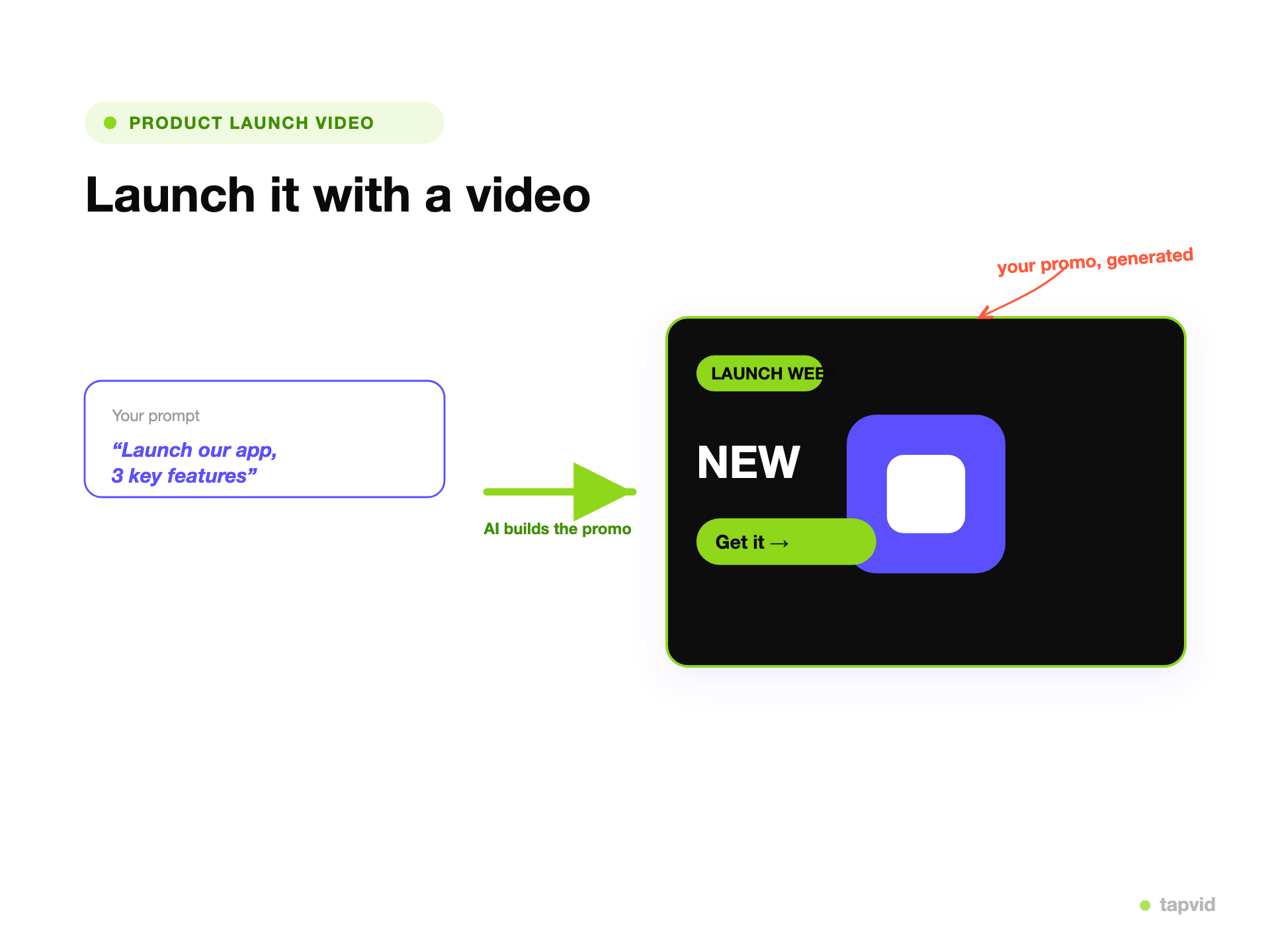
    From a prompt to a launch promo

    A prompt turned into an animated product launch promo with a launch badge and call to action

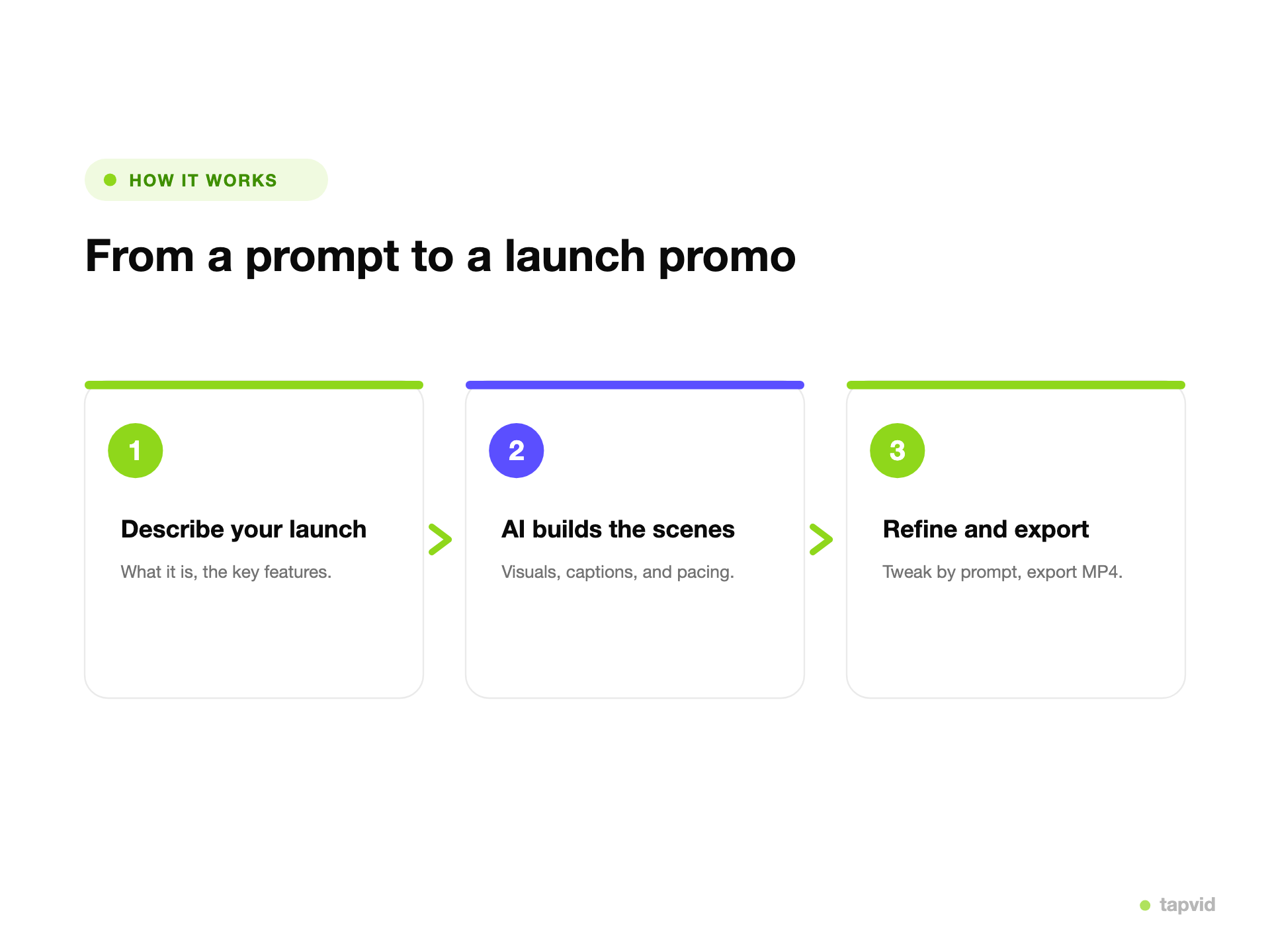
    Describe your launch

    Tell TapVid what you are launching and the key features. No script or storyboard needed.
    • Product, features, offer
    • No editor, no agency
    Three steps: describe the launch, AI builds the promo, refine and export

    AI builds the promo

    TapVid generates the reveal, feature scenes, and the call to action, paced like a real promo.
    • Reveal, features, CTA
    • No timeline, no stock
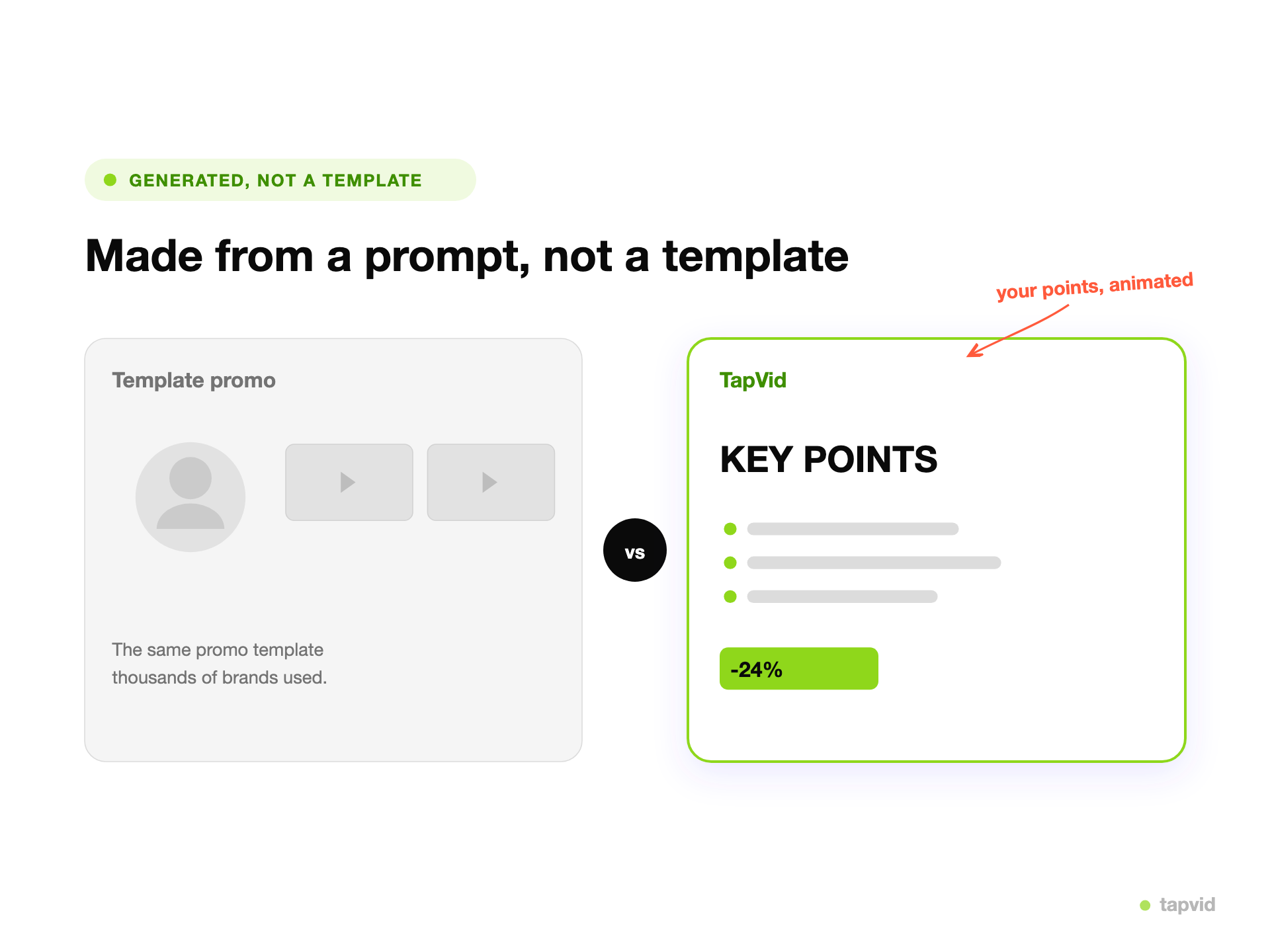
    A generic launch template versus a TapVid promo generated from a prompt

    Generated, not a template

    Not the same launch template thousands of brands used. The promo is built around your product and your message.

    • Built for your launch
    • Export MP4
    Why TapVid

    Why make a launch video with TapVid

    No editor, no agency

    Generate a launch promo from a prompt instead of booking a video team for a one-off.

    Built around your product

    The scenes come from your features and message, not a launch template everyone else used.

    Same-day, not next month

    Get a first cut in minutes and ship the launch on schedule.

    Refine by prompt

    Change the angle, the length, or the emphasis in plain language, then regenerate.

    One launch, many cuts

    Spin a teaser, a walkthrough, and a social cut from the same prompt.

    On-brand and consistent

    Keep one look across the whole launch campaign.

    What you can create

    What you can make

    One launch, every format you need to announce it.

    Product reveal videos

    A short animated reveal for the launch moment.

    Feature highlight promos

    A scene for each key feature, walked through in order.

    Teasers

    A quick tease to build anticipation before the launch.

    Social launch clips

    Vertical and square cuts for reels, shorts, and stories.

    Email and landing videos

    A promo sized for the launch email and the top of the page.

    Ad variations

    Several cuts of the same launch to test in paid social.

    SaaS launch videos

    A short walkthrough of the problem, the product, and where to sign up, for the launch page and the announcement.

    Feature release videos

    One scene per change in the release notes, so a feature drop ships with a video, not just a changelog entry.

    Product Hunt gallery videos

    A 45–60 second cut with the key lines on screen, so it reads with the sound off. Upload the MP4 to YouTube for your gallery.

    A closer look

    Generated in minutes vs. a week with an editor

    A launch video usually means an agency retainer or an editor plus a stock library, and either way it takes days you may not have before the launch date. TapVid generates the promo from a prompt. You describe the product and the features, and it builds the reveal, the feature scenes, and the call to action for you. If the first cut is off, you change it with a prompt rather than reopening a project file, so the launch video is not the thing that holds up the launch.

    Use cases

    Who makes launch videos

    Founders launching on Product Hunt

    Make the gallery video and launch-day social cuts without a video budget or a team.

    Product marketing

    Ship launch, feature, and email videos on the launch timeline, and update one scene when the messaging changes.

    SaaS feature releases

    Turn release notes into a feature video the day it ships. When the UI or the copy changes, rerun only that scene.

    Questions & answers

    Frequently Asked Questions

    A product launch video maker turns a description of your product into a short animated promo. With TapVid you describe the launch and it builds the reveal, the key features, and the call to action as motion-graphics scenes.
    No. TapVid generates the launch video from a prompt, so you do not book an editor or an agency for a standard promo. You refine the result by prompt instead of a timeline.
    Yes. List the features in your prompt and TapVid gives each one a scene, so the video walks through what matters about the launch.
    You export an MP4, ready for a landing page, an email, an ad, or social. You can also ask for a vertical cut for reels and stories.
    Pro, Max, and Ultra include watermark-free 1080p MP4 exports. See the pricing page for current export entitlements.
    It depends on where it plays. A Product Hunt gallery video or a social teaser usually works at 30 to 60 seconds, with the main outcome in the first few seconds. A landing-page or email walkthrough can run one to two minutes. Set the length in your prompt; the maximum clip length for each plan is on the pricing page.
    Yes. Describe the product, the problem it solves, and the features to show, then ask for a 45 to 60 second cut with the key lines as on-screen text so it reads with the sound off. TapVid exports an MP4. Product Hunt's gallery only accepts videos as YouTube links, so upload the MP4 to YouTube (not set to private) and paste the link when you edit your launch. TapVid does not post to Product Hunt for you.
    An editor gives you a timeline: you bring the footage, cut it, and add titles and music yourself. An AI launch video generator starts from your description and builds the script, scenes, captions, and music. In TapVid you review the script and storyboard and ask for changes in plain language. A change reruns only the affected scene, so the rest of the video stays as it was. If you need frame-level control over footage you already shot, an editor is still the right tool.
    Product names, numbers, prices, and the wording you supply are placed into the video as written instead of being rewritten by the generation step, and you can check the script scene by scene before the video renders. TapVid does not promise zero errors: review the finished cut, and if a scene is off, rerun just that scene. Failed generations are not charged.
    Explore more

    Related guides

    • See all plans and pricing
    • Product launch video examples
    • Product launch video prompts
    • AI Product Demo Video Generator
    • SaaS Explainer Video
    • AI Explainer Video Generator
    • Article to Video
    • AI Motion Graphics Generator
    Plans & credits

    Simple, credit-based pricing

    Simple videos use about 4 credits per second: about 120 credits for 30 seconds or 240 for a minute. Cinematic scenes use more. These are display estimates; use the credit quote shown in the app before generation.

    Most Popular

    Pro

    $49/mo

    2,000 credits / mo

    Max

    $99/mo

    6,000 credits / mo

    Ultra

    $199/mo

    14,000 credits / mo

    See full plans & pricing

    Ready to create your first video?

    Join thousands of product teams using AI to create professional videos in minutes.

    Your first video in under 5 minutesBook a demo
    Tapvid

    TapVid turns the materials your business already has into an accurate video that explains the job clearly and is ready to publish.

    TikTokInstagramXDiscordYouTube

    Ask AI about TapVid.

    ✦G

    TapVid

    Product

    Prompt to VideoScript to VideoURL to VideoPDF to VideoClone VideoTalking Head EditingAI Motion Graphics GeneratorAI Explainer Video Generator
    More tools
    Kinetic Typography GeneratorAnimated Chart MakerAnimated Collage MakerInfographic Video MakerLogo Animation MakerVideo Presentation MakerWhiteboard Animation MakerAI Study Video MakerFree AI Video GeneratorDocumentary Video MakerAnimated Social Media Video MakerAI B-Roll GeneratorAnimated Video MakerIntro and Outro Video MakerImage / Assets to VideoPPT to VideoArticle to VideoSOP to VideoWord to VideoGoogle Slides to VideoText to Video AIAudio to VideoPodcast to VideoVideo to Video AI

    Solutions

    E-commerce & cross-borderSaaS, software & hardwareContent agencies & MCNEducationInternal enablementBrand & marketing
    More solutions
    SaaSEcommerceEducationManufacturingReal Estate Video MakerProduct Demo VideosEcommerce Product VideosProduct Launch VideosVideo AdsSales Enablement Video MakerEvent Promo Video Maker

    Resources

    BlogAPI & MCPExplainer Video TemplatesSeedance 2.5 Prompt LibraryGemini Omni 1.1 Flash Prompt LibraryMiniMax H3 Prompt Library
    More resources
    Video Production Plan TemplateVideo Creative Brief TemplateVideo Production Proposal TemplateTapVid vs HeraTapVid vs Motion.soTapVid vs VEEDTapVid vs LeaddeTapVid vs CreatifyTapVid vs SynthesiaTapVid vs HeyGenTapVid vs Motionvid AITapVid vs TapNowTapVid vs PictoryTapVid vs InVideoTapVid vs FlikiTapVid vs Lumen5

    Company

    AboutPricingGet in Touch

    Legal

    PrivacyTerms of ServiceCookie PolicyAcceptable UseSubprocessors

    © 2026 TapVid. All rights reserved.