
TL;DR
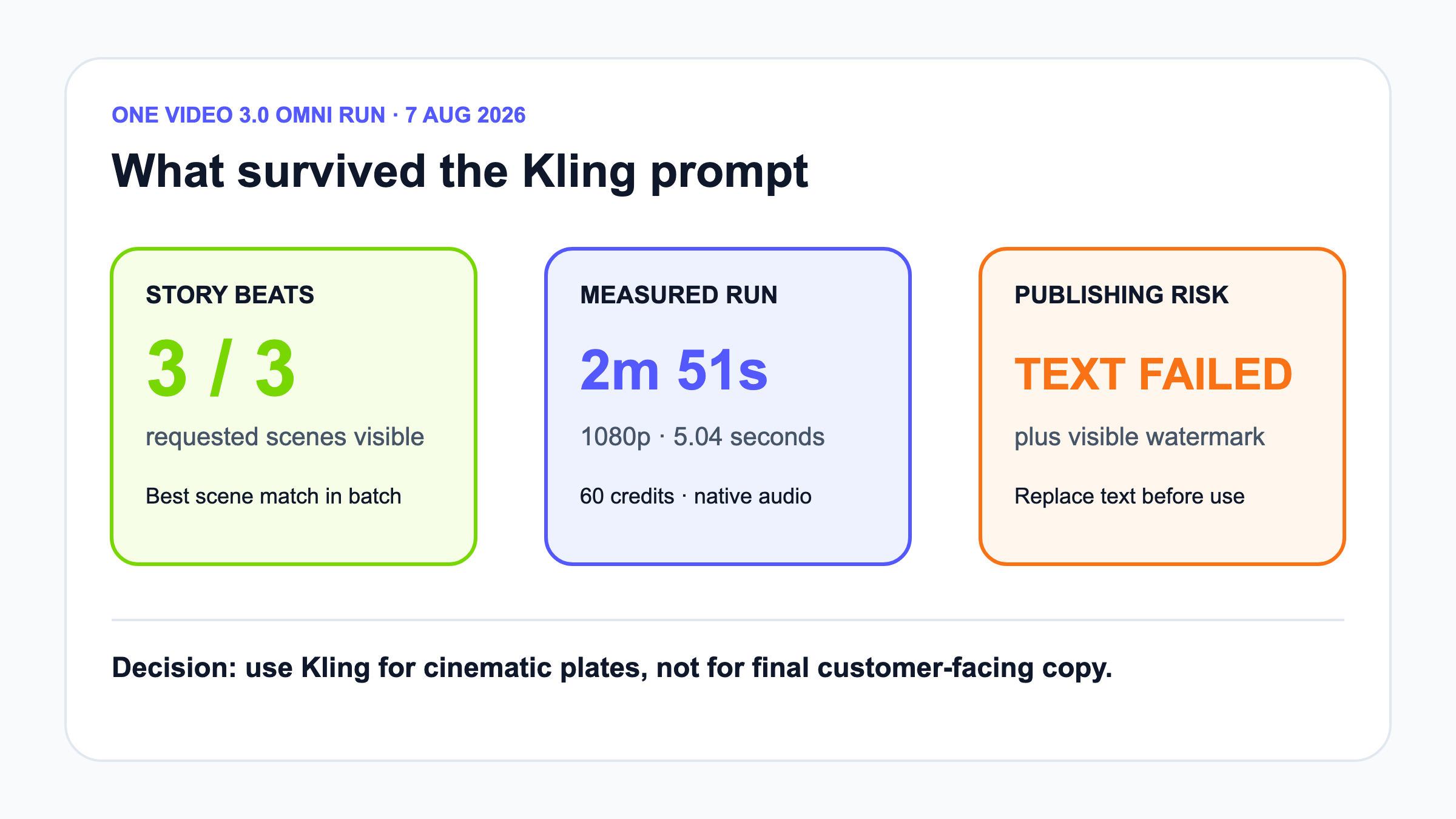
Kling VIDEO 3.0 Omni produced the strongest three-scene match in this four-tool test. The 5.04-second 1080p result took about 2 minutes 51 seconds and used 60 credits. Motion and story progression were convincing, but generated text was visibly wrong and the free output carried a watermark.
This Kling AI review tests one controlled explainer brief in the global product. Kling is one of the clearest choices for creators who want cinematic text-to-video or image-to-video clips, but strong scene generation does not automatically mean reliable information delivery.
Turn your existing content into an explainer video with TapVid
01
Quick verdict: best scene match, bad final text
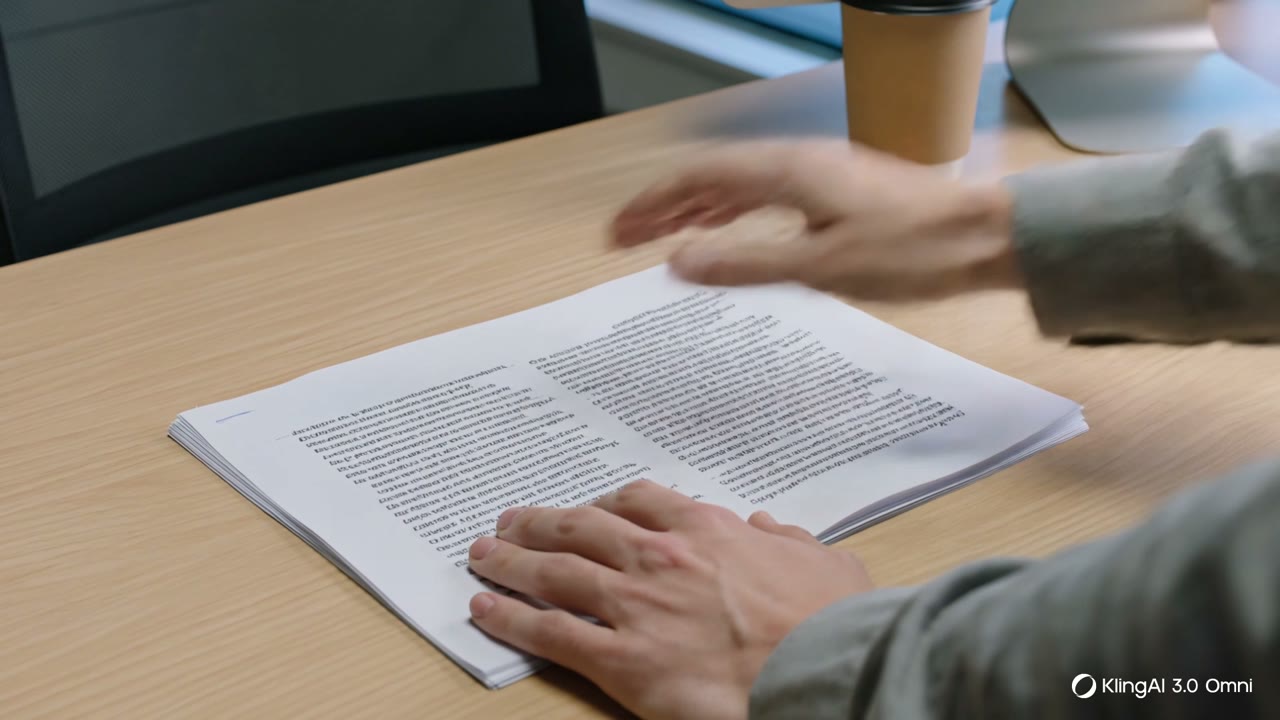
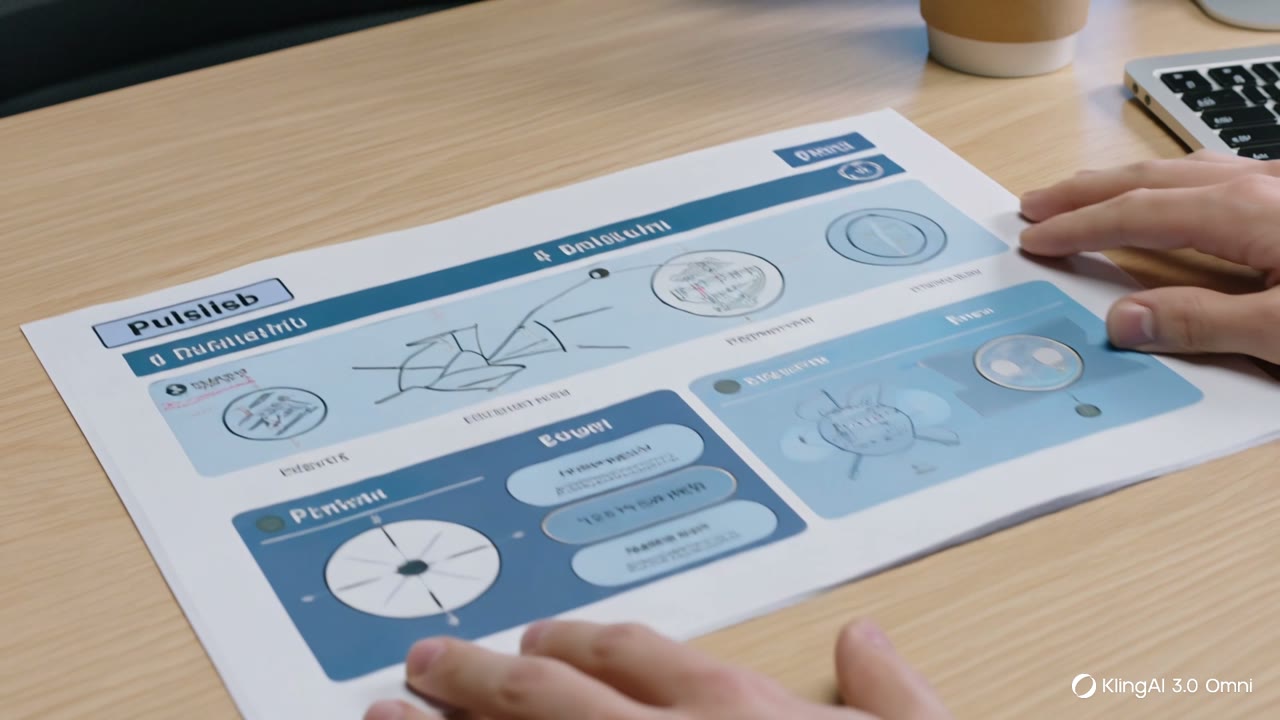
Kling AI delivered the strongest visual interpretation of our shared three-scene brief. The result began with a printed article, moved to a hand turning ideas into a simple diagram, and ended on a designed explainer sheet. That progression made the requested transformation understandable within five seconds. It was also the clearest example of why cinematic quality and explainer reliability are different tests. The final sheet contained visibly misspelled and nonsensical text, including a broken version of “publish,” and the lower-right corner carried a KlingAI 3.0 Omni watermark. Our verdict is 4 out of 5 for generating visual story beats and 2 out of 5 for information-dense explainer output without post-production. Kling is worth using when the image and motion carry the meaning. It is risky when the generated frame itself must display correct product copy, prices, interface labels, citations, or calls to action. Plan to composite real text after generation.
02
What Kling AI is built to do
Kling is a generative video and image platform from Kuaishou. Its global product offers text-to-video, image-to-video, multimodal Omni workflows, motion control, elements, image generation, and audio features. VIDEO 3.0 and VIDEO 3.0 Omni are designed for multi-shot sequences, reference-driven subjects, and native audio. The official VIDEO 3.0 guide documents 720p and 1080p modes, native-audio and no-native-audio pricing, and per-second credit costs. The interface we tested also exposed Multi-Shot. This makes Kling closer to an AI director for short cinematic material than a conventional template editor. A creator describes a shot or sequence and lets the model decide composition, people, props, lighting, and transitions. That freedom is the attraction. It also creates a review burden because every invented element, spoken line, and rendered word can depart from the source even when the overall story is correct.
03
How we tested Kling VIDEO 3.0 Omni
We tested the official global site at kling.ai because the Chinese klingai.com route requested a mainland China phone number. Google login to the global product provided 66 promotional credits. We selected VIDEO 3.0 Omni, 1080p, five seconds, Native Audio, Multi-Shot available, and one output. The prompt asked for a three-scene 16:9 explainer sequence: a creator has a finished article but no video, the article becomes a structured visual explanation, and the finished explainer is ready to publish. It explicitly told the model to keep wording faithful and add no performance claims. We did not upload a private image or personal file. The generation panel displayed a cost of 60 credits, leaving six credits after the run. This was a single controlled test, so it can demonstrate the observed workflow and failure mode. It cannot establish average quality, repeatability, difficult face consistency, or how another model setting would perform.
Hands-on test surface: official product workspace
04
Measured result: time, credits, and file
The interface estimated two minutes. The result completed about 2 minutes 51 seconds after polling began. We downloaded the generated file and inspected its properties instead of judging only the browser preview. It was an H.264 video with AAC audio, 1920 by 1080 pixels, 24 frames per second, 5.04 seconds long, and 8,674,409 bytes. The starting credit balance fell from 66 to 6, matching the 60-credit preview. Those numbers align with Kling’s official guide, which lists 12 credits per second for VIDEO 3.0 with native audio at 1080p and gives 60 credits as the five-second example. One successful job does not prove stable queue time, but it gives a realistic acceptance-test baseline. Teams should measure their own approved-output cost, because a second generation to fix text or subject drift would double the generation credits before editing time.
05
Prompt adherence and visual quality
Prompt adherence was good at the sequence level. The first frame showed the source article, the middle action translated it into a visual plan, and the last composition communicated a finished artifact. Camera movement and hand activity helped connect the beats rather than presenting three unrelated images. The progression felt intentional, and this was stronger than the single-composition LTX result from the same prompt. Still, fidelity was not literal. Kling chose paper, a drawing hand, and an editorial-style design sheet instead of preserving a recognizable software workflow. That interpretation is useful for metaphorical storytelling but not for a product demo that must show the real interface. We also did not test a supplied face, product screenshot, or start and end frame, so this run says nothing conclusive about identity preservation or UI stability. Treat it as evidence that Omni can organize a compact story, not that every reference will remain unchanged.
06
Native audio, watermark, and text risk
Native Audio was enabled, and the downloaded file contained an AAC audio stream. We did not conduct a separate speech-intelligibility or music-quality evaluation because the brief did not provide dialogue or an exact soundtrack. The visible watermark was unambiguous. Kling’s official credit policy identifies watermark removal and some higher-end functions as membership benefits, so free-output branding should be expected unless the live plan says otherwise. The more serious publishing issue was text. Generative video models paint letter-like shapes as visual material, and this output produced a polished layout with unusable words. That can fool a reviewer at thumbnail size. Always pause on every frame containing copy. Replace titles, numbers, interface labels, logos, and calls to action in an editor. Do not ask the model to render legal disclaimers, pricing, product steps, or citations. A convincing composition is not evidence that the language survived.
07
Credits, pricing, and commercial use
Kling’s credits and membership offers change, so production budgets should use the live panel and current official pages. The official credit guide says cost depends on model, duration, resolution, Native Audio, Multi-Shot, and other options. The Basic plan is described as non-commercial, while higher listed plans include commercial-use benefits. Kling’s user policy contains additional restrictions and licensing language. Read the current version before using output for clients or advertising. Our promotional credits supported one 1080p five-second run and left too little for a repeat at the same settings. That is enough for a trial, not a reliable campaign estimate. Budget for rejected generations, text replacement, audio review, color matching, and editing. The relevant metric is cost per approved shot, not credits per button click. A 60-credit clip that needs no regeneration may be efficient. Three attractive but unusable versions are not.
08
Kling AI review: hands-on evidence and current coverage
Kling’s main workflow strength is directability without a traditional timeline. A creator can ask for cinematic movement, multiple beats, references, and audio from one generation surface. The model can solve composition and transition problems that would take time to stage manually. This is valuable for mood pieces, visual metaphors, concept films, music content, and social hooks. The limitation is deterministic control. Exact brand geometry, readable text, repeatable performance, and pixel-level interface behavior remain difficult. Multi-Shot can create narrative structure, but it does not create a complete approval workflow for source claims. A practical production process separates responsibilities: use Kling for visual plates and motion, use real design assets for copy and UI, record the prompt and model, review the full file frame by frame, and keep an editor responsible for the final cut. If a generated person or real brand is involved, add identity, consent, and rights checks before publication.
Hands-on observation: VIDEO 3.0 Omni produced a coherent three-beat 1080p sequence in 5.04 seconds of footage, but the final generated words were visibly wrong and the free file carried a watermark. Advantage: Kling was the strongest tool in this batch at turning one prompt into a compact cinematic sequence with intentional motion between beats. Limitation: Generated typography was not publishable, and the test did not prove literal preservation of a supplied product interface, identity, or exact brand asset.
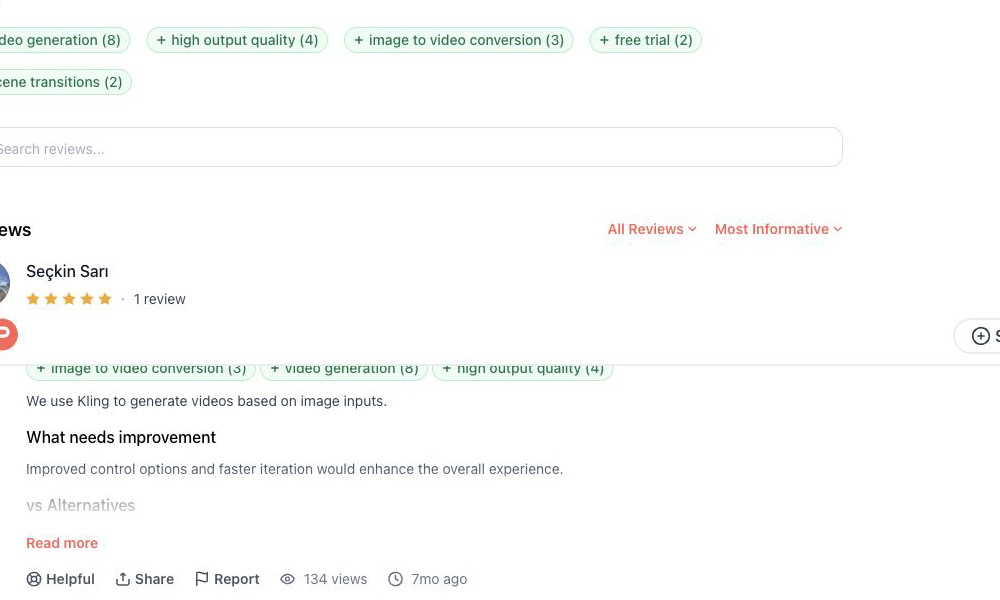
Independent user evidence: A Product Hunt reviewer said Kling worked for image-to-video, while asking for stronger controls and faster iteration. Read the original Product Hunt review.
| Current coverage | Finding | Official source |
|---|---|---|
| pricing | The current VIDEO 3.0 guide prices 1080p native-audio output per second; our five-second setup displayed and consumed 60 credits. | Source |
| capability | The current guide documents VIDEO 3.0 and Omni controls including resolution, native audio and multi-shot workflows. | Source |
| integrations | Kling exposes an official developer API with a documented quick-start flow. | Source |
| trust | A Product Hunt reviewer reported useful image-to-video results and asked for stronger controls and faster iteration. | Source |
| support | Kling publishes a current user policy covering service use and account obligations; commercial users should verify the live plan and policy together. | Source |
09
Who should use Kling AI
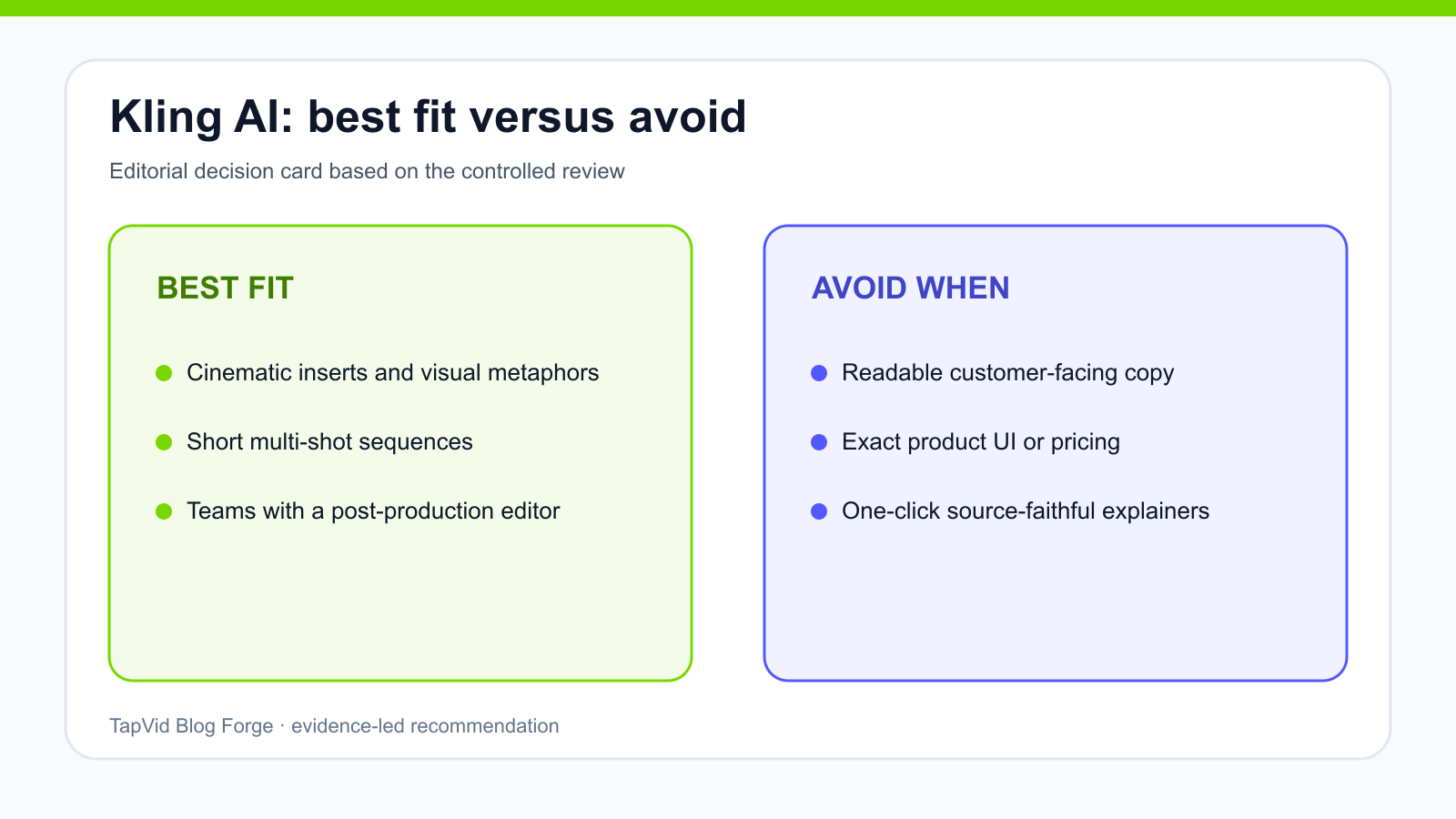
Kling is best for filmmakers and production teams that already understand shots, references, and post-production. AI filmmakers, music-video makers, UGC teams, trailer creators, and performance marketers can use it to explore high-impact scenes quickly. It also suits teams willing to generate several options and finish in Premiere, After Effects, CapCut, or another editor. It is less suitable as a one-click answer for a small business with a finished product page or an agency with many client deliverables. Those users may receive a compelling five-second metaphor but still need to plan a full narrative, preserve claims, add readable typography, record narration, assemble clips, and manage revisions. Choose Kling when a cinematic shot is the scarce resource. The production job, output length, and tolerance for invention are different from source-grounded information delivery.
10
Kling AI versus TapVid
Kling AI and TapVid solve different layers of video creation. Kling is a cinematic clip generator and multimodal directing environment. TapVid turns existing product images, UI screenshots, specifications, documents, URLs, audio, and footage into clear videos that are ready to publish. In Kling, the prompt asks the model to invent or direct what appears in a shot. In TapVid, approved source material provides the message while critical facts remain outside generative rewriting. Choose Kling when you need a visually striking insert, character performance, camera move, or short narrative sequence. Choose TapVid when putting accurate video on more product, training, or client pages is the growth job, and when isolated scene revisions let teams grow output without line-by-line review. A strong hybrid establishes the approved message first, then uses Kling for selected cinematic B-roll that contains no critical text.
| Decision | Kling AI | TapVid |
|---|---|---|
| Starting point | Prompt or references | Existing creator content |
| Primary output | Cinematic generated clip | Structured explainer video |
| Best fit | Visual motion and story beats | Source-grounded explanation |
11
Final verdict
Kling VIDEO 3.0 Omni passed the hardest high-level part of our brief: it made the transformation from article to visual explanation to finished artifact feel like one compact story. The downloaded 1080p file arrived in under three minutes and matched the displayed 60-credit cost. The same output failed a basic publishing requirement because its designed text was wrong, and the free file showed a watermark. Our recommendation is clear. Use Kling for visual storytelling, motion, and cinematic ideation. Do not rely on it to render customer-facing copy. Keep critical language outside the generated frame or replace it later, verify the plan’s commercial terms, and budget at least one acceptance run plus post-production. For creators who need the model to carry visual imagination, Kling is one of the strongest options in this batch. For creators who need an existing article explained accurately, it should be one component of the workflow rather than the whole system.
12
Frequently asked questions
Is Kling AI free?
The global account received 66 promotional credits, enough for one tested 60-credit generation. Free access, promotions, and model costs can change.
Does Kling AI add a watermark?
Our free VIDEO 3.0 Omni result showed a KlingAI 3.0 Omni watermark. Official policy lists watermark removal among membership benefits.
Is Kling AI good for explainer videos?
It is strong for cinematic explainer inserts and visual metaphors. Replace generated text and use a structured workflow for the full source-grounded explanation.