
TL;DR
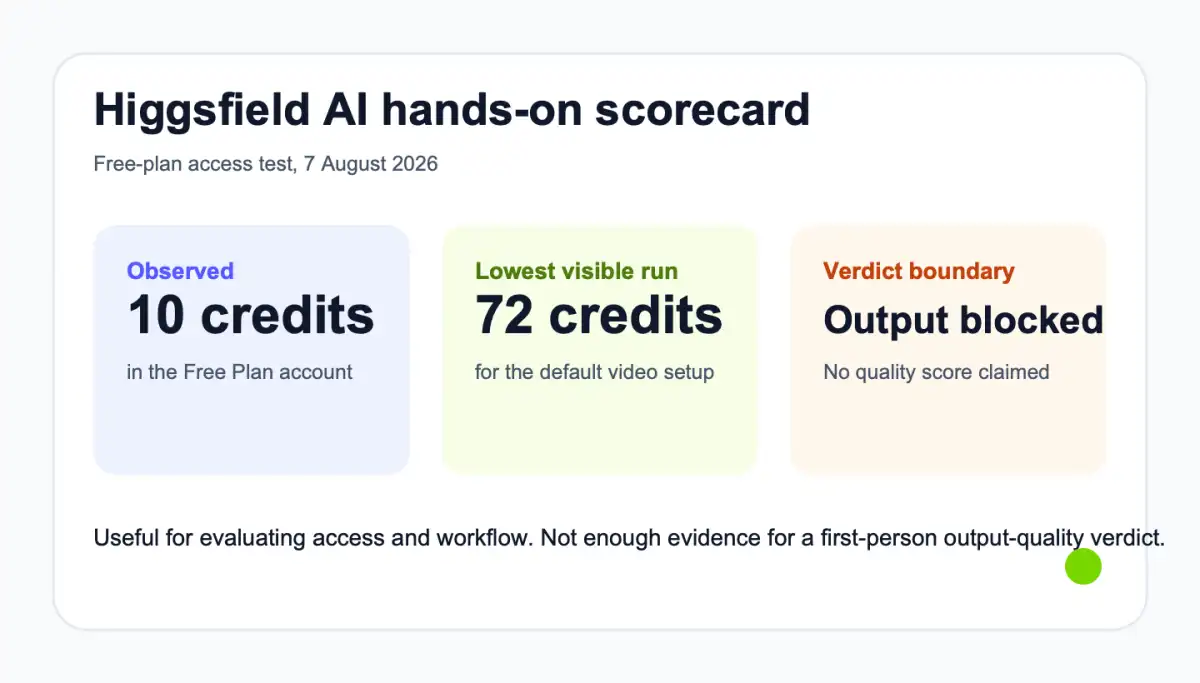
The interface is attractive and Seedance 2.0 offers serious multimodal controls, but our logged-in Free Plan had 10 credits while the lowest visible default generation cost was 72. We could verify access, settings, and the preview gate, but not output quality. Treat this as a workflow and free-access review, not a quality score.
This Higgsfield AI review tests whether a new creator can run a meaningful trial before paying. Higgsfield puts many high-profile video models and camera-led workflows behind one polished interface, but the buyer still needs to inspect a real result and understand the cost of an approved video.
Turn your existing content into an explainer video with TapVid
01
Quick verdict: strong surface, insufficient free test
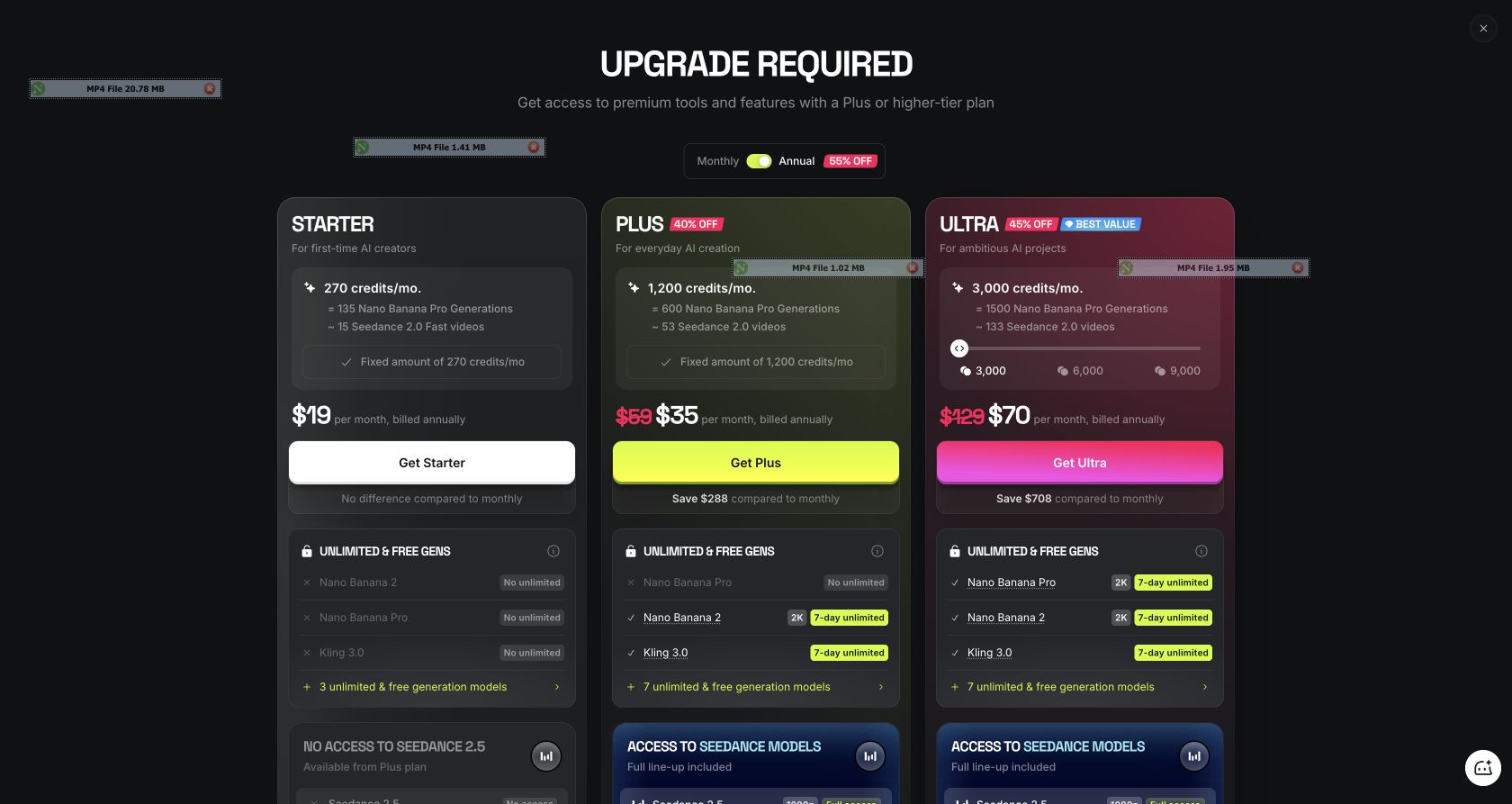
Higgsfield AI earns attention for its model access and cinematic control surface, but its free onboarding did not let us complete a viewable test. On 7 August 2026, the logged-in Free Plan showed 10 credits. The default Seedance 2.0 setup showed two generation costs, 96 and 72 credits. Even the lower option required 62 more credits than the account contained. An anonymous submission reached a preview placeholder in roughly 15 seconds, then the page required account creation to watch it. After Google login and onboarding, that anonymous output was absent from History. The honest verdict is therefore conditional. Higgsfield may be useful for creators who already know which model and camera treatment they want, but this account did not provide enough free capacity to judge motion, prompt adherence, audio, text rendering, or export quality. Any review that scores those dimensions from this test would be pretending that a gated preview was a finished video.
02
What Higgsfield AI is built to do
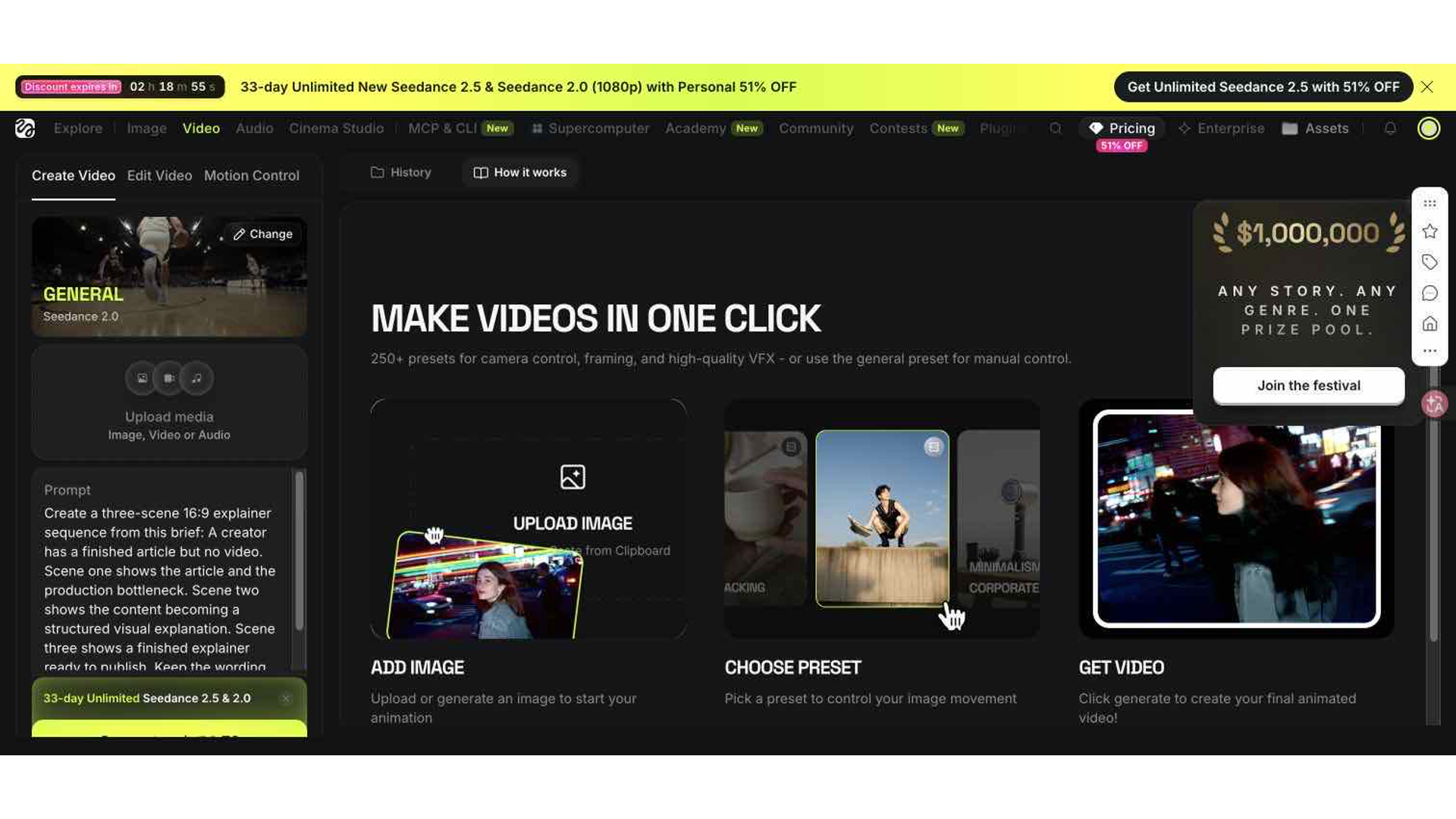
Higgsfield is a browser-based creation layer for generative video and image workflows. It presents model selection, aspect ratio, duration, resolution, bitrate, camera-oriented presets, and reference inputs in one product. The tested video page defaulted to Seedance 2.0 with a General preset, eight seconds, automatic aspect ratio, 1080p, and high bitrate. That setup points toward cinematic clips, ads, stylized product shots, action, and narrative sequences rather than a source-grounded business explainer. The official Seedance 2.0 page says the model accepts text, images, video, and audio, can combine multiple assets, generates native audio, and supports multi-shot output. Those are official product claims, not findings from our blocked run. The distinction matters because a broad model catalog can reduce tool switching, while it does not guarantee that a particular brief, brand interface, face, hand, or line of text will survive generation.
03
How we tested Higgsfield AI
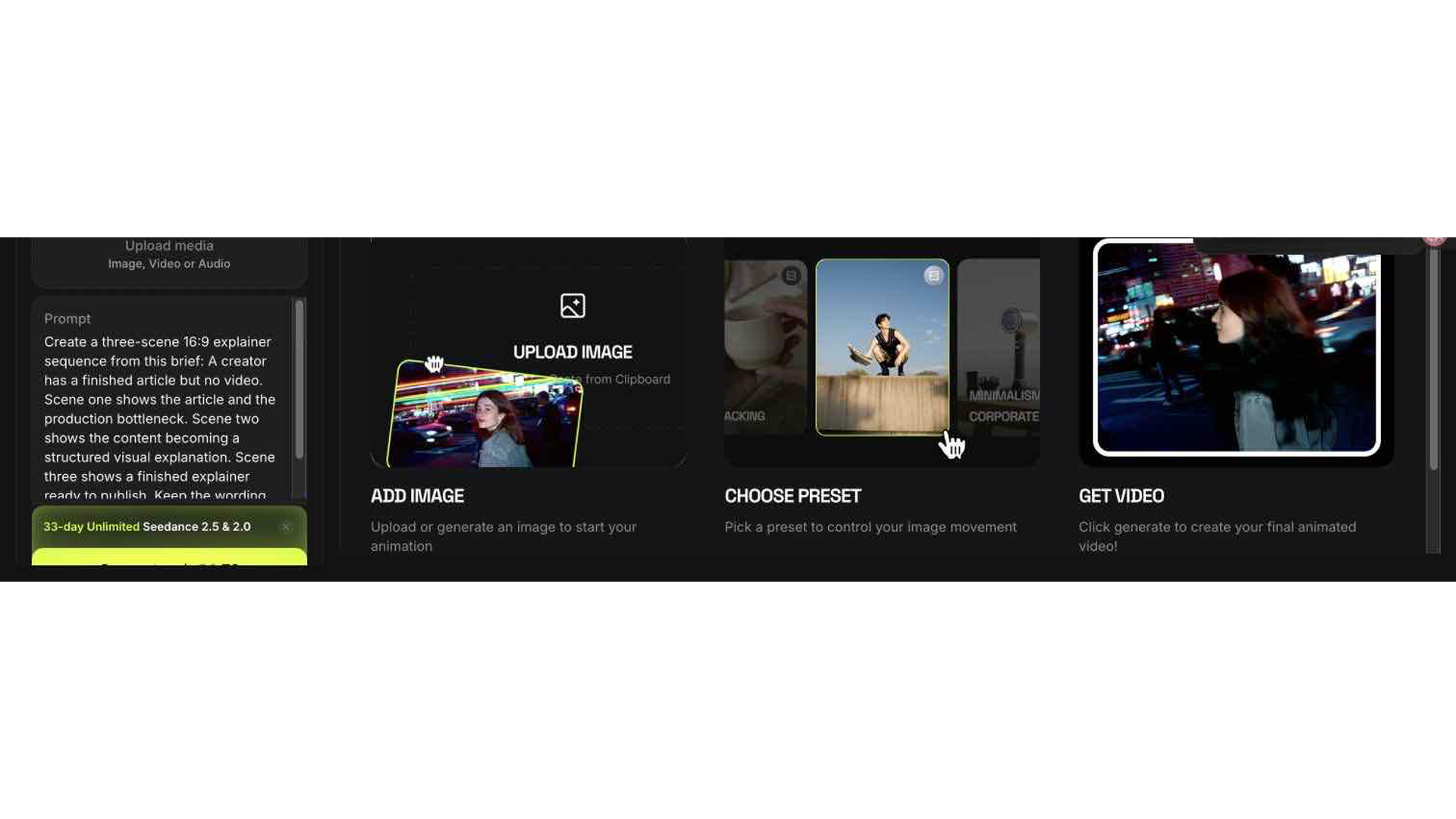
We used one shared brief across four products: create a three-scene 16:9 explainer sequence in which a creator starts with a finished article but no video, the article becomes a structured visual explanation, and the final explainer is ready to publish. The prompt explicitly asked the model to keep wording faithful and avoid adding performance claims. No private file, face, customer data, or payment method was uploaded. The first pass was submitted anonymously because the interface allowed the action. It entered a queue, displayed a preview placeholder, and then revealed the account gate. We subsequently completed Google login and product onboarding, skipped paid offers, inspected the account balance, the selected model, and the visible generation costs, and stopped. That stopping point followed the test rule: free-tier activity was allowed, but purchasing, topping up, starting a paid trial, or confirming billing was outside scope. The evidence therefore supports an access review with exact numbers, not a visual-quality review.
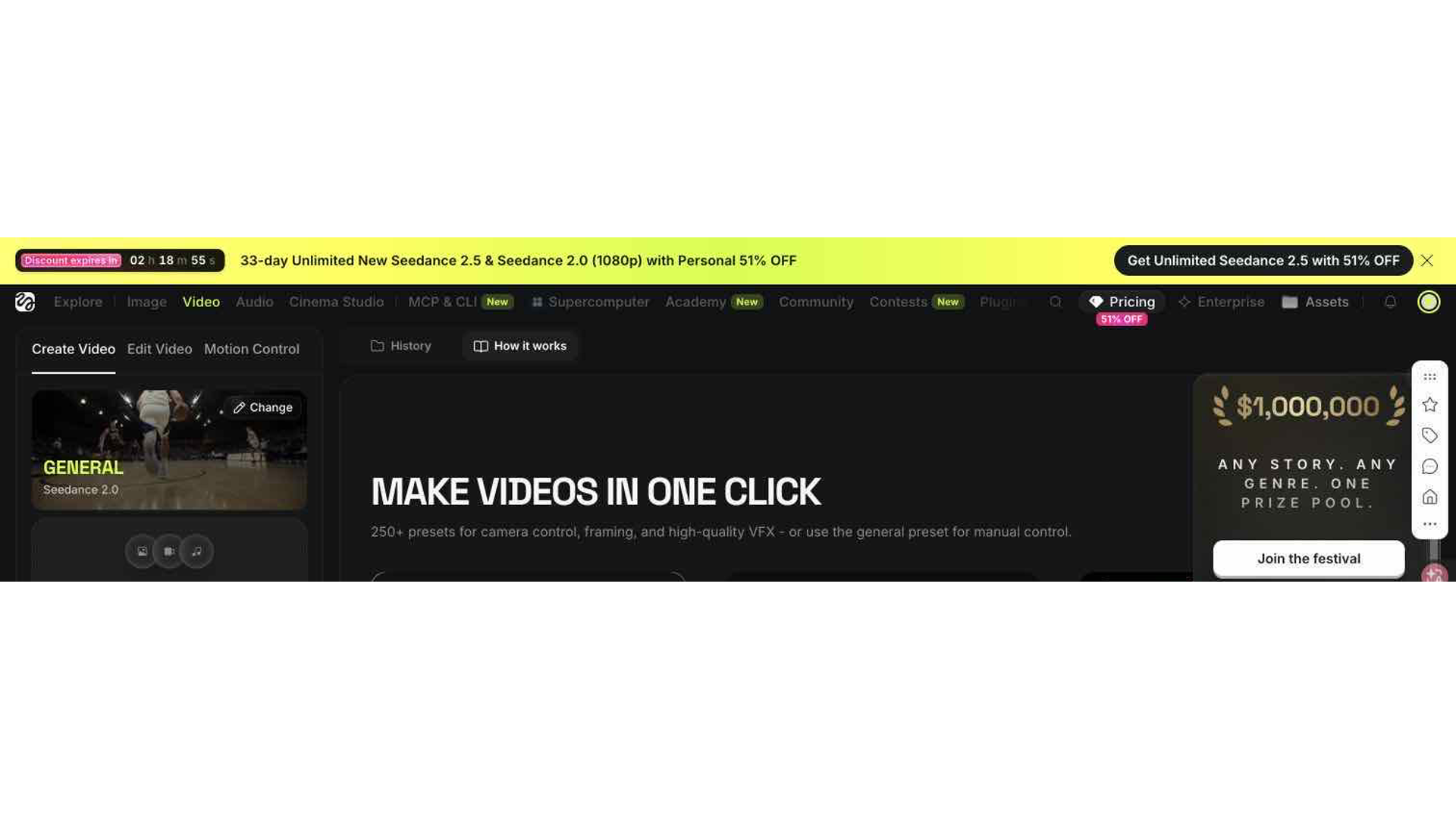
Hands-on test surface: official product workspace
04
The free-plan credit gap changes the review
The clearest problem is not that Higgsfield has paid plans. Serious video generation costs money everywhere. The problem is that the visible Free Plan balance did not cover one run at the default configuration shown to a new account. A creator arriving to compare prompt adherence cannot tell whether the output respects a product layout, holds a face, renders a hand, or follows a multi-scene brief without crossing into a paid decision. The 10-credit balance and 72-credit lower cost are a snapshot from this account, not a universal promise about every promotion or region. Higgsfield can change onboarding credits and model costs. Still, a buyer should check the live balance before investing time in references and prompts. If the cheapest representative run exceeds the free balance, ask a narrower question: is the model choice, camera library, reference workflow, and expected production budget compelling enough to justify paying before you have first-hand output evidence?
05
What the anonymous generation actually proved
The anonymous flow did prove several operational details. A visitor could reach the video workspace, select Seedance 2.0, enter a prompt, and submit without first completing registration. The job entered a queue and produced a result-shaped preview area quickly. Playback was then covered by a message asking the visitor to create an account. That is useful evidence about conversion design and onboarding friction, but it is not evidence about the generated clip. The later logged-in workspace also showed the Free Plan name, a 10-credit balance, the model and quality settings, and the higher cost of a new run. What it did not show was the lost anonymous generation in History. A production team should therefore sign in before beginning any reference-heavy test, record the selected model and cost at submission, and confirm that the job appears in account history. Anonymous experimentation is a poor place to spend a carefully prepared brief if the preview cannot be recovered after account creation.
06
What we cannot honestly score yet
We cannot score Higgsfield on the dimensions that usually decide an AI video purchase: instruction following, temporal consistency, camera motion, face and hand stability, visual text, native audio, watermark behavior, download format, and repeatability. The official site describes capabilities, but official examples are selected demonstrations. They do not substitute for running your own difficult input. We also did not verify current commercial-use wording or whether a paid tier removes a watermark. Those facts should be checked in the live pricing and terms pages at the moment of purchase. This boundary is not a minor disclaimer. Our recommendation covers access, workflow, current public evidence and what to verify next, but it does not call Higgsfield better or worse than Kling, LTX Studio, or Hailuo on finished visuals. The next valid quality test is a funded, representative run using the same prompt and recorded settings, followed by frame inspection and a second run for consistency.
07
Seedance 2.0 capabilities and workflow
On paper, Seedance 2.0 is the strongest reason to open Higgsfield. The official page says it can take several media types, coordinate multi-shot video, create synchronized audio, and work with frame-level control. That is relevant for filmmakers and performance advertisers who build a shot from references instead of asking one text prompt to invent everything. A product marketer might supply a product image, a motion reference, a soundtrack, and a shot description. A narrative creator might use recurring character references and direct several beats. The risk is complexity. Every added reference creates another fidelity requirement, and every model or quality setting affects cost. Start with a five-to-eight-second acceptance test. Define what must remain unchanged, what may move, what text must stay exact, and what would make the output unusable. Do not begin with a full campaign. One approved clip reveals more about model fit than a homepage reel because it tests your assets, your constraints, and your tolerance for repair.
08
Higgsfield AI review: hands-on evidence and current coverage
Higgsfield pricing and promotional access can change quickly, so this review does not freeze a monthly price from memory. The correct buying process is to open the current pricing page, note the renewal period, included credits, model-specific multipliers, concurrency, watermark rules, resolution, and commercial-use terms, then estimate cost per approved clip rather than cost per generation. A cheap first attempt can become expensive if brand text or product geometry requires repeated regeneration. Keep a log with prompt version, model, duration, quality, displayed cost, result status, and repair time. Before commercial use, read the latest terms for rights in inputs and outputs, data use, and prohibited content. Do not infer commercial permission from the presence of a Download button. Our free account did not complete a downloadable output, so this article makes no claim about paid export rights. A producer should treat rights, watermark removal, and usable resolution as explicit acceptance criteria before subscribing.
Hands-on observation: The logged-in Free Plan showed 10 credits while the lowest visible default Seedance 2.0 run cost 72, and a 1 September retry opened an Upgrade required dialog instead of starting a viewable output. Advantage: Higgsfield brings many image, video and voice models plus camera-led workflows into one polished creation surface. Limitation: This account could not complete a viewable free output; the current Seedance 2.5 attempt opened an Upgrade required dialog and asked for Plus-or-higher access.
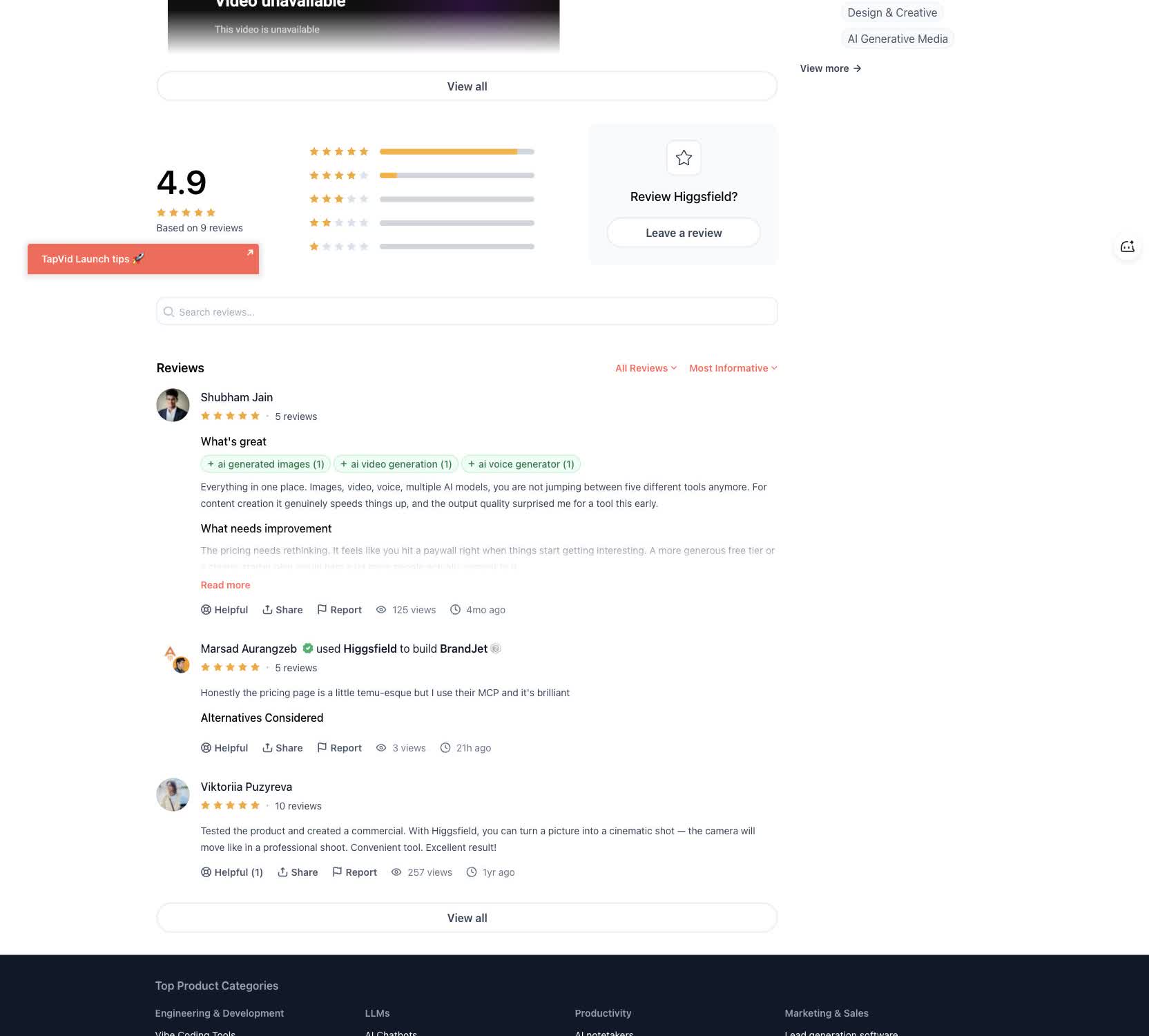
Independent user evidence: Product Hunt reviews praise the bundled model workflow and cinematic camera movement, while one reviewer says pricing becomes a paywall quickly. Read the original Product Hunt review.
| Current coverage | Finding | Official source |
|---|---|---|
| pricing | Higgsfield uses subscriptions and model-specific credits; credit prices and terms may change, so the live workspace is the authoritative run-cost surface. | Source |
| capability | The current product surface combines image, video, audio, editing, Cinema Studio and Marketing Studio workflows. | Source |
| integrations | Higgsfield documents MCP connectivity for Claude, ChatGPT and other agent clients. | Source |
| trust | Product Hunt reviews praise the bundled workflow and cinematic camera movement, while one reviewer says the pricing paywall arrives quickly. | Source |
| support | Higgsfield publishes current terms and a support contact; the new terms took effect for existing users on August 27, 2026. | Source |
09
Who Higgsfield is best for
Higgsfield makes the most sense for people who think in shots. That includes AI filmmakers, music-video creators, performance marketers, fashion teams, and social producers who want to try several video models and camera treatments from one interface. It may also suit teams with a paid testing budget and reference assets. It is a weaker fit for a small business that needs accurate product information across many pages, or an agency that must deliver client videos in volume. Those jobs need claim fidelity, readable text, pacing, narration, and a revision path. Higgsfield may supply clips inside that workflow, but someone still has to plan the explanation, assemble scenes, replace risky text, and verify every claim. If your bottleneck is choosing camera motion, investigate Higgsfield. If your bottleneck is publishing accurate videos from existing business material, start with a source-grounded system.
10
Higgsfield AI versus TapVid
Higgsfield and TapVid solve adjacent but different jobs. Higgsfield is a generative visual workspace centered on models, shots, camera behavior, and multimodal references. TapVid turns existing product images, UI screenshots, specifications, documents, URLs, audio, and footage into clear videos that are ready to publish. Choose Higgsfield when the key question is how a shot should look and move. Choose TapVid when a small business needs video on more product or training pages, or when an agency needs batch delivery without reviewing every output line by line. TapVid keeps approved facts outside generative rewriting and can rerun only the affected scene, which makes accuracy a capacity decision rather than a polish claim. The tools can also work together: establish the approved message first, then use a cinematic generator for selected visual inserts.
| Decision | Higgsfield | TapVid |
|---|---|---|
| Starting point | Prompt or references | Existing creator content |
| Primary output | Cinematic generated clip | Structured explainer video |
| Best fit | Visual invention and camera direction | Source-grounded explanation |
11
Final verdict
Higgsfield remains worth testing, but the Free Plan we saw was not a meaningful output-quality proof environment. The interface exposed a capable model and professional-looking controls, while the account balance stopped short of one default run. That makes the buying decision unusually dependent on official examples and paid experimentation. Our practical recommendation is to sign in before writing a detailed prompt, check the exact cost of the model and settings you need, and fund only a small acceptance test if the workflow fits your use case. Inspect motion, subject stability, text, audio, watermark, file properties, and prompt adherence before scaling. The verified conclusion is narrower and still useful: Higgsfield offers an appealing cinematic workspace, but its free access did not let this new account validate the result before paying.
12
Frequently asked questions
Is Higgsfield AI free?
A Free Plan was visible, but our account had 10 credits while the lowest displayed default video run cost 72 credits. Promotions and model costs can change, so check the live workspace.
Did you test Higgsfield video quality?
No. An anonymous run reached a gated preview, and the logged-in free balance could not fund a repeat. We do not score output quality without viewing the output.
Who should choose Higgsfield over TapVid?
Choose Higgsfield for cinematic shot generation and model-led visual experimentation. Choose TapVid when you need to turn existing content into a structured explainer video.