
TL;DR
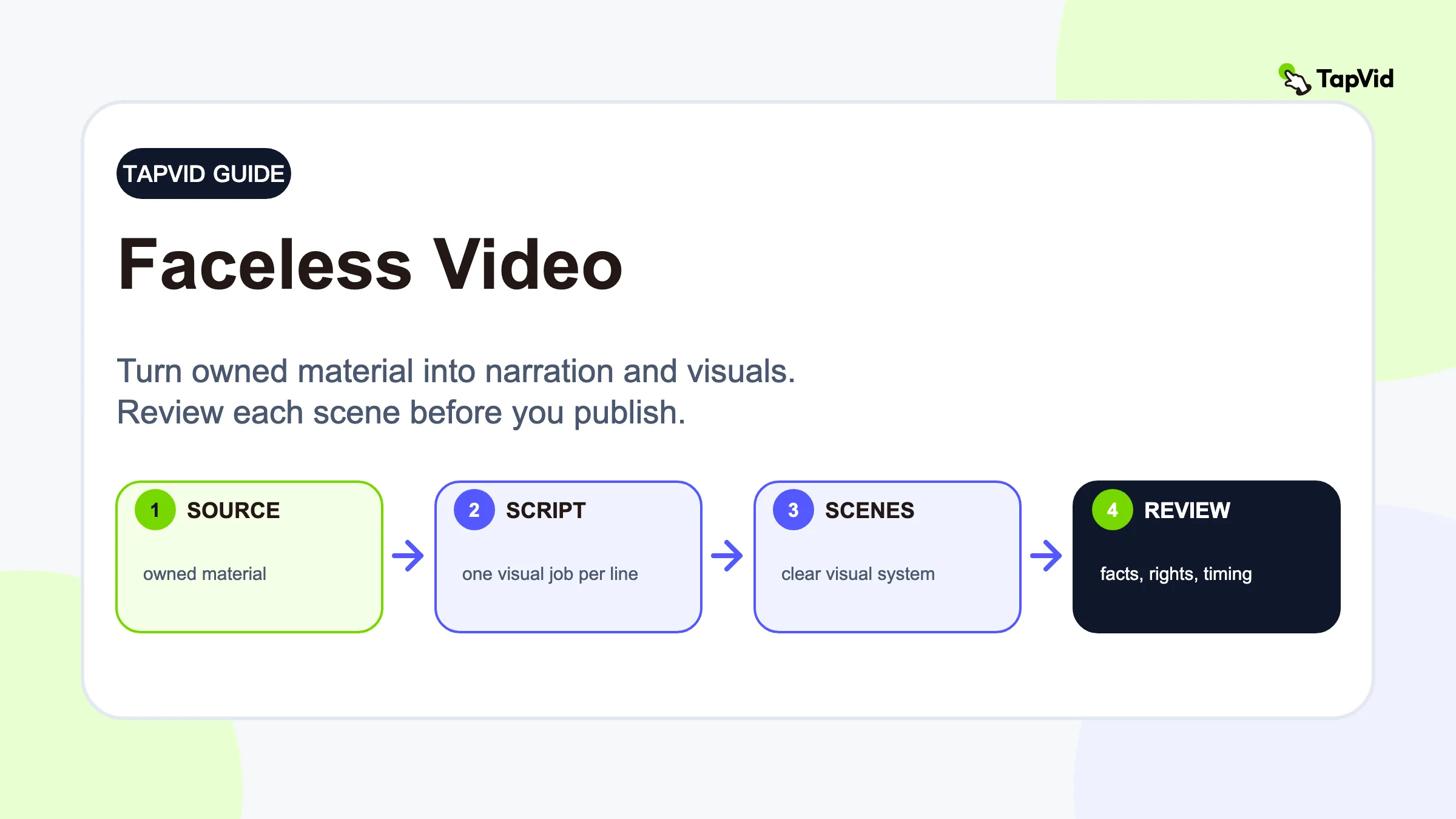
Start with a source you own, define one viewer outcome, write for the ear, give every sentence a visual job, and review facts, timing, rights, and mobile readability. In our tested TapVid workflow, a 30-second faceless product video had five scenes, and Scene 5 was regenerated while Scenes 1 through 4 stayed intact.
A faceless video keeps the creator off camera while narration, motion graphics, screen recordings, documents, charts, hands-only footage, or selected B-roll carry the explanation. The format removes the need to perform on camera, but it does not remove authorship, research, rights checks, or editorial responsibility.
Turn an owned source into a faceless information video
01
What a faceless video is and is not
A faceless video is one in which the creator does not act as the on-screen presenter. The story can be carried by narration, motion graphics, screen capture, documents, charts, hands-only footage, licensed archive material, or carefully chosen B-roll. A public figure can still appear in a news image, and a customer can still appear in licensed footage. The defining point is that the creator is not the visual anchor. This is a production choice, not a promise that the video is anonymous, silent, fully automated, or free of human judgment.
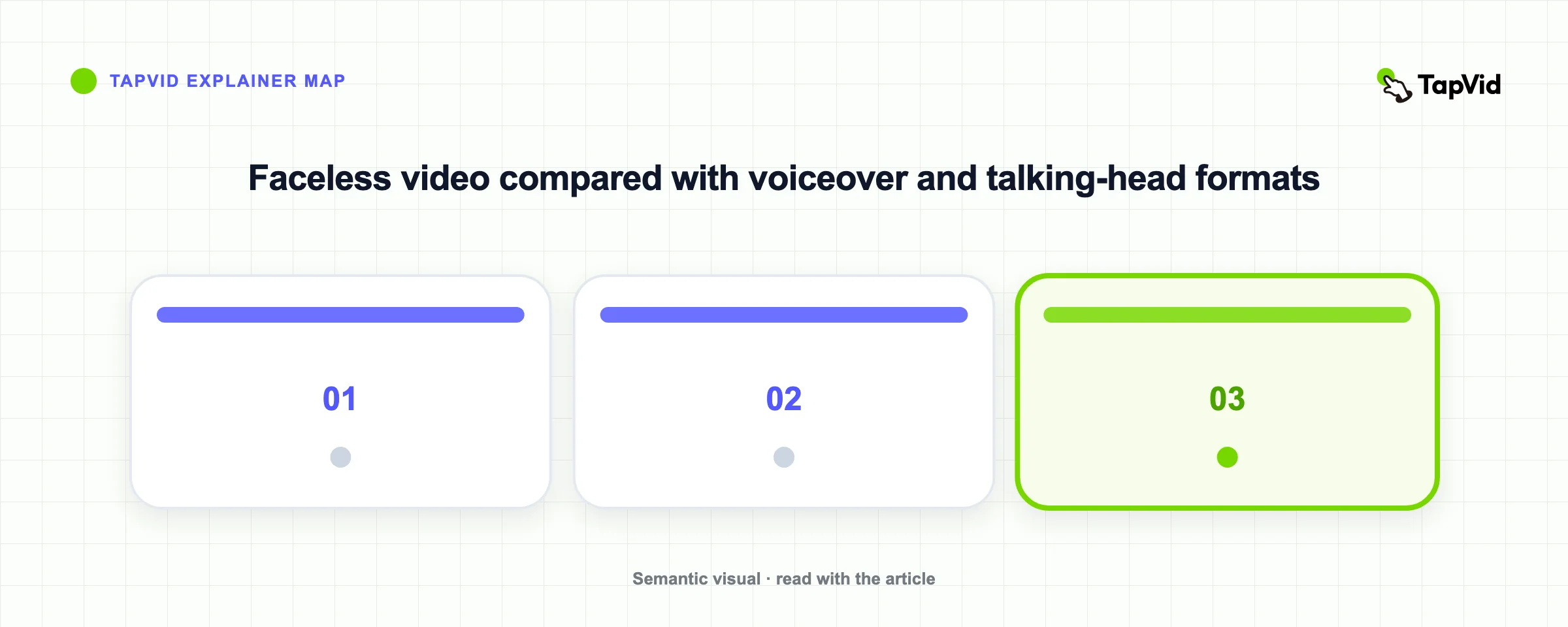
Faceless and voiceover are not synonyms. Faceless describes who appears on screen, while voiceover describes how narration is recorded. A silent stop-motion tutorial can be faceless, and a documentary with interviews can still be faceless from the creator's perspective. The format can help a professional creator or small business publish without a studio day, but it creates a stricter visual obligation. Without a face as a stable focal point, every diagram, interface action, label, and cut must help the viewer follow the argument.
02
Five faceless video formats that solve different jobs
Motion-graphic explainers suit systems, comparisons, numbers, and cause-and-effect claims. Screen-recorded tutorials suit software and operational workflows because the interface becomes the proof. B-roll and narration suit places, physical action, and atmosphere, but generic footage should not stand in for evidence. Hands-only demonstrations work for craft, cooking, repair, and physical products. Text-led or illustrated stories work when exact terms, maps, diagrams, or document excerpts matter more than a presenter.
Choose the format by asking what the viewer must see to believe or understand the claim. If the claim is that a setting exists, show the interface. If the claim is that one option outperforms another on a defined metric, show the comparison and source. If the claim concerns a physical process, show the hands and object. A common weak pattern is to place loosely related stock footage under every sentence. It creates movement, but the viewer learns less because the picture does not perform a clear explanatory job.
| Format | Creator visible? | What carries the story? | Best fit |
|---|---|---|---|
| Motion-graphic explainer | No | Narration, charts, diagrams, text | Systems, data, education, product logic |
| Screen-recorded tutorial | Usually no | Interface actions and instruction | Software, onboarding, support |
| B-roll and narration | No | Footage, archive, voiceover | Place, action, documentary context |
| Hands-only demonstration | No face | Hands, object, labels | Craft, cooking, repair, physical products |
| Text-led illustrated story | No | Typography, maps, documents, illustration | Exact terms and abstract subjects |
03
A tested workflow from an owned source to a finished draft
The reliable workflow begins after the idea and research are approved. Name one audience and one outcome, then bring a source you control: an article, script, report, presentation, interview note, product brief, or approved web page. Convert written prose into spoken language, keep evidence attached to the claim it supports, and build a two-column plan with narration on the left and a visual verb on the right. Useful visual verbs include compare, locate, reveal, demonstrate, annotate, and prove. A noun such as “dashboard” is not yet a visual instruction.
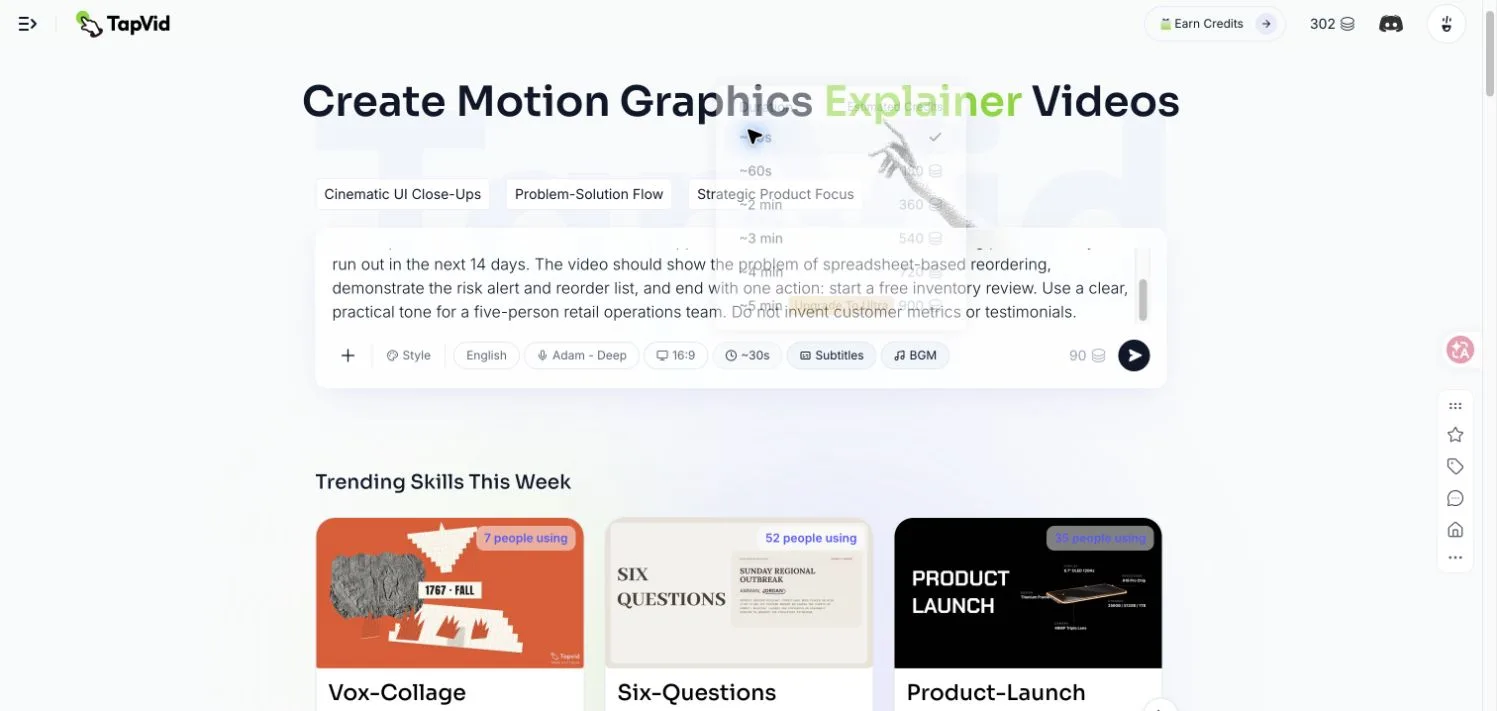
On August 11, 2026, I tested this process in TapVid with a fictional inventory SaaS called StockPilot for a five-person retail operations team. The brief asked for a 30-second, 16:9 English product video using the Adam Deep voice, subtitles, background music, and Product Launch style. It supplied one factual mechanism, 14-day stockout foresight, and prohibited invented customer metrics or testimonials. The source was intentionally small enough to inspect line by line. This matters because a faceless workflow should preserve approved facts, not hide vague invention behind attractive motion.
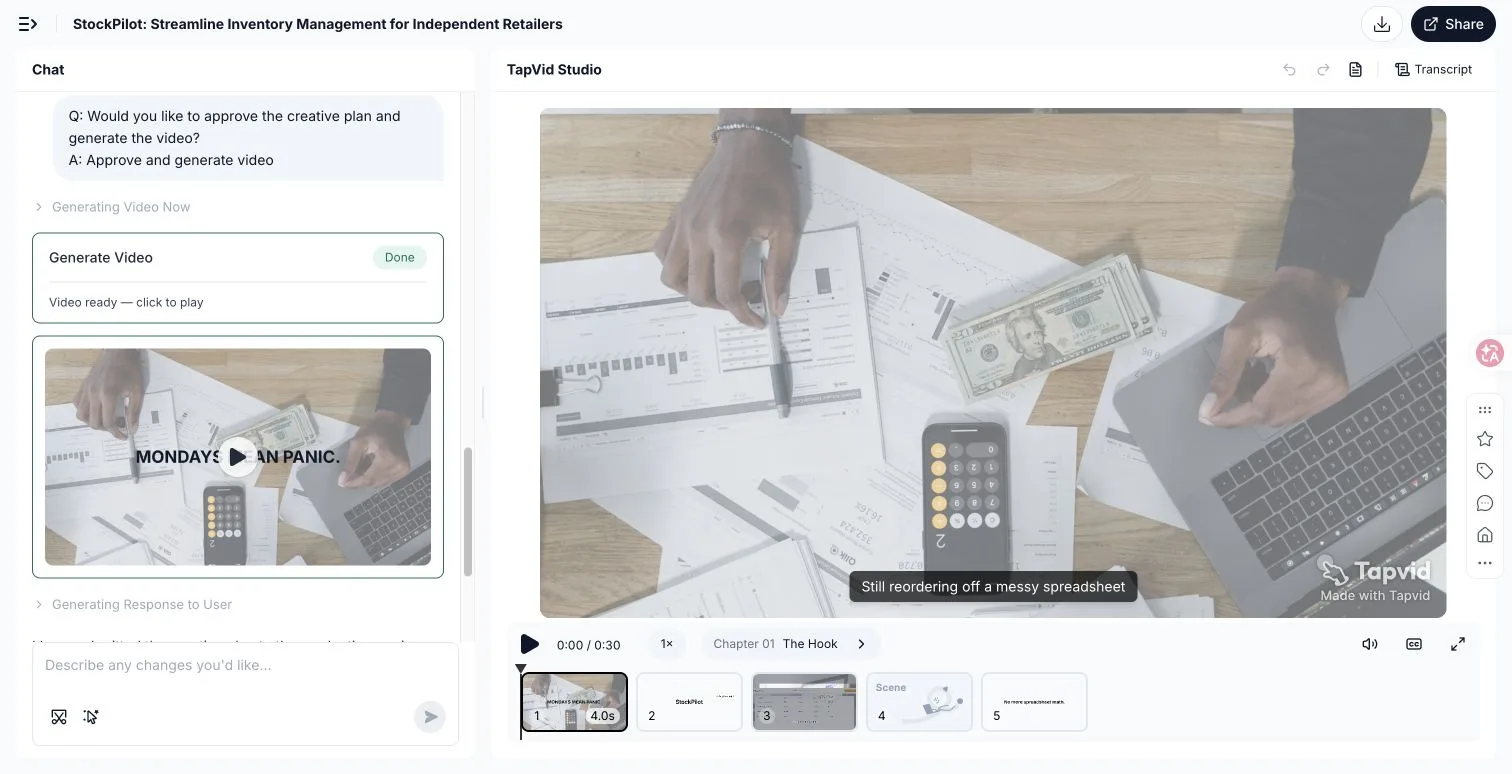
TapVid converted that brief into a concept, a paced script, and a first cut with five editable scenes: spreadsheet chaos, brand reveal, dashboard demonstration, the 14-day risk forecast, and a call to action. The first generation attempt failed once before rendering, and Retry resumed the same project. The completed run used 90 credits, moving the observed account balance from 302 to 212. The total output was 30 seconds. These are observations from one run, not promises about every job, queue, plan, or credit cost.
The embedded public TapVid example below is a separate 45-second faceless product video about choosing a child's water bottle. I reviewed the public player and transcript on August 12, 2026. It uses product images, exact material labels, a fall-test claim, a feature comparison, narration, and captions without an on-camera presenter. It is embedded as a real playable result, but it is not labeled as the StockPilot output. The StockPilot evidence is shown in the signed-in screenshots above so the two sources remain distinct and traceable.
04
Edit one scene without regenerating the whole video
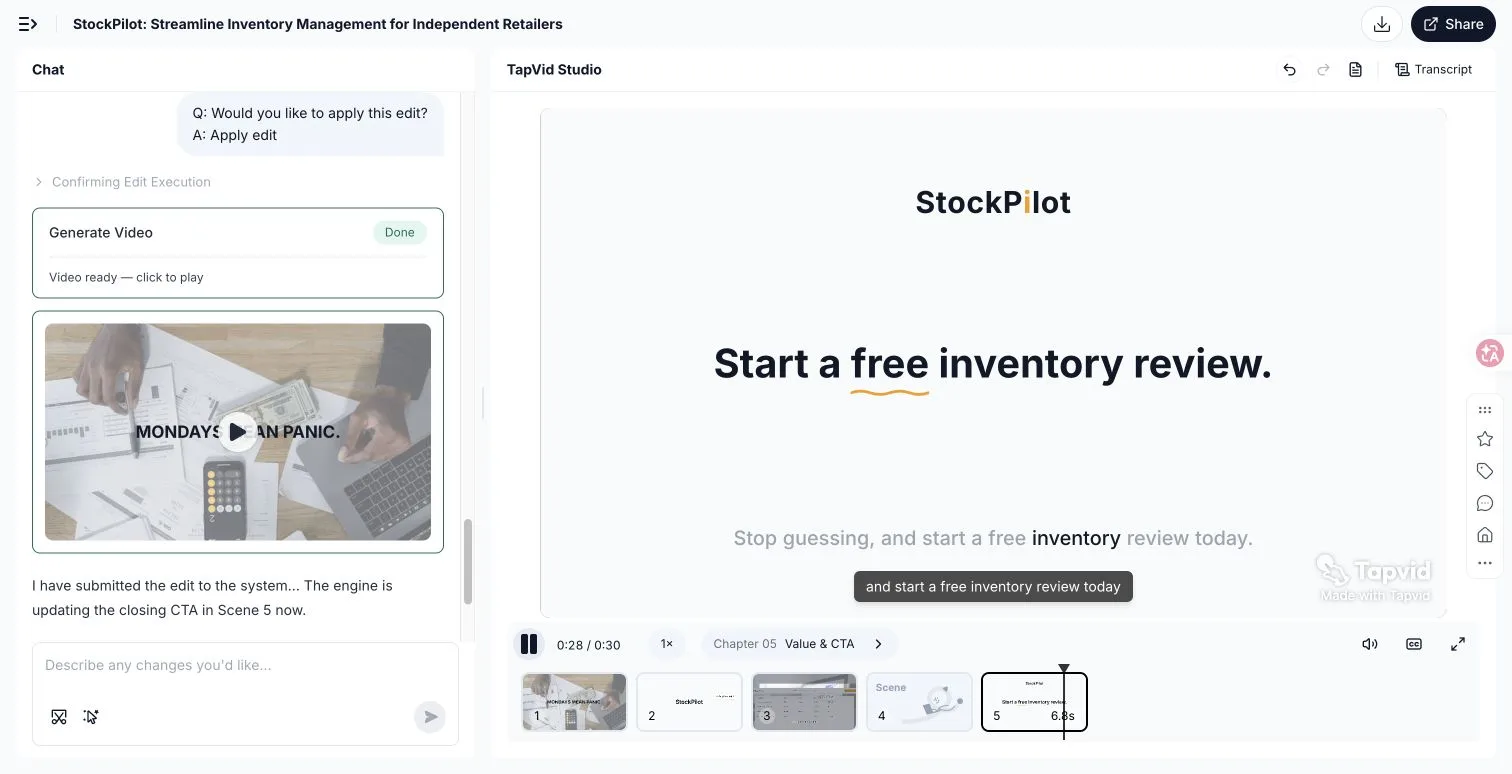
The biggest production advantage is not merely generating the first cut. It is correcting one weak scene without discarding approved work. In the StockPilot project, I selected Scene 5 and used a prompt-based scene edit to change only the closing on-screen call to action while keeping the visuals and timing. This is the practical meaning of scene-level editing: identify the target, state the exact change, preserve the rest, and review the new version against the approved source. It turns a local correction into a local task instead of a full-video rebuild.
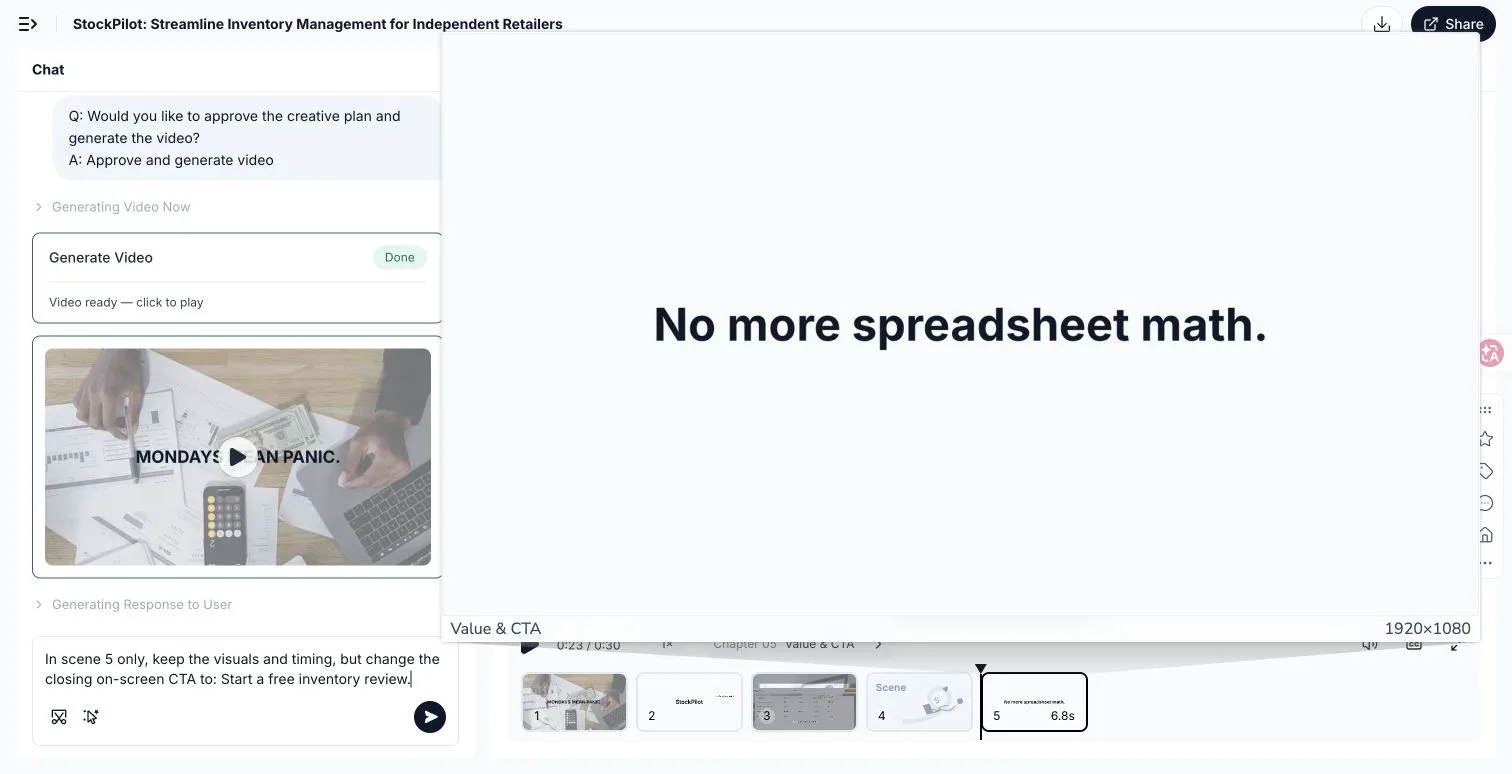
TapVid identified the target as `c5-s1`, displayed the proposed edit, created a new version, and rendered “Start a free inventory review” at 0:28. The overall duration remained 30 seconds, while Scenes 1 through 4 stayed intact. That evidence is especially relevant for agencies and small businesses that need to ship many information videos. Scale becomes possible only when a reviewer does not have to recheck every previously approved scene after changing one line. The boundary remains important: the edited scene still needs factual, visual, and rights review.
05
Three public faceless explainers reviewed in full
I also opened and reviewed the full public share players and transcripts for three TapVid faceless explainers on August 12, 2026. The policy video runs 4:20, the demographic video 5:08, and the prediction-markets video 5:19. None uses a presenter as the visual anchor. These are not ten-second guesses from thumbnails. The observations come from the accessible player, opening visuals, chapter labels, and complete visible transcripts. The cases show three repeatable visual systems: documents and annotated charts, maps and data lines, and archive imagery combined with precise information graphics.
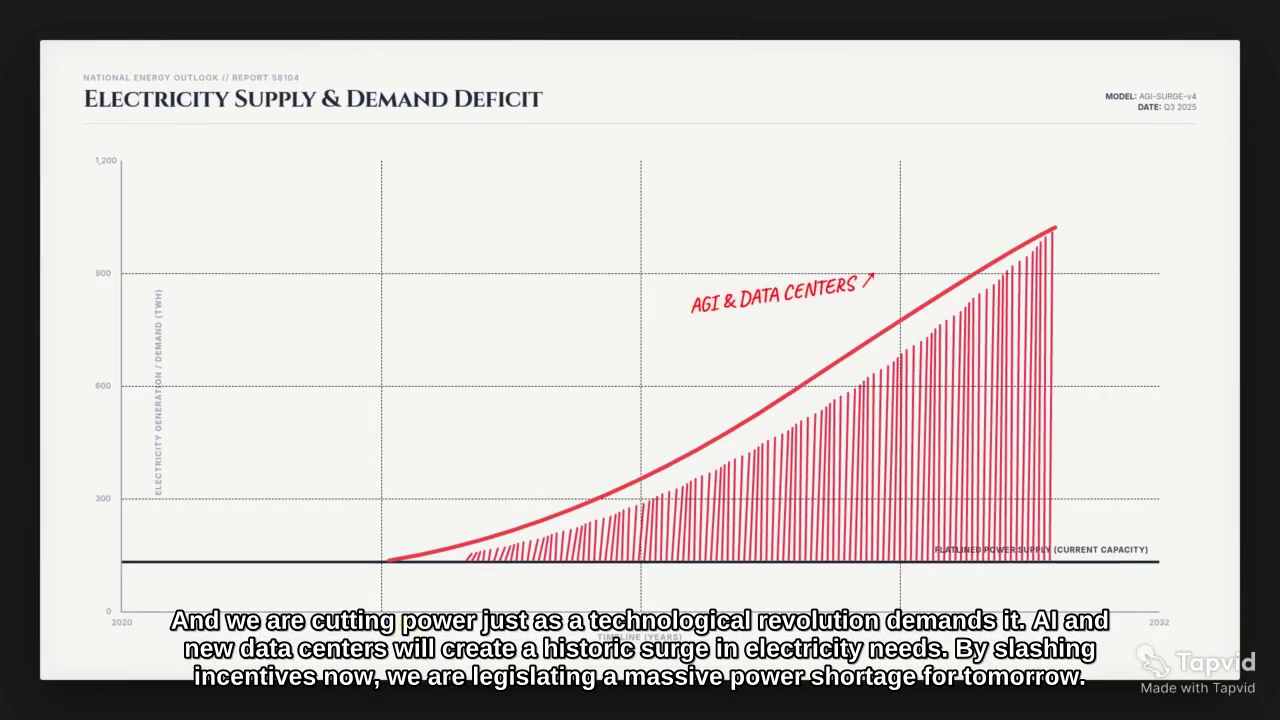
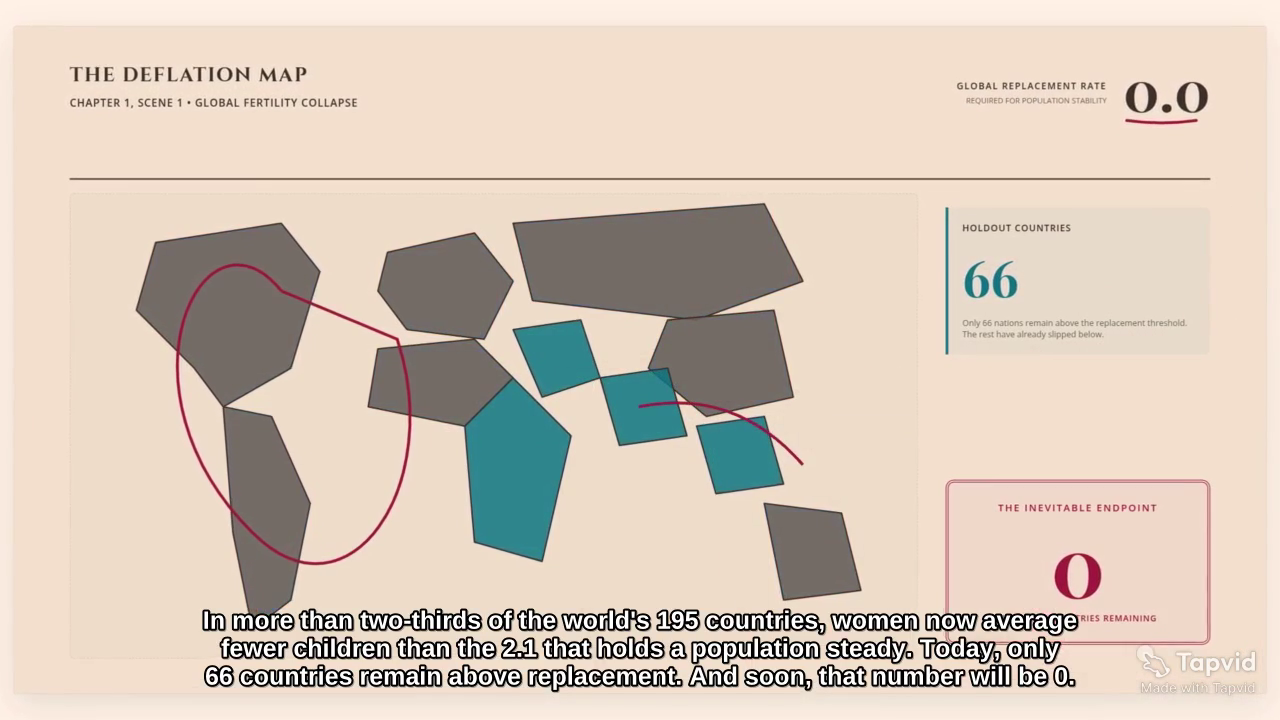
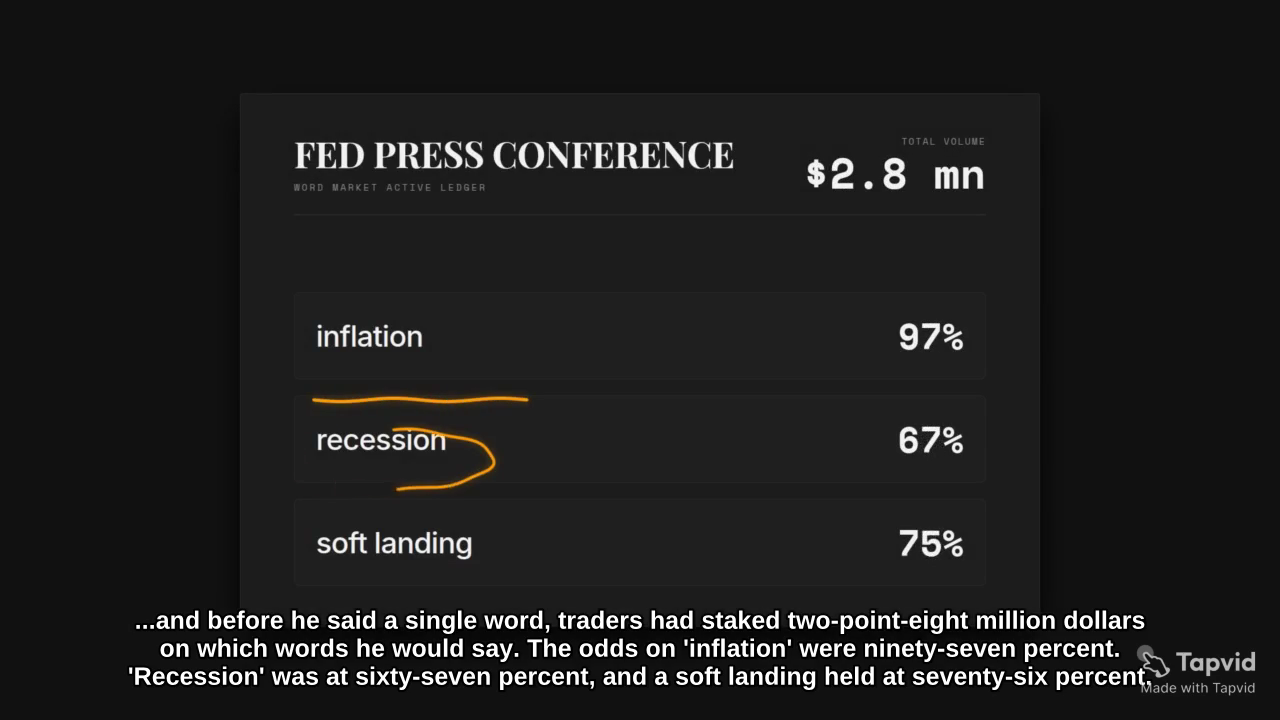
The policy explainer opens as an editorial desk with a dated newspaper, photographs, charts, tables, and red annotations. The birth-rate explainer opens with a global replacement-rate map and moves through an inverted-pyramid argument, cross-country comparisons, and smartphone-era timelines. The prediction-markets explainer combines a press-conference setup, probability contracts, platform values, historical references, dispute mechanics, and highlighted odds. In each case, the voice determines when the evidence enters, while the visual system tells the viewer where to look.
These examples do not prove that every faceless video needs dense animation. They prove that the video needs a consistent grammar. Documents should look like part of the same desk. The same color should mean the same category. A chart should remain long enough for the spoken comparison to land. Atmospheric footage can establish place, but exact claims belong in readable graphics. The goal is not constant movement. It is controlled attention, with each scene performing one job and the sequence resolving the question promised at the beginning.
06
How to keep a faceless video engaging
Lead with a real question or consequence, not “today we will talk about.” Change information rather than merely changing backgrounds. Give narration a point of view through examples, selection, and judgment. Repeat layout, color, and chapter patterns so viewers learn how to read the video. Let important frames breathe, especially on mobile. Finally, test the draft three ways: watch without sound to assess visual logic, listen without picture to assess narration, and watch together to find places where text, voice, and motion compete.
- Open with one question, tension, or concrete consequence.
- Give every scene one visual verb and one proof job.
- Show exact numbers and names when the narration says them.
- Reuse colors, labels, and chapter patterns as orientation.
- Review facts, rights, captions, phone readability, and the final CTA.
07
Originality, rights, disclosure, and monetization
Faceless content can be original and monetizable, but the camera format does not create originality. Start with material you own or are licensed to use, add reporting, analysis, examples, or instruction, and keep records for footage, images, music, voices, and claims. YouTube evaluates repetitive and mass-produced material under its current monetization policies, and it requires disclosure for realistic synthetic or altered depictions that could mislead viewers. Recheck platform rules before publishing, especially for finance, health, politics, public figures, or unfolding events. Automation should organize and visualize your work, not disguise borrowed or unverified work.
08
Choose the format from the source material
Choose from the strongest source. A finished article or research note usually becomes a voiceover-led explainer. A software task becomes a screen recording with narration. A data report becomes animated charts and annotated documents. A physical product or craft becomes a hands-only demonstration. A personal story without camera footage can use illustration, licensed archive material, or restrained B-roll. Keep the first version narrow: one audience, one promise, one source, one aspect ratio, and one next step. Then use scene-level editing to correct local problems without reopening approved sections.
| Strongest source | Start with | Why |
|---|---|---|
| Article or research note | Voiceover-led explainer | The argument already has structure and evidence |
| Software workflow | Screen recording with narration | The interface demonstrates the claim |
| Data report | Animated charts and documents | Relationships and exact labels matter |
| Physical product or craft | Hands-only demonstration | The action itself is proof |
| Personal story without footage | Illustration, archive, or restrained B-roll | Narration carries the point of view |
09
Faceless video FAQ
Is a faceless video the same as a voiceover video?
No. Faceless describes whether the creator appears on screen. Voiceover describes separately recorded narration. The formats often overlap, but neither requires the other.
Can a faceless video include other people's faces?
Yes, when the footage is relevant and properly licensed. The term usually means the creator is not the on-screen host. Rights, context, consent, and synthetic-media rules still apply.
Does a faceless video need an AI voice?
No. You can record your own narration, hire a voice actor, use interviews, or rely on text and natural sound. Confirm usage rights and current disclosure requirements.
Can faceless videos make money on YouTube?
Yes, if the channel meets program requirements and the content is original, useful, rights-cleared, and compliant. Showing a face is not a monetization requirement.
What is the easiest faceless video to make?
The easiest format is closest to material you already control. Writers can narrate an article, software teams can record a workflow, and product teams can build from an approved brief.