
TL;DR
Define one action before choosing a length. Show the action clearly, give the learner a relevant practice step, and keep an owner for updates. Use a job aid when motion adds little value.
Microlearning videos are focused lessons that help someone understand or perform a narrow task. Short duration can help define their scope, but a short clip is not automatically a useful lesson. Start with one learning objective, the knowledge the viewer already needs, and a chance to apply the idea. Then decide whether video is the right format or whether a checklist, example, or larger course would serve the task better.
01
What are microlearning videos?
A microlearning video teaches a small, defined piece of knowledge or a specific action. It might explain how to choose one setting, recognize one kind of error, or complete one step in a work process. It can stand alone when the viewer has the required background. It can also be one part of a broader course, paired with practice, discussion, or a reference guide.
NC State's microlearning with digital tools guide describes focused learning in several forms, including videos, readings, quizzes, scenarios, and reference resources. The format is therefore a choice, not the definition. A short video is useful when seeing a sequence, movement, or worked example helps the learner do something they could not reliably do from a title alone.
For an illustrative workplace example, imagine a support team that needs to identify the correct ticket priority. A focused lesson could show one case, explain the rule, and ask the learner to classify another case. A two-minute tour of the entire support department would be short too, but it would have a much broader purpose. The clock alone cannot tell those two learning designs apart.
Keep this distinction when reviewing a request for 'ten microlearning videos.' Ask which ten tasks need support and where learners encounter them. A list of video titles is a production inventory. A list of actions, prerequisites, and practice opportunities is a learning plan. Corporate training videos covers the wider program context; this article focuses on the design of one narrow unit.
02
Define the scope before setting the time limit
Write the objective as an action the learner can show. 'Choose the correct ticket priority from the supplied rule' is clearer than 'understand ticket handling.' The first gives you a visible result to check. The second can expand to cover intake, ownership, escalation, tone, and reporting. If the objective contains several independent actions, split the lesson or make the larger scope explicit.
Next, list prerequisites. Does the learner already know how to open the system, what the labels mean, and when the procedure applies? A short video can be complete for an experienced employee and confusing for a new hire. Put those assumptions in the lesson brief. Link to background material when needed instead of trying to hide the missing context behind a faster voice-over.
There is no single duration that makes every lesson microlearning. The University of Illinois Chicago offers a scoped duration recommendation for its micro-lecture approach, alongside advice on learning objectives, signaling, and practice. Use that as guidance within its teaching context, not a universal attention-span law. Its micro-lecture guide emphasizes design choices that matter beyond the number of minutes.
Choose a length after checking the explanation and the task. Remove background that belongs elsewhere, but retain the condition or exception that changes the correct action. If a lesson cannot remain accurate and understandable within the proposed length, adjust the brief. Speeding through essential details does not make the learning scope smaller; it simply gives the viewer less time to process the same material.
03
Choose video, a job aid, or a larger lesson
Use video when the learner benefits from seeing order, motion, or a worked demonstration. A screen sequence can show where an action happens and what changes afterward. Narration can explain why a step matters while the relevant part is visible. Keep the view focused so the learner does not have to search a crowded interface for the action being described.
Use a job aid when the main need is to look up a value, check a list, or compare a few stable rules at the moment of work. A searchable table may be easier to revisit than a video timeline. You can pair that aid with a short explanation, but the learner should not have to replay a clip each time they need a single label or threshold.
Use a larger lesson when the task depends on several concepts, judgment across varied situations, or guided practice. Narrow videos can still support parts of that experience. Do not pretend that a series of short files automatically provides the feedback or context a full learning activity requires. The unit should fit its role in the sequence, rather than replace the sequence by name alone.
Check the learner's actual environment. They may use a shared workstation, work without sound, or have limits on personal phone use. Provide readable text and appropriate captions where needed, and make the resource available through an approved channel. Microlearning does not require a phone. Choose the format and access method that fit the task and workplace, without making assumptions about a learner's device or schedule.
04
Build a task-to-evidence lesson card
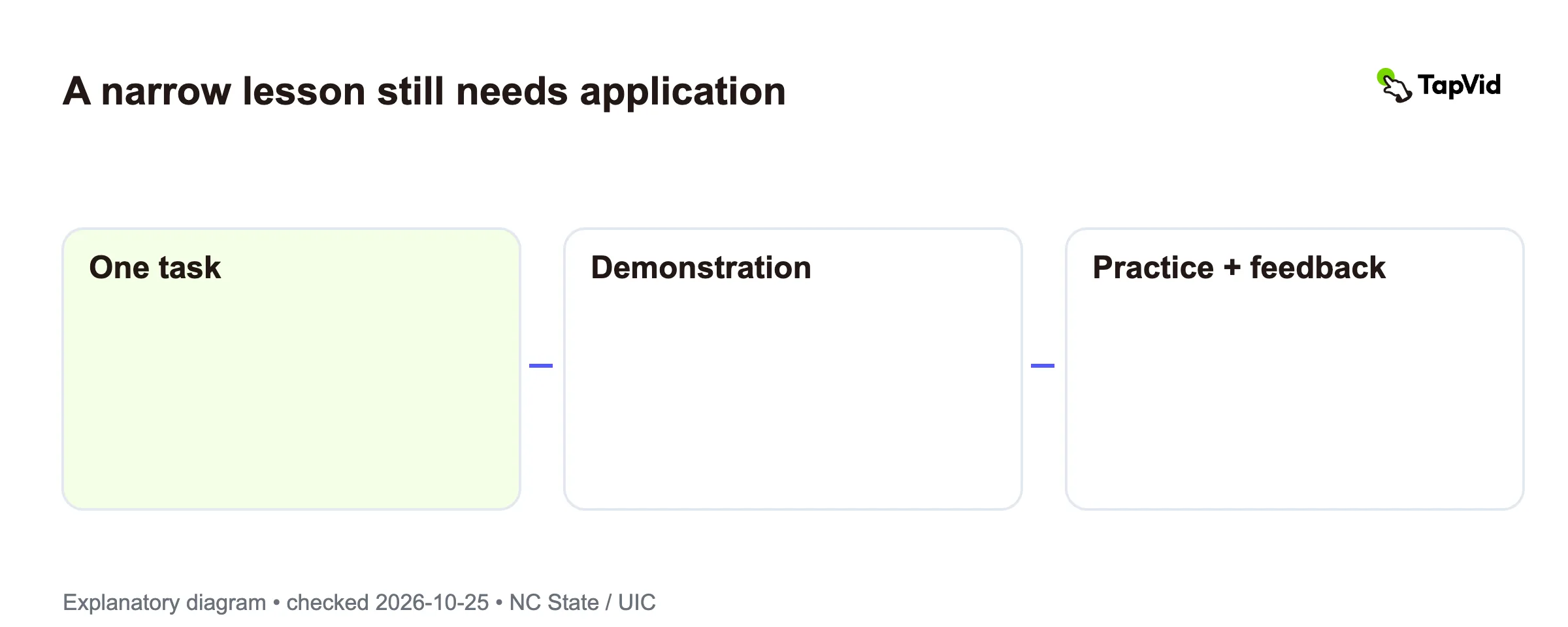
Use a short design card with six fields: task, prerequisite, demonstration, practice, access, and owner. This is an editorial planning framework, not a tested learning score. Its purpose is to expose missing decisions before production. If one field is blank, you can see whether the issue concerns the explanation, the learner's context, the chance to apply it, or the maintenance plan.
For the illustrative ticket example, the task is to assign priority using the approved rule. The prerequisite is knowing where to open a ticket. The demonstration shows one complete choice and explains the relevant condition. The practice asks the learner to classify a different case and gives feedback from the rule. Keep all names and sample details fictional or use material explicitly approved for training.
The access field names where the lesson and its text alternative will live. The owner field names who checks the rule and updates the material. Add the source version and the date it was reviewed. These are important when a software label or internal process changes. A polished demonstration can become misleading if its visible steps no longer match the current system.
When approved procedure text is the source, SOP to video is a relevant way to begin a video draft. Preserve the rule and its exceptions while shaping the explanation. TapVid's role here is preparing video from supplied material, not deciding policy or certifying the lesson. A subject-matter owner still needs to check the result against the current source before it is used for training.
05
Check learning and keep the lesson current
A view count tells you that a video was opened or played under the platform's definition. Completion tells you that playback reached a defined point. Neither alone shows that the learner can perform the task. Choose an observation that matches the objective: selecting the right option in a new example, explaining the relevant rule, or completing the action in an appropriate practice setting.
Keep the check proportional to the task. A narrow reference lesson might need one scenario and clear feedback. A sensitive or complex procedure can need supervised practice and a broader training process. This article does not define mandatory-training requirements or establish legal sufficiency. The point is to avoid presenting a short video's existence as evidence that the intended learning has happened.
Review confusing moments in the lesson as well as the final answer. If learners choose the wrong option, inspect the example, missing prerequisites, and wording before assuming the video needs more effects. The source rule may be unclear, or the demonstration may skip a decision. Improve the part that blocks the action, then check the revised lesson against the same objective.
Set a review trigger: a source-rule change, a new interface, or feedback that exposes a mismatch. Keep the video, transcript, practice prompt, and reference aid tied to the same version. For source-grounded video preparation, see tutorial video. TapVid is not described here as a learning management system or a tool that records quiz outcomes. Choose separate delivery and assessment tools according to the learning plan.
06
Microlearning video questions
How long should a microlearning video be?
Long enough to explain the narrow task accurately and give the learner the context needed to act. Start with the objective and prerequisites, then remove material that belongs elsewhere. A source may recommend a duration for a particular teaching method, but that does not establish one time limit for every workplace or learner.
Does microlearning have to be mobile or video?
No. It can use short readings, quizzes, scenarios, reference guides, or other focused activities. Choose video when seeing an action or example adds value. Check the learner's permitted devices and work setting. A useful job aid on a workstation can serve the task better than a phone-only clip.
Can a short video replace a whole course?
Only when the intended objective and prerequisites are fully covered by that narrow resource and any needed practice. Many courses involve several concepts, feedback, and guided application. A short video can support one part of that experience, but its length does not prove that the larger learning need has been met.