
TL;DR
A corporate explainer video is a short, reviewable cut that explains one approved offer, process, or change to one audience and ends on one next step. It is not a company-profile film, not a product walkthrough, and not a production RFP. Lock the job, freeze the source pack and claim list, write a spoken 60 to 90 second script, then pick a route that can show the proof you already have.
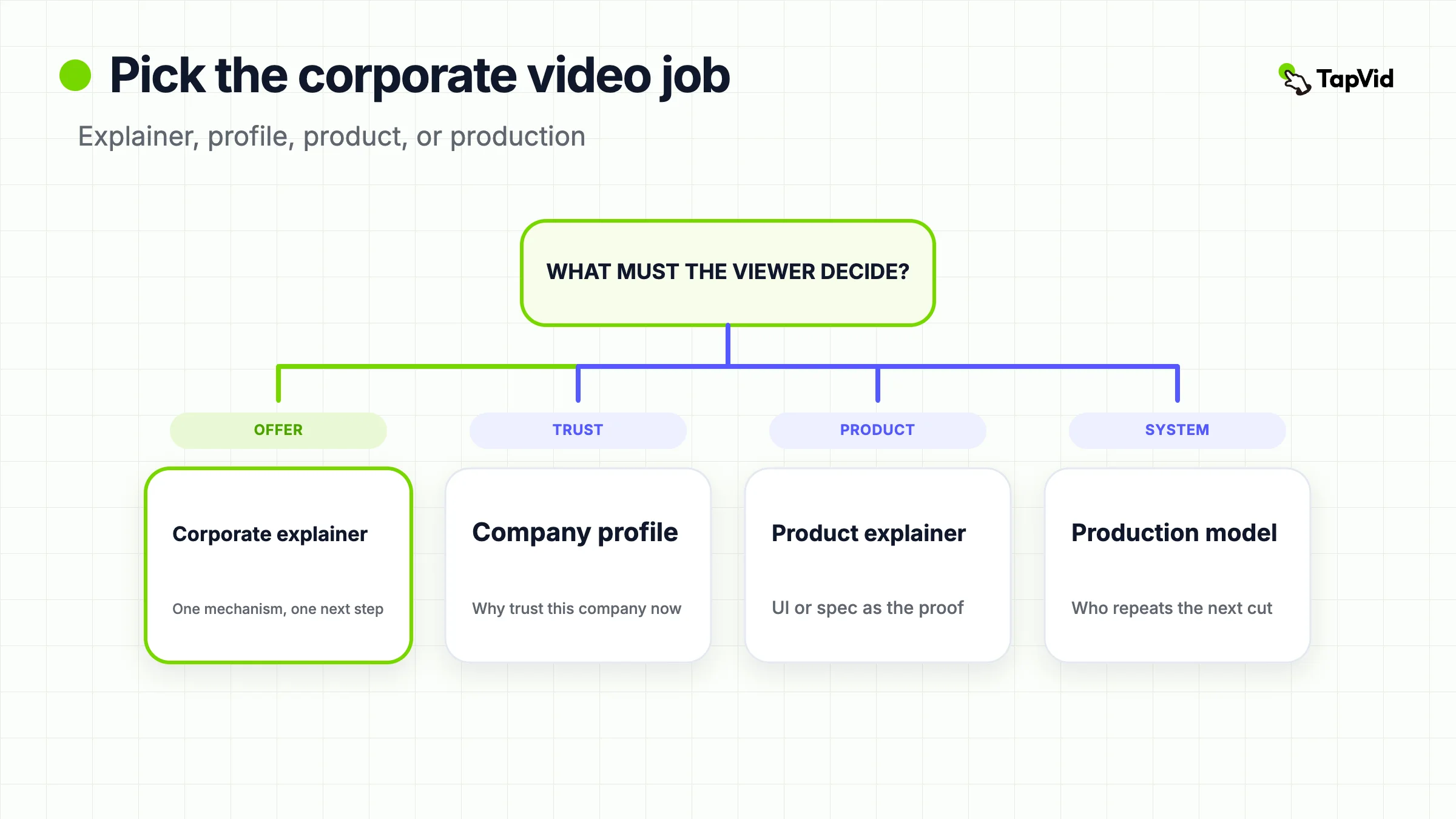
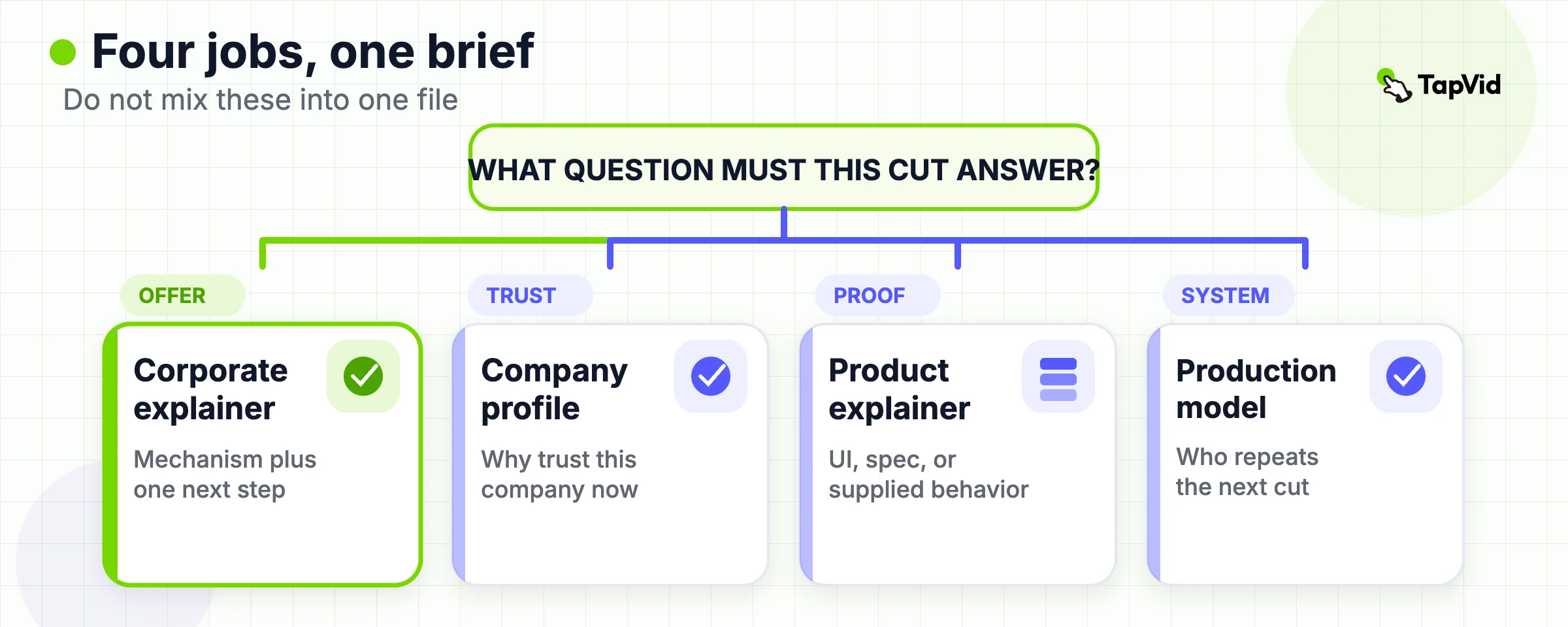
When a stakeholder says "we need a corporate explainer video," they usually mean one of four different jobs. They may want a 60 to 90 second explanation of an offer. They may want a trust film about the company. They may want a product proof cut. Or they may want someone to take over production. If you treat those as the same brief, you get a video that opens on the logo, lists features, and asks for three actions.
This page owns that first decision, then the brief that makes the explainer itself reviewable. For the generic format definition, use what an explainer video is. For the spoken two-column script, use the explainer video script. For the end-to-end create loop, use how to create an explainer video. Stay here when the search term is corporate explainer video and the risk is mixing four company videos into one file.
01
What a corporate explainer video is
A corporate explainer video is a short informational video that tells one viewer what a company offer, process, policy, or change does, why that matters in their situation, and what to do next. Magic Motion Studio, an agency that sells this format, defines it as a short animated or live-action video built around a single message and a single action, most often a purchase, a sign-up, or a meeting request. That definition is useful as a market description. It is not a reason to hire that studio, and it is not a description of TapVid.
The useful length is usually 60 to 90 seconds for a homepage or sales page. A sales-enablement or investor cut can run two to three minutes only when a second proof beat earns the time. Wyzowl's Video Marketing Statistics 2026 report, based on 266 respondents surveyed in late 2025, found that 71 percent of video marketers believe videos between 30 seconds and 2 minutes are most effective, and that 68 percent of video marketers created explainer videos. Those figures describe category demand. They do not prove that your page will convert.
Three constraints make a corporate explainer different from a consumer how-to clip.
- Claims need an owner. Product names, prices, percentages, customer names, and legal wording have to match an approved source, not a memorable rewrite.
- The audience may be external or internal. The same company can need a buyer cut, an onboarding cut, and a policy cut. Those are three videos, not three CTAs in one file.
- The cut has to survive review. Legal, brand, and the business owner will watch it. A pretty motion path cannot rescue an unsourced number.
If you already have an approved script, PDF, URL, screenshots, logo, and brand colors, an asset-led path can turn that pack into a reviewable brief, script, and scene plan. TapVid's official AI explainer video generator page, read on 2026-09-01, describes that job: supplied visuals stay as supplied, approved wording stays literal, and you can change one scene in plain language without rebuilding the rest. That is a production option, not the definition of the format. If the proof does not exist yet, no generator can invent it. Those official-page limits are why this article treats TapVid as one route after the job and the pack exist, not as a substitute for the first decision.
02
At a glance: pick the video you actually need
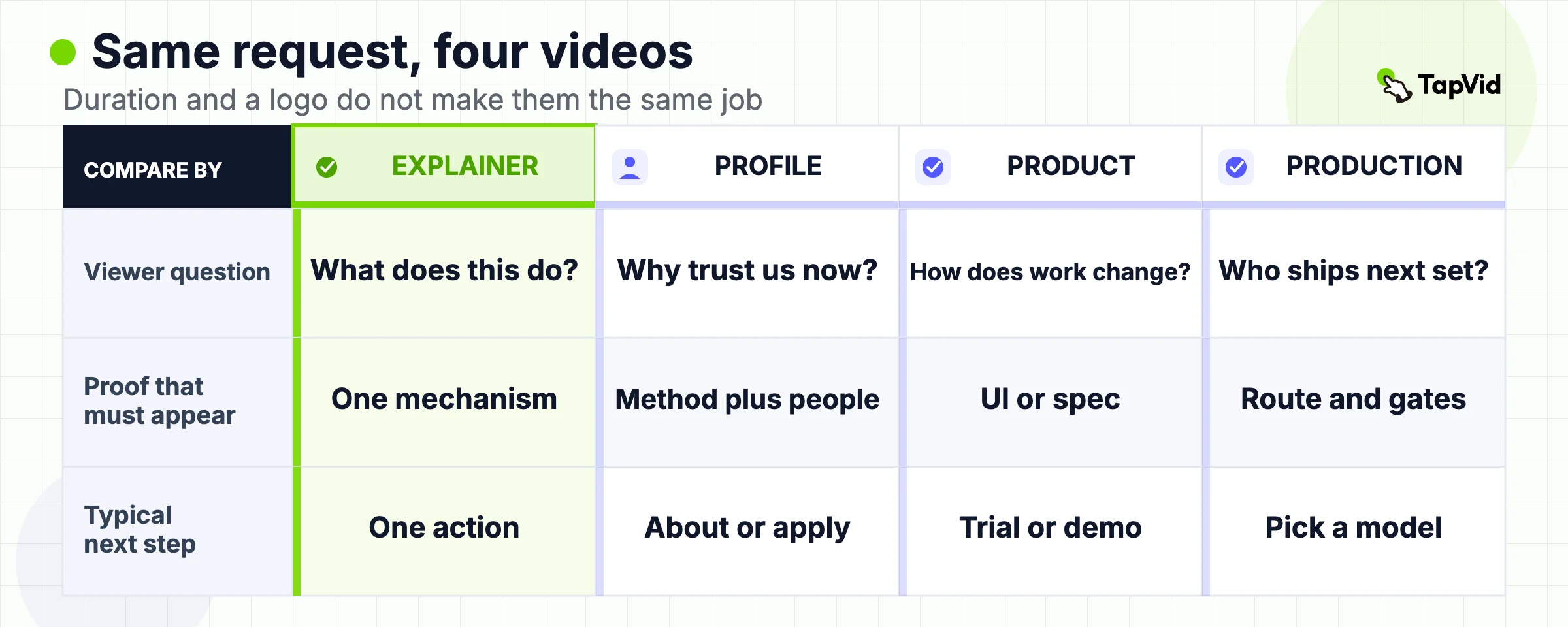
Use this table before you write a script or send a brief. Two or more company video types share duration, a logo, and a "we should make a video" request. They do not share the viewer question.
| Viewer question | Video you need | Proof that has to appear | Typical next step | Do not put in this cut |
|---|---|---|---|---|
| What does this offer or change do, and why should I act now? | Corporate explainer video | One mechanism, one approved claim set, one visual sequence | Book a demo, start a trial, read the policy, or complete one setup step | Founding story, full feature list, office tour |
| Why should I trust this company now? | Company-profile video | Method, operating proof, and one human or team detail | Visit About, apply, or start a partner conversation | Product configuration, changelog |
| How does this product change my specific situation? | Product explainer or product video | Real UI, specification, or supplied product behavior | Trial, demo, or SKU inquiry | Culture reel, time-bound campaign offer |
| Who should produce the next set of company videos, and how do we repeat it? | Corporate video production decision | Route, owners, review gates, and reuse rule | Choose agency, in-house, or asset-led | A single hero script |
The company-profile job already has a dedicated guide: how to make a company profile video. Product proof belongs to product video production and, for a SaaS vertical loop, how to create a SaaS explainer video. Production-model choice belongs to B2B video production and small business video production. This article does not rebuild those pages. It only stops you from commissioning the wrong one under the word "corporate explainer."
03
Lock one audience, one message, and one next step
Write the job at the top of the brief before anyone picks animation, a presenter, or a tool.
- Audience: name a role in a situation, such as a first-time homepage visitor, a buying-committee member who missed the demo, or a new hire who must follow one policy. "Enterprise" is not an audience.
- Message: one sentence the viewer can repeat to a colleague. "They route overlapping support replies to one owner" is a message. "Comprehensive workflow solutions" is not.
- Mechanism: what changes in the work, not a list of modules.
- Proof: the screen, document, number, or process the viewer can inspect.
- Next step: one action that matches the placement. Homepage, sales email, LMS, and recruiting page cannot share a final card.
Read the sentence with the company name removed. If a competitor could speak it unchanged, you still have a brochure. Replace the adjectives with a method, a constraint, or a sourced result.
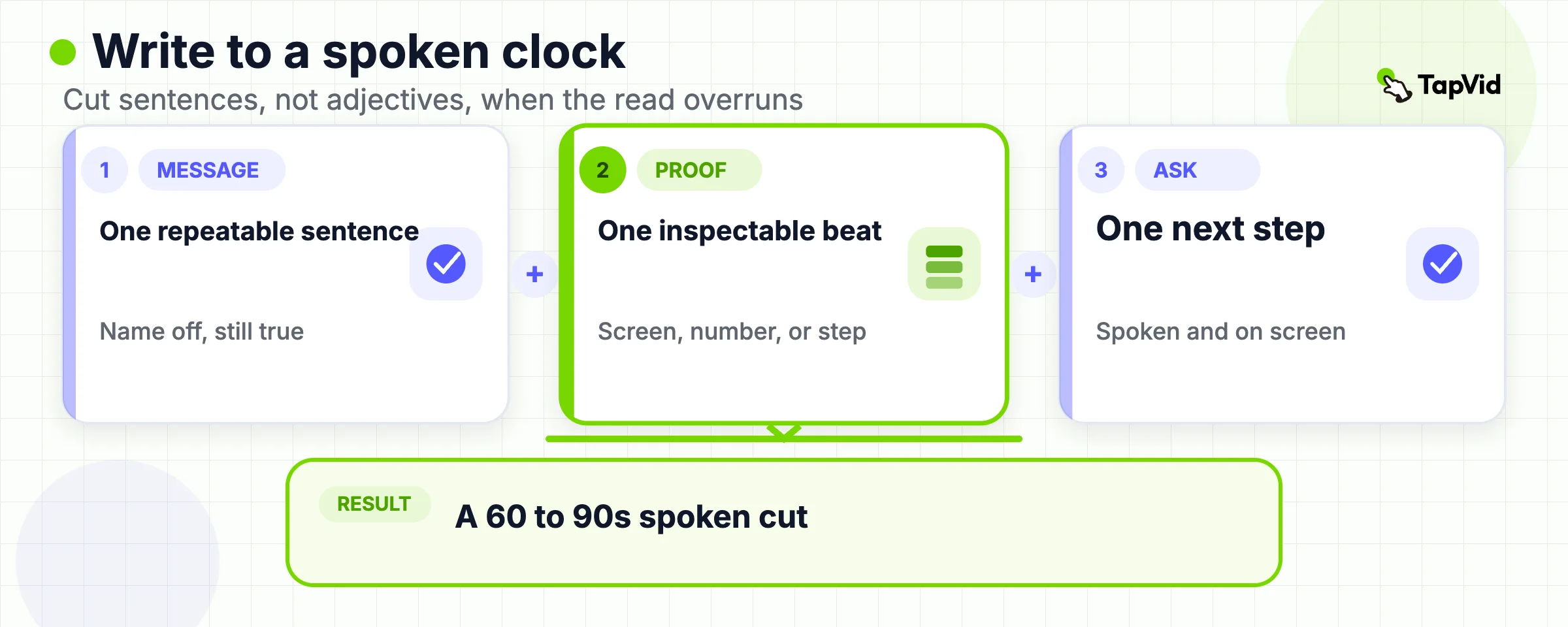
Corcino Productions' 2026 script guide treats this as a word-count problem as well as a message problem. It states that a 60 second corporate explainer script runs about 130 to 150 words, and a 90 second script runs about 195 to 225 words, at a 130 to 150 words-per-minute read. Use those numbers as a planning ceiling, not as a timing guarantee. Acronyms, customer names, and on-screen labels slow the ear. Record a spoken read after the draft, then cut whole sentences rather than shaving adjectives.
The most common corporate failure is committee add-ons. Sales wants pricing. Product wants the integration list. Brand wants the origin story. HR wants the values line. Keep the extras in a parking lot. They become a second video or a page next to the player. A viewer given three calls to action usually takes none of them. Write the five lock fields on one page and keep them visible during review. If a later comment asks for a second audience or a second CTA, it is a request for a second video, not an edit to this one.
04
Build the source pack and claim list before anyone draws
A corporate explainer video is only as accurate as the pack you feed it. Collect the files before storyboard or generation.
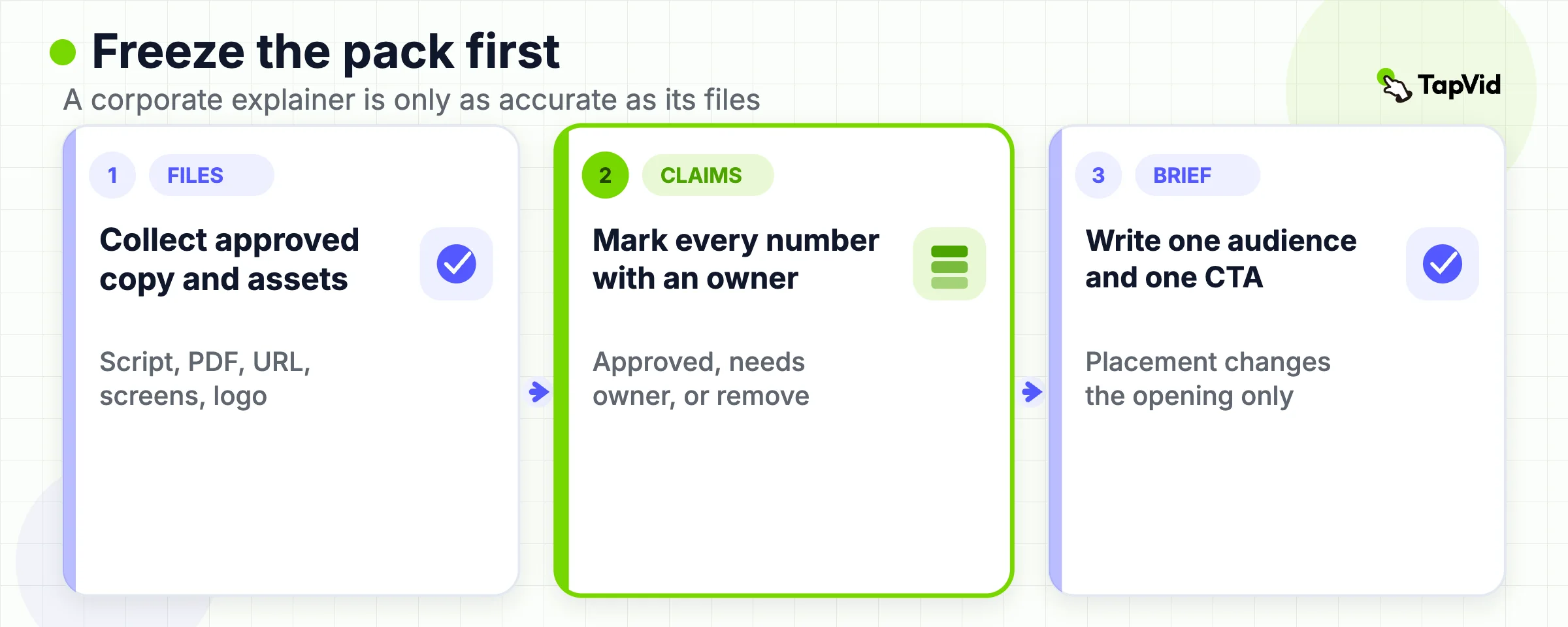
Required source pack:
- Current positioning sentence and the audience it is for
- The offer, process, or policy in the words legal already approved
- Screenshots, diagrams, product images, or footage that must appear unaltered
- Logo, current colors, and type constraints
- Exact CTA URL and on-screen label
- Pronunciation notes for product names and people
- A claim list with an owner and a source for every number, customer, and outcome
Mark each claim as `approved`, `needs owner`, or `remove`. A plausible metric with no source is a remove. The company profile video guide already records a first-party TapVid run in which an older brand green and an unsupported engagement percentage appeared because they were not locked in the source. Treat that as a review rule, not as a result you should copy into this article. Generation can structure a story. It cannot certify a fact. If a file is missing an owner, leave it out of the pack rather than hoping review will catch it later.
If the pack is a long article, PRD, or deck, extract only the beats that serve the one message. A PRD is accurate and usually too complete. A homepage is persuasive and usually in the wrong order for a linear video. Rebuild the sequence for scenes. Keep links back to the exact paragraph or slide used for each number. Placement also changes the opening. A landing-page explainer must make sense to someone who has not read the page. An onboarding cut can show interface labels. A sales follow-up can name a known objection. A social cut has to state the problem in the first seconds because the surrounding page is gone. Do not write one master that tries to satisfy all four openings. Write one master story, then change the first scene and the end card.
05
Write the script to a spoken length
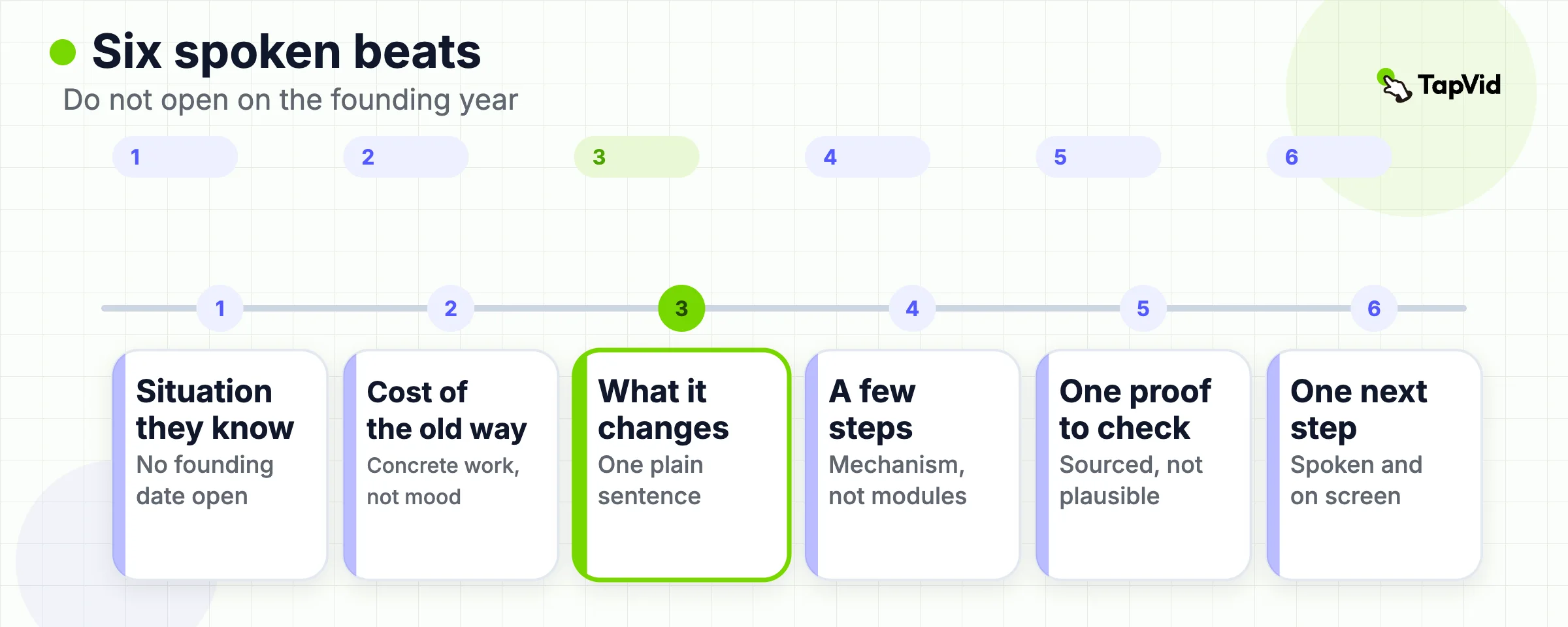
Use a two-column script: spoken line on one side, visual job on the other. A narration-only document leaves the visual team guessing. A storyboard-only document can hide a weak argument behind movement. The explainer video script page owns the full template, timed example, and rewrite patterns. This section only records the corporate checks that sit on top of that template. Corporate spoken order:
- Situation the viewer already recognizes. Do not open on the founding year.
- Cost of the current workaround, in concrete work rather than mood.
- What the company changes, in one plain sentence.
- How that change works, in two or three visible steps.
- One proof the viewer can inspect.
- One next step, spoken and on screen.
Write for the ear. Keep sentences under 20 words when you can. Read the draft aloud twice, once alone and once with someone who has not seen it. If they stumble, rewrite the line. If the read overruns the target, cut a supporting sentence. Trimming "very" will not recover 15 seconds. Forbidden lines in a corporate explainer video script:
- "Founded in..." as the first sentence
- Values that any competitor could claim
- Stacked features with no mechanism
- Unsourced percentages
- A menu of CTAs
- Internal jargon that only the product team uses
If a line exists only because an executive asked to "mention everything," move it to the parking lot. The script is the cheapest place to have that argument. Animation and a film day are the expensive places.
06
Choose a production route from the proof you have
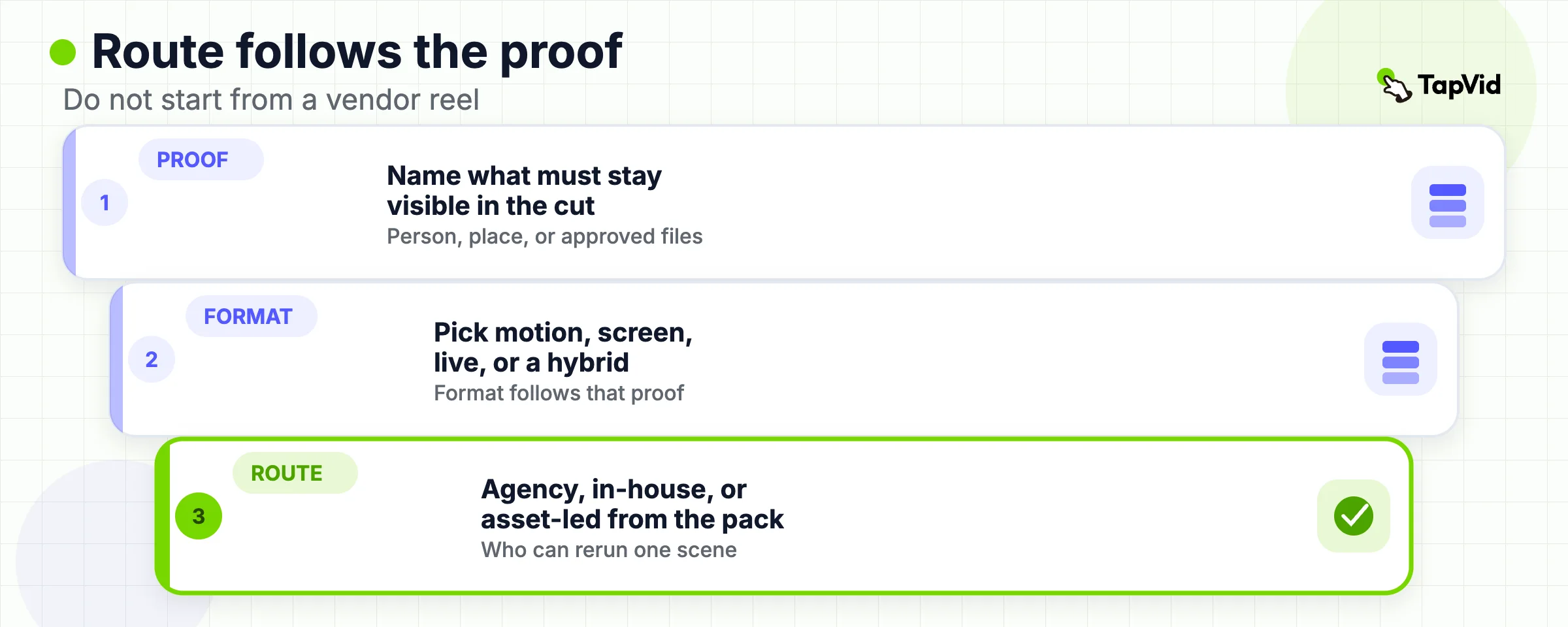
The format follows the proof, not the other way around.
- Motion graphics fit ideas, workflows, data relationships, and software concepts that already exist in documents and screens.
- Screencast or UI capture fits when the real interface is the evidence.
- Live action fits when a place, a person, or physical work is the evidence.
- A hybrid is a short real-person open plus graphics for the mechanism. Use it when trust needs a face and the explanation needs a diagram.
Then choose who produces the cut.
| Route | Fits when | Cost and time pattern | Main risk |
|---|---|---|---|
| Agency or studio | One flagship cut, complex craft, or a shoot you cannot staff | Weeks, project fee | Sending a routine policy clip to a flagship bid |
| In-house crew or editors | You already own skills, footage, and review time | Staff time plus tools | Restarting the story on every request |
| Asset-led workflow | The meaning already lives in approved copy and owned files | Tool or credit cost plus review time | Treating generation as approval |
Pexo's 2026 production guide, which sells an AI video agent, frames the same three routes and warns that corporate explainers fail when legal review happens after the pictures exist. Keep that process warning. Do not treat Pexo's minutes-to-draft claim as a TapVid measurement. TapVid's official explainer page says a first draft is designed to land in minutes and that exact render time depends on length and scene complexity. It does not publish a guaranteed clock.
Use an asset-led path when the claim does not depend on an unfilmed event. Add the approved script, PDF, URL, screenshots, logo, and brand colors. Review the brief, script, and scene map before the final export. If one scene is wrong, describe the caption, visual, pacing, or CTA change and rerun that scene. Export an MP4 or share a link. Human review still owns titles, numbers, colors, and the CTA. A finished-looking file is not an approved fact. Do not use an asset-led path when the video must prove a location, a customer interview, a physical product in hand, or a live event you skipped. Film that proof, or drop the claim. For the broader agency-versus-asset decision, go to B2B video production. For cost bands on explainer work in general, use how much an explainer video costs. This page does not publish a new price table.
07
Review the cut, then make channel versions
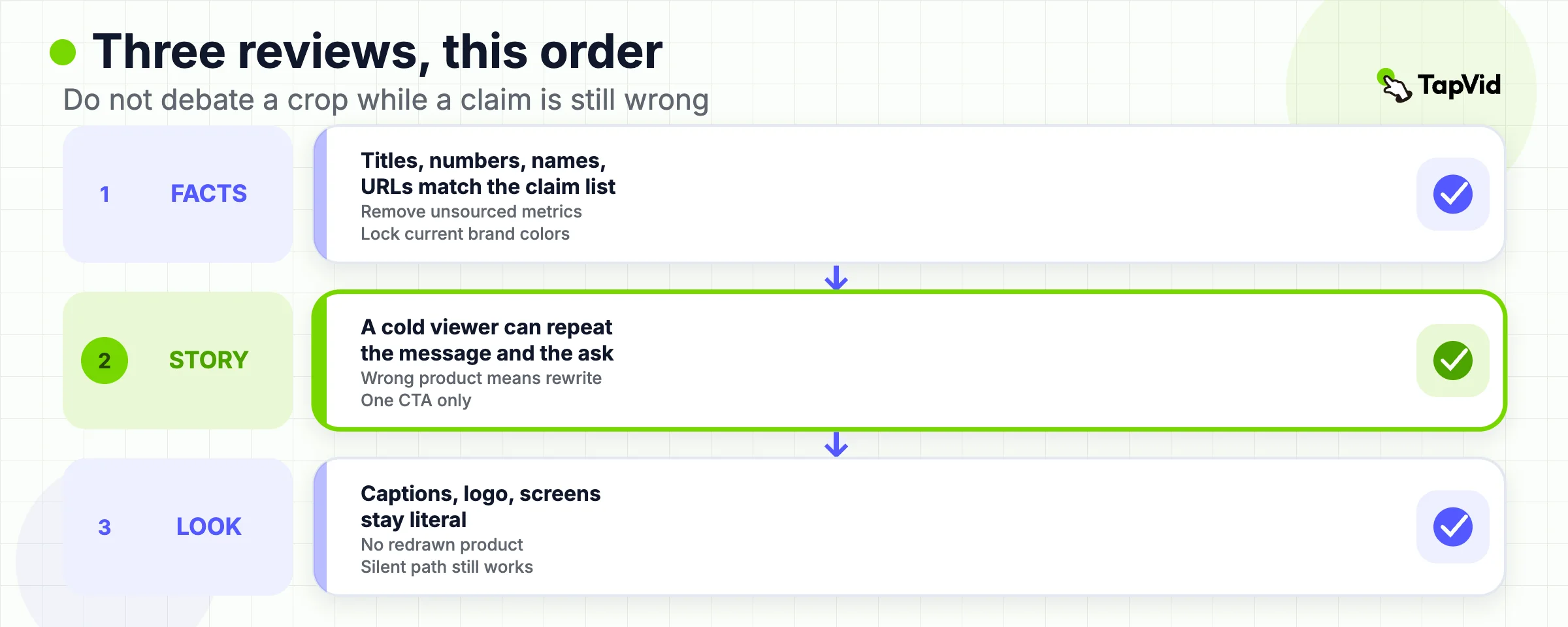
Run three reviews on the first complete cut. Do them in this order so you do not debate a crop while a wrong claim is still on screen.
- Facts. Every title, number, product name, URL, and spoken promise matches the claim list. Colors match the current brand, not an older file in the tool.
- Story. A cold viewer can state the message and the next step after one play. If they describe a different product, the script is wrong.
- Visuals. Captions are readable, the logo is the current mark, supplied screens are not redrawn into a different object, and the silent path still makes sense.
Only after those three passes should you make website, sales, internal, and social versions. Keep the master story stable. Change the opening, crop, caption density, and end card. A 90 second website cut often becomes a 30 to 45 second LinkedIn cut. That is a second export, not a second strategy.
Wyzowl's 2026 consumer section reports that 96 percent of people have watched an explainer video to learn more about a product or service, and that 85 percent have been convinced to buy a product or service by watching a video. Those are survey answers from that report, not a forecast for your URL. Place the corporate explainer video where the next step is already on the page: homepage hero, product landing page, proposal email, or LMS module. A strong cut on a page with no action still fails the job.
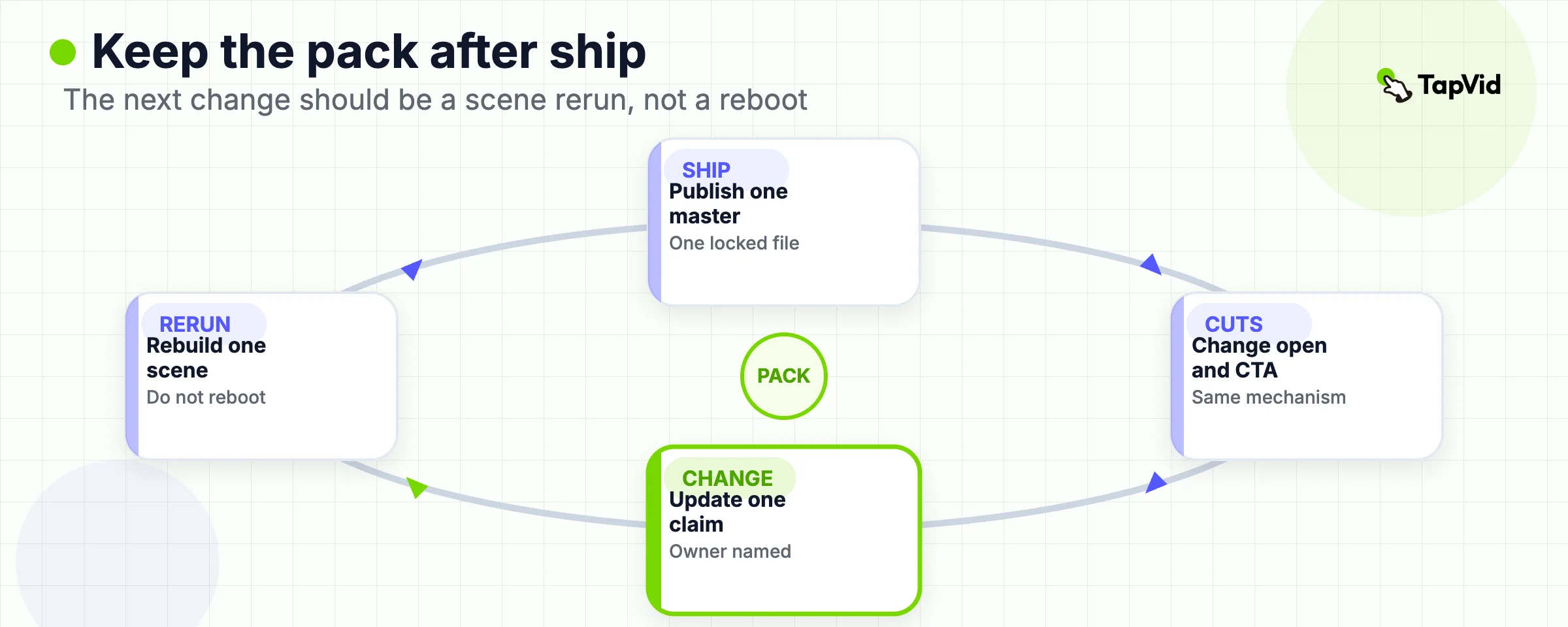
Keep the source pack after you publish. The next change should be a scene rerun when positioning, a number, a color, or the CTA changes. If every update requires a new shoot or a new agency kickoff, you chose the wrong route for a repeatable corporate explainer.
08
When you should not make a corporate explainer
Skip the format when any of these are true.
- You do not have one message yet. A video will only move the confusion faster.
- The viewer can understand the offer from one accurate screenshot. The player then slows the page down.
- The requested video is actually a company-profile, recruiting, or event film. Make that film, or use the company-profile guide.
- The requested video is a UI tutorial. Use a demo or instructional cut, not an explainer that hides the interface.
- The proof does not exist. Do not generate a customer result, a metric, or a facility you cannot show.
- The page that would host it has almost no qualified traffic and you are about to buy a flagship studio film. Fix the page job first.
Internal communications can still use a corporate explainer video for a policy, a rollout, or a process. The same rules apply: one audience, one message, one next step, approved wording. Training programs that must change how people work belong on corporate training videos, not in a homepage hero.
If the request is "make something cinematic about us," you are no longer in explainer territory. Send that brief to brand or company-profile work. If the request is "show the product doing the thing," send it to product video production. If the request is "set up a system so we can ship every month," send it to a production-model page. Protect this slug for the short, approved, single-action explanation. The skip list is the other half of the job lock. If you cannot name the audience, the one message, the inspectable proof, and the one next step, you do not yet have a corporate explainer brief. Write that sentence first. Commission the video second.
09
Frequently asked questions
What is a corporate explainer video?
It is a short video, usually 60 to 90 seconds, that explains one company offer, process, policy, or change to one audience and ends on one next step. It is one type of corporate video, not a synonym for every company film.
How is a corporate explainer video different from a company-profile video?
A corporate explainer answers what this offer or change does. A company-profile video answers why a viewer should trust the company now. If the script starts with history, values, or a team tour, you left the explainer job.
How long should a corporate explainer video be?
Plan 60 to 90 seconds for a website or sales page. Use two to three minutes only when a second proof beat is required. Match the spoken word count to a timed read, then cut sentences that do not support the one message.
How much does a corporate explainer video cost?
Cost follows the route, not the keyword. Agency projects, in-house staff time, and asset-led tools price differently. Use the explainer cost guide for bands. This page does not invent a corporate-only price list.
Can AI make the full corporate explainer video?
It can structure, narrate, caption, and animate approved source material. The company still has to remove invented titles, numbers, customers, and brand choices before the file is public. A draft in minutes is not an approved master.
Do we need to film the office and the team?
Only when people or places are the proof. Use motion graphics or supplied screens when the job is to explain a mechanism. Film when the claim depends on a real environment or a real person.
Should we use the same cut on the website, LinkedIn, and the LMS?
Share the master story. Change runtime, opening, captions, and the CTA to match the surface. A silent event screen and a homepage hero are not the same export.
What should a corporate explainer video script include?
A recognizable situation, the current workaround, one company change, two or three visible steps, one inspectable proof, and one next step. Add a visual job and a source for every spoken line.
When is TapVid relevant?
When the source pack already exists and the output should stay tied to those files. Start from the AI explainer video generator. It is not a film crew and it is not a substitute for missing evidence.