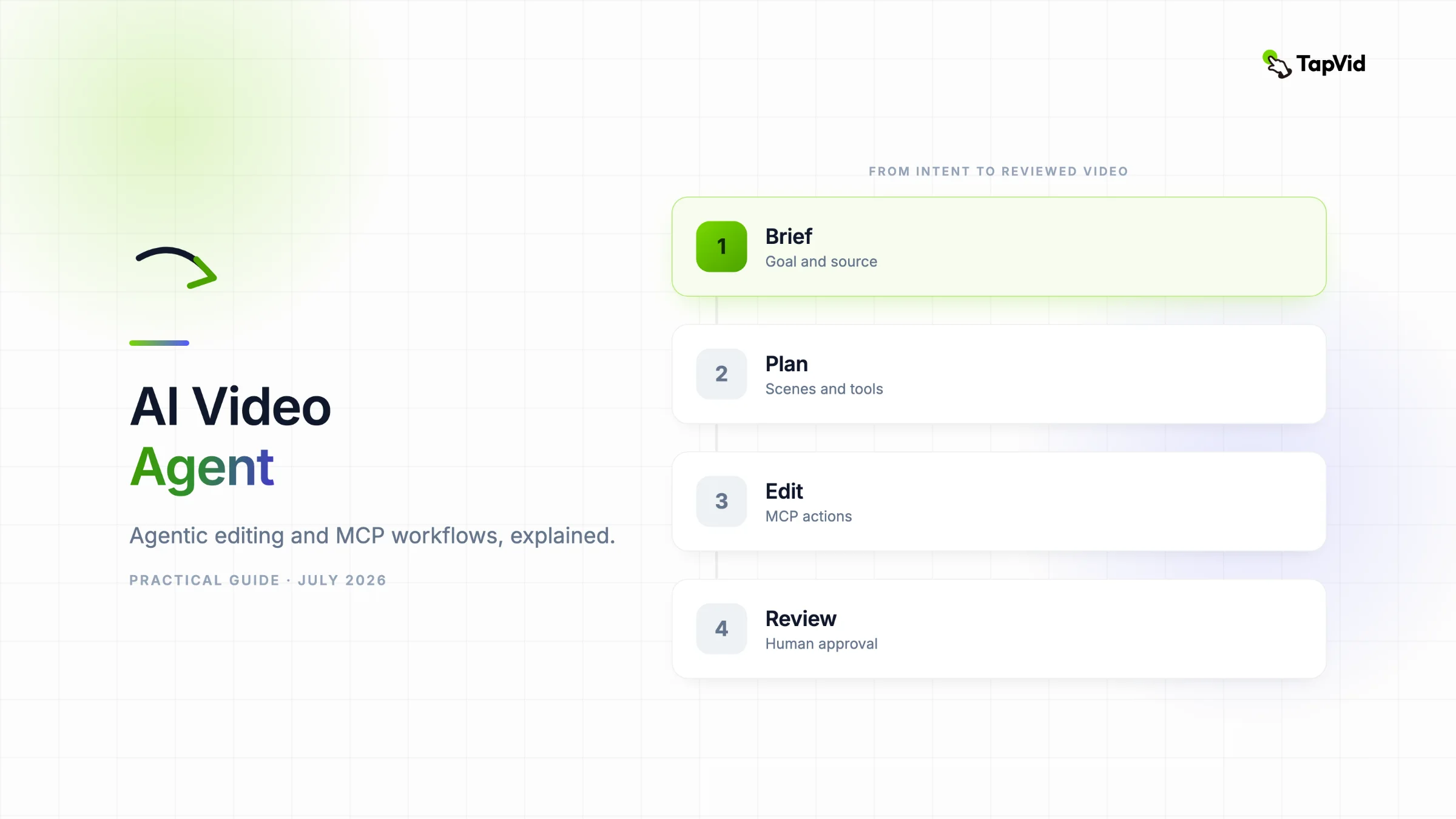

An AI video agent does more than generate a clip from one prompt. It interprets a goal, plans a sequence of editing actions, calls tools, checks the result, and asks for approval when a decision should stay human. For creators with an article, PDF, script, PRD, or product copy, the useful question is not whether an agent can make random footage. It is whether the agent can turn owned source material into a clear, reviewable explainer video.
Turn your existing content into an explainer video with TapVid
01
What is an AI video agent?
An AI video agent is software that can translate a production goal into a sequence of video tasks, choose and call the tools needed for those tasks, inspect intermediate results, and continue until it reaches an acceptance condition or needs human input. A normal AI feature may remove silence after you click a button. An agent can decide that silence removal is required, run it, check whether the dialogue still sounds natural, then move on to captions and reframing.
That definition matters because the word agent is now attached to many very different products. Some start with raw footage and return social clips. Some start with a prompt and coordinate script, voice, images, and rendering. Some control an editable timeline. The common thread is not a chat box. It is multi-step execution with state. For video, useful state includes the source files, transcript, scene plan, brand rules, edit history, render status, and the reasons a draft failed review.
02
AI-assisted editing vs agentic video editing
AI-assisted editing keeps the human in charge of the sequence. The person selects a task, such as auto-captioning, and the software runs it. Agentic video editing starts from a higher-level goal and lets the system plan several dependent actions. The difference is control flow, not how futuristic the interface looks. A chat command that triggers one fixed template is still automation. A system that can select tools, respond to their output, revise a plan, and stop at an approval gate is behaving more like an agent.
| Dimension | AI-assisted editing | Agentic video editing |
|---|---|---|
| Starting instruction | A specific task or button | A goal with constraints |
| Control flow | Human chooses each next step | Agent plans and sequences steps |
| Tool use | Usually one built-in feature | Several discoverable tools |
| Error handling | Human notices and retries | Agent checks, diagnoses, and revises |
| Human role | Operate the workflow | Set boundaries and approve key decisions |
03
How an AI video agent works
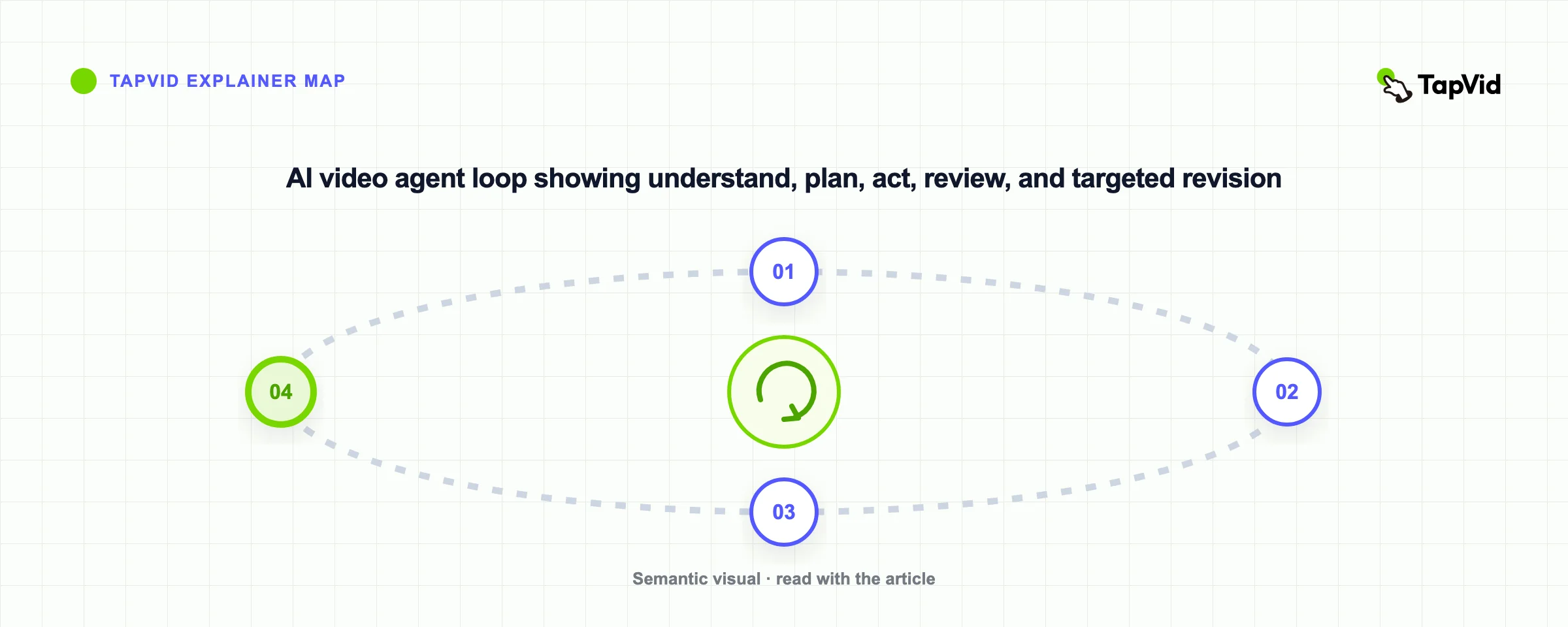
I use a five-part acceptance loop when I evaluate an agent claim. First, I give it a source and a measurable outcome. Second, I look for a visible plan before expensive generation begins. Third, I check whether each action uses a typed tool or a clearly defined operation. Fourth, I inspect the draft against the original source. Fifth, I require the system to explain what changed before it exports or publishes. This test is more revealing than asking whether the product has an AI chat panel.
- Understand: read the source, audience, goal, format, brand rules, and forbidden actions.
- Plan: create a scene outline, choose tools, estimate duration, and define acceptance checks.
- Act: call editing, generation, captioning, audio, and rendering tools with structured parameters.
- Observe: inspect tool results, preview frames, transcript timing, errors, and render status.
- Review or revise: request approval for sensitive actions, or repair only the step that failed.
The loop also makes failures repairable. If the narration invents a claim, the source-grounding check should fail. If a 60-second brief renders at 92 seconds, the duration check should fail. If captions cover a product UI element, the layout check should fail. Each failure should send the agent back to a specific step with a specific constraint. Blindly regenerating the entire video wastes credits and makes the next result harder to compare.
04
How MCP video editing works
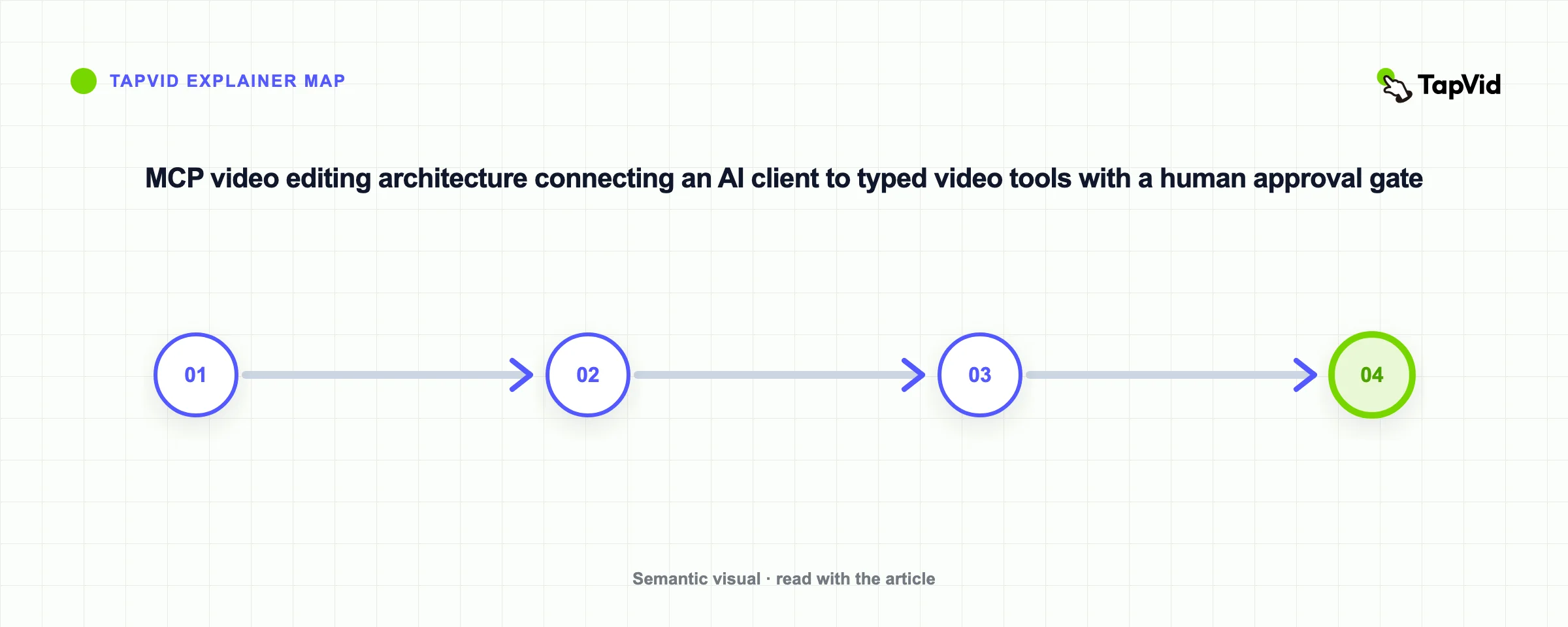
The official MCP documentation defines the protocol as: “MCP (Model Context Protocol) is an open-source standard for connecting AI applications to external systems.” In a video workflow, an MCP server could expose operations such as importing a file, reading a transcript, creating a scene, trimming a clip, changing a caption style, rendering a preview, or exporting a final file. The AI client discovers those operations through schemas and calls them with structured parameters.
MCP does not edit a video by itself. It is the connection layer between the agent and the editing system. That distinction prevents a common misconception around MCP video editing. The model still needs a plan. The video system still needs reliable editing and rendering functions. The creator still needs permission controls and a way to inspect the result. MCP makes the tool boundary consistent, so an agent can ask for “trim clip A from 12.4 to 18.1 seconds” instead of guessing at a hidden interface.
05
MCP permissions and the human approval boundary
Tool access creates risk as well as leverage. The official MCP tools specification states: “For trust & safety and security, there SHOULD always be a human in the loop with the ability to deny tool invocations.” The official security guidance also documents threats that implementers need to handle. For video creators, the practical rule is simple: reading a transcript is not the same risk as overwriting a source file, spending generation credits, publishing to YouTube, or licensing an asset.
- Default to read-only access for source libraries and transcripts.
- Require approval before overwriting files, spending credits, licensing media, exporting, or publishing.
- Show the exact tool name, parameters, cost estimate, and destination before a sensitive call.
- Keep versioned previews and an audit log so every edit can be traced or reversed.
- Treat text inside uploaded files as untrusted content, not as permission to call another tool.
A credible MCP video editing product should therefore expose narrow tools, validate every parameter, keep an audit log, and ask for confirmation before external writes or costly actions. It should use previews instead of destructive overwrites. It should separate project access from publishing access. It should also tell the user which source, edit version, model, and export preset produced the current draft. Convenience is not a reason to make the agent impossible to supervise.
06
A practical agentic video editing brief
Here is the brief I would use to test a script-to-explainer agent: “Turn this approved 900-word product article into a 75-second, 16:9 explainer for independent creators. Keep every product claim faithful to the source. Use a white background with lime and indigo accents. Show the article becoming a scene plan, then a polished motion sequence. Do not add an avatar. Before rendering, show the scene outline and flag any claim that lacks support.” This brief supplies a source, audience, duration, visual rules, exclusions, and a review gate.
A good agent should respond with questions or a plan, not immediately burn credits on a render. I would expect a proposed narrative, estimated spoken word count, scene durations that add up to 75 seconds, the source passage behind each factual claim, and a list of tools it intends to call. After the first preview, I would ask it to shorten any scene that exceeds its allocation and to preserve the approved facts. Those steps test planning and revision, which are the point of agentic video editing.
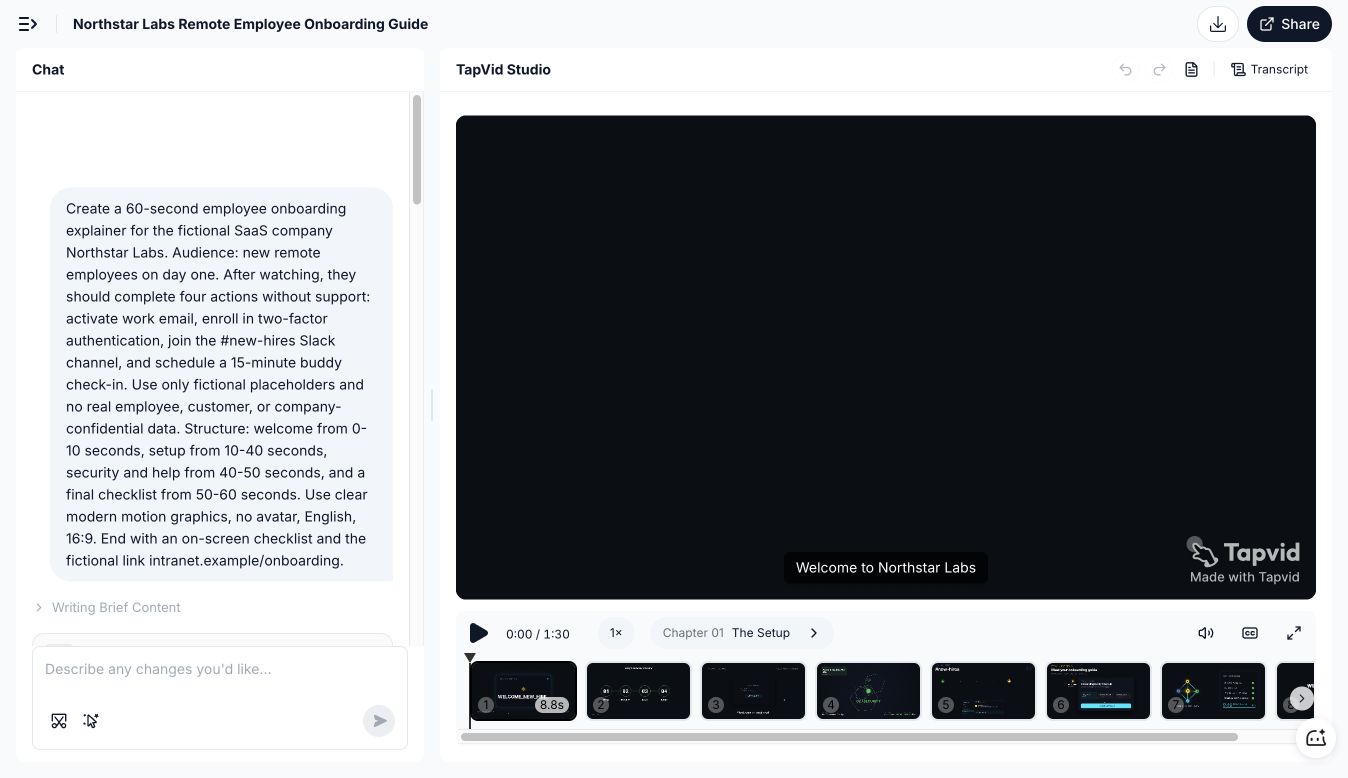
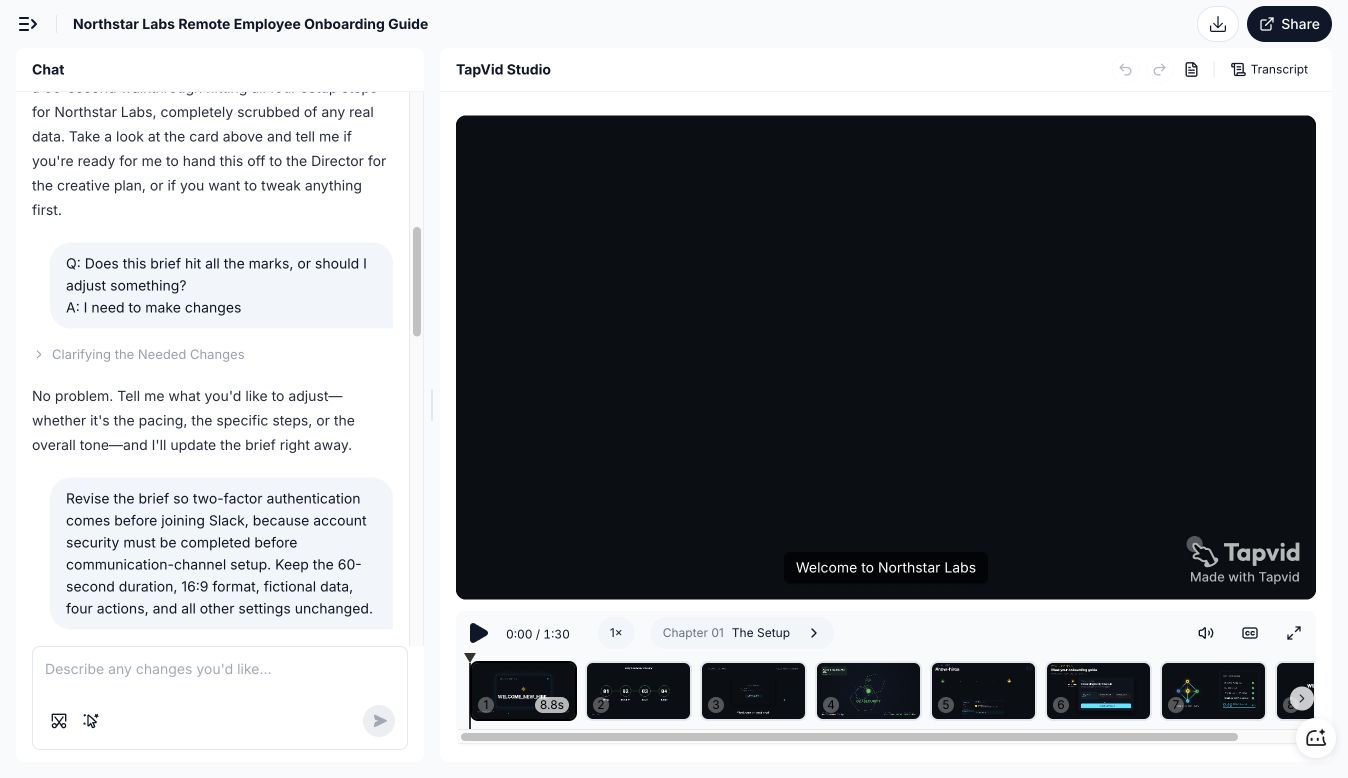
In a July 30 TapVid test, I asked for a fictional 60-second Northstar Labs onboarding explainer with four tasks and a 16:9, no-avatar constraint. The agent created a reviewable brief, accepted a targeted change that moved two-factor authentication before Slack, and produced eight scenes. The final timeline was 1:30, not 60 seconds. That miss is useful: planning and local revision worked, but duration still needed a human acceptance check.
07
AI video agent vs AI video generator
An AI video generator primarily produces media from an input prompt or reference. An AI video agent coordinates work toward a goal and may call one or several generators along the way. The generator is often one tool inside the agent workflow. This is why comparing the two only by visual quality misses the operational difference. A beautiful five-second clip can still be useless when the job is a sourced 90-second explanation with captions, pacing, brand rules, and an editable revision trail.
| Question | AI video generator | AI video agent |
|---|---|---|
| Primary job | Create or transform media | Complete a multi-step video goal |
| Input | Prompt, image, or clip | Brief, source material, constraints, and tools |
| Output | A media asset | A plan, intermediate artifacts, edits, and an export |
| Revision | Regenerate or edit the asset | Diagnose the failed step and call tools again |
| Best fit | Individual shots and visual experiments | Repeatable production workflows |
08
Where human video editing is still necessary
Human review remains necessary wherever taste, accountability, rights, or context matter. Current video models can misread editorial intent even when they recognize objects correctly. A 2025 CVPR study, VEU-Bench, tested 11 video language models across 19 editing-understanding tasks and found that some performed below random choice on parts of the benchmark. A 2026 research system called Aurora improved editing by adding a tool-using planning agent, but its premise also shows why planning and grounding are separate technical problems.
- Argument and emphasis: does the story make the point the creator intended?
- Factual fidelity: can every product claim, number, and quote be traced to the approved source?
- Rights and privacy: are footage, music, voices, faces, and customer material cleared for this use?
- Taste and timing: do pauses, cuts, motion, and music support the meaning rather than distract from it?
- Final release: is the correct version going to the correct channel with the correct title and settings?
The right division of labor is not “the agent edits, the human watches.” The agent should handle repeatable search, assembly, formatting, and validation. The creator should approve the argument, factual claims, emotional timing, licensed assets, brand exceptions, and final release. If a platform hides intermediate choices and only returns a flat export, the human has less control even if the first draft arrives faster.
09
How to use TapVid MCP with an AI video agent
TapVid is an Explainer Video Engine for turning existing content, including text, articles, PDFs, scripts, PRDs, and product copy, into structured explainer videos. Its agent workflow is aimed at understanding the source, shaping a brief and scene plan, generating precise motion, and leaving room for creator review. It is not positioned as a system that invents the creator’s message or as a general text-to-video model for random cinematic footage.
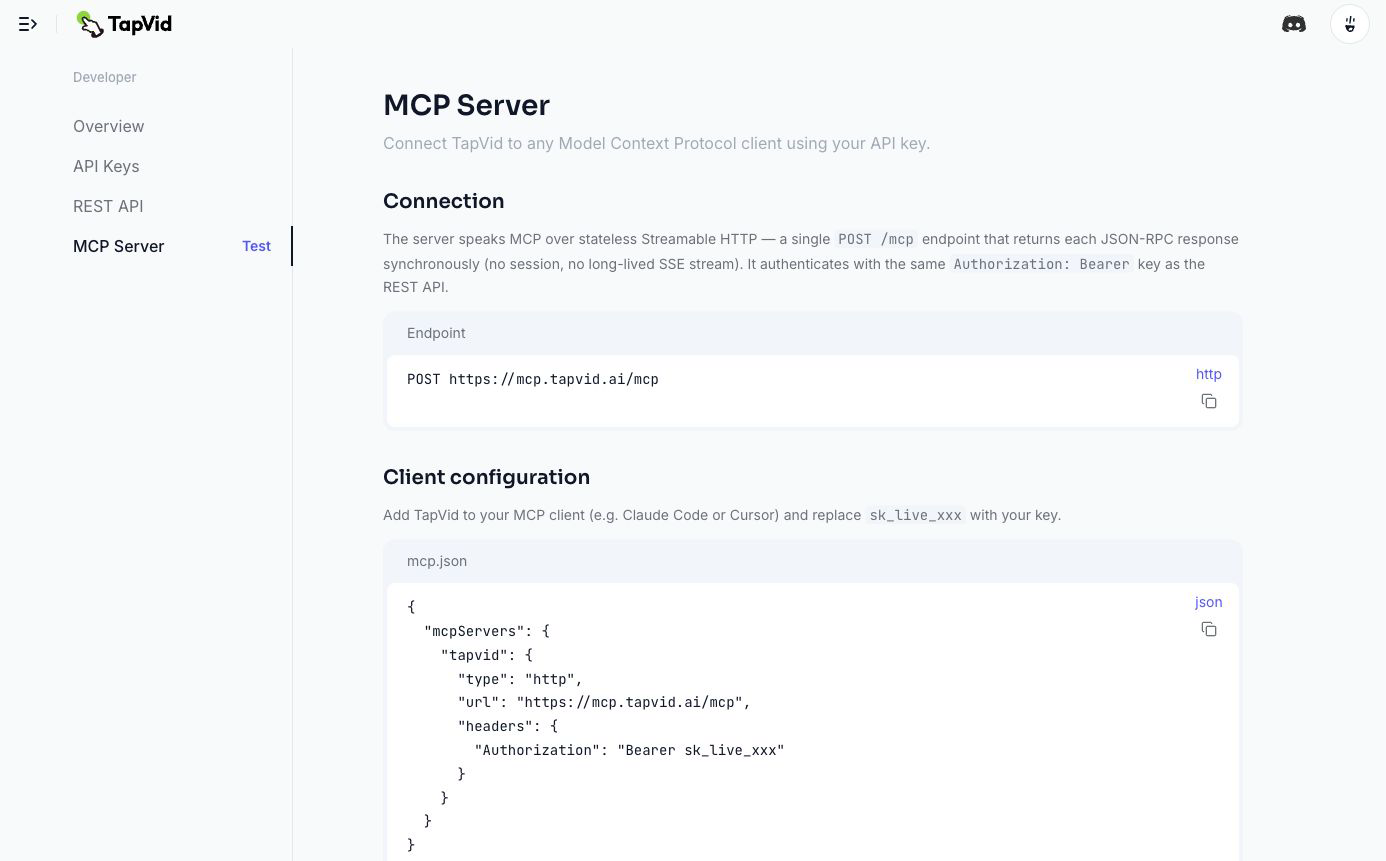
TapVid MCP is now live in the developer console and is currently marked Test. It uses stateless Streamable HTTP at https://mcp.tapvid.ai/mcp and authenticates with the same Bearer API key as the REST API. You can review the public API and MCP overview, then sign in to the MCP Server reference for the current configuration and limits.
- Create an API key on the API Keys page. Copy it when it appears because the full key is shown only once, and never commit it to a repository.
- Add a tapvid HTTP server to your MCP client. Set the URL to https://mcp.tapvid.ai/mcp and the request header to Authorization: Bearer sk_live_xxx, replacing the placeholder with your key.
- Restart or reconnect the client, then call get_account first. A successful account response confirms the endpoint and key before you spend credits on generation.
- If the video requires source material, call upload_material with either an HTTPS URL or a Base64-encoded file. Pass the returned material ID into create_video with your prompt, aspect ratio, duration, and language.
- Poll get_video_status using the returned video ID. After the job completes, call get_video_download for a time-limited download URL and choose the required resolution, watermark, and subtitle options.
| Tool | What it does | Main arguments |
|---|---|---|
| upload_material | Adds a file or HTTPS link as source material | url or filename, contentType, contentBase64 |
| create_video | Starts an explainer video job from a prompt and optional materials | userPrompt, materialIds, aspectRatio, duration, language |
| get_video_status | Returns generation status and progress | videoId |
| get_video_download | Returns or refreshes a time-limited download URL | videoId, resolution, watermark, subtitle |
| get_account | Checks the bound account, plan, credits, and API-key usage | None |
For a source-grounded explainer, I would verify the connection with get_account, upload the approved article or PDF, create the video, and let the client poll status before requesting the download. The MCP tools create and retrieve video jobs. They do not remove the need to review source fidelity, timing, rights, and the final export. Keep the API key out of prompts, screenshots, chat logs, and source control.
10
How to evaluate an AI video agent
Evaluate an AI video agent with a small but complete job. Give it a real source document, one audience, a fixed duration, two visual constraints, one forbidden element, and an approval gate. Record whether it shows a plan, whether the scene durations add up, whether claims map back to the source, whether it can revise one scene without rerunning everything, and whether export requires confirmation. That scorecard tells you more than a feature list because it measures whether the agent can complete work you can trust.
11
Frequently asked questions
What is an AI video agent?
An AI video agent is a system that turns a production goal into a plan, calls video tools, observes their results, and revises the work until it passes defined checks or needs human approval. It differs from a single AI feature because it manages several dependent steps and keeps state across the workflow.
What is agentic video editing?
Agentic video editing is a workflow where an AI agent plans and executes several editing actions from a high-level brief. The agent may analyze footage, build scenes, trim clips, create captions, mix audio, render previews, and revise failures. A human still sets constraints and approves sensitive or subjective decisions.
What does MCP mean in video editing?
MCP is an open standard that lets an AI application discover and call structured tools. In video editing, an MCP server can expose actions such as import, trim, caption, render, and export. MCP is the connection layer. It does not replace the editing engine, the agent’s plan, or human approval.
Does TapVid support MCP?
Yes. TapVid MCP is live in the developer console and currently marked Test. Connect an MCP-compatible client to https://mcp.tapvid.ai/mcp with a TapVid Bearer API key. The server exposes tools to upload material, create a video, check status, get a download URL, and inspect the bound account.
Can an AI video agent replace a human editor?
Not for every job. An agent can automate repeatable assembly, formatting, search, and validation, but a person should still approve the argument, factual claims, rights, emotional timing, brand exceptions, and final publication. The best current workflow gives the agent bounded execution and keeps accountable decisions human.