
TL;DR
A talking head video is a speaker-led format. A real person, usually framed from the chest or shoulders up, carries the main message on camera. Use it when the viewer needs to judge that person: tone, ownership, and whether they stand behind the claim. Choose an interview when another voice must answer questions. Choose an avatar when you need a generated presenter, not a live performance. Choose voiceover-led or faceless video when the picture, not the speaker's face, has to do the proving. After that decision, shoot, enhance an existing take, or make an explainer. Do not treat a talking-head enhancer as the definition itself.
The search "what is a talking head video" looks simple. Most pages answer it with a shot size: a person talks to the camera, framed from the chest or shoulders up. Teleprompter.com uses that wording. FilmDaft treats the same frame as a medium close-up or close-up. The shot description is useful, and it is not enough. The real decision is whether the speaker should carry the message, or whether another format should carry the proof.
That is why this page exists beside TapVid's other talking-head routes. How to make talking head videos more engaging assumes you already have a face-to-camera take and need a visual layer. The talking head video enhancer assumes you already decided to keep that take. This article stops earlier. It names the format, shows when it works, and separates it from interviews, avatars, voiceover-led videos, and faceless videos before you book a shoot or upload a file.
Add a visual layer to an existing take
01
A talking head video is a speaker-led format, not a camera trick
A talking head video has three conditions, not one.
First, a real person appears on camera. The frame is usually the head and shoulders, or the chest up. StudioBinder traces the phrase to news broadcasting, where a speaker seemed to float as a "talking head" beside an anchor. The history explains the name. It does not limit the format to a news desk.
Second, that person carries the main information. They may teach, announce, review, testify, or take a position. The camera can show more than the head, and the edit can add captions or a chart later. The speaker is still the source of the claim. If a graphic, a screen recording, or a product shot does the proving, you have moved into a hybrid or a different format.
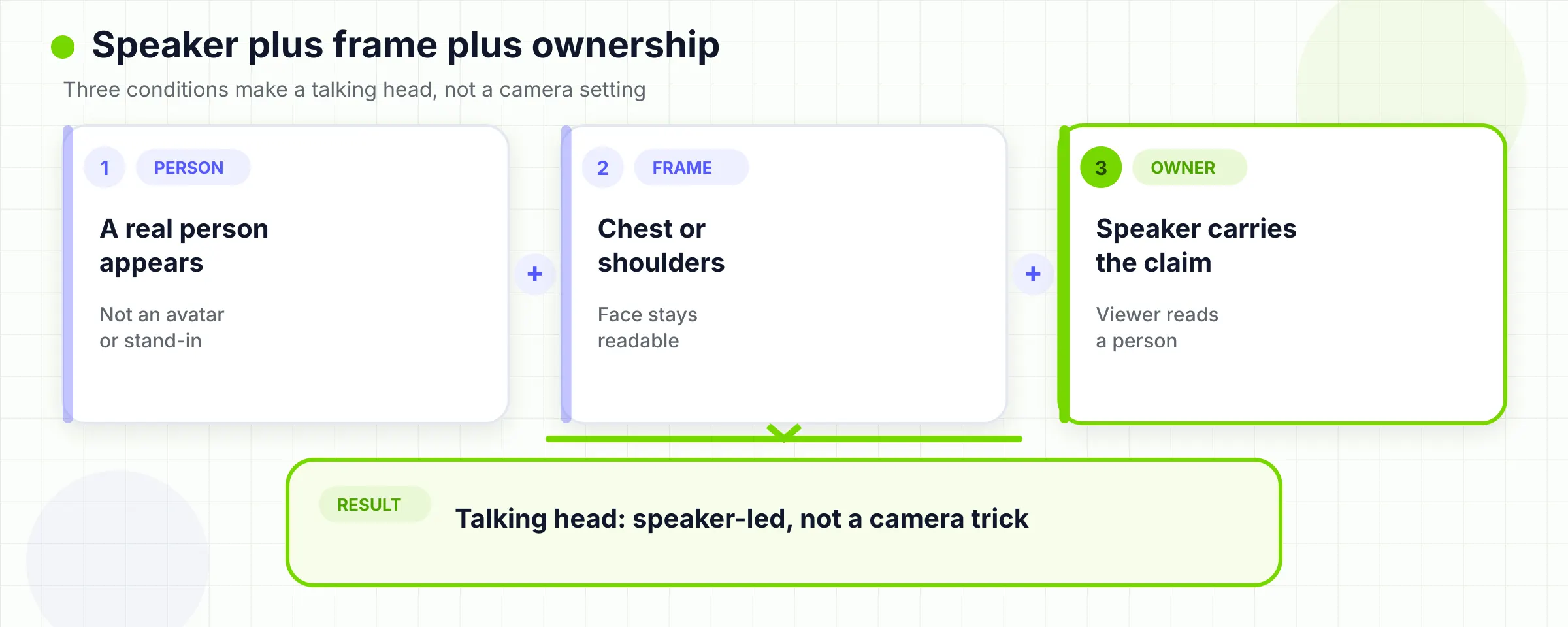
Third, the viewer is meant to read a person, not only hear words. Eye contact with the lens makes the piece feel like a one-to-one conversation. An off-camera eyeline is still a talking head when the speaker remains the visual and verbal center. FilmDaft notes that documentary subjects often look toward an interviewer, not the lens. Click2View calls that a sit-down interview. Both can use the same tight frame. They are not the same job.
Reloop's 2026 guide narrows the format too far. It defines a talking head as a single speaker with no B-roll, no cutaways, and no split screens. That is one style, the cleanest one. A founder update with one chart, or a lesson with captions, is still a talking head if the person owns the message. The overlay does not cancel the format. It only changes how much work the face has to do alone. The useful test is ownership. If you muted the video, would a viewer still know who is making the claim? If you hid the face, would the video still make the same kind of sense? A talking head survives the first test and fails the second. An explainer often does the reverse.
02
At a glance: talking head vs interview, avatar, voiceover, and faceless
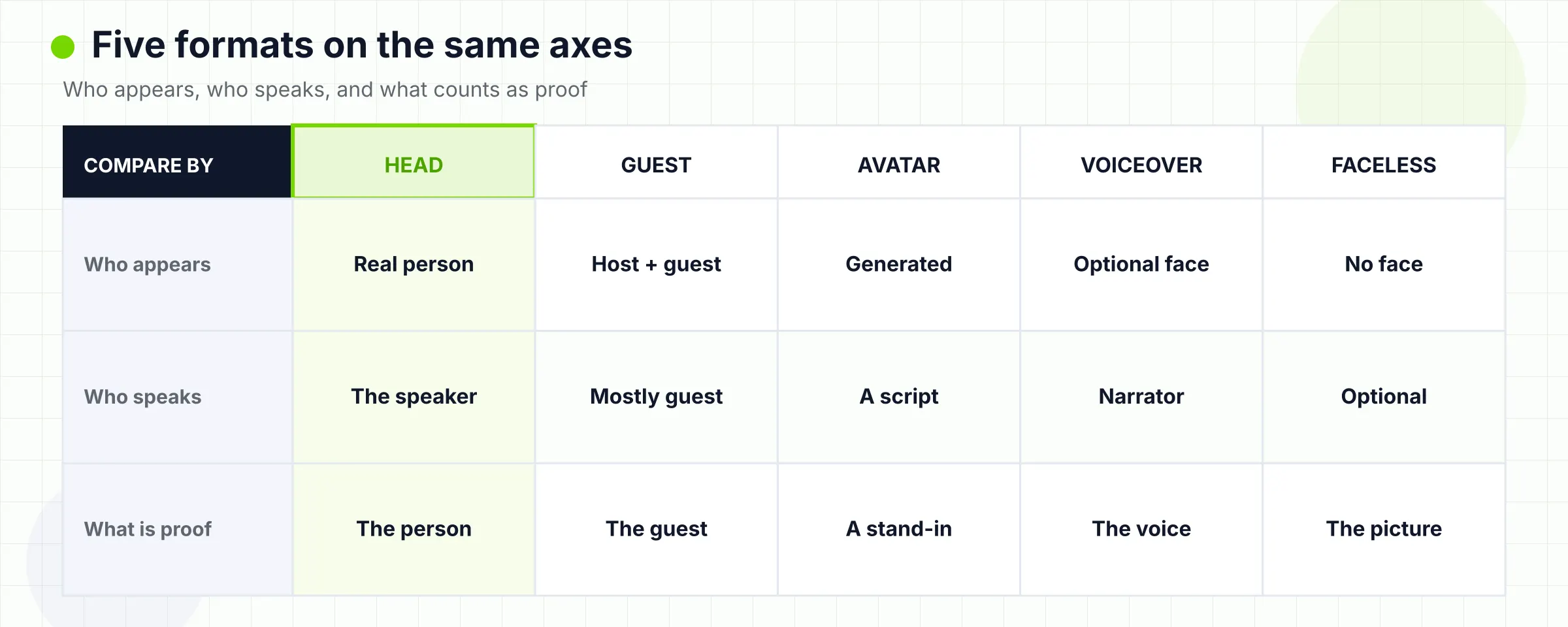
These five formats share a speaking voice and get collapsed into one search. They do not share the same proof.
| Format | Who appears | Who speaks | What counts as proof | Use it when |
|---|---|---|---|---|
| Talking head | A real speaker, usually chest or shoulders up | The person on camera | Face, voice, and ownership of the claim | The viewer must judge a specific person |
| Interview | An interviewee, often looking off-camera | The interviewee, prompted by a second person | Testimony under questioning | You need another person's account, not a solo address |
| Avatar | A generated presenter | A scripted or cloned voice on a synthetic face | Consistency, language coverage, or volume | You need a presenter look without a live performance |
| Voiceover-led | Usually no presenter face | Separate narration over pictures | The image plus the spoken explanation | The picture must carry the idea |
| Faceless | The creator is not the visual anchor | Optional narration, text, or natural sound | Graphics, screen, documents, hands, or B-roll | The creator should not be the proof |
A talking head can borrow tools from the other rows. You can interview someone in a talking-head frame. You can add voiceover to B-roll after a face-to-camera open. You can publish a faceless cut of the same script. The table is a first sort, not a ban on hybrids. If two rows both seem true, pick the row that names the proof the viewer must accept.
TechSmith lists picture-in-picture, green screen, synthetic talking heads, and a professional camera stream as styles of the same format. That is a production menu. It is a weak decision menu. Picture-in-picture is a layout. An avatar is a different source of the person on screen. Treat layout and source as separate choices or you will buy the wrong workflow.
03
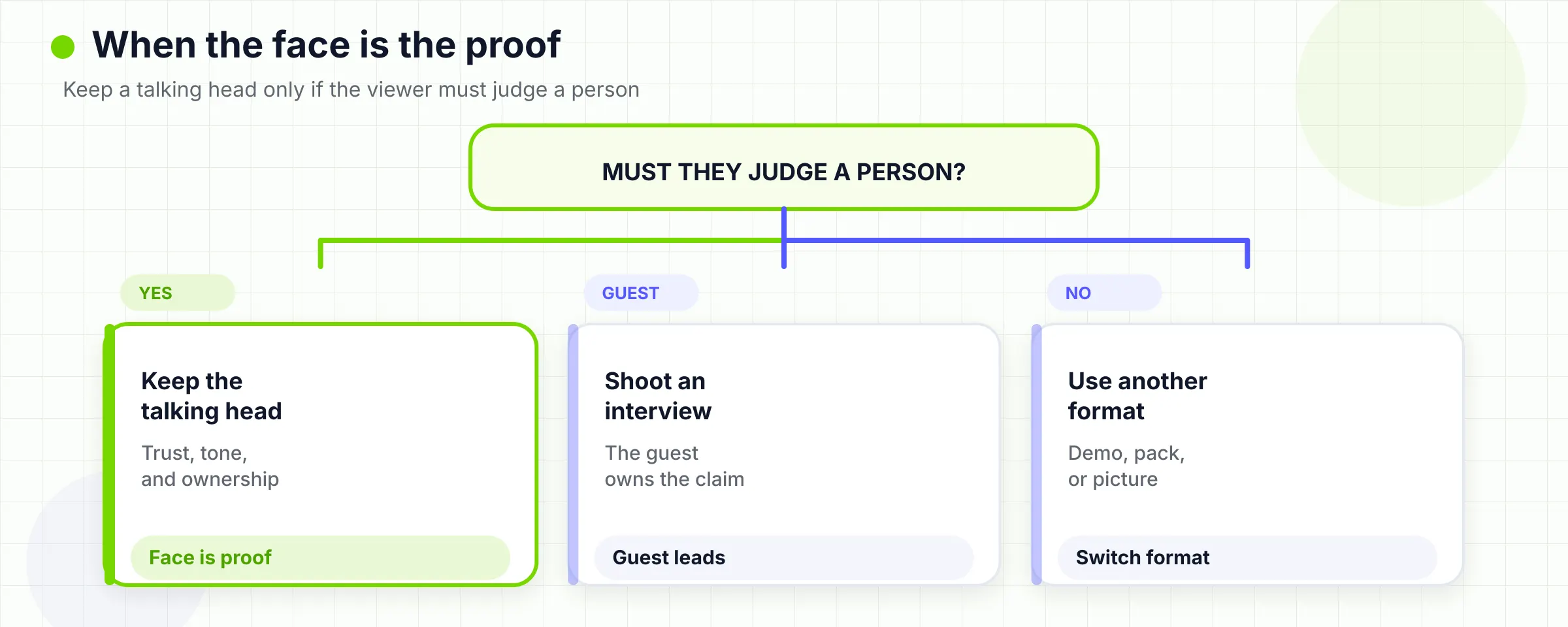
Use a talking head when the viewer needs a person they can judge
Use a talking head when the face is part of the evidence.
A founder explaining why a product exists is a talking-head job when the viewer is deciding whether to trust that person. A subject-matter expert walking through a judgment call is a talking-head job when tone and hesitation matter. An executive update is a talking-head job when the audience needs to see who is accountable. A customer story is a talking-head job only when the named customer is willing to appear and the claim is theirs. Invented faces and invented quotes are a legal problem, not a style choice.
Teleprompter.com is right that eye contact can make the piece feel personal. Click2View is right that a real face can signal accountability when text, stock footage, and synthetic voices are easy to produce. Neither page should be read as a guarantee. A stiff, over-lit, over-scripted talking head can reduce trust faster than a clear document. The format gives the viewer more information about the speaker. It does not automatically make the speaker believable.
The format also stays cheap relative to a set-piece film. You need a quiet room, a stable camera at eye level, and audio the viewer can stand. A phone can be enough for an internal update or a first public take. That is a production advantage, not a reason to default to a face. If the viewer does not need to meet anyone, the cheap setup is still the wrong setup. Personal brand work often lands here. If someone is hiring you, following you, or asking you to speak, they may need to see how you hold a thought. TapVid's personal branding video guide treats that as a face-or-not decision, not a requirement to appear in every clip. Use the talking head for the introduction or the point of view. Use another format when the idea, not the person, is the proof.
04
Leave the talking head when another format should carry the proof
Skip the talking head when the viewer must see something the speaker cannot embody.
If the claim is that a setting exists in software, show the interface. If the claim is that one option beats another on a named metric, show the comparison and the source. If the claim is a physical process, show the hands and the object. If the claim is a place, a machine, or a site condition, show that place. Click2View's "when not to use" list is useful here: purely visual or experiential messages, speakers who cannot deliver the idea clearly, and content that is mostly data without a narrative. In those cases a talking head becomes a delay. The viewer waits for the proof while watching a face.
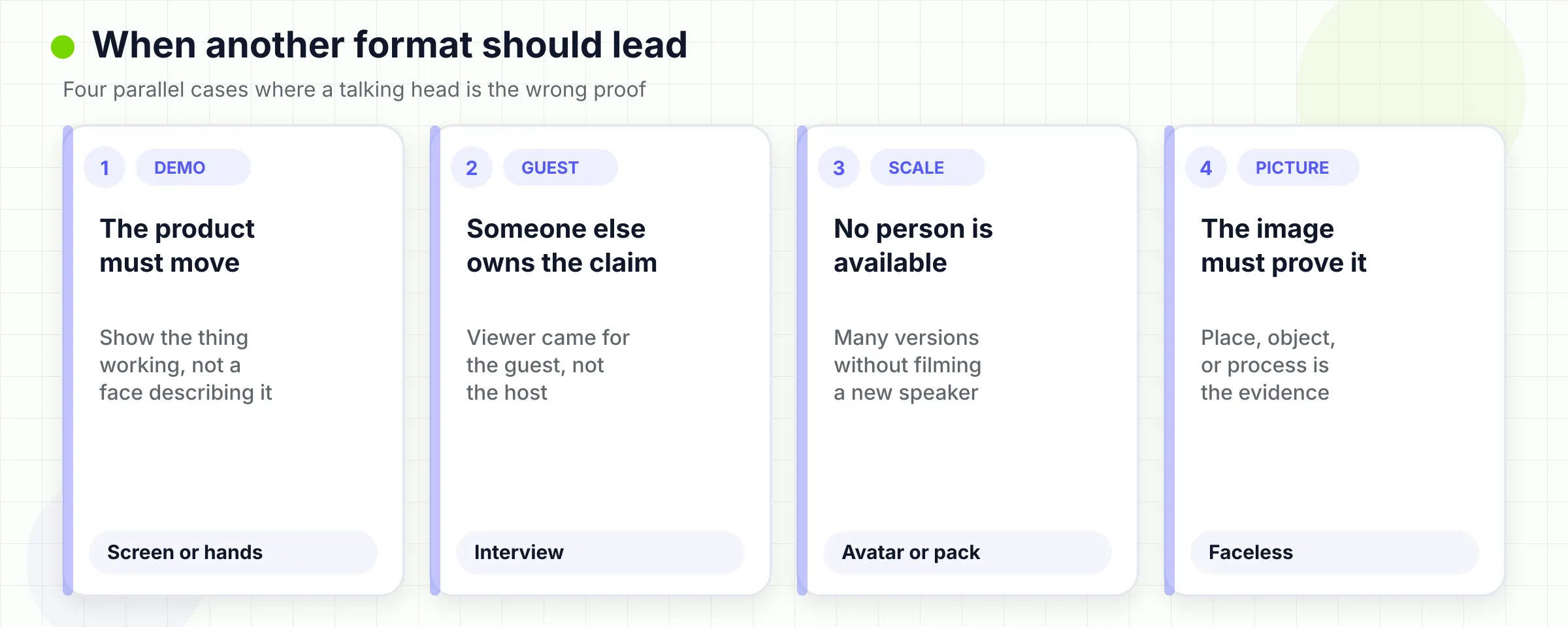
A talking head is also the wrong lead format when the speaker is not the person the viewer must judge. A junior teammate reading an executive script creates a mismatch. A host summarizing a customer's result, without the customer, creates a different mismatch. If the authority belongs to someone else, either put that person on camera or stop pretending the host is the evidence.
Length is not the test. A 20-second update can be a talking head. A 12-minute lesson can be a talking head. The test is whether the next minute still needs the person. When the information turns into a list, a sequence, a number, or a relationship, the face can stay as an anchor, but it should not remain the only picture. That later choice belongs to visual-layer editing, not to this definition page.
If you keep finding that the picture has to do the work, you probably need an explainer video or a faceless video. An explainer is usually short, visual-first, and built around one message. Faceless video means the creator is not the on-screen presenter. Those pages own those jobs. This page only has to stop you from filming a face because the word "video" appeared in the brief.
05
How interview, avatar, voiceover, and faceless jobs actually differ
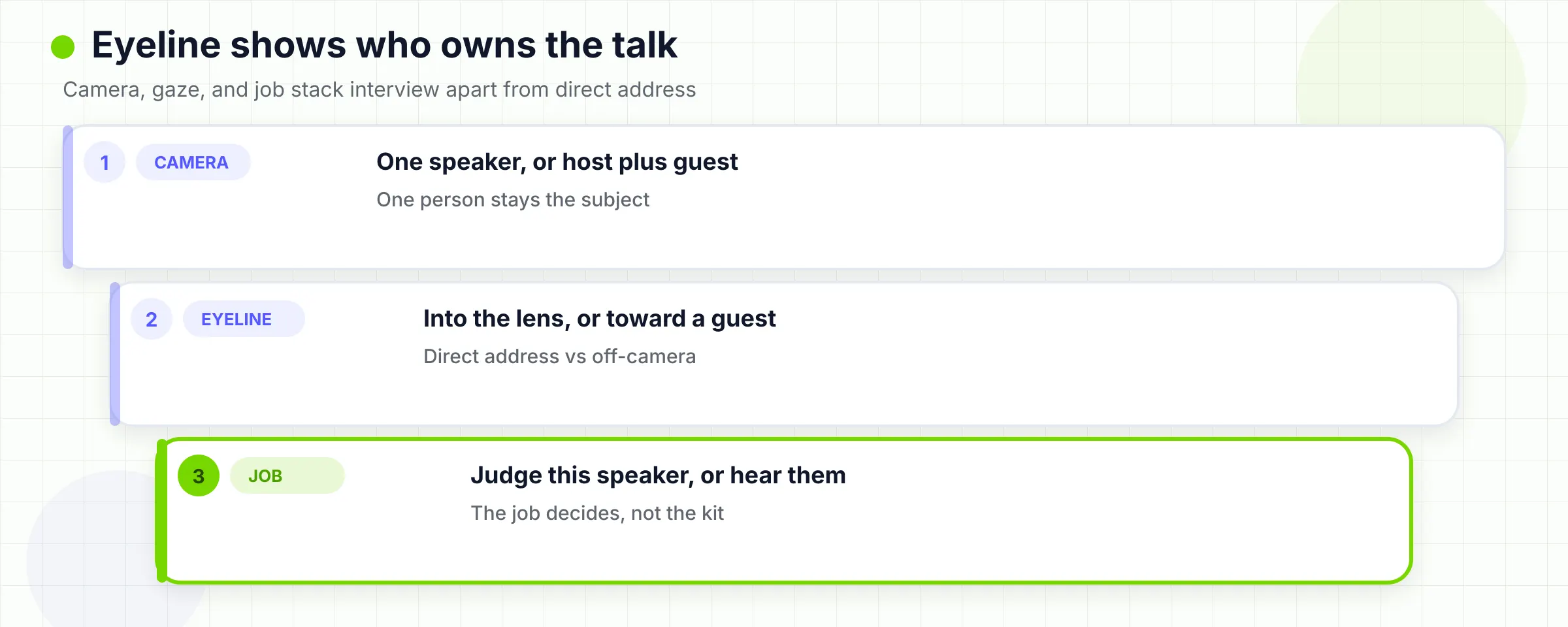
An interview asks someone to answer. A talking head asks someone to address. The frame can look identical: shoulders up, simple background, clean audio. The difference is the second person and the eyeline. In a sit-down interview, the speaker looks toward a questioner. The edit can hide that questioner, but the performance is still a reply. Use that when you need testimony, a case study, or an executive who thinks better in conversation than on a teleprompter. Do not call every interview a talking head just because the shot is tight. Do not call every talking head an interview just because someone else wrote the questions.
An avatar copies the surface of a talking head. TechSmith describes synthetic talking heads as digital presenters that mimic gestures, expressions, and speech, often across many languages. Reloop goes further and treats a generated presenter as a way to make talking-head videos without a camera. That is a vendor conclusion. It is not a format definition. The viewer may see a face looking at them. They are not judging a live performance, a real hesitation, or a person who can be held to the words later. Use an avatar when you need volume, language versions, or a consistent presenter look, and when the audience will accept a generated person. Do not use an avatar as a stand-in for a founder story, a customer claim, or any moment where the face is the proof. TapVid's Synthesia alternative page draws the same line from the product side: Synthesia is built for avatar talking-heads. TapVid is not. TapVid makes motion-graphics explainers from a prompt, PDF, or link, with no presenter on screen.
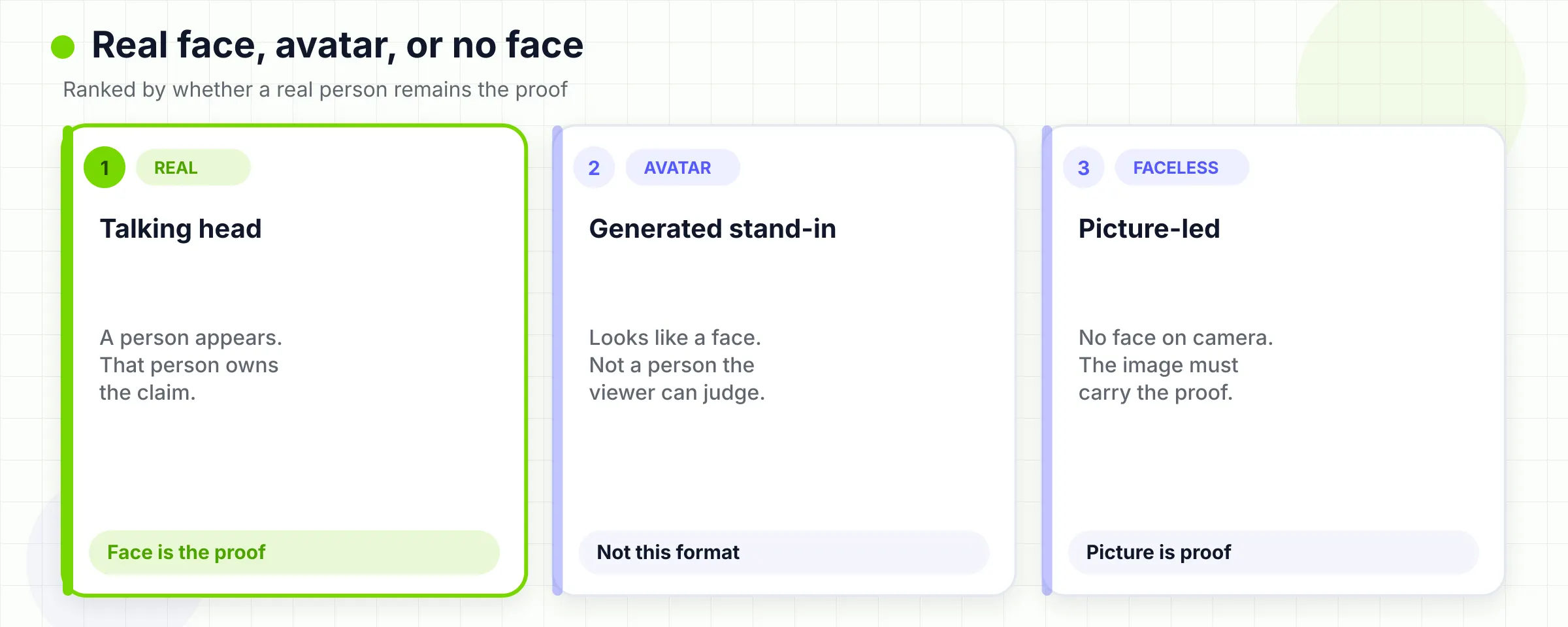
Voiceover-led video uses speech without requiring the speaker's face. The narration can be the same person you would have filmed. The proof is still the picture under the voice: a diagram, a screen, a document, a product. Teams often say "we will just do a talking head" when they mean "someone will explain this." If the explanation needs objects, interfaces, or structure on screen, write a two-column plan instead of booking a face-to-camera hour. Faceless video is easy to confuse with voiceover because they often travel together. They are not the same term. Faceless describes who appears. Voiceover describes how narration is recorded. A silent hands-only tutorial can be faceless. A documentary that uses other people's faces can still be faceless from the creator's point of view. TapVid's faceless guide is explicit about that split. Use it when the creator should not be the visual anchor, not merely when someone is shy on camera. These distinctions keep the next workflow honest. If you collapse them, every problem looks like a talking-head problem, and every tool looks like a talking-head tool.
06
Pick the next workflow after the format decision
Once you know the format, stop researching the noun and choose a path.
If you need a talking head and you do not have the take yet, plan a short recording. Write the claim in spoken language. Decide whether the speaker looks at the lens or at a questioner. Set the camera at eye level. Record clean audio. Leave space in the frame for later captions if you already know a number or a list will appear. Then stop. This page is not a lighting catalog, and it is not a teleprompter tutorial. Those jobs belong to production how-tos.
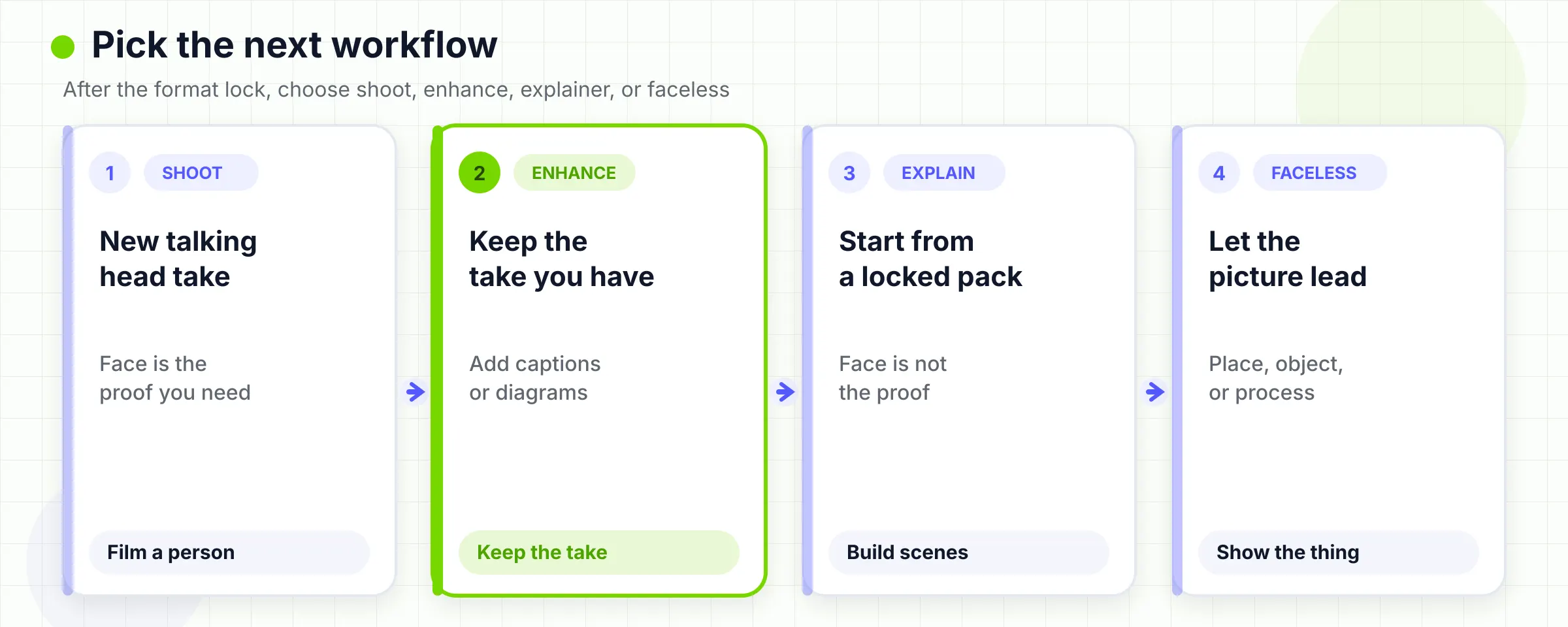
If you need a talking head and the take already exists, do not start over unless the performance failed. The next question is whether the spoken beats need a visual layer. Numbers, sequences, relationships, and concrete objects often do. Personal judgment, apology, or a single point of view often do not. The visual-layer editing guide owns that decision. B-roll ideas owns supporting footage if the beat needs a real place or action. Do not copy those pages into this one.
If you do not need a talking head, pick the format that matches the source. A finished article or approved script can become a voiceover-led explainer. A software task can become a screen recording. A data note can become charts. A physical product can become a hands-only demonstration. The explainer generator path starts from an approved script, PDF, URL, screenshots, and brand assets. Supplied visuals stay as supplied, and approved wording stays literal. You can review the brief and scene plan, then rerun one scene without rebuilding the rest. That is the right next step when the face was never the proof.
If you are choosing a talking head only because you think every video needs a person, reread the At a glance table. Defaulting to a face is how teams get a library of updates that cannot show the product, the process, or the evidence.
07
What to do with a talking-head recording you already have
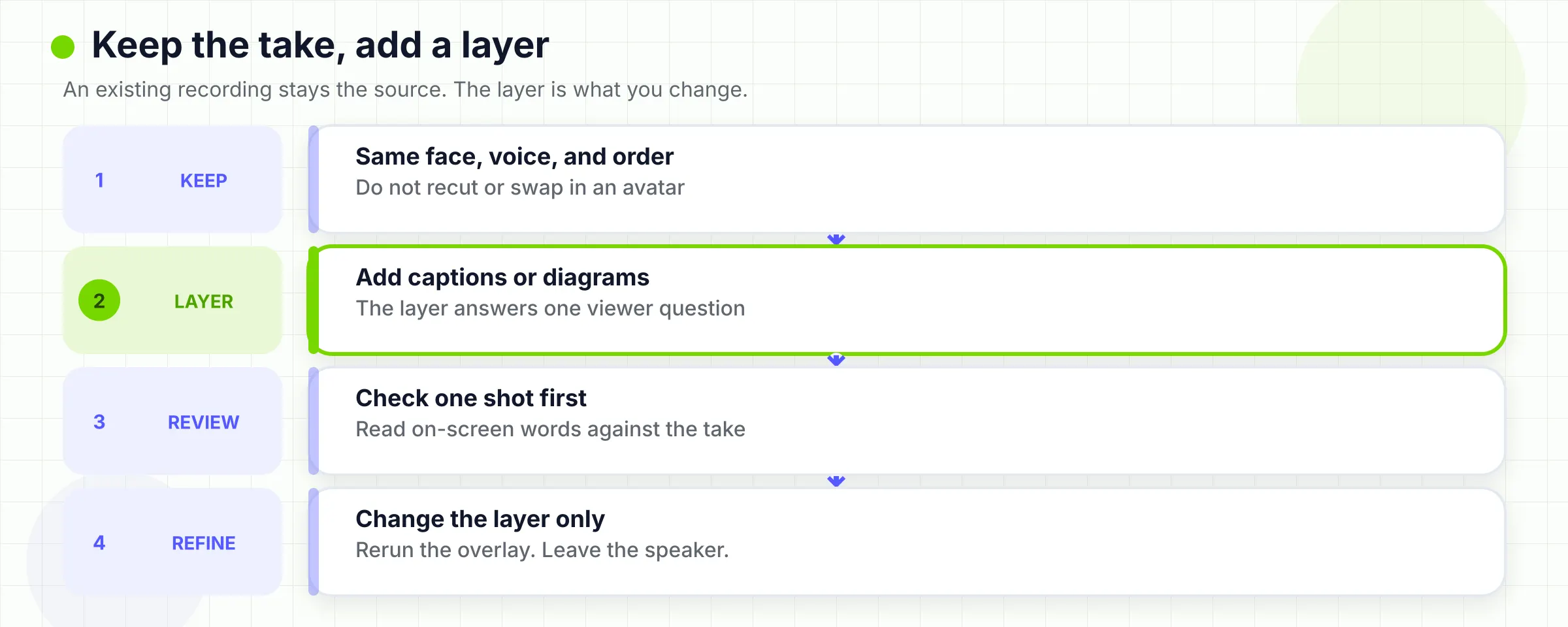
This is the only place TapVid belongs on this page. If the format decision is "talking head" and you already have a product talk, training take, lesson, or founder update, you can keep that performance and add a visual layer. The official talking head video enhancer says you upload the existing recording. TapVid keeps the original face, voice, wording, and order, then adds captions, diagrams, callouts, and supporting visuals you can review scene by scene. It does not replace the speaker with an AI avatar. It does not recut the take or change the spoken order. A phone or webcam recording can be enough to start. Cleaner audio usually helps.
That path has limits. It needs a recording. It is not a camera. It is not an avatar generator. Review still owns captions, numbers, and whether a graphic should appear at all. The official page says failed renders are not charged. Pricing is credit-based, with 3 credits equal to 1 second on the current explainer pricing copy. Check the live pricing page before you treat any dollar figure as current. This article does not include a first-hand enhancer run. Do not read the product description as a tested retention result. If you do not have a talking-head recording, and you also do not need one, do not upload a placeholder face to force the enhancer. Start from the source pack on the AI explainer video generator. If you have a recording but the viewer never needed the face, you may still want a faceless or explainer cut instead of decorating a take that should not lead.
The definition comes first. The enhancer comes after. That order is the whole point of this article.
08
Frequently asked questions
What is a talking head video?
A talking head video is a speaker-led format. A real person, usually framed from the chest or shoulders up, carries the main message on camera. The shot can include more of the body, and the edit can add captions or graphics. The speaker still owns the claim.
Is a talking head the same as an interview?
No. They can share the same tight frame. An interview is a reply to a second person, often with an off-camera eyeline. A talking head is usually a direct address. Use the interview when you need testimony. Use the talking head when one speaker should stand behind the message.
Is an AI avatar a talking head video?
No. An avatar can copy the look of a talking head. It is a generated presenter reading a script, not a live performance. Use it for volume or language versions when the audience accepts a synthetic face. Do not use it as a substitute for a real founder, expert, or customer.
When should I skip a talking head video?
Skip it when the proof is a UI, a process, a comparison, a place, or a document the speaker cannot show. Also skip it when the speaker is not the person the viewer must judge. In those cases, make an explainer, a screen recording, or a faceless video.
Do I need a studio to make a talking head video?
No. A quiet room, eye-level camera, and clear audio are enough for many updates and lessons. A phone can work. A studio helps when lighting, sound, or brand finish are part of the promise. The room does not decide the format.
What should I do after I decide the format is right?
If you still need to film, record a short, claim-first take. If the take already exists, decide whether spoken beats need a visual layer, then use the engaging guide or the enhancer. If a face was never the proof, start from an approved script, PDF, or URL and make an explainer instead.