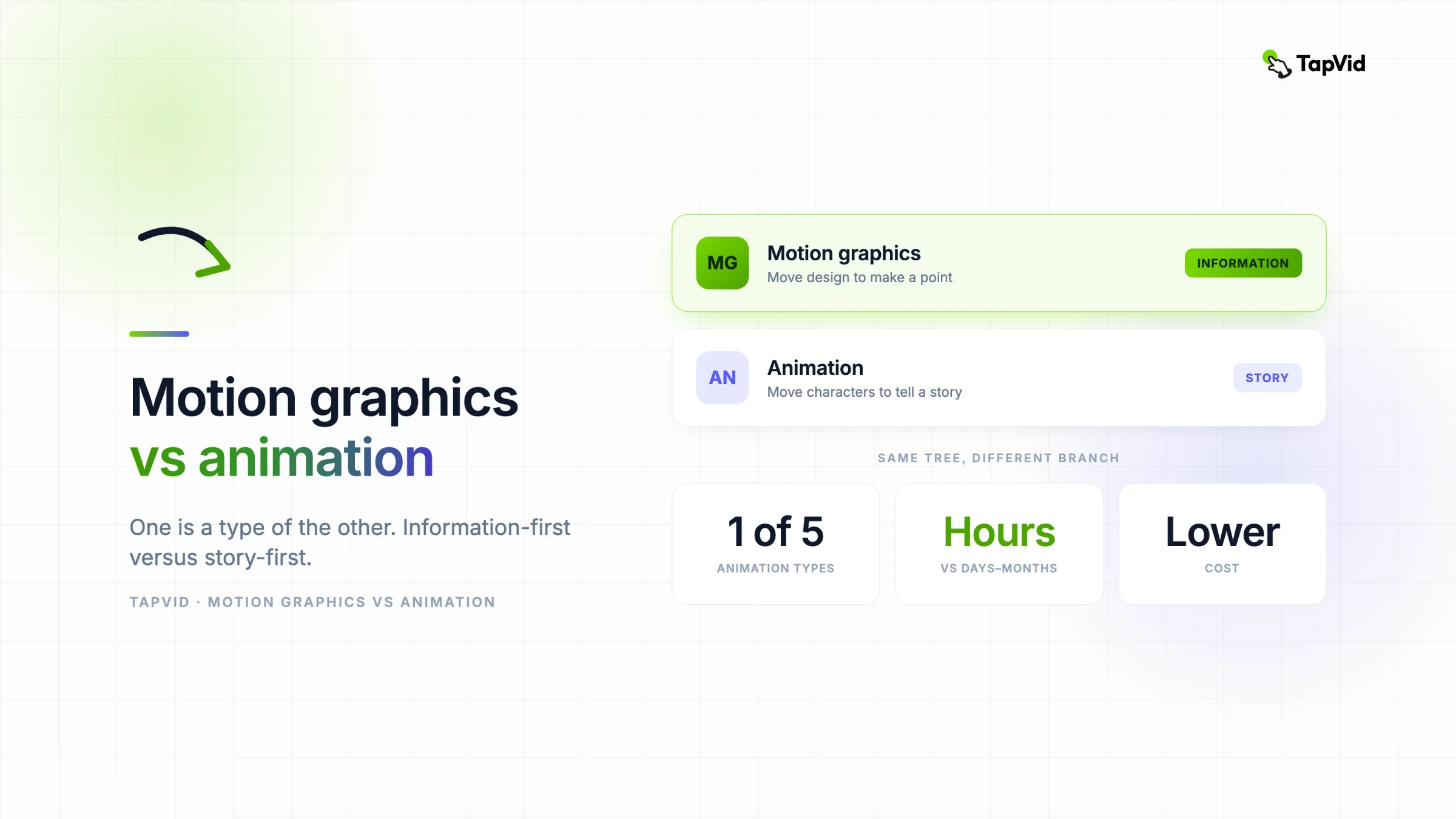

Motion graphics is a type of animation. It animates design elements like text, shapes, icons, and charts to communicate information, with no characters or plot. Animation is the wider field of moving imagery, including character-driven work like cartoons and 3D films. In short, motion graphics is information-first, animation is story-first.
01
Motion graphics or animation: the quick answer
People use the two words as if they compete, but one sits inside the other. Every motion graphic is technically animation. Not every animation is a motion graphic. Getting the distinction right matters when you are scoping a project, writing a brief, or deciding who to hire, because the two paths differ a lot in effort, cost, and the kind of result you get.
Here is the difference in plain terms, when to use each, and where AI now fits.
02
What is motion graphics?
Motion graphics is graphic design set in motion. You take the building blocks of design, type, logos, icons, shapes, and data, and animate them to carry a message. There is no cast and no plot. The point is to explain or promote something: a stat that counts up, a process that draws itself, a headline that lands with timing.
Common examples are explainer videos, animated infographics, title sequences, and social clips. If you want the full breakdown, see our guide on what motion graphics is.
03
What is animation?
Animation is the umbrella term for creating the illusion of movement from a sequence of frames. It covers a huge range: hand-drawn cartoons, 2D character animation, 3D films, stop-motion, and claymation. Motion graphics is one branch of that tree.
What sets classic animation apart is story. It builds characters, environments, and a narrative arc, and it usually aims to entertain or move you emotionally. A Pixar short, an anime episode, and a claymation ad are all animation in the fuller sense. According to the 99designs breakdown, animation is the whole field of moving imagery, from cartoons to claymation, while motion graphics describes moving graphic design specifically.
04
The main types of animation, and where motion graphics fits
Animation is not one technique. It splits into several styles, and motion graphics is one of them. Seeing the whole family makes the comparison click.
- 2D animation. Flat, frame-by-frame or rigged character work, from classic cartoons to the friendly characters in explainer videos.
- 3D animation. Modeled characters and scenes rendered with depth and lighting, the look of most animated features and game cinematics.
- Stop-motion. Real objects or clay figures photographed one frame at a time, as in claymation.
- Whiteboard and cutout. Hand-drawn or paper-style animation, common in lower-budget explainers.
- Motion graphics. Animated design elements, type, icons, charts, and logos, focused on information instead of characters.
The first four are usually story or character led. Motion graphics is the one built for communication, which is why it runs marketing, product, and social video while the others run entertainment. When someone asks about motion graphics versus animation, they are really comparing this one branch against the rest of the tree.
05
Motion graphics vs. animation: the key differences
The clearest way to see it is side by side. The core split is purpose: information versus story.
| Motion graphics | Animation (character) | |
|---|---|---|
| What moves | Text, shapes, icons, charts, logos | Characters, creatures, environments |
| Purpose | Explain or promote a message | Tell a story, build emotion |
| Storytelling | Information-first, little narrative | Narrative-first, plot and arc |
| Typical length | Seconds to a couple of minutes | Short film to feature length |
| Common tools | After Effects, and AI generators | After Effects, Toon Boom, Cinema 4D, Blender |
| Production time | Hours, or minutes with AI | Days to months |
| Relative cost | Lower | Higher |
| Best for | Explainers, ads, data, social | Films, series, brand stories, games |
A quick test: if the message lives in the words, the data, and the timing, it is motion graphics. If the message lives in a character and what happens to them, it is animation.
They also overlap. Plenty of explainer videos use a simple animated character alongside motion graphics elements, and a title sequence can blend both. The line is about emphasis, not a hard wall.
06
When to use motion graphics
Reach for motion graphics when the goal is to make information clear and fast. It fits when:
- You are explaining a product or concept. Animated diagrams and text carry a walkthrough better than a static slide.
- You have data to show. Numbers, charts, and timelines that build on screen turn a report into something people watch. That is the job of an infographic video maker.
- You are posting to social. Kinetic captions and stat clips stop the scroll. An animated social media video maker is built for this.
- You need it fast and on budget. Motion graphics is quicker and cheaper to produce than character animation.
- You want brand consistency. Type, color, and layout stay on-brand because the elements are your design, not a drawn world.
Most marketing, product, and social work lands here. It is the everyday format, and it is the one AI can now generate for you.
07
When to use animation
Reach for character animation when the goal is to tell a story or create an emotional connection. It fits when:
- You are building a brand story. A character or a narrative world can carry feeling that graphics alone cannot.
- You want entertainment value. Cartoons, series, and story-driven ads live here.
- The concept needs a character. A mascot, a hero, or a personified product benefits from real animation.
- You have the budget and timeline. Character animation takes longer and costs more, and the payoff is a richer, more memorable piece.
Animation is the right call for the flagship brand film, not the weekly stat post.
08
Which should you choose, and who do you hire?
Start from the job, not the format. Ask what the video needs to do.
- If it needs to explain, promote, or show data, choose motion graphics. You can hire a motion designer, or generate it with AI and skip the hire for everyday clips.
- If it needs to tell a character story and move people, choose animation, and hire an animation studio or a character animator.
- If your budget is tight or your timeline is short, motion graphics almost always wins on both.
Many teams run both: motion graphics for the steady stream of explainers, social, and product clips, and a one-off animation project for the big brand moment.
09
Can AI make motion graphics or animation?
AI has moved much further with motion graphics than with character animation, because motion graphics is built from design elements that a model can generate and time, rather than a consistent character across hundreds of frames.
TapVid's AI motion graphics generator takes a prompt, script, or document and produces animated diagrams, typography, and charts, then lets you refine by prompt. For a script-driven explainer, an AI explainer video generator does the same. There is no After Effects and no keyframing. Character animation with a consistent cast and a real plot is still largely a manual, studio-scale craft.
So if your project is motion graphics, AI can likely give you a usable first draft in minutes. See the pricing page for what that costs. If your project is a character-driven animated film, plan for a studio.
10
The bottom line
Motion graphics and animation are not rivals. Motion graphics is a focused type of animation that moves design to communicate, while animation is the broader craft that includes character storytelling. Pick motion graphics for explainers, ads, data, and social, and pick character animation for stories that need a cast. When it is motion graphics you need, an AI motion graphics generator can make it without a designer.
11
Frequently asked questions
Is motion graphics a type of animation?
Yes. Motion graphics is a branch of animation that animates design elements like text, charts, and shapes to communicate. Animation is the umbrella term that also covers character-driven work like cartoons and 3D films.
Is motion graphics cheaper than animation?
Usually. Motion graphics is faster to produce and does not require character rigging or frame-by-frame acting, so it costs less than most character animation. AI motion graphics tools lower the cost further.
Which is better for an explainer video?
Motion graphics, in most cases. Explainers are information-first, and animated text, icons, and diagrams communicate a product or concept clearly without a character or plot.
Can you combine motion graphics and animation?
Yes. Many videos mix a simple animated character with motion graphics elements. The difference is about emphasis, so blending the two is common.
What are the main types of animation?
The common types are 2D animation, 3D animation, stop-motion, whiteboard or cutout animation, and motion graphics. The first four are usually character or story led, while motion graphics animates design elements to communicate information.
Can AI make motion graphics?
Yes. AI motion graphics generators produce animated diagrams, typography, and charts from a prompt. AI is less mature for character animation, which still relies on manual, studio-scale work.