
Three years ago I ran a motion graphics software comparison for a client deciding whether to invest in After Effects training or bet on newer tools. That comparison is now completely obsolete. Not because the professional tools changed, but because an entirely new generation of AI-native tools showed up and quietly took over half the work my team used to do by hand. So this year I did it properly: I took one real brief, a 60-second product explainer for a fictional SaaS, and ran it through every tool below, timing how long it took to reach a usable first draft and judging the output honestly. What follows is what I actually found, not a feature list scraped from marketing pages.
01
Quick verdict
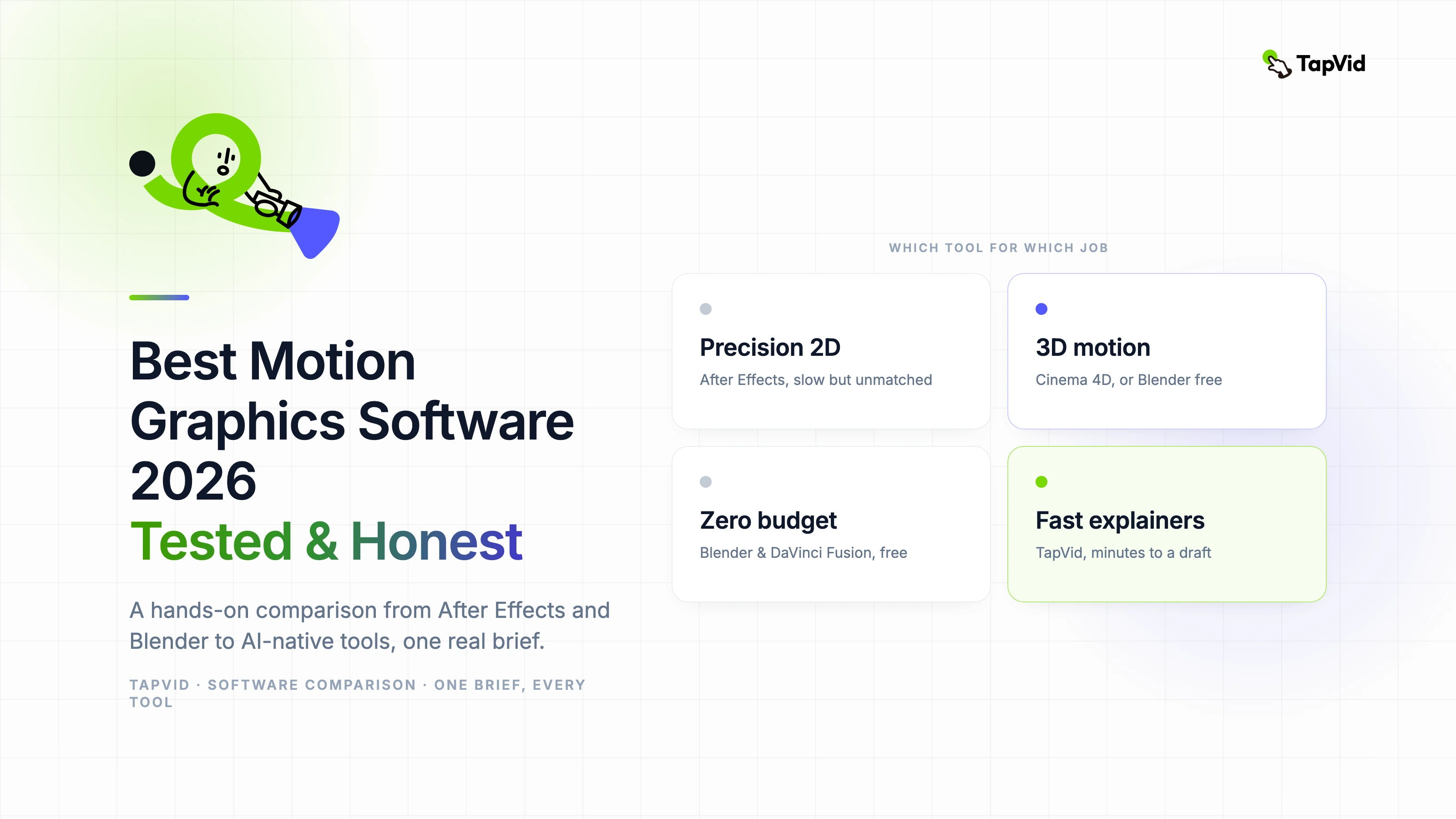
- If you do precision 2D/3D motion design for a living: Adobe After Effects for 2D and compositing, or Cinema 4D and Blender for 3D. Nothing AI touches this yet.
- If you need explainer or product demo videos fast, without learning a timeline: an AI-native tool. For document and link-to-video explainers, TapVid was the fastest to a usable draft in my test.
- If your budget is zero: Blender for 3D or DaVinci Resolve Fusion for 2D and compositing. Both are genuinely production-grade and free.
02
How I tested
Most "best software" lists never actually open the software. Here is exactly what I did so you can judge the results.
- One shared brief: a 60-second explainer for a fictional analytics SaaS, with five scenes, brand colors, a voiceover, one animated chart, and one logo sting.
- Same operator, realistic skill level: a designer comfortable with motion basics but not an expert in every app, closer to how most teams actually work.
- Five things measured: time to a usable first draft, output quality at that stage, learning curve, how far you can push it once the draft exists, and real cost at the tier most teams would actually buy.
No tool wins on all five. The point of the table below is to show the trade-offs, not crown a single winner.
03
How to choose motion graphics software
Before comparing tools, get clear on five things about your own work. The right pick falls out of these answers, not from any single "best" label.
- 2D or 3D: flat motion graphics, kinetic type, and explainer scenes are a different job from 3D product renders or broadcast idents. Most teams need 2D; only reach for a full 3D suite if the work genuinely calls for it.
- Skill and time on hand: timeline-and-keyframe tools reward expertise but cost hours per scene. If you do not have a motion designer, an AI-native tool that drafts a scene from a brief gets you further, faster.
- Budget and pricing model: options run from free (with limits) to per-seat subscriptions to one-time licenses. Match the tier to how often you actually ship, not to the feature list.
- Where it fits your stack: a tool that lives inside software your team already uses removes an export-import step; a standalone tool is worth it only if the output is clearly better.
- Editable scenes vs a rendered clip: some tools hand you scenes you can tweak element by element; others give a finished render you can only re-generate. The first is safer when feedback is still coming.
If your work is document-, script-, or brief-driven explainer and product content and speed matters more than frame-level control, an AI-native tool is usually the fastest path. If you need precise, hand-crafted 3D or VFX, a traditional suite still wins. The table below maps each tool to where it fits.
04
Comparison table
| Software | Type | Skill needed | 2D / 3D | AI generation | Time to first draft | Price (at writing) |
|---|---|---|---|---|---|---|
| After Effects | Timeline / pro | High | 2D + compositing | Assist plugins | Slow (hours) | $22.99/mo single app, $59.99/mo full CC |
| Cinema 4D | 3D / pro | High | Strong 3D | Limited | Slow | Subscription, ~$60/mo |
| Blender | 3D / pro | High | 3D | Via add-ons | Slow | Free |
| DaVinci Resolve (Fusion) | Node / pro | Medium-High | 2D + compositing | Limited | Medium | Free (Studio $295 one-time) |
| Apple Motion | Timeline (Mac) | Medium | 2D + basic 3D | No | Medium | $49.99 one-time |
| TapVid | AI-native | Low | Motion graphics / explainer | Core | Fast (minutes) | Pro from $49/mo |
| Runway | AI-native | Low-Medium | Generative footage | Core | Fast | Free tier + paid |
| Canva | Template + AI | Low | Basic 2D | Assist | Fast | Free tier + Pro |
Time to first draft is for my specific explainer brief. A different brief, say a 3D product render, would rank these very differently.
05
First generation: timeline-based professional tools
These share a model: a timeline, keyframes, and total manual control. They have the highest ceiling and the steepest curve.
06
Adobe After Effects: the professional standard for 2D
After Effects remains the tool for precision motion graphics: beat-synced animation, custom text choreography, motion tracking, expression-driven rigs. The plugin and template ecosystem is unmatched, and it is still what most studios hire for.
The honest catch is the learning curve. In my test, getting a polished draft of the brief took the longest of any tool, and that assumed real familiarity. Realistically, budget 40 to 60 hours of structured learning before you produce professional-quality work independently.
- Best for: studios, precision 2D work, anyone who needs total control.
- Limits: slow to first draft, a genuine time investment, subscription-only.
- Price: $22.99/mo single app, or $59.99/mo for full Creative Cloud.
07
Cinema 4D: the go-to for 3D motion design
When your work involves 3D typography, product visualization, or broadcast-quality 3D, Cinema 4D is the industry favorite because it delivers professional 3D output without Houdini's brutal learning curve. If your motion graphics lean 3D and you have budget, this is the pragmatic choice.
- Best for: 3D typography, product viz, broadcast.
- Limits: subscription cost, and still a real 3D learning curve.
08
Blender: the best free tool, especially for 3D
Blender is the strongest free option, period. It is a complete 3D pipeline covering modeling, rigging, animation, rendering, and compositing, with no subscription. For 3D motion graphics on a zero budget, nothing else comes close. The trade-off is the same as any pro 3D app: a steep curve.
- Best for: 3D on any budget, anyone avoiding subscriptions.
- Limits: steep curve, less motion-graphics-specific tooling than C4D.
- Price: free, open-source.
09
DaVinci Resolve (Fusion): the most capable free 2D and compositing tool
Fusion is a node-based compositing environment built right into DaVinci Resolve, deeply integrated with the edit timeline, and free. For teams that also edit video, it is remarkable value. Node-based thinking is a shift if you are coming from layers, but the ceiling is high.
- Best for: editors who also need compositing, and free production work.
- Limits: the node workflow has a learning curve.
- Price: free (Studio $295 one-time).
10
Apple Motion: the low-cost Mac option
If you are already in Final Cut Pro on a Mac, Apple Motion is a capable 2D and 3D titling and motion tool you buy once instead of renting. Great value, with less depth and ecosystem than After Effects.
- Best for: Mac and FCP users who want a one-time purchase.
- Price: $49.99 one-time.
11
Second generation: AI-native tools
These flip the model. Instead of building every frame, you describe what you want, or upload source material, and the tool produces animated output you then refine. Lower ceiling than After Effects today, dramatically lower floor.
12
TapVid: fastest for explainers and product demos
This is where AI-native tools earn their place. In my test, TapVid went from the brief to a usable first draft in minutes rather than hours, because its workflow is built around exactly this job: turn a prompt, PDF, or link into a structured motion-graphics explainer, then refine scenes with plain-language edits. The document-to-video workflow is genuinely fast, and the output is on-brand rather than generic.
It will not replace After Effects for custom beat-synced 2D work, and it is not trying to. What it replaces is the three-hour explainer you never had time to build.
- Best for: explainers, product demos, article and PDF-to-video, teams without a motion designer.
- Limits: not for frame-level custom 2D or 3D, and opinionated toward explainer-style output.
- Price: Pro from $49/mo; $4.99 one-video trial.
13
Runway: best for generative, cinematic footage
Runway is strongest when you want AI-generated or transformed footage and cinematic motion rather than clean vector-style motion graphics. It is a different job from TapVid, and worth having in the stack for that.
- Best for: generative footage, cinematic looks, footage transformation.
14
Canva: fine if your team already lives in Canva
Canva's animation features are convenient for quick, template-driven social motion when your team is already inside Canva. Lower ceiling, great for speed and non-designers.
- Best for: template-based social clips, and existing Canva teams.
15
AI-native vs traditional: how to actually choose
The most useful way to decide is not "which tool is best" but "which generation does this specific job belong to".
- Choose traditional (After Effects, Cinema 4D, Blender, Fusion) when the value is in craft: custom choreography, precise timing, 3D, or brand-defining hero pieces where every frame matters.
- Choose AI-native (TapVid, Runway, Canva) when the value is in throughput: explainers, product demos, doc-to-video, and social volume, where "good and this week" beats "perfect in three weeks".
Most teams in 2026 do not pick one generation. They keep a pro tool for hero work and an AI-native tool for the steady stream of explainers and demos. If most of your output is the second kind, buying After Effects to make it is the expensive mistake this article exists to prevent.
16
Best software by use case
- Solo creator or small budget: Blender for 3D or DaVinci Resolve Fusion for 2D, both free and capable.
- Marketing team shipping explainers and demos weekly: an AI-native tool like TapVid, where speed and consistency matter more than frame-level control.
- Agency or studio doing brand hero work: After Effects for 2D and Cinema 4D for 3D.
- Mac user or FCP editor: Apple Motion for value, or DaVinci Resolve if you also edit.
- Enterprise scaling video across teams: AI-native for volume, pro tools for flagship pieces.
17
Frequently asked questions
What is the best motion graphics software in 2026?
For precision 2D, After Effects. For 3D, Cinema 4D if paid or Blender if free. For fast explainers and product demos without a learning curve, an AI-native tool like TapVid. "Best" depends entirely on which of those jobs you are doing.
What is the best free motion graphics software?
Blender for 3D and DaVinci Resolve Fusion for 2D and compositing. Both are production-grade and completely free.
Is After Effects worth it?
Yes, if you do precision 2D motion design regularly and can invest 40 to 60 hours learning it. If you mostly need explainers and demos, it is overkill, and an AI-native tool gets you there far faster.
Can AI motion graphics tools replace After Effects?
Not for custom, frame-level 2D or 3D craft, at least not yet. But for explainers, product demos, and doc-to-video, AI-native tools already produce usable results in minutes, which is why most teams now run both.
How long does it take to learn motion graphics software?
Traditional tools take roughly 40 to 60 hours to reach professional competence. AI-native tools take minutes to a first draft, because you describe the result instead of building it.
Which is best for product demo and explainer videos specifically?
That is the sweet spot for AI-native tools. In my test, TapVid was fastest to a usable explainer draft thanks to its prompt, PDF, and link-to-video workflow.
18
The thing that outlasts any tool
After running the same brief through everything above, the clearest lesson was not about software. Understanding timing, easing, hierarchy, and pacing made a bigger difference to the final result than which app produced it. Tools change generations every few years; those fundamentals do not. Learn them, then pick the tool, traditional or AI-native, that fits the job in front of you.
If that job is an explainer or product demo and you want it done this week, that is exactly what we built TapVid for.