
TL;DR
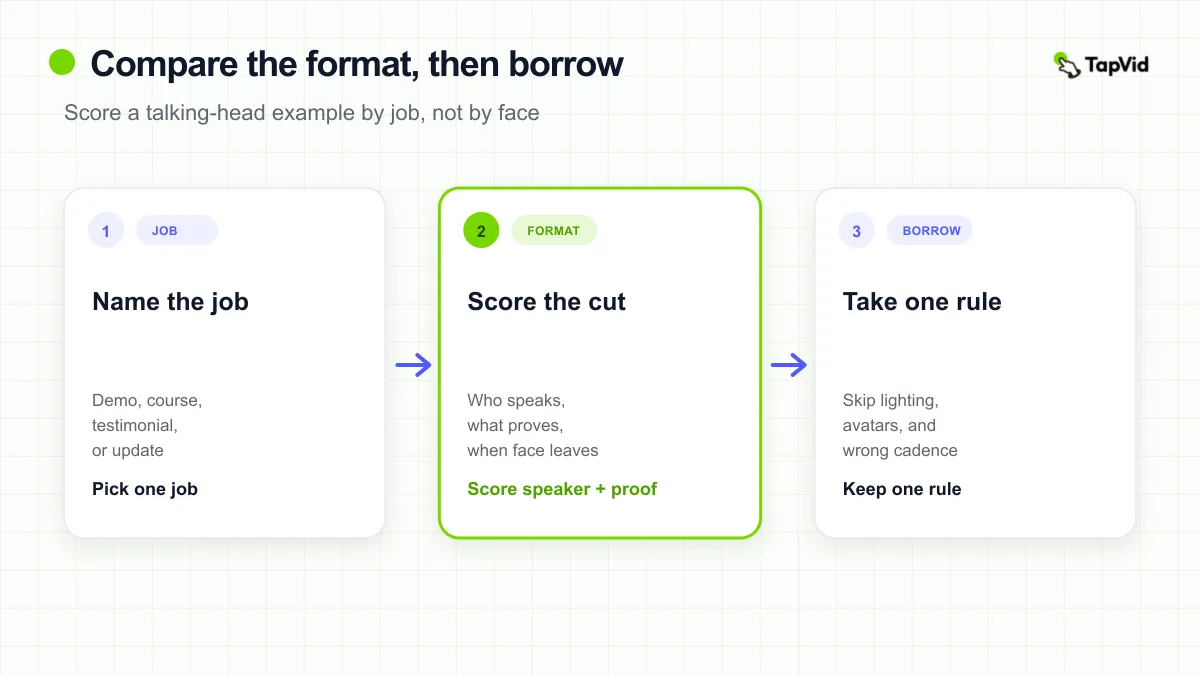
Useful talking head video examples are not a pile of faces. They are format samples you can score against a job. First name the job: SaaS demo, course, creator content, customer testimonial, or product communication. Then look for one visible rule: who carries trust, what carries proof, and when the face should leave the frame. Borrow that rule. Do not borrow lighting kits, avatar templates, or a jump-cut cadence that was built for a different job. If you already have the take, the TapVid path is to keep the original face and add reviewable captions and diagrams, not to hunt another face.
Most “best talking head video examples” pages give you a use-case list and a template. That helps you name industries. It does not tell you what to copy. A SaaS demo that keeps the founder in a camera bubble while the UI does the proving is a different object from a course welcome that never shows a screen, and both are different from a customer sitting slightly off camera and telling a buying story. If you borrow the wrong object, you get a polite face and a weak decision.
This page is a comparison set, not a filming class and not a definition guide. The working definition is short: a talking-head example is a face-to-camera or interview-led cut where a person carries the story and another layer (screen, graphic, B-roll, or silence) either helps or gets in the way. Use the table first. If you already have a product talk or training recording, look at the TapVid enhancement path next, before you open another swipe file. The job-by-job examples below stay format samples. The written visual-layer method lives in a different article: How to Make Talking Head Videos More Engaging.
How to make talking head videos more engaging
01
Compare Talking Head Formats by Job
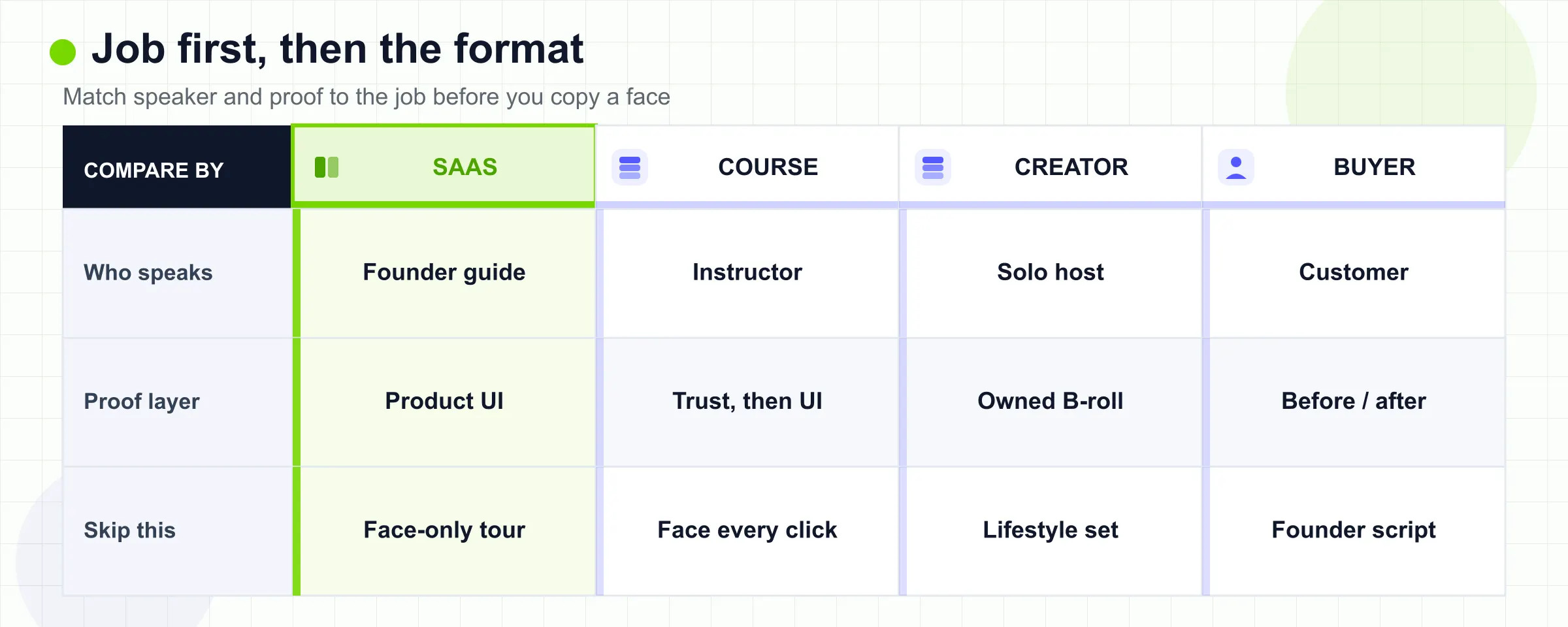
Use this table before you open a reference cut. The columns are the only dimensions that matter at this stage: job, who should be on camera, what the viewer must see as proof, and the first thing you should refuse to copy.
| Job | Format to study | Borrow this | Do not borrow this |
|---|---|---|---|
| SaaS demo | Hybrid: speaker as guide, product UI as proof | Face for why it matters, screen for the click path | A full-frame face narrating a UI the viewer never sees |
| Course or training | Instructor presence, then procedure | Face for welcome, stakes, and misconception | Instructor-on-camera through every software step |
| Creator content | Solo direct address | Conversational distance, one idea, owned B-roll | Someone else’s lifestyle set, or zoom every sentence |
| Customer testimonial | Sit-down interview | The buyer’s voice, one before/after, named role | A founder reading a scripted compliment |
| Product communication | Solo update or expert commentary | One decision, one owner, no fake walkthrough | Demo pacing, or graphics that hide the speaker |
| Wrong job | Screen-only or faceless | Leave the talking-head library | Forcing a face onto a procedure or a mood film |
The table is the decision. The sections below only show how that decision looks in a real cut. If two columns already disagree (the job needs UI proof, the reference never shows UI), stop watching and pick another example.
Click2View’s 2025 guide is useful here for one idea only: talking-head styles are not interchangeable, and a walk-and-talk culture film is a poor reference for a product explanation (Click2View). This page keeps that matching rule and throws away the production-fundamentals half of that article.
02
After You Score the Format, Enhance the Take You Already Have
The table above is the format decision. If you already have a real product talk or training recording, the next job is not another swipe file. It is to keep that take and add a reviewable visual layer.
TapVid’s official talking-head page describes that path: upload an existing recording, keep the original face, voice, wording, and order, and add captions, diagrams, and callouts you can review scene by scene (TapVid Talking Head Video Enhancer). It does not replace the speaker with an AI avatar, and it does not recut the take. A phone or webcam take is enough to start (TapVid).
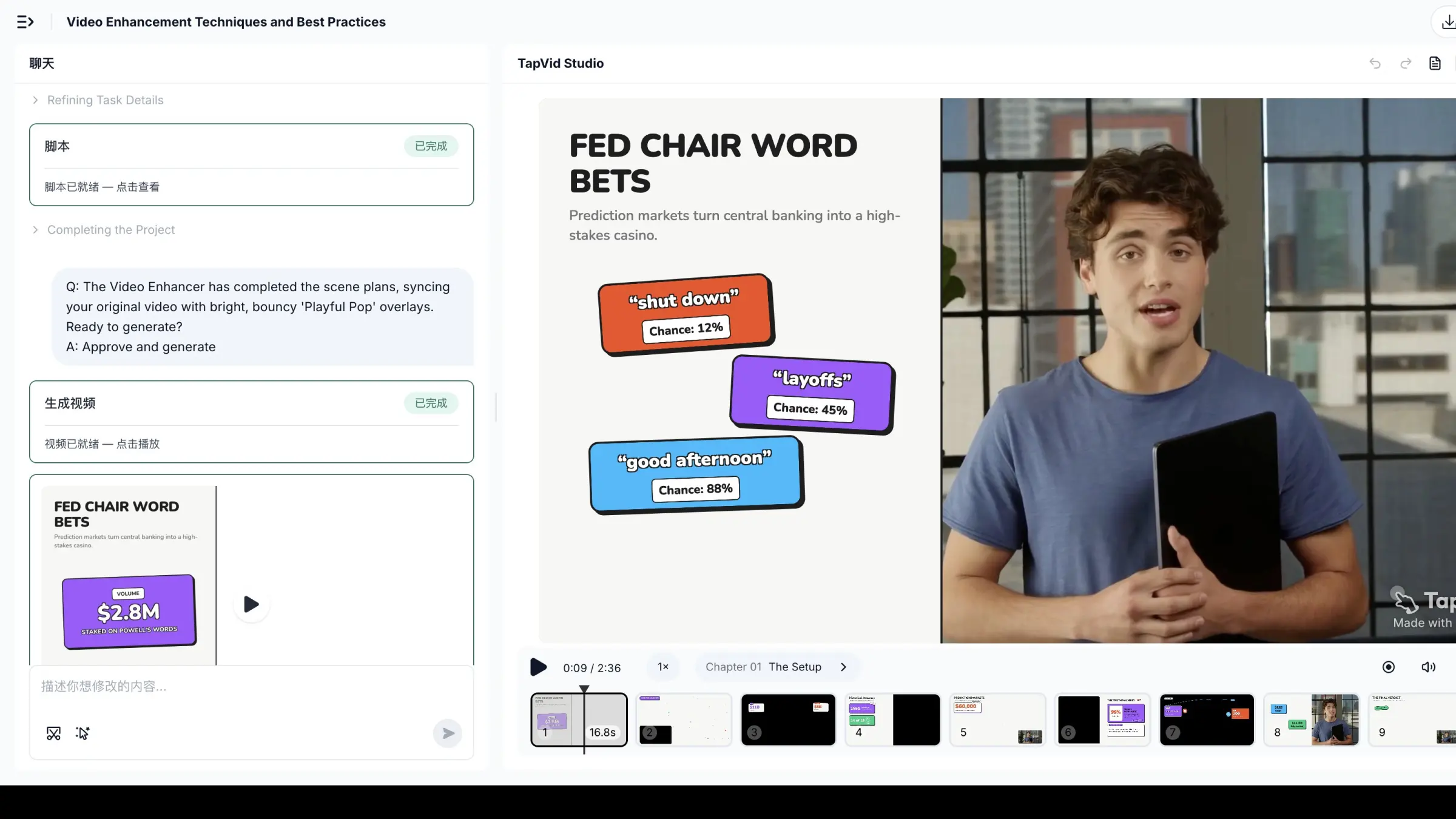
What this result shows: the same speaker stays on camera, the same take stays in order, and the Playful Pop captions plus chapter cards sit where you can inspect them before they lock. The face stays the trust layer. The graphics carry the numbers and labels the speaker should not recite. This is not a talking-head example to copy. Do not steal the overlay copy, the chapter titles, or the Playful Pop look. Steal the production rule: keep the person you recorded, then add a layer you can review. Start on the Talking Head Video Enhancer when you already have that take. If you still need the transcript-to-visual method in writing, use the editing guide. Brand Kit is listed as coming soon on that page, so do not plan a current workflow around locked brand styles, and do not treat marketing stills as proof that a caption or number was accurate in your footage. Accuracy still needs a review.
03
What a Useful Talking Head Example Makes Visible
A useful talking head video example makes three things visible in the first 20 to 40 seconds.
First, the speaker’s job in the story. Instructor, founder, reviewer, customer, or internal expert. If you cannot name that role, the example is decoration.
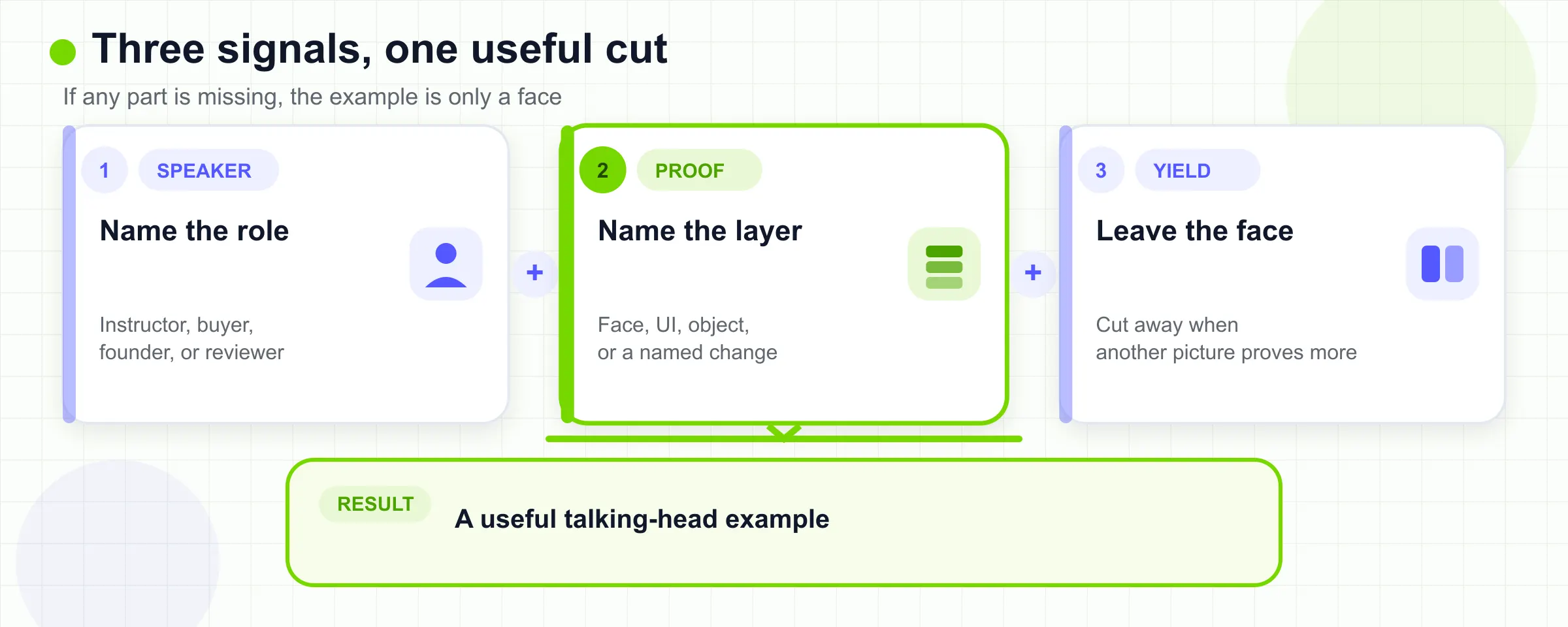
Second, the proof layer. A course welcome can prove authority with the instructor’s face and a short promise. A SaaS demo cannot. The proof is the interface, the state change, or the artifact on screen. Forgeclips states the hybrid case directly for software: talking head plus screen recording is often the highest-ROI SaaS cut because the face humanizes an abstract product and the screen shows the work (Forgeclips). Treat that as a format claim, not as a production-cost promise. This page did not independently time or price those shoots.
Third, the leave-the-face moment. The best examples decide when the speaker is no longer the most informative picture. Loom’s own capture docs make that choice mechanical: Screen and Camera, Screen Only, or Camera Only (Loom / Atlassian Support). You do not need Loom to use the same split. You do need to notice whether your reference ever switches.
Ignore examples that only prove “a person can talk.” Avatar template galleries are the extreme version of that failure. Synthesia’s examples page is a 14-row use-case directory of editable AI presenters (Synthesia). Use it to see which jobs people *name*. Do not use it as a look to copy if your job depends on a real buyer, a real instructor, or a real UI.
04
SaaS Demos: Keep the Face as Guide and the Screen as Proof
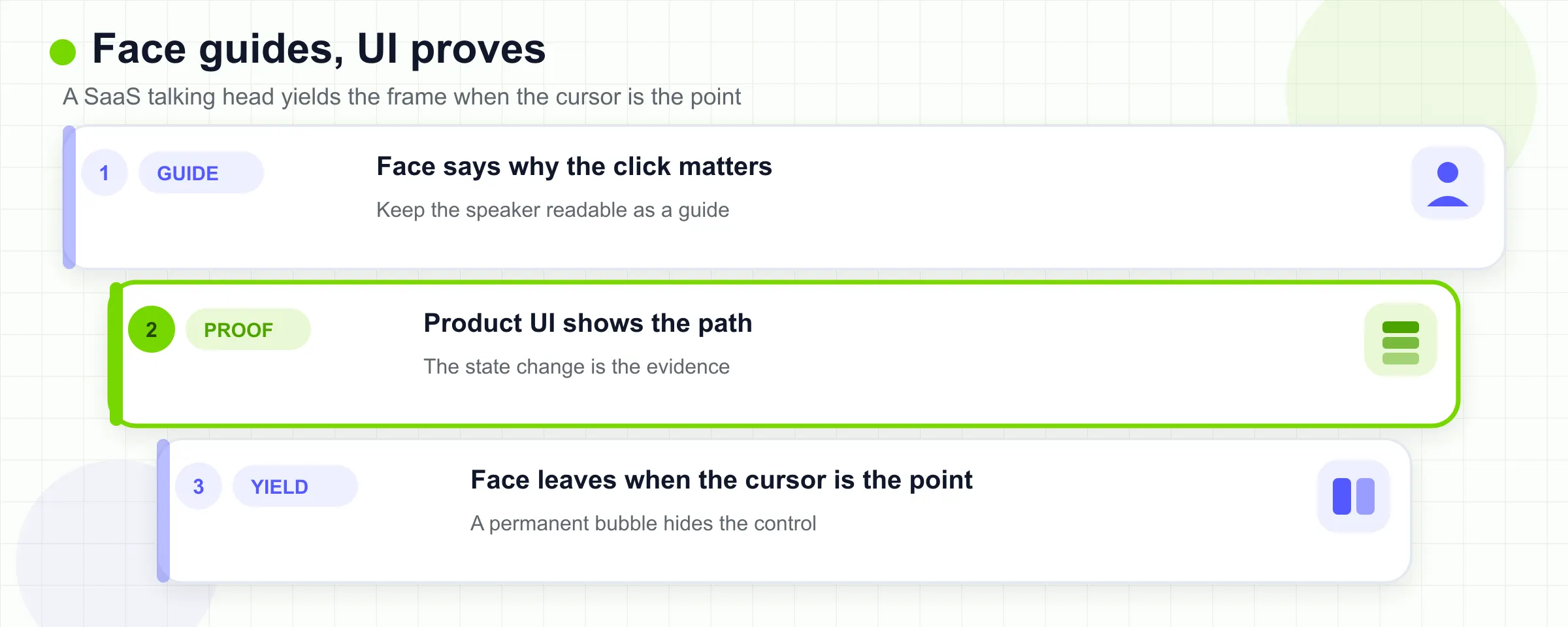
The SaaS talking-head example you want is not a founder monologue. It is a guided demo. The speaker tells the viewer what decision they are about to make. The product does the proving.
Loom’s support page is the cleanest public description of that split. Screen and Camera keeps a camera bubble over a chosen window. Screen Only drops the bubble when the UI needs the whole frame. Camera Only is reserved for a face-led moment (Loom / Atlassian Support). Borrow the switching rule. Do not borrow a permanent bubble that covers the control the viewer must see.
I looked for one canonical public Slack “employee explains a feature” talking-head cut to embed as a SaaS demo sample. Riverside describes Slack videos as short employee explanations with on-screen examples and plain office backgrounds (Riverside). The official Slack YouTube cut I opened, What is Slack?, is a branded product explainer with voiceover and motion, not a face-led feature walkthrough. A second search for a Notion official talking-head product demo did not yield one stable public watch URL I could open and classify as talking-head-plus-UI. So this job has a format rule and no single hero embed. That is a coverage gap, not a reason to invent a Slack employee video.
- What to borrow anyway
- Open on the job, not the logo. “You need to share a canvas with a client” is a demo. “We are excited to announce” is a launch film.
- Keep the speaker large enough to read as a guide, then shrink or cut away when a cursor, state, or error is the point.
- Show one path. If the UI has four ways to do the same thing, the talking-head layer should pick one and say so.
- What not to borrow
- A talking head that never yields the frame. Viewers cannot verify a SaaS claim from a face.
- An AI presenter standing in front of a fake dashboard. That copies Synthesia’s template job, not a demo job.
- A 12-minute tour. If you need the full feature set, write a product demo examples brief and treat the talking-head cut as the opener, not the catalog.
Limitation, adjacent to the conclusion: a hybrid demo ages with the UI. If the settings page will change next month, do not burn a cinematic talking-head shoot on those pixels. Record the face for the durable “why,” and recapture the screen later.
05
Courses and Training: Use the Instructor for Trust, Not Every Step
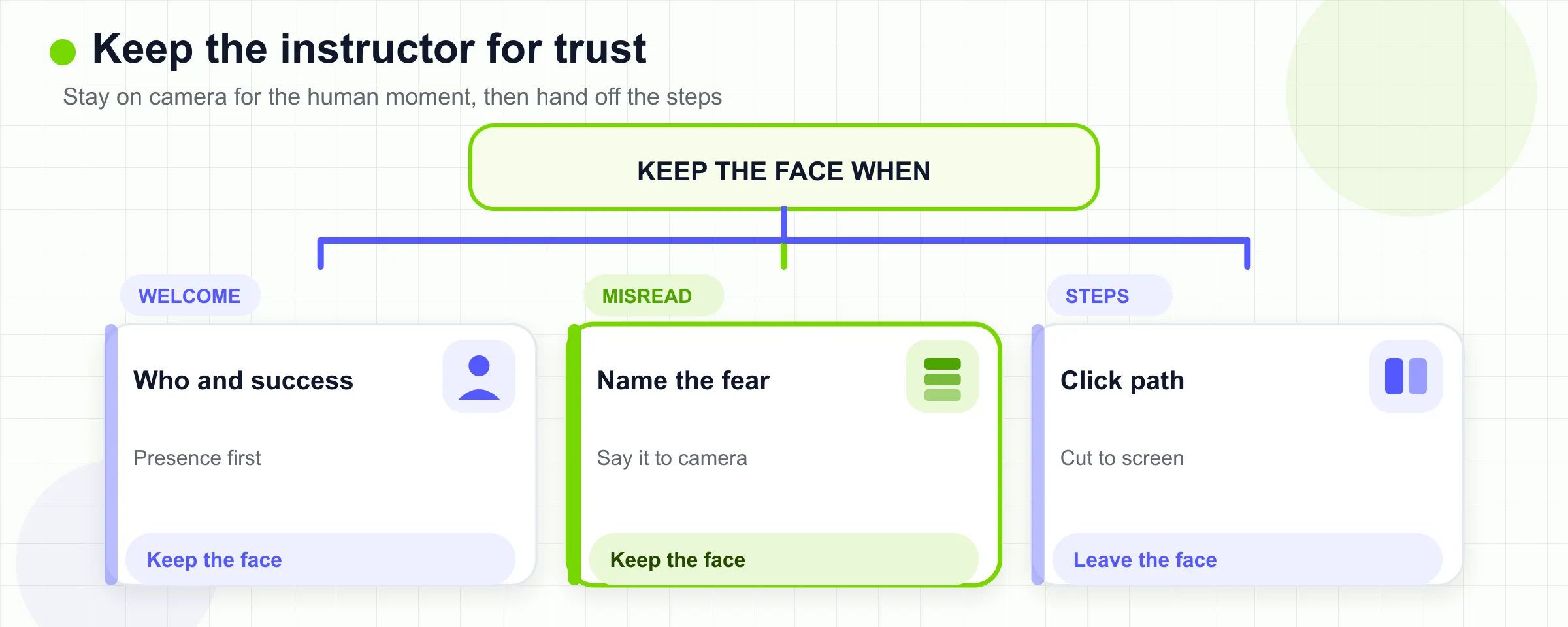
Course talking-head examples work when the face answers a student question the slide cannot answer: why this course exists, what success looks like, and which fear is misplaced. They fail when the instructor stays on camera through a procedure the learner must watch on a screen.
Andrew Ng’s public welcome for the Deep Learning Specialization is a clean instructor-presence cut. In Welcome (Deep Learning Specialization C1W1L01), he looks at the camera, states who the course is for, and maps five courses to outcomes. The proof is his ownership of the sequence, not a notebook screenshot. Borrow the welcome job. Do not borrow a 40-minute talking-head lecture if the next module is “click these four controls.”
CapCut’s course-format note (a tool page, not a benchmark) says the same split in different words: talking-head for framing and motivation, screen-share for software procedure. Use that as corroboration, not as a ranking.
- What to borrow
- A short on-camera contract. Who this is for, what they will be able to do, how long the next block is.
- One misconception, said to camera. Ng spends time telling learners the later courses exist so they do not treat week one as the whole field.
- A handoff. The talking-head cut should end by sending the learner into a screen, a reading, or a practice file.
- What not to borrow
- A talking head over a dense slide the viewer cannot read.
- Avatar instructors used as a substitute for a person the student will never meet, if your brand promise is “learn from this teacher.”
- The entire instructional video pattern set. That page owns outcome, proof, and learner control. This page only owns the on-camera slice.
Limitation: instructor presence is not automatically better pedagogy. If the lesson is a click path, a face can become extra load. Keep the talking-head example for the human moment, then cut.
06
Creator Content: Borrow Presence, Not the Whole Lifestyle Edit
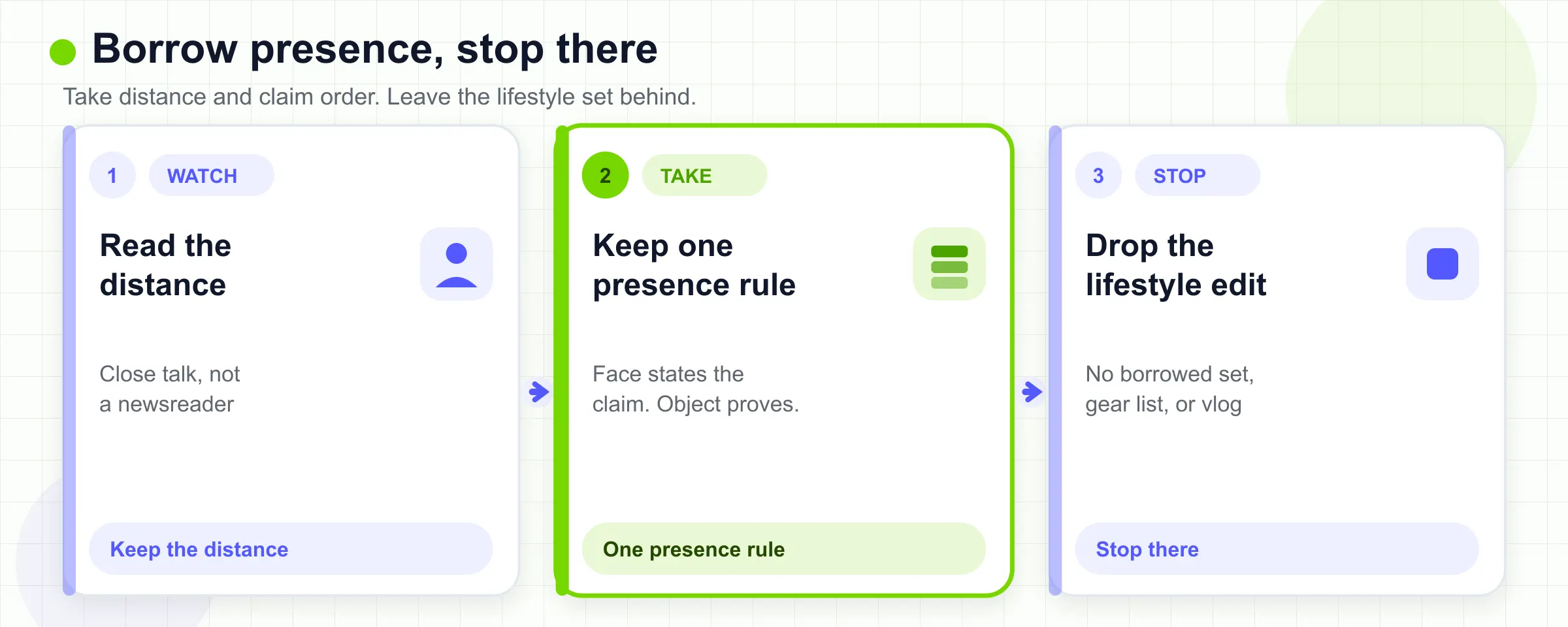
Creator talking-head examples are useful when your job is “a person I trust will sit with this idea.” They are dangerous when you copy a studio you do not have, or a B-roll library you will not maintain.
Ali Abdaal’s How I Built A YouTube Studio in a Tiny Room is a talking-head cut about talking-head distance. He argues for a close 24 mm framing because he wants the video to feel like a person hitting record, not a newsreader or a masterclass presenter. That is a borrowable rule: pick a distance that matches the relationship. It is not a borrowable shopping list. His own gear write-up is explicit that the 24 mm desk shot is a taste choice (Ali Abdaal).
Marques Brownlee’s iPhone 16/16 Pro Review is the other creator pattern: the face starts the judgment, then the product and test footage take over. Riverside already flags his changing field of view (Riverside). Borrow the “face states the claim, object proves it” order. Do not borrow a weekly review machine, a second camera, or punch-ins that exist only to hide a missing thought.
- What to borrow
- One conversational opener that names the viewer’s situation.
- Owned B-roll of *your* hands, desk, or product, not stock coffee.
- A hard cut back to the face when the claim is an opinion, not a spec.
- What not to borrow
- Someone else’s living room as a personality.
- Caption styles that turn every noun into a sticker.
- Gary Vee’s raw cadence unless your brand is already that cadence. Riverside cites him as an authenticity example (Riverside). Authenticity copied from another brand is just a worse script.
Limitation: creator examples optimize for subscribers and watch time. A B2B product update that copies that pacing can feel like a vlog in a place that needed a memo.
07
Customer Testimonials: Let the Buyer Carry the Proof
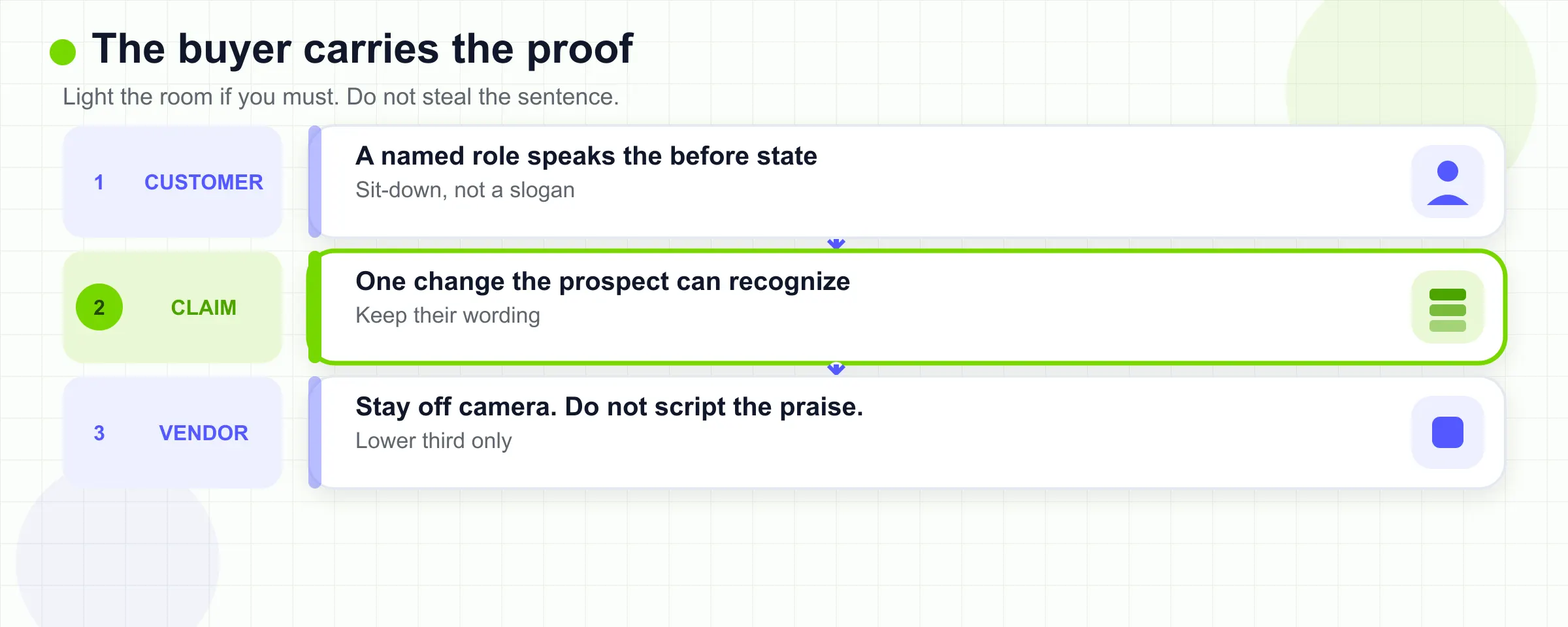
A testimonial talking-head example is useful only when the customer is the proof. The company can light the room and add a lower third. It should not steal the sentence.
HubSpot’s ShoreTel: HubSpot Customer Success Story is a sit-down customer cut. Michael Freeman names his role, the previous tool, the evaluation set, and the daily feeling after the switch. The useful pattern is interview-led: he is not reciting a slogan, and the camera stays on a person who had to live with the software. HubSpot’s own customer-video library frames the same job as testimonials and customer interviews (HubSpot).
Click2View maps customer proof to interview-led narrative for the same reason: real voices reduce buyer risk (Click2View). Borrow the mapping. Do not borrow HubSpot’s inbound vocabulary as if it were your product story.
- What to borrow
- A named role and a before-state that a prospect recognizes.
- Off-camera eyeline if it helps the speaker stay in a conversation instead of a performance.
- One concrete change. “I dreaded the login” to “I can finish the task” is a story. “They are the most complete solution” is a slogan that happened to be spoken on camera.
- What not to borrow
- A founder in a studio saying what the customer “would say.”
- Jump cuts that turn a hesitant answer into a highlight reel with no context.
- Metrics you cannot show. If the customer does not put a number on camera, do not add one in a caption.
Limitation: this ShoreTel cut is a vendor success story. Treat the quotes as that customer’s account, not as a HubSpot benchmark you can reuse for your own product.
08
Product Communication: Explain a Decision Without a Walkthrough
Product communication is the job people confuse with demo. The talking-head example you want here is a person who owns a decision: a change in policy, a shipping date, a limitation, or a recommendation. The viewer should leave knowing what changed and who stands behind it. They should not leave with a click path.
I searched for one canonical public “SaaS product update spoken to camera” watch URL that was not a demo and not a brand anthem. Slack’s What is Slack? is official and public, but it is a motion-led product film. A second search for a Notion official talking-head changelog also did not produce a stable face-led update I could open and classify. So this section is a format rule with `NOT_FOUND` coverage, not a fake case study.
- What the format still requires
- One owner on camera. “The team is excited” is not an owner.
- One decision. If you have four announcements, you have four talking-head cuts or one written post.
- A visible limitation next to the claim. If the feature is invite-only, say it on camera. Do not hide it in a card the editor adds later.
- What not to borrow
- Demo energy. If the UI is the point, you are back in the SaaS section.
- Avatar stand-ins for a decision that needs accountability. Easy-Peasy’s industry examples are AI presenters for corporate, course, news, and YouTube jobs (Easy-Peasy.AI). That is a production shortcut. It is a poor reference if the message is “I decided this.”
- A walk-and-talk campus tour unless the decision is actually about the place.
If the update is mostly a procedure, skip talking head and write the steps. If it is mostly a feeling, you may want a brand film instead of this cluster.
09
Hybrid Formats Worth Stealing, and One You Should Not
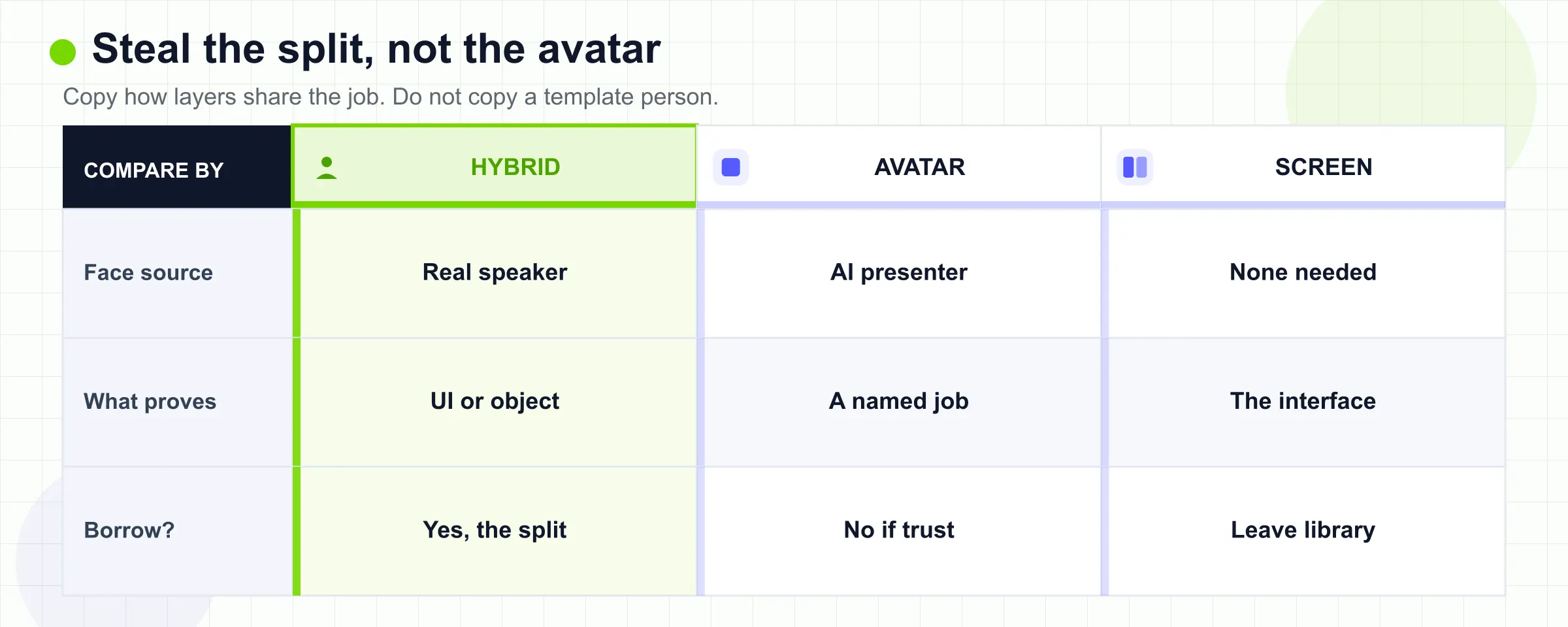
The hybrid examples worth stealing all do the same thing: the speaker remains the trust anchor, and a second layer does a job the face cannot do.
- Worth stealing
- Guide plus UI, as in the Loom capture split above.
- Instructor plus later screen lesson, as in the Ng welcome.
- Reviewer plus object footage, as in the MKBHD review.
- Customer plus a short product or workplace cutaway, as long as the cutaway does not replace the sentence.
- Not worth stealing
- Avatar plus stock office, sold as a talking-head example. That is a template catalog. Synthesia is explicit that its 14 examples are editable AI templates (Synthesia). If your viewer needs to believe a named person, that catalog is the wrong library.
If you already have a real recording and the missing layer is numbers, steps, or definitions, go back to the enhancement path after the table. That is a production step, not another example hunt. The written method still lives in the talking-head editing guide.
10
When a Talking Head Example Is the Wrong Reference
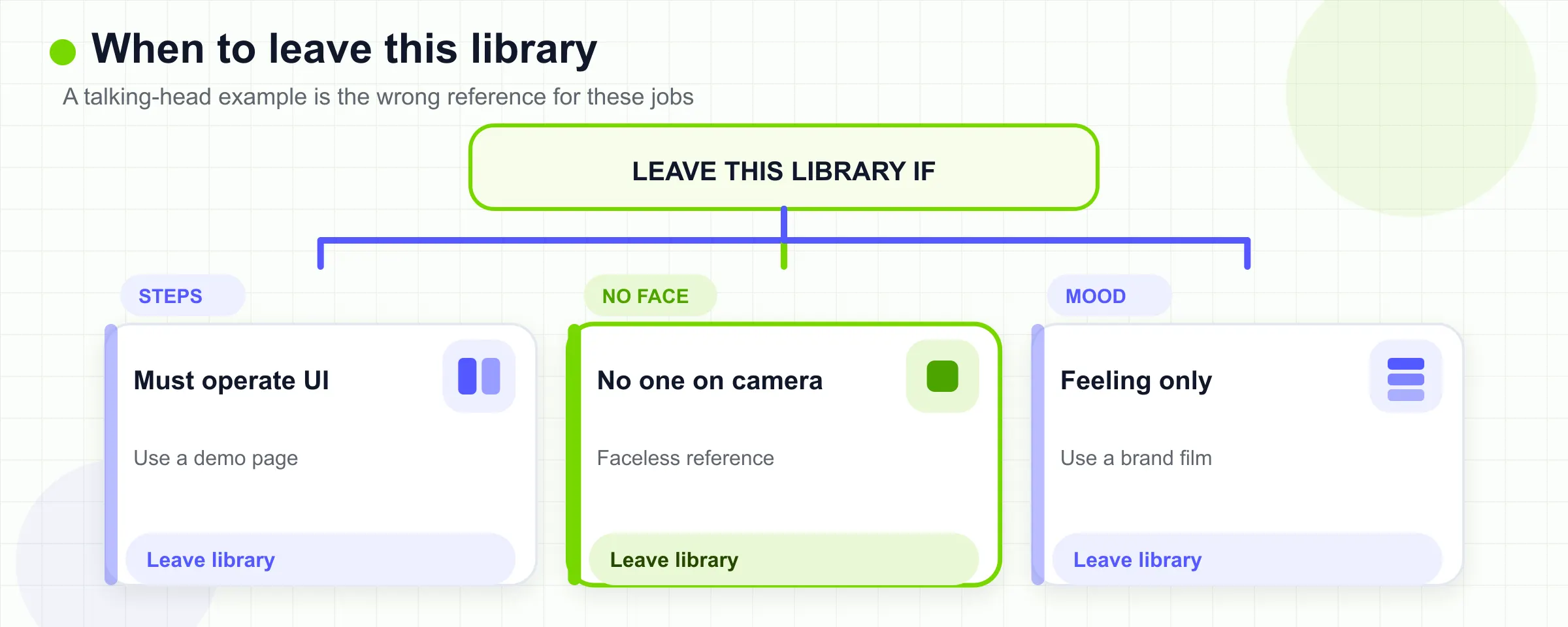
Some jobs punish a talking-head reference.
- If the viewer must operate software, start from screen-only or from a product demo pattern. Loom documents Screen Only as narration without a camera bubble (Loom / Atlassian Support). A face in the corner is optional, not the example to study first.
- If the viewer must complete a physical or UI procedure with learner control, use the instructional examples page, not this one (instructional video examples).
- If the brand promise is “no one has to go on camera,” use a faceless video reference. Do not study Ali Abdaal to produce a faceless cut.
- If the message is purely experiential, Click2View’s “when not to use a talking head” list applies: demonstration, not explanation (Click2View). A face explaining a sunset is the wrong object.
The failure mode is polite and common. Teams watch a creator talking-head example, then film a demo that never shows the product. Or they watch an avatar template, then ship a customer story with no customer. Score the example against the table. If it fails two columns, it is not a talking head video example for your job.
11
Talking Head Video Example FAQs
What should I look for in talking head video examples?
Look for a job, a proof layer, and a moment when the face leaves. If the cut only proves that a person can speak, it is not a useful example for SaaS, training, or proof.
Are AI avatar talking head examples useful references?
They are useful for seeing which jobs vendors name: training, onboarding, SOP, outreach. They are poor references when the viewer needs a real instructor, a real buyer, or a real UI. Synthesia’s gallery is explicit that the examples are editable AI templates (Synthesia).
Should a SaaS demo be a talking head or a screen recording?
Neither, as a default. The useful example is hybrid: face for the decision, screen for the path. Loom’s capture modes document that split (Loom / Atlassian Support). If the UI is the entire message, start screen-only.
How is this different from a talking head editing guide?
This page chooses a format to borrow. The editing guide starts after you already have a recording and need a visual layer for numbers, lists, and relationships (visual-layer guide).
How long should a talking head video be?
Long enough for one job. Livestorm’s glossary suggests keeping many talking-head cuts under five minutes and often under two (Livestorm). Treat that as a starting bias, not a measured retention study. A course welcome can be five minutes. A product decision can be 45 seconds. A demo that needs twelve minutes should not stay full-frame talking head.
Do I need a studio to use these examples?
No. Ali Abdaal’s studio video is about distance and intent in a small room (YouTube). TapVid’s official page says a phone or webcam take is enough if you are enhancing an existing recording (TapVid). Neither source makes expensive lights a requirement for the format decision.