
TL;DR
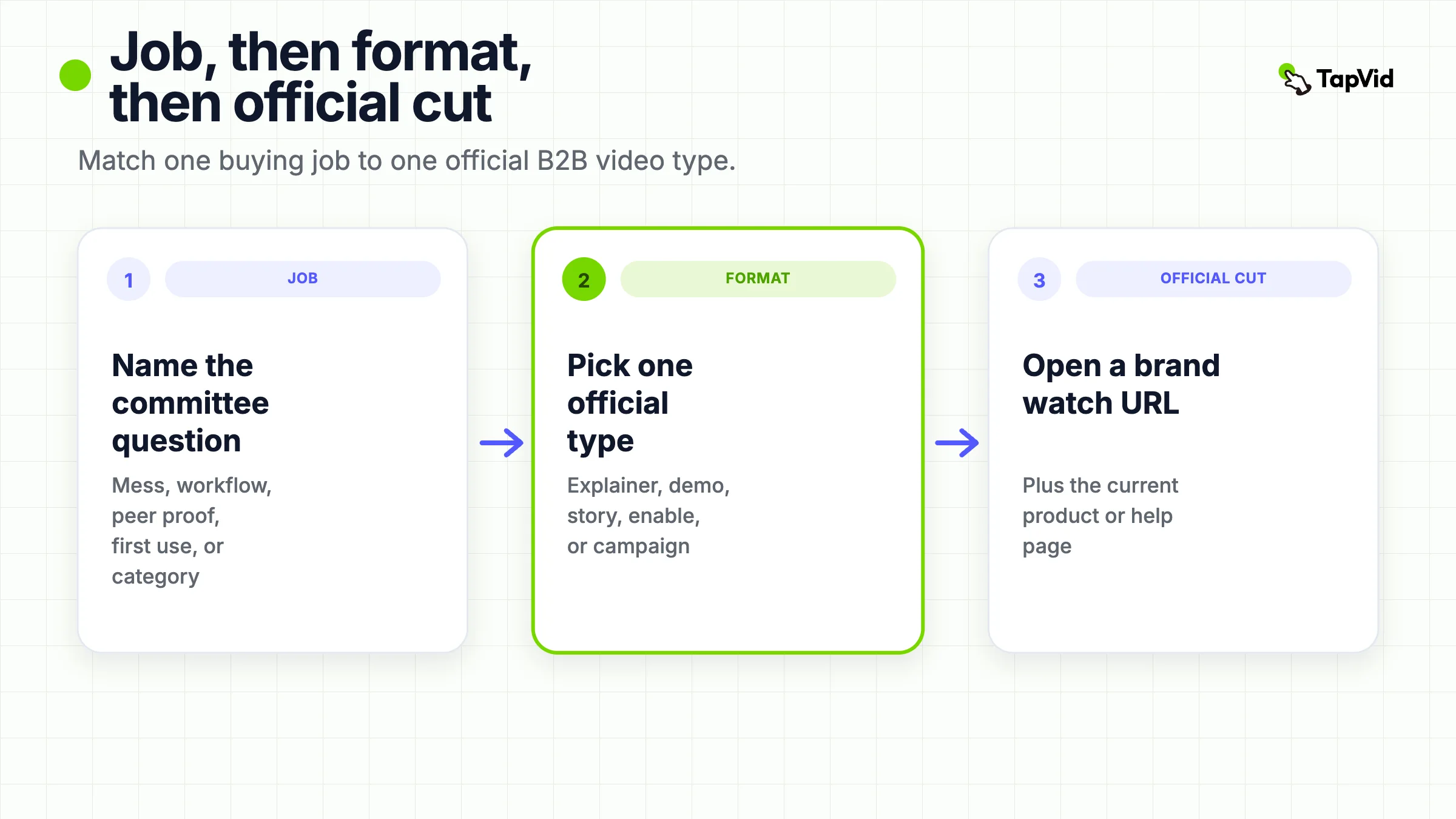
The useful B2B video examples are official cuts you can map to one buying job and one format. Use an explainer to name the current mess, a demo to show one inspectable workflow, a customer story to transfer peer proof, an enablement film to teach a first successful use, and a campaign film only when the viewer already knows the category. Borrow the job and the proof depth. Do not borrow another brand's claims, faces, metrics, or soundtrack.
Most “best B2B video examples” pages are inspiration piles. They mix a 2014 comedy spot, a homepage explainer, a customer interview, and a Super Bowl-length anthem, then ask you to feel motivated. That helps an agency sell a reel. It does not help a marketer or PMM decide which official cut to brief next.
This page is a format router. Each B2B video example below is a brand-owned public video, opened on 2026-09-01, with an official product or help page sitting next to the watch URL. The question is not “is this creative.” The question is: what buying job does this format actually move, and what source pack would you need to do the same job without copying the brand surface?
If you need the communication patterns inside complex-product explainers, that work already lives on B2B explainer videos. If you need the content system that assigns a job, a surface, and a measurement stack before anyone films, use B2B video marketing. This page only answers which official format to study. Keep the watch URL, the official product page, and the buying job in the same note so a later brief can defend the choice.
01
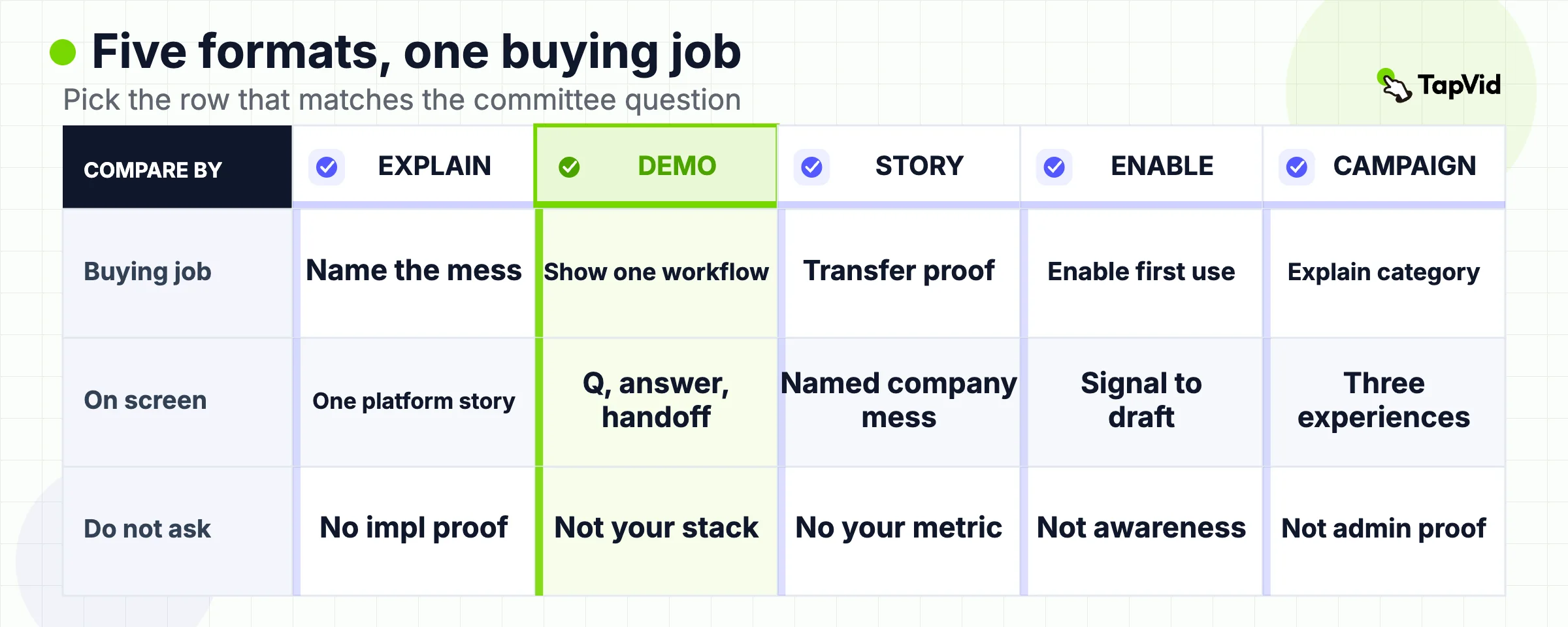
B2B video examples at a glance
| Format | Official example | Buying job it can move | What the cut actually shows | Do not ask this cut to do |
|---|---|---|---|---|
| Explainer | BambooHR, Product Overview | Name the costly current state | Fragmented HR work becoming one platform story | Implementation, payroll accuracy, or a customer result |
| Product demo | Intercom, Meet Fin 2 | Show one workflow the product can run | A support question, an automated answer, and a human handoff | Fit in your stack, or an independent resolution rate |
| Customer story | Slack, ezCater overdeliver | Transfer peer proof | A named company describing a messy catering workflow inside Slack | A metric you can put on your own landing page |
| Enablement | HubSpot, Prospecting Agent | Enable the first successful use | Plays, signals, draft review, and guardrails in the live product | Cold category awareness |
| Product campaign | Atlassian, Rovo at Work | Explain a category or mechanism at campaign pace | Three Rovo experiences that move work forward | Admin policy, credit math, or a customer case |
The table is a selection tool, not a ranking. If two rows look interchangeable, you do not yet have a buying job. Write the job in one sentence before you open an edit.
02
What a B2B video example is for, and what it is not
A useful B2B video example is a public, brand-owned cut that a later viewer can classify. You should be able to say, in one sentence, which committee question it answers and which format it is allowed to use. If you cannot, the clip is decoration.
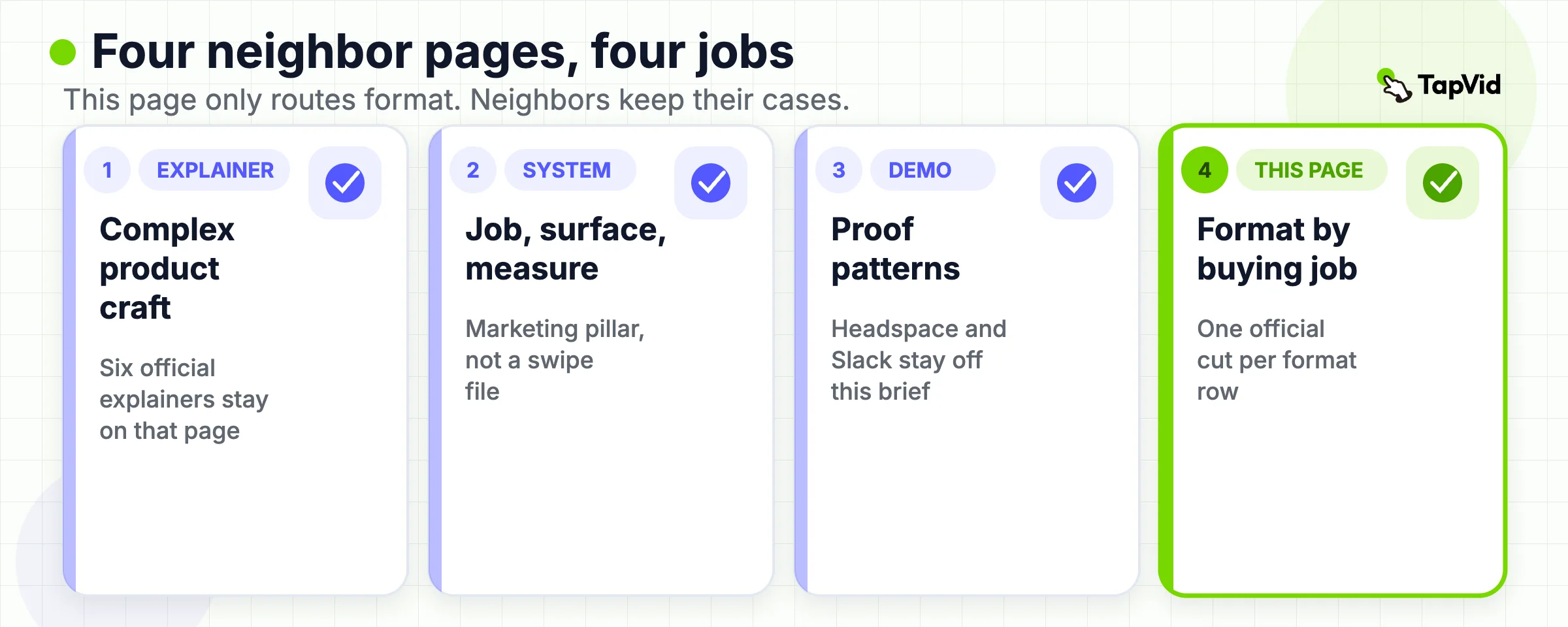
That is a narrower job than four neighbors that already have their own TapVid pages:
- B2B explainer videos studies how six official explainers make a complex product repeatable across a committee. It owns Salesforce, monday.com, ServiceNow, Cloudflare, Docusign, and IBM. Those six cuts stay off this page.
- B2B video marketing owns the system: one job, one surface, one next action, and a measurement stack you can defend. It is not a swipe file.
- Product demo video examples owns proof patterns inside demos, including Headspace, Slack's person-led workflow film, Grammarly, and IKEA Place. Those demos stay off this page.
- Brand video examples asks whether a film is doing a meaning job. A B2B campaign can look like a brand film and still be selling a product occasion.
Adjacent search results are useful only as a warning:
- Wistia's funnel gallery already sorts B2B videos by stage. A stage label still does not tell you what source material you must own, or what the cut is forbidden to prove.
- Column Five's 20-example list, updated 2026-06-18, rewards energy and surprise. That is a taste file, not a brief.
If you already have an approved script, article, or source pack and the job is explanation rather than a live click path, TapVid's AI explainer video generator can structure that material. It does not invent a customer result, a resolution rate, or a campaign claim the source never made.
03
How these official examples were reviewed
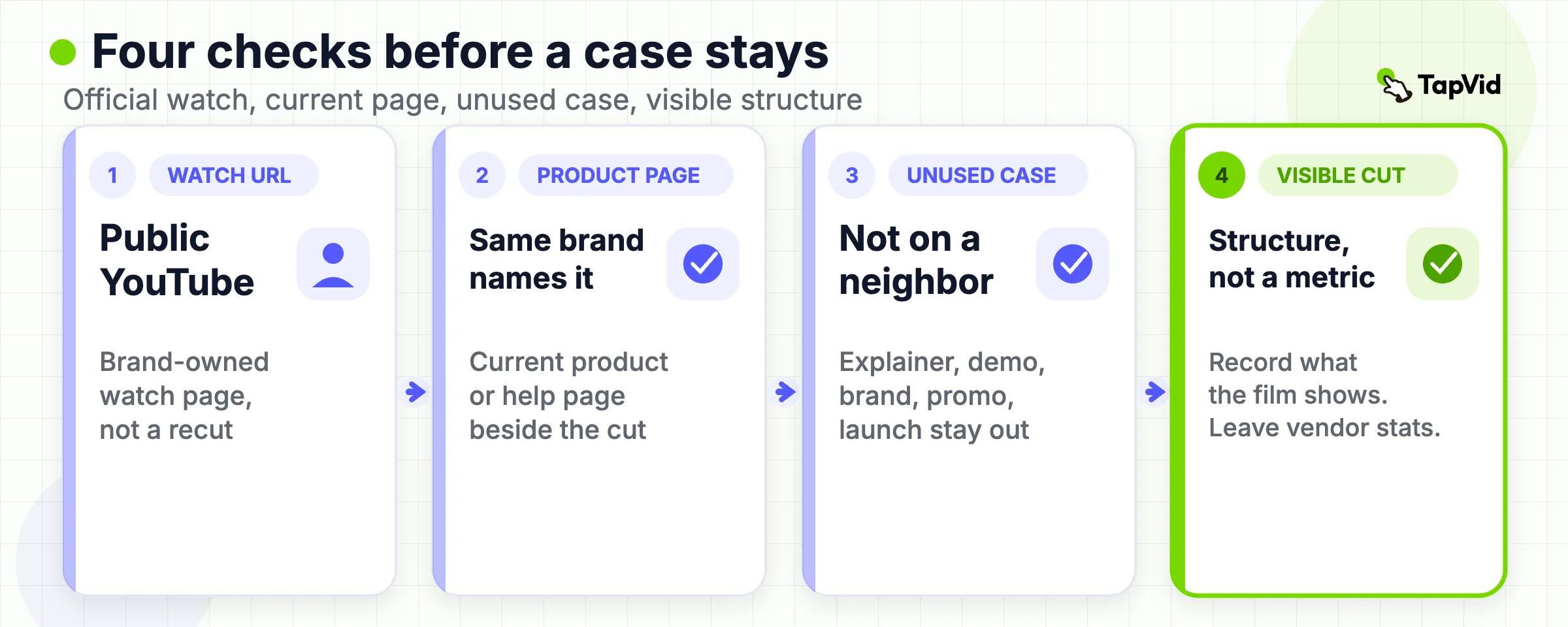
Every third-party benchmark on this page had to clear four checks on 2026-09-01.
- The watch URL is a public YouTube page, not a private preview, a share-sheet short link, or an agency recut.
- The same brand publishes a current product or help page that names the thing the video is about.
- The cut is not already the primary case on TapVid's explainer, demo, brand, promo, or launch example pages.
- The review records what the video shows, not what a listicle says it “drove.”
Publisher metrics stay labeled as publisher metrics. Intercom's Fin page states average resolution rates and weekly resolution volume. BambooHR's homepage states customer time and cost stories. Atlassian's Rovo page states customer-efficiency figures. None of those numbers become this article's proof. The proof is the visible structure of the official video: the job it attempts, the objects it puts on screen, and the claim it leaves unproven.
Econsultancy's 2018 campaign list is useful as a warning, not as a source pack. Hootsuite Mean Tweets, Slack “So Yeah, We Tried Slack,” and Adobe “Click, Baby, Click!” are real films. They are also more than seven years old, and they teach comedy timing more than a 2026 buying job. They stay out of the gallery.
04
Two B2B examples made by TapVid
The five benchmark videos below come from their brands' official channels. These two examples come from the TapVid Good Case library. They are format references, not customer endorsements or independent proof that the marketing, legal, or financial claims inside the source material are correct.
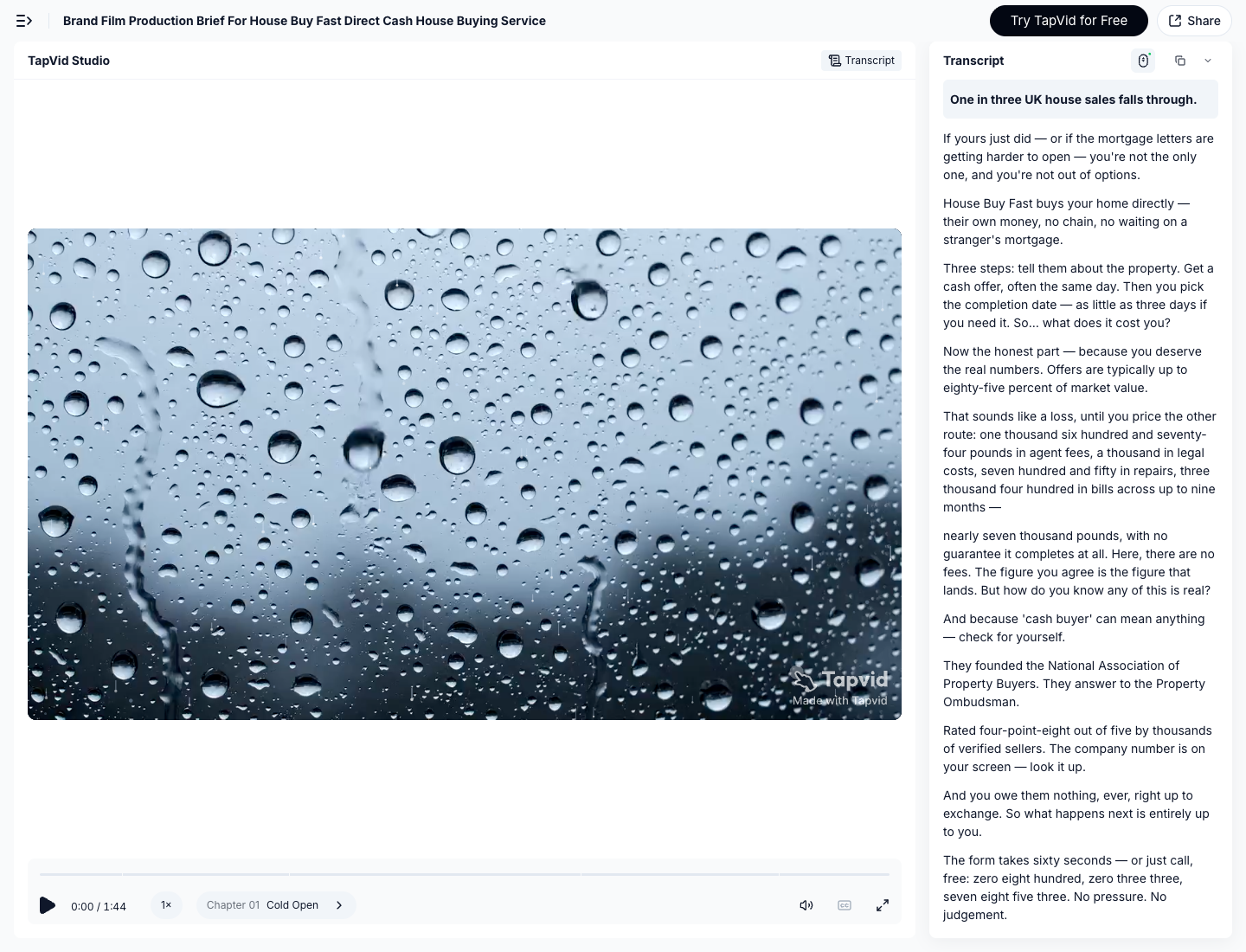
Service explainer: House Buy Fast. The source video turns a cash-home-buying service into a three-step path: submit details, receive an offer, and choose a completion date. That pattern helps when a service feels abstract and the buying job is to make the mechanism legible. Watch the public share page or open the source video. Made by TapVid.
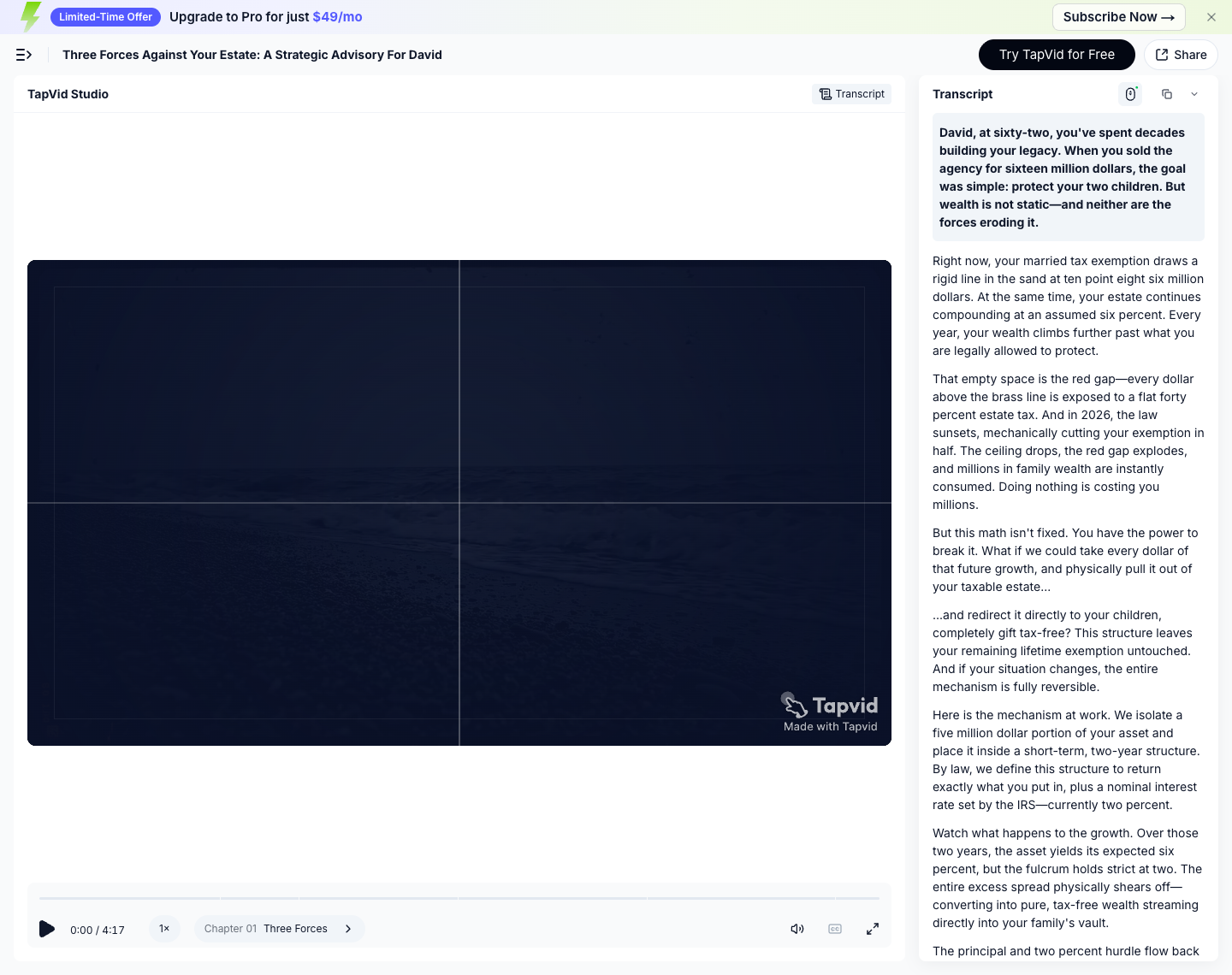
Sales enablement: Three Forces Against Your Estate. This example organizes a dense advisory argument into a sequence of forces, thresholds, and mechanisms. The useful pattern is structural: one risk per beat, then the proposed mechanism. Treat the visible tax and legal wording as source material inside the example, not advice or independently verified fact. Watch the public share page or open the source video. Made by TapVid.
Borrow the structure only when you own an approved source pack for every visible claim. TapVid can preserve supplied assets and wording inside a motion-led explanation, but the source owner still approves the facts before publication.
05
Explainer example: BambooHR Product Overview
Watch the official BambooHR Product Overview (https://www.youtube.com/watch?v=PpGZ0cFQyjg).
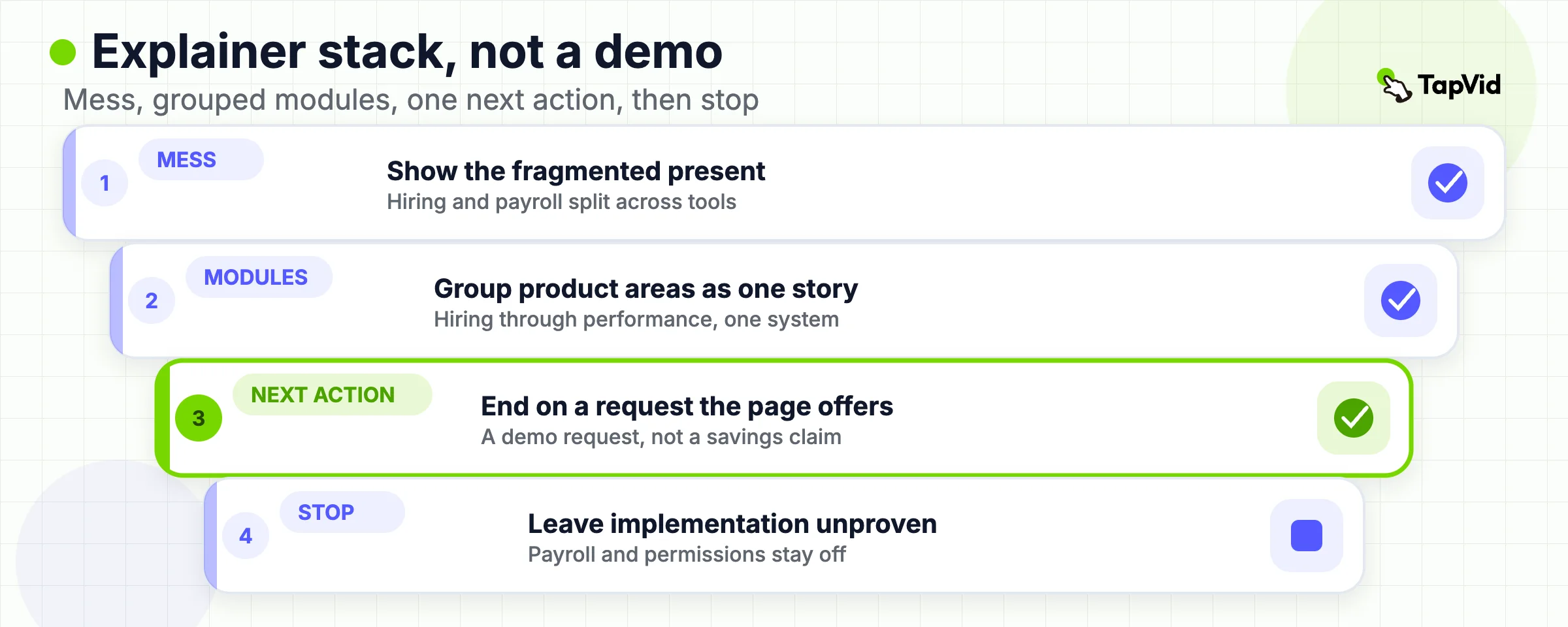
BambooHR's own video opens in the current mess: hiring, onboarding, training, payroll, and ad hoc questions spread across tools that do not share data. The official BambooHR homepage makes the same category claim in prose. BambooHR is an HR, payroll, and benefits platform that brings employee data into one place. The video's job is to make that fragmented present visible, then walk the viewer through hiring, records, reporting, time, benefits, payroll, and performance as one story.
That is a classic explainer job. The viewer should leave with a sentence a champion can repeat: people data is split, and the product's promise is one coordinated system. The viewer should not leave thinking they have seen an implementation.
- Borrow this: a visible “before” that a non-HR executive can recognize, then a tour that groups modules by the work they replace. End with one next action the page already offers. BambooHR ends on a demo request.
- Do not borrow this: the bobblehead jokes, the “harmony and delight” voice, or any customer-savings figure from the homepage. Those figures are BambooHR's published customer stories. They are not evidence you can put on your own site.
- Limitation: platform breadth is the point and the risk. The cut names applicant tracking, onboarding, time tracking, benefits, payroll, satisfaction, performance, and an integration marketplace. A later evaluator still cannot see permissions, data residency, or whether payroll is included in the plan they would buy. The homepage FAQ is explicit that pricing depends on headcount and selected features, and that payroll is an add-on. If the product is complex and the committee needs proof depth by role, stop here and use B2B explainer videos. Do not stretch one overview into a validation film.
06
Product demo example: Intercom Fin 2
Watch Intercom's official Fin 2 film (https://www.youtube.com/watch?v=EIjL9I1Jf2I).
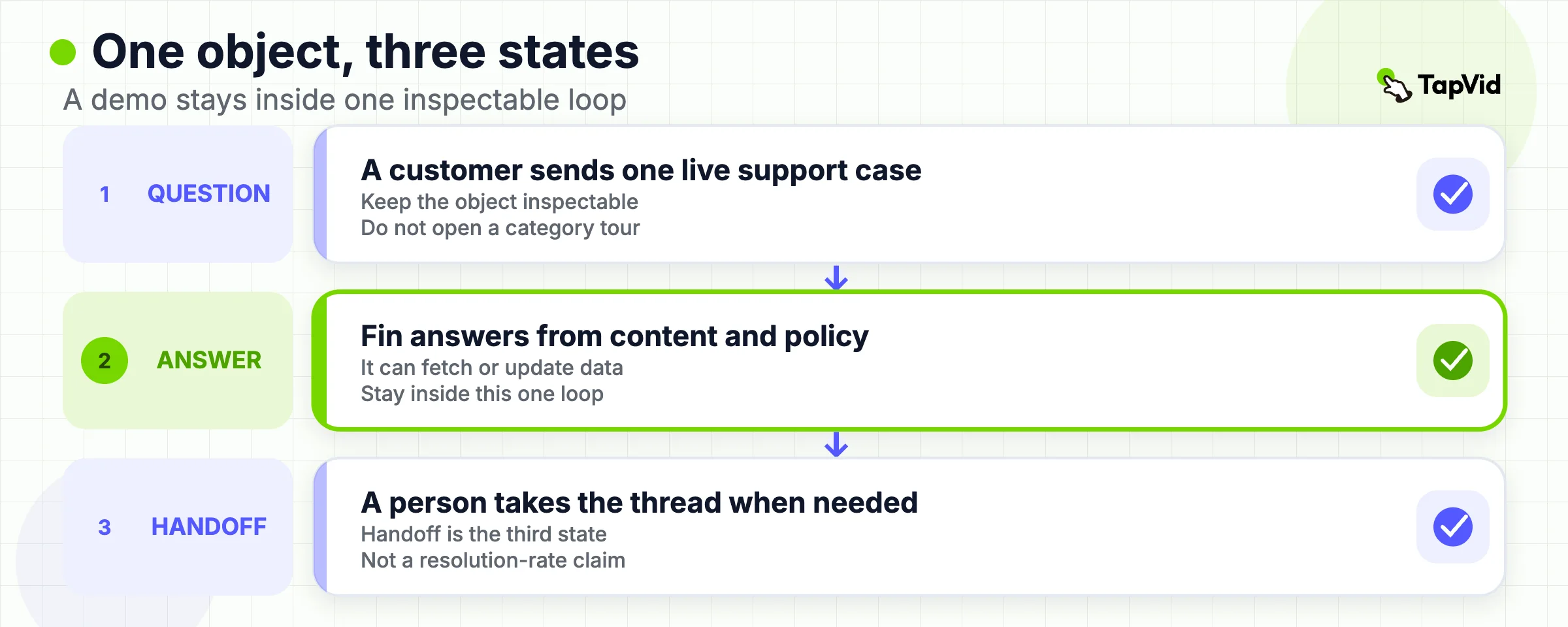
The official Intercom video is short and specific. A customer sends a question. Fin 2 answers from the company's support content and policies, can fetch or update customer data, and hands the conversation to a human team when it cannot resolve the issue. The Fin product page, read on 2026-09-01, describes the same object: a customer agent that works from your content, acts in your systems, and hands off with context.
This is a demo job, not an explainer job. The viewer is asked to believe one workflow exists: question, automated answer, optional human handoff. The interface and the narration stay inside that loop.
- Borrow this: one object traveling through three states. Keep the nouns an evaluator needs: support content, policy, customer data, handoff. End on a demo, not a brand manifesto.
- Do not borrow this: Intercom's published resolution-rate, model, or certification claims. The Fin page is full of them. They are Intercom's claims. They are not visible in the 66-second film, and they are not yours to repeat as if you measured them.
- Limitation: a demo this tight cannot show your helpdesk, your knowledge gaps, or what happens when the agent is wrong. The official page says Fin can work with Intercom and with other helpdesks. The video does not prove that for a buyer's stack. If the next committee question is “will this respect our escalation policy,” you need a longer enablement cut or a scoped live walkthrough, not another 60-second hero. For more demo proof patterns, including when to use screen recording instead of motion, see product demo video examples. Do not copy that page's Headspace, Slack, or Grammarly cases onto this brief.
07
Customer story example: Slack and ezCater
Watch Slack's official ezCater story (https://www.youtube.com/watch?v=N4kpe-J8kP0).
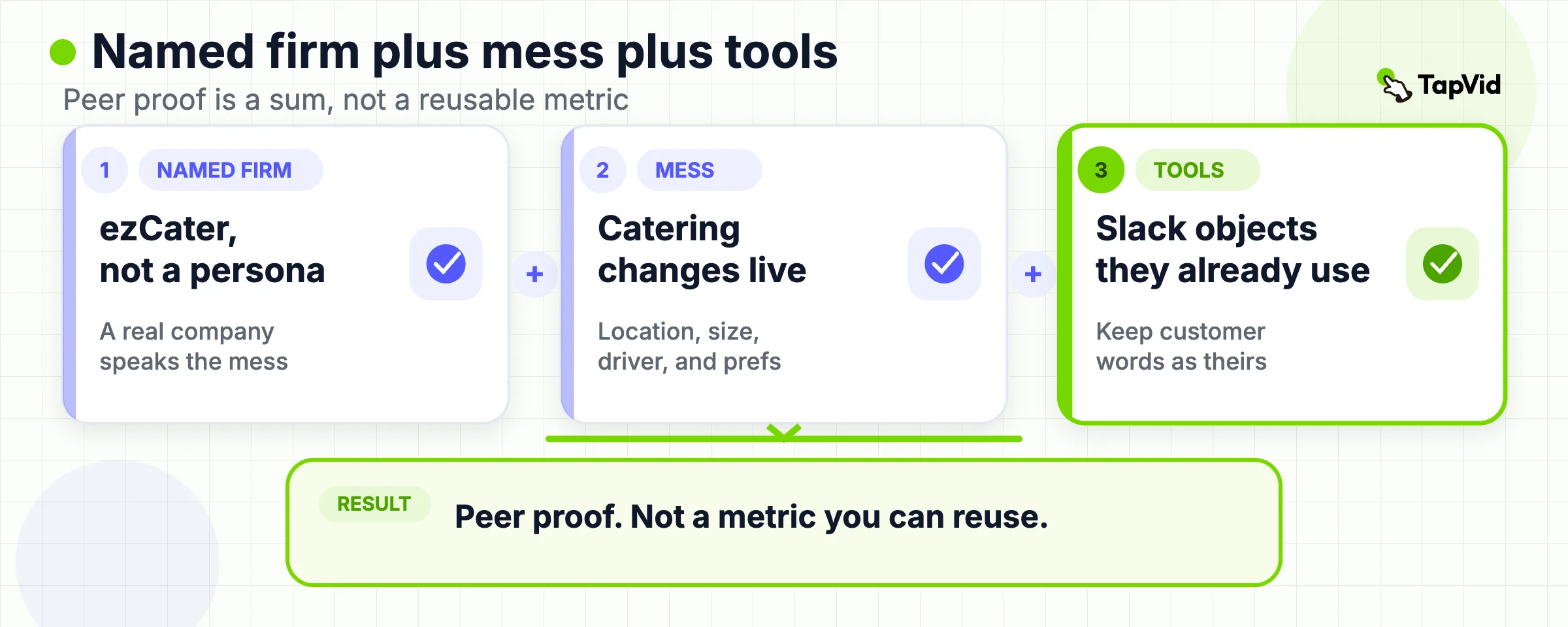
The official Slack film lets ezCater people describe a workplace catering problem: orders have to arrive on time and match what was requested, while location, party size, restaurant, driver, and preferences change in real time. The speakers then place Slack, Salesforce, Agentforce, and Data Cloud inside that workflow. The story is peer proof, not a product tour.
That is the customer-story job. A later economic buyer should be able to repeat one named situation: a Slack-native support team wants one place to query order intelligence when a catering change hits. The film does not give you a number you can put in a proposal.
- Borrow this: a named company, a messy operational moment, and the tools already in the speakers' daily work. Keep the customer's words as the customer's words.
- Do not borrow this: ezCater's market position, Slack's “workplace OS” line, or any implied AI result. The speakers describe Agentforce as a critical future piece of infrastructure and as a way to query information in Slack. That is their plan and their language. It is not a verified outcome for another company.
- Limitation: this cut is a joint Slack and Salesforce story. If your viewer needs a Slack-only proof or a Salesforce-only proof, the film will over-claim. It also does not show the interface states a process owner would inspect: an order change, a query, a recommendation, a record. Use it to open a peer-proof conversation. Do not use it as validation.
08
Enablement example: HubSpot Prospecting Agent
Watch HubSpot's official Prospecting Agent walkthrough (https://www.youtube.com/watch?v=2KRhZyP--TY).
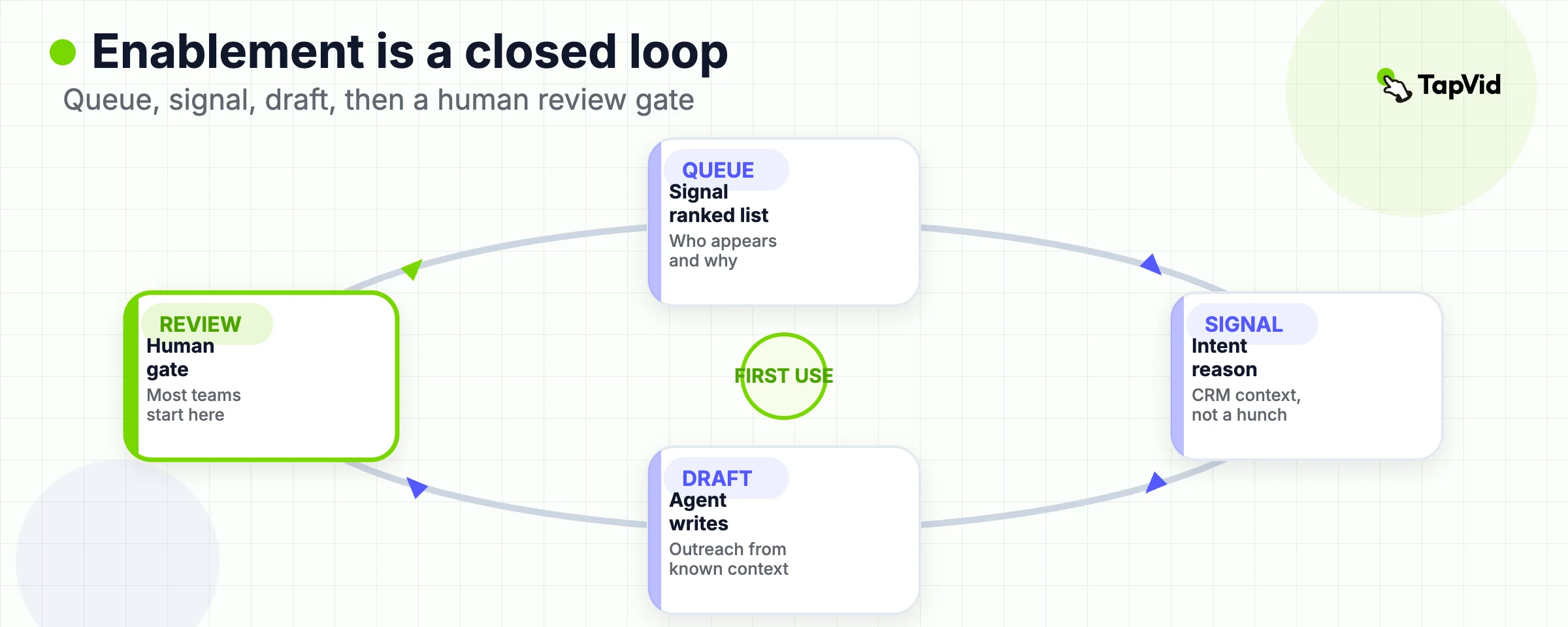
Kyle's How to HubSpot video is an enablement film. It assumes the viewer already bought the category. The job is to complete a first successful use: open Prospecting Agent, read a signal-ranked queue, inspect research, configure a play, set guardrails, and choose review-before-send or more automation. HubSpot's own help article, read on 2026-09-01, matches that object. Super Admin or Access prospecting agent permission is required. Contacts can be enrolled manually, by rules, or by workflow.
A second official page, Use buying signals in the prospecting agent, names the mechanism the video spends time on: plays that watch for intent signals, recommend companies, source contacts, and draft outreach from CRM context.
- Borrow this: teach the path a new user will actually click. Show the queue, the reason a company appeared, the draft, the research behind the draft, and the control that keeps brand voice on the sender's side. HubSpot's video is explicit that most teams start in review mode.
- Do not borrow this: the “signal to signed deal” story in HubSpot's shorter Spring Spotlight cut, or any implied lift in meetings booked. The enablement film shows a workspace. It does not show an independent pipeline study.
- Limitation: enablement is a terrible cold-traffic asset. A viewer who does not already live in HubSpot will bounce before the first play tab. Subscription and credit requirements sit on HubSpot's help pages, not in the film. If your next action is “book a demo” rather than “complete setup,” this format is the wrong brief.
09
Product campaign example: Atlassian Rovo at Work
Watch Atlassian's official Rovo at Work film (https://www.youtube.com/watch?v=YtO4saEhhIM).
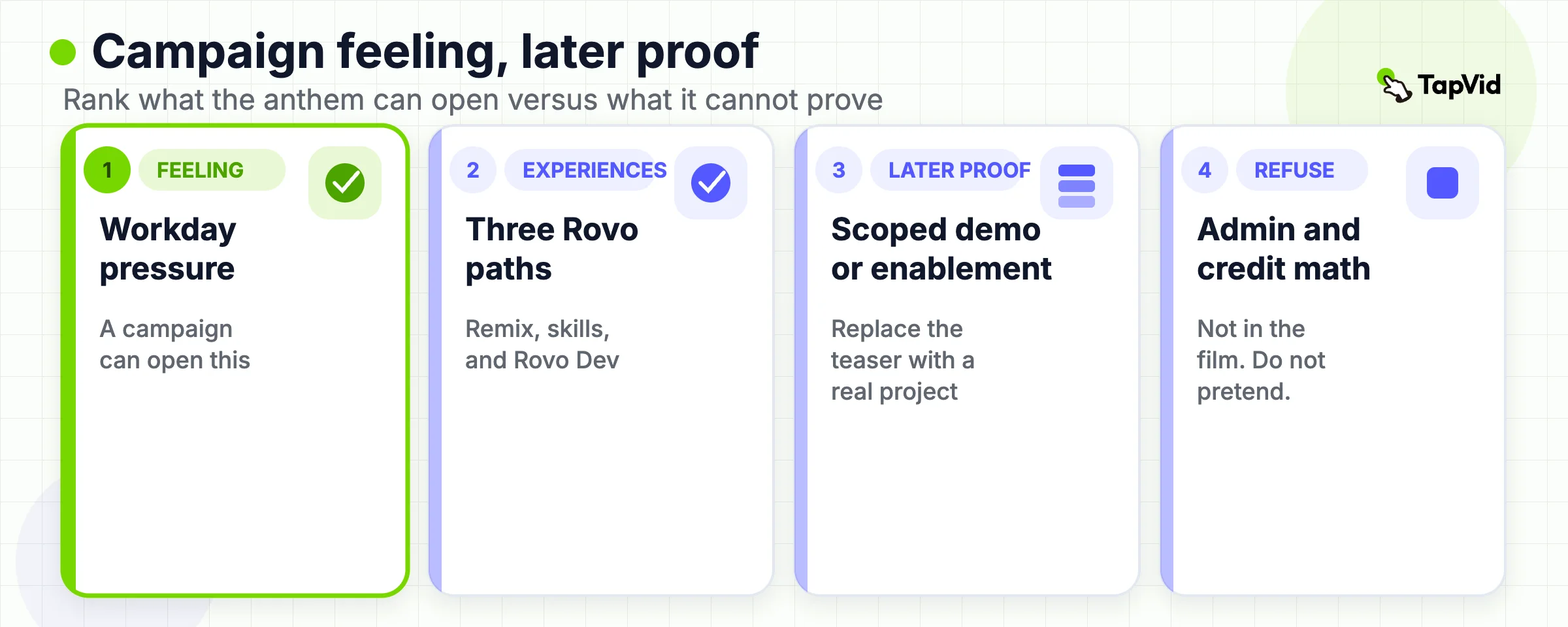
The official Atlassian video is a campaign cut. It starts from a workday feeling: the task that slips to 5 p.m., the sense that there should be a better way. It then shows three experiences. Remix with Rovo turns content blocks into maps, timelines, and charts. Rovo skills do grunt work that a person still approves. Rovo Dev in Jira is framed as a coding agent that knows the team's projects. The current Rovo product page, read on 2026-09-01, describes the same product family: AI that uses context across people, projects, and code, with admin control over what the system can access.
This is the campaign job. The viewer should leave with a category sentence: Rovo is AI that is supposed to know the company's work, not a generic chatbot. The viewer should not leave thinking they have seen a security review.
- Borrow this: one feeling, three inspectable experiences, and a close that invites the team to make the product their own. Keep each experience short enough that a later demo can replace it with a real project.
- Do not borrow this: Atlassian's published customer-efficiency figures, the “Achieve the impossible” homepage line, or the idea that a campaign film proves governance. The official FAQ says Rovo is available on Standard, Premium, or Enterprise Cloud plans of named Atlassian products, that usage is measured in Rovo credits, and that org admins can deactivate AI. None of that is in the film.
- Limitation: campaign pace hides configuration. A security or platform owner still needs to know what the agent can read, what a skill is allowed to write, and what happens when a human rejects the draft. If that is the live question, this cut is a teaser. Pair it with a demo or an enablement path. Do not pretend the anthem answered the review.
10
Turn a watch into a format-matched brief
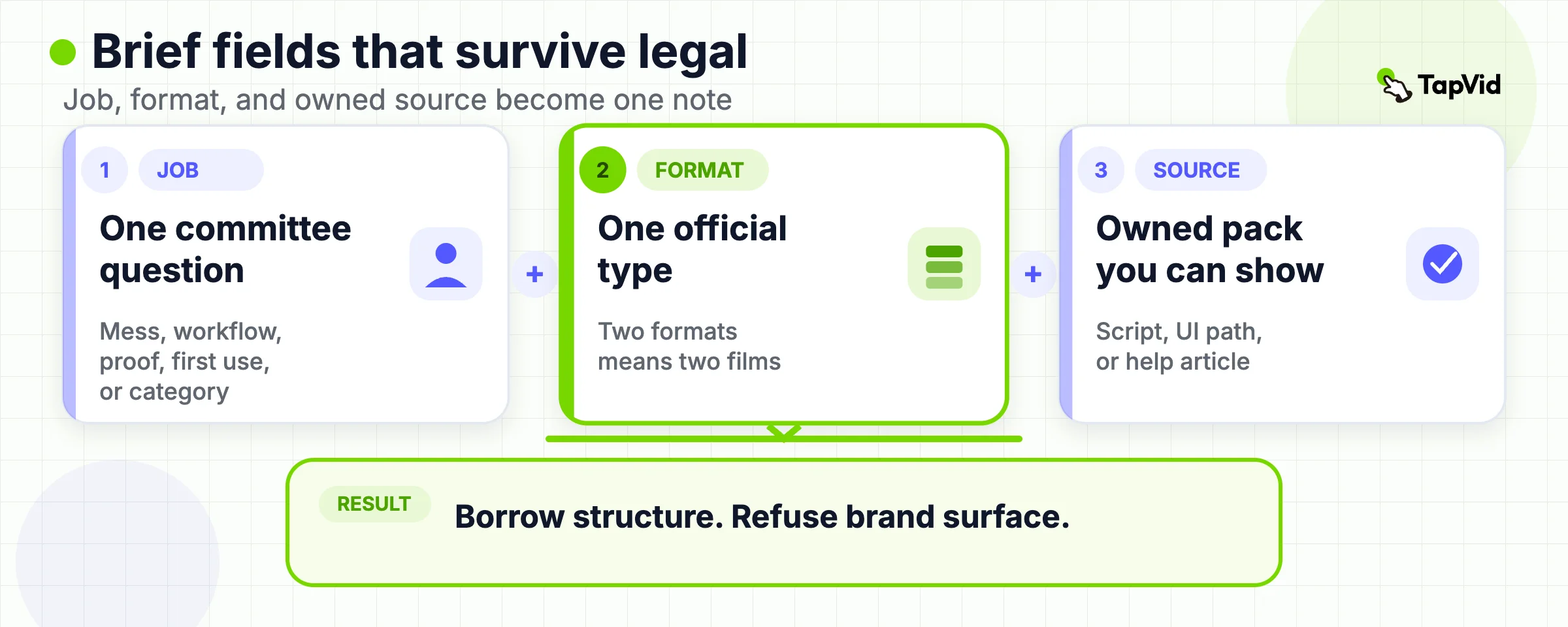
A reference is useful only when it changes a production decision. After you watch one official B2B video example, fill this brief before anyone writes a script or books a crew.
| Brief field | Required answer |
|---|---|
| Buying job | Which committee question should move? Name the costly state, show one workflow, transfer peer proof, enable first use, or explain the category. |
| Format | Explainer, demo, customer story, enablement, or campaign. If you want two, you want two films. |
| Official reference | Exact watch URL and the official product or help page that names the same object. |
| Visible mechanism | What object or state did the reference put on screen? |
| Owned source pack | Which approved script, UI path, customer permission, or help article can carry the same job? |
| Borrow | One structural choice. Example: BambooHR's grouped-module tour, not its jokes. |
| Refuse | Brand surface, claims, faces, and metrics you will not copy. |
| Boundary | What this film will not prove, and which later asset answers it. |
| Next action | Demo, trial, setup path, or internal thread. Match the format. |
A good reference note is ugly and specific. “Borrow Intercom's three-state loop: question, automated answer, human handoff. Do not copy Fin's published resolution rate. Our source pack is the current help-center policy plus one recorded escalation.” That note can go to legal. “Make it feel like Rovo” cannot.
If the owned source pack is a document, article, or approved script and the format is explanation rather than a live click path, start from the AI explainer video generator. If the exact interface is the proof, record the product. If the job is still “which video should we make at all,” go back to B2B video marketing before you produce anything. Production model comes after the format is named; use B2B video production to decide agency, screen recording, or an asset-to-video workflow, and do not start there.
11
When the video you found is the wrong type
Search results for B2B video examples will keep handing you the wrong object. Use these stops.
- If the film is funny and more than five years old, treat it as craft history. Econsultancy's 2018 set is the usual trap. Comedy timing is not a 2026 buying job.
- If the film is a brand anthem with no product object, it may belong on brand video examples. Do not force it into a demo brief.
- If the film is a launch recap for a product everyone already recognizes, it may belong on product launch video examples. High recognition lets a cut move fast. A new B2B category cannot copy that pace.
- If the film is a generic small-team marketing swipe, it may belong on video marketing examples. That page is for creators and SMBs copying a promise-proof-CTA structure. It is not a B2B committee router.
If you only have one approved explainer and you keep adding jobs to it, you are writing the failure mode these examples exist to prevent. Split the project. The BambooHR overview cannot also be the payroll validation. The Fin demo cannot also be the security review. The ezCater story cannot also be your ROI slide. The HubSpot walkthrough cannot also be the LinkedIn ad. The Rovo campaign cannot also be the admin policy. Write the refused job on the brief so the next asset has an owner.
12
Frequently asked questions
What counts as a useful B2B video example?
A public, brand-owned video that you can map to one buying job and one format, with an official product or help page that names the same object. Inspiration without a watch URL, or a watch URL without a current official page, is not enough. An agency recut, a private preview, or a homepage metric with no visible mechanism also fails this test.
Should every B2B team make all five formats?
No. Make the format that matches the live committee question. A team that still needs the category named should not start with enablement. A team in late review should not start with a campaign anthem. Two live questions usually means two films, not one cut asked to do both jobs.
How are these different from B2B explainer video examples?
Explainer examples study how a complex product becomes repeatable for a committee. This page compares formats. It keeps one explainer in the set and sends deeper explainer work to the dedicated explainer page. The same split applies to demos: proof patterns stay on the demo page, and this page only decides when a demo is the right official format.
Can I use views or a vendor's published ROI as proof that an example works?
No. Views measure distribution, not committee progress. Vendor homepage metrics are the vendor's claims. This article uses them only as labeled publisher statements, never as a result you can reuse.
What source material do I need before I copy a structure?
An explainer needs an approved current-state story and a module map. A demo needs one real workflow you can show. A customer story needs a named customer who will speak on the record. Enablement needs the live product path and the permission to film it. A campaign needs a category sentence the website already uses. If any of those inputs is missing, stop before you copy a structure that your source pack cannot support.
When is TapVid a fit for this swipe file?
When the chosen format is explanation or motion-led structure and you already have an approved script or source pack. TapVid does not create a customer interview, a live product recording, or a metric the source never contained.
Where should I go after I pick a format?
Use B2B video marketing to lock the job, surface, and next action. Use B2B explainer videos or product demo video examples when you need format depth. Use B2B video production only after the format is named.