
TL;DR
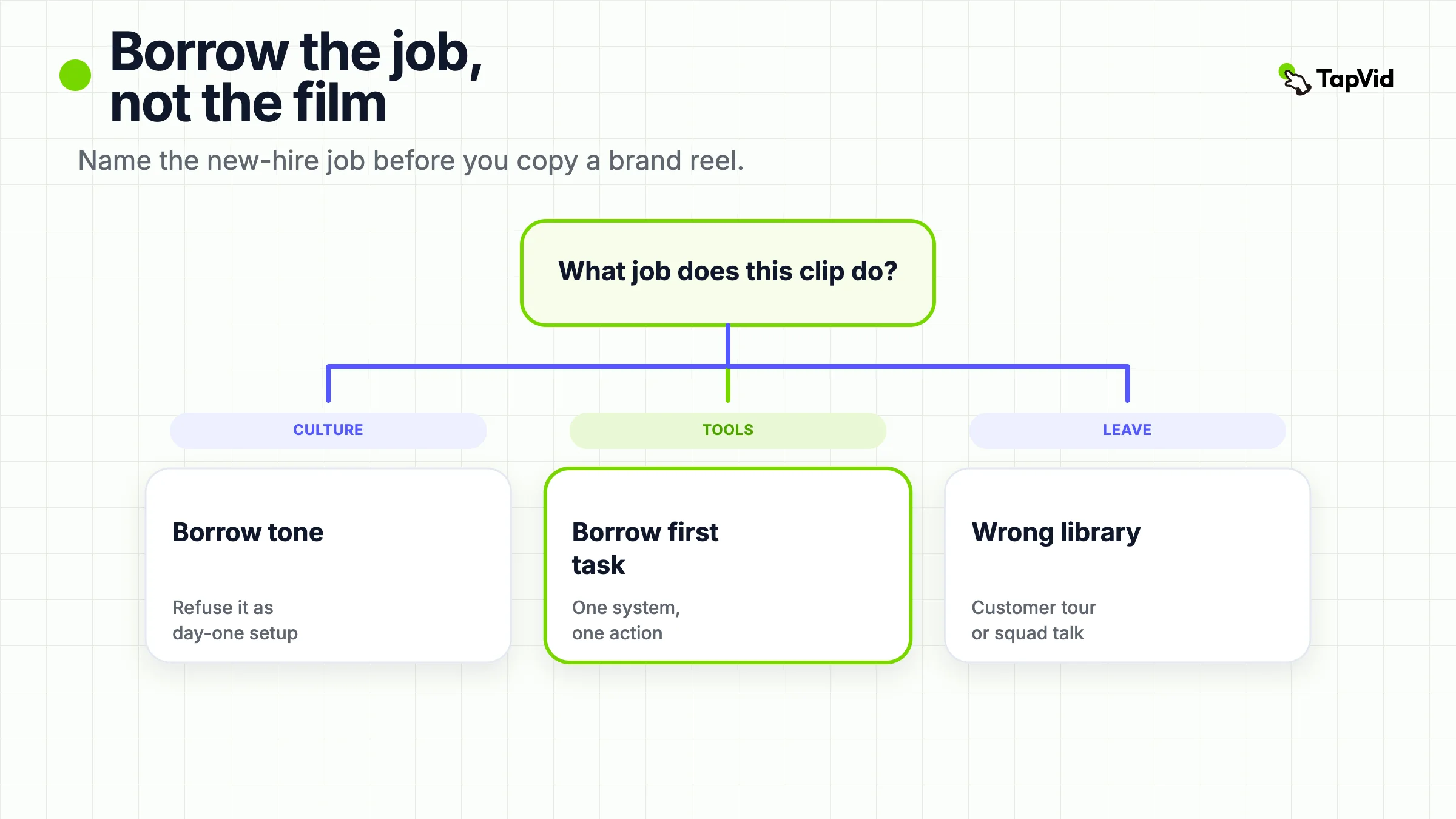
Useful onboarding video examples are not a pile of inspiring culture films. Sort each clip by the new-hire job it actually does: welcome, culture, day-in-role, tools, or policy. Borrow the job, the next action, and the length band. Do not borrow a recruiting comedy, a campus tour, or a customer activation walkthrough when the employee still cannot log in.
Most pages titled “onboarding video examples” show the same brand reel. HubSpot looks fun. Google interns look warm. Zendesk looks charming. That is a mood board. It is not a decision. A new hire who cannot find the expense form does not need a skateboard through headquarters. They need a two-minute clip that ends on one action.
This page is an examples comparison, not a production blueprint. The working definition is short: an onboarding video example is a public clip you can map to one new-hire job and one next action. Use the table first. Then use one example per job. If you already know the job and need a seven-video library, ownership rules, and a maintenance contract, that is a different article: Onboarding Videos for New Employees.
Seven-video onboarding library
01
At a Glance: Match the Clip to a New-Hire Job
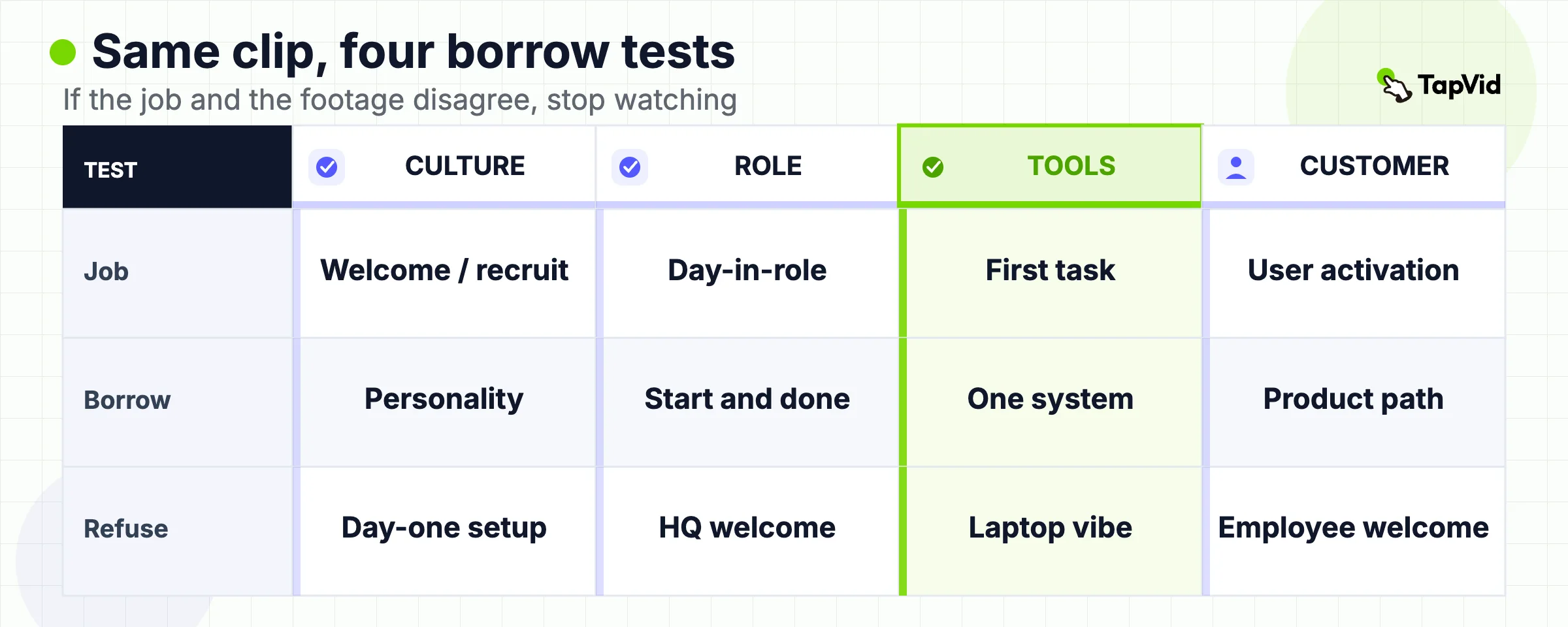
Use this table before you open a reference cut. The columns that matter are job, format, what to borrow, and the first thing to refuse.
| Example | Job | Format | Borrow this | Do not borrow this |
|---|---|---|---|---|
| Zendesk, *This is Zendesk* | Recruiting plus culture | Illustrated live-action welcome | Short personality, neighborhood, who they do not hire | Treating a recruiting film as day-one setup |
| Google intern first-week films (listicle set) | Welcome / belonging | Documentary interviews | Peer voice for “what the first week feels like” | Copying Google’s campus as if it were your office |
| HubSpot culture storytelling (listicle set) | Culture | Stylized employee performance | Show a value instead of reading a poster | Using a 3-minute comedy as the tools module |
| Amazon “Day One” (conflicting public descriptions) | First-week orientation | Unclear: culture overview *or* safety/station tour | The warning that one title can name two films | Assuming the public listicle describes one official cut |
| Amazon driver / Grubhub day-in-role (listicle set) | Day-in-role | Operational walkthrough | One shift, one sequence, one “done” | Using a driver route as an HQ culture film |
| Netflix culture materials (listicle set) | Culture / values | Culture memo or culture film | Freedom and responsibility as a written standard | Using a culture deck as VPN setup |
| Spotify *Engineering Culture* (listicle set) | Wrong job | Squad-model explainer | How a team works, if that is the brief | Filing an engineering talk as new-hire orientation |
| Slack getting-started (Vidico customer set) | Customer activation | Product explainer | First-value path for a signed-up user | Using it as an employee welcome |
The table is the decision. If two columns already disagree (you need a tools clip, the reference never shows a tool), stop watching and pick another row.
Vidico’s 2026 guide is useful for one split only: employee onboarding and customer onboarding are different audiences with different first actions (Vidico). Predis is useful for one label set only: Why, How, and Who (Predis). This page keeps those splits and throws away the “inspiring brands” half of those articles.
02
What Counts as an Onboarding Video Example
An onboarding video example has to survive three checks in the first minute.
First, name the viewer. A candidate deciding whether to apply is not a person who starts on Monday. Zendesk’s public *This is Zendesk* cut states the audience in the first sentence: “This is a video for people who might want to work at Zendesk” (Zendesk on YouTube). PlayPlay, Guidde, and Leadde still file that clip as an employee onboarding example (PlayPlay, Guidde, Leadde). Borrow the personality. Do not borrow the audience mix-up.
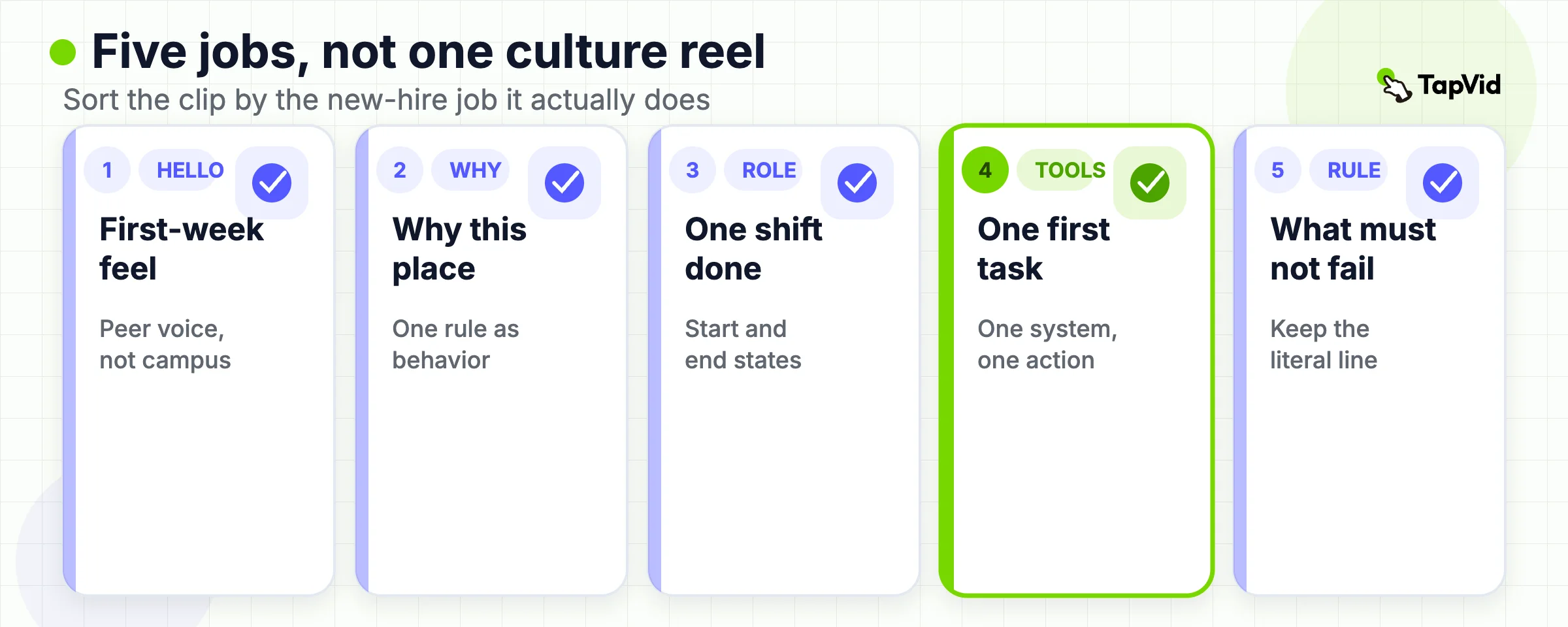
Second, name the job. Welcome, culture, day-in-role, tools, and policy are not interchangeable. Predis groups them as Why, How, and Who (Predis). That is a start. It is still too coarse. “How” can mean “open the laptop” or “submit an expense.” Those are different modules.
Third, name the next action. If the clip ends on a feeling and the employee still cannot complete a task, it is a brand film that happened to be shown on day one. Brand films can be useful. They are not a substitute for the clip that shows the login screen.
Limitation, adjacent to that definition: many of the most-cited “onboarding video examples” are recruiting films, intern documentaries, or culture talks. They are public because they were made to be public. The tools and policy modules that actually reduce repeated questions often stay inside an LMS. That is why listicles look expensive and operational clips look scarce. Do not treat the public set as the full library you need.
If the job is ongoing skills training after week one, leave this page and use Training Videos for Employees. If the job is a teaching brief with learner control, use Instructional Video Examples.
03
Culture and Welcome Examples
Culture and welcome clips answer “why this place” and “what the first days feel like.” They do not answer “where do I click.”
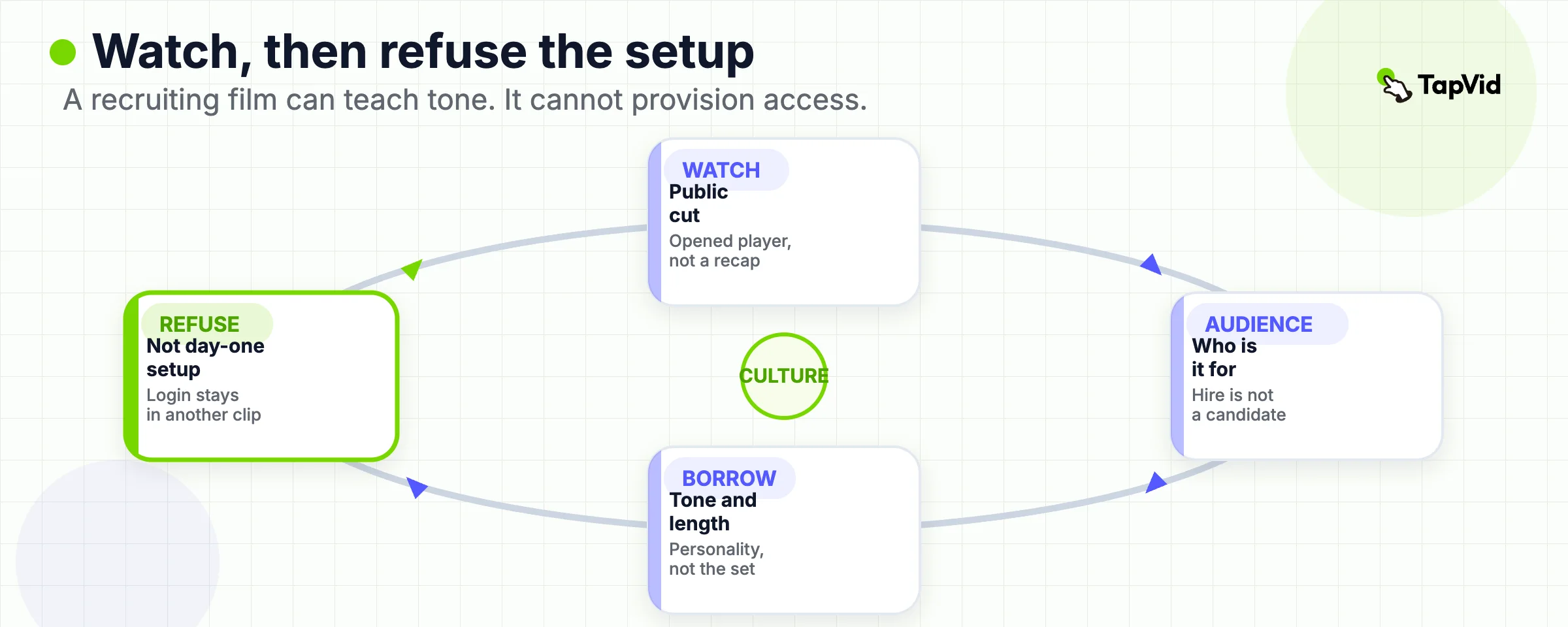
Zendesk is the one culture-adjacent example on this page with an opened public player. *This is Zendesk* walks through offices, kitchens, salted licorice from Copenhagen, an empty chair as a recruiting metaphor, volunteering, and a closing joke about who the company does not hire (Zendesk on YouTube). An SEC filing from the Momentive transaction quotes the same script and introduces it as a video for people who might want to work there (SEC exhibit). Borrow three things: one-topic length, a voice that sounds like the company, and a visible “we do not hire X” boundary. Do not borrow the empty-chair metaphor, the puppet, or the assumption that a recruiting cut can replace a manager introduction.
Google intern first-week films are the default welcome example across PlayPlay, Vidico, Guidde, and CapCut. Those pages describe a documentary that follows interns through early days, offices, and a peer voice (PlayPlay, Vidico, Guidde). I opened those listicles. I did not treat a third-party recap page as the official player. So this row has a format rule and a `PENDING` player, not a fake timestamp. Borrow the peer-voice idea if your new hires are anxious about the first week. Do not borrow Google’s cafeteria as proof that your culture is “like Google.”
HubSpot culture storytelling is the other listicle staple. Vidico and PlayPlay describe a stylized, self-aware employee performance of about 3 minutes 31 seconds (Vidico, PlayPlay). Guidde files a different HubSpot object, *Our Story*, as a CEO welcome (Guidde). That conflict is the point. One brand name is not one film. Borrow “show a value in a scene.” Do not borrow a comedy set piece your team cannot reshoot when the office changes, and do not treat a CEO origin story as the IT setup.
What to borrow from this job:
- A welcome that is short enough to send before day one.
- Real employees, or an honest statement that you do not have a studio.
- One cultural rule the new hire will meet in week one, said as behavior, not as a poster.
What not to borrow:
- A campus tour you do not have.
- A 6-minute intern documentary if your first module is “how to request access.”
- A recruiting joke as the only day-one video.
Limitation: culture clips age when the office, the CEO, or the joke stops being true. If you cannot afford a reshoot next year, keep the culture cut short and put durable rules in writing.
04
Day-in-Role and First-Week Examples
Day-in-role clips answer “what does this job look like on a normal shift.” First-week clips answer “what happens after you walk in.” Those are closer to work than a culture reel. They are also where listicles get sloppy with titles.
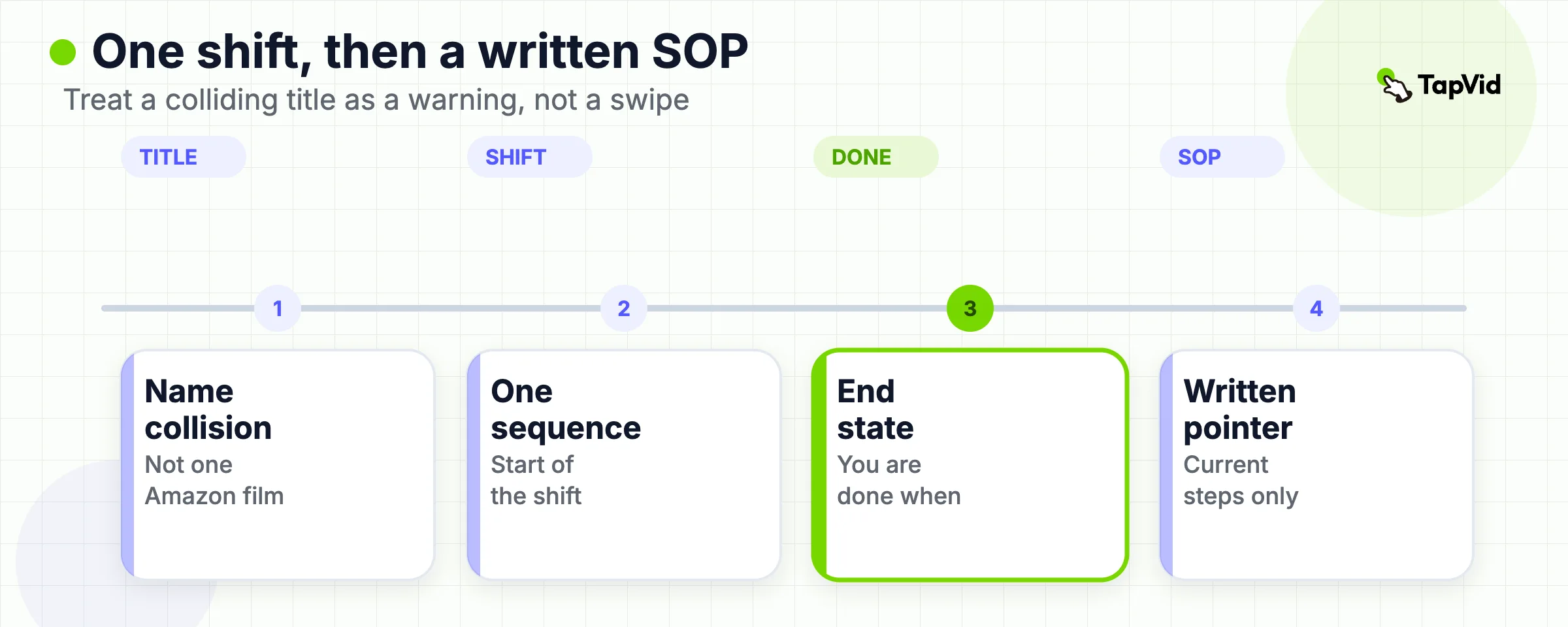
Guidde describes Amazon’s *Day One* as a training cut covering on-site safety, uniforms, a virtual station tour, and essential safety practices (Guidde). PlayPlay describes an Amazon *Day One* video of 3 minutes 20 seconds as a company-history and culture overview across roles (PlayPlay). CapCut describes yet another “values and leadership principles” version (CapCut). Those cannot all be the same official film. Borrow the warning, not a composite Amazon you invented from three blurbs. Until Evidence opens one stable public player, treat “Amazon Day One” as a title collision, not as a swipe.
The operational Amazon you can cite without a public film is the process, not the montage. A Cornerstone interview with Amazon learning-platform specialist Matt Sawicki describes pre-start access to forms and required training through a learning portal, then a handoff onto the employee account after day one (Cornerstone). That is a library and a sequence. It is not permission to copy a 3-minute public recap and call the program done.
Guidde’s Amazon driver cut and CapCut’s Grubhub driver cut are cleaner day-in-role objects: morning routine, load, route, customer interaction (Guidde, CapCut). I have not opened those players in this draft. The borrowable rule still holds. One shift. One sequence. One “you are done when.” Do not use a driver route as an HQ welcome, and do not use an HQ welcome as a warehouse safety brief.
What to borrow:
- A start-of-shift state and an end-of-shift state the new hire can recognize.
- The two or three mistakes that actually create tickets in week one.
- A pointer to the written SOP for exact current steps.
What not to borrow:
- A “day in the life” that is really a recruiting ad with laptops and laughter.
- One mega-film that tries to cover every role in the company.
- Safety rules told as vibes. If the step is mandatory, the clip has to name the step.
Limitation: day-in-role footage is easy to fake and easy to date. If the uniform, the handheld device, or the route software will change, keep the durable “why this order exists” in a short explainer and recapture the walkthrough later.
05
Tools and Systems Examples
This is the job most listicles skip, and the job most small teams actually need. A tools clip shows one system, one first task, and one place to get help.
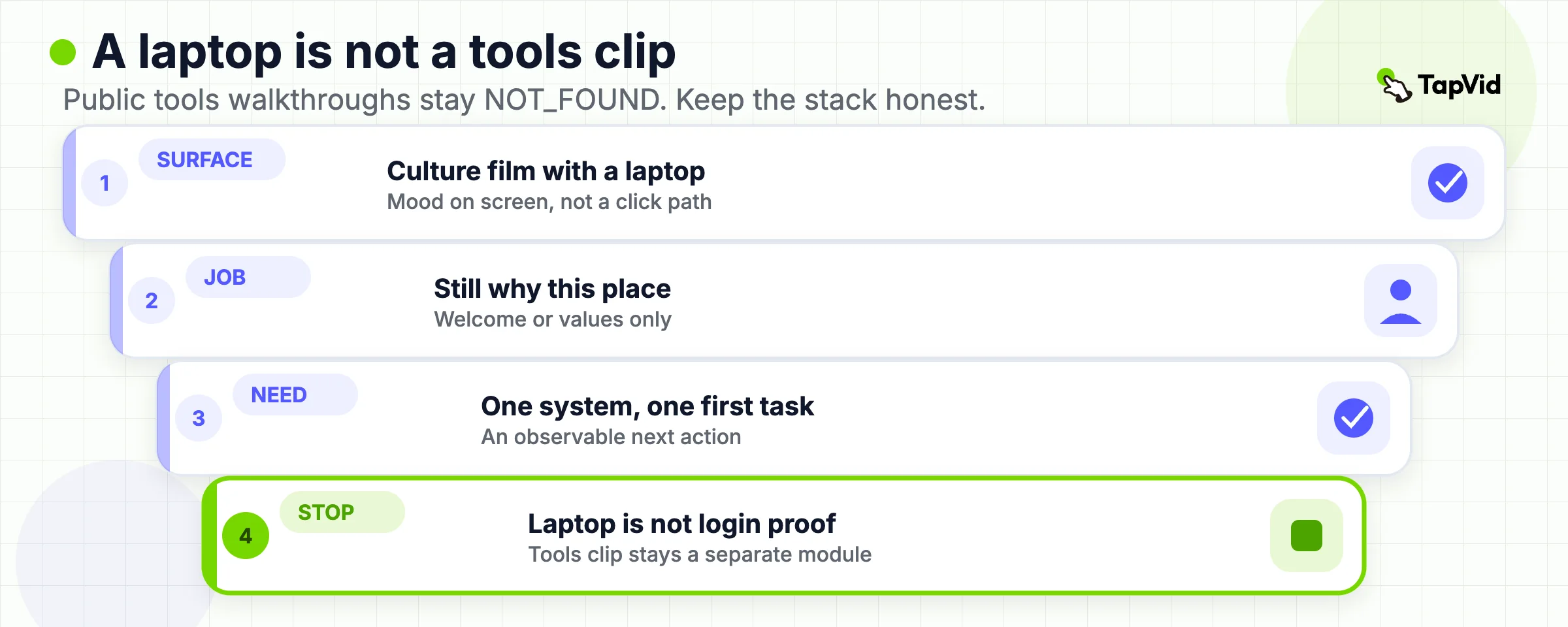
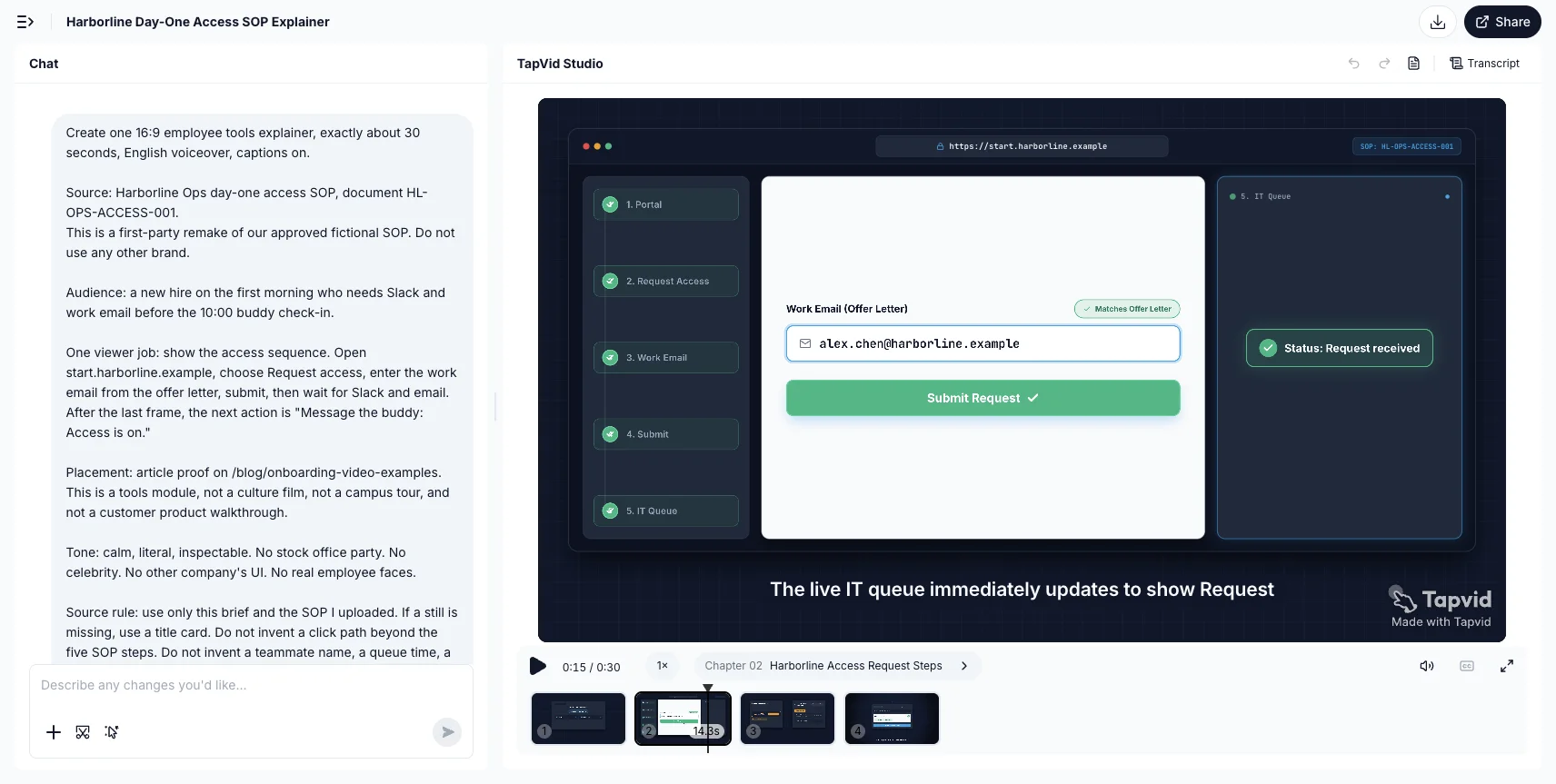
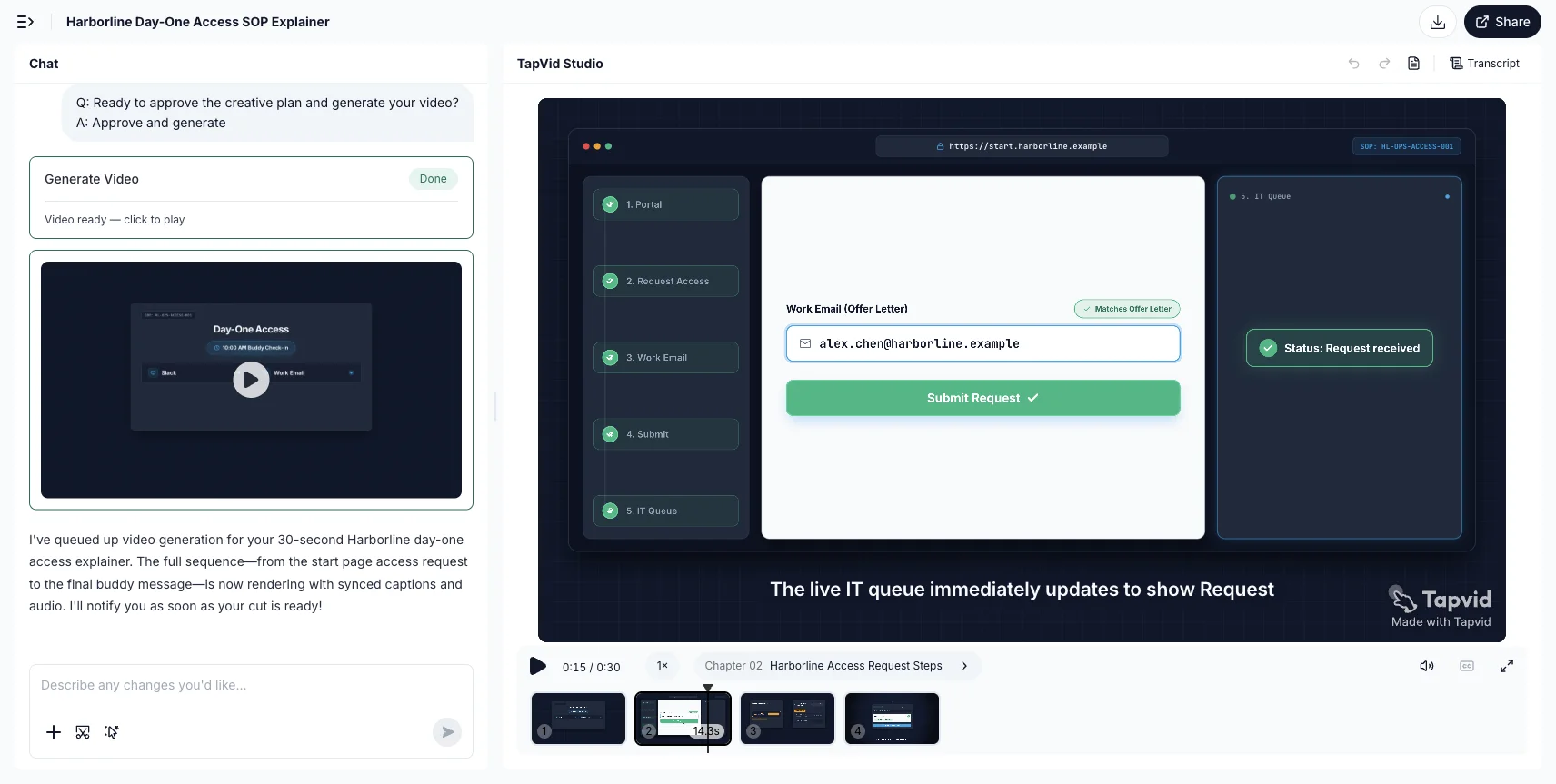
Predis puts logistics here: VPN, software requests, Slack etiquette, office map (Predis). Vidico files the same need under process and policy videos, and says employees learn faster from short, searchable clips than from a one-hour room session (Vidico). Neither page opens a public, current employee tools walkthrough you can copy shot for shot. That absence is data. The useful tools examples are usually internal, because they show internal software.
So this section is a format rule with `NOT_FOUND` public coverage, not a fake SaaS admin tour. If you need a public instructional pattern for “watch, then do,” use the scorecard on Instructional Video Examples. If the speaker should stay on camera only for the welcome and then leave the frame for the click path, that split lives on Talking Head Video Examples.
What the tools job still requires:
- One system per clip. “Here are our eight apps” is a map, not a tutorial.
- The first successful action, not the full admin surface.
- A freeze frame or caption for the exact menu name the written SOP uses.
- A next action that is observable: account created, ticket submitted, profile saved.
What not to borrow:
- A culture film with a laptop in the background.
- A customer product tour. Slack’s getting-started cut in Vidico’s list is a user-activation piece, not an employee IT module (Vidico).
- A 12-minute screen recording with no chapters. If the employee needs one setting, they will not scrub.
If the source already exists as a handbook, SOP, or PDF, you do not need a studio to make this module. TapVid can turn that approved pack into a structured explainer, keep supplied wording and source visuals intact, and let you rerun one scene when the menu moves (AI Explainer Video Maker). Review the brief, script, and scene plan before you treat the cut as the source of truth. A presenter avatar is listed as coming soon on the homepage internal-enablement note, so do not plan the current workflow around an avatar stand-in (TapVid). Human review still owns names, access paths, and anything that would grant a permission.
Limitation: a tools clip dies when the UI dies. Put the exact current click path in the written source. Use the video for the sequence and the “why this order.” When IT changes a label, update the source first, then rerun the affected scene.
06
Policy and Safety Examples
Policy and safety clips answer “what must not go wrong.” They fail when they become a legal reading.
Guidde’s description of Amazon station safety, uniforms, and a virtual tour is the right *job*, even while the public player stays `PENDING` (Guidde). Predis recommends turning dry compliance into a short sketch so people remember it (Predis). Humor can help retention. It cannot replace the sentence the policy actually requires.
What to borrow:
- One risk per clip. Harassment reporting is not the same module as expense limits.
- The exact phrase that must stay literal, on screen, next to the spoken paraphrase.
- The owner and the “what changed” date in a card the employee can screenshot.
- A next action that is not “I watched it.” Signed acknowledgment, quiz, or a manager check still lives in the written process.
What not to borrow:
- A comedy sketch that makes the required wording a punchline.
- A 20-minute policy dump because legal wanted every clause in one file.
- A culture film that says “we take safety seriously” and never shows the lockout step.
TapVid’s homepage internal-enablement note is specific on this point: for onboarding, SOP, and compliance, wording can stay verbatim and a process change can touch only a few shots (TapVid). That is the production reason to keep policy video short and source-bound. It is not a claim that a generated clip replaces counsel, a signed handbook, or a live conversation about a sensitive report.
Limitation: if the information changes every month or must be quoted exactly in a language you cannot review, do not make the video the system of record. Point the video at the current document.
07
What a Small Team Should Not Copy
The most expensive mistake in this swipe file is copying the production, not the job.
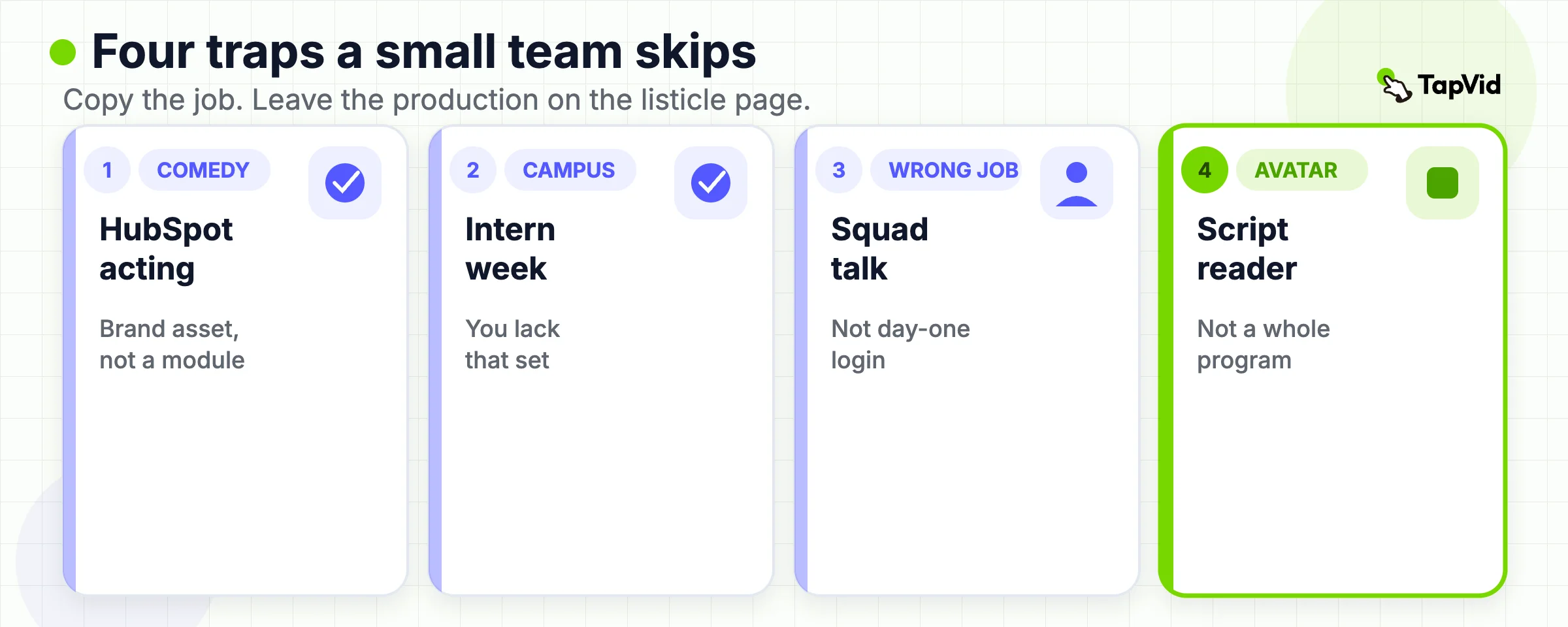
Do not copy a 3-minute employee comedy if you have one operator and a phone. PlayPlay and Vidico praise HubSpot’s stylized performance because it looks like HubSpot (PlayPlay, Vidico). That is a brand asset. A small team that copies the acting and misses the tools module still has the same Slack questions on Tuesday.
Do not copy a documentary intern week if you do not have five interns, a camera operator, and a campus. The belonging job can be a two-minute manager welcome and a buddy introduction. The Google object, as listicles describe it, is a recruiting and intern-marketing film that got reused as orientation inspiration.
Do not copy Spotify *Engineering Culture* as a new-hire welcome. Guidde files it under onboarding examples and describes squads, animation, and engineering collaboration (Guidde). The public artifact people share under that title is an engineering-model talk, not a day-one login. If your brief is “how squads work,” use it as an internal explainer. If your brief is “welcome to payroll,” it is the wrong library.
Do not copy Netflix culture materials as a setup tutorial. Guidde and CapCut list Netflix culture as an onboarding example (Guidde, CapCut). A culture standard can tell people how decisions get made. It cannot provision their laptop.
Do not copy length from a listicle as a rule. Vidico says keep videos under 5 minutes and split a longer lesson (Vidico). That is a useful ceiling for attention, not a requirement that every welcome be 4:59. A 90-second access clip can be enough. An 8-minute role workflow can be enough if it is one outcome. The how-to page owns the “only as long as one outcome” rule (Onboarding Videos for New Employees).
Do not copy AI-avatar galleries as proof that you “have an onboarding program.” Leadde’s examples page uses the list to sell document-to-avatar production (Leadde). An avatar can read a script. It cannot replace the manager who owns exceptions, and it cannot make an unreviewed policy sentence safe.
Limitation: “do not copy” is not “do not watch.” Watch the culture films to decide whether you even want that job in video. Then spend the production time on the clip that removes a repeated question.
08
Employee Onboarding Is Not Product Activation
Vidico mixes the two on purpose. Its ten-example set puts HubSpot and Google next to Slack, Grammarly, Zoom, HoneyBook, and Uber driver tips (Vidico). That is a useful warning and a bad swipe file. The employee is joining a company. The customer is trying to get value from a product they just bought.
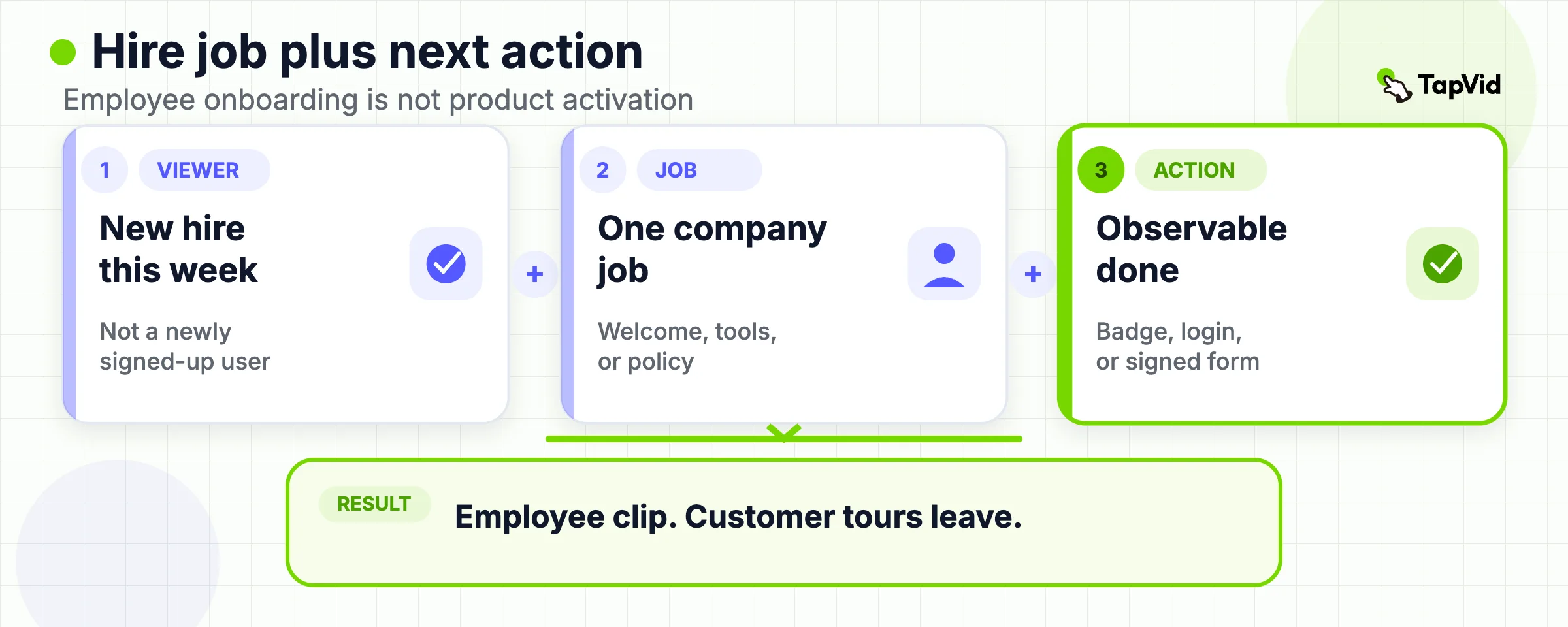
A Slack getting-started animation can be a strong customer clip: problem, channels, messages, integrations, no dated UI (Vidico). It is a weak employee welcome. Your new hire already accepted the offer. They need badge, payroll, and the first internal tool, not a product marketing metaphor.
Grammarly and HoneyBook, in the same Vidico set, are activation and waitlist pieces. Uber’s driver tips sit closer to day-in-role, which is why that row belongs in the operational section, not in a “best onboarding videos” pile that also includes a SaaS explainer.
If the viewer is a new *user*, stop using this article as the brief. Use SaaS Video Marketing for the lifecycle, Customer Education Videos for a maintainable help library, and the Customer Onboarding Video path when the job is first-value inside the product.
Limitation: some companies really do show a product film on day one, because the employee’s job *is* the product. That is still a product education brief. Label it that way. Do not hide it inside a culture montage.
09
Turn One Example Into a Brief
Once the table names the job, stop collecting examples. Write a brief with five lines:
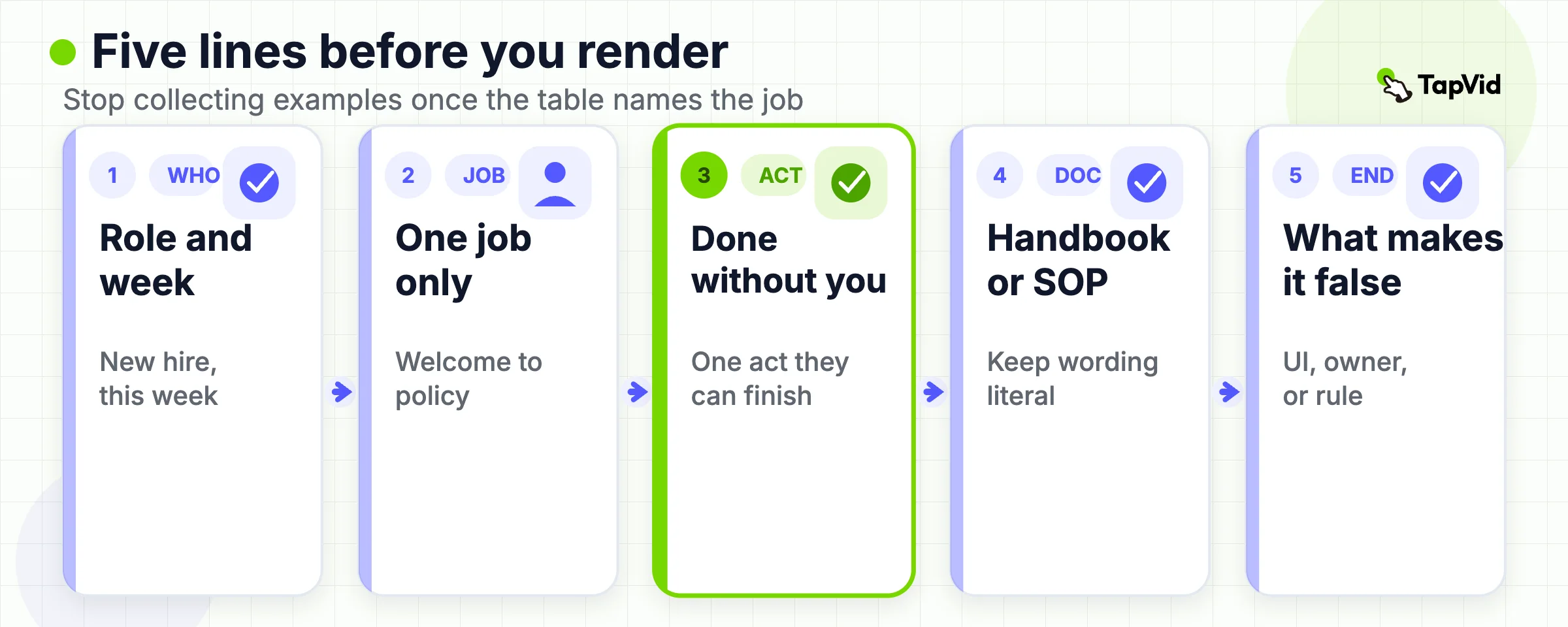
- Viewer: new hire in this role, in this week.
- Job: welcome, culture, day-in-role, tools, or policy. One only.
- Next action the employee can complete without you.
- Source of truth: the handbook page, SOP, or policy that must stay literal.
- Invalidation trigger: the UI, owner, or rule that would make the clip false.
Then decide format. Face-to-camera for welcome and a human rule. Screen for tools. Short motion or cards for a policy that must stay readable. A day-in-role walkthrough only if the work is physical or spatial.
If you need the rest of the library (preboarding, team map, first 30 days, owners, measurement), do not expand this examples page. Open the seven-video blueprint and attach this brief to one slot. If you already have the written source and the job is tools or policy, start from that pack on the explainer generator, review the scene plan, and keep the culture film off that render.
The last check is rude and useful. If a new hire can skip the video and still complete the action from the document, the video is optional. If they can watch the video and still cannot complete the action, the example you borrowed was the wrong job.
10
Frequently Asked Questions
What is the difference between an employee onboarding video and a customer onboarding video?
An employee onboarding video helps a new hire complete a company job: welcome, culture, a shift, a tool, or a required policy. A customer onboarding video helps a new user reach first value in a product. Vidico states both forms in one guide and then mixes the examples (Vidico). Keep them in separate libraries. If you need the customer path, use SaaS Video Marketing or the customer onboarding page.
Which onboarding video example should a small team study first?
Study a tools or day-in-role clip first if new hires keep asking the same “how do I start” question. Study a short welcome if the gap is belonging, not access. Do not start with a HubSpot-style culture comedy because it ranked in a listicle. Predis’s How category is closer to the first useful module than its Why category (Predis).
Can a culture film replace tools and policy videos?
No. Zendesk’s public cut is a recruiting and personality piece, and it says so in the opening line (Zendesk on YouTube). It cannot provision accounts or record a required acknowledgment. Use culture for tone. Keep tools and policy as separate, source-bound clips.
Can we use these examples if we have no film crew?
Yes, if you borrow the job and not the production. A phone welcome from the manager, plus a screen recording of the first login, covers more than a copied campus documentary. For handbook and SOP sources, TapVid can draft a structured explainer from the approved pack and keep supplied wording on screen (AI Explainer Video Maker). You still review names, access steps, and compliance sentences.
Should a remote team copy documentary welcome films or screen tutorials?
Copy the screen tutorial when the first failure is access. Copy a short face-to-camera welcome when the first failure is isolation. Remote teams often need both, in that order. A Google-style intern documentary is optional. Predis flags remote isolation as a reason for human introduction clips, not as a reason to skip logistics (Predis).
Should we copy the running times in these onboarding video examples?
No. Listicles quote 1 to 6 minutes because those are the public brand films they could find. Vidico’s “under 5 minutes” note is an attention ceiling, not your specification (Vidico). Make the clip as long as one outcome. Split it when the employee would have to scrub to find one answer.