
Video marketing software is not one category of tool. A product marketer who needs a faithful feature launch has a different job from a social team producing presenter-led clips or a demand-generation team measuring distribution. The safest way to choose is to start with the asset that must remain accurate, the review path your team needs, and the channel where the finished video will work.
This guide separates those jobs, reports what happened in our controlled Synthesia and HeyGen tests, and shows where an asset-led explainer workflow fits. It does not pretend that one product can replace production, hosting, distribution, and analytics at the same time.
01
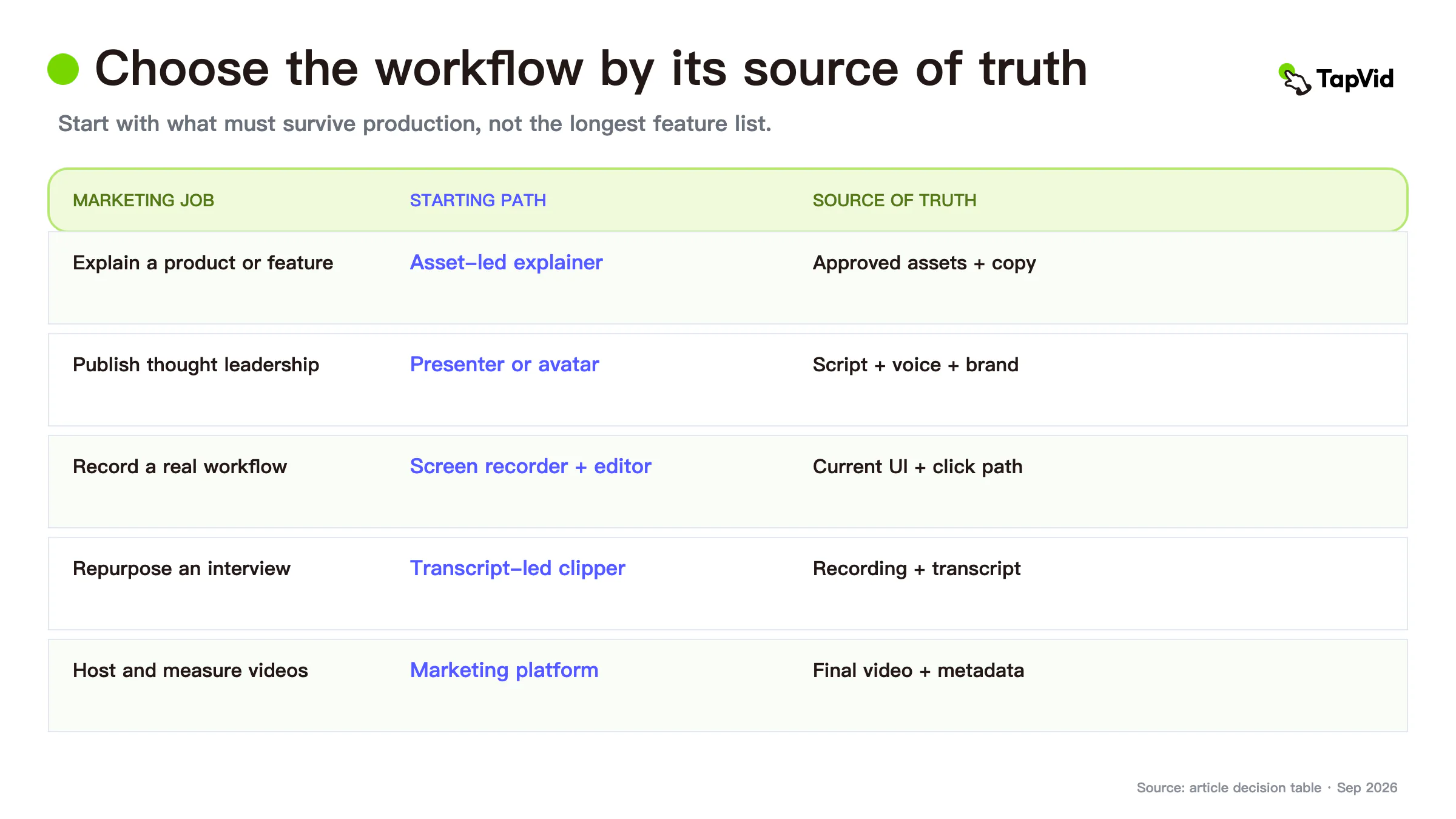
Quick answer: which video marketing software fits your job?
Choose by production path before comparing feature grids.
| Marketing job | Best starting path | Source of truth | Main review risk |
|---|---|---|---|
| Explain a product or feature | Asset-led explainer workflow | Approved screenshots, product footage, logo, and copy | The claim is paired with the wrong visual |
| Publish presenter-led thought leadership | Avatar or presenter platform | Approved script, avatar, voice, and brand settings | Delivery and visual presence do not fit the message |
| Record a real workflow | Screen recorder and editor | Current product UI and a verified click path | The recording is stale or skips a required state |
| Repurpose interviews and webinars | Transcript-led clipper | Approved source recording and transcript | Context is removed in the short clip |
| Host and measure videos | Video marketing platform | Final approved video plus campaign metadata | Distribution data is mistaken for production quality |
If the product itself must appear exactly as it exists, start with an asset-led or screen-recorded workflow. If the person delivering the message is the central proof, a presenter or avatar tool may be the better starting point. If the video already exists, do not buy a production tool to solve a hosting or measurement problem.
02
Define the source of truth before you compare software
Every marketing video has details that are allowed to change and details that are not. List them before opening a tool.
For a product launch, the locked inputs may include the current UI, a supplied logo, model numbers, pricing language, legal wording, and the exact relationship between each claim and product screen. For an executive update, the locked inputs may instead be the approved script, the speaker identity, pronunciation, and a dated data source.
Use three checks:
- Asset fidelity: Does the workflow use the supplied product image, screenshot, logo, or footage without silently redrawing it?
- Information fidelity: Are names, numbers, parameters, prices, and required phrases preserved as supplied?
- Correspondence: When the narration discusses feature A, does the viewer see feature A rather than a visually convenient but unrelated screen?
These checks are more useful than a generic “AI quality” score. A beautiful shot can still be wrong. A fluent voice can still say an unapproved number. The right software should make the risky layer visible early enough to review.
03
TapVid for asset-led product explanations
TapVid is an Explainer Video Engine, so the relevant comparison is not whether it has the largest stock library or the most avatars. Its job is to turn supplied product assets and approved copy into a reviewable scene structure while keeping each asset and line attached to the right part of the explanation.
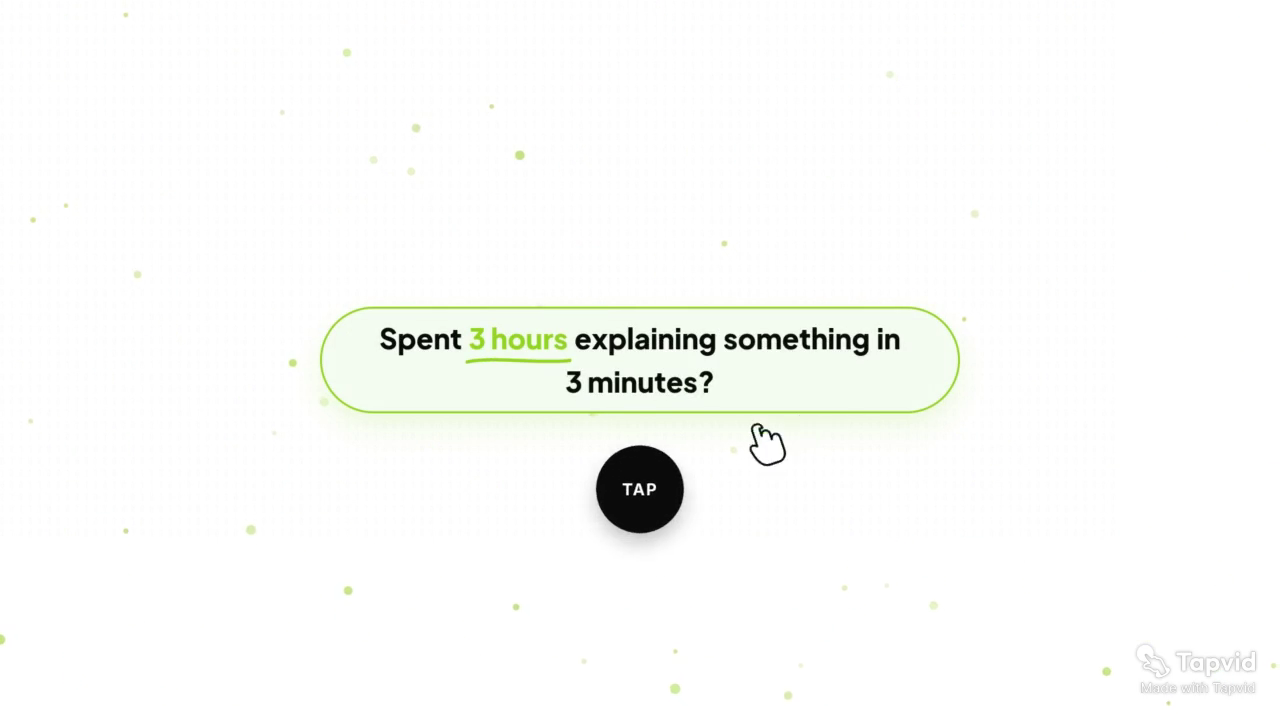
In the approved TapVid Launch Film case, the production path used an explicit launch message and product material to build a 68-second video. The useful evidence is not just the finished motion. At five seconds, the film presents the problem statement inside the TapVid product frame rather than substituting an invented interface. The case is a first-party example, so it should be read as evidence of TapVid's own workflow—not an independent review.
Case sources: share page and video page.
The best fit is a product marketing team, agency, or SaaS team that already has screenshots, interface captures, product images, a logo, or approved copy and needs those inputs to survive production. The weaker fit is a campaign whose central asset is a realistic presenter, a creator-style selfie, or a fully synthetic cinematic world. Those are different production jobs.
TapVid also keeps the script, scene plan, and voiceover visible for review. If one screenshot or line changes, the affected scene can be rerun without rebuilding every approved scene. That is useful when launch copy, interface states, or SKU details change late in the process.
04
Synthesia: best when the presenter is the message carrier
Synthesia is built around avatar-led video creation. Its current product and pricing pages position the platform for business video, with avatars, templates, collaboration, and integrations. That makes it a natural candidate when the viewer should experience a consistent presenter delivering an approved script—for example, an internal announcement, localized enablement message, or presenter-led product introduction.
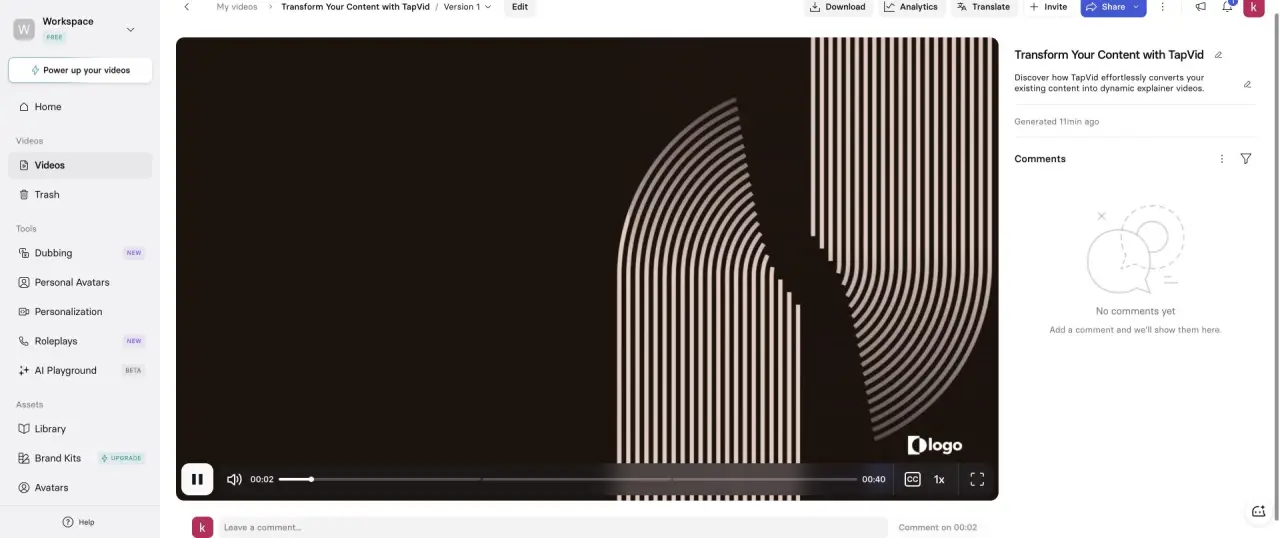
In a logged-in Basic workspace, Synthesia accepted the same 15-second no-avatar brief but its shortest selectable duration was 30 seconds; it generated three scenes and a 40-second final video, inserted an avatar, and retained a placeholder logo. Those observations do not prove that Synthesia cannot produce a no-avatar video; they show that this particular guided path did not honor the constraint without additional intervention. Teams with strict asset or format requirements should test their exact workflow before standardizing it.
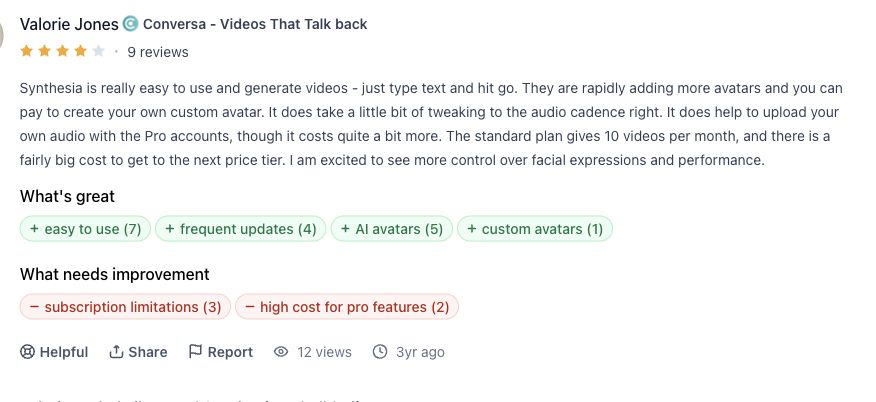
A Product Hunt review by Valorie Jones supports a more specific tradeoff: Product Hunt reviewer Valorie Jones found text-to-video creation easy and noted frequent avatar additions. She also reported needing to tune audio cadence and called out subscription and higher-tier cost constraints. Those are useful pilot checks for a presenter-led workflow.
Before buying, verify five cells from current primary sources. Synthesia's official pricing page documents plan-specific credits, generated-video allowances, workspace roles, avatars, exports, and support. Source: https://www.synthesia.io/pricing. Synthesia's official pricing and feature matrix documents avatar-led video, languages, uploads, screen recording, interaction, and dubbing. Source: https://www.synthesia.io/pricing. Synthesia's official integration documentation covers LMS, CMS, API, SCORM, PowerPoint, and embedded delivery workflows. Source: https://docs.synthesia.io/docs/synthesia-integrations. The Product Hunt review above is the trust signal: https://www.producthunt.com/products/synthesia/reviews?review=762392. Synthesia's official contact guide documents 24/7 customer support through email and logged-in live chat. Source: https://help.synthesia.io/en/articles/7182166-how-can-i-contact-synthesia. Prices and plan boundaries can change, so this guide intentionally does not freeze an amount.
A digital presenter delivers the approved script with consistent framing, which can be useful when filming a person repeatedly would slow production. The presenter proves consistency of delivery, not operation of the product.
Best for: repeatable presenter-led business videos with a controlled script and brand setup.
Avoid as the default path when: the supplied product UI must be the central, unchanged visual proof and a guided avatar workflow adds elements you did not request.
05
HeyGen: best for fast avatar and presenter experiments
HeyGen also centers avatar-led creation, but our controlled run followed a different path. In a logged-in free workspace, HeyGen's Video Agent completed the same 15-second no-avatar brief in 296 seconds plus 17 seconds of final processing; the output was 13 seconds, used three scenes, respected the no-avatar constraint, and exposed a 720p export.
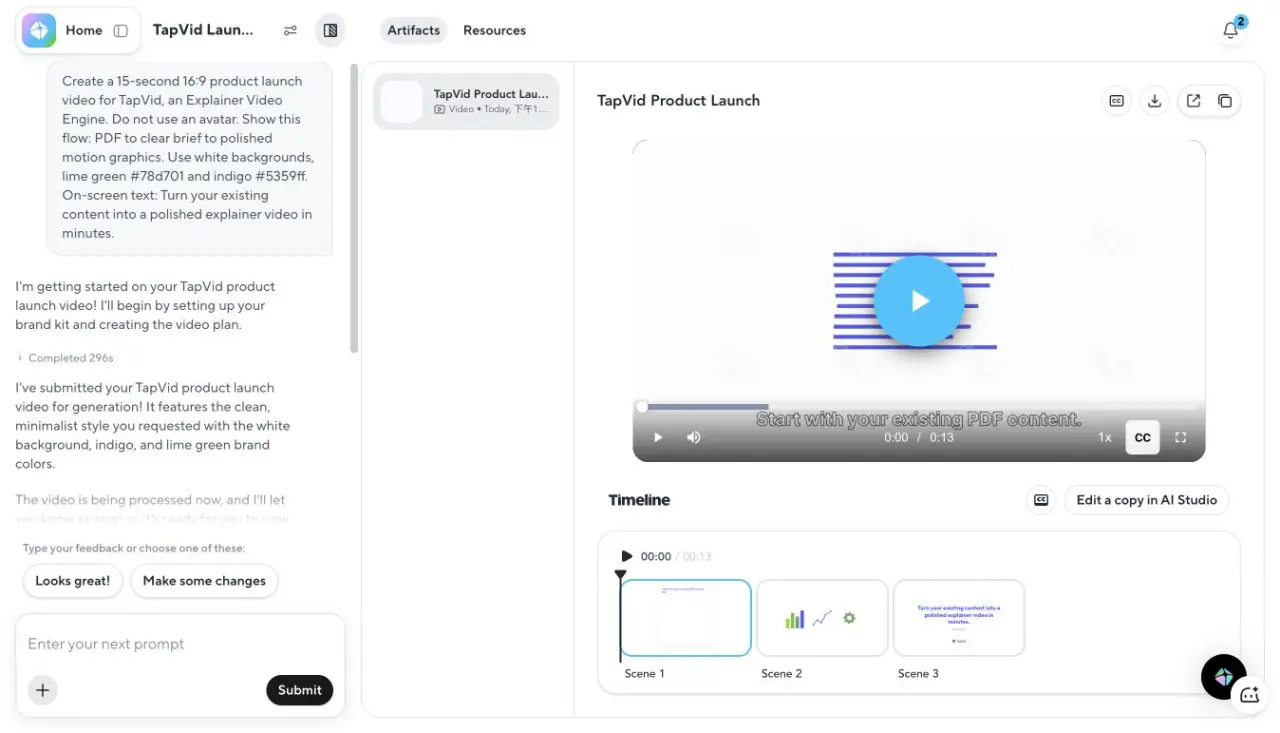
This makes HeyGen a practical candidate for teams that want to prototype several presenter or voice-led directions quickly and then decide whether a result deserves more production work. The no-avatar result is also a reminder that product labels can be broader than a single output style: the tool's avatar positioning did not prevent this particular agent workflow from following a constraint.
The limitations are equally important. A short successful test does not establish long-form consistency, exact pronunciation across languages, or fidelity for every supplied product screen. If a campaign depends on an exact UI sequence, test that exact sequence and inspect the exported resolution and plan limits before committing.
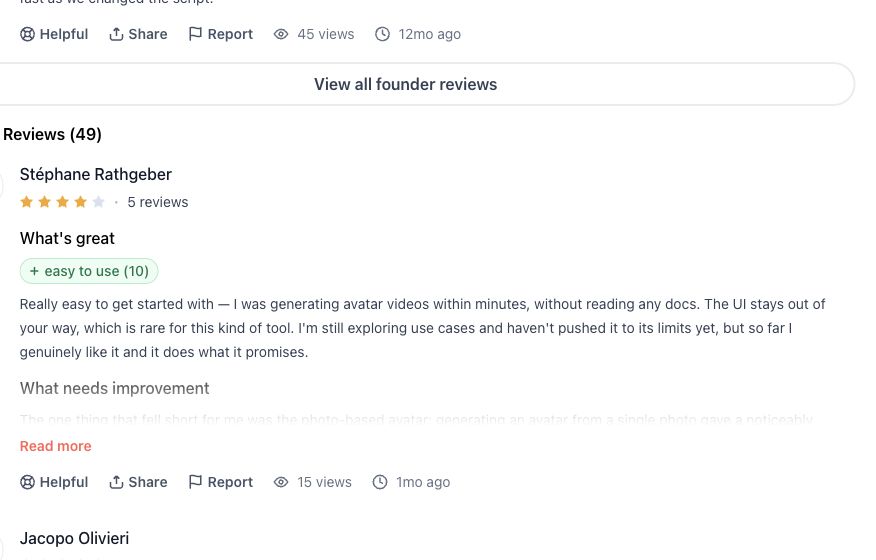
In a Product Hunt review by Stéphane Rathgeber, Product Hunt reviewer Stéphane Rathgeber reported creating avatar videos within minutes without documentation and found the interface unobtrusive. In the same review, he said a photo-based avatar fell short of the video-based digital twin, making source choice a concrete quality check.
Check five current cells. HeyGen's official pricing page documents free, individual, business, and enterprise plan limits, credits, resolution, and collaboration. Source: https://www.heygen.com/pricing. HeyGen's official avatar page documents stock avatars, photo avatars, video-based digital twins, scripts, voices, languages, and export. Source: https://www.heygen.com/avatars. HeyGen's official developer portal documents API-based avatar video, translation, streaming, and automated production workflows. Source: https://developers.heygen.com/. The Product Hunt review above is the trust signal: https://www.producthunt.com/products/heygen/reviews?review=653503. HeyGen's official support guide publishes chat and email routes for technical, avatar-quality, moderation, privacy, and enterprise questions. Source: https://help.heygen.com/en/articles/8300260-how-to-contact-heygen-support-team. Do not infer commercial rights or data handling from the existence of a download button; use the current terms and your agreement.
HeyGen serves a similar job to Synthesia with strong emphasis on presenter appearance and translated delivery. Avatar workflows are often maintainable when the script changes but can become complex when presenter segments, screen inserts, subtitles, and localized timing all depend on one another.
Best for: fast presenter, avatar, voice, and short-format experiments where the team can inspect each output.
Avoid as the default path when: exact supplied product assets and one-to-one claim-to-screen correspondence are the primary acceptance criteria.
06
Screen recording, editing, and hosting are separate layers
Many “best video marketing software” lists mix products that solve different layers. Keep them separate in your buying worksheet.
A screen recorder captures the real product and is often the strongest proof for a step-by-step workflow. Its weakness is maintenance: a UI update can make the entire recording stale, and a clean retake may require repeating the whole path. A video editor gives maximum timeline control, but it also places every version, text change, and asset replacement on the production team.
A hosting or analytics platform begins after the video is approved. It can manage players, calls to action, viewer data, or campaign distribution. It cannot tell you whether a model number in scene three is wrong or whether the narration about feature A is paired with feature B.
The stack can therefore be modular:
- Use a recorder when the exact interaction is the proof.
- Use an asset-led explainer workflow when approved product materials and copy must be composed into a structured story.
- Use a presenter platform when the speaker is the primary visual device.
- Use an editor for final control, special treatments, or complex assembly.
- Use hosting and analytics after editorial approval.
Buying one tool for each layer is not automatically efficient. Start with the bottleneck that causes missed deadlines, expensive revisions, or factual errors, then add the next layer only when the handoff is clear.
07
A practical video marketing software scorecard
Score each candidate against a real campaign brief, not a vendor demo.
| Criterion | Test question | Evidence to capture |
|---|---|---|
| Source control | Can the team identify the approved source for every claim and asset? | Source package, version, owner |
| Pre-render review | Are script, scenes, voiceover, and asset mapping visible before final output? | Review screenshot or approval log |
| Constraint adherence | Does a controlled run follow duration, presenter, logo, and wording constraints? | Input brief and output comparison |
| Revision scope | Can one scene change without disturbing approved scenes? | Before-and-after version |
| Export fit | Does the actual account export the resolution and aspect ratio you need? | Exported file properties |
| Collaboration | Can the right reviewers comment or approve without losing context? | Review flow test |
| Integrations | Does the workflow connect to the systems you actually use? | Current official documentation |
| Support and terms | Can the team verify support, rights, and data terms for its plan? | Current official pages or contract |
Run the same 15- to 30-second brief through the finalists. Include one exact sentence, one supplied logo, one product screen, one exclusion, and one requested duration. Record processing time, output duration, resolution, unexpected additions, and how many steps it takes to correct a single scene.
08
Common selection mistakes
Comparing feature counts before defining the job. Fifty avatars do not help if the product screen must remain the central proof. Scene-level editing does not help if the real bottleneck is hosting analytics.
Treating generated polish as factual approval. Visual quality and accuracy are different gates. Review assets, information, and correspondence separately.
Using list prices as the total workflow cost. Include reviewer time, corrections, localization, exports, handoffs, and the cost of rebuilding stale videos.
Assuming a vendor demo represents your account. Run a controlled test in the plan you will actually use. Record where a feature is unavailable, gated, or produces a different result.
Buying a complete stack before proving the first handoff. Start with one campaign and one owner. Make the source package, review decision, and final export traceable before scaling.
09
Final recommendation
Choose video marketing software by the truth that must survive production. Use an asset-led workflow such as TapVid when approved product visuals and copy must remain tied together; use Synthesia when a consistent presenter-led business video is the main job; use HeyGen when fast avatar or presenter experimentation is the priority; and keep recording, editing, hosting, and analytics as explicit separate layers.
After choosing the production layer, use the video marketing automation guide to design a repeatable handoff. If your team still needs creative references, study the video marketing examples gallery without treating an example format as a substitute for workflow fit.
The best shortlist is not the one with the most tools. It is the one that can pass a controlled campaign test with fewer unreviewed assumptions.
10
Frequently asked questions
What is video marketing software?
Video marketing software can include production, recording, editing, hosting, distribution, and analytics tools. Because those jobs are different, define the layer you need before comparing products.
Which video marketing software is best for product videos?
If the product must appear exactly as supplied, prioritize an asset-led workflow or a current screen recording. If a presenter is the main delivery device, test an avatar or presenter platform with your exact script and brand constraints.
How should a small team test video software?
Use the same short brief in each finalist. Include exact wording, one supplied asset, one exclusion, and a target duration. Compare the actual output, revision path, export, support, and plan limits.
Can AI video marketing software guarantee accuracy?
No responsible workflow should promise error-free output. Separate review into asset fidelity, information fidelity, and claim-to-visual correspondence, then keep approval visible before delivery.