
Long-form AI video prompts are not simply short prompts with more scenes. Once a production carries facts, assets, narration, and visual state across several minutes, the prompt becomes a production specification. It must coordinate what changes, what stays fixed, which source supports each claim, and how revisions propagate.
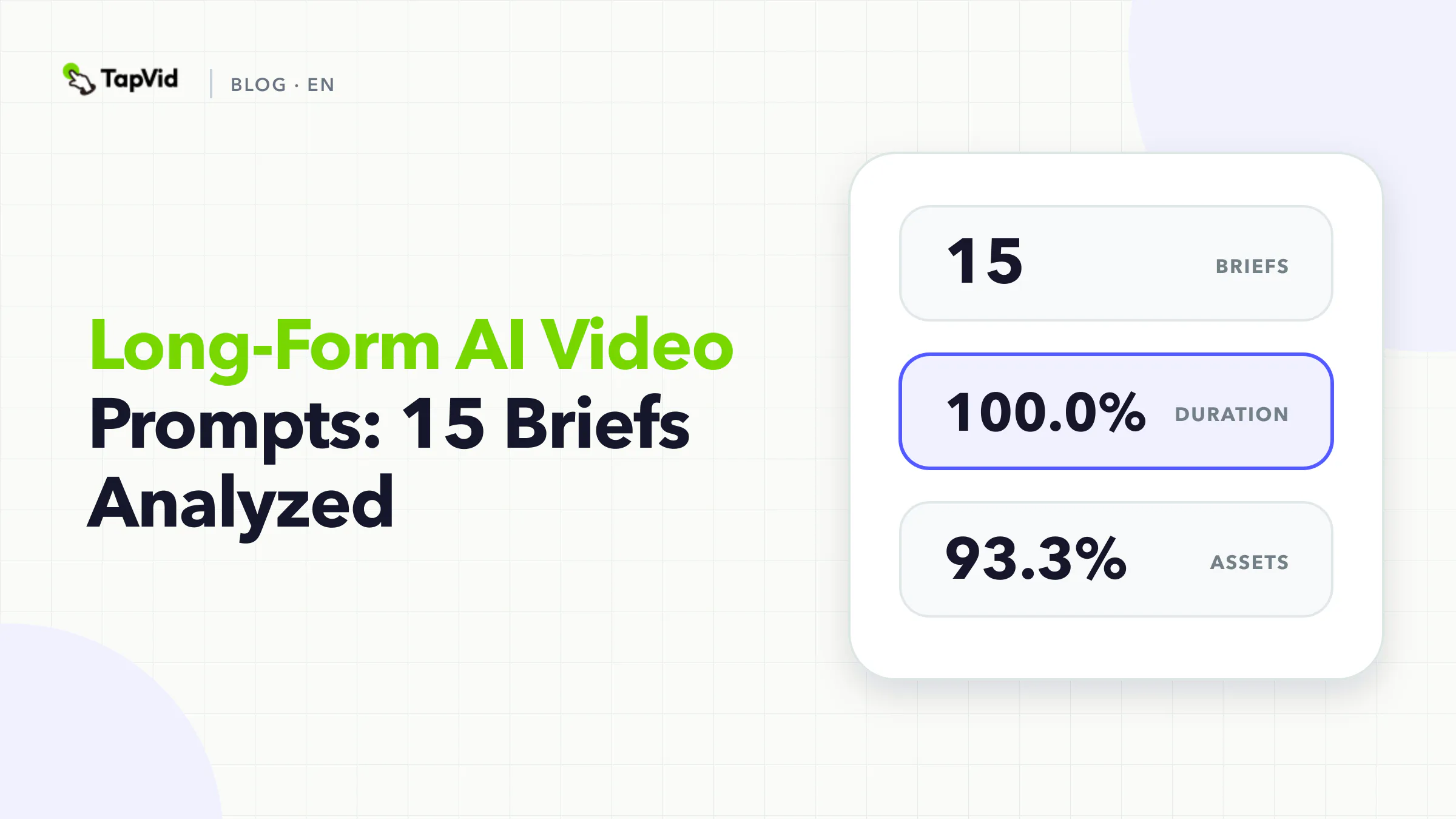
We analyzed 15 long-form briefs from TapVid's curated Good Case library. Every brief explicitly contained duration and visual-system direction. Source assets and scene structure appeared in 93.3%. Fixed facts and audio appeared in 80%. Interaction appeared in 73.3%. The median prompt contained 8,688 characters.
Those figures do not prove that longer prompts create better videos. They show that selected long-form briefs carry more production state. The most useful unit is not a giant prose block. It is a beat table connected to a continuity ledger and a fact-to-asset map.
01
Long-form AI video prompt research method
TapVid's Good Case library was frozen on September 1, 2026. We required a full prompt, public share URL, generation URL, and MP4 attachment, producing a strict corpus of 64 briefs. This article analyzes the 15 records tagged Long video after normalization. Because tags overlap, a long-form record can also be classified as an explainer, tutorial, or launch video.
A deterministic keyword dictionary coded ten explicit fields in each prompt: audience, duration, source assets, scene structure, fixed facts, visual system, audio, CTA, aspect ratio, and interaction between scenes or elements.
The method records whether a field appears in text. It does not inspect every uploaded asset or structured setting, and it does not score output quality. The Good Case library contains selected examples, so the analysis cannot estimate a general success rate or prove causation. We publish aggregate findings and one already-public case. We do not publish private user prompts.
02
What 15 long-form AI video prompts included
What 15 long-form AI video prompts included
100.0%
Duration
Share of 15 briefs · Count: 15
Long-form AI video prompt research methodChecked 2026-09-01
100.0%
Visual system
Share of 15 briefs · Count: 15
Long-form AI video prompt research methodChecked 2026-09-01
93.3%
Source assets
Share of 15 briefs · Count: 14
Long-form AI video prompt research methodChecked 2026-09-01
93.3%
Scene structure
Share of 15 briefs · Count: 14
Long-form AI video prompt research methodChecked 2026-09-01
| Explicit field | Share of 15 briefs | Count |
|---|---|---|
| Duration | 100.0% | 15 |
| Visual system | 100.0% | 15 |
| Source assets | 93.3% | 14 |
| Scene structure | 93.3% | 14 |
| Fixed facts | 80.0% | 12 |
| Audio | 80.0% | 12 |
| Aspect ratio | 80.0% | 12 |
| Interaction | 73.3% | 11 |
| CTA | 40.0% | 6 |
| Audience | 26.7% | 4 |
The median of 8,688 characters is more than twice the 3,557-character median for all horizontal briefs and far above the 384-character vertical median. Long-form prompts also make assets, scenes, facts, audio, ratio, and interaction explicit much more often than the vertical slice.
The result fits the planning burden. A multi-minute explanation can contain dozens of transitions and claims. An asset introduced in minute one may reappear in minute four. A number established in narration may return in a chart. A character, object, product screen, or color code may need to persist across scenes created at different times.
Yet audience remained uncommon at four of 15 briefs. A production can be meticulously specified at the shot level and still lack a clear viewer decision. That is the first field to fix because it determines what deserves time.
03
Research agrees that long-form video is a coordination problem
Recent technical work describes the same challenge from the system side. CineForge frames long-horizon video creation as coordination among narrative decomposition, state tracking, shot design, prompt construction, rendering, and revision. A survey of long-video storytelling generation organizes the field around architectures, consistency, and cinematic quality. VideoMemory focuses on preserving characters, props, and environments across distant shots and reports a 54-case multi-shot consistency benchmark.
These papers study technical systems, not TapVid's production corpus. The connection is an inference: both the literature and our prompt analysis point away from the idea that one well-written paragraph can carry a long production. The recurring need is externalized state.
For a marketing or product explainer, that state includes more than character appearance. It includes:
- Current product identity and asset version
- Literal names, numbers, specifications, and approved wording
- Which script line belongs to which visual
- What each scene inherits from the previous scene
- What may change during revision
- What must remain unchanged
04
Replace the master prompt with three linked artifacts
You can still begin with one master brief. Do not expect that brief to be the only source used throughout production. Split it into three artifacts.
1. The beat table controls meaning
The beat table states what each section accomplishes for the viewer.
| Beat | Viewer question | Script job | Required proof | Exit condition |
|---|---|---|---|---|
| 1. Context | Why should I care now? | Establish one situation and cost | Approved current-state asset | Viewer recognizes the problem |
| 2. Mechanism | What changes? | Explain the product action | Correct UI or product footage | Viewer can name the mechanism |
| 3. Demonstration | Can I see it happen? | Show the action and resulting state | Recorded workflow or physical demonstration | Proof is visible, not merely stated |
| 4. Boundary | What does this not establish? | Limit the claim | Current documentation or review note | Claim scope is clear |
| 5. Action | What should I do next? | Ask for one evaluation step | Current destination | Next step matches the explanation |
The exit condition is important. It prevents a scene from existing only because the team wants a visual change.
2. The continuity ledger controls state
The ledger contains elements that persist across scenes:
| Element | Canonical source | Must stay fixed | May change | Reviewer |
|---|---|---|---|---|
| Product UI | Approved build recording | Labels, layout, data state | Crop, zoom, highlight | Product owner |
| Product image | Supplied pack shot | Shape, color, logo, variant | Position, scale, background | Brand owner |
| Narrator | Approved voice settings | Identity, pronunciation | Pace within approved range | Content owner |
| Numeric claim | Current evidence source | Value, unit, scope | Typesetting | Evidence owner |
| Visual system | Style reference | Type hierarchy, palette, motion rules | Scene composition | Creative owner |
The ledger gives a revision system something to preserve. `Keep it consistent` is too vague because it does not say which difference would be an error.
3. The fact-to-asset map controls truth
Bind every factual statement to a source and a visual. This prevents a correct sentence from appearing beside the wrong product or an unsupported graphic.
| Fact ID | Literal wording | Source | Scene | Visual proof | Review rule |
|---|---|---|---|---|---|
| F01 | `[approved product name]` | Product naming decision | 2, 5 | Current logo lockup | Exact spelling |
| F02 | `[approved specification]` | Current documentation | 3 | Recorded settings panel | Same unit and scope |
| F03 | `[approved availability statement]` | Current release note | 5 | Literal text card | Date and eligibility current |
When a fact changes, search by ID. Update the script, on-screen text, narration, and visual evidence linked to that ID. Do not regenerate unrelated scenes.
05
How to write long-form AI video prompts
How to write long-form AI video prompts
- 1
Define the audience decision before the chapter list
Only four of 15 long-form briefs explicitly named an audience. Correct that first.
- 2
Use beat IDs and source IDs
Name beats `B01`, `B02`, and so on. Name assets `A01`, `A02`; facts `F01`, `F02`; and continuity elements `C01`, `C02`. IDs may feel mechanical, but they reduce ambiguity when a prompt becomes several thousand characters and several people review it.
- 3
Describe transitions as state changes
Interaction appeared in 11 of the 15 briefs. For long-form production, a transition should say what the next scene inherits.
- 4
Give every chapter a review boundary
Review long-form video at beat level before assembly. Check script facts, visual bindings, pronunciation, captions, and continuity for one beat. Lock approved beats. When the workflow permits, rerun only the beat with a failed check.
- 5
Use prompt length as a consequence, not a goal
The long-form median was 8,688 characters because the briefs carried more scenes and constraints. Do not pad a prompt until it reaches that number. A structured table with 3,000 characters may be easier to execute than an 8,000-character paragraph.
Define the audience decision before the chapter list
Only four of 15 long-form briefs explicitly named an audience. Correct that first.
Help operations leaders evaluate whether the approved workflow can be repeated across five product lines without mixing assets or claims.
This sentence is more useful than `create a five-minute documentary about our platform`. It tells the editor what deserves proof and which sections can be removed.
Use beat IDs and source IDs
Name beats `B01`, `B02`, and so on. Name assets `A01`, `A02`; facts `F01`, `F02`; and continuity elements `C01`, `C02`. IDs may feel mechanical, but they reduce ambiguity when a prompt becomes several thousand characters and several people review it.
A scene record can then read:
B03 uses F02 narration and A04 UI footage. Preserve C01 typography. Generated graphics may illustrate data movement before A04 appears, but may not replace the product screen.
Describe transitions as state changes
Interaction appeared in 11 of the 15 briefs. For long-form production, a transition should say what the next scene inherits.
Weak:
Use a smooth cinematic transition to the dashboard.
Stronger:
End B02 with the three source files aligned left. Begin B03 with the same three files in the same order, then animate each toward its matching product record before revealing A04.
The stronger version preserves correspondence across the cut.
Give every chapter a review boundary
Review long-form video at beat level before assembly. Check script facts, visual bindings, pronunciation, captions, and continuity for one beat. Lock approved beats. When the workflow permits, rerun only the beat with a failed check.
This reduces the risk that a small change alters scenes that were already approved. It also creates a clearer version history for client delivery.
Use prompt length as a consequence, not a goal
The long-form median was 8,688 characters because the briefs carried more scenes and constraints. Do not pad a prompt until it reaches that number. A structured table with 3,000 characters may be easier to execute than an 8,000-character paragraph.
Length should come from necessary state: facts, sources, beats, continuity, audio, transitions, and review rules.
06
Copyable long-form AI video prompt system
MASTER BRIEF
Audience: [one role and situation]
Decision: [what the viewer should understand, evaluate, or do]
Target runtime: [range]
Configured output: [ratio, language, voice, captions]
Core boundary: [what the video must not imply]

SOURCE REGISTRY
A01: [approved product image or UI recording]
A02: [approved proof or document]
F01: [literal product name, number, specification, or phrase] supported by [source]
F02: [literal fact] supported by [source]
C01: [visual identity or persistent product state]

BEAT TABLE
B01: [viewer question]
- Script job: [one job]
- Facts: [F IDs]
- Assets: [A IDs]
- Start state: [state]
- Action: [visible change]
- End state: [state inherited by next beat]
- Audio: [narration, music, effects]
- Review: [pass condition]

[Repeat for each beat]

GLOBAL RULES
- Keep supplied product assets intact; crop, resize, annotate, or highlight only as approved
- Keep F IDs literal and pair each with the correct A ID
- Generated visuals may support context and transitions but may not invent product screens, facts, results, prices, or specifications
- Preserve C IDs across all linked beats
- Flag any unsupported or conflicting instruction before rendering

REVISION RULE
When a beat fails review, revise that beat and its directly linked facts/assets only. Preserve approved beats and record the changed IDs.
The system can live in a document, spreadsheet, or structured production interface. Its value comes from stable IDs and explicit relationships, not the file format.
07
Case: five minutes requires persistent structure
The public TapVid case Big History: The 5-Minute Evolution of Cosmic Complexity uses a 13,824-character brief and a multi-scene documentary structure. It is useful as an example of long-form coordination because timing, visual system, narration, and scene progression must remain coherent across a five-minute output.
Open the public TapVid case or open the generated video.
The case illustrates planning scale. It is not independent evidence for the scientific claims in its narration. A factual documentary still requires authoritative sources and domain review.
08
What the benchmark means for agencies and content teams
Long-form production is where editability becomes operational rather than cosmetic. A client may approve the first four beats, reject one claim in beat five, and request a different close. The production specification should reveal exactly which script, voice, overlay, source, and transition depend on that change.
Use the following decision rule:
- If an element must persist, put it in the continuity ledger.
- If a statement can change product understanding, give it a fact ID and source.
- If a visual proves a statement, bind the asset ID to the fact ID.
- If a beat is approved, freeze it unless a linked dependency changes.
- If an instruction is purely decorative, keep it outside the truth layer.
TapVid is an Explainer Video Engine for turning supplied assets and approved copy into a reviewable video. The relevant value for long-form work is not a claim that one prompt eliminates production. It is that source assets, script, scenes, and revisions can be inspected before final delivery.
Start with the explainer video script guide to define the narrative. Then use the video creative brief template to collect owners, sources, and constraints before production.
09
Frequently asked questions
How long should a long-form AI video prompt be?
There is no target supported by this dataset. The median was 8,688 characters among 15 selected briefs. Use enough structure to preserve facts, sources, beats, continuity, audio, and review rules. Tables and IDs are often clearer than one long paragraph.
Can one prompt generate a coherent long-form video?
Some systems accept one master prompt, but long-form coherence still requires decomposition and state management. Recent research treats narrative planning, state, shot design, rendering, and revision as coordinated tasks rather than one isolated instruction.
What should stay consistent across scenes?
Protect product identity, approved UI or physical assets, literal facts, narrator identity, pronunciation, visual hierarchy, and any object or state that carries meaning across the story. Specify what may change so consistency does not become a ban on useful variation.
Can I cite this benchmark?
Yes. Cite it as: TapVid Prompt Lab, analysis of 15 long-form briefs from a 64-record curated Good Case corpus, frozen September 1, 2026. State that it measures explicit fields in selected production briefs and does not estimate universal generation quality.