
TL;DR
A permanent free plan does not expire, while a trial does. Runway, Pika, InVideo, and Canva publish ongoing $0 access, but their allowances differ. Kling and Hailuo expose changing free quotas inside the app, so verify the current account and export screens before relying on them.
The best free AI video generator depends on what you need to export, not which homepage promises the most credits. On 2026-08-17, we rechecked the official pricing or help page for each tool below. This guide separates recurring free plans, one-time credits, changing in-app quotas, and self-hosted models, then shows how to verify the watermark, resolution, license, and download path before you build a workflow around one.
Explore TapVid's video workflow (paid video generation)
01
6 free AI video generators: free-plan limits at a glance
| Tool | Free access type | Current limit | Watermark / resolution | Card requirement | Official source |
|---|---|---|---|---|---|
| Runway | Permanent free plan | 125 one-time credits; they do not refresh monthly | Confirm the current free-plan export terms before publishing | Not stated on the pricing page | Runway pricing |
| Pika | Permanent $0 Basic plan | 80 monthly video credits | 480p generation; no-watermark downloads are listed | Not stated on the pricing page | Pika pricing |
| Kling AI | Free-account quota; verify in app | The public membership page does not publish one stable free allowance | Check the current export screen | Check in app | Kling membership |
| Hailuo AI | Daily free quota shown in app | The exact daily amount can change | Paid plans advertise watermark-free export; check the free export screen | Check in app | Hailuo plans |
| InVideo AI | Permanent free plan | Limited credits reset weekly on Monday at 00:00 UTC | Current export and watermark limits are shown at signup | No card required | InVideo free-plan help |
| Canva | Permanent free plan | Pooled monthly allowance: up to 200 Standard AI or 20 Premium AI uses | Depends on the AI feature and assets used; confirm at export | No paid signup for Canva Free | Canva pricing |
Checked August 11, 2026. A published allowance is a snapshot, not a promise. If a vendor does not state a stable free quota on a public page, this comparison says so instead of guessing.
02
The three categories of "free" you'll encounter
“Free” can mean a recurring allowance, one-time evaluation credits, an in-app quota that changes without a stable public number, or a model that you run on your own hardware. Those access models answer different questions. A recurring allowance can support occasional practice; one-time credits are useful for a pilot; an unpublished in-app quota should not be used for production planning; and self-hosting exchanges subscription limits for setup and compute costs.
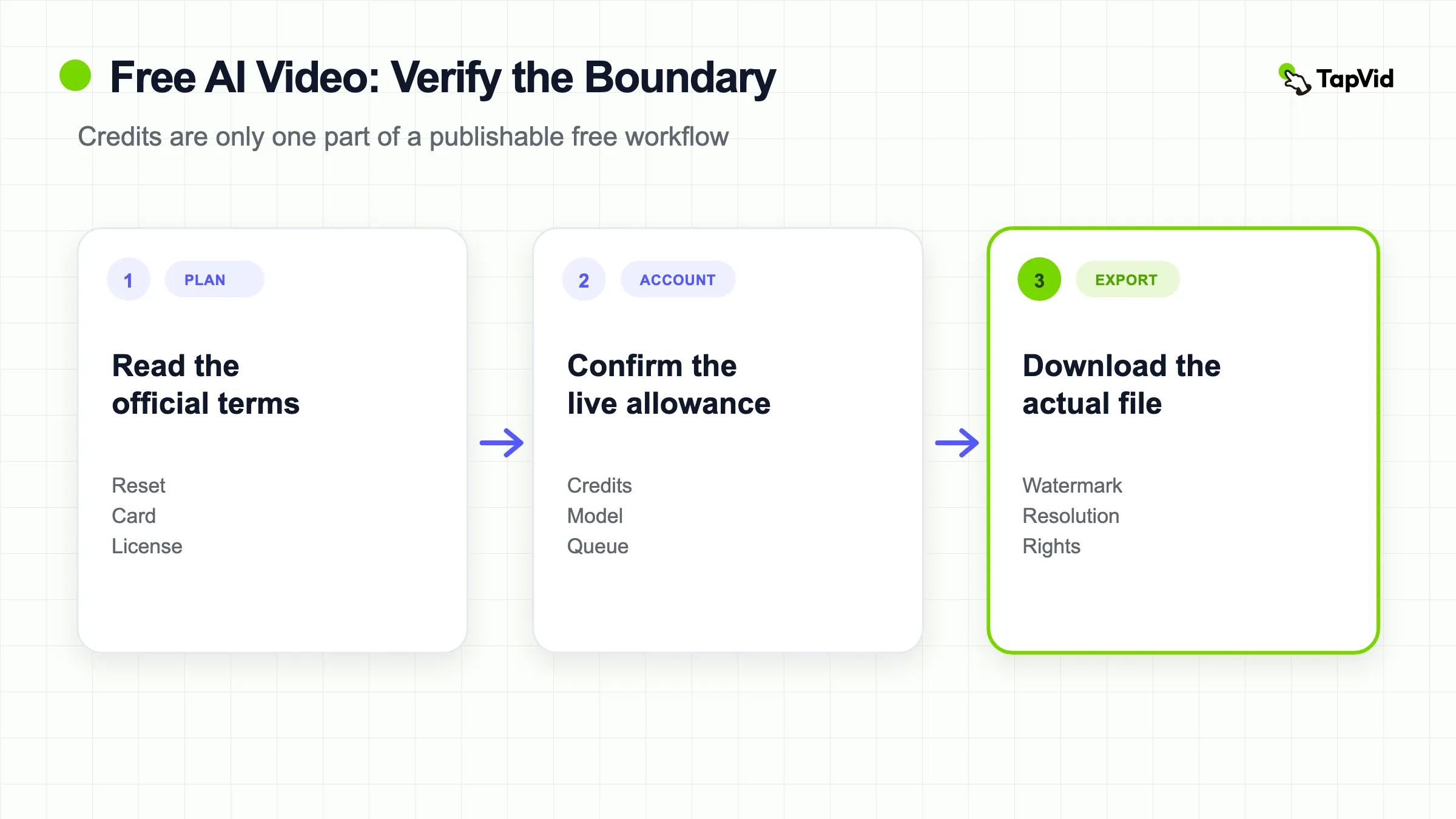
Do not classify a plan from the homepage headline alone. Check the current pricing or help page, then confirm the generation and export screens inside a new account. Record whether credits renew, whether the downloaded file has a watermark, the maximum resolution and duration, whether a card is required, and whether the license fits the intended use. If any of those fields is unclear, treat the tool as an evaluation option rather than a dependable free production tier.
03
Which tools have genuine permanent free tiers in 2026
Checklist
- Runway: The Free plan includes 125 one-time credits that do not expire. They do not refresh monthly. Confirm the current export terms on the official pricing page.
- Pika: The $0 Basic plan lists 80 monthly video credits, 480p access for Pika 2.5, and downloads without a watermark.
- Kling AI: A free-account quota may be visible after sign-in, but the public membership page does not publish one stable allowance. Check the app before planning recurring output.
- Hailuo AI: The app shows a daily free quota, while the exact amount can change. Check the current generation and export screens before relying on it.
- InVideo AI: The Free plan uses limited credits that reset weekly on Monday at 00:00 UTC, and the official help page says no card is required.
- Canva AI Video: Canva Free uses one pooled monthly AI allowance. Its pricing page estimates up to 200 Standard AI uses or 20 Premium AI uses, with video generation drawing from the relevant pool.
04
Tools that are actually trials, not free plans
Several tools present themselves as free but are actually time-limited trials. The tells: they ask for a credit card before you generate anything, the 'free' claim is in the headline but the fine print mentions a trial period, or the pricing page shows a $0 tier that disappears after 'X days free.'
This isn't necessarily a problem — trials are legitimate ways to evaluate tools. But if you're planning a production workflow around a 'free' tool that turns out to have a two-week clock on it, you'll have a budget conversation you weren't expecting.
My rule: before building any workflow around a free AI video generator, find the pricing page, not the homepage. If you can't find a permanent free tier on the pricing page, it's a trial, not a free plan.
05
Open-source video models: no vendor credits, but not zero cost
Open-source models such as LTX-Video and CogVideoX can be downloaded and run outside a hosted credit system. That removes a vendor generation quota, but it does not make production free. You still need compatible hardware or rented compute, storage for model files and outputs, setup time, and someone who can maintain the environment when dependencies change.
Hardware requirements vary by model, resolution, quantization, and workflow, so a single VRAM number is misleading. Read the current model repository before choosing a machine. Self-hosting is most attractive when a technical team needs repeatable batch generation, can accept the model’s quality ceiling, and can spread setup costs across many outputs. For occasional clips, a hosted allowance is usually easier to evaluate even when the nominal credit count is smaller.
06
Building a sustainable free workflow
Start with the output job, not the largest advertised credit number. A cinematic clip generator, a template editor, and a script-to-video system all call themselves AI video tools, but their free allowances do not buy the same deliverable. Test one representative brief with the assets, aspect ratio, text, duration, and export requirements you actually use.
Keep a small verification sheet with the date, input, credits consumed, queue time, export resolution, watermark, license source, and whether the result was usable without another paid tool. Runway’s published free credits are one-time, Pika lists a monthly allowance, InVideo describes a weekly reset, and Kling and Hailuo require an in-app check for the current quota. That difference matters more than a generic “free” badge.
If you are still choosing the output category, compare the workflows in our AI video generator guide. If your input is a product brief, script, PDF, or product page and the information must stay tied to supplied assets, first decide whether an explainer video is the actual deliverable rather than an isolated generated clip.
07
How to choose a free AI video generator for your job
The best free AI video generator is the one whose free boundary lets you complete your specific test. For cinematic text-to-video or image-to-video experiments, compare clip duration, motion quality, reference-image control, and the number of attempts you can make before credits run out. For social production, also check vertical export, captions, music rights, and whether a watermark sits inside the safe area. For explainers, product demos, and training content, check whether supplied screenshots, logos, numbers, and wording remain intact through the draft and export.
Use a two-pass test. First, run the same small brief in two candidates to compare the core output. Second, take the stronger result through the complete path: revision, caption review, resolution selection, download, and license check. Many “free” comparisons stop after a preview appears, even though the constraint that matters is often one screen later. A preview-only workflow is useful for ideation but is not the same as a file your team can publish.
- For a one-time concept test, one-time credits may be enough even if they never refresh.
- For weekly practice, prefer a clearly documented recurring allowance and record the reset schedule.
- For client or commercial work, verify the current license and watermark terms on an official page before delivery.
- For brand or product content, upload the real approved assets and check whether the tool preserves rather than redraws them.
- For self-hosting, price compute, storage, maintenance, and operator time instead of calling the workflow unlimited and free.
08
A five-minute free-plan verification checklist
Before relying on any free tier, capture five pieces of evidence: the official plan page, the account credit screen, the generation confirmation, the export settings, and the downloaded result. Date the check because vendors can change allowances without preserving old marketing copy. If the public page and the app disagree, use the in-product checkout or export screen for the immediate decision and keep the discrepancy in your notes.
Do not force the target keyword into image alt text or a destination link. Alt text should describe what the image proves, and link text should describe the page a reader will open. Search usefulness comes from answering the free-plan decision completely: access type, reset behavior, watermark, resolution, card requirement, license, and the job each tool can realistically finish.
09
What a free test can and cannot tell you
A free test can answer whether the interface accepts your input, whether the model understands the basic brief, how the first draft handles motion and composition, and which gates appear before export. It can also expose a mismatch early. If the product redraws a logo, changes a number, cannot produce the required aspect ratio, or offers only a preview when you need a downloadable file, more credits will not necessarily solve the workflow problem.
A free test usually cannot prove stable production capacity. Queue priority, model access, resolution, commercial rights, collaboration features, storage, and support may differ on paid plans. One successful clip also does not establish consistency across a campaign. Repeat the hardest shot, make one local correction, and export a second version before estimating how the system will behave at volume.
Separate creative evaluation from delivery evaluation. Creative evaluation asks whether the output direction is useful. Delivery evaluation asks whether the file can be reviewed, corrected, licensed, downloaded, and handed to the intended channel or client. A tool may pass the first and fail the second. Record both results instead of compressing them into one “good” or “bad” score.
Finally, do not assume that upgrading preserves the exact behavior observed for free. A paid tier may unlock a different model, processing mode, resolution, or credit schedule. Recheck the selected model and export settings after any plan change. The goal of a free tier is to reduce uncertainty enough to choose the next test, not to prove every future production claim.